
6 best Shopify cart drawer and slide cart apps (2026)
A shopper taps Add to cart, the cart opens, and the next decision is right there: keep shopping, add one more thing, or check out.
Use your theme drawer when it already handles the next step. Add an app when you need upsells, bundles, free-shipping progress, or more control over the experience.
For upsells and a free-shipping bar on a zero budget, start with Essent Cart Drawer. Upcart goes deepest on design, Amp keeps a paid bill flat, Monster is the cheapest paid entry, and Sledge puts the drawer on one $29.99 plan with search and filters.
Check the bill first: Upcart and Monster step up with your monthly order count, so the price moves the month the drawer starts working.
Written by the Sledge team · Every figure comes from each app's own App Store listing.
// How we picked
How we chose these six
Every option here replaces or extends the panel that opens on add to cart, installs without theme edits, and lets you choose what sits inside it. We ranked by how the bill behaves once the drawer starts earning, then by review track record, then by how much each one does outside the cart. No conversion percentages appear below, because a lift depends on your products, photos, and traffic, and nobody can hand you that number honestly. The order follows what you are likely to try first, and no app paid for its spot.
// Comparison table
Shopify cart drawer apps at a glance
| App | Best for | Standout | Starting price | Rating (reviews) |
|---|---|---|---|---|
| Your theme's own drawer | Seeing the cart without leaving the page | Ships with the theme, nothing extra loads | Free | Built into the theme |
| Sledge | The cart as one surface among nine | A bill that never tracks your orders | $29.99 flat | 4.5 (14) |
| Essent Cart Drawer | The whole drawer at no cost | Upsells and a reward bar on a free plan | Free | 5.0 (853) |
| Upcart | The most-reviewed drawer here | Deepest design control, custom HTML and CSS | From $29.99, stepped by orders | 4.7 (855) |
| Amp Slide Cart | A paid plan that stays put | Flat $14.99 and $29.99, not order-keyed | Free, then $14.99 | 5.0 (695) |
| Monster Cart Upsell+ | The cheapest paid entry | Add to Unlock reward ladders | From $12.99, stepped by orders | 4.7 (491) |
// Option 1 · Your theme's own drawer
Your theme's own drawer: free, and honest about what it does
Dawn and Horizon both ship a native drawer, but neither starts with it on: Dawn defaults to a notification, Horizon to the cart page. Open the theme editor, go to Theme settings, then Cart, and set the cart type to Drawer. On Horizon, "Add to cart auto-opens drawer" ships switched off, so turn that on too. Adding to cart now slides a panel in with line items, quantities, a subtotal, and a checkout button.
The standout is that it costs nothing and loads nothing extra. For a store still finding its first few hundred orders, that is the right trade.
The honest limit: it shows the cart, it never sells. No free-shipping progress bar, no offer, no countdown, no recommendation, and no theme setting that adds one. Anything past line items and a subtotal means theme code or an app.
Best for: your cart is already converting and you would rather spend the money on stock.
// Option 2 · Sledge
Sledge: the cart as one surface, not one subscription
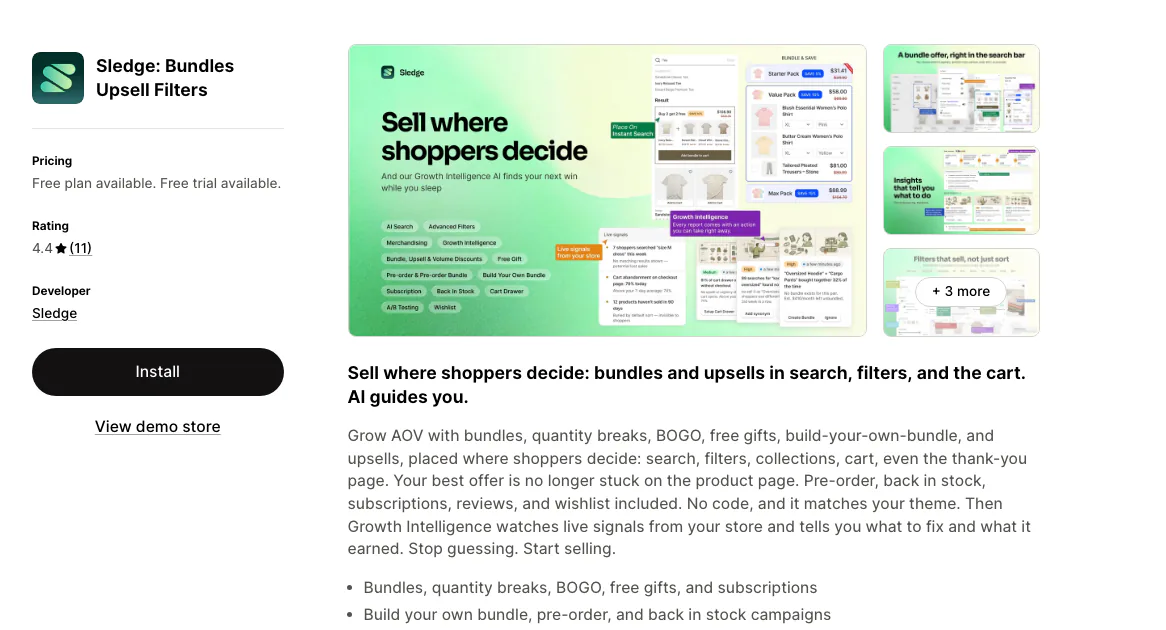
Sledge is a Shopify cart drawer app that also runs search, filters, collections, and offers on the same plan. You order the blocks inside it yourself: recommendations, a bundle or free gift offer, a free-shipping bar, a countdown, badges, a discount field, and order notes. Every add to cart on the store opens it, it adapts to your theme, and it never edits theme files, so uninstalling puts the theme back as it was.
The standout is the bill. Pro is $29.99 and stays $29.99 whether the drawer earns $500 a month or $50,000. The cart is also one of nine surfaces on that same plan, beside search, instant search, collections, the product page, and the thank-you page, so the drawer never becomes its own line item. On Pro and up, Growth Intelligence reads your own orders and puts a dollar estimate on the next change worth making.
The honest limit: Sledge is newer, at 4.5 stars from 14 reviews as of September 2026, against review bases in the hundreds on this page. Its free plan covers development stores only, so a live store starts at $29.99 once the 14-day trial ends.
Best for: the cart is one of several things you want fixed, and you would rather not add a fifth subscription to do it.
// Option 3 · Essent Cart Drawer
Essent Cart Drawer: the whole drawer, at no cost
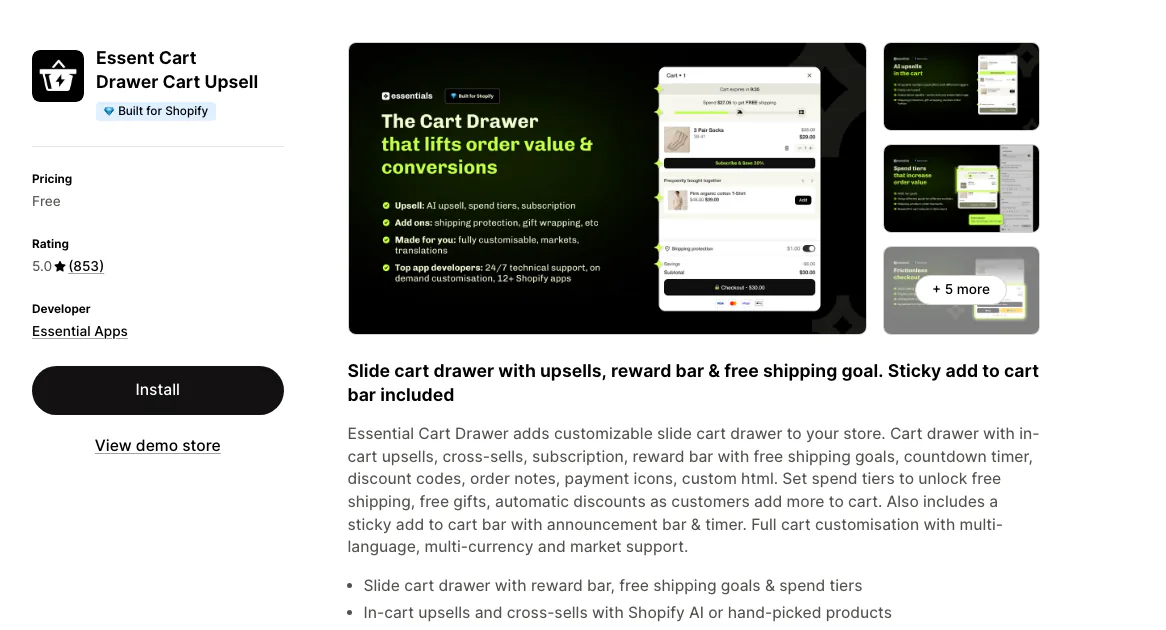
5.0 stars from 853 reviews as of August 2026, on a single plan that costs nothing. The drawer carries in-cart upsells and cross-sells, a reward bar with free-shipping goals, spend tiers that unlock a gift or an automatic discount, a countdown, an announcement bar, a sticky add-to-cart bar, and a discount code field.
The standout is that there is no paid tier to graduate into. Other apps on this page put the reward bar and the upsells behind $14.99 or $29.99; both sit on the free plan here.
The honest limit: a free app is a free app, so support and roadmap sit outside any contract you hold, and a plan with no revenue attached can change. It is also a cart app and only a cart app, which leaves search, filters, merchandising, and reviews on other bills.
Best for: you want the drawer selling this week and the budget is zero.
// Option 4 · Upcart
Upcart: the most-reviewed drawer, on a bill keyed to your orders
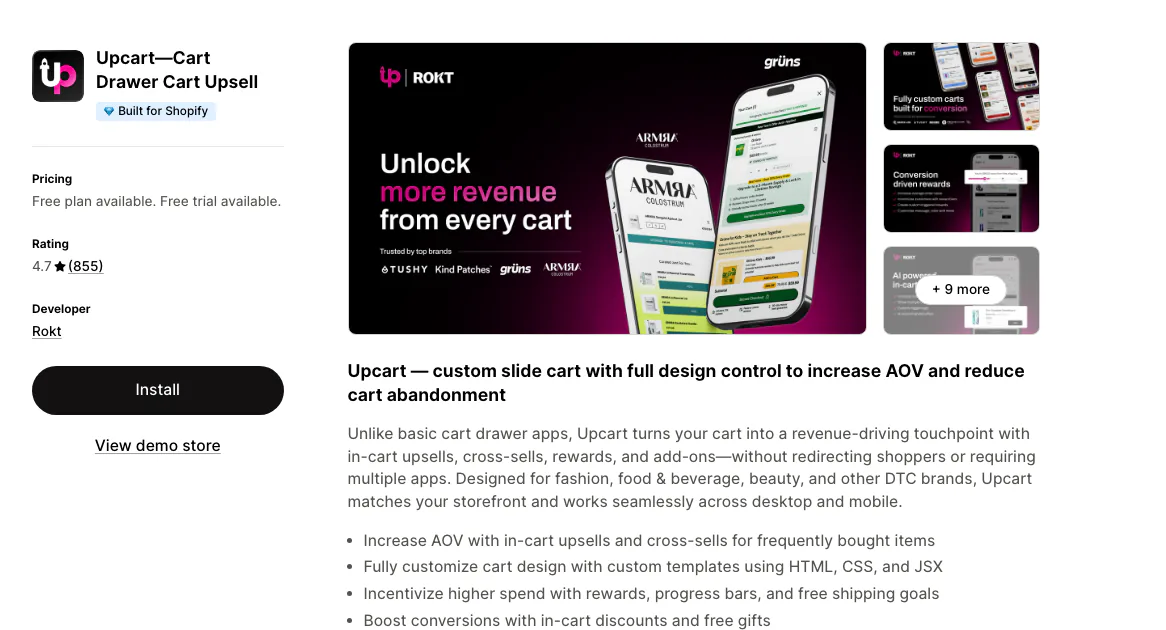
855 reviews at 4.7 as of August 2026, built by Rokt. A custom slide cart with design settings, an announcements module, in-cart upsells and cross-sells, a rewards module with a free-shipping bar, add-ons such as gift wrap and shipping protection, a sticky cart, and custom HTML and CSS.
The standout is design control. If you want the drawer to look drawn by your own designer rather than configured from a settings panel, this one goes furthest.
The honest limit: the plan steps with your monthly orders. $29.99 up to 200 orders, $34.99 from 201 to 500, $54.99 from 501 to 1,000. The free plan is for development and partner stores only. Expect the bill to move the same month the drawer starts working.
Best for: you want the most-reviewed drawer here, and a bill that tracks your volume is a trade you accept.
// Option 5 · Amp Slide Cart
Amp Slide Cart: a paid plan that stays put
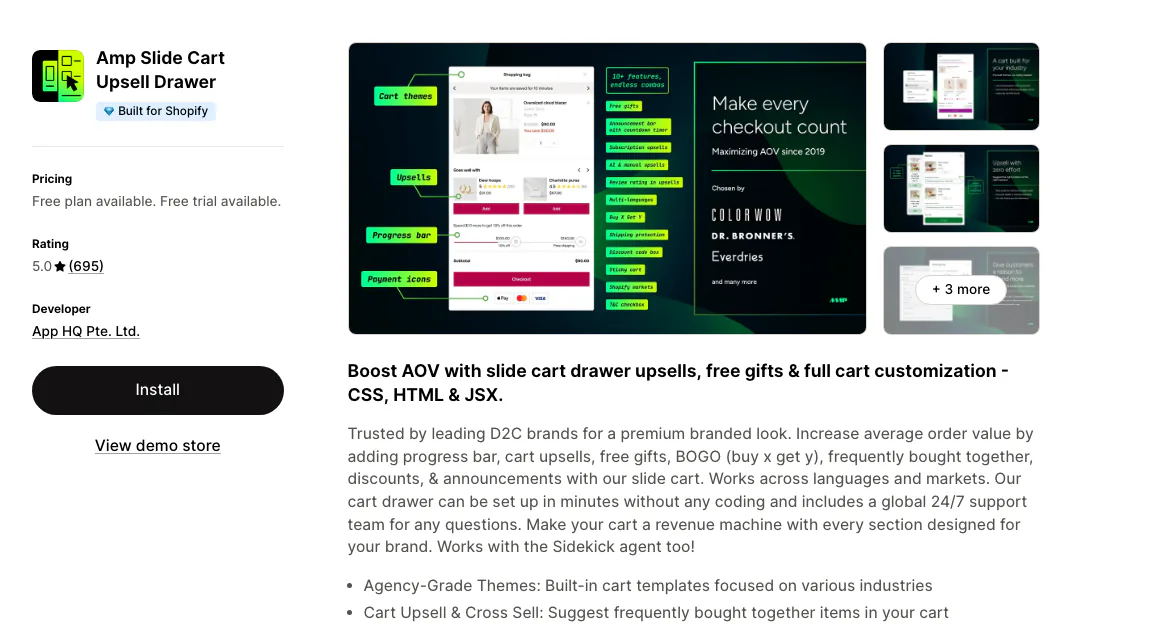
5.0 stars from 695 reviews as of August 2026. Free Forever covers announcements with an urgency timer, trust badges and payment icons, a sticky cart, a shipping protection upsell, a discount code box, and brand customizations. Starter at $14.99 adds the upsells and the free-shipping progress bar. Pro at $29.99 adds free gift, BOGO, and the rewards bar.
The standout is that the prices are flat. $14.99 is $14.99 at 50 orders and at 5,000. In a category that mostly bills by volume, that is worth noticing.
The honest limit: the free tier is thinner than it first reads. Both the progress bar and the upsells, the two blocks most stores install a cart app for, start at $14.99.
Best for: you want a paid drawer and a bill you can forecast a year out.
// Option 6 · Monster Cart Upsell+
Monster Cart Upsell+: the cheapest paid entry
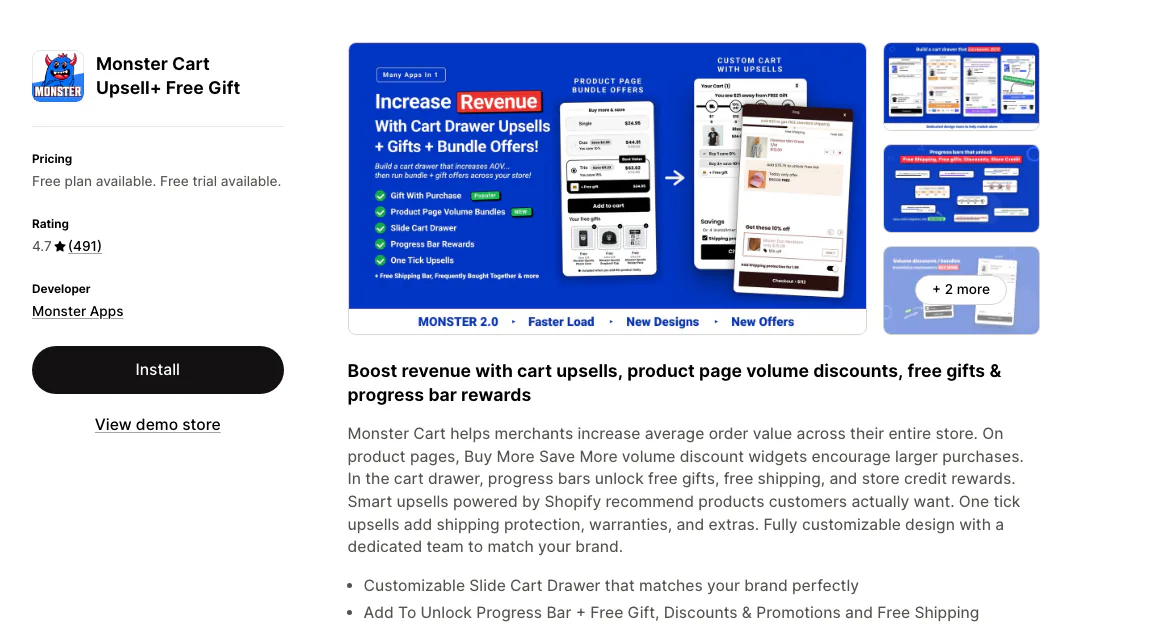
4.7 stars from 491 reviews as of August 2026. Add to Unlock progress bars that release a free gift, a discount, or free shipping, a customizable slide cart, one-click upsells for shipping protection and warranties, a product-page volume discount widget, and frequently bought together drawn from Shopify's own recommendations.
The standout is the reward ladder. Setting several thresholds so the cart always has a next goal is the thing this app is shaped around.
The honest limit: the entry plan covers 50 orders a month, and past that it is $21.99 up to 200. That step arrives early, so price it against the order count you expect rather than the one you have.
Best for: you are testing whether a reward ladder moves your cart at all, and you want to spend under $15 to find out.
// What you are actually buying
Every app here sells you the same five blocks
Line the feature lists up side by side and they converge: a free-shipping progress bar, a countdown, recommendations inside the cart, a discount field with trust badges, and an offer, whether BOGO, a volume tier, or a free gift.
Which means the shortlist turns on three things a comparison table cannot decide for you.
Does it open from every add to cart? Including the quick-add button on a collection card. If it does not, some shoppers get the app's drawer and some get the theme's, and the two disagree about what is in the cart. Test this on a collection page before you test anything else.
Does it write to your theme files? A drawer that injects at runtime uninstalls clean. One that edits Liquid leaves you reverting a theme months later, when you switch themes.
What happens the month it works? Two of the four paid apps here, Upcart and Monster, step up a tier on order volume. That is not a hidden fee, it is printed on the pricing page. It is just worth pricing at your good month rather than your current one.
// Which one fits you
Which cart drawer app fits your situation?
- Your cart already converts and you would rather buy stock. The theme's own drawer. Switch the cart type to Drawer in theme settings and spend nothing.
- You want the drawer selling this week on a zero budget. Essent Cart Drawer. Upsells, a reward bar, spend tiers, and a countdown, on a plan that has no paid tier above it.
- Design pulls you toward a drawer that looks drawn, not configured. Upcart. Design settings plus custom HTML and CSS go furthest, as long as a bill keyed to your order count is a trade you accept.
- You want a paid drawer and a bill you can forecast. Amp Slide Cart. $14.99 is $14.99 at 50 orders and at 5,000.
- Testing whether a reward ladder moves your cart at all is the goal. Monster Cart Upsell+. Under $15 to find out, though the first step up arrives at 50 orders a month.
- The cart is one of several things you want fixed. Sledge. The drawer sits on the same $29.99 plan as search, filters, collections, and the product page, so it is not its own subscription.
Questions, answered
What is the best cart drawer app for Shopify?
It depends on how you want the bill to behave. Essent Cart Drawer Cart Upsell does the whole job on a free plan at 5.0 stars from 853 reviews. Upcart has the deepest design control and steps up with your order count. Amp keeps its paid tiers flat at $14.99 and $29.99. Sledge keeps the drawer at $29.99 beside search, filters, and collections on the same plan.
What is a cart drawer on Shopify?
A cart drawer is the cart itself, opened over the page on add to cart instead of at /cart. Dawn and Horizon both include one, switched off by default. Neither can hold an offer, which is the job a cart drawer app does.
How do I change the cart drawer in Shopify?
Open the theme editor, go to Theme settings, then Cart, and set the cart type to Drawer. On Horizon, 'Add to cart auto-opens drawer' ships switched off, so turn that on too. Changing what sits inside takes theme code or an app, because the theme editor has no block for a progress bar, a countdown, or an offer.
Do I need a cart drawer app if my theme already has one?
Not necessarily. The native drawer lists items and totals the order, which is enough while your cart is already converting. You need an app when you want the drawer to sell: a free-shipping progress bar, an in-cart offer, a countdown, or a product recommendation. None of those are theme settings.
Will a cart drawer app slow my store down?
It can, since it adds JavaScript and CSS to every page. The practical checks: does it inject at runtime instead of editing theme files, does it replace the native drawer rather than run alongside it, and does it open from every add to cart including quick-add buttons on collection cards. Two carts that disagree is the more common failure.
A drawer that sells. Or a bill that grows with it.
Your theme's drawer is free and shows the order. Essent does the whole job for nothing. Upcart and Monster both build a good cart, then take a bigger plan as your orders climb. Sledge keeps the drawer at $29.99 however many orders you take, on the same plan as search, filters, and collections. On Pro and up, Growth Intelligence then puts a dollar figure on what the silent cart was leaving behind, down to the shoppers who stalled $12 from free shipping.
14-day free trial · No code · Works with any theme · Uninstalls clean