
The sale starts at midnight. At 11:50pm you're still in the theme editor, placing the banner on the right pages by hand. It goes live late, in one spot. Then it stays up three days past the sale.
Run the promo. Not the timing.
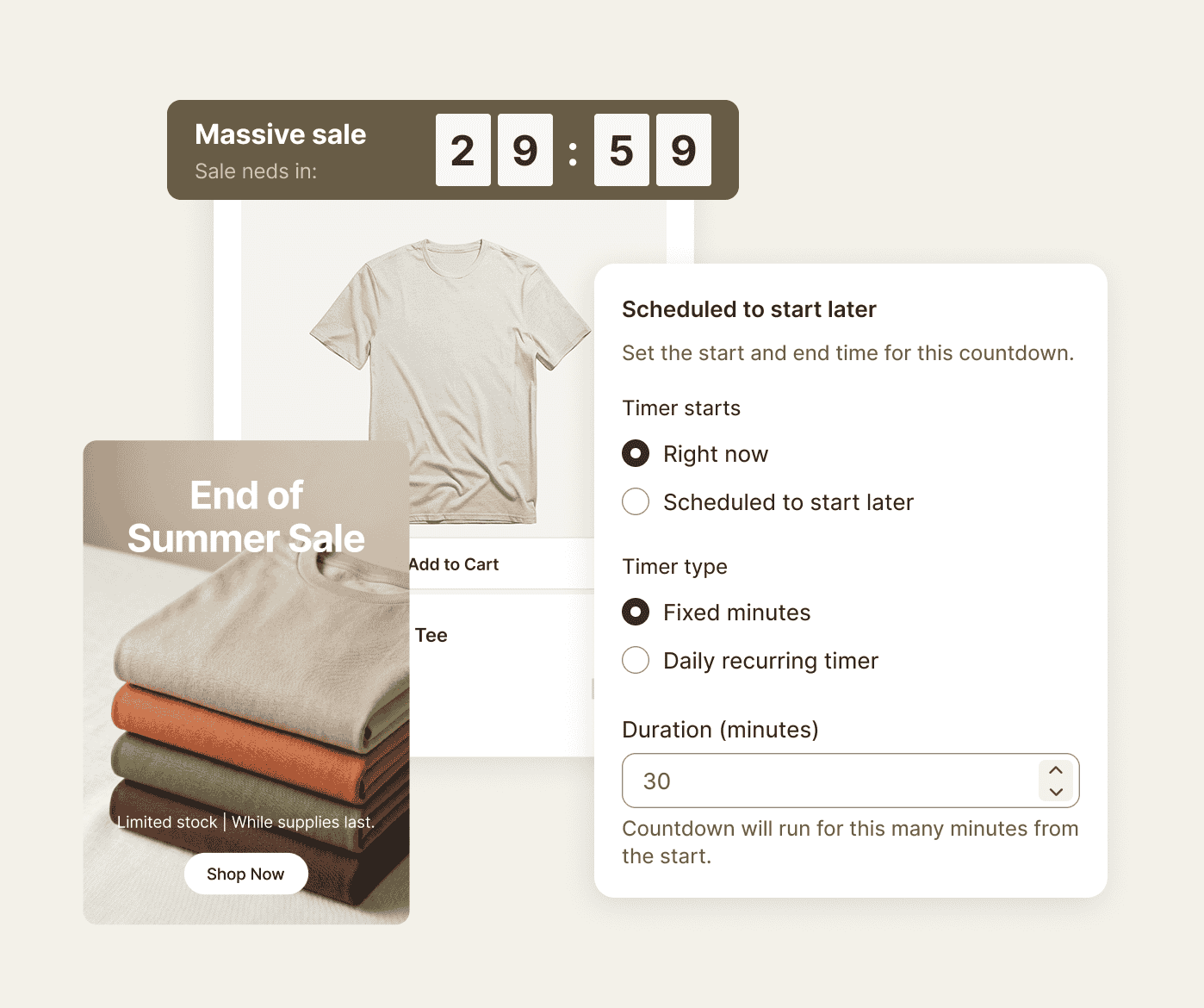
Sledge is a Shopify app that runs promo banners and countdown timers. You schedule each one once. You place it exactly where shoppers will see it.
14-day free trial · No code · Works with any theme · Uninstalls clean
// The banner
A sale nobody can see isn't a sale.
You drop the price, but the only sign of it is one line on the homepage. Shoppers deep in a collection never see it, and pay full price for a deal that was theirs.
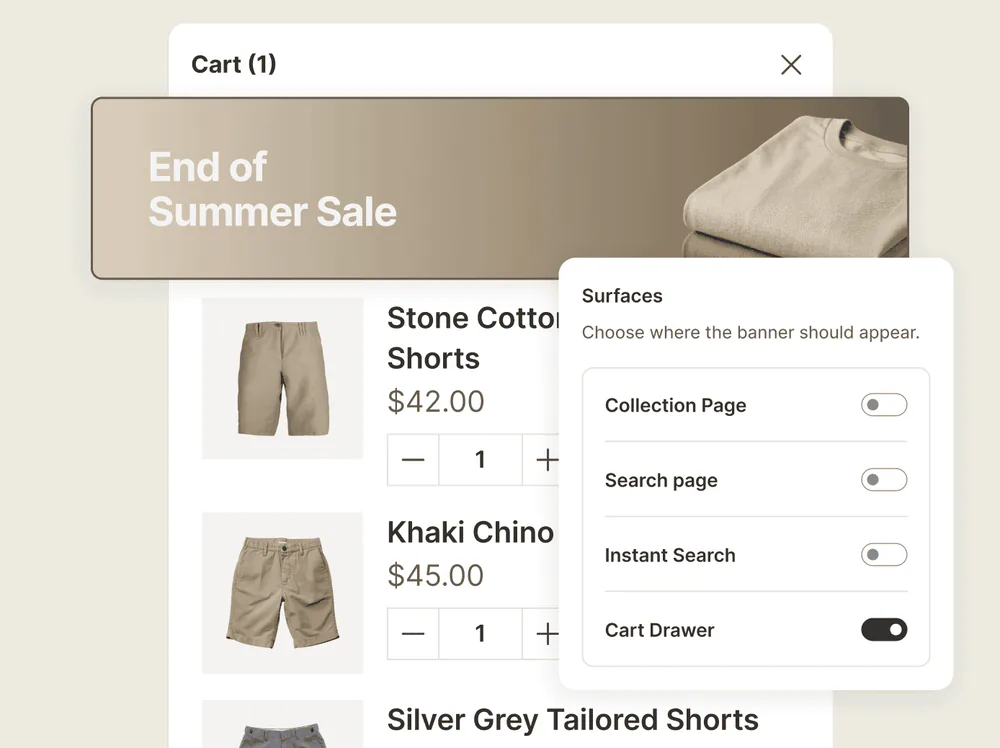
Sledge promotion banners inject at the top or bottom of the grid, or any slot on its first page. A banner can run on every collection page, on the search page, on instant search, and in the cart drawer. You pick which. Run one banner on the collection and a different one in the cart.
// The countdown
"Ends soon" means nothing without a clock.
"Ends soon" gives a shopper no reason to buy now instead of next week. They mean to come back, and the sale ends without them.
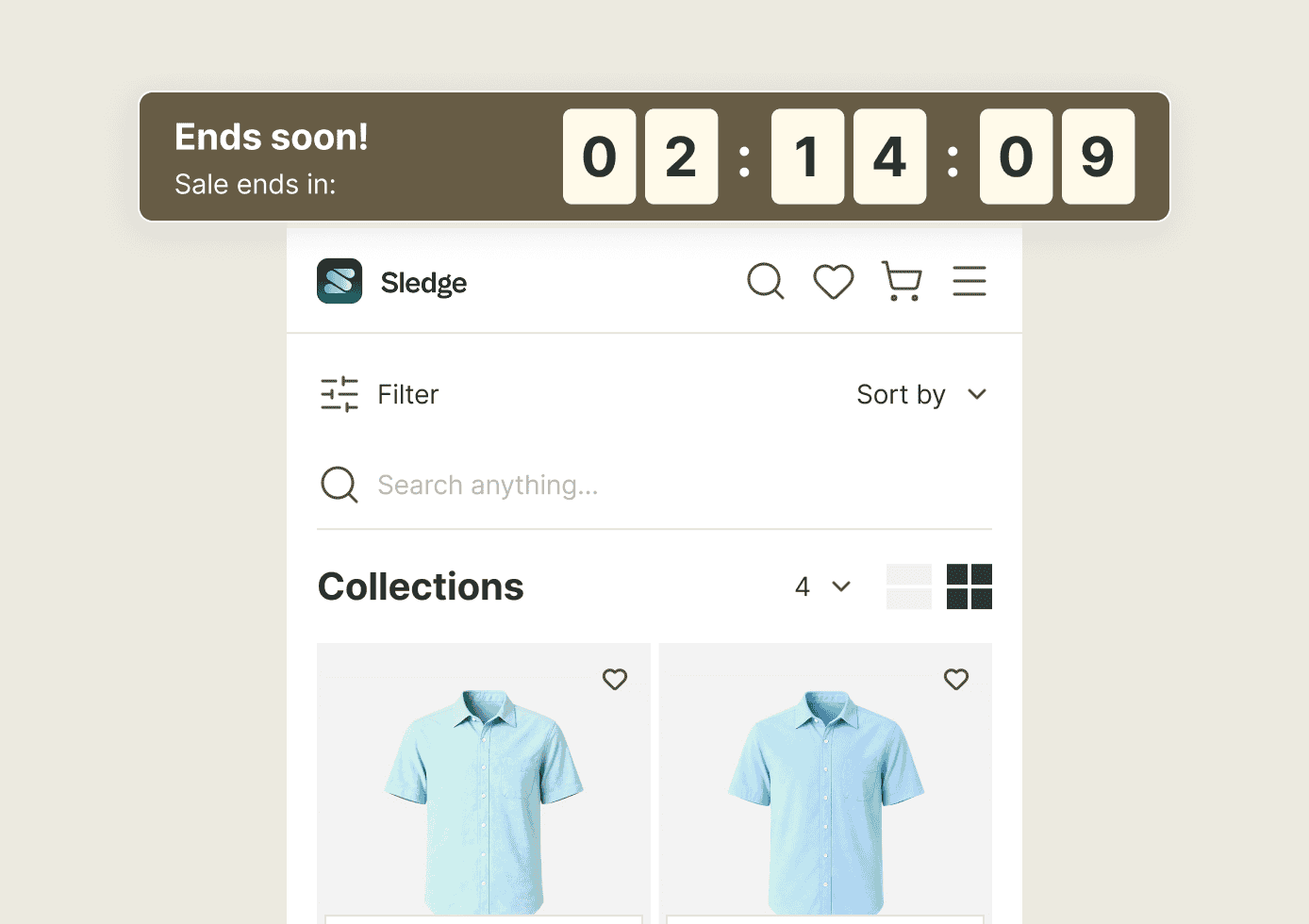
Sledge countdown timers run as a site-wide bar, or on the product pages you choose. A timer can also keep ticking in the Sledge cart drawer. A clock reading 02:14:09 and falling puts a real number on the wait. Now the shopper has a reason to buy today, not someday.
// The schedule
The worst promo is the one still running a week late.
You launched the flash sale on time. Taking it down is what slips. The banner lingers, the timer sits at zero, and your store looks asleep at the wheel.
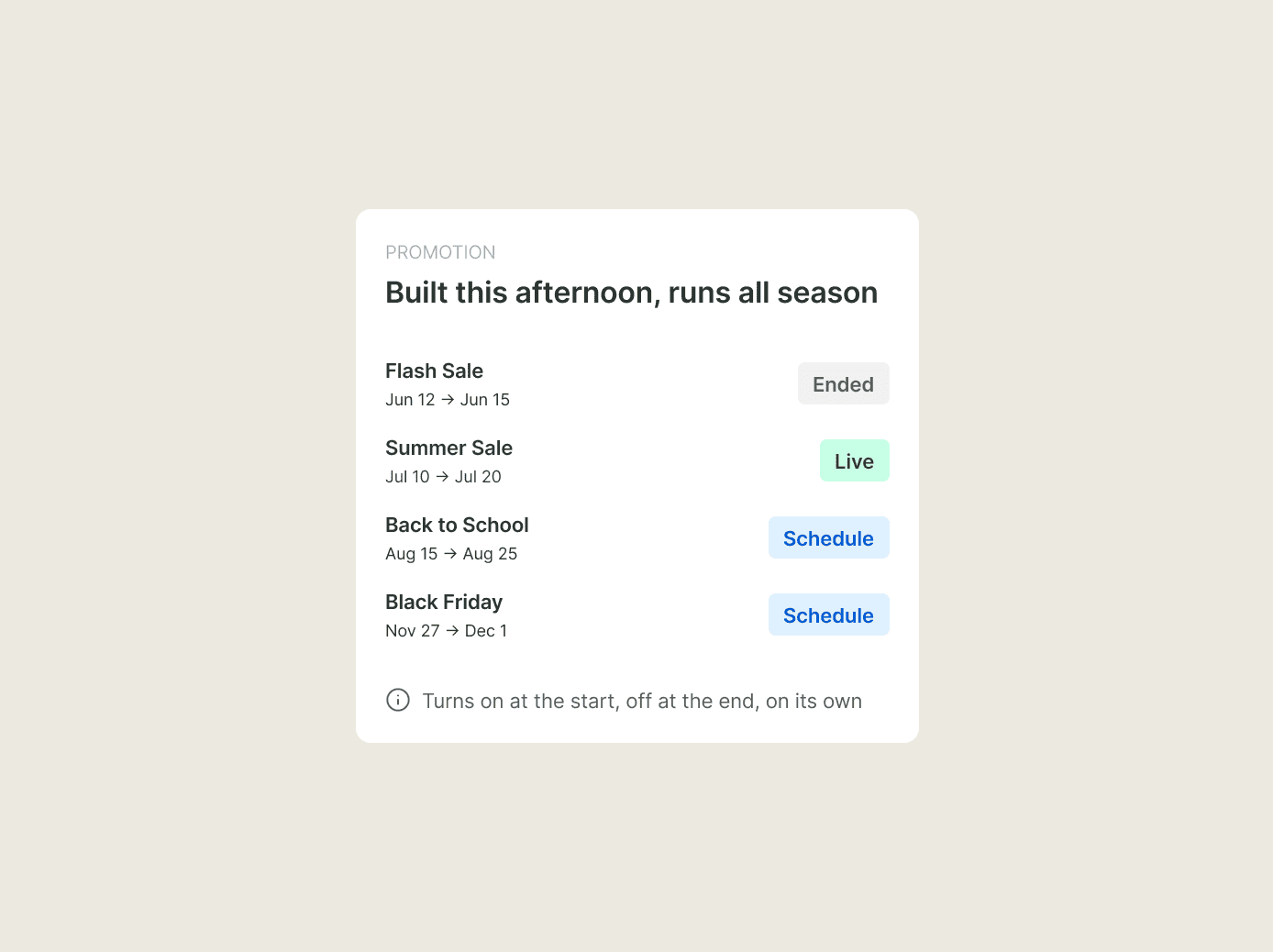
Set the dates as you build it. Every Sledge banner and countdown then turns itself on at the start date and off at the end date, so the sale ends when you said it would. You can build the whole season in an afternoon, then forget it.
Questions, answered
Can I show a promo banner only on certain Shopify pages?
With Sledge, yes. Sledge promotion banners run on collection pages, the search page, instant search, and the cart drawer. You pick which of those they run on. Each surface gets its own image and its own button straight to the deal.
Does Sledge have a countdown timer?
Yes. Sledge countdown timers run as a site-wide bar, or on product pages that you scope to a product list or a whole collection. One can also ride the Sledge cart drawer.
Will the promo turn off by itself when the sale ends?
Yes, on the dates you set. You give the promo a start and an end date, and Sledge turns the banner or timer on and off for you.
Do I need to edit my theme to add a banner or timer?
Not with Sledge. Sledge places banners and timers without touching your theme files. Uninstalling Sledge leaves your theme exactly as it was.
Set it once. Let the calendar run the sale.
Schedule your next banner and countdown, and put your storefront on autopilot for the season.
14-day free trial · No code · Works with any theme · Uninstalls clean