
Product Review
Help shoppers decide what to buy.
Sledge collects reviews with photos for your product pages and can show star ratings in collections and search results.
 Made for Shopify Understand your shoppers
- No credit card required
- Setup in minutes


Fig leaf candle $24.00
4.7 out of 5
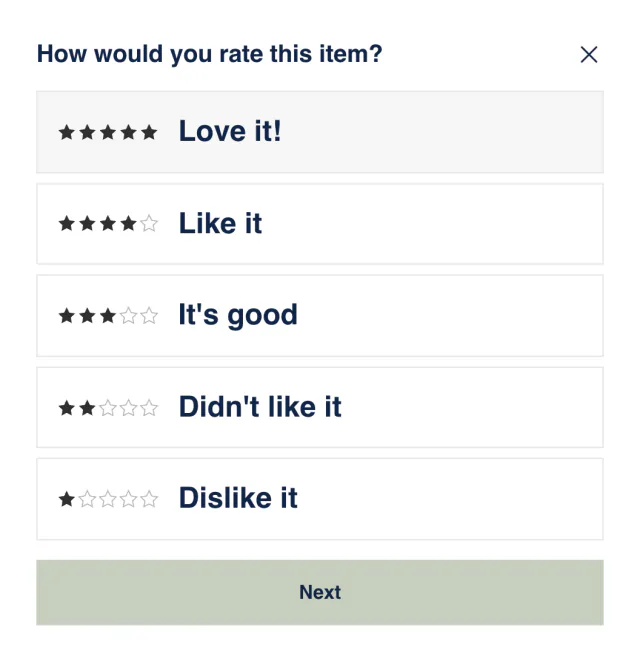
How would you rate this item?
Publishing
Minimum rating 4 stars & up
5 stars
Fills the room without being too strong.
Published
Thank you! Your review has been submitted

Shopify stores running Sledge


 Featured on Shopify




Trusted by Shopify stores
600 + Shopify stores have installed Sledge
 14-day free trial
 Built to grow sales


















Review tools
Where missing or buried reviews lose the sale.
A shopper who can’t see what others thought may leave without buying.
-
Product reviews
Shoppers look for reviews on your product page and find none.
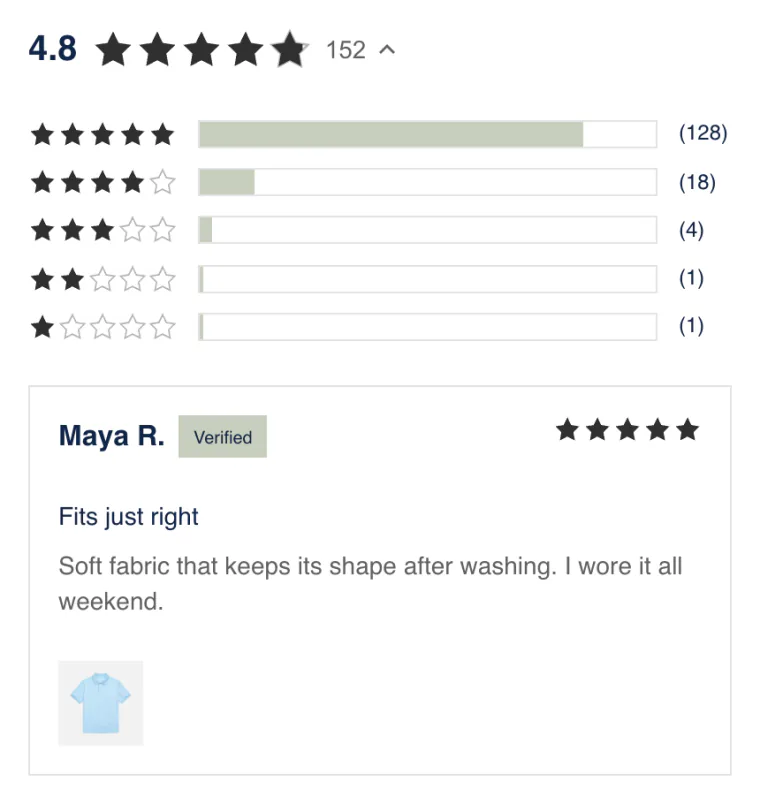
Shoppers can read reviews with photos on your product page. Sledge can show each product’s stars in collections and search results too.
-
Review sidebar
Shoppers who don’t open a product page never see your reviews.
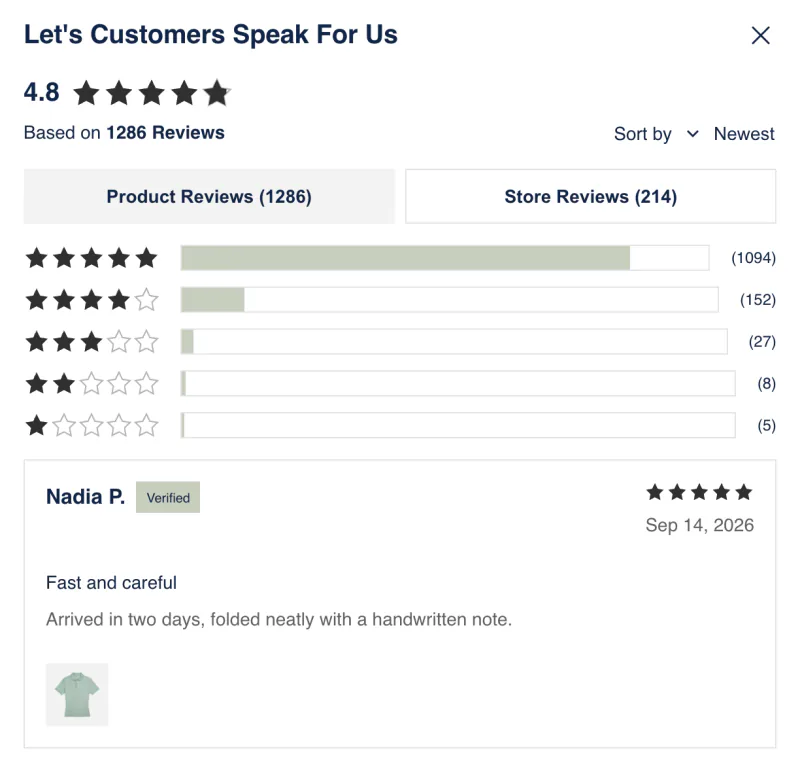
Shoppers can read your reviews without leaving the page they’re on, through a slim tab on its edge.

-
Happy Customer page
A shopper deciding whether to trust your store has no page of reviews to read.
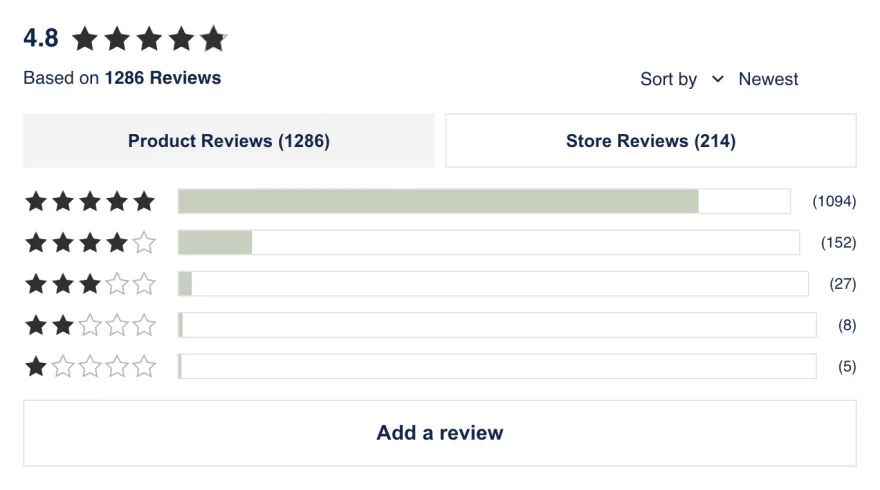
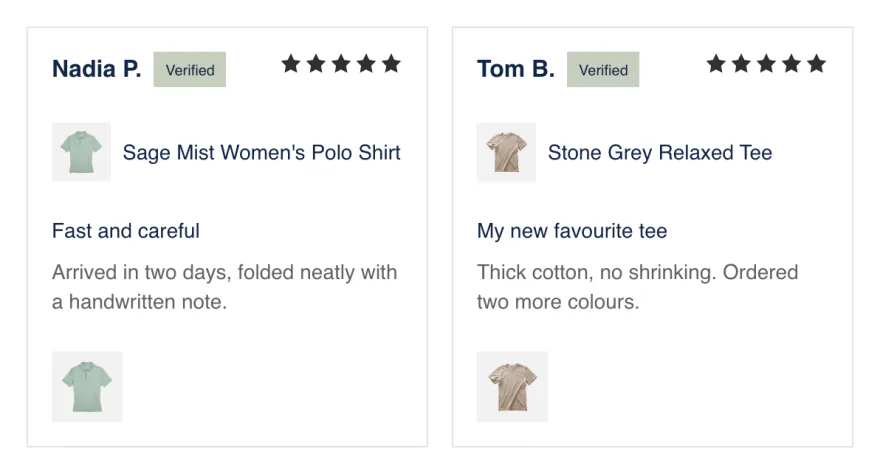
Your Happy Customer page gives shoppers one place to read your product and store reviews, with your overall rating.
-
Trust badge
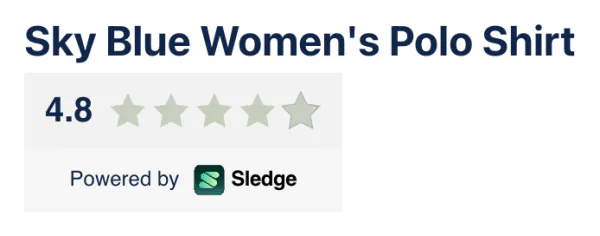
Shoppers can’t see your rating at a glance.
Shoppers see your star rating on any page where you add the trust badge.
-
Review snippets
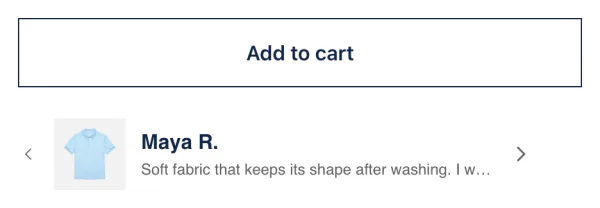
Your best reviews sit far below the buy button.
Your best reviews can show as one-line quotes near the buy button, and shoppers click one to read it in full.
Growth Intelligence
Find out when missing reviews could be costing you sales.
-
See the problem
You can spot when too few of your products have reviews.
-
Pick a fix
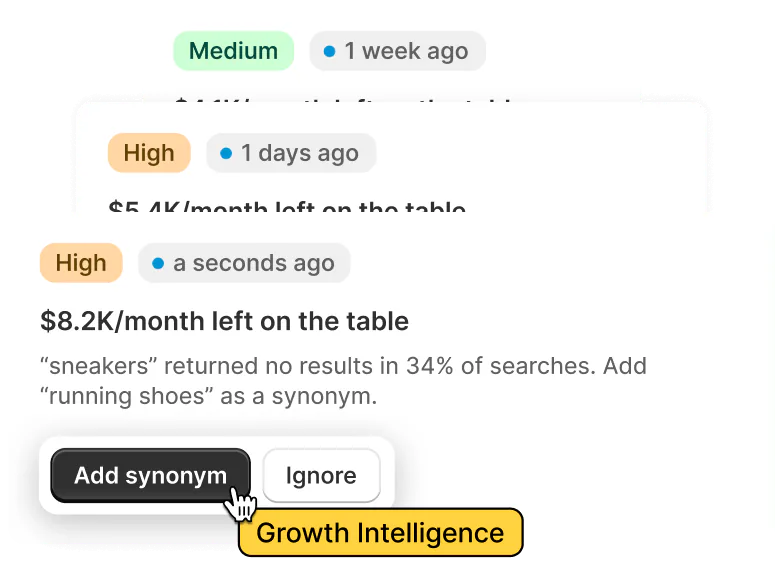
On any paid plan, each fix is marked High or Medium priority. One total estimate shows the sales the fixes could add each month.
-
See what works
Once reviews show, Sledge Analytics compares the conversion rate of visits to reviewed products with visits to products without reviews.
Why Sledge
Why choose Sledge
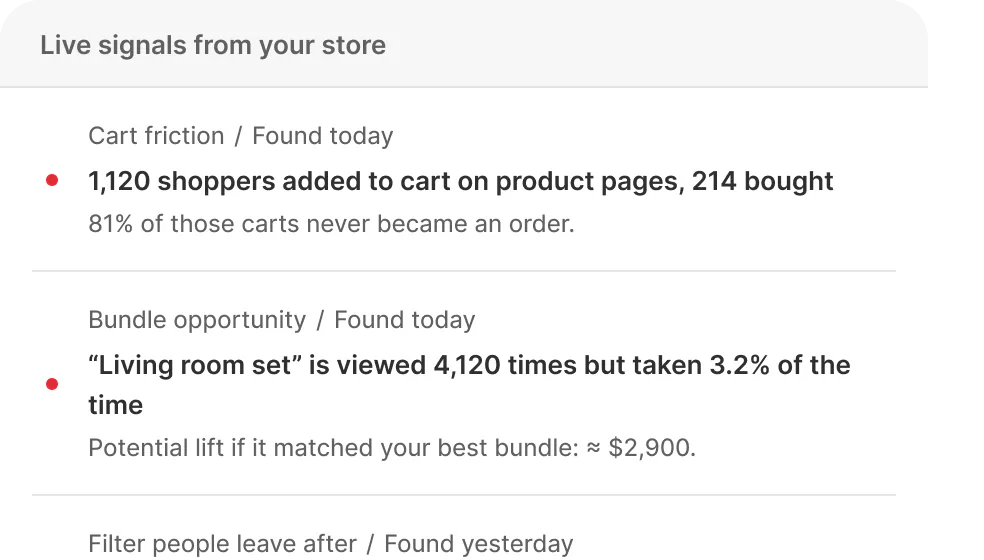
Know what to fix first
See what's
happening now



“They helped customise our filters…”
 Charming Beads
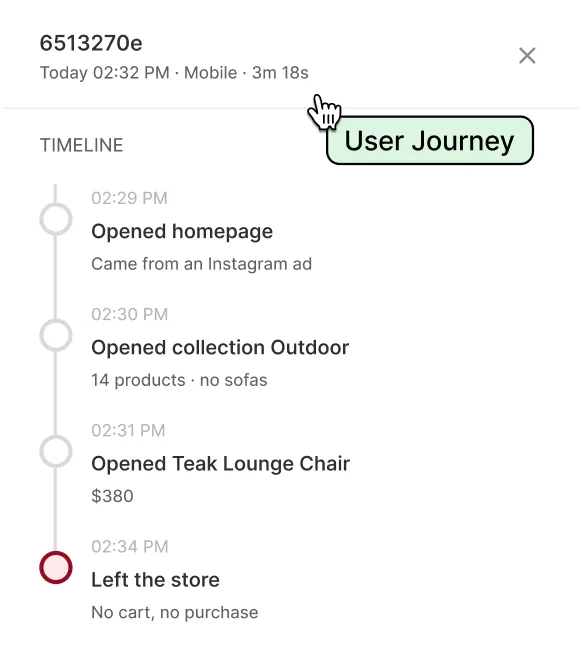
Tools are ready



See why
shoppers
didn't buy

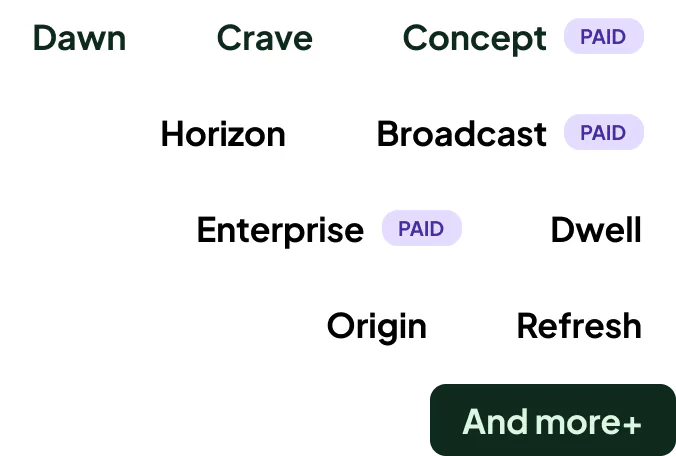
46+ Works with
any theme

FAQ
Common questions about Sledge reviews.
-

14-day free trial
Explore Sledge on your store before you decide to commit.
-

No credit card required
Start improving your store with no upfront commitment.
-

Setup in minutes
Get Sledge running without a lengthy setup process.
-

Built to grow sales
Turn shopper behavior into actions that help you sell more.
What does Sledge do for product reviews?
Sledge is a Shopify product reviews app that eases shoppers’ doubts by showing what others thought. Shoppers can leave a star rating, a written review and up to five photos. Sledge can show the stars on your product pages, in collections and in search results. You choose which reviews go live. Reviews come in every paid Sledge plan.
Do I need a separate reviews app?
Not with Sledge. Reviews come in the same plan that runs your search, filters, bundles, merchandising, cart drawer and wishlist, so you can add product reviews without a separate monthly bill. Shoppers leave reviews on your store, and you manage them in the Sledge admin next to the rest of your tools.
Can shoppers leave reviews with photos?
With Sledge, yes. Shoppers can leave a star rating, a written review and up to five photos, each up to 10 MB, from your product page. The Happy Customer page, a page that gathers your product and store reviews in one place, shows your overall rating and a button to write a review. Here is how to make a testimonial page with it.
Where do star ratings show?
Sledge can show star ratings on the product page and next to each product it lists in collections, search results, suggestion rows like “You may also like” and the wishlist. A product with no reviews shows no stars. You can also add review snippets, a slide-out review sidebar and a trust badge. The badge shows a product’s rating on its page and your store’s average elsewhere.
Can I moderate reviews and reply to them?
Yes, both. In the Sledge admin, you can publish any review or take it down, and reply to it. You can also mark a review “Verified”, a badge you set yourself because Sledge does not check whether the reviewer bought the product. Your reply shows under the review on your store. For what to write under a bad review, see how to respond to negative reviews.
Can I stop a bad-faith review from going live?
With Sledge, yes. By default, reviews of four and five stars go live on their own, and anything lower waits until you publish it. To check every review first, switch off “Enable auto publish” (the switch that publishes new reviews for you) and save. You can also take down a live review at any time.
Can Sledge tell me when products need reviews?
Yes, on any paid plan. Growth Intelligence can flag when too few of your products have reviews, and it marks each fix High or Medium priority. Its fixes add up to one “Est. potential” total for the sales they could add each month. Each fix opens the right page in Sledge, where you set it up.
Do reviews cost extra?
No, reviews are included in every paid Sledge plan, never sold as an add-on. Every new install starts with a 14-day free trial, and reviews run during it. Development stores use Sledge free, so you can try reviews there first. See pricing.
Show reviews where shoppers decide.
Start a free trial, switch on reviews, and preview how they look in your store.

