
Leaving Lucky Orange? 6 heatmap and recording apps for Shopify (2026)
Data as of October 2026. Prices and features come from each app's Shopify App Store listing, pricing page and help center, read October 30, 2026.
Summarize with AI
Your Lucky Orange sessions ran out mid-month, and either the recordings stopped or the app moved you up a plan without asking. For most Shopify stores, Microsoft Clarity is the free Lucky Orange alternative, with no traffic limit. MIDA records 5,000 sessions with heatmaps for $9.90 a month, where Lucky Orange's $19 plan stops at 500.
At a glance
Which Lucky Orange alternative costs least at your traffic?
Lucky Orange bills by sessions, roughly one per visit, so the fair test is one traffic level. Here is each app at 5,000 sessions a month, as of October 2026, and how it gets onto your store.
| App | Best for | Free plan | At 5,000 sessions a month | Shopify route |
|---|---|---|---|---|
| Microsoft Clarity | Leaving Lucky Orange on price | Yes, with no traffic limit | $0 | Microsoft's own app |
| MIDA | Lucky Orange's tools for less | 250 sessions a month | $9.90 on Basic | Its own app, Built for Shopify |
| Propel | Keeping on-site surveys | 750 pageviews a month | Counted in pageviews: 20,000 for $9.90 | Its own app, Built for Shopify |
| Contentsquare (Hotjar) | You used Hotjar | Up to 20,000 sessions a month | $0 on Free, which replays a share of sessions | Its own app; paid plans may bill outside Shopify |
| Mouseflow | Longer history | 500 sessions a month | $39, or $25 a month billed yearly | A theme edit, or a $0.99 installer from another company |
| Plerdy | A/B tests in the same app | Heatmaps on 100 pageviews a day | Counted in daily pageviews: Startup $32 | Its own app |
| Lucky Orange | Where you are now | 100 sessions a month | $89 on Grow (Build stops at 3,500) | Its own app, Built for Shopify |
Hotjar is now part of Contentsquare and takes no new accounts, so its row is the app that replaced it.
Lucky Orange's price
How much does Lucky Orange cost on Shopify in 2026?
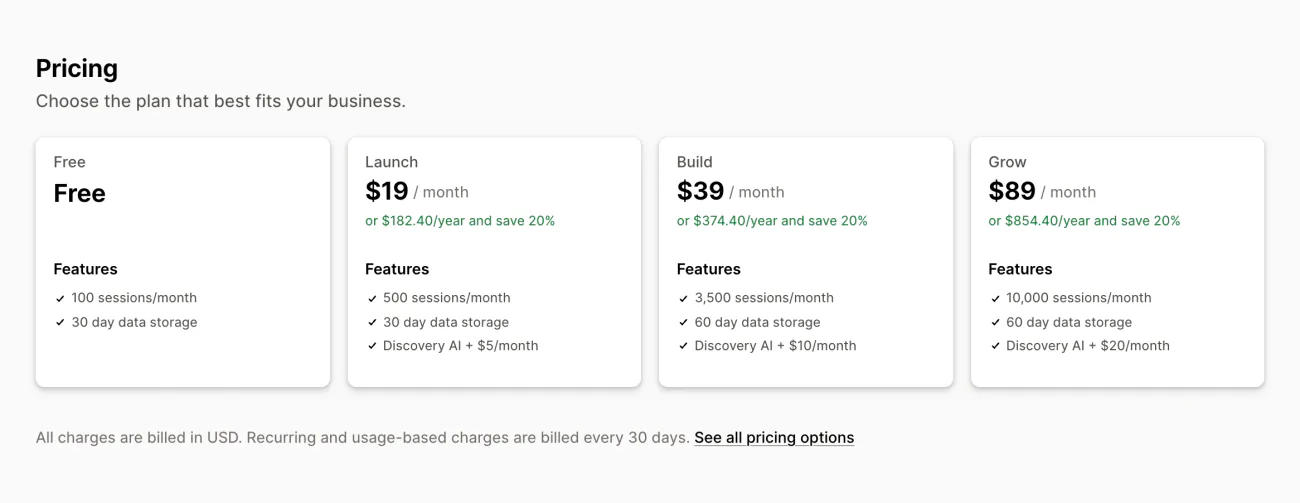
Lucky Orange does a lot in one app: recordings, heatmaps, funnels, surveys and checkout tracking, with the Built for Shopify badge. Your session allowance resets every 30 days. These are the plans on its App Store listing.
| Plan | Price a month | Sessions a month | Data kept |
|---|---|---|---|
| Free | $0 | 100 | 30 days |
| Launch | $19 | 500 | 30 days |
| Build | $39 | 3,500 | 60 days |
| Grow | $89 | 10,000 | 60 days |
Discovery AI, Lucky Orange's add-on, costs $5, $10 or $20 a month more on the three paid plans. Yearly billing saves 20%. Launch is a Shopify-only plan. On Lucky Orange's own website, plans start at Build, $39 a month for 3,500 sessions, then Grow for 10,000 and Expand from 50,000 sessions at $249.
When the sessions run out, your plan moves up. On Shopify, “Keep Me Tracking” is on unless you untick it. It can move you up as many as two plans before Lucky Orange asks you. The checkbox sits in the Plan Summary panel, right below your plan's price, on Lucky Orange's Plan & Billing page.
With it unticked, tracking stops at the limit, and surveys, announcements and live chat stop with it until you upgrade or the 30-day cycle resets. Deleting old recordings to make room gives no sessions back, Lucky Orange says.
How we picked
How did we pick these six Lucky Orange alternatives?
Each app records visits and draws heatmaps, and each reaches a Shopify store through its own App Store app or its maker's Shopify guide. We read every price on October 30, 2026, then ranked the six by why you might leave Lucky Orange, starting with the bill. Lucky Orange stays in the table above as your baseline.
Alternative 1 · Microsoft Clarity
Lucky Orange vs Microsoft Clarity: is the free one enough?
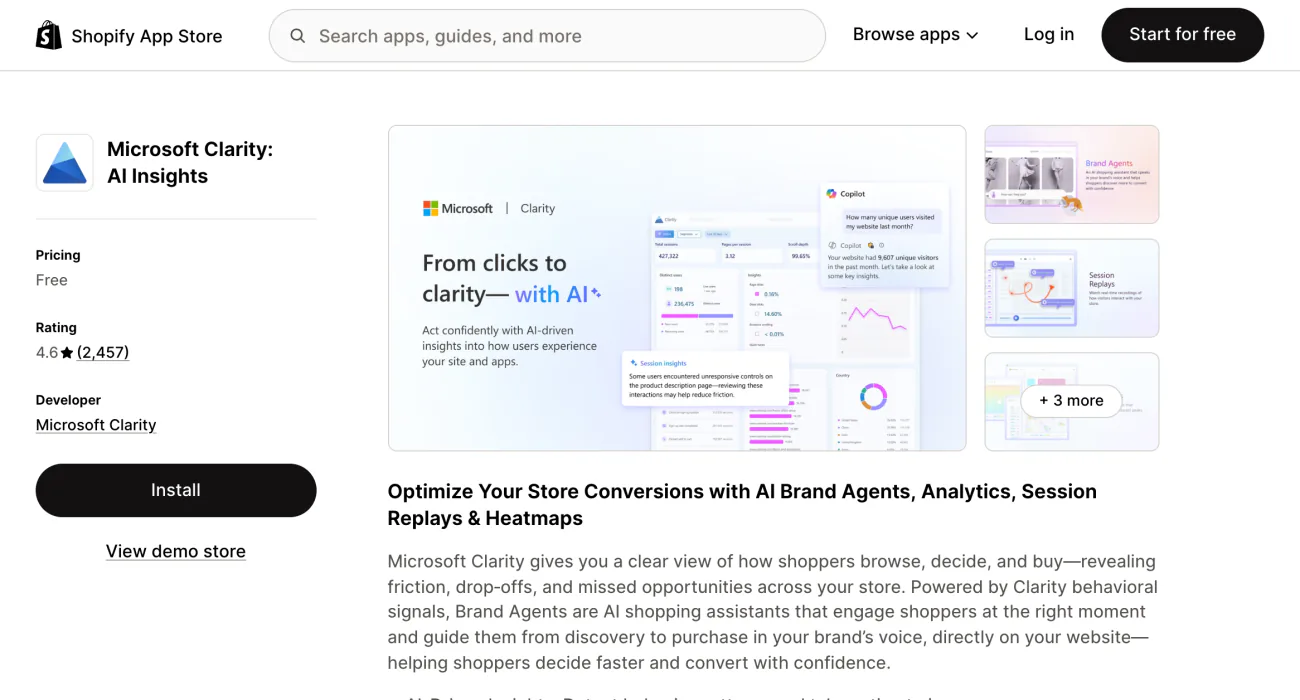
You pay Lucky Orange by the session, while Microsoft's own Shopify app records sessions free. Microsoft Clarity: AI Insights has one plan, Free Forever, with no traffic limit and no paid version to move up to, Microsoft says.
You get recordings, click and scroll heatmaps, conversion funnels and AI insights. It records every session rather than a share of them, up to 100,000 a day. Setup is one switch in the app's settings, and data shows within a few hours.
The gaps: recordings are kept 30 days, though favorites and a random sample last up to 9 months. Shoppers in the European Economic Area, the UK and Switzerland must accept cookies before full recordings work. Checkout pages are tracked only on Shopify Plus, and surveys are not in its feature list.
Best for: you are leaving Lucky Orange over price or the session allowance.
Alternative 2 · MIDA
Lucky Orange vs MIDA: what does $9.90 a month record?
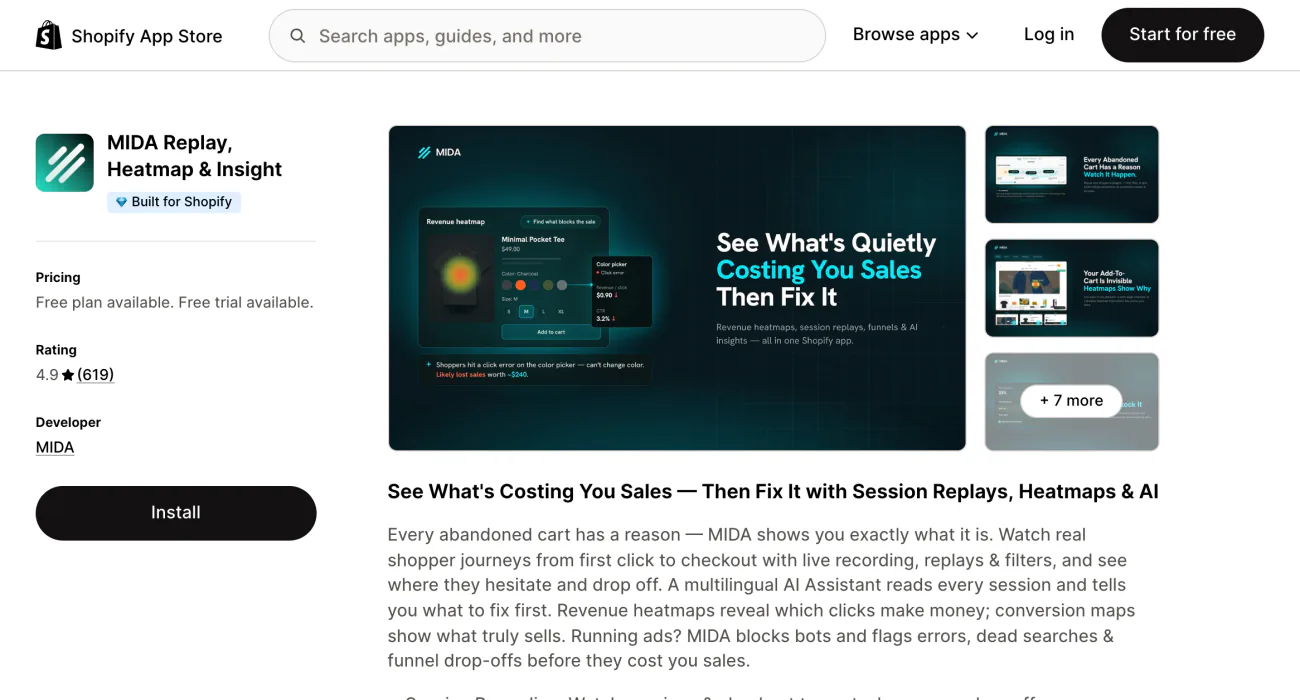
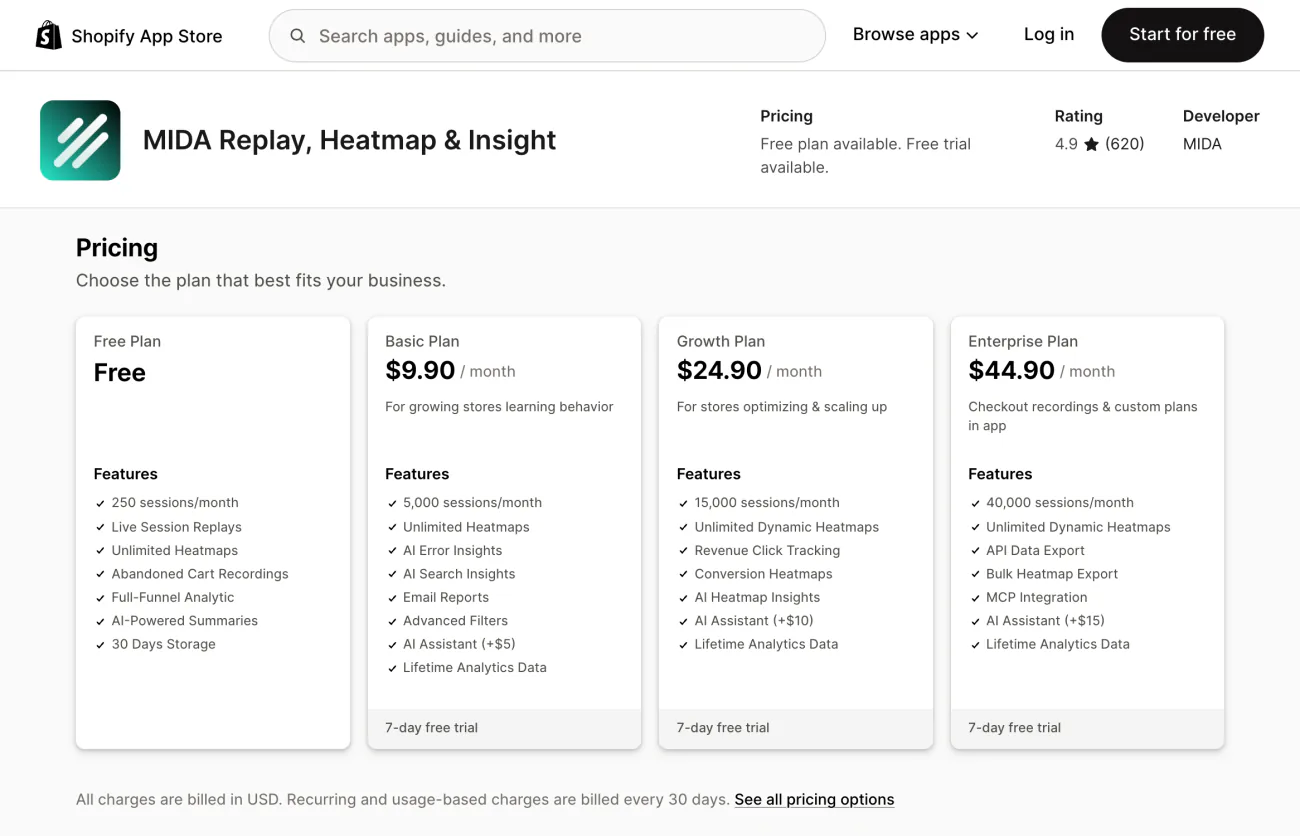
Your traffic outgrew Lucky Orange's 500 sessions, and its next plan costs $39. MIDA Replay, Heatmap & Insight records 5,000 sessions on Basic for $9.90 a month, and carries the Built for Shopify badge.
The free plan covers 250 sessions a month, with live recordings, unlimited heatmaps, abandoned cart recordings, a funnel and AI summaries, kept 30 days. Growth, at $24.90 for 15,000 sessions, adds revenue click tracking and conversion heatmaps. Enterprise, at $44.90 for 40,000, lists checkout recordings, though the listing does not say whether they need Shopify Plus. Each paid plan lists “Lifetime Analytics Data” and comes with a 7-day free trial.
The gaps: 250 free sessions is a small sample, and MIDA's AI Assistant costs $5 to $15 a month extra. MIDA says it blocks bots, so during the trial, check that bot visits stay out of your count.
Best for: Lucky Orange's tools inside Shopify, for less.
Alternative 3 · Propel
Lucky Orange vs Propel: which keeps your on-site surveys?
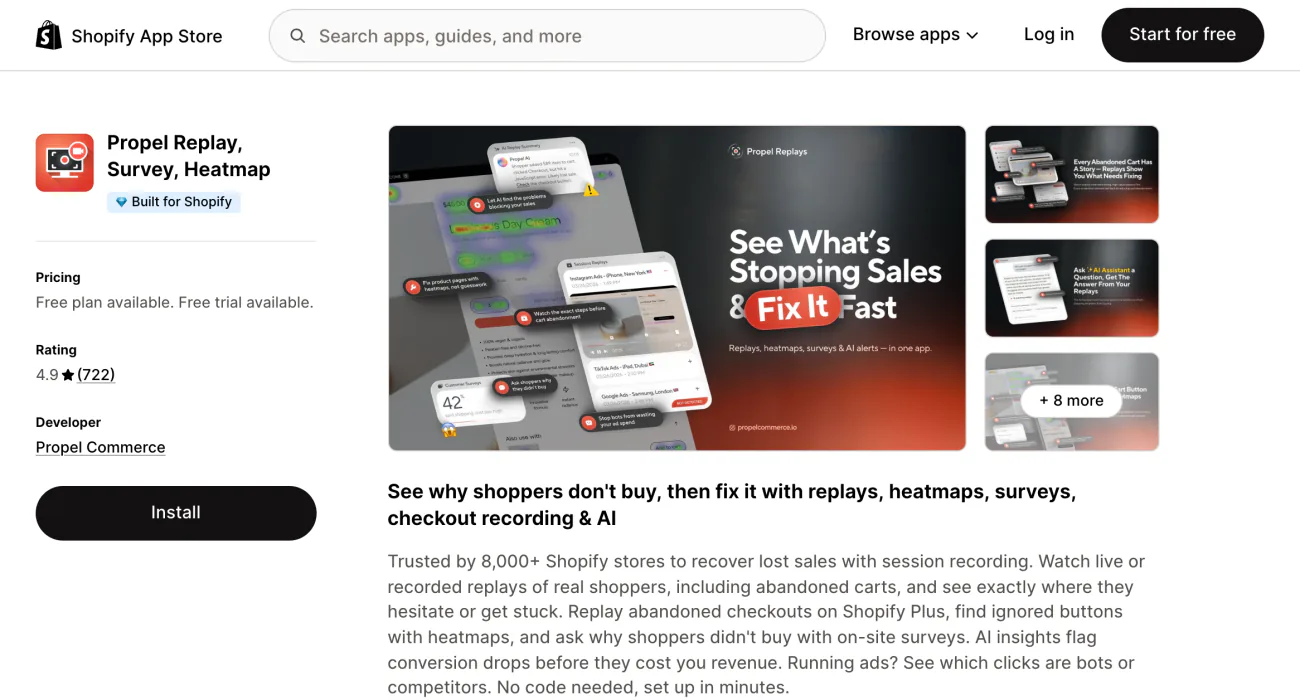
You used Lucky Orange's surveys to ask shoppers why they left. Propel Replay, Survey, Heatmap runs unlimited on-site surveys from $9.90 a month, beside its recordings and heatmaps.
The Free Sampler covers 750 pageviews a month, with live and recorded replays, 5 AI replay summaries, unlimited heatmaps, 1 survey and abandoned cart replays, kept 30 days. Basic covers 20,000 pageviews for $9.90, Plus 40,000 for $19.90 and Premium 80,000 for $39.90. Yearly billing saves 25%, and there is a 7-day free trial. On Shopify Plus, you can replay abandoned checkouts on Enterprise plans from $59.90 a month.
The gap: Propel counts pageviews, not sessions. Say a shopper opens 8 pages: that is one Lucky Orange session and 8 Propel pageviews. At that pace, Basic's 20,000 pageviews cover about 2,500 visits, so check your own pages per visit before you pick a plan.
Best for: keeping surveys and recordings in one app.
Alternative 4 · Contentsquare (Hotjar)
Lucky Orange vs Hotjar: where did Hotjar go, and how do you add it to Shopify?
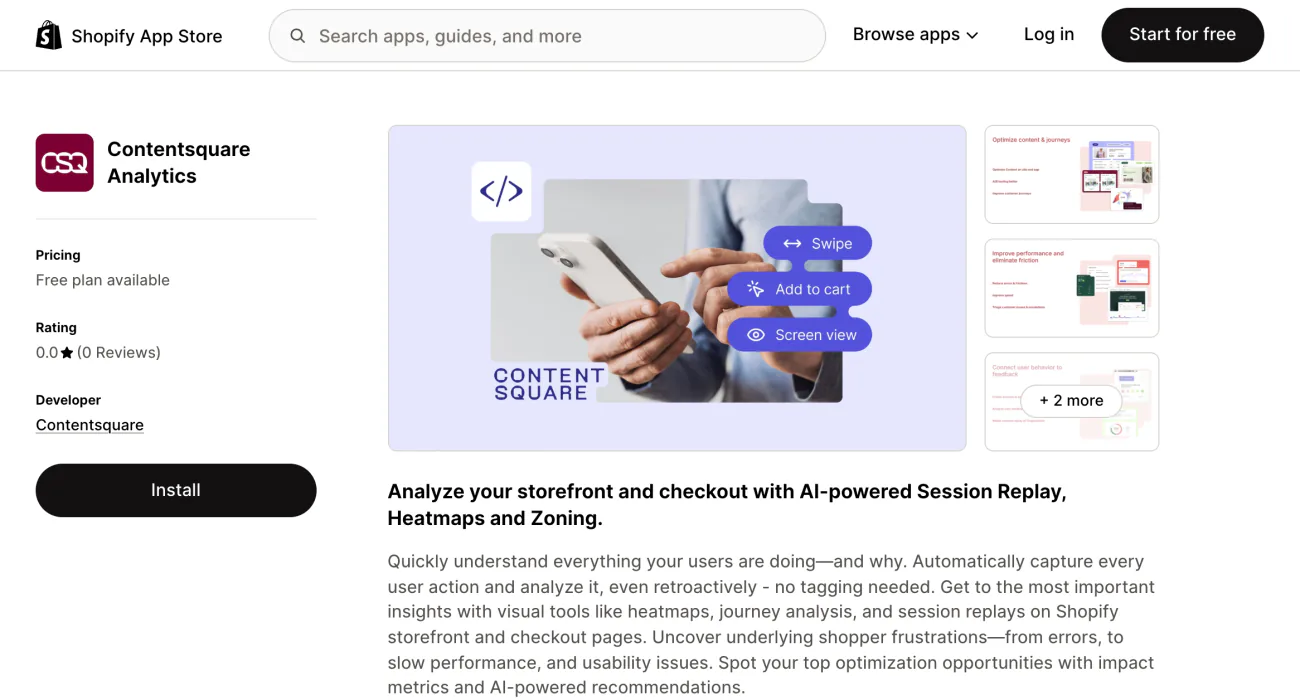
You went to open a Hotjar account and landed on Contentsquare's site. Hotjar is now part of Contentsquare, and its page says you can no longer create a new Hotjar account.
On Shopify, the way in is the Contentsquare Analytics app. Its free plan covers up to 20,000 sessions a month with session replay, unlimited heatmaps and funnels, by its listing. Growth starts at $49 a month for 7,000 sessions and adds 13 months of data, rising to $409 for 100,000. Yearly billing saves 20%.
The Hotjar Install app on the App Store comes from another company, Dualsided, and needs a Hotjar account you already have.
The gaps: the listing launched in December 2025 and has no reviews yet. Contentsquare's own pricing page says the free plan replays only 5% of sessions, and 10,000 at most. Paid plans may be billed outside your Shopify invoice, and uninstalling the app does not cancel charges billed that way.
Best for: you used Hotjar before, or you want up to 20,000 free sessions a month.
Alternative 5 · Mouseflow
Lucky Orange vs Mouseflow: which keeps your data longer?
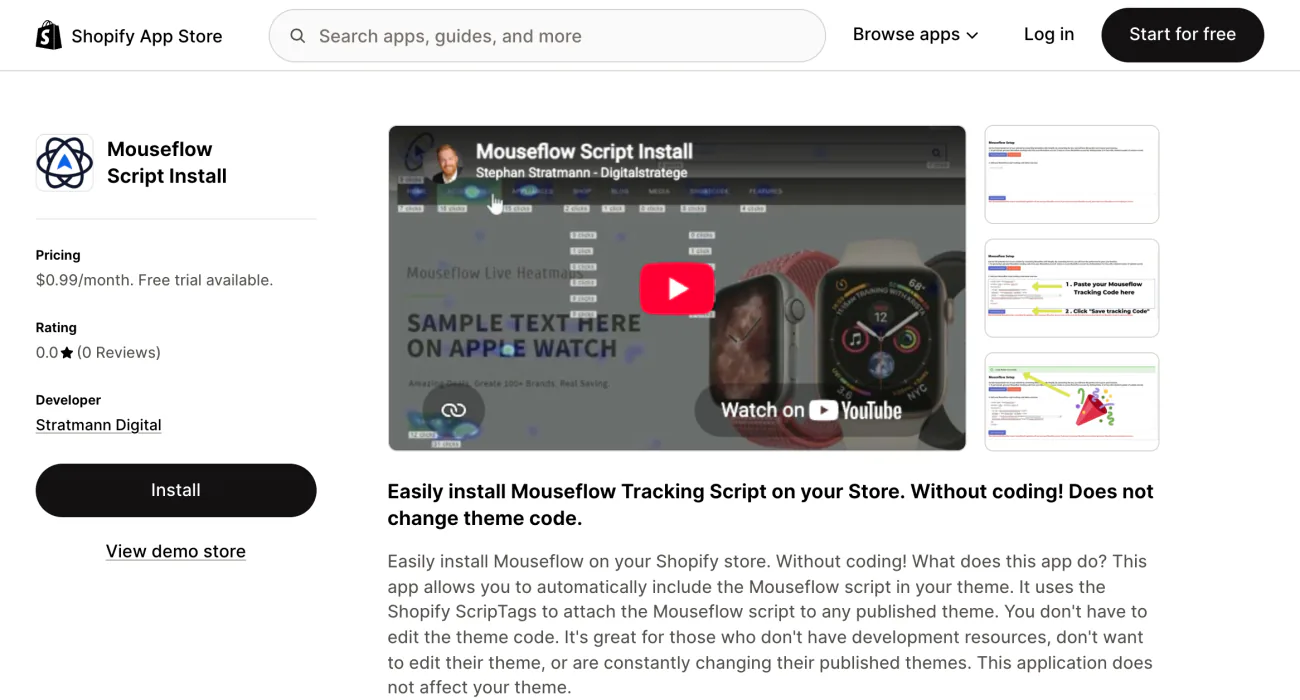
You want this quarter's visits beside last quarter's, and Lucky Orange's plans keep 30 or 60 days unless you pay for more. Mouseflow keeps 3 months of data on Essential, 6 on Advanced and 12 on Premium.
Essential costs $39 a month for 5,000 sessions, or $25 a month billed yearly. Advanced covers 25,000 sessions, 5 funnels and 2 sites for $149, or $109 yearly. Premium covers 100,000 for $399, or $319 yearly. The free plan records 500 sessions a month and keeps them 1 month, and paid plans come with a 14-day trial and a 14-day money-back guarantee.
The gap is the install. Mouseflow's own guide asks for a developer's change to your theme, redone every time you change themes. The App Store app is Mouseflow Script Install, an installer from another company, Stratmann Digital: $0.99 a month, no reviews yet, plus Mouseflow's own bill outside Shopify. Recording the checkout needs Shopify Plus and an extra step under Settings, then Customer events.
Best for: you read your data over quarters, not weeks.
Alternative 6 · Plerdy
Lucky Orange vs Plerdy: can one app show the problem and test the fix?
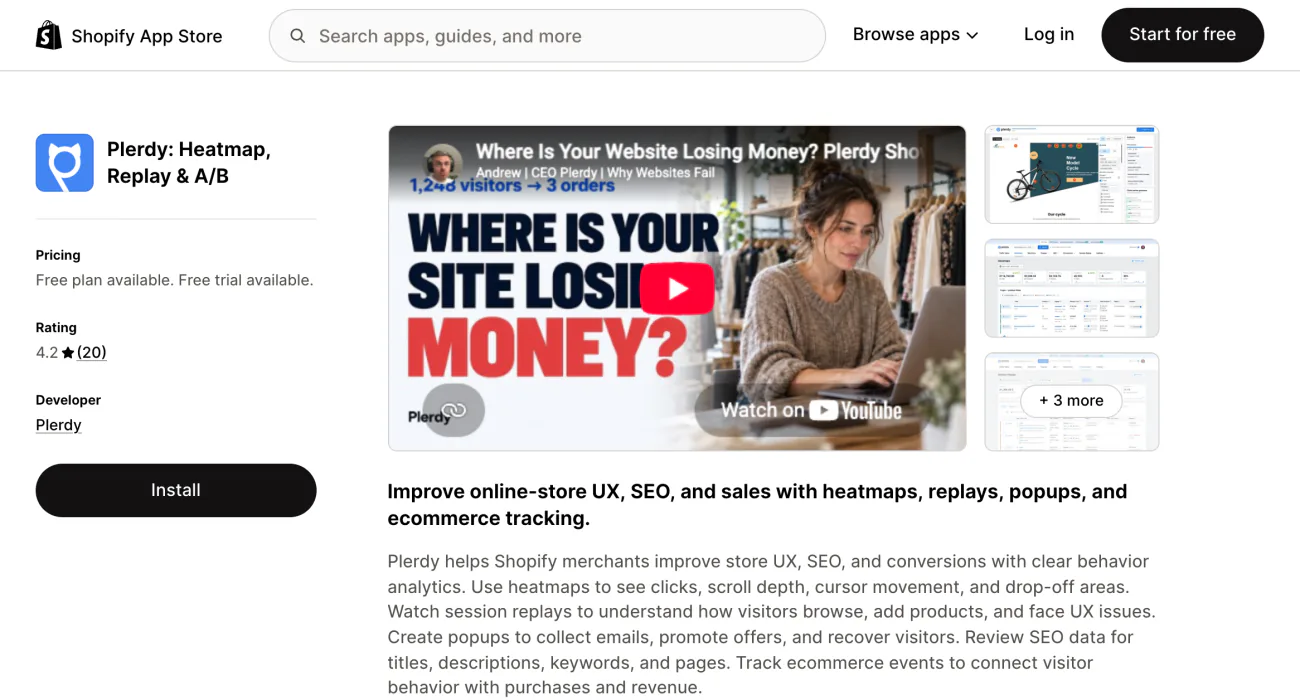
You watch shoppers miss the same button every day, and trying a fix means yet another app. Plerdy: Heatmap, Replay & A/B puts heatmaps, recordings, popups and A/B tests in one app, and A/B testing runs on the free plan with no pageview limit.
Its heatmaps show clicks, scroll depth and cursor movement. The free plan covers heatmaps on 100 pageviews a day and 500 recordings in total. Startup costs $32 a month for 500 daily pageviews and 5,000 recordings, Scale $64 and Thrive $108. Yearly billing saves 35%, with a 14-day trial.
The gaps: a short record on the App Store, with 20 reviews. Plerdy's limits count pageviews a day and recordings as a running total, which makes them hard to set against Lucky Orange's monthly sessions.
Best for: testing a change in the same app that showed you the problem.
Also considered
What about Crazy Egg, FullStory, Smartlook and Heatmap.com?
Each turns up on other lists of Lucky Orange alternatives, and each falls short on Shopify today.
- Crazy Egg. Its Shopify App Store page reads “This app is not currently available on the Shopify App Store.”
- FullStory. Its Checkout Capture app needs Shopify Plus and an existing FullStory account, and records the checkout only.
- Smartlook. Its Shopify guide asks for a developer's change to your theme and says Smartlook does not record checkout pages. The guide was last updated in March 2023.
- Heatmap.com. Its Shopify app page says “Coming soon”, and its plans start at $199 a month.
- RealtimeStack. If you mostly watched Lucky Orange's live view, this Built for Shopify app shows live visitors, searches, carts, checkouts and broken links, with a free plan. Its listing names no recordings or heatmaps.
- Session Rewind. It offers 3,000 free recordings a month, with one review so far.
If your recordings came inside Vitals, see these Vitals alternatives instead.
Checkout
Can a heatmap app record your Shopify checkout?
Your free tool stopped seeing the checkout when Shopify changed it. On most stores, a heatmap app sees the checkout only in part, and mostly on Shopify Plus.
Shopify's help says its tracking pixels, which also run on checkout pages, cannot detect scrolling on their own or turn clicks and mouse movement into heatmaps. That is why checkout heatmaps and recordings take extra work.
Microsoft Clarity, Propel and Mouseflow each tie checkout capture to Shopify Plus. MIDA and Contentsquare list checkout capture without naming a Shopify plan, so ask before you count on it. Lucky Orange says that on standard Shopify plans it tracks every checkout event but shows no recording or heatmap of the checkout page, a limit it puts down to Shopify.
Not ranked · Sledge
Need to know why a visit ended, not watch it?
Sledge Analytics shows each visit to your store as a row of steps: the pages opened, the searches typed, the filters picked and what went into the cart. When a visit ends without a sale, it names the likely reason if it can, such as a broken link or items left in the cart.
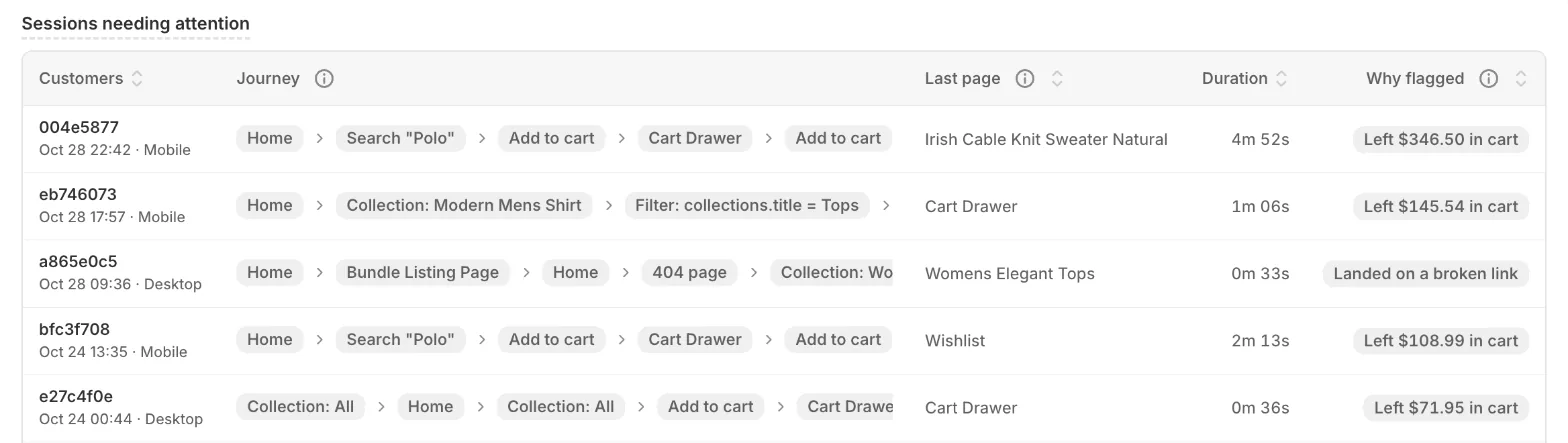
It has no heatmaps, recordings or surveys, so it works beside one of the six tools above rather than in place of one. See a visit step by step.
Switching
How do you switch from Lucky Orange without paying twice?
A trial that ends before you decide becomes a bill, so run the two side by side and cancel last.
- Install the new app first. Run it beside Lucky Orange through its free plan or trial.
- Untick Keep Me Tracking in Lucky Orange. Your plan then cannot step up while you test.
- Record a few visits on your own phone. Play them back and check the new tool shows the whole page, start to finish.
- Uninstall Lucky Orange. Save any recordings you need first. In your Shopify admin, open Settings, then Apps, open the menu beside Lucky Orange and click Uninstall. Uninstalling is the only way to cancel a Shopify-billed plan, Lucky Orange's help says. Shopify stops future charges but may still bill the current cycle.
- Opened your account on luckyorange.com? Cancel it there, under Settings, then Plan & Billing, then Cancel Plan. You keep access until the billing cycle ends.
Lucky Orange says its tracking runs without holding up your page. If your store still feels slower, here is how to tell whether apps slow your Shopify store.
Which alternative fits you
Which Lucky Orange alternative fits your store?
- You are leaving Lucky Orange on price. Microsoft Clarity, free with no traffic limit.
- You want Lucky Orange's tools for less. MIDA, 5,000 sessions for $9.90 a month on Basic.
- You ask shoppers why they left. Propel, with unlimited on-site surveys from $9.90 a month.
- You used Hotjar before. Contentsquare Analytics, free up to 20,000 sessions a month by its listing.
- You read your data over quarters. Mouseflow, with 3 to 12 months of history on its paid plans.
- You want to test the fix where you spot the problem. Plerdy, with A/B tests on its free plan.
- You can see where visits stop, but not what to change. Read your conversion rate by stage, then what to do with what your analytics shows.
FAQ
Questions, answered
-

14-day free trial
Explore Sledge on your store before you decide to commit.
-

No credit card required
Start improving your store with no upfront commitment.
-

Setup in minutes
Get Sledge running without a lengthy setup process.
-

Built to grow sales
Turn shopper behavior into actions that help you sell more.
What is Lucky Orange used for on Shopify?
Lucky Orange records visits to your store and turns clicks and scrolling into heatmaps, so you can watch where shoppers get stuck. It also runs surveys, funnels and checkout tracking. On Shopify, its free plan covers 100 sessions a month, and the listing's paid plans run from $19 for 500 sessions to $89 for 10,000.
What is the best free alternative to Lucky Orange?
Microsoft Clarity. Its Shopify app is free, with no traffic limit and no paid plan to move up to, and it keeps your recordings for 30 days. If you sell to shoppers in the European Economic Area, the UK or Switzerland, they have to accept cookies before full recordings work.
Does Hotjar still work with Shopify?
Hotjar is now part of Contentsquare, and you can no longer open a new Hotjar account. The official route is the Contentsquare Analytics app on the Shopify App Store, whose free plan covers up to 20,000 sessions a month. The Hotjar Install app comes from another company and needs a Hotjar account you already have.
How do I add a heatmap to Shopify without editing code?
Install a heatmap app from the Shopify App Store instead of pasting anything into your theme. With Microsoft Clarity, you install the app, open its settings, turn on “Clarity JS”, the switch that starts recording, and click Save. Data appears within a few hours. Most of these apps record checkout pages only on Shopify Plus.
How do I cancel Lucky Orange on Shopify?
In your Shopify admin, go to Settings, then Apps, open the menu beside Lucky Orange and click Uninstall. That stops future charges, though Shopify can still bill the current cycle. If you opened your account on Lucky Orange's own website, cancel it there under Settings, then Plan & Billing. Save any recordings you need first.
See why visits end, and what the fixes are worth
A recording shows you one visit. Sledge Analytics flags the visits that ended without a sale and names the likely reason when it can. On a paid plan, Growth Intelligence reads your orders and searches, and estimates what its fixes could be worth as one dollar total, labeled “Est. potential”.

