
Best Shopify product recommendation apps: which one picks the right next product?
Data as of November 2026. Plans, prices and ratings come from each app's Shopify App Store listing, read November 2, 2026, except Wiser's plans above 500 orders and its Enterprise plan, Nosto's pricing, and LimeSpot's order and revenue tiers and what it counts, which are on their own sites. Shopify's rules come from Shopify Help, and Sledge's prices from its pricing page. Ratings move every day.
Summarize with AI
The best product recommendation engine for a Shopify store puts the strap beside the watch, and your theme's "You may also like" row keeps showing another watch. Every visitor sees the same best sellers, and few click.
Wiser is free to 50 store orders and $19 at 300, with rows on product, cart and thank-you pages. Sledge has 13 kinds of row in 8 places on the monthly plan that runs your search and filters, from $29.99. Prices are as of November 2026.
At a glance
What is the best product recommendation app for Shopify?
It depends on where the picks come from and where rows can show. Six Shopify apps for product recommendations in 2026, compared on both.
| App | Best for | Picks come from | Where rows show | At 300 orders a month | Free plan | Rating (reviews) |
|---|---|---|---|---|---|---|
| Wiser | Rows across the store, starting free | AI picks by its own label, tags, and your hand-picks | All pages of your store, by its listing | $19 (Growth) | To 50 store orders a month | 4.9 (566) |
| Sledge | Rows in search, collections and the cart, on the plan that runs your search and filters | Products bought in the same order, this shopper's activity, your own list | 8 places, from instant search to the cart drawer | $29.99 (Pro) | Not on a live store | 4.5 (17) |
| Also Bought | One flat bill for rows on product and cart pages | Your sales history, new orders and product updates, by its listing | Product pages and the cart page | $19.99 | No | 4.8 (371) |
| LimeSpot | Testing rows and targeting segments | AI picks by its own label | All pages, by its listing | $34.99 on Turbo; from $50 on Max | To 10 orders a month | 4.6 (505) |
| Nosto | Large brands ready for a demo and a custom quote | AI picks by its own label | Its listing names product page, cart and checkout upsells and a cart drawer; ask for the rest | Custom quote | No | 4.7 (61) |
| Shopify Search & Discovery | A free row, if your theme has the section | Past orders, similar descriptions, related collections, your hand-picks | Product pages | $0 | Yes | 2.6 (513), most recent complaints are about search |
Or pick by the job in front of you.
- You want rows across the store and to start free. Wiser, free to 50 store orders a month.
- You also need search and filters. Sledge, from $29.99 a month after a 14-day free trial.
- You want rows on product and cart pages at one flat bill. Also Bought, $19.99 a month.
- You want to test rows and target segments. LimeSpot Max, from $50 a month by revenue.
- You are a large brand buying a platform. Nosto, by quote.
- Your budget is $0. Shopify Search & Discovery, free on product pages.
Where picks come from
Where do a recommendation app's picks come from?
You added the row and the average order stayed where it was. Before you blame the row, check what fills it. Most picks come from three places.
- What past shoppers bought together. Your orders show which items sell as a pair, the idea behind frequently bought together.
- What this shopper is doing. Their views, carts and past buys fill the row for that one visitor.
- What you choose by hand. You name the products, and the row shows them.
The test is a product with no sales yet. Shopify Search & Discovery falls back to similar descriptions, on English storefronts only, and then related collections. Sledge shows Related Products, matched on a similar title, then the same product type, vendor and tags. Ask Also Bought, Wiser, LimeSpot and Nosto what a new product shows before you install.
For the types of row and where each one fits, read the guide to Shopify product recommendations. If your row already shows the wrong products, start with why recommendations go irrelevant. To ask shoppers what they need instead, see product recommendation quiz apps.
1 · Wiser
Wiser: can you start for free?
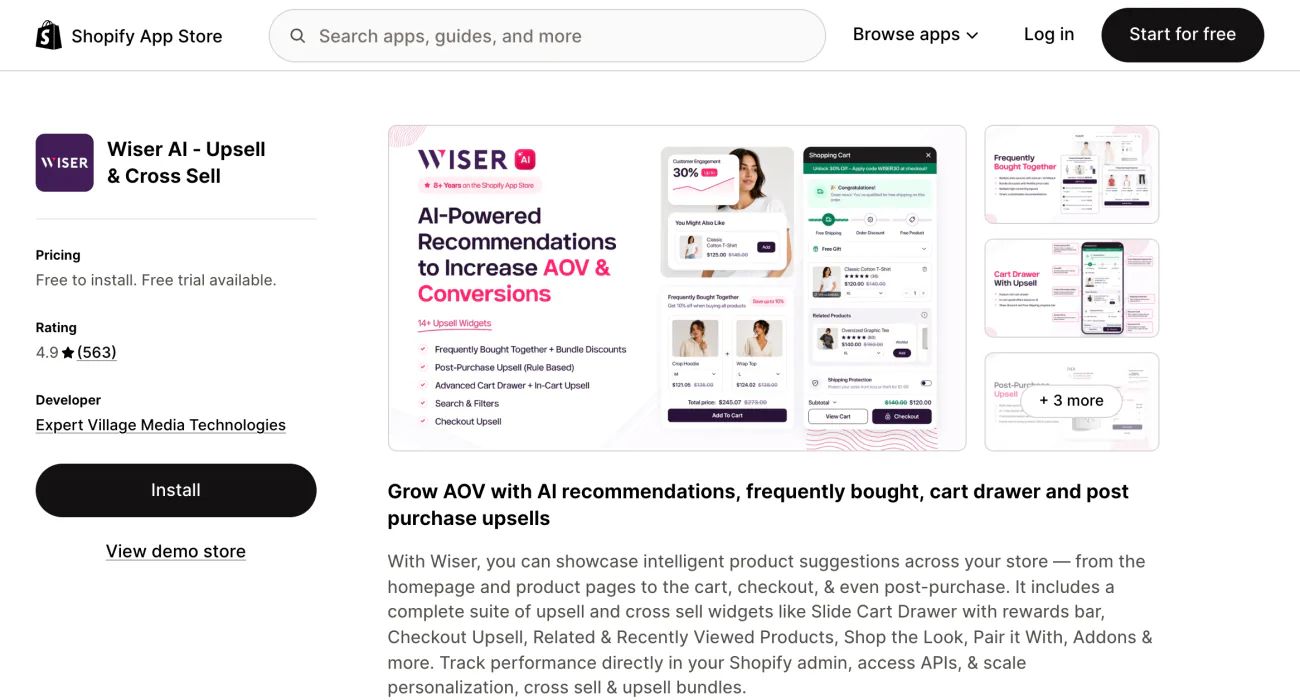
Yes, up to 50 store orders a month, so you can see whether a row beats your theme's before you pay. Wiser runs frequently bought together, related products, recently viewed and best sellers that update themselves from one app.
Past 50, the price steps with your order count: $9 to 100, $19 to 300, $49 to 500, $99 to 1,000 and $199 to 2,000, then a sales call. The paid cards on its listing carry a 14-day free trial, and Wiser takes no commission.
Its listing says recommendations show on all pages of your store. The plan cards add rows you pick by hand, related products by tags and AI, and thank-you page and order status upsells. It lists A/B testing without naming the plan. For the upsell side of Wiser, see seven Selleasy alternatives.
Wiser bills on every order in your admin, including sales no row had a part in, and the plan changes by itself. Your 301st order of the month moves you from $19 to $49.
Wiser's search, IntelliSearch, sits in Enterprise with its checkout page upsells, advanced cart drawer and bundle discounts. Enterprise publishes no price.
Best for: rows across the store, starting free.
2 · Sledge
Sledge: can the row follow shoppers past the product page?
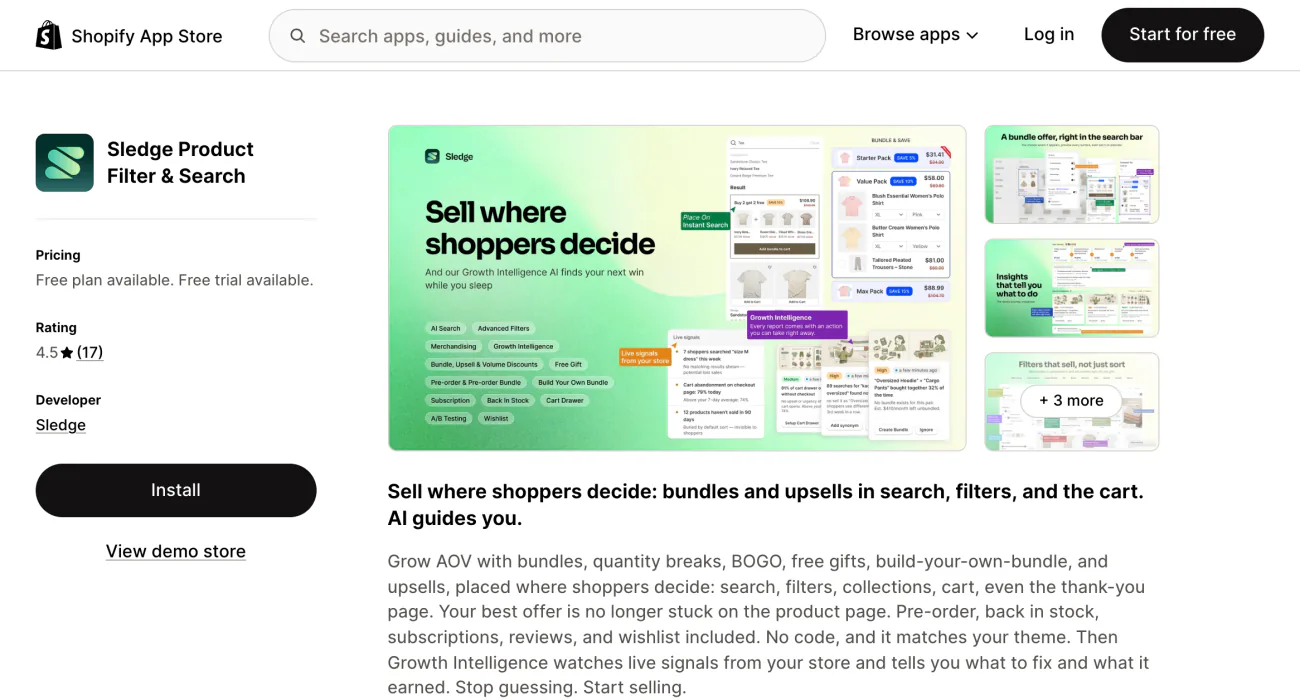
Shoppers in your search box or on a collection page haven't reached the row under your add to cart button yet. Sledge puts the row where they are.
Sledge is a Shopify search and filter app that also runs product recommendations: 13 kinds of row in 8 places. The kinds run from Best Seller and New Arrivals to Merchant's Picks, the row you choose by hand.
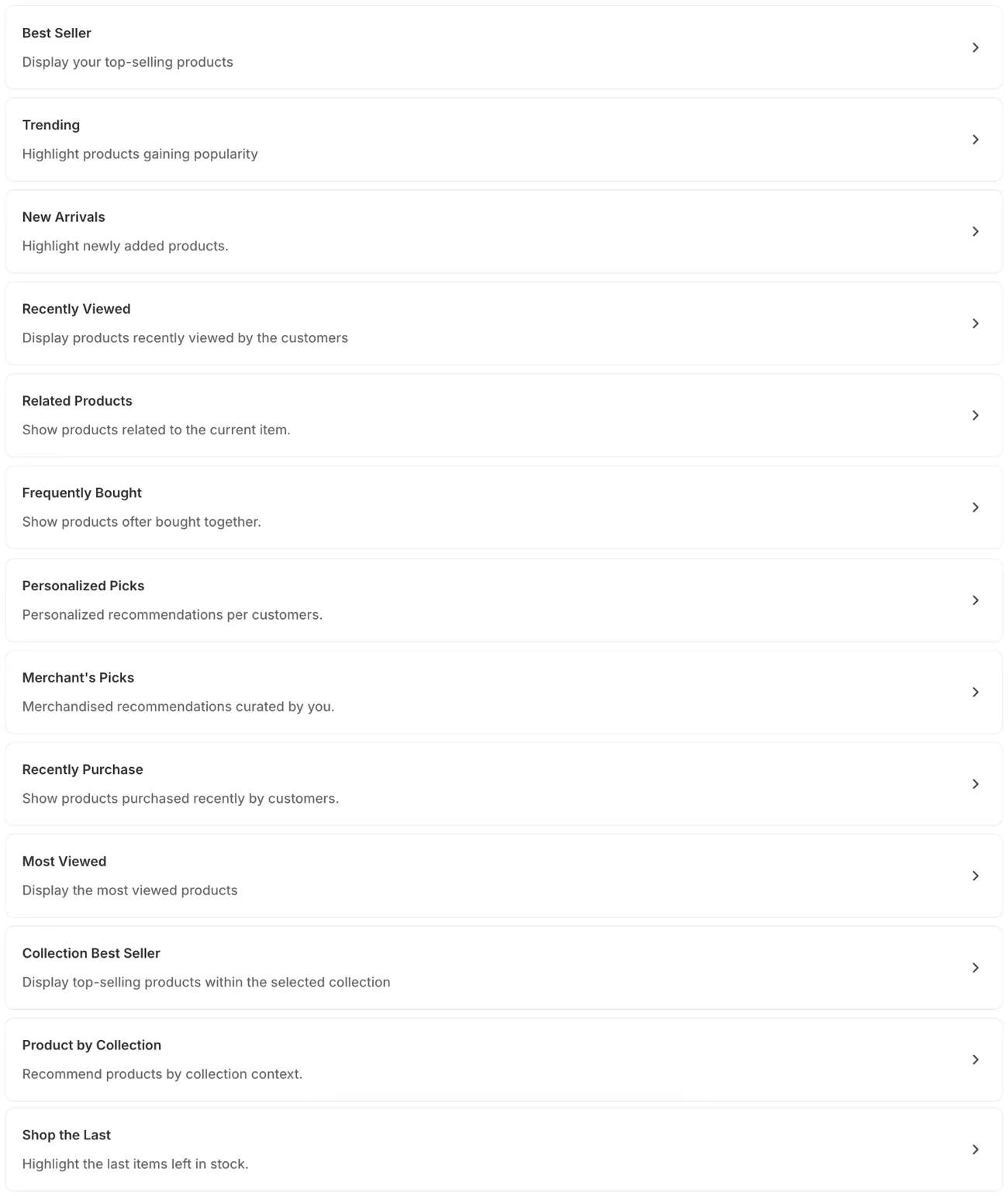
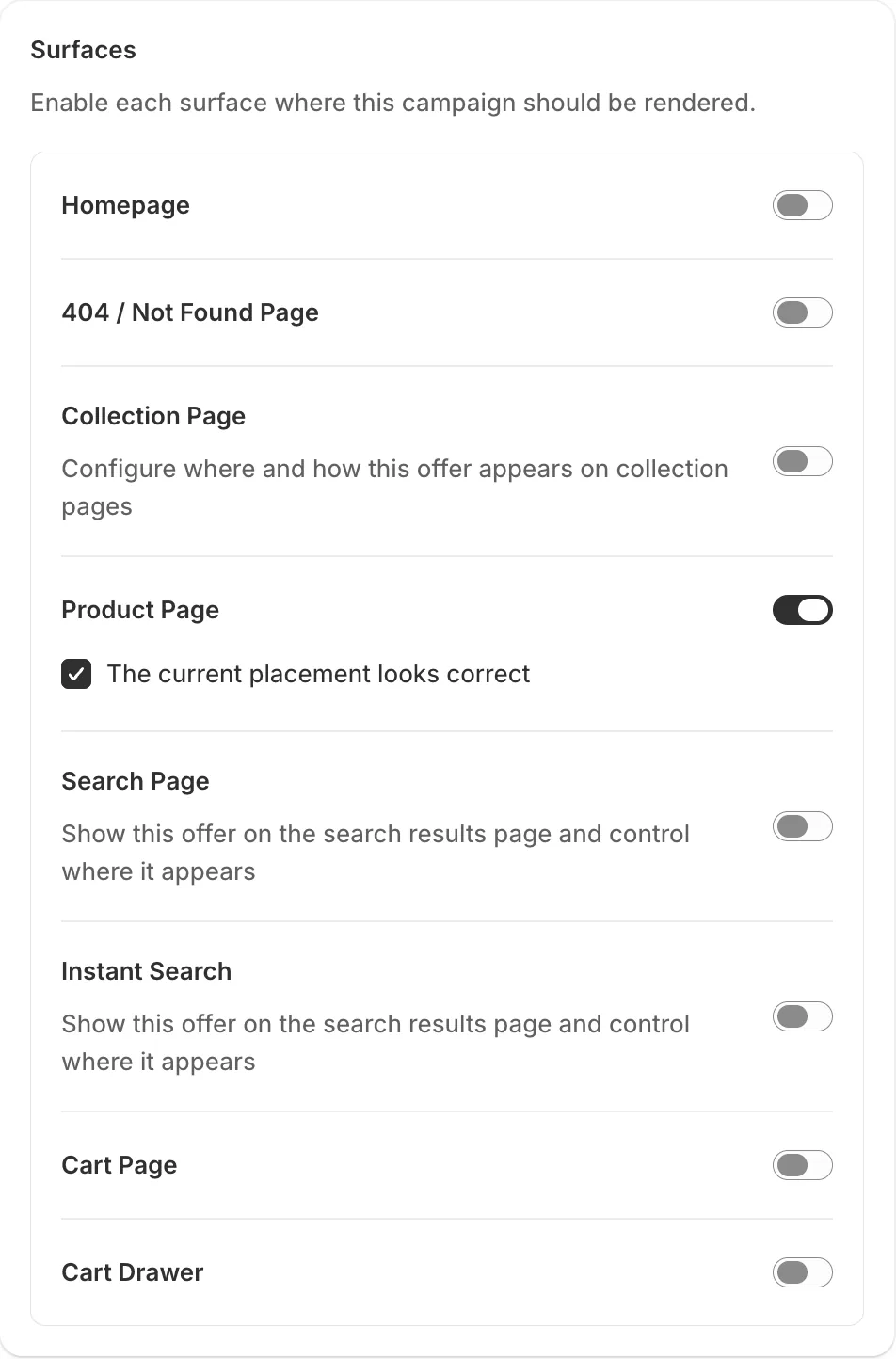
A row can show on the homepage, the 404 page, a collection page, a product page, the search page, instant search, the cart page and Sledge's own cart drawer. Frequently Bought and Related Products need a product to start from, so they fit the product page and the cart drawer, where the newest cart item stands in. You pick which collections show a row, and which searches do: all, or keywords you choose.
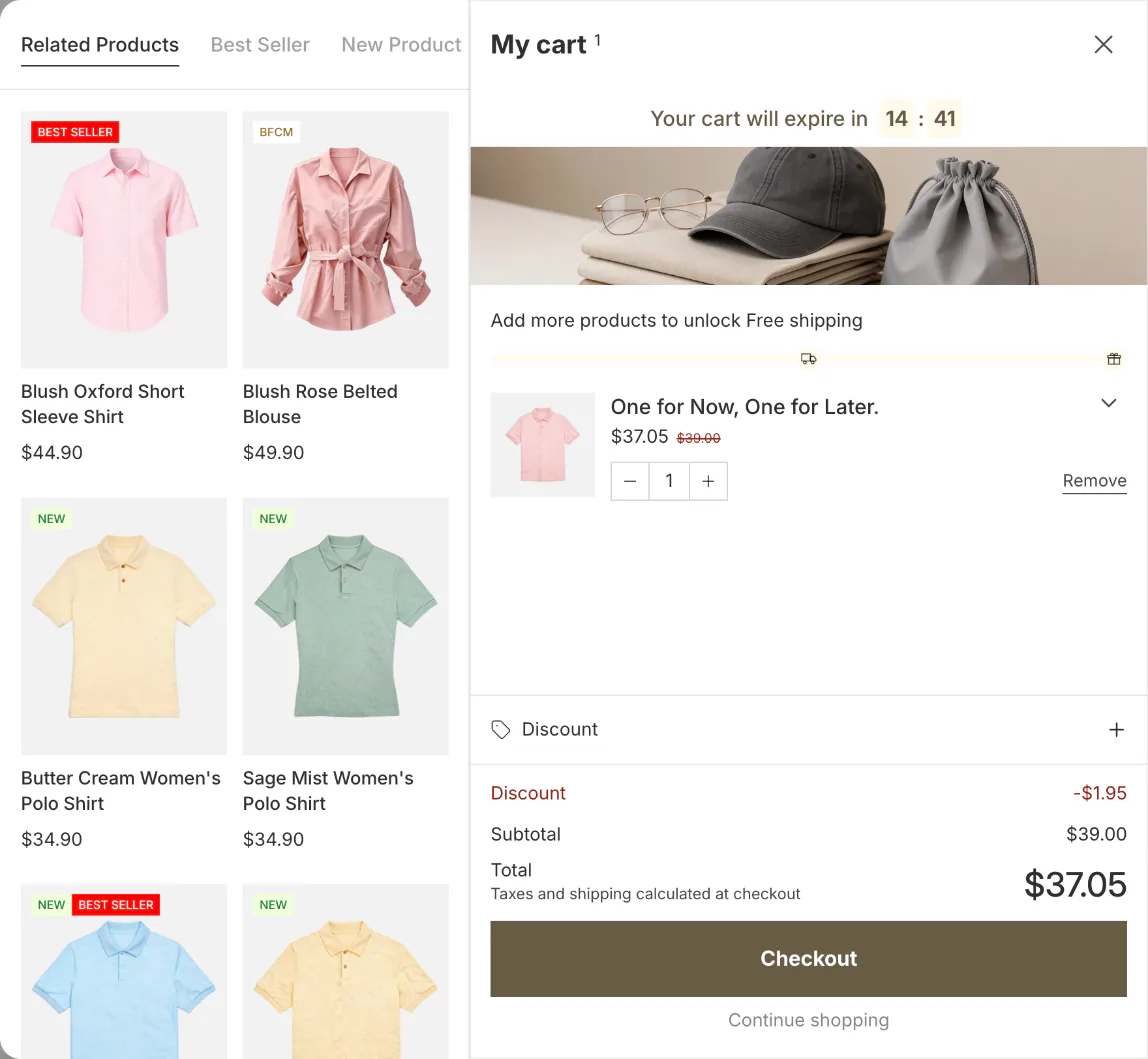
Frequently Bought shows products bought in the same order as this one, most often first. A product with no paired orders yet shows Related Products instead.
Personalized Picks ranks products this shopper touched in the last 30 days, with no login. Purchases count most, then add-to-carts, wishlist saves and clicks. It brings back what they showed interest in and finds nothing new. With no activity yet, it shows Trending.
Most rows can swap to your own list through "Add products manually", the option to pick products yourself. It's one list for the whole row, not a pairing per product. Recently Viewed, Related Products, Personalized Picks and Recently Purchase stay automatic.
One row can hold several kinds as tabs or an accordion, in a slider or a grid, with 1 to 50 products and its own heading, text colors and font size. Every kind but Collection Best Seller can carry a percentage or fixed-amount discount, applied at checkout only to products added from that row.
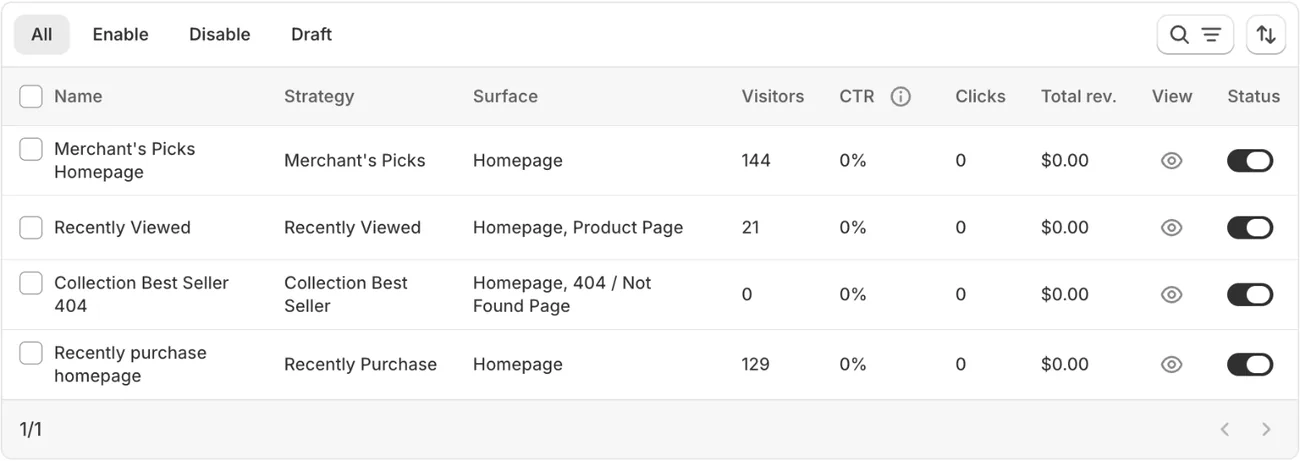
Each row gets one line in the Product Recommendation list: visitors, click rate, clicks and "Total rev.", the revenue it earned. A row running in two places still shows one set of numbers.
To split by place, open Analytics, then Surfaces, and pick a page. It lists each row on that page with shown, clicked, added to cart and revenue, and one order can count toward two rows. That view covers five of the eight places and leaves out the search page, instant search and the cart page.
Every paid plan includes all 13 kinds, unlimited placements, and the app's search, filters and cart drawer: Pro $29.99, Scale $89.99, Accelerate $199 and Ultimate $399 a month, side by side on Sledge pricing. Start the 14-day free trial and put your first row where shoppers search.
Sledge can't A/B test recommendations, and every row shows products in the same style. Frequently Bought starts from install with no earlier orders, then counts only about the last 90 days on Pro and 120 on Scale and up. You can't keep one chosen product out of an automatic row. There's no free plan for a live store. On the App Store, look for "Sledge Product Filter & Search".
Best for: rows in search, collections and the cart, on the plan that runs your search and filters.
3 · Also Bought
Also Bought: are product and cart pages enough at a flat price?
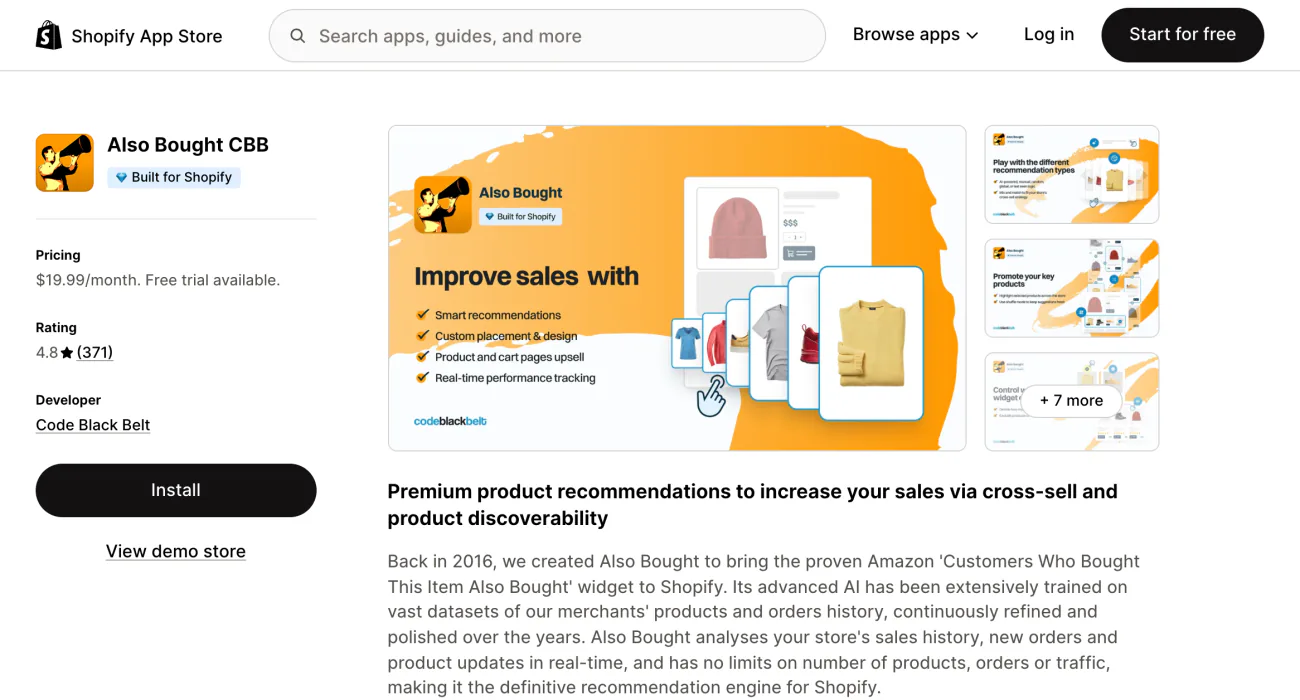
Yes, if those pages cover you and you want a bill that stays still. Also Bought CBB's listing says it analyzes your sales history, new orders and product updates in real time, with no limit on products, orders or traffic.
Its rows run automatic, manual, last seen, or by type or collection, on product pages and the cart page, the only two places its listing names. That listing also shows the Built for Shopify badge.
One plan, Professional, costs $19.99 a month or $199.90 a year after a 14-day free trial.
There's no free plan. For a discount on the pair, the same developer's Frequently Bought Together is in the Selleasy alternatives list.
Best for: one flat bill for rows on product and cart pages.
4 · LimeSpot
LimeSpot: do you need to test rows?
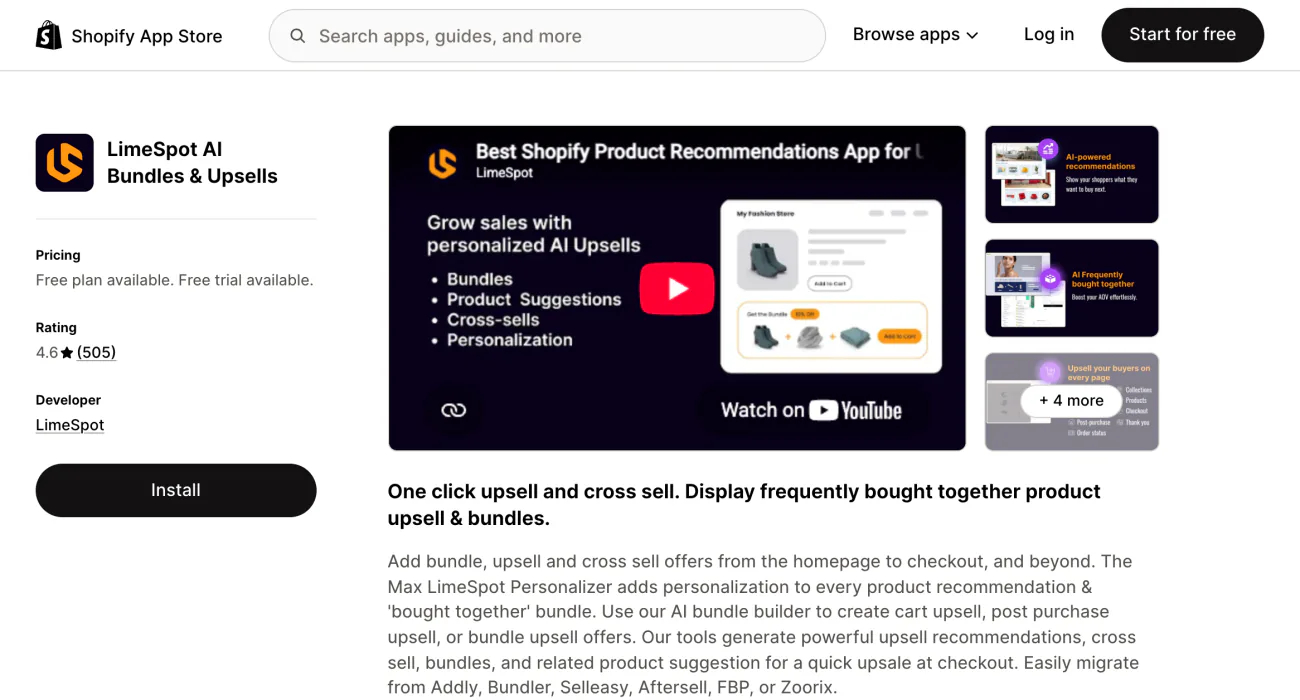
If you've got the traffic to test and one row for every shopper feels like a waste, you want LimeSpot's Max plan, from $50 a month. LimeSpot sells AI product recommendations on Shopify, plus bundle, upsell and cross sell offers that its listing says run from the homepage to checkout.
Free covers 10 orders a month, then standard Turbo fees apply. Turbo starts at $9.99 and rises with orders: $19.99 up to 250, $34.99 up to 350, $49.99 up to 500 and $149.99 up to 1,000. It carries unlimited recommendations on all pages, bundles, frequently bought together, and checkout and post-purchase offers.
Max costs $50 up to $15,000 in store revenue, $75 up to $25,000 and $150 up to $50,000, then keeps rising. It adds audience segments, A/B/n testing (two or more versions), personalized bundle discounts, and email and SMS personalization. Both paid plans carry a 15-day free trial.
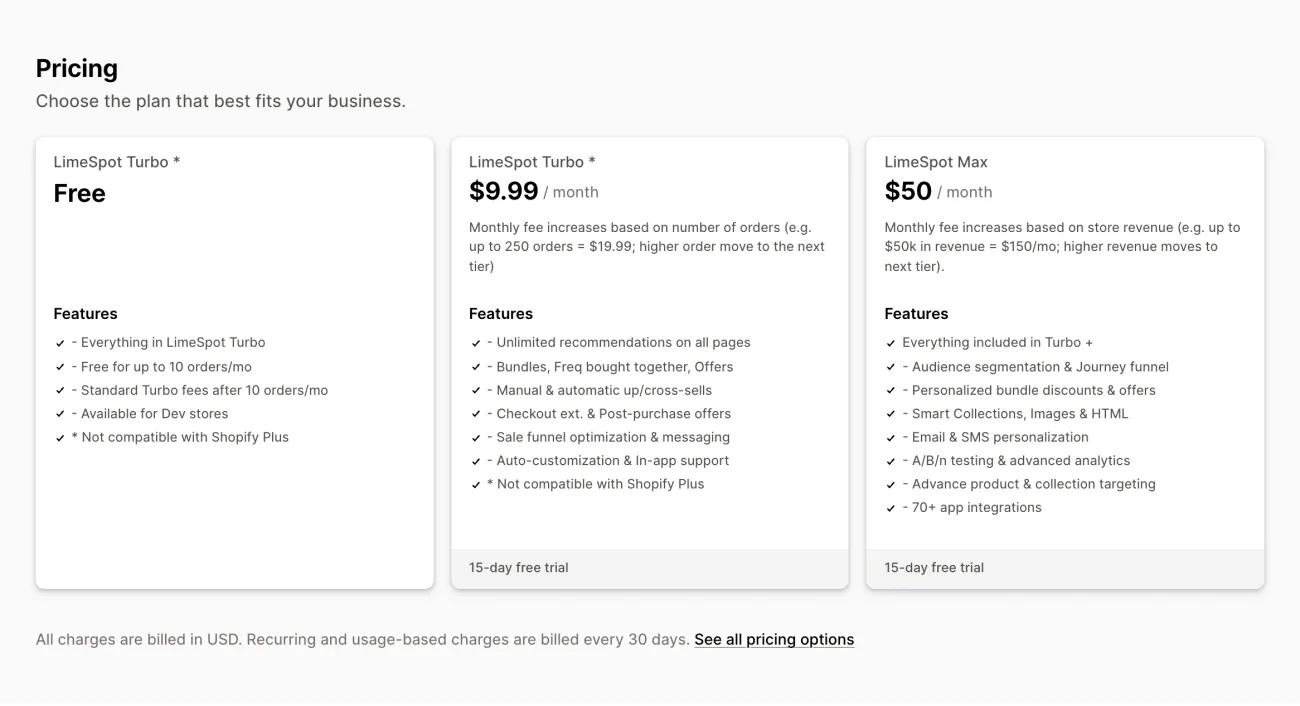
The listing prints Turbo's fee only up to 250 orders, so read the slider on LimeSpot's site before you pass that. Testing and segments sit on Max only. The free plan and Turbo are marked not compatible with Shopify Plus. If you want a LimeSpot alternative for Shopify with a bill that doesn't climb with orders, Also Bought stays at $19.99.
Best for: testing rows and targeting segments.
5 · Nosto
Nosto: when is a full platform worth it?
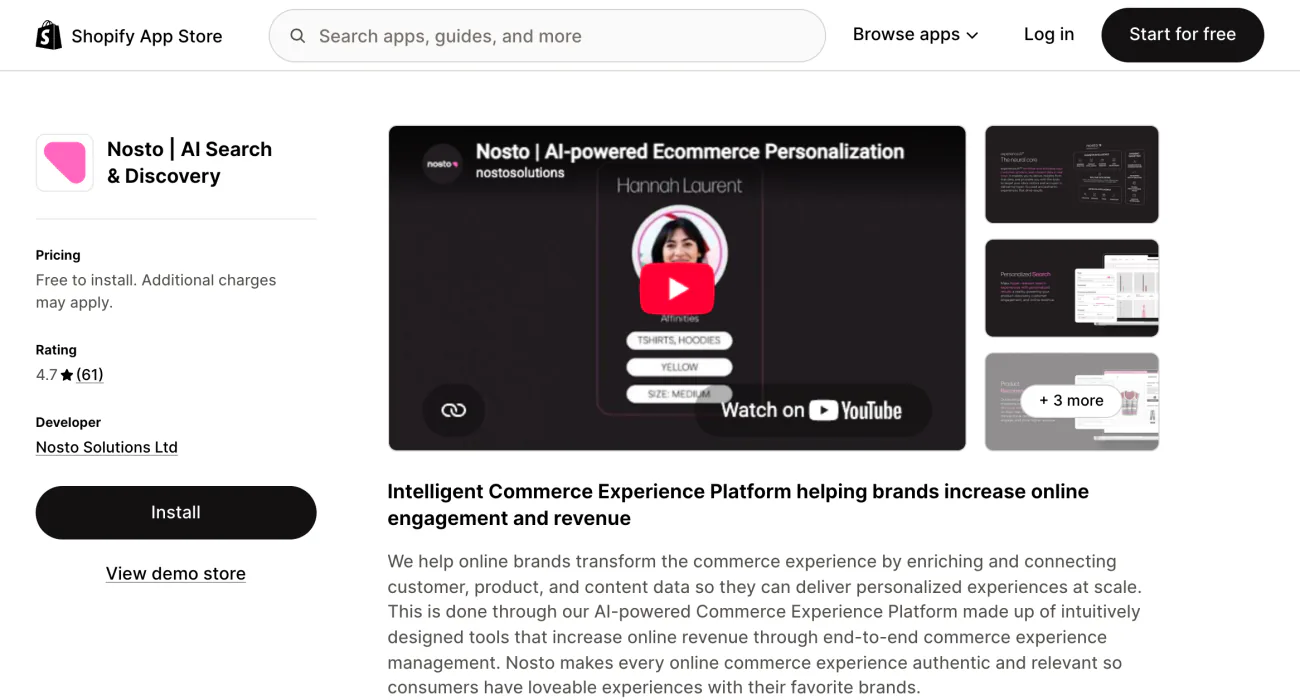
It can be worth it when your search, merchandising and recommendations come from three suppliers, nobody owns the whole picture, and a custom quote fits your budget. Nosto's listing puts site search, personalization, merchandising, content and business intelligence in one platform, and names recommendations, a cart drawer and checkout upsells among its features.
The app is free to install, but you need a paid Nosto account. There are no public prices: Nosto quotes after a demo, as a base platform fee plus a fixed fee tied to your store's sales and traffic. A/B testing is a module.
There's no self-serve trial, though a qualified store can preview Nosto's AI search and merchandising on its own data. Charges may bill outside your Shopify invoice. The listing has 61 reviews since 2014. Ask about the contract term before you sign.
Best for: large brands ready for a demo and a custom quote.
6 · Shopify Search & Discovery
Shopify Search & Discovery: when is the free app enough?
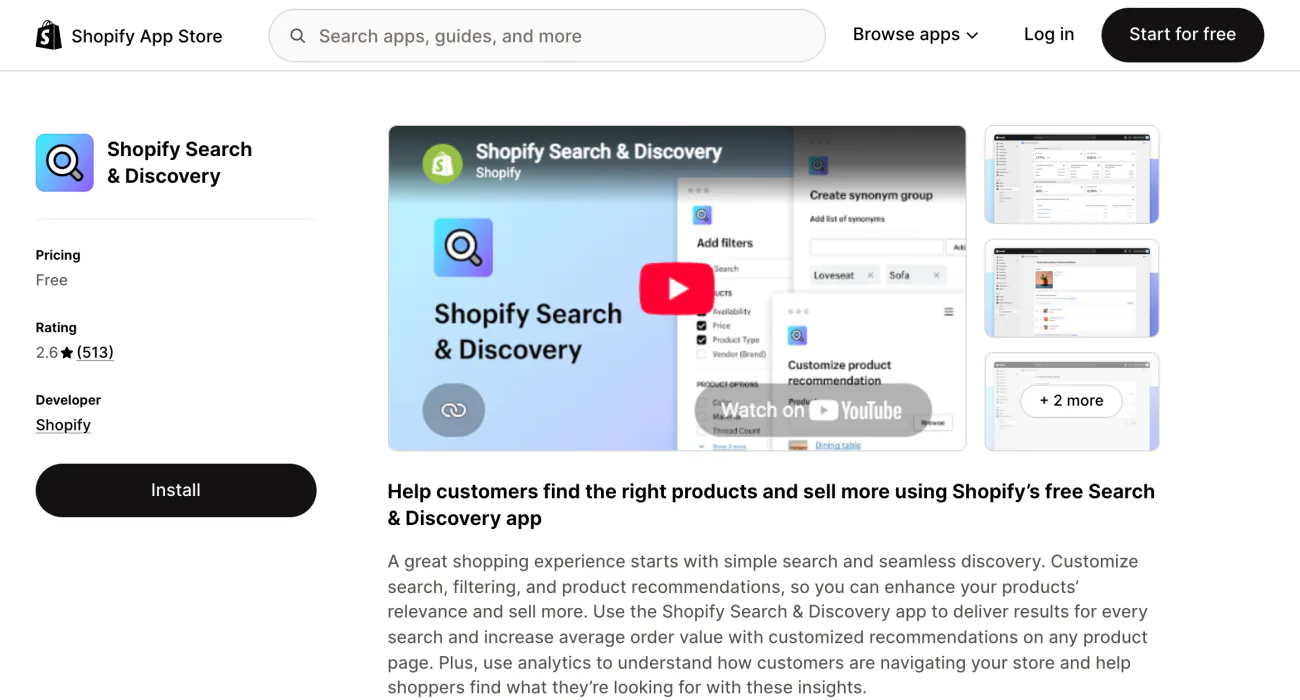
For a small catalog on a theme that supports it, Shopify's free app may be all you need: it adds related and complementary products to product pages. But a spare part keeps turning up in your row, and you can't edit what Search & Discovery generates, only hide all of it on that product.
Related products are generated for every product, from what shoppers commonly buy together, similar descriptions and related collections. Shopify's help page describes no automatic source for complementary products, so plan on picking those by hand. You can add up to 10 of each per product.
Your theme needs the complementary products block and the product recommendations section. Generated picks change often, and the preview in the app often differs from your storefront. Shopify also leaves out gift cards, products priced at $0, anything already in the cart, and sold-out products, unless a related product keeps selling at zero stock.
Shopify's listing and help page put these rows on product pages and name no other place, so don't plan on them in the cart. How to use the Shopify Search & Discovery app covers the rest of it.
Best for: a free row, if your theme has the section.
The monthly bill
What does a recommendation app cost at 300 orders a month?
At 300 orders the printed prices run from $0 to $34.99, with LimeSpot Max from $50. If a bill moves and you can't say why, check what the app counts.
| App | The bill counts | At 300 orders a month | At 1,000 orders a month |
|---|---|---|---|
| Wiser | All store orders | $19 | $99 |
| Sledge | A monthly plan | $29.99 (Pro) | $29.99 (Pro) |
| Also Bought | A flat plan | $19.99 | $19.99 |
| LimeSpot Turbo | Online Store orders, per 30 days | $34.99 | $149.99 |
| LimeSpot Max | Online Store revenue, per 30 days | $50 up to $15,000 in revenue; $150 up to $50,000 | Same revenue scale |
| Nosto | Store volume and modules | Custom quote | Custom quote |
| Search & Discovery | Nothing | $0 | $0 |
LimeSpot counts only your Online Store channel: orders on Turbo, revenue on Max. Also Bought and Sledge don't move with orders.
Sledge's plan has a cap instead of a meter. Each calendar month, Sledge adds up the sales it had a part in. Past $8,000 on Pro, Growth Intelligence, conversational search and AI synonyms pause until the month resets, and your rows keep running. Scale, at $89.99, lifts that cap to $30,000.
Engine or app
Does a Shopify store need a product recommendation engine?
Not a separate one. A product recommendation engine is the software that picks the products, so for most Shopify stores one of these six apps is that engine. Large engines are sold by demo, as Nosto is above. For the full definition, read the definitive guide.
Where to start
Which row should you add first?
Start with the row that offers the add-on: the strap beside the watch. Say your store takes 300 orders a month and runs no recommendation. If one order in ten adds a $14 item, your own math says $420 a month.
Growth Intelligence turns on when you pick a paid plan. With at least 20 orders in the 90 days it checks and no recommendation running, it can flag the gap and add the fix to your one "Est. potential" total. Once the row is live, "Total rev." shows what it earned.
Growth Intelligence can also flag your lowest-clicked rows: 50 visitors or more, in the bottom quarter of your rows by click rate.
FAQ
Questions, answered
-

14-day free trial
Explore Sledge on your store before you decide to commit.
-

No credit card required
Start improving your store with no upfront commitment.
-

Setup in minutes
Get Sledge running without a lengthy setup process.
-

Built to grow sales
Turn shopper behavior into actions that help you sell more.
What is the best product recommendation engine for Shopify?
It depends on the bill and where you want the rows. Wiser is free to 50 store orders and $19 at 300, with frequently bought together, related products and best seller rows. Sledge has 13 kinds of row in 8 places, from $29.99, on the plan that runs your search and filters. Also Bought costs a flat $19.99 a month.
Is there a free product recommendation app for Shopify?
Yes. Shopify Search & Discovery is free: it generates related products and lets you hand-pick up to 10 complementary products per product, on product pages, if your theme has the section. Wiser is free to 50 store orders a month and LimeSpot to 10. Sledge is free only on development stores, which are test stores rather than live ones.
Are AI product recommendations worth paying for?
Only if the picks beat your current row. The AI label won't tell you that. Wiser, LimeSpot and Nosto call their picks AI and say little about what feeds them. Also Bought says AI too, and names your sales history. Sledge's Frequently Bought counts products bought in the same order. Open a product and ask whether its picks belong together.
Can you A/B test product recommendations on Shopify?
Some apps can. LimeSpot lists A/B/n testing on Max, Wiser lists A/B testing without naming a plan, and Nosto sells it as a module. Sledge tests offers, banners, countdowns, merchandising, badges, pre-orders and back in stock, but not recommendations. On a small store a test can take too long, so compare each row's sales month to month.
Is Rebuy still on the Shopify App Store?
Not as of November 2, 2026. Its listing reads "This app is not currently available on the Shopify App Store" and shows no install button. Rebuy's own site still sells plans, from $25 a month by order count. If you already run it, ask Rebuy directly. Sledge vs Rebuy compares the two.
Put one dollar figure on your recommendation fixes
On any paid plan, Growth Intelligence can flag a store with no recommendation running, or your lowest-clicked rows, then add its fixes to one dollar total labeled “Est. potential”.

