
No code. Matches your theme automatically.
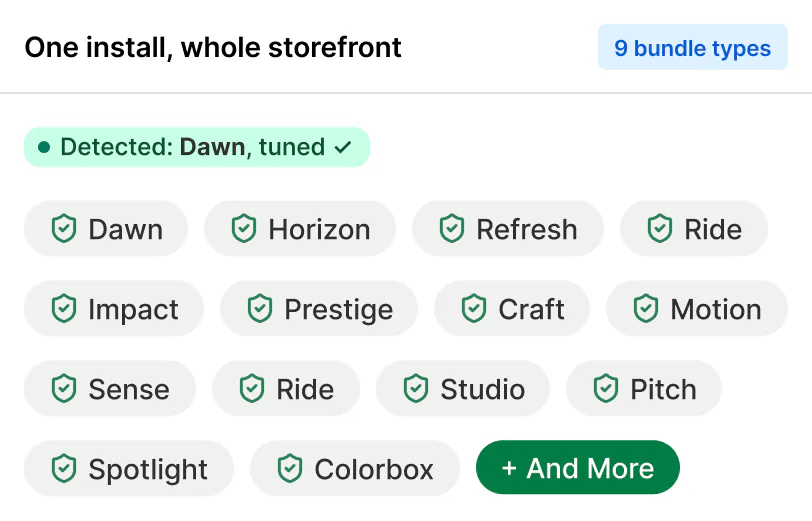
Sledge works with any Shopify theme. It detects your theme at load, applies a configuration tuned for it, and falls back gracefully on the rest. Tuned for 24 free themes plus Prestige and Impulse, Dawn and Horizon included. No code, no theme file edits, and uninstalling leaves your theme exactly as it was.
14-day free trial · No code · Works with any theme · Uninstalls clean
How does Sledge match my theme?
Three moves, all automatic.
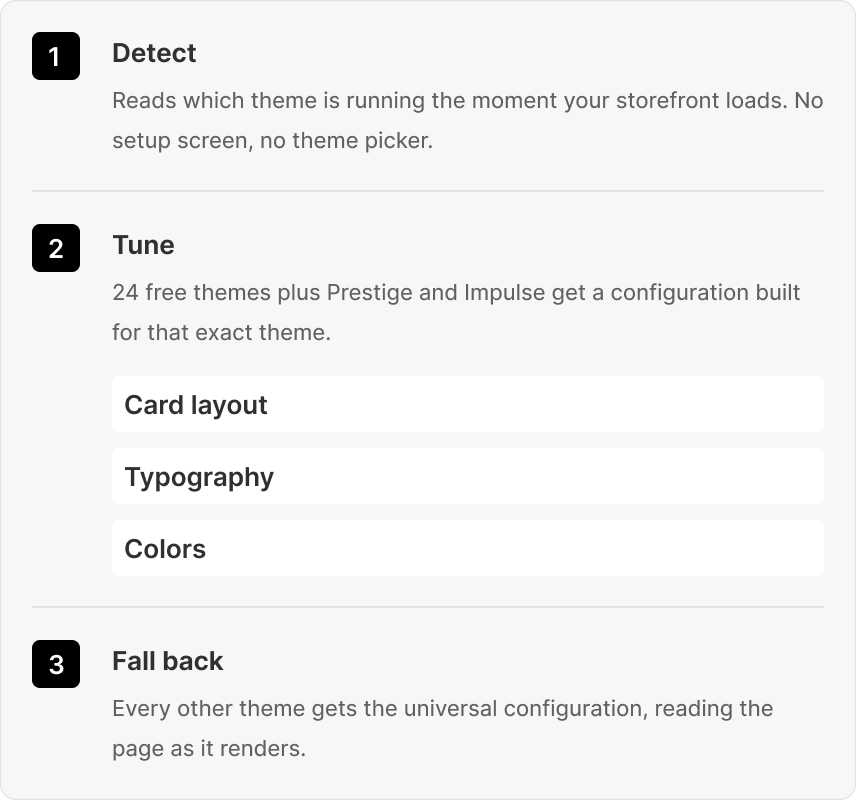
Detect. When your storefront loads, Sledge reads which theme is running. No setup screen, no theme picker, nothing to tell it.
Tune. A theme Sledge knows by heart, the 24 free themes plus Prestige and Impulse, gets a configuration built for that exact theme: card layout, colors, typography, where the filters sit, how the drawer slides.
Fall back. Every other theme gets the universal configuration, which reads the page as it renders and adapts to what's there.
Either way, the widgets take on your theme's look: your theme, selling harder.
What does Sledge adapt to my theme?
The parts shoppers actually touch.
Product cards. Layout, colors, and typography match the cards your theme already renders. The cart drawer. The drawer slides in like the theme built it. Badges. Badge placement lands where your cards expect it. Swatches. Color and image swatches that fit your card style. Filters. Sidebar or flyout, filters sit where your theme puts them. Search. The search trigger in your header opens Sledge instant search.
Which themes is Sledge tuned for?
Twenty-four themes: Shopify's free themes plus the full Horizon family. Each link goes to that theme's page. Dawn is Shopify's long-time default, matched one to one against the live theme. Horizon has been the new default since Summer 2025, and every theme in its family gets its own configuration and its own page.
AtelierColorblockCraftCraveDawnDwellFabricHeritageHorizonOriginPitchPublisherRefreshRideRiseRitualSavorSenseSpotlightStudioTasteTinkerTradeVessel
Does Sledge work with paid themes?
Yes, in three tiers. The 24 tuned free themes get their placement set before you arrive. Prestige and Impulse have their own Sledge configurations too. Every other paid theme, Warehouse, Impact, Expanse, and Motion included, runs the universal fit: widgets read the page and match what's already there. Want your theme on the tuned list? Tell support. Priority tuning on request.
Questions, answered
Will Sledge break my theme?
No. Sledge never edits theme files; it injects at runtime through the app embed. The 24 tuned free themes, plus Prestige and Impulse, match your design out of the box; every other theme adapts to what's there. Turn the embed off and your storefront renders as if Sledge were never installed.
What happens when I uninstall?
Your theme files were never touched, so there's nothing to undo. Uninstall removes the app embed and your theme is exactly as it was. No leftover snippets, no orphaned code, no cleanup call with a developer.
Does Sledge slow my store?
No. You load one app's script instead of one script per app, and it loads without blocking the page.
Does Sledge work with page builders and customized themes?
Mostly, yes. Auto-adapt reads the page as it renders, so custom sections, rearranged layouts, and page-builder pages are handled like any unfamiliar theme. If a heavily customized layout puts something in an odd spot, support helps you sort the edge case.
Looks like your theme. Sells like Sledge.
Install free. Sledge detects your theme and matches it on the first load. Built-in Growth Intelligence reads your orders and searches, then names your next move with what it's worth attached.
14-day free trial · No code · Works with any theme · Uninstalls clean