
A shopper adds one item and the native cart slides open. It shows their item and a checkout button. Nothing suggests a second product. Nothing points them toward free shipping. The drawer gives them two options, check out or leave. Most of them leave.
The native cart ends the visit. This one finishes the sale.
The cart is the last room a buying shopper stands in, and the native one is empty. Sledge replaces it with a slide drawer you arrange yourself. Add product recommendations, a bundle offer, a free-shipping progress bar, a countdown, trust badges, and a discount field. Make the next offer when they're most ready to buy.
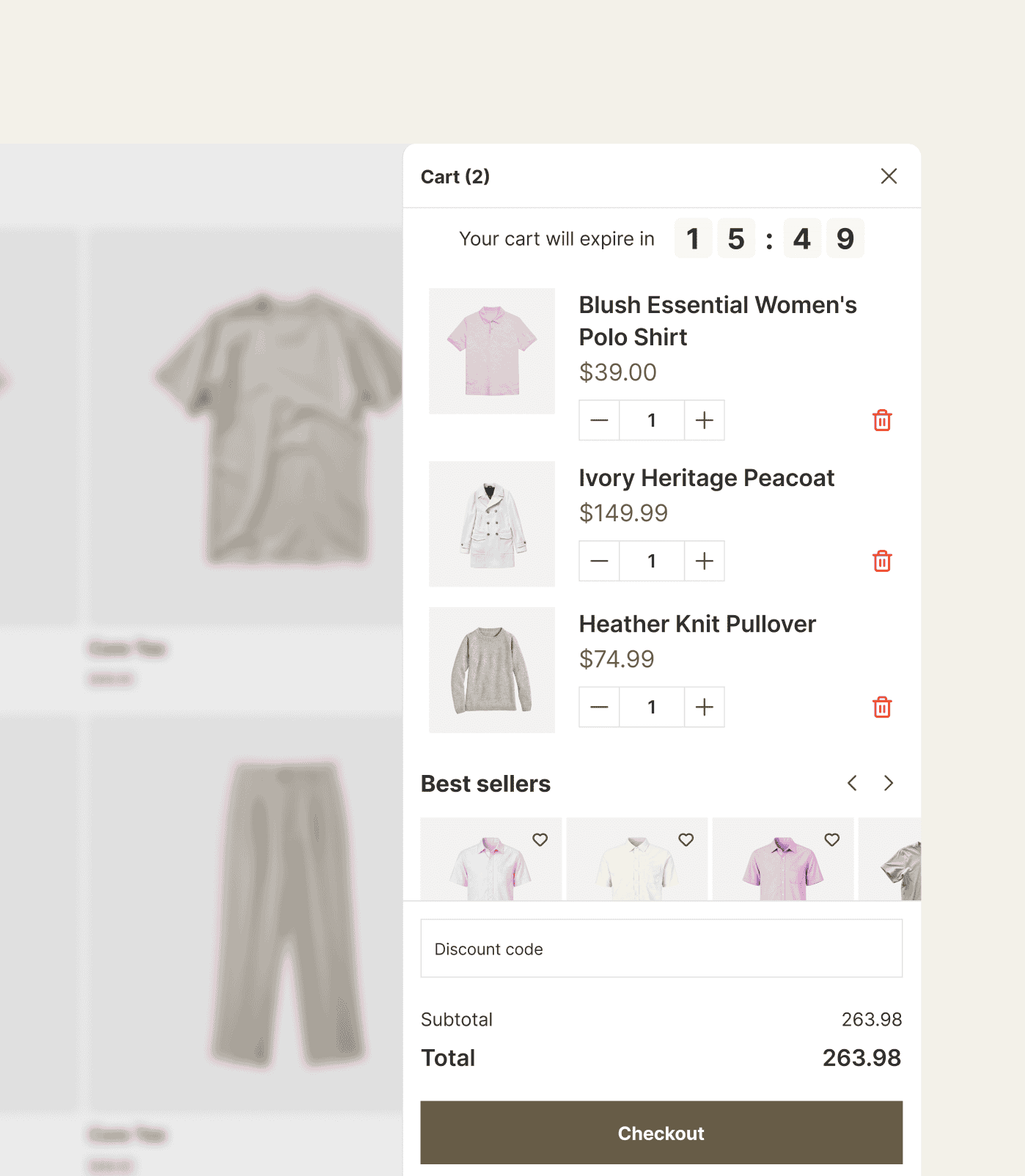
14-day free trial · No code · Works with any theme · Replaces your native drawer
// The empty last room
The most ready-to-buy shopper in your store, and the cart goes silent.
A shopper who just added to cart is as close to buying as they will get. The native drawer answers with a list and a button. It never says "people also bought this." It never offers "add a second and save." The drawer never shows "you're $12 from free shipping." So you bolt on a slide-cart app for upsells, another for a shipping bar, another for a timer. One cart now costs you three subscriptions and loads three scripts.
The cart says nothing at the second a shopper is most willing to add more. Then you rent three apps to fix what should be one drawer.
Sledge replaces the native Shopify cart with a slide drawer you arrange from blocks. It opens from any add-to-cart on your store, and you decide what fills it. Adding to cart becomes a place to sell.
See every surface Sledge sells on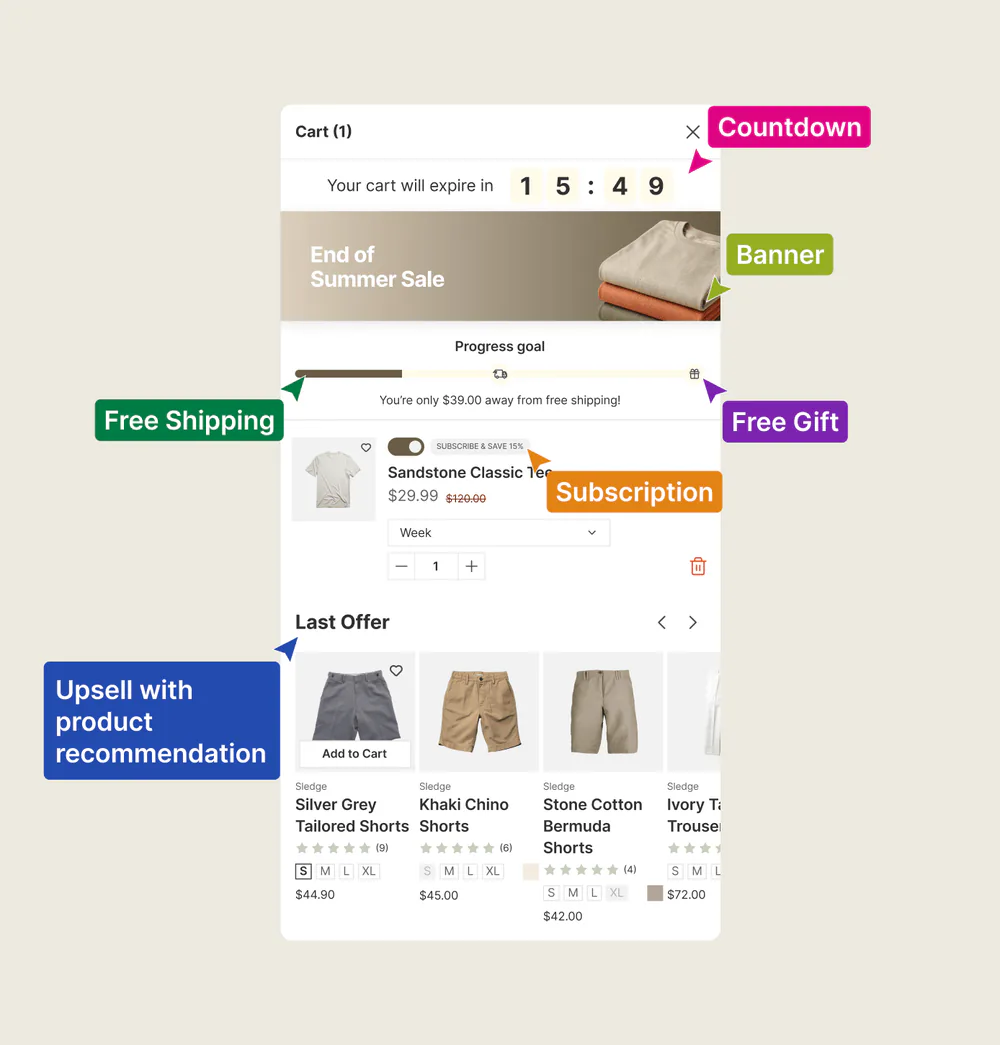
// Arrange it like a page, not a popup
Three apps for one drawer, and none of them agree on how it looks.
The bolt-on path doesn't just cost three bills. It costs control. The upsell app styles its block one way, the shipping bar another, the timer a third. Your cart ends up in three styles, none of them your theme's. You wanted one cart that sells. You got three widgets in one drawer.
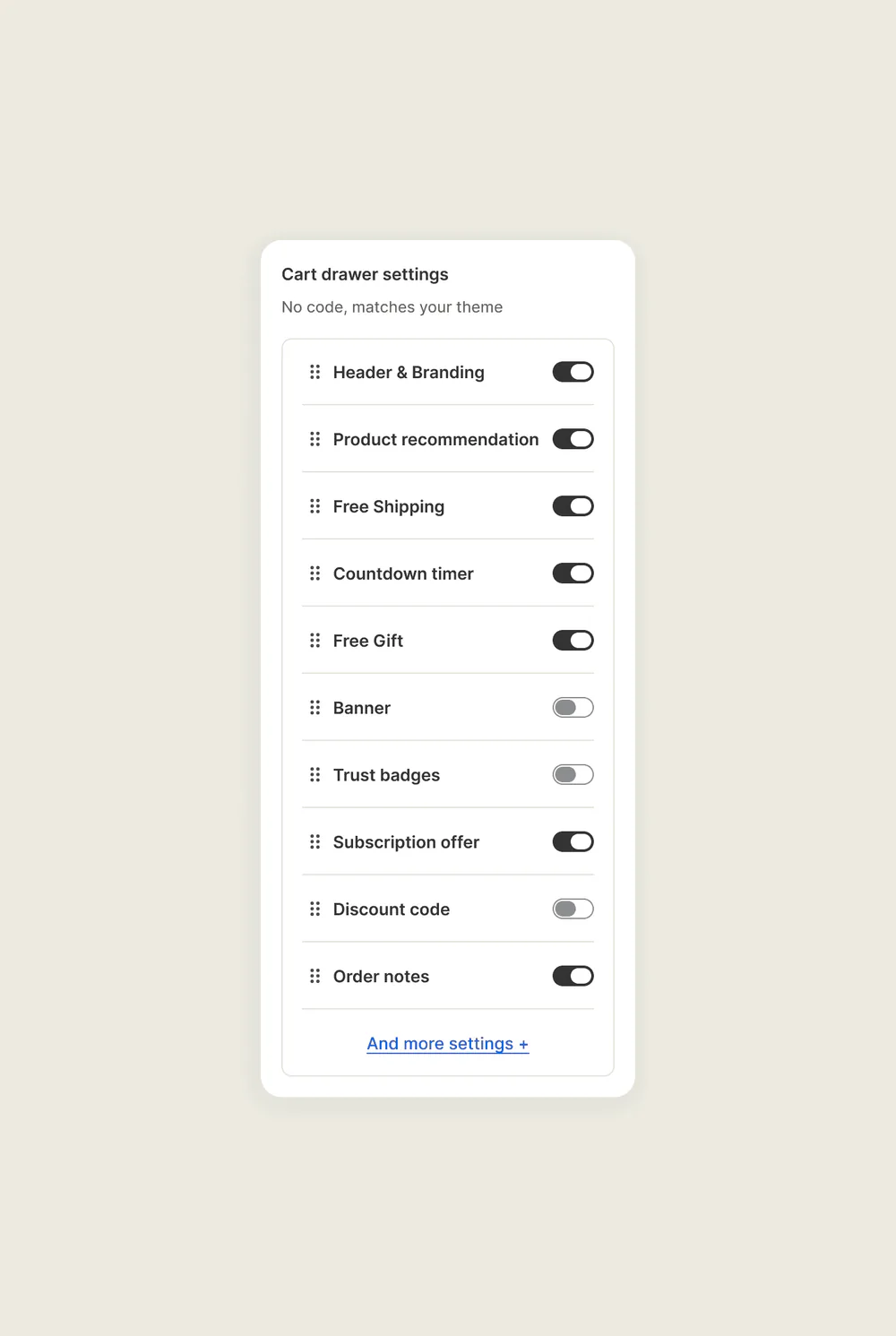
Sledge makes the drawer a stack of blocks you put in order. Drag the sections where you want them, all sharing one design that matches your store.
- Header with your branding and a clear close.
- Recommendations drawn from real shopper behavior, right where the add just happened.
- Reward tiers: free shipping, a cart discount, a free gift, or all three stacked on one bar.
- Free-shipping progress bar that fills as the cart grows, so "$12 to free shipping" pulls the next item in.
- Countdown that holds the cart for a window you set, so "later" costs them the cart they just built.
- Trust badges, a discount code field, and order notes.
You decide which blocks appear and in what order. One of those blocks can be a fixed, BOGO, volume, or free gift offer. Every block shares one design you control.
// The last dollar to free shipping
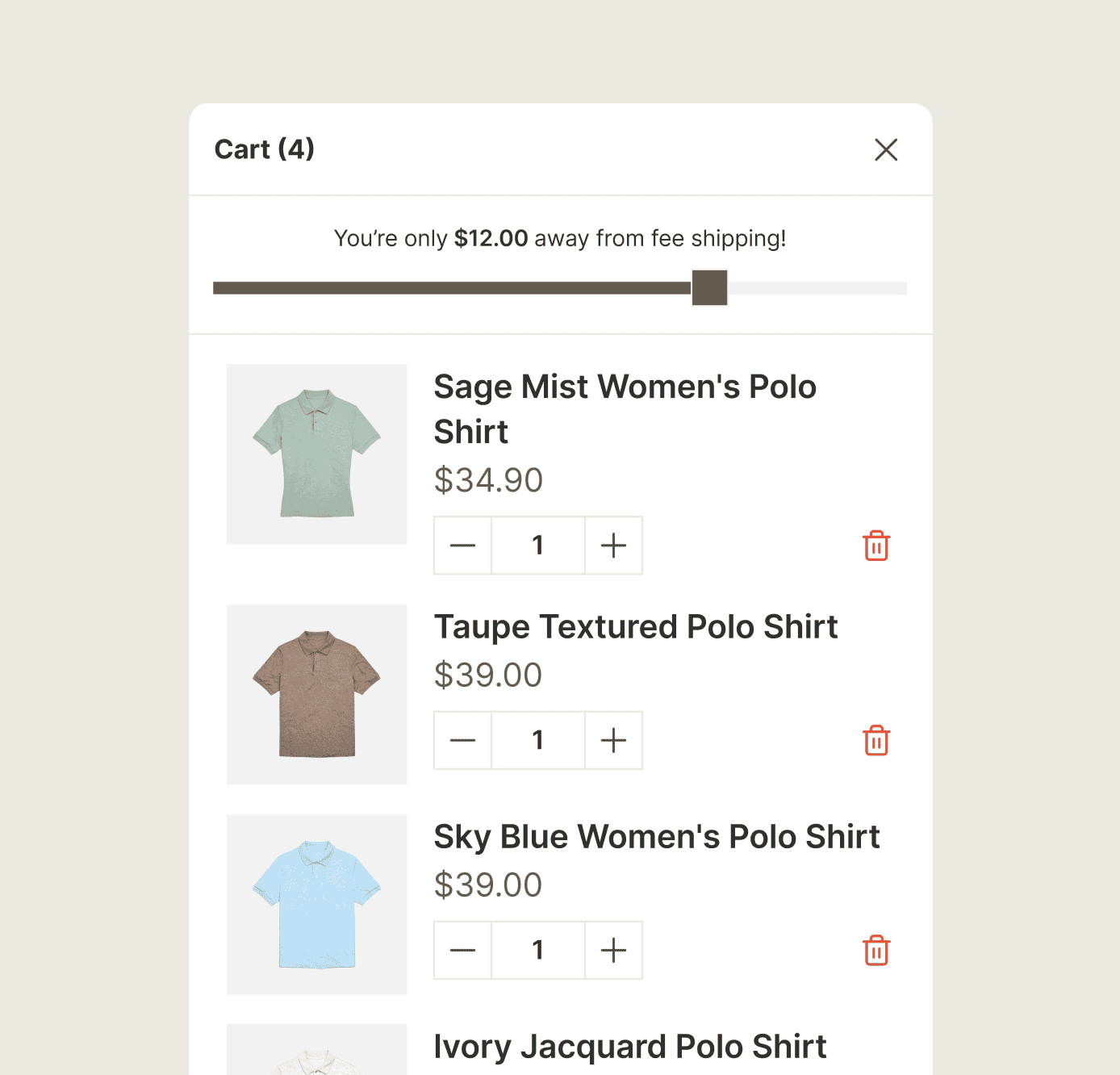
"$12 away from free shipping" gives the shopper a clear reason to add one more item.
A free-shipping threshold gives the shopper a clear target. Show that they are $12 away and they can decide whether another item is worth adding. The native cart does not show that distance. Sledge puts the progress bar in the drawer instead of requiring another shipping-bar app.
Sledge builds the free-shipping progress bar into the cart drawer as a block. It shows shoppers exactly how much more to add to reach your threshold, and it fills as they add. "Almost there" becomes one more item in the cart. You need no separate shipping-bar app.
// Urgency where the decision happens
"Do I really need a third app just to put a timer in the cart?"
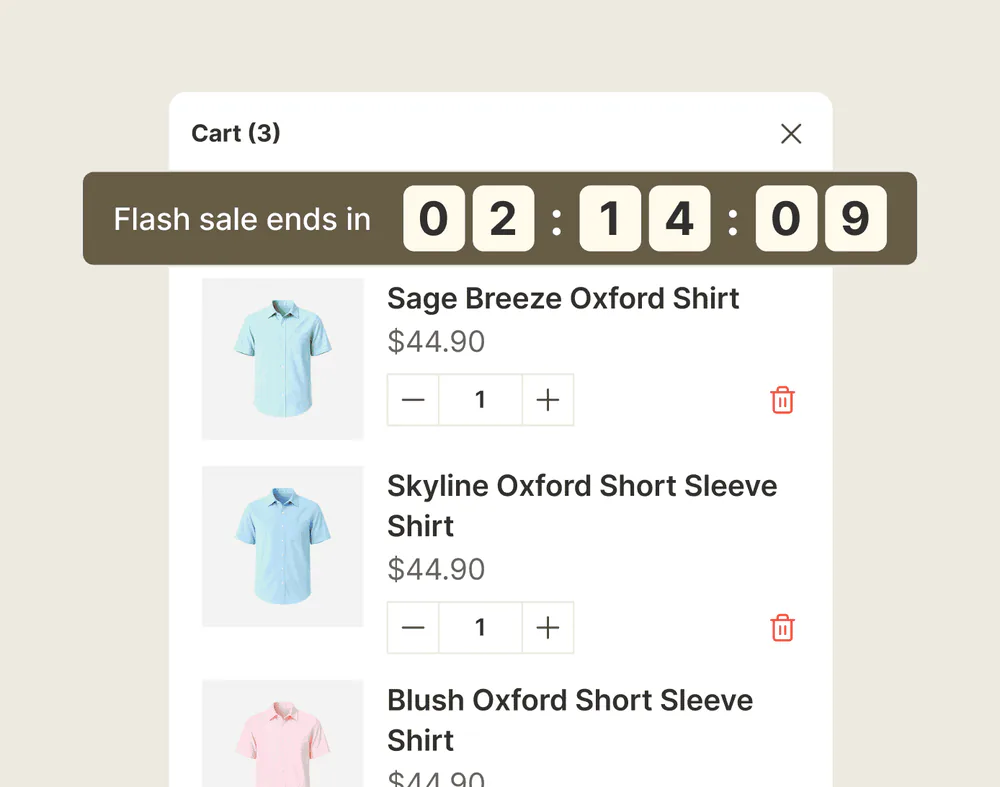
A countdown on a live sale gives a deciding shopper a reason to finish now instead of "later," which often means never. It can lift conversion across a wide range, per published roundups of countdown apps. But to show one in the cart, you install a dedicated countdown app on top of the slide cart and the shipping bar. One drawer now takes three vendors.
You don't need a third app. Sledge includes a countdown block already in the cart drawer. Drop it in and set the window. The shopper then watches their own cart's clock instead of a deadline three pages back.
Questions, answered
What's the best cart drawer app that adds upsells and a free-shipping bar on Shopify?
Sledge replaces the native cart with a slide drawer you arrange from blocks. The blocks include product recommendations, a cart countdown, trust badges, and a discount field. Reward tiers are their own block, and they can offer free shipping, a cart discount, or a free gift. One drawer handles the work of an upsell app, a shipping-bar app, and a countdown app.
Does the Sledge cart drawer replace the native Shopify cart?
Yes. It opens from any add-to-cart on your store and takes the place of the default drawer, so shoppers see your arranged cart instead of the bare native one.
Can I add a free-shipping progress bar to my Shopify cart?
With Sledge, yes. The drawer has a free-shipping progress bar block. It shows shoppers how much more to add to reach the threshold, and it fills as they add. There is no separate shipping-bar app to install.
Can I show a countdown timer in the cart?
The Sledge cart drawer has a countdown block that holds the cart for a window you set, from five minutes to an hour. It can clear the cart when the clock runs out, if you want it to.
What can I put in the Sledge cart drawer?
You choose which blocks appear and in what order, all under one design. The blocks include a header, product recommendations, a cart countdown, a promotion banner, trust badges, a discount code field, and order notes. Reward tiers are their own block, and they can offer free shipping, a cart discount, or a free gift.
Will the cart drawer match my theme?
Yes, and you control the design. Sledge adapts the drawer to your theme, so the cart matches your store instead of looking like a bolted-on widget. It never edits your theme files.
Do the recommendations in the cart use real shopper data?
They do. The recommendations block draws from real behavior in your store, so the products offered in the cart fit what the shopper is already buying rather than a generic list.
Don't let the warmest moment go quiet.
Install free. Build your cart drawer today, and drop in the shipping bar and recommendations. Growth Intelligence puts a number on the dollars the silent cart was leaving on the table. That includes the shoppers who stalled $12 from free shipping and walked.
14-day free trial · No code · Works with any theme · Uninstalls clean