
It's 11pm and you're dragging products to the top of a collection by hand, one at a time. Tomorrow stock moves, the order is wrong again, and you do the whole pass over.
The first screen sells your store. Stop sorting it by hand.
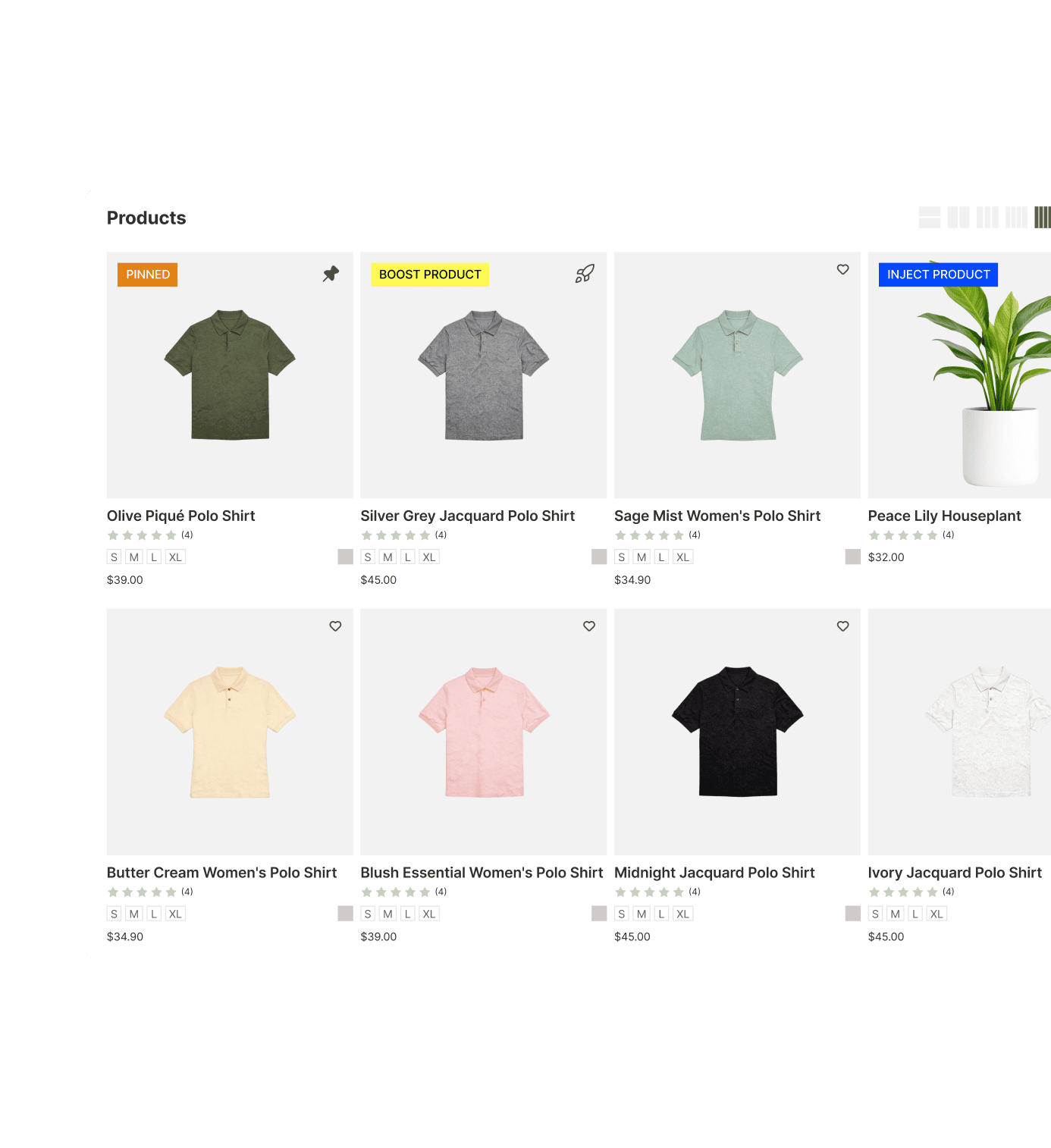
The products at the top of your collection are the ones that sell. Sledge puts the right ones there, your bestsellers, your in-stock, your new arrivals, and keeps them there as your stock syncs. You place them by hand when you have the taste, and by rule when you don't have the time.
14-day free trial · No code · Works with any theme · Uninstalls clean
// The page-two truth
Your bestsellers shouldn't be buried on page two.
Think about how you shop. You scan the first row, maybe the second, and you decide. You almost never click to page two. Your shoppers are the same. Whatever sits up top gets bought. Whatever sits below might as well not exist.
About 73% of shoppers never reach page two, per product-sorting research from Entaice. That cost is paid before a shopper ever scrolls.
The order of your collection is not a tidiness chore. It is the biggest merchandising decision you make every day, and right now you make it by dragging products around at 11pm, hoping it sticks.
You set that first screen once, across the whole collection and your search results. Sledge holds it there, so your best products lead the grid instead of your slow movers.
// The stockout sweep
Sold-out products shouldn't greet your shoppers.
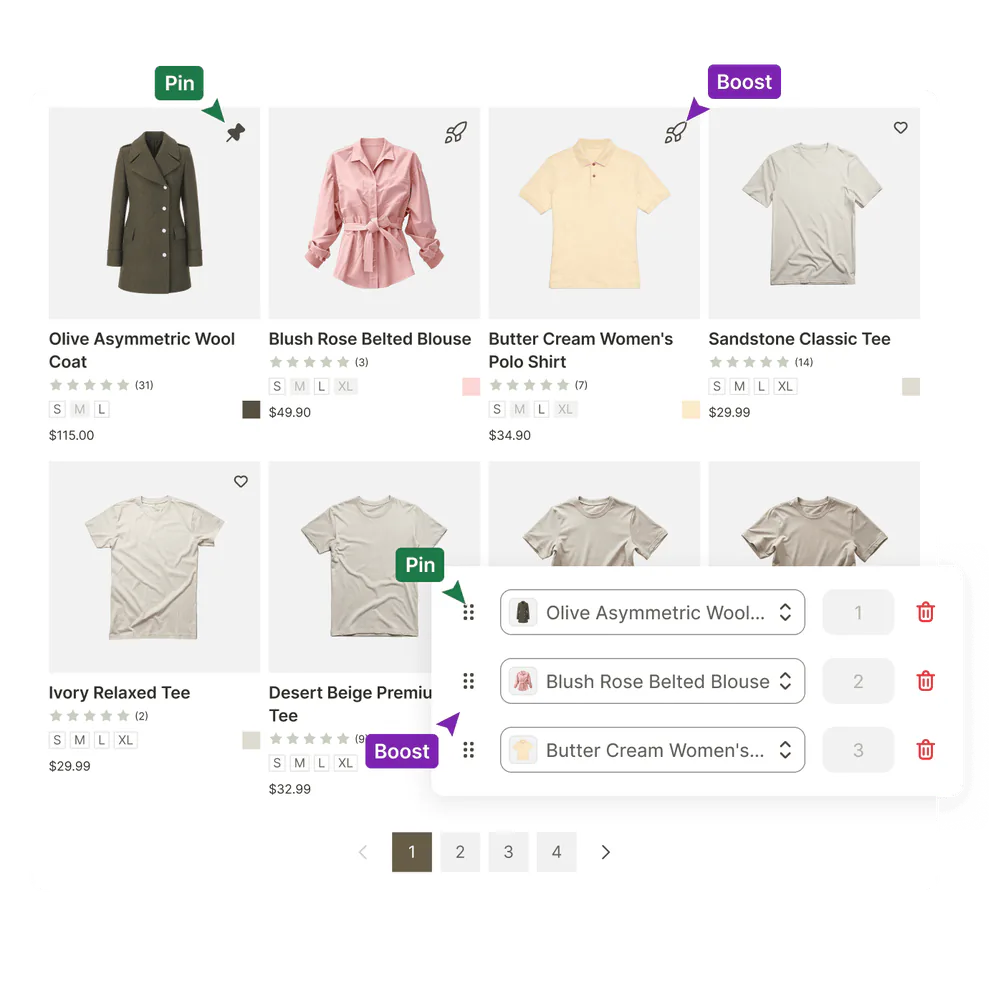
A shopper lands on your bestselling collection. The first four products are sold out. There is nothing to add to cart, so they leave for a store where the first thing they saw was buyable. You did not choose to show them dead ends. Shopify just has no native way to keep sold-out items off the top.
This is the quietest leak on the page. It never shows up as an error. It shows up as a shopper who came, saw four out-of-stock products, and went somewhere else.
You set one rule in Sledge to bury sold-out products and keep in-stock ones up top. The rule reads the stock levels Sledge syncs from Shopify. It demotes a sold-out product and restores it when stock returns. The top of the collections Sledge renders stays buyable without another manual pass.
// Eight strategies
Two rules down. Six more where those came from.
Burying sold-out products and holding a hero at the top are two of eight. They read like verbs because that is what they are.
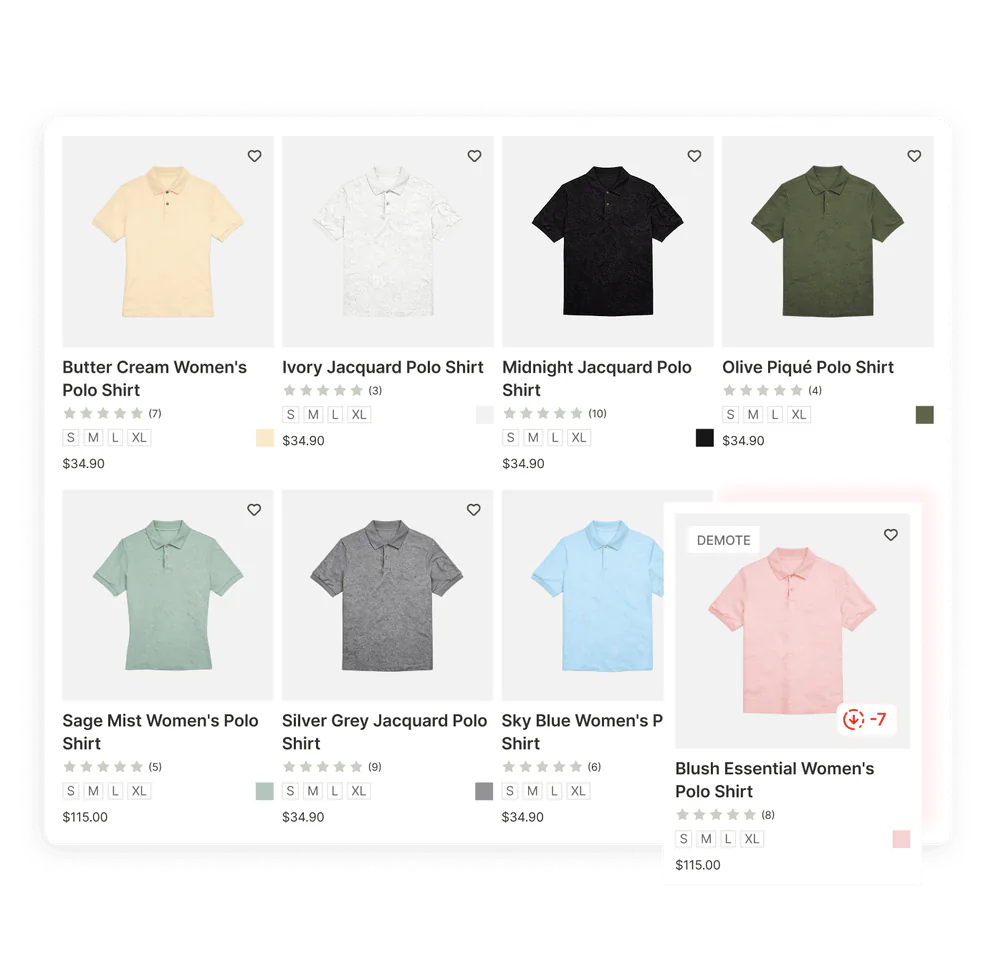
- Pin holds the products you choose at the top of the surfaces you choose.
- Boost lifts products up the ranking by attribute or metric, without locking the rest of the grid.
- Demote sinks what you would rather not lead with, like last season, low price, or low stock.
- Hide takes a product out of customer-facing results without touching the collection itself.
- Filter narrows the grid to only the products that meet your conditions.
- Inject product drops in products from another collection and holds them near the top, in the order you set.
- Bundle, Discount & Upsell places a discounted product per surface, and shows a discount you already run even where it was never assigned.
- Banner places a promotional banner per surface, on the same terms.
Boost, demote, hide, and filter target three ways. By product item means the ones you pick by hand. By attribute uses what your catalog already carries. That means product type, vendor, tag, price, inventory, new arrivals, and on sale. By metric uses what your own store recorded. It ranks on best sellers, most viewed, most clicked, highest conversion rate, or highest add-to-cart ratio, each over the last 7, 14, or 30 days. Pin and inject take the products you choose. One rule can carry several strategies at once. Rules also take start and end dates, so the holiday order arrives on schedule and the everyday one returns without you.
Ranking applies across the whole collection in one pass, not one page of it. Banner and discount placement lands on page one.
// See it before you publish
"What if I break my best-selling page?"
That fear is fair. Your best-selling collection is not the one to experiment on blind. Change the order, guess wrong, and you have quietly buried the products doing the work, with no idea until the day's sales come in low.
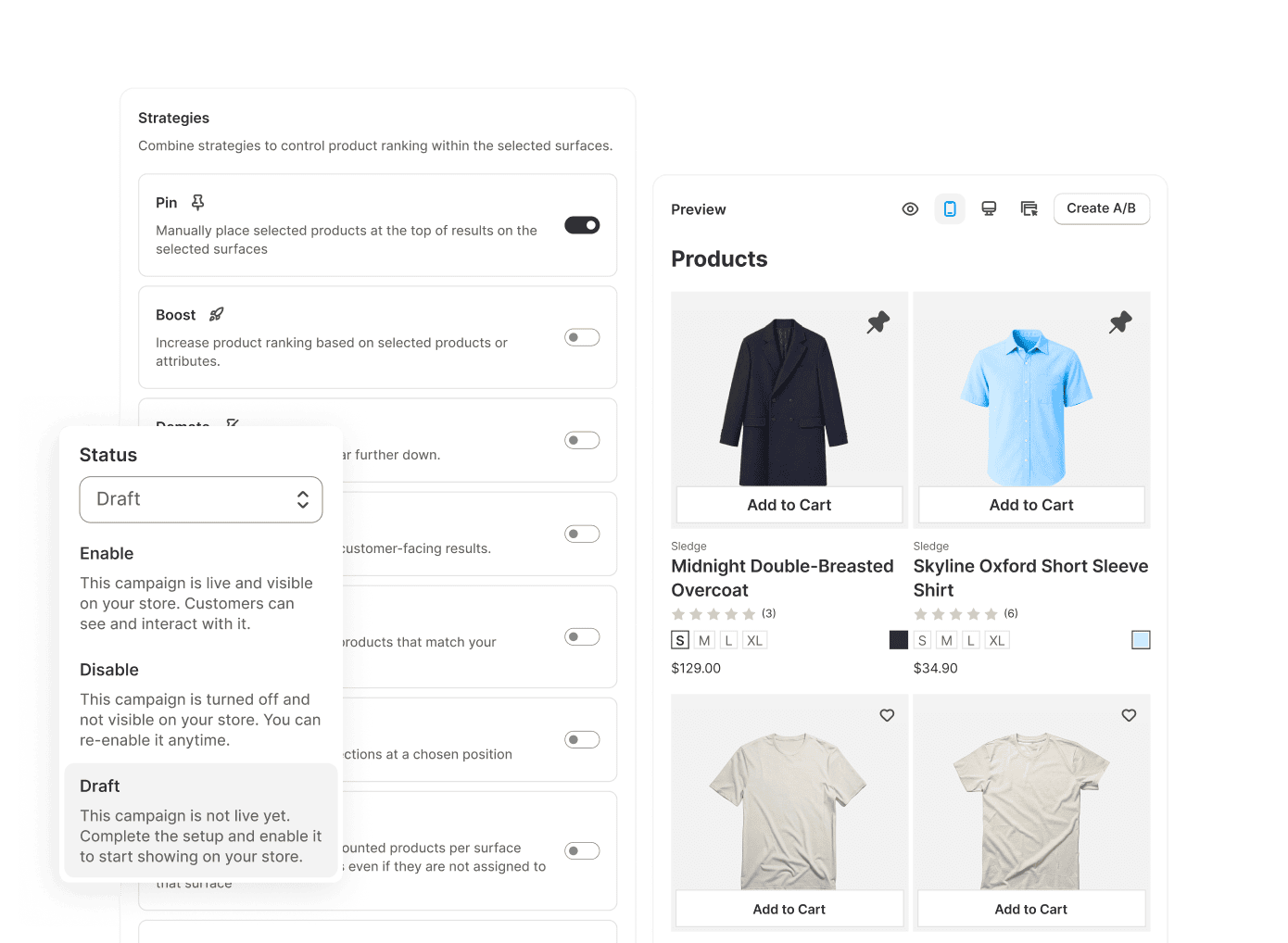
You see the re-ordered collection in the real storefront grid before you commit, through the same ranking that serves your shoppers. On your first rule, the status defaults to Enable, so you can hold it in Draft while you experiment. The live store never moves until you set it back to Enable.
// Close the loop
You re-sorted on a hunch. Did it actually sell more?
You think leading with bestsellers beats leading with newest, and maybe it does. But "it feels better" is not a number, and a reorder that looks tidier can quietly convert worse. Most merchandising tools stop at "trust us, it's smarter." That leaves you guessing.
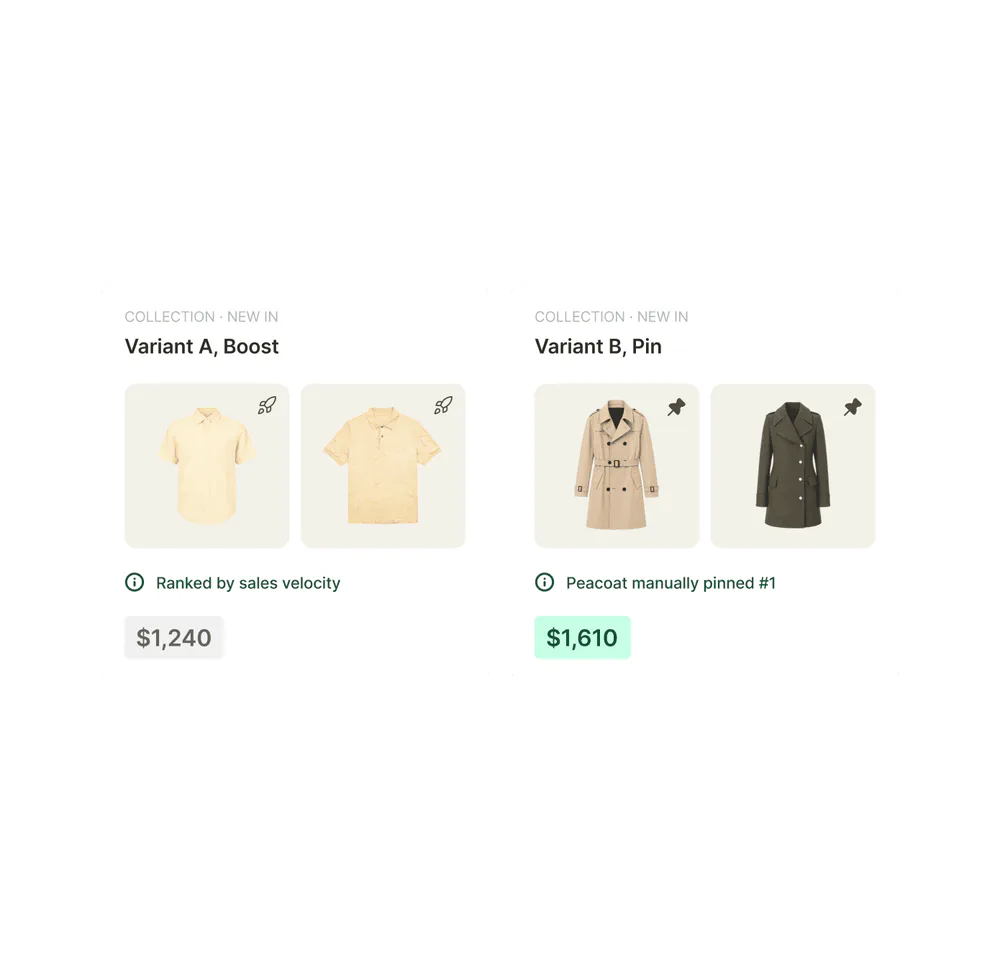
Arguing with yourself settles nothing, so you run the test instead. Sledge A/B-tests the collection order itself. Half your shoppers see one arrangement and half see the other, split evenly per session. It reports revenue per variant, so you keep the arrangement that measurably sells more. Your next reorder starts from a revenue number instead of a guess.
Questions, answered
How do I sort out-of-stock products to the bottom on Shopify?
Two ways in Sledge, because Shopify has no built-in way to do it automatically across a whole collection. A global setting moves sold-out products to the end of the grid, on by default. A demote rule buries them by an inventory condition you set. Both read the stock levels Sledge syncs from Shopify, and both restore a product when it comes back.
Can I sort a Shopify collection with more than 60 products?
With Sledge, yes. Shopify's manual sort breaks past 60 products. A Sledge rule orders the entire collection in one pass, and you can pin, boost, or bury any product regardless of which page it currently sits on.
How do I boost bestsellers to the top of a Shopify collection?
You set a Sledge rule to boost by best sellers, most viewed, most clicked, highest conversion rate, or highest add-to-cart ratio over the last 7, 14, or 30 days. It applies across the whole collection and inside search, with no separate sorting app.
Does Sledge merchandising work on search results too?
Yes. All eight strategies apply to collection pages and search results: pin, boost, demote, hide, filter, inject product, bundle and discount placement, and banner placement. The products you push forward show up first in both. Banner and discount placement lands on page one.
Can I order products by hand instead of by rule?
In Sledge, both. Pin and drag any product in the collection by hand, set rules for the long tail, or mix the two on one collection. Manual placements hold; rules handle the rest.
Will I see the new order before it goes live?
Yes, before anything moves on your storefront. Sledge renders the re-ordered collection in the real storefront grid, through the same ranking that serves your shoppers, one collection or keyword at a time. Set the rule status to Draft while you experiment, because it defaults to Enable, then switch to Enable and save when you are happy with the order.
How is this different from a dedicated collection sorting app?
Sledge merchandising is included, not a separate subscription, and it does more than sort. Eight strategies: pin, boost, demote, hide, filter, inject product, bundle and discount placement, and banner placement. Target boost, demote, hide, and filter by product item you pick, by attribute like tag or inventory, or by your own metrics like best sellers and most clicked. Pin and inject take the products you choose. All of it runs across collections and search, with preview-before-publish and built-in A/B testing on the order.
Stop dragging. Set one rule.
Install free. Re-order your busiest collection today, preview it before it goes live, and let the rule keep it fresh while you do anything else.
14-day free trial · No code · Works with any theme · Uninstalls clean