
Pre Order
Keep selling products before they arrive.
Sledge is a Shopify pre-order app that keeps sold-out products buyable, with full payment or a deposit where your payment provider allows.
 Made for Shopify Understand your shoppers
- No credit card required
- Setup in minutes


Fennbrook Pottery
Speckled stoneware pitcher
$48.00
In stock 0
Sold 3
Pre-orders 0

Shopify stores running Sledge


 Featured on Shopify




Trusted by Shopify stores
600 + Shopify stores have installed Sledge
 14-day free trial
 Built to grow sales

















Pre-order tools
Where waiting for stock loses the sale.
A sold-out page gives shoppers nothing to buy until you restock.
-
Putting a new launch on pre-order by hand takes too long.
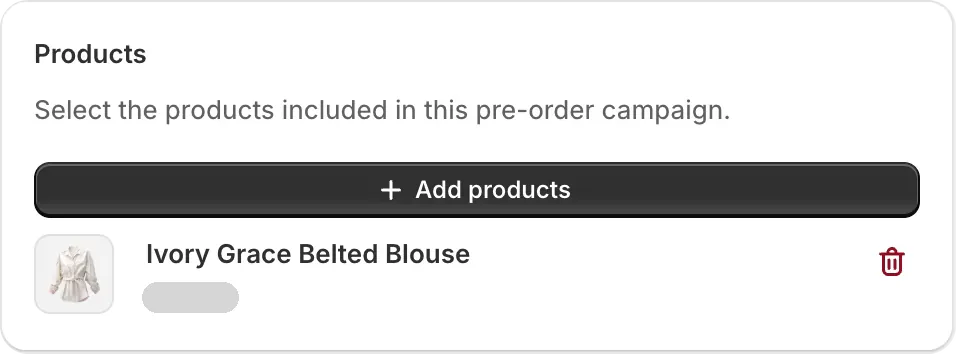
Every product in the launch goes on pre-order together, because you can pick them all in one pass.
- One product
- Several products together
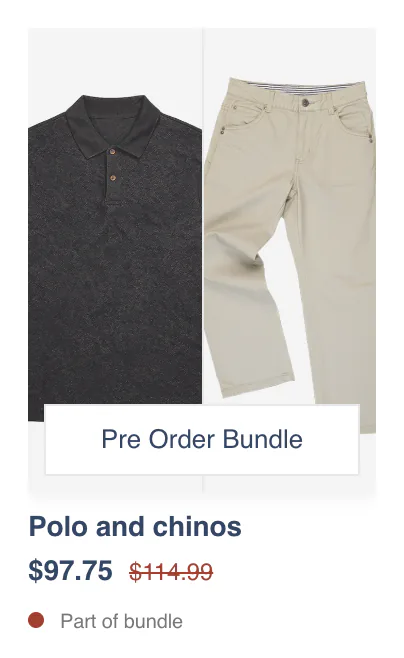
- A bundle as one set
-
Shoppers find the product sold out and leave.
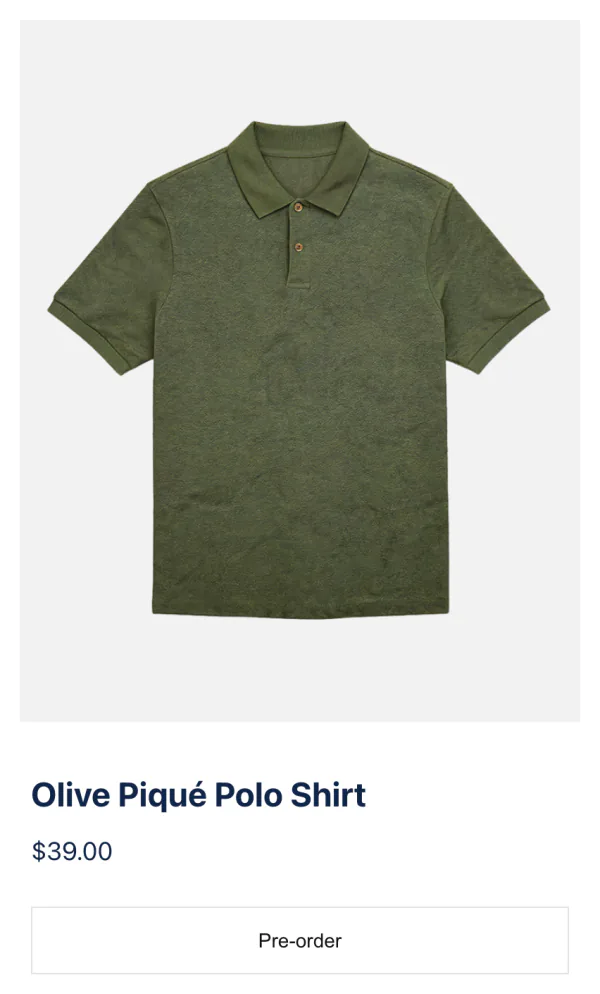
Shoppers can order it before the stock arrives, because Sledge shows them a pre-order button.
-
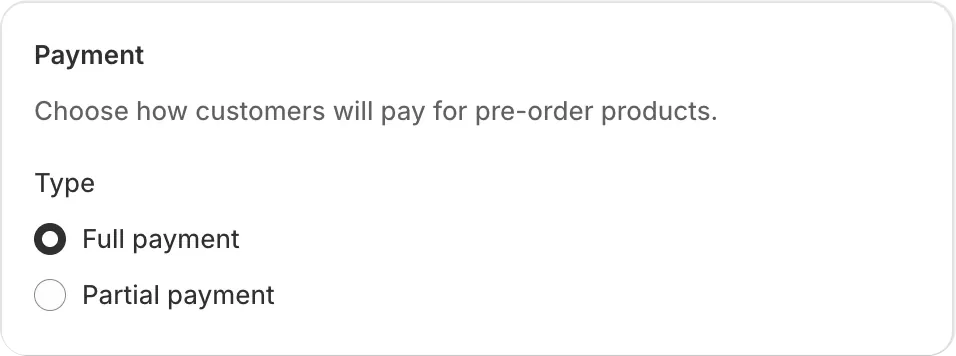
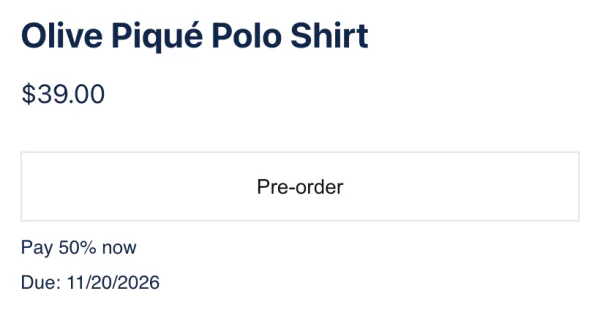
Full price up front is a lot to ask for an item that ships later.
Shoppers can pay a deposit now and the rest on a date you set, where your payment provider allows.
-
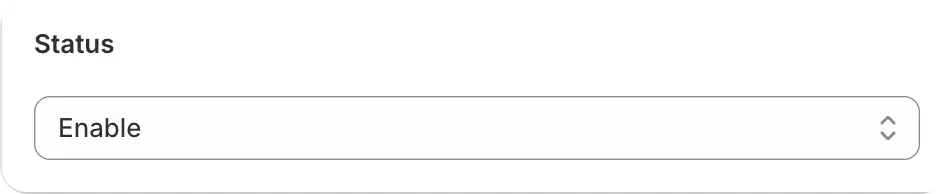
Switching stock settings back by hand is easy to get wrong.
Sledge switches back only the stock settings it changed, when you turn a pre-order off or delete it.
-
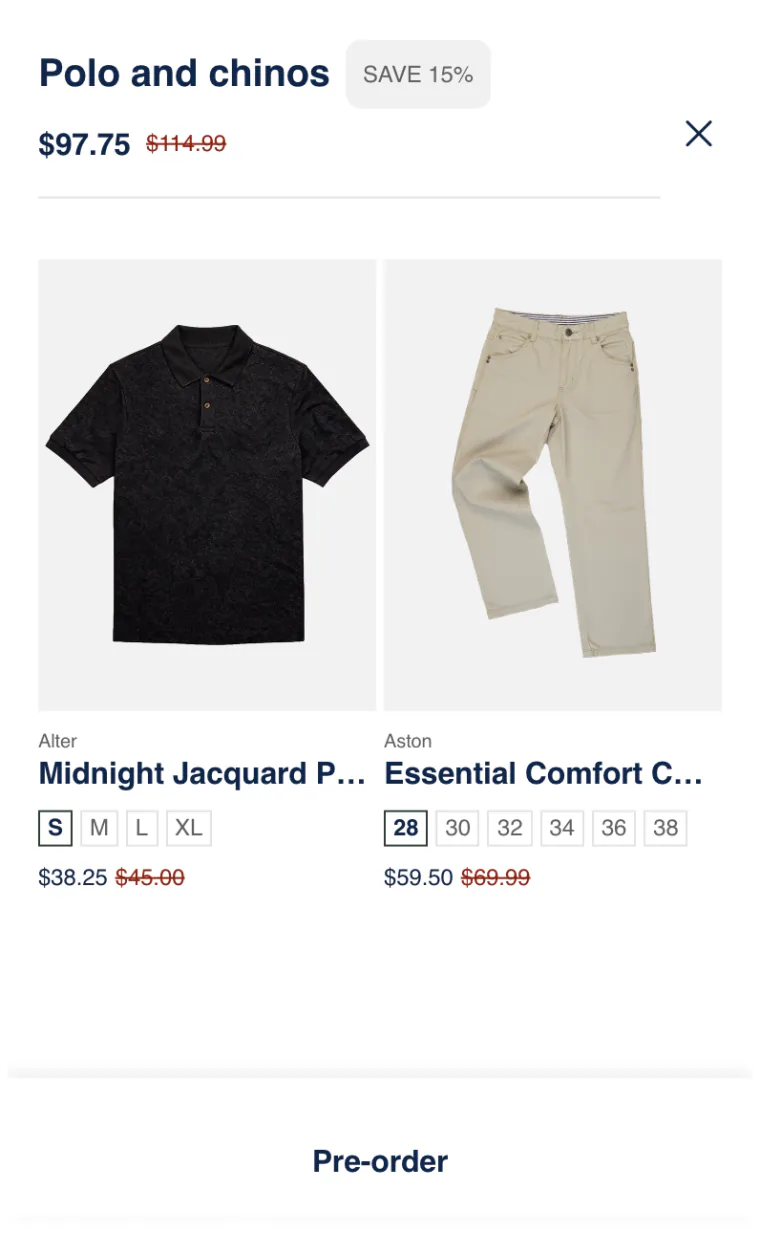
One unfinished item holds back the whole set.
The whole set stays buyable while one item is in production, once you put the bundle on pre-order.

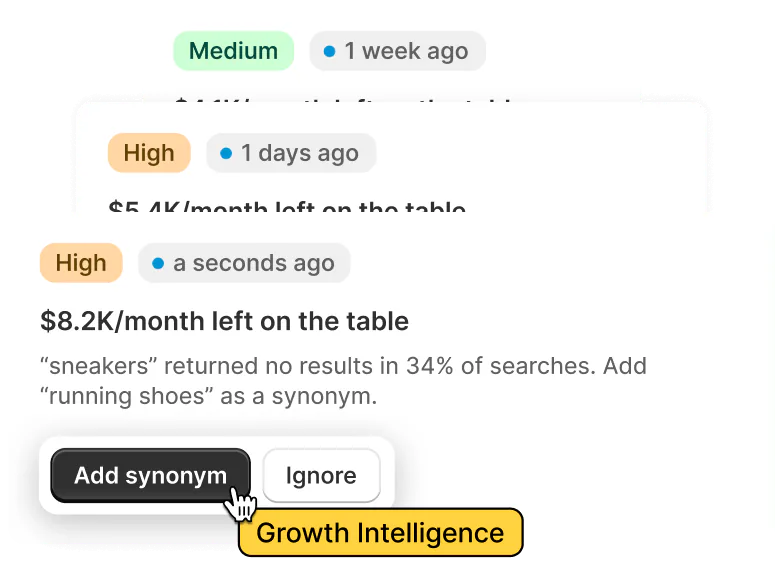
Growth Intelligence
Find out if a pre-order could add sales.
-
See the problem
You can spot when your store has no pre-order running.
-
Pick a fix
On any paid plan, each fix is marked High or Medium priority. One total estimate shows the sales the fixes could add each month.
-
See what works
Once the pre-order runs, you can see its visitors, clicks and sales. Sledge Analytics counts the orders placed as pre-orders.
Why Sledge
Why choose Sledge
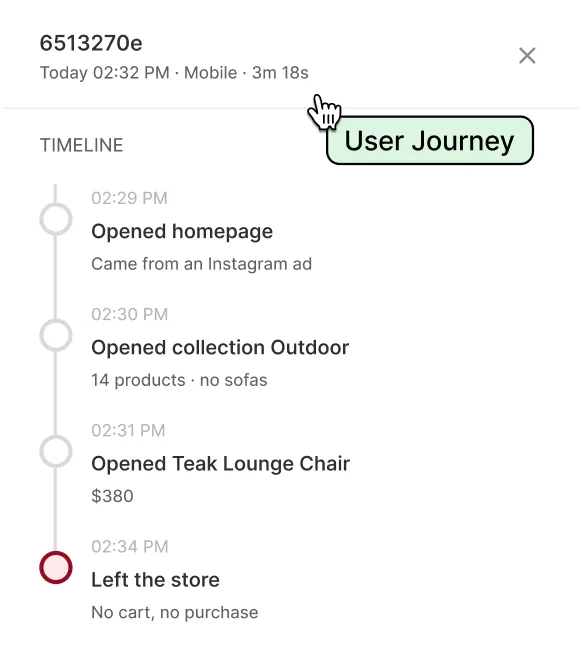
Know what to fix first
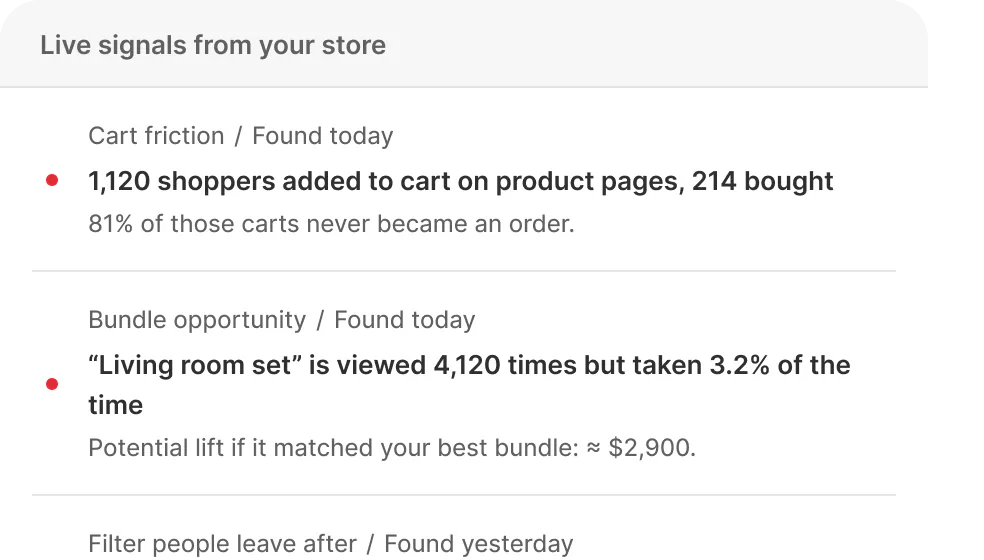
See what's
happening now



“They helped customise our filters…”
 Charming Beads
Tools are ready



See why
shoppers
didn't buy

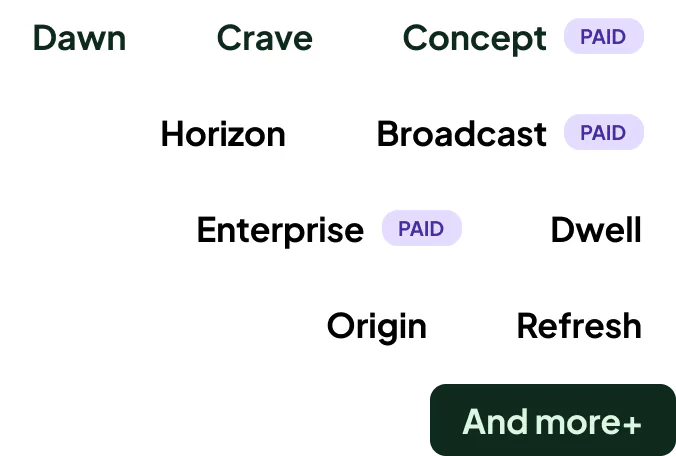
46+ Works with
any theme

FAQ
Common questions about Sledge pre-order.
-

14-day free trial
Explore Sledge on your store before you decide to commit.
-

No credit card required
Start improving your store with no upfront commitment.
-

Setup in minutes
Get Sledge running without a lengthy setup process.
-

Built to grow sales
Turn shopper behavior into actions that help you sell more.
What does Sledge pre-order do?
Sledge is a Shopify pre-order app that keeps the sold-out products you pick taking orders. One campaign can cover one product, several products together or a bundle sold as one set. You choose full payment or a deposit where your payment provider allows. Turning the pre-order off or deleting it switches back the stock settings Sledge changed.
How do I take a deposit instead of full payment on Shopify pre-orders?
In a Sledge pre-order campaign, choose Partial payment, not Full payment, then set a fixed deposit in your store’s currency and a due date. Shoppers pay the deposit at checkout and the balance is charged on that date. Pre-orders run on Shopify’s pre-order payment terms, which work with Shopify Payments and PayPal Express and depend on your payment provider and country. A deposit is not Shop Pay Installments, where Affirm pays you in full and collects from the shopper.
Can I keep selling a product while it’s out of stock?
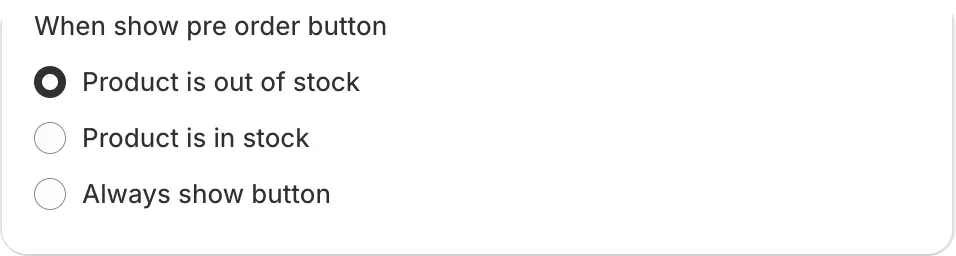
With Sledge, yes. A pre-order campaign keeps the product buyable while it is out of stock, so shoppers see a pre-order button and can order it instead of leaving a sold-out page. You choose whether the button shows only when the product is out of stock, while it is in stock, or always.
Will Sledge switch the stock setting back when I’m done?
Yes, when you turn the pre-order off or delete it. Sledge turns on “Continue selling when out of stock”, the Shopify setting that lets a sold-out product take orders, only where it was off. Turning the pre-order off or deleting it switches only those settings back in one action, and anything that already kept selling stays as it was.
Can I customize the pre-order button and note?
Yes, in Sledge. You write the pre-order button text, which reads “Pre-order” until you change it, and a pre-order note. The note shows in the cart, at checkout and in the order email, so the shopper knows the item is a pre-order and when it ships.
Can I pre-sell a bundle?
With Sledge, yes. You can pre-sell a fixed bundle as one set, and a Buy X Get Y offer or a volume discount too, with one switch in the bundle form. Sledge switches each item’s stock setting, and the set stays buyable while an item is in production. Where your payment provider allows a deposit, it is taken on each item in the set.
Can I open pre-order on more than one product at once?
Yes, in Sledge. One campaign can hold a whole launch, the new products you release together, so they all share the same dates and payment terms. You pick the products from the product picker, several in one pass, sold-out ones included. The campaign holds exactly the products you choose rather than a whole collection.
Why does my Shopify bundle show sold out when one item is on pre-order?
Shopify’s own bundles don’t support purchase options such as pre-orders, and their stock follows the lowest-stock item unless that item keeps selling when out of stock. Sledge pre-sells the set through its own bundles, so the set keeps selling while the pre-order runs. Sledge switches each item’s stock setting for you and switches it back when the pre-order is turned off or deleted.
Is pre-order an extra charge?
No, pre-order is included in every Sledge plan. Development stores, the stores used to build a shop before it opens, are free. Every new install starts with a 14-day free trial, and pre-order runs during the trial, so you can open your first campaign before billing begins.
Can Sledge tell me when a pre-order could add sales?
Yes, on any paid plan. Growth Intelligence can spot sold-out products while no pre-order is running. Fixes are marked High or Medium priority and add up to one “Est. potential” total for the sales they could add each month. Each fix opens the right page in Sledge, where you set it up, and nothing changes in your store until you save.
See what a pre-order sells while you wait for stock.
Start a free trial, open your first pre-order, and see the visitors, clicks and sales it brings in.

