
A shopper wants to narrow 400 products down to the three they'd buy. Native filters expose only some of your attributes. This shopper needs an attribute your filters don't expose, so the list barely narrows. They scroll, give up, and go.
A good filter doesn't hide your catalog. It sells it.
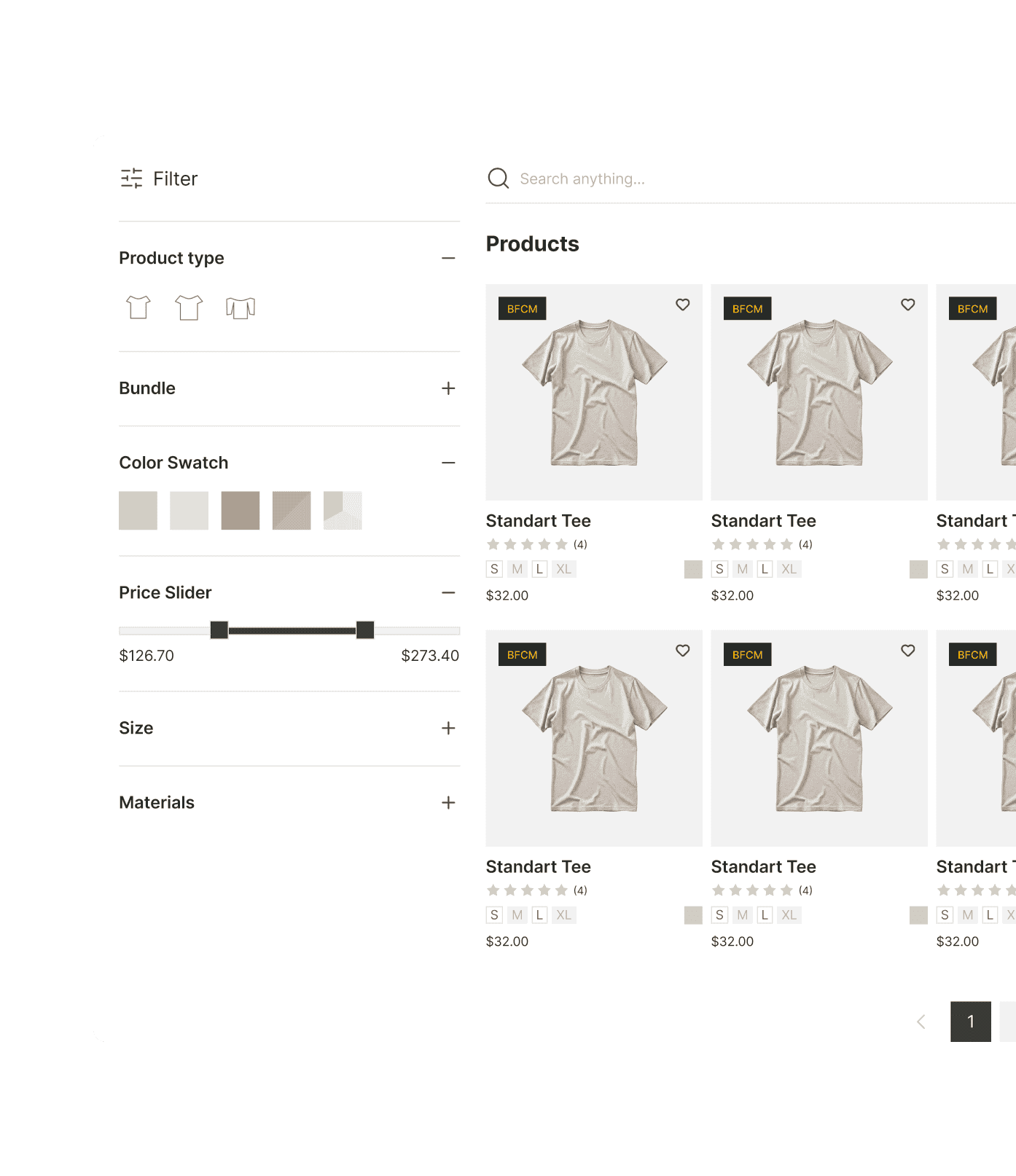
Sledge is the Shopify filter app that builds your collection filters from your metafields, tags, and variant options. You get color and image swatches, plus clean merged values. Shoppers narrow fast and land on the product they came to buy.
14-day free trial · No code · Works with any theme · Filters, search and recommendations
// The one-metafield ceiling
The storefront filter exposes only a slice of your metafields.
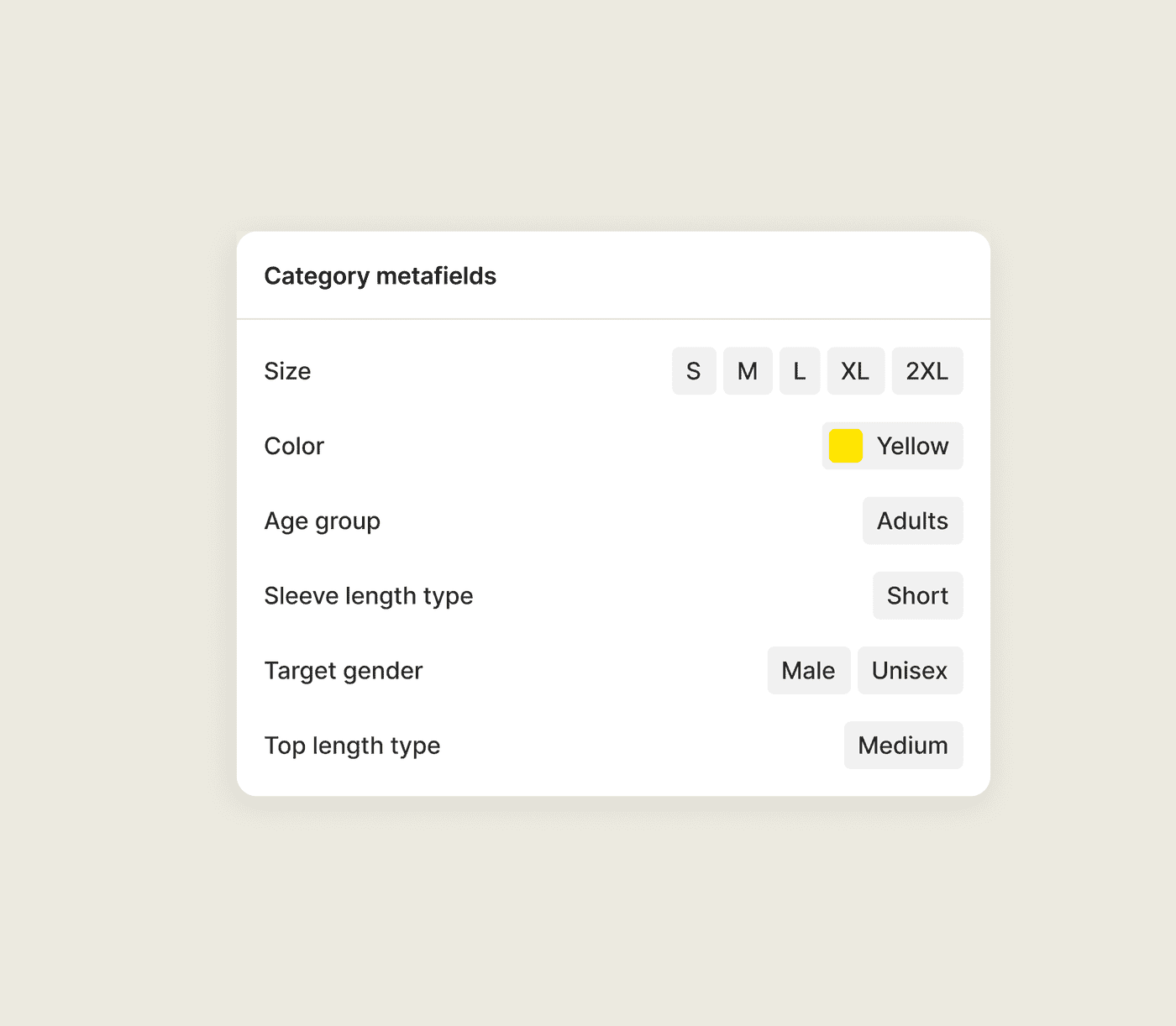
You store fabric, fit, season, and care as metafields, then find the native storefront filter exposes only a slice of them. Setup can be fiddly too. An app-controlled metafield may return "No values found" on a value you can plainly see. Category metafields are not available as filter sources in all Shopify setups.
Every metafield you can't expose is a question a shopper can't ask. They scroll instead of narrowing to the product that fits.
Sledge builds filter groups from your text, number, and list metafields, plus tags, variant options, vendor, and price. You can add as many groups as your catalog needs, with no one-metafield ceiling. In Sledge, a metafield that has values on your products shows those values in the filter, not an empty list.
// Shoppers filter by look, not by text
Your shopper wants "that green," not the word "olive."
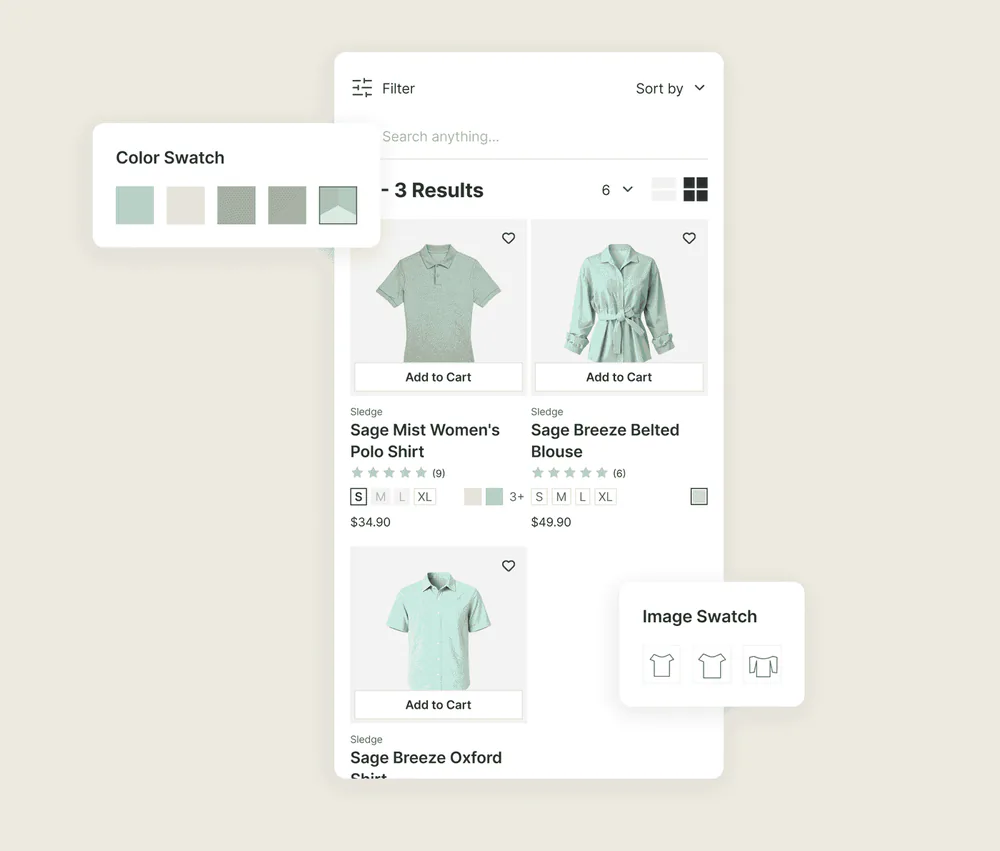
A clothing shopper starts with color, and they pick it with their eyes. A text checkbox reading "Olive," "Sage," "Forest" asks them to guess which word you filed their green under. Most of them won't bother. Dawn doesn't show those swatches on collection pages, so adding this visual filter requires an app or custom code.
Sledge renders color and image swatches as filter values on your collection pages. A shopper taps the green they want. The collection narrows to it. Set them up with a CSV import and a sample template, with no per-product fiddling and no custom code.
// One clean facet, not five names for blue
"Navy," "Dark Blue," and "Midnight" are the same color split across three checkboxes.
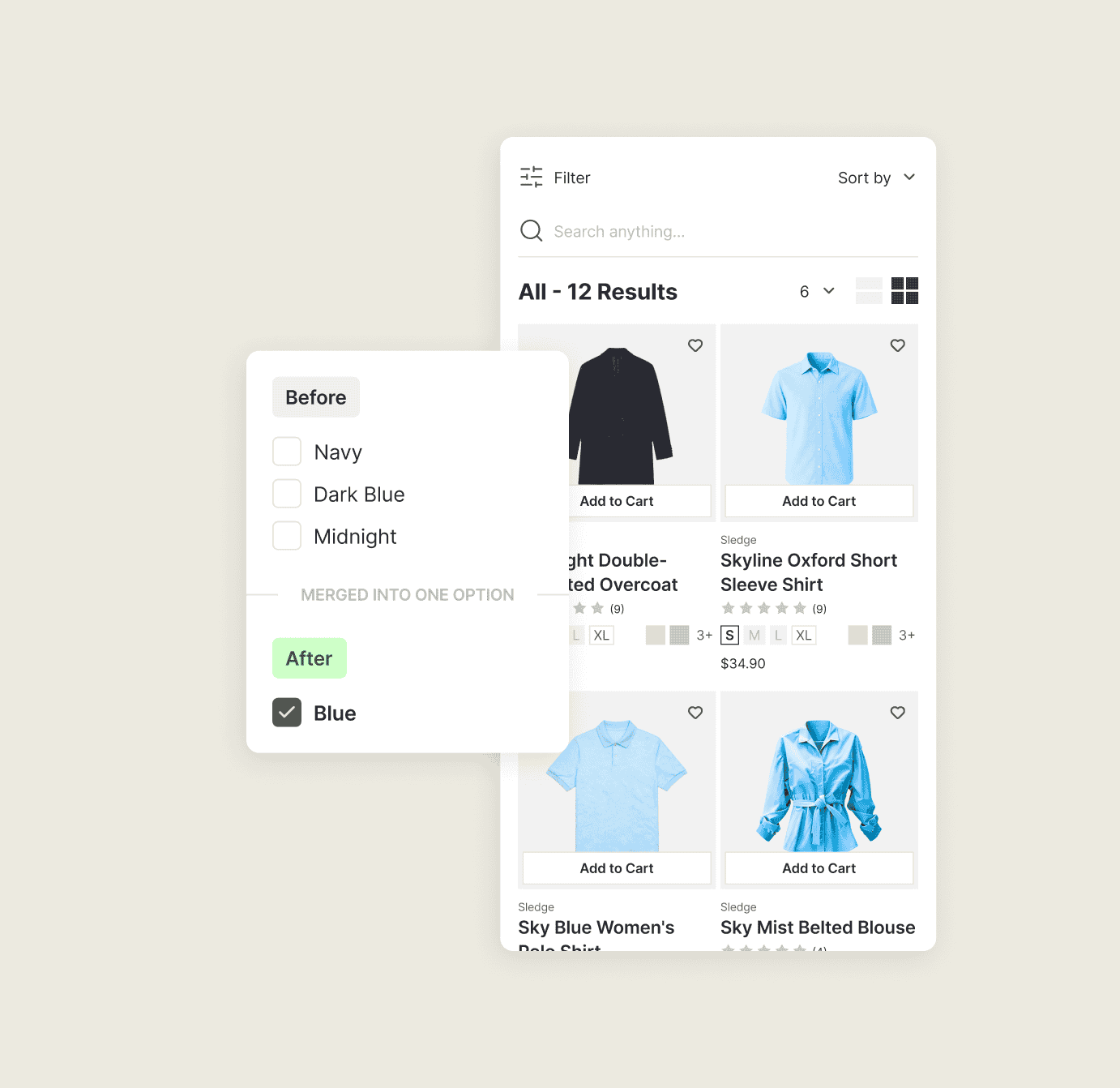
Years of adding products by hand leave your color filter a mess. One vendor called it "Navy," another "Dark Blue," a third "Midnight." Your filter lists all three. A shopper hunting blue sees three thin checkboxes and picks the wrong one. They find four products where there should be forty. They assume you barely stock the color. Shopify can group values, but on standard product attributes it groups them for you, around its own taxonomy. You can rename that group and change its swatch. You cannot add or remove what is in it. The Category filter does not support grouping at all.
In Sledge, you choose what goes in a group, variant titles included: "Navy," "Dark Blue," and "Midnight" collapse into a single "Blue" that shows every product behind it. Your blue range stops looking thinner than it is.
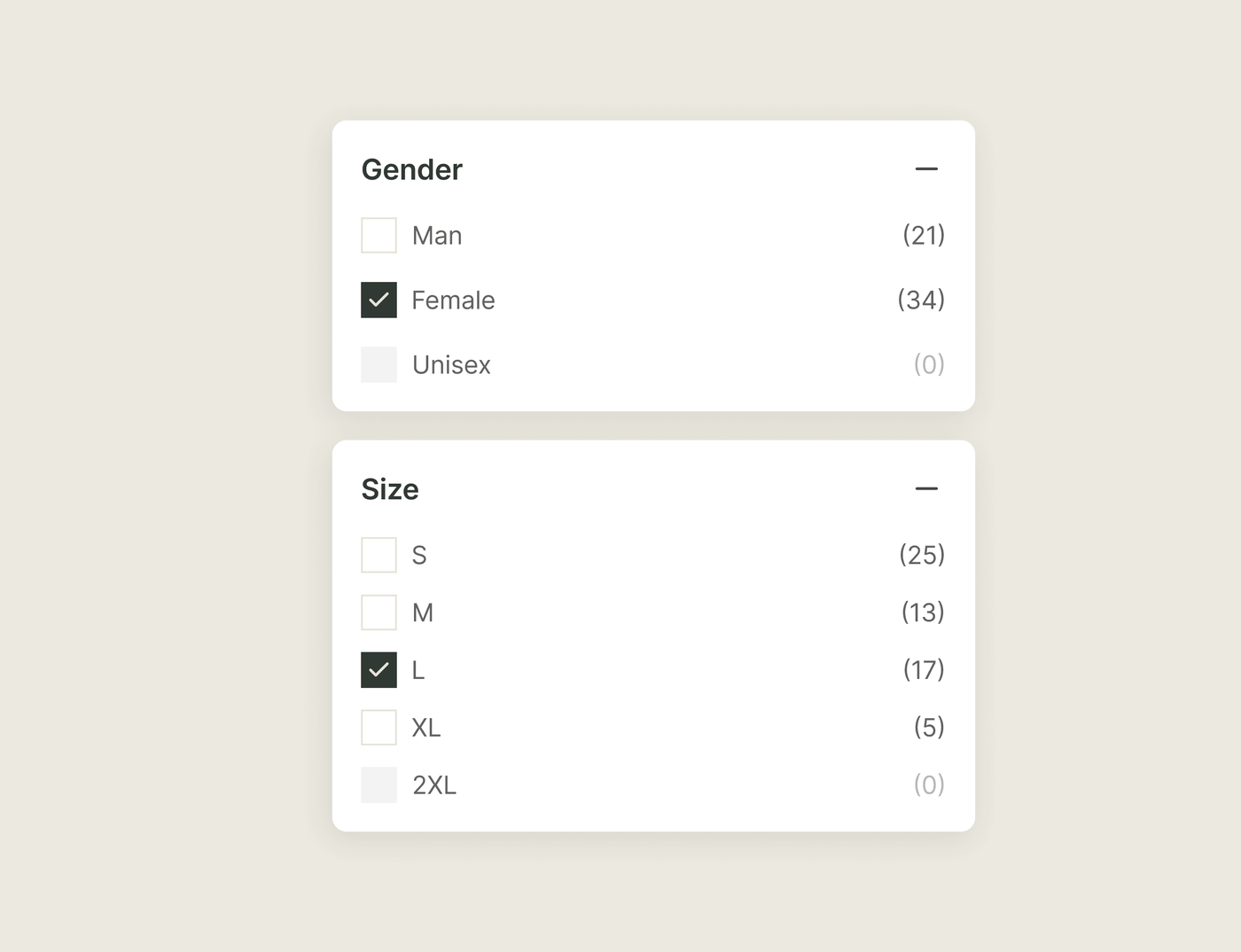
// Every option shows its count
A filter option that leads to zero products sends shoppers to a dead end.
Few things lose a shopper faster than tapping a filter and landing on "0 products." They asked for 2XL, and you don't carry it. The shopper reads that as a store without their size.
Sledge counts products against the filters already applied and drops the values that would land on an empty page. 2XL disappears the moment your last one sells. Shoppers only tap options that deliver. Turn that off and the count shows as "2XL (0)" instead.
See where filters and your offers appearQuestions, answered
Why can't I filter my Shopify collection by a metafield?
Native storefront metafield filtering is limited and can be fiddly. The storefront filter API restricts how many metafields you expose. Category metafields are not available as filter sources in all Shopify setups, and app-controlled metafields can behave inconsistently. Sledge builds filter groups from your text, number, and list metafields, plus tags and variant options, with no such ceiling.
How do I add multiple metafield filters to a Shopify collection page?
Sledge lets you build filter groups from any metafield, plus tags, variant options, vendor, and price, so you can expose as many attributes as your catalog needs.
How do I show color swatches on Shopify collection pages without coding?
Sledge renders color and image swatches as filter values, including on the Dawn theme where native swatches on collection pages aren't supported. Set them up with a CSV import and a sample template, no custom code.
How do I merge duplicate color filter options in Shopify?
Shopify groups filter values natively. You select the values, click Create group, name it, and save. The catch is that on standard product attributes it groups automatically around its own taxonomy, so you can rename a group but not change what is in it. Sledge lets you set the grouping yourself, variant titles included, so Navy, Dark Blue, and Midnight collapse into one Blue you chose.
Do Sledge filters work on search results too?
Yes. The same filter groups apply to your collection pages and your search results, so shoppers narrow your catalog the same way in both places.
Will Sledge filters slow down my collection pages?
Not by loading a second widget. Sledge runs from one storefront bundle rather than a separate filter widget stacked on your other apps. It loads without blocking your page and never edits your theme files.
Can Sledge filter by tag, vendor, or variant option, not just metafields?
Yes. Sledge builds filters from metafields, tags, variant options, vendor, and price, in as many groups as your catalog needs.
Let shoppers tell you exactly what they want.
Install free and build your first filter today. Add the swatches, merge duplicate values, and give shoppers a faster way through your catalog.
14-day free trial · No code · Works with any theme · Uninstalls clean