
A shopper just paid. The order page says "thank you" and nothing else. Your one earlier upsell was a random "you might also like" they ignored. This is the best moment for a second sale. You make no offer.
An upsell only works if it fits, and if you actually make it.
The wrong upsell gets ignored. No upsell after checkout means you never ask for the second sale. Sledge offers the matching add-on while the shopper is still shopping, and again in the cart. It is built from what your shoppers actually buy together. You need no extra app to run it.
14-day free trial · No code · Works with any theme · Product page and cart drawer
// The upsell that fits
"You might also like" a thing the shopper already has, or never wanted.
An upsell that ignores the cart is worse than none. They added a tent, and you suggest a different tent. They bought a coffee grinder, and you push a $400 espresso machine. Offers like these are irrelevant and easy to scroll past.
A generic rule fires with no read on what the shopper is buying. The offer is the substitute they already chose against, or the upgrade ten times their budget. A mismatched offer doesn't just fail to sell. It trains shoppers to stop looking.
Sledge shows cross-sells and add-ons that fit the product the shopper is on. In the cart drawer, Sledge keeps selling with the offer you pick. You pair the filters with the grinder, the carry bag with the tent, or the matching piece with the set. The offer helps the purchase instead of interrupting it.
See the cart drawer See every surface Sledge sells on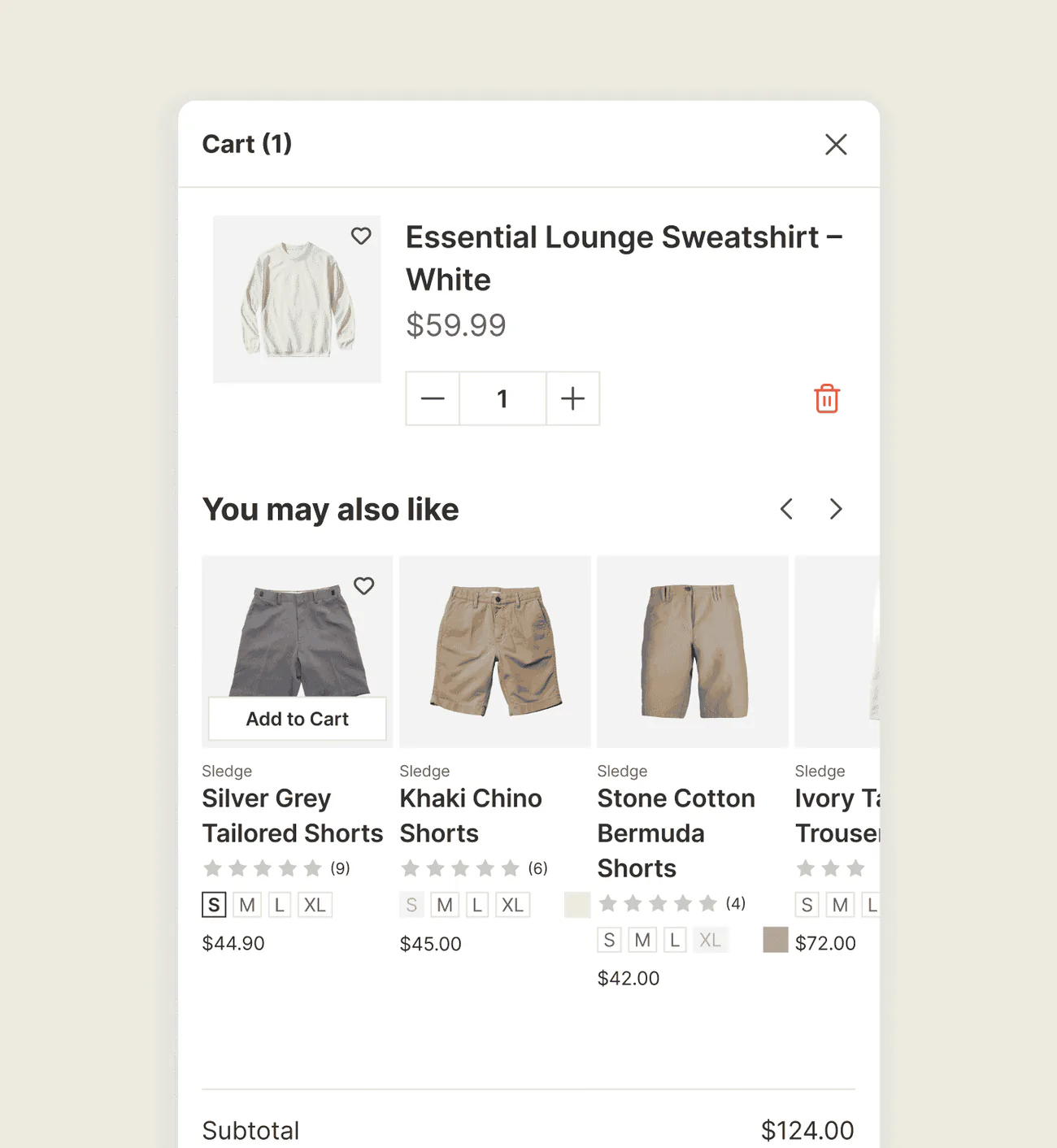
// The partner products they already need
They're buying the camera. They're going to need the SD card too. Did you offer it?
Some products are half a purchase on their own. The camera needs a card, the printer needs ink, the dress needs the matching shrug. Skip the companion, and the shopper forgets it or buys it elsewhere. Either way, you lost an easy sale.
Sledge offers frequently-bought-together add-ons right where the shopper is buying. Sledge builds them from co-purchase in the orders it tracks on your store. The pairing is not a guess. It is what your shoppers really buy alongside that product.
See recommendations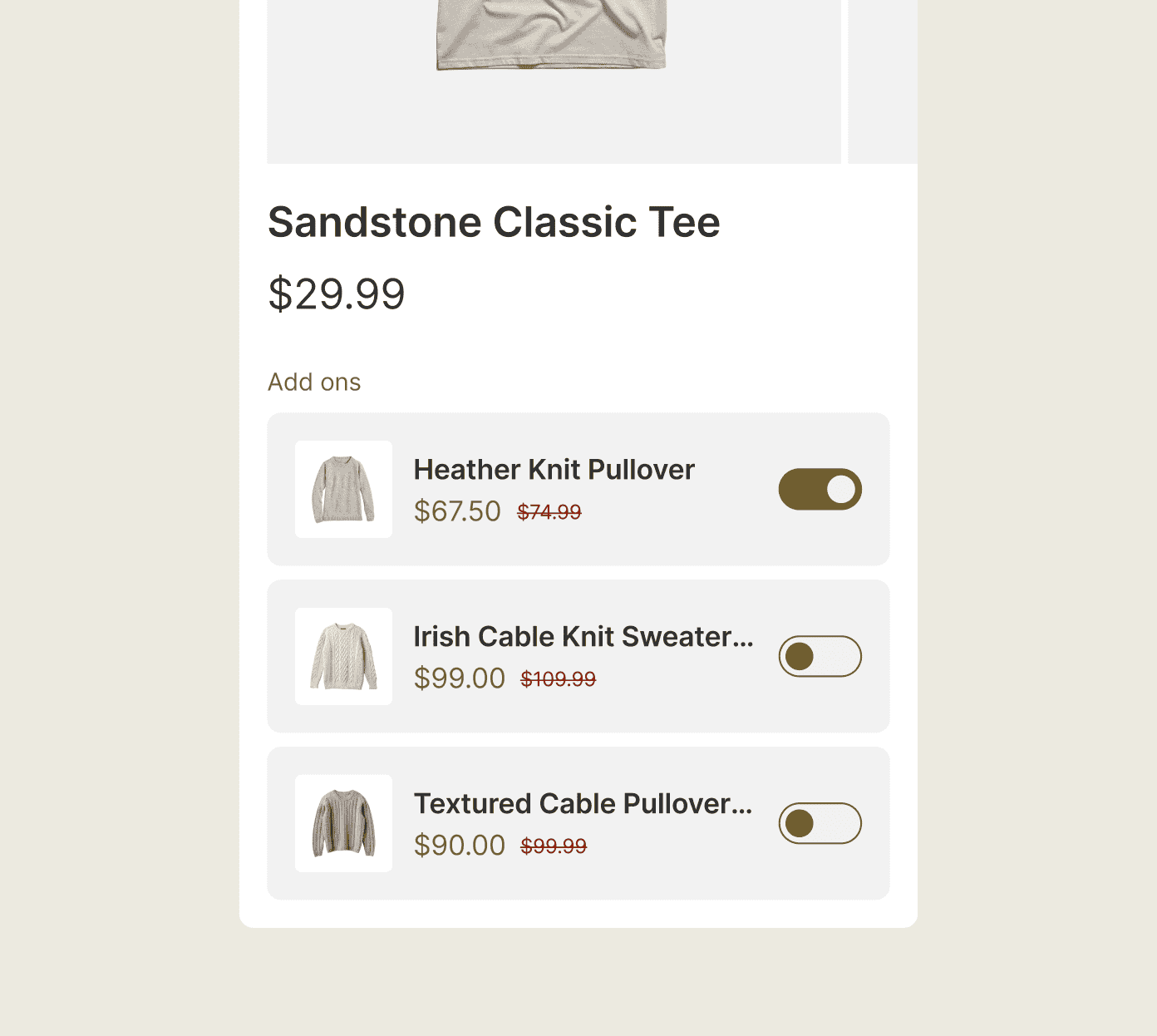
// The second sale after "buy"
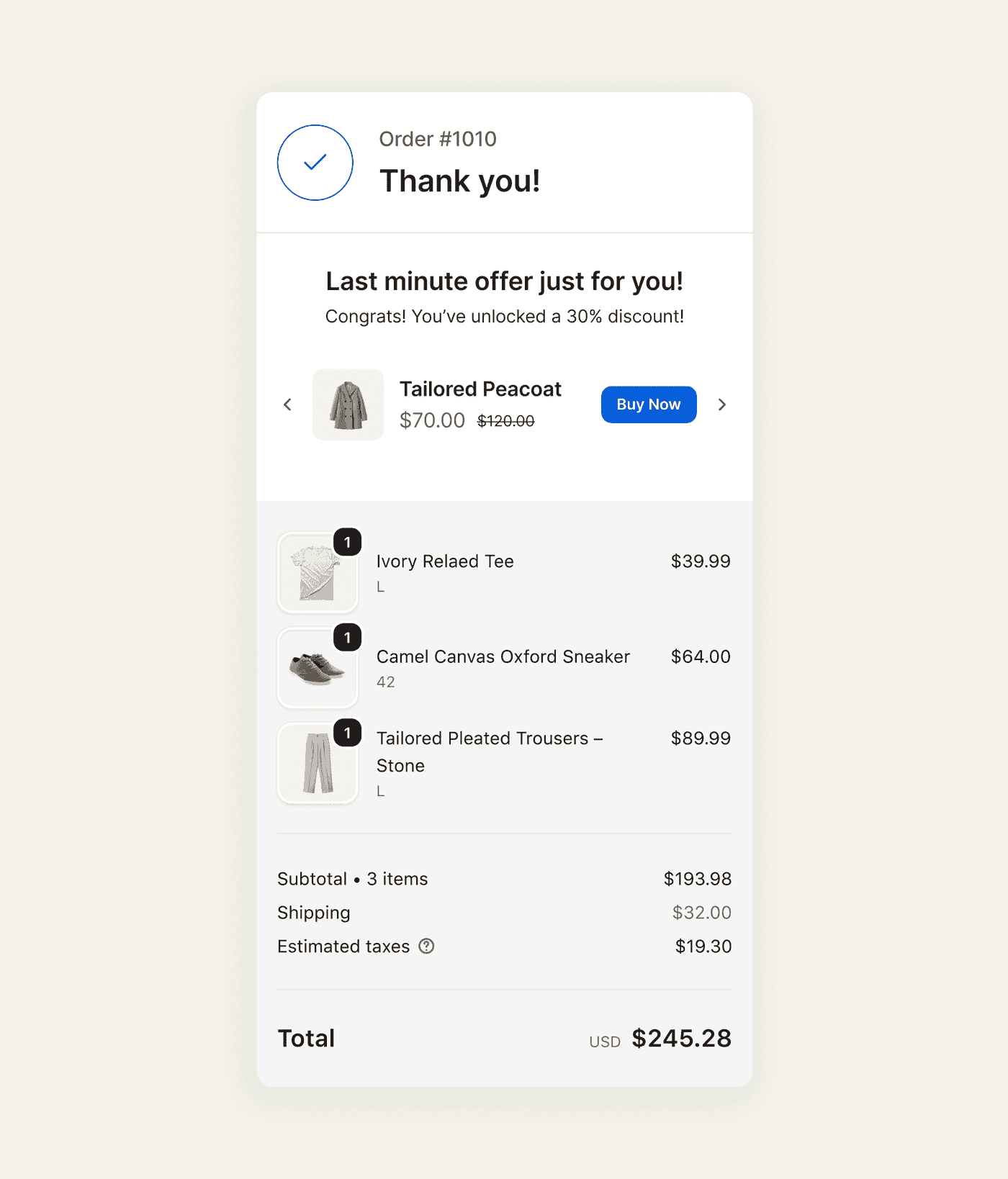
The warmest moment in the whole journey, and the order page just says "thanks."
A shopper has just completed the purchase, and the confirmation page is the next place you can offer something related. A post-purchase offer gives them a second purchase opportunity without sending them back through the store. The native thank-you page does not provide that offer by itself, so you need another tool to add it.
The offer you never make is the one that costs you. Sledge shows a post-purchase offer on the Shopify thank-you page after checkout is complete. The shopper accepts it in a tap, right from the confirmation page. It runs in the same app as your other upsells, with no separate post-purchase app to add.
See it measured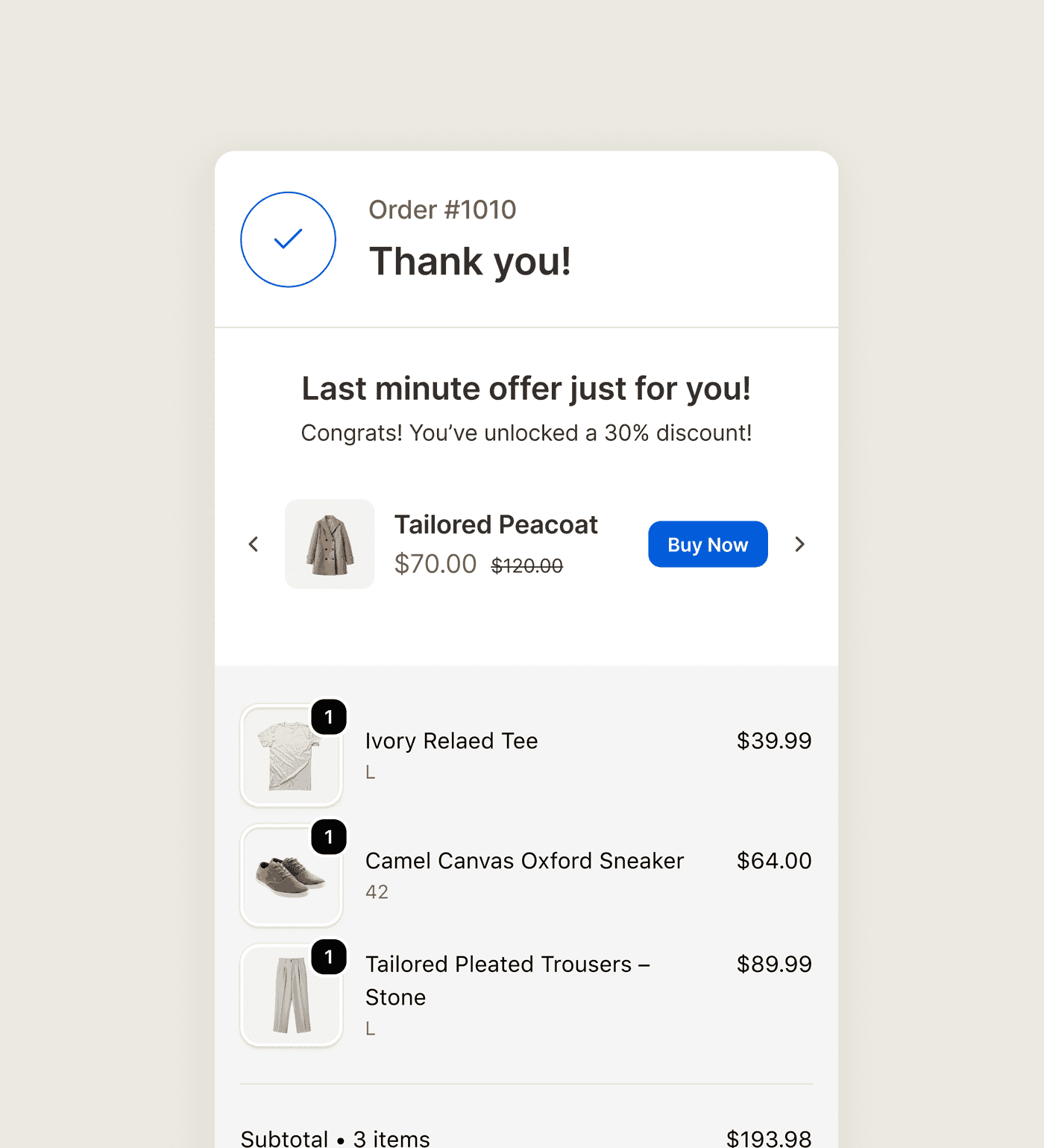
// The reward that adds itself
Your "free gift" makes the shopper hunt down the gift and add it themselves. Many won't, so they miss the deal.
Native discounts handle a free gift exactly that way. You run "spend $75, get a free gift." Shopify makes the shopper find the gift's page and add it themselves. Most shoppers never add it. The offer that was supposed to lift their order quietly fails. The shopper feels cheated when the "free" thing isn't in their bag.
A reward the shopper has to go looking for is a reward most shoppers miss. Sledge auto-adds the free gift or reward to the Shopify cart the moment the shopper qualifies, so nobody has to find it and add it manually. The shopper hits the threshold, and it's already there. With cart drawer progress goals, you stack free shipping, a discount, and a gift as separate tiers.
See free-gift bundles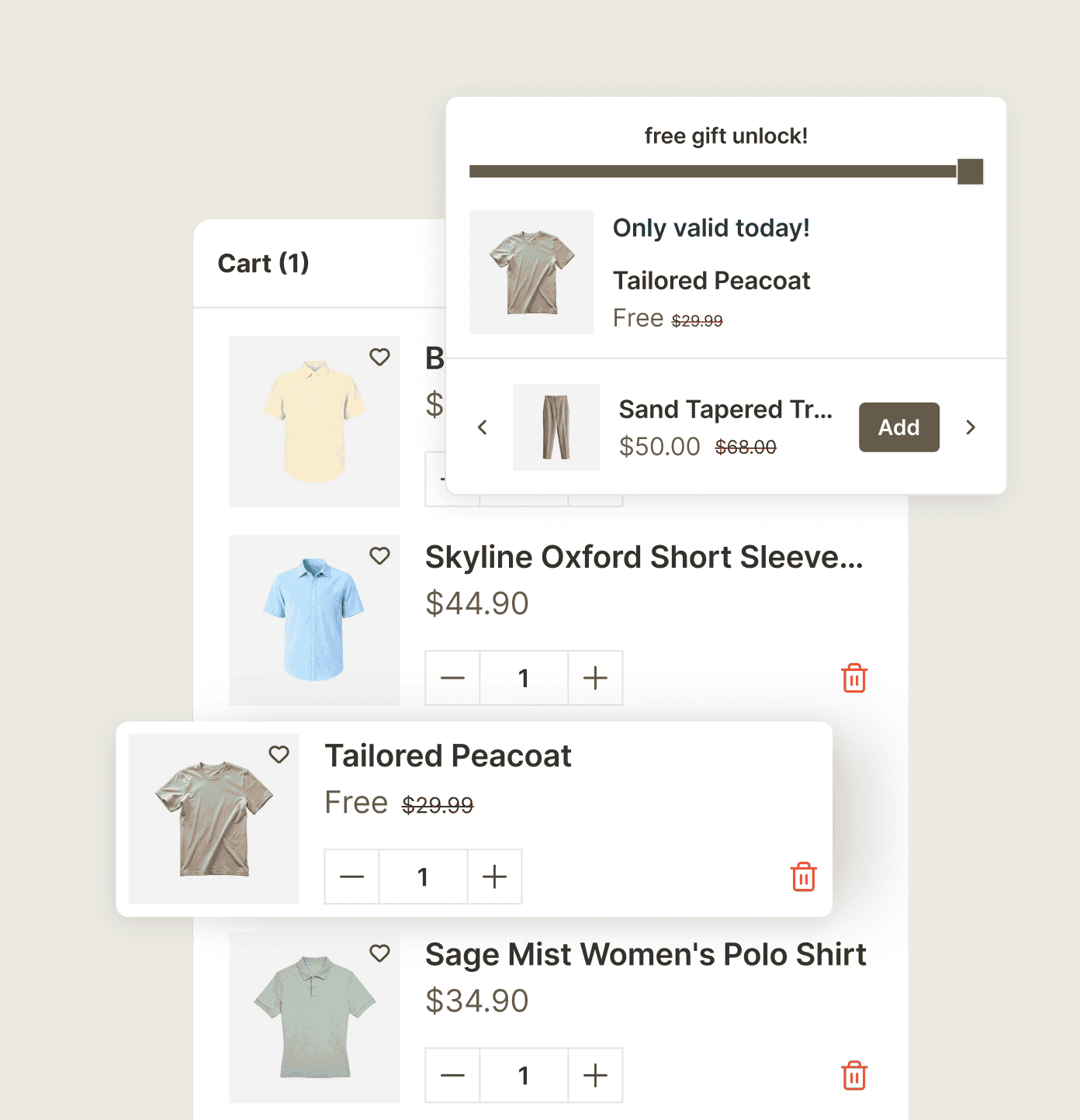
Questions, answered
How do I add an upsell on the Shopify thank-you page?
You create a post-purchase offer in Sledge and it renders on the order-confirmation page. Sledge's other upsells run on the product page and in the cart drawer. The post-purchase one sits in the same app rather than a separate vendor.
Does Sledge add upsells inside Shopify checkout?
No. Checkout stays untouched. Sledge's upsells sit on the product page and in the cart drawer, before the shopper reaches checkout. The post-purchase offer appears after the order is placed, rather than inside the checkout steps.
How do I make a free gift automatically add to cart on Shopify?
You set the goal in Sledge and the gift adds itself. The goal is a minimum quantity or a minimum purchase, and Sledge auto-adds the free gift to the cart the moment a shopper hits it. No one has to find and add it manually.
Where can Sledge show cross-sells?
On the product page, the collection page, search, the cart page, the cart drawer, and your homepage, plus a post-purchase offer on the thank-you page. On the product page, the offer is matched to the product in front of them. The offer meets the shopper at each point they're ready to say yes.
Are the upsell suggestions based on real data?
With Sledge, yes. The frequently-bought-together upsells are built from co-purchase in the orders Sledge tracks on your store. Until that data builds up, the row shows the closest related product instead. The companion product offered is one your shoppers actually buy alongside it.
Do I need a separate post-purchase upsell app with Sledge?
No. The product-page and cart cross-sells, the auto-added free gift, and the thank-you-page offer are all built in and land in the same app. There is no separate upsell vendor to add and pay for.
How does the shopper accept the thank-you page offer?
The shopper accepts it in a tap from the confirmation page. Its discount cannot be claimed anywhere else, because the offer carries a signed single-use token. Checkout completes the add-on as its own quick order.
Make the offer at the moment they're ready to say yes.
Install free. Add your first upsell today and match it to the cart. Growth Intelligence points at the companion product your shoppers already buy alongside it.
14-day free trial · No code · Works with any theme · Uninstalls clean