
A shopper types "blu jaket." You stock it in three sizes. The page returns "0 results." They don't try again, and you never know it happened.
Your Shopify search bar shouldn't punish a typo with a lost sale.
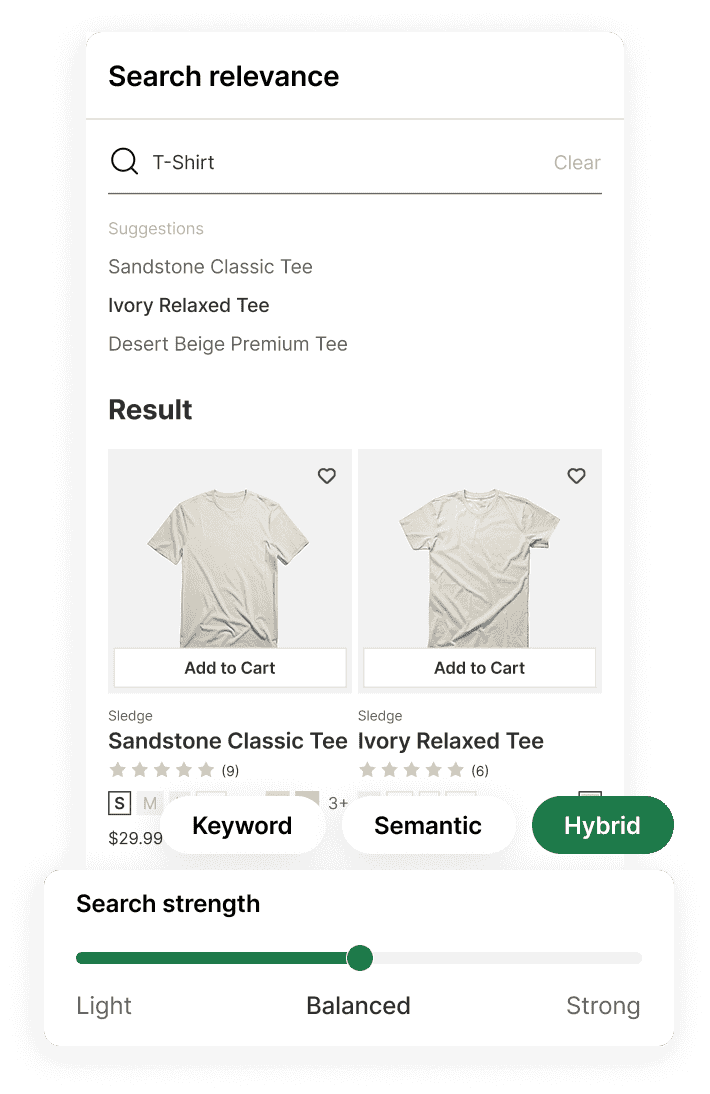
Sledge is the Shopify search app that reads past the typo. A near miss on a product title or brand name still lands on the product you stock. Choose keyword, semantic, or hybrid search, then tune the strength when you use hybrid.
14-day free trial · No code · Works with any theme · Search, filters and recommendations
// Worse than zero results
Your search answers "rain shell" with three fleeces. The rain shell you stock is not one of them.
Nothing looks broken. Products loaded, the grid filled, and the shopper scrolled once before leaving. A page full of the wrong products tells them the same thing as no results: you don't have what they're looking for.
And a wrong answer is not a zero-result search, so your list of failed searches never shows it.
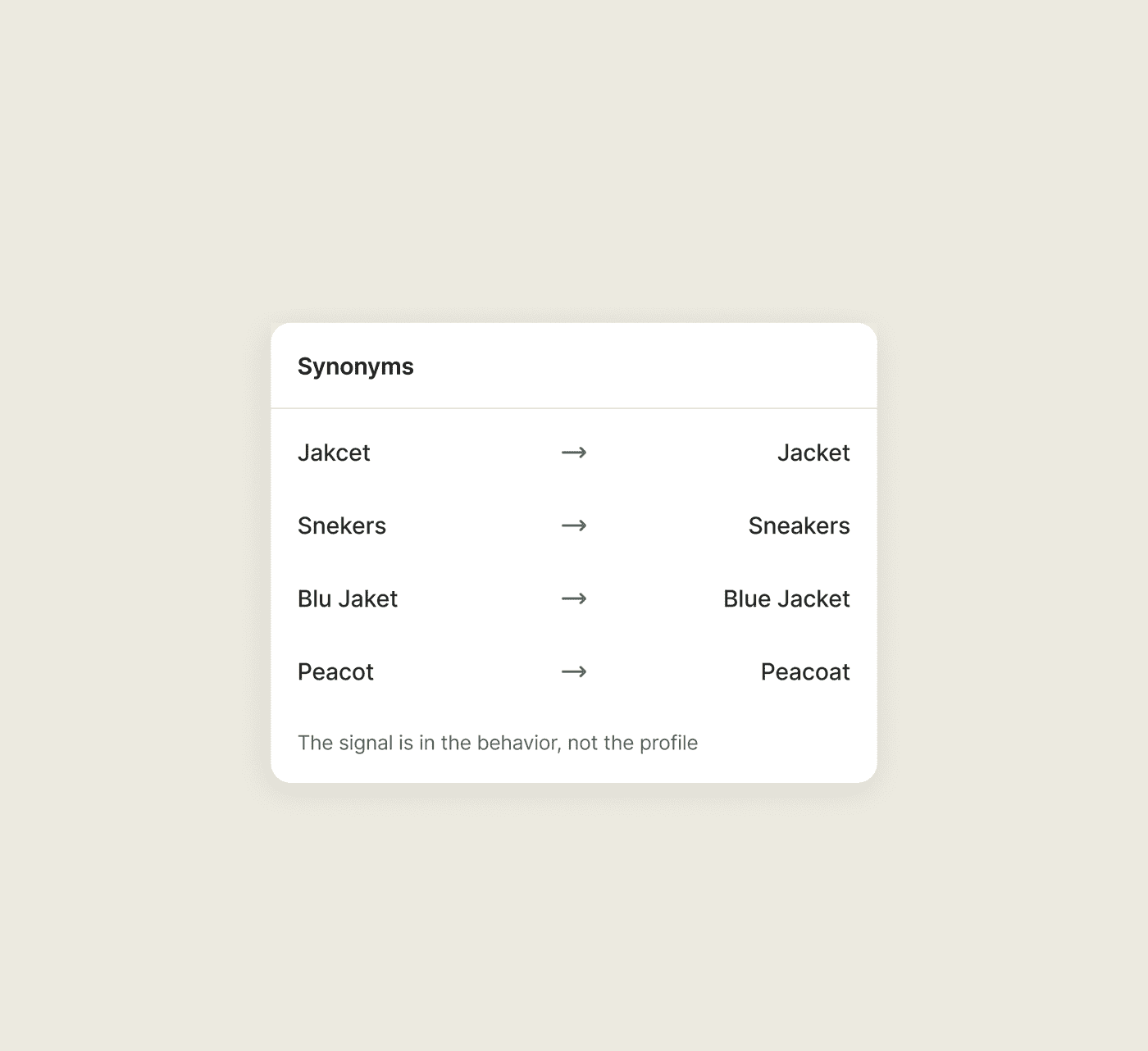
You decide where a near miss lands. Typo tolerance runs on your product titles and brand names, and any correction you want to force is a row you write: "jakcet" to jacket, "snekers" to sneakers. Search and Discovery has that row too.
// The words your customers use
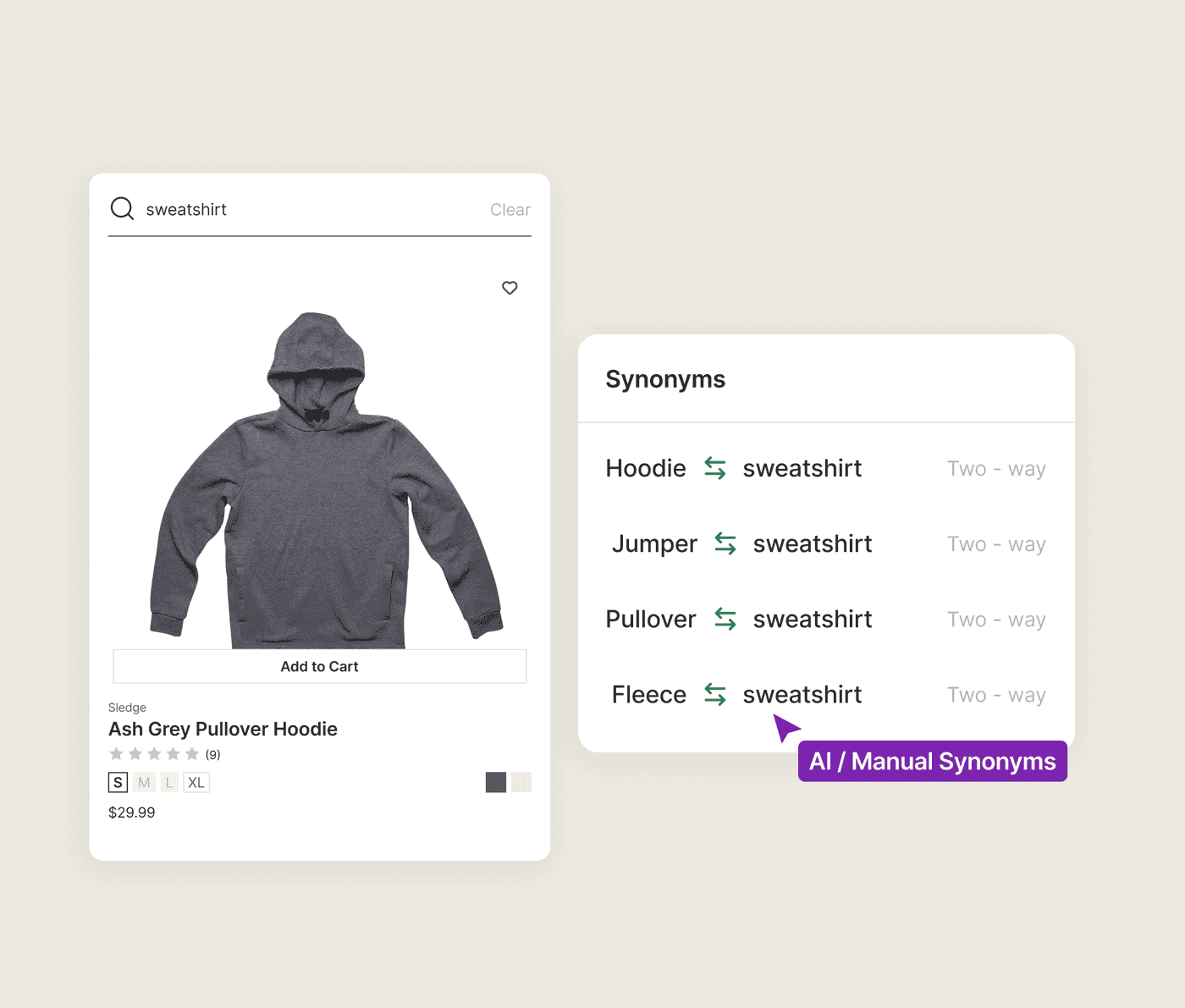
You call it a "hoodie." Your shoppers search "sweatshirt."
You name the product one way. Shoppers use different words to find it, and every mismatch makes a well-stocked catalog look empty. Search and Discovery helps, but you type every synonym by hand, 20 per group and 1,000 per store.
On Pro and up, Sledge builds the first synonym set from your catalog, so "hoodie" can find "sweatshirt." Growth Intelligence reads the searches that came back empty and shows you which ones are worth adding next. Add your own synonyms in the admin or by CSV, with no per-group or per-store cap.
// The setting that went missing
Shopify's semantic search made one call for every catalog, and yours cannot undo it.
A model number pulls up similar products instead of the exact product, even though you changed nothing. You look for a setting to make those matches less broad. Search and Discovery doesn't give you one, according to published store reports.
Relevance affects every result your shopper sees. If you cannot tune it, you cannot control how those results are ranked.
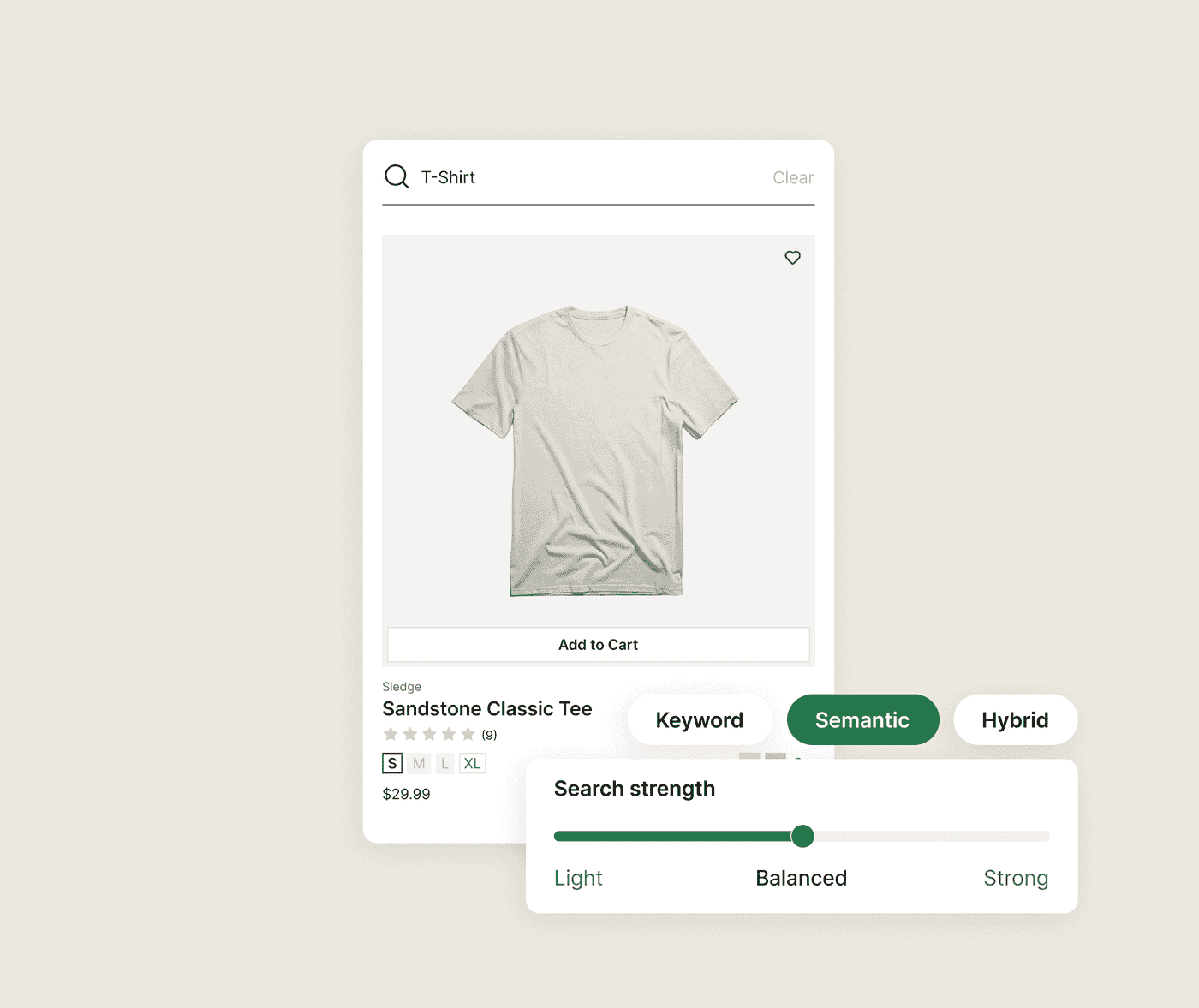
Sledge lets you choose the search mode for your store. With hybrid search, you can also set the semantic strength to light, balanced, or strong. Your synonyms then work within that setting.
// Queries that read like sentences
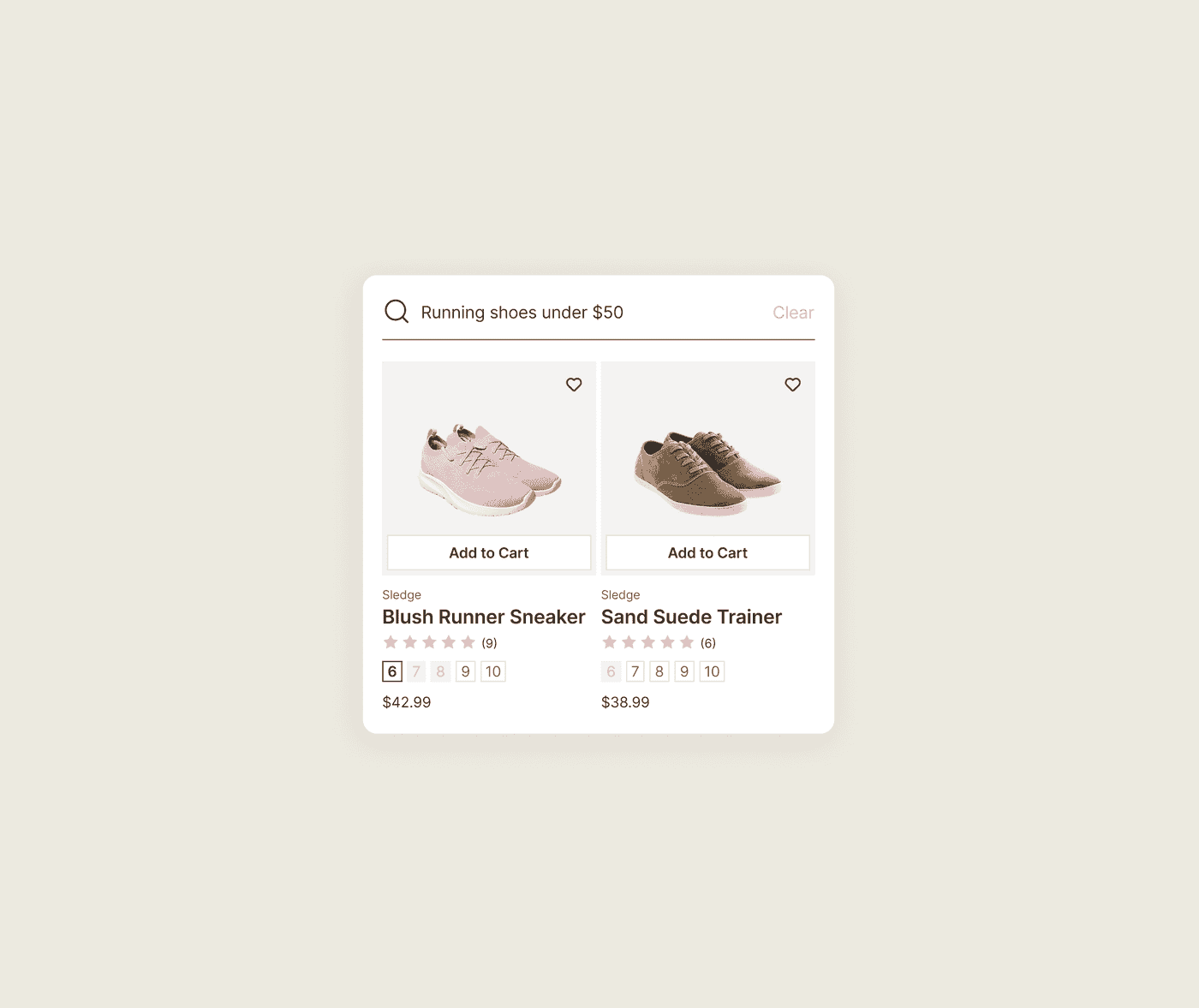
"Running shoes under $50" comes back empty, and you stock six.
Shoppers type what they want in plain language. Native search can match the words, but "under $50" is not treated as a price filter.
Where your plan includes conversational parsing, Sledge breaks the sentence into filters. Price, color, and even variant can become part of the search. "Running shoes under $50" returns your six pairs.
// No dead ends
Your zero-result page turns away the shopper most likely to buy.
On-site searchers convert two to three times more often than browsers, per Wizzy and EcomHint, and zero-result searches run 10 to 30 percent of queries on a typical store. The blank page is your most expensive screen.
Sledge gives the shopper somewhere to go. An empty search can show popular searches, your best sellers, and search tips instead of a blank results page. You can also send specific searches straight to the page you choose.
See where search and your offers appear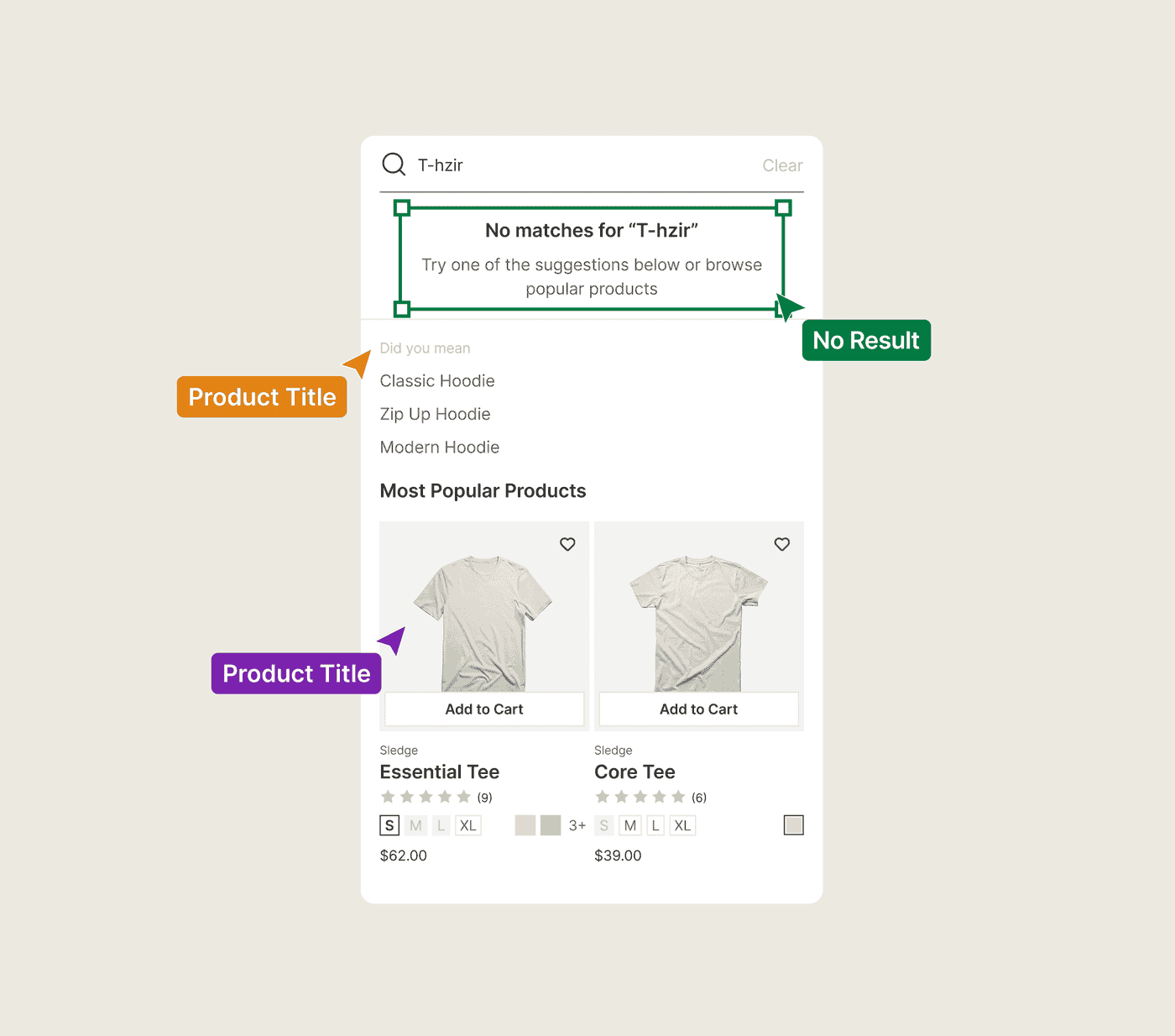
Questions, answered
Why does my Shopify search return no results for products I actually stock?
Your product title uses one term while the shopper searches another. Native search does not always make that connection. Sledge handles typos on product titles and brand names, builds starter synonyms from your catalog on Pro and up, and lets you add manual synonyms without a per-group or per-store limit.
Does Sledge handle typos and misspellings?
Yes. Sledge search is typo-tolerant on your product titles and brand names, so 'blu jaket' reaches the blue jacket. A near miss on a product or brand name can still land on the right product instead of a zero-result page.
Can Sledge add search synonyms without a limit?
Yes. On Pro and up Sledge builds a starter synonym set from your catalog, and Growth Intelligence shows you the searches that came back empty, so you can see which synonyms are worth adding next. Add your own, one-way or bidirectional, with CSV import and export. There is no 20-per-group or 1,000-per-store cap to manage.
Can I go back to keyword-only search on Shopify?
Yes, in Sledge, on any paid plan. Keyword-only is one of three modes, and picking it turns meaning matching off, so a model number stops pulling up its cousins. Semantic and hybrid are the other two, and only hybrid takes a strength: light, balanced, or strong. You pick the mode your catalog needs.
Can Shopify search understand queries like 'red dresses under $100'?
With Sledge, yes. On eligible plans, conversational parsing reads 'red dresses under $100' as filters: color and price, plus a variant like size when the query names one. The sentence returns the dresses you stock.
What happens when a search returns nothing?
In Sledge, a search that comes back empty gets popular searches, your best sellers, and search tips, so nobody lands on a blank page. Redirect rules run separately. Pick a keyword, point it at a page, and Enter takes the shopper there before a search runs.
Is Sledge a replacement for Shopify Search and Discovery?
For search, yes. Sledge removes the 20-per-group and 1,000-per-store synonym limits and gives you control over keyword, semantic, and hybrid search on any paid plan. Search, filters, and recommendations all live in the same app.
Your next sale is already in the search bar, spelled wrong.
Install free. Turn search on and help shoppers find the products you already stock.
14-day free trial · No code · Works with any theme · Uninstalls clean