
A shopper wanted the product you were out of. They saw "sold out" and left. You never learned who they were or how many. The restock lands to silence, because the people who wanted it are gone. You wrote down no names.
Capture the demand before you have the stock.
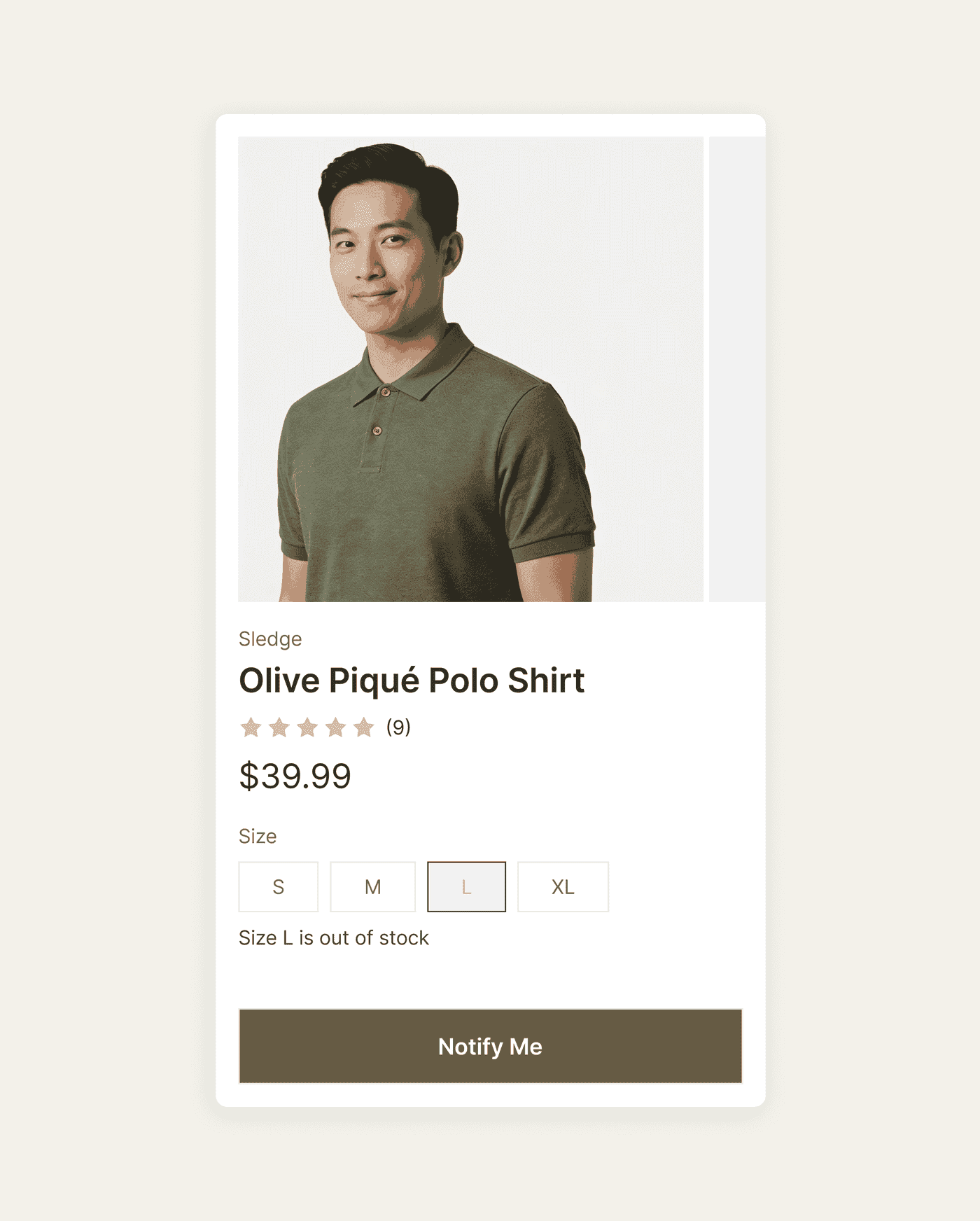
Sledge puts a "Notify me" form on the product page, the product card, search results, and instant search. A shopper who hits a sold-out product can then leave their email instead of leaving for good. The moment it is back in stock, Sledge emails them automatically. The demand that used to vanish becomes a list you can open, count, and act on.
14-day free trial · No code · Works with any theme · Uninstalls clean
// The list you never built
Every sold-out product is a buyer you let walk without a word.
A shopper who reaches a "sold out" page came for a product that cannot be bought right now. Without a way to ask for an alert, the store has no contact to use when stock returns. You restock, and that shopper only finds out if they come back on their own.
That restock demand never has to vanish. Sledge adds a "Notify me" form on the product page, the product card, search results, and instant search. The shopper who came for it can then leave their email instead of leaving without a trace. You stop losing the buyer, and you start counting them.
See pre-order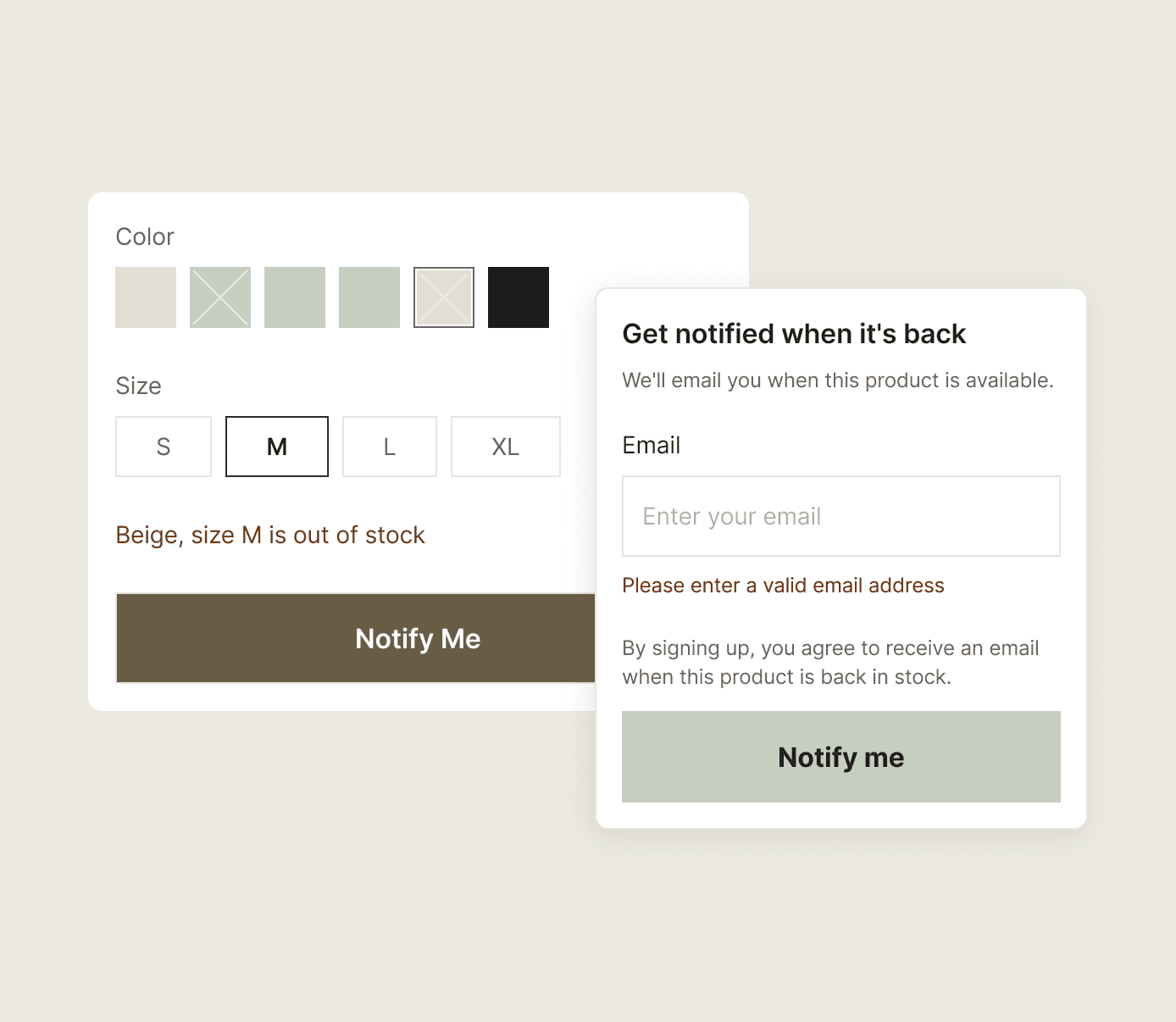
// The list, in your admin
The waiting list is yours to open, not a black box.
- Every submission, listed. Each signup gets its own row with the product, when they asked, and when they were last notified. You press Resend to send the alert again yourself. Contact details stay masked until you choose to reveal them.
- The count, next to the stock. A second tab lists the products people are waiting on, with the number of subscribers and your available quantity side by side. Two waiting against two in stock is a different call from forty waiting against two. Now you can see which one you have.
- Export and import. Take the list out as a file carrying the email, the product, the status, and the dates each shopper subscribed and was notified. Bring a list in the same way when you arrive from another app.
- Add a subscriber by hand. Someone asked over email, over chat, or at the counter. Put them on the list yourself and they get the same alert as everybody else.
// Show it where it sells, test what works
"Will the form show to shoppers it can't actually serve?"
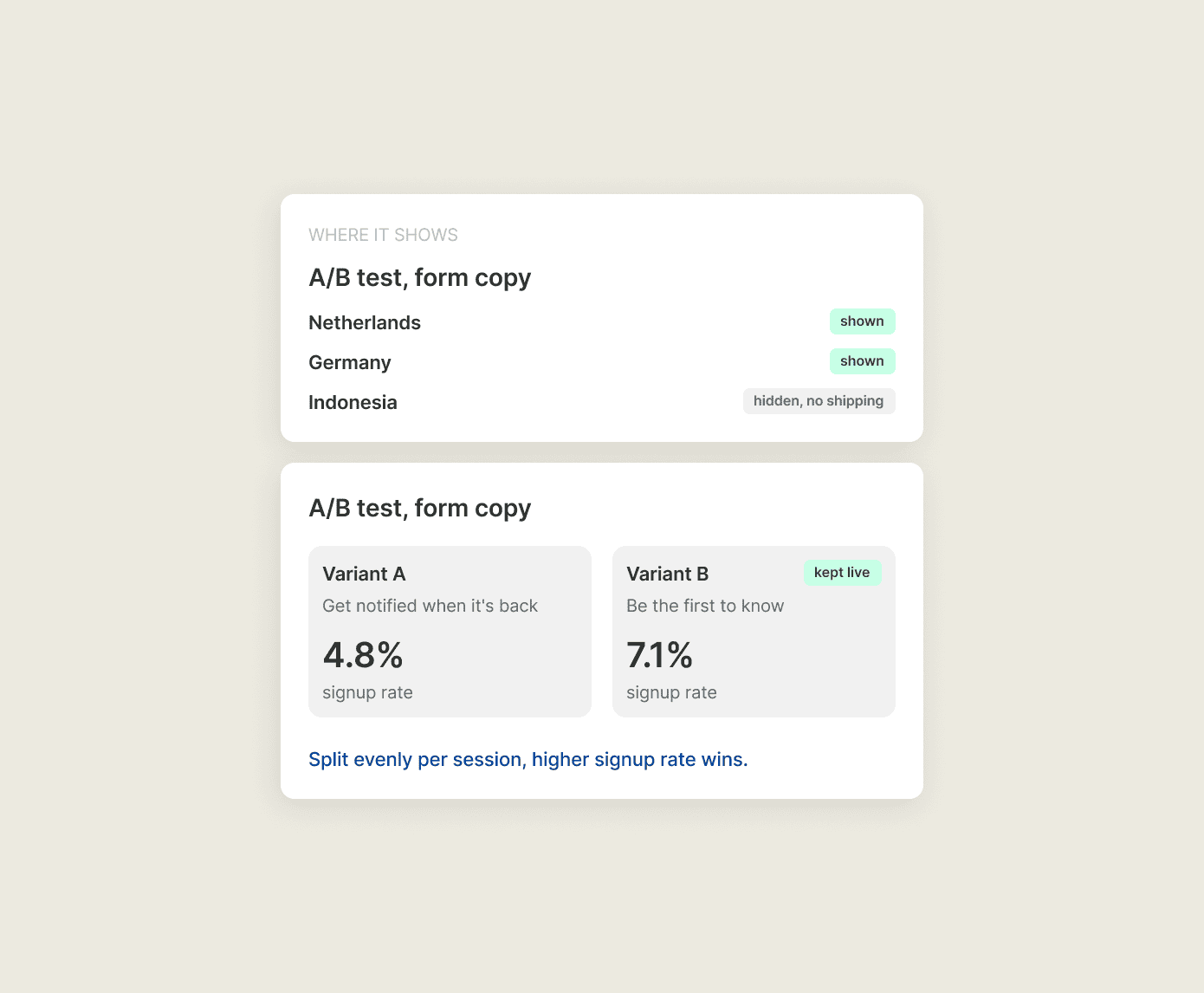
A "Notify me" button in front of a shopper in a country you don't ship to does more harm than good. And you won't know whether the form on the card pulls more signups than the form on the page unless you can compare them.
Sledge geo-gates the "Notify me" form, so it shows where you want and stays hidden where you don't. That keeps your signup list to the regions you actually ship to. The whole back-in-stock setup is A/B-testable as well. You run one version against another, split evenly per session. You keep the one that captures more signups.
// What plan it's on
"Is this going to be another upsell once I'm in?"
Back in Stock is included from the Accelerate plan, not as a separate add-on. It is not on Pro or Scale. If restock alerts are the reason you're here, Accelerate is the plan that has them, alongside everything else Sledge does. There is no hidden tier, no per-email bill, and no surprise at checkout.
See pricing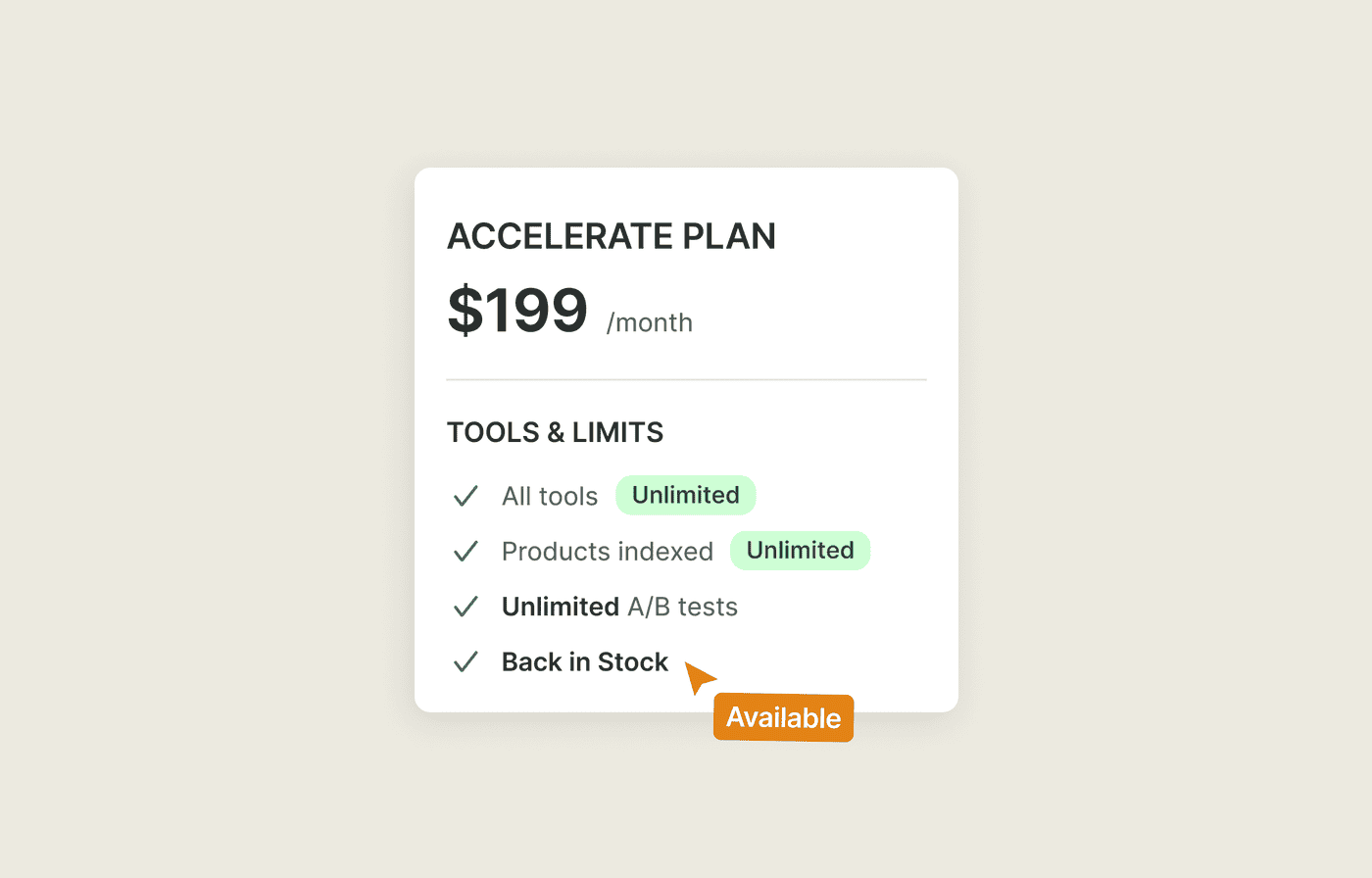
Questions, answered
How do shoppers get notified when a product is back in stock on Shopify?
Shoppers leave their email on a Sledge Notify me form where the add-to-cart button used to be, and Sledge emails them automatically once the product is back in stock. One signup covers the product, so nobody has to check back to find out.
Where does the Notify me form show?
Sledge shows the form on the product page, on the product card in collections, in search results, and in instant search, so a shopper can register wherever they meet the sold-out product. Every placement is geo-gated, so the form only appears in the regions you actually ship to.
Does it email subscribers automatically?
With Sledge, yes. The moment the product is back in stock, Sledge emails everyone waiting on it. There is no send to schedule and no list to export first. Alerts go out by email.
Can I see who subscribed?
In Sledge, yes. Submissions lists every signup with its product, the date requested, the last notification, and a Resend button. A second tab counts the subscribers per product beside your available quantity. You can search, filter, sort, export, import, and add a subscriber by hand.
Can I control who sees the form and test it?
With Sledge, yes. The form is geo-gated, so it shows to the regions you choose. The back-in-stock setup is A/B-testable too. Run one version against another, split evenly per session, and keep the version that captures more signups.
What plan includes Back in Stock?
Back in Stock is included from the Accelerate plan. It is not on Pro or Scale. It is not part of the 14-day trial or a development store, so pick Accelerate to run it.
Stop letting "sold out" empty your list.
Open Accelerate. Add the "Notify me" form and let Sledge email subscribers the moment the product is back in stock. You walk into every restock with a list of buyers you can actually open.
14-day free trial · No code · Works with any theme · Uninstalls clean