
A Shopify store audit walks your store the way a shopper does, then checks each stop against your own reports. Run 8 checks: landing pages, search, collections and filters, product pages, cart, checkout, the reports that show where shoppers leave, and the apps you pay for.
Visits are up and carts fill, but the week closes flat. You post your store link and ask what's wrong, and the replies are offers to sell you an audit. You can run one yourself this afternoon. The reports it needs come with every Shopify plan, and five of the eight use your phone.
What's on a Shopify store audit checklist?
Eight checks, in the order a shopper meets your store, then your app bill.
| Check | Where to click | A bad result |
|---|---|---|
| 1. Landing pages | Sessions by landing page; the performance summary on your Themes page | An ad that lands on your homepage, a banner cut off on a phone, "Poor" on any rating, an old link that opens your error page |
| 2. Search | Your search box; Searches with no results | A typo that finds nothing, the same term on the list every week |
| 3. Collections and filters | Your three most visited collections, on a phone | A sold-out first row, last season's hit on top, a long collection with no filters, best sellers on page 3 |
| 4. Product pages | Total sales by product; Items bought together | A top seller with one photo and no reviews, a pair nobody offers together |
| 5. Cart | Two products in your cart, on a phone | Shipping cost hidden until checkout, no wallet buttons, no box for a discount code |
| 6. Checkout | A test order; Orders, Abandoned checkouts | A failed payment, or checkouts with no payment attempt |
| 7. Reports | Conversion rate breakdown; Sessions by device | One step drops far more than the rest, phones far behind desktops |
| 8. Apps | Settings, Billing, View current charges; Settings, Apps | Two apps on one job, an app whose job you can't name |
Before you start: are your visits from real shoppers?
Shopify's session reports now leave out the bots it can identify, and it can't identify them all. Shopify says it would rather miss a few than count a real customer as one, so a new store with daily visits and no carts may still be seeing bots. Read the last 30 days, and don't set them against any day before 24 September 2026: Shopify changed how it counts sessions just before then, as the Shopify CRO guide explains, so older days won't compare.
Most reports below sit under Analytics, then Reports. For the session and search ones, pick Behavior in the Category filter.
Check 1: which pages do your shoppers land on?
Open "Sessions by landing page", the list of pages where visits start, and open the top five on your phone. Then read the performance summary at the top of your Themes page, under Online Store, which rates three speed measures from real visits as Good, Moderate or Poor. If a rating reads Poor, see how to improve Shopify store speed. One fail is easy to miss: an old link in an ad, your bio or an email that opens your error page.
Fix it with the CRO guide's landing page fixes, Shopify banner sizes and URL redirects.
Check 2: does search find what shoppers type?
On your phone, run five searches in your own store: a best seller spelled wrong, its plural, a color plus a product type, a SKU, and the word a shopper uses where your titles use another. Then open "Searches with no results" and "Searches with no clicks".
A typo that finds nothing fails, and so does a term that stays on the no-results list week after week. A term with results and no clicks usually means the results miss what the shopper meant.
Both reports lag by up to 72 hours. Sidekick, the assistant in your admin, can't answer questions about your search data. If an app runs your store search, Shopify's reports can miss those searches, so read the app's own report.
Fix it with the CRO guide's search fixes, how to fix zero-result searches and searchandising.
Check 3: do your collections show what sells?
Take your three most visited collections, the three highest on check 1's list.
- Open each one on your phone from your store's menu, as a shopper would.
- Read the first screen before you scroll. A sold-out product or last season's hit up there is a fail.
- Pick two filters together, such as a size and a color, and check that products are left.
- Scroll down and note the page your best sellers first appear on. Page 3 is too far.
Two filters that end on an empty page turn away a shopper who had already narrowed the choice down. A long collection with no filters at all fails too.
Fix it with the CRO guide's collection fixes, sorting sold-out products to the bottom, the product listing page, Shopify pagination and visual merchandising.
Check 4: are your best-selling product pages missing anything?
Open "Total sales by product" and look at the top three on your phone. Then open "Items bought together", the product pairs that most often share an order. Two results fail: a top seller whose page is thinner than the rest, with one photo and no reviews, and a pair that sells together often while neither page offers both.
Compare a thin page with the seven parts of a product detail page to see what it lacks. The CRO guide's product page fixes cover shipping, returns and reviews. To offer that pair, see how to upsell on Shopify and order bumps.
Check 5: does the cart show the full price?
Add two products on your phone, open the cart, change a quantity and try a discount code. The cart fails when shipping reads "calculated at checkout" with no free-shipping minimum in view, when wallet buttons such as Shop Pay or Apple Pay are missing, or when there's no box for the code.
Fix it with the CRO guide's cart section, a free shipping bar and a discount code box in the cart.
Check 6: can a shopper actually pay?
Say yesterday brought 500 visits, 30 carts and 20 checkouts, and no sale. Place a test order first: it costs nothing, needs a paid plan and never shows in your reports. Then open Orders, then Abandoned checkouts, and read the "Timeline", the log of what happened, on three of them.
A failed payment in the Timeline is a fail. So is a run of checkouts with no payment attempt, though a few of those can be bots.
For the full run-through, see how to test your store before Black Friday and the CRO guide's checkout section.
Check 7: which reports show where shoppers leave?
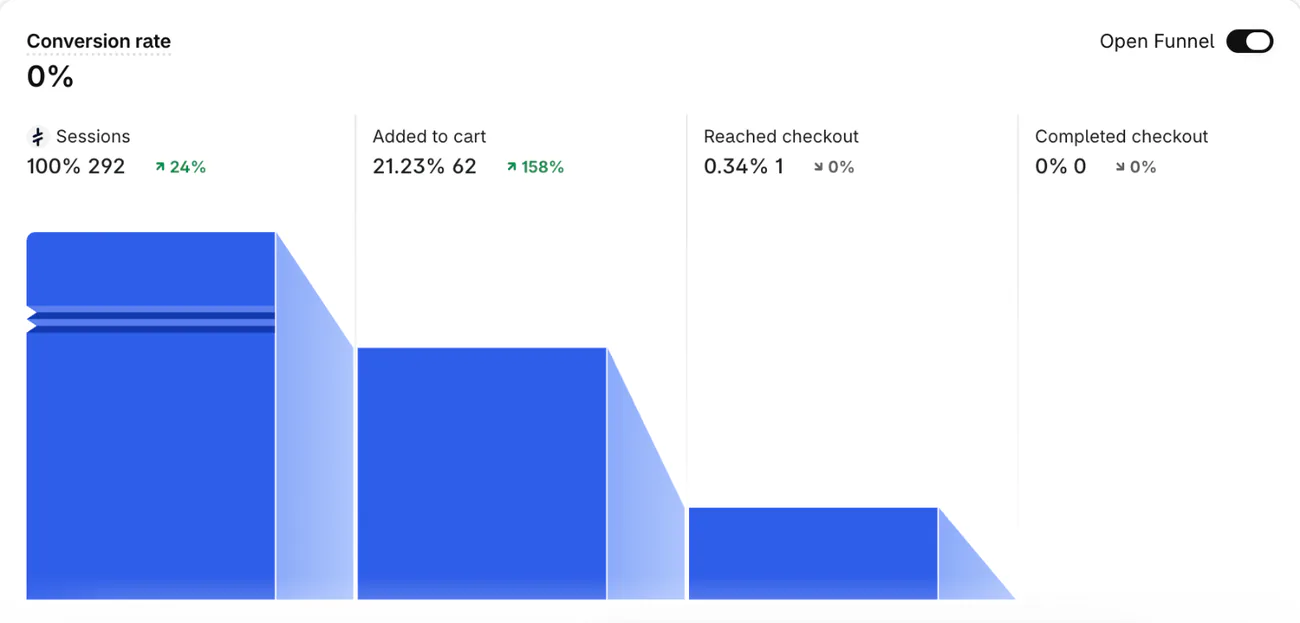
Open "Conversion rate breakdown", switch "Open Funnel" off so it follows shoppers step by step, and start with the step that has the biggest drop. The CRO guide shows how to read it.
Then open "Sessions by device": phones converting far below desktops point at your mobile pages. In the Customers category of Reports, "Returning customers" lists everyone with two or more orders. If that list is short, see how to get repeat customers. After the audit, track eight ecommerce KPIs, each with its formula and the report that shows it.
Shopify's pricing page lists "200+ real-time reports, plus custom analytics" on Basic, Grow, Advanced and Plus. A report shows at most 1,000 rows, though its totals count them all, so export a long one. When orders drop suddenly, compare equal stretches of days and check which traffic source fell before you change a page.
Check 8: are you paying for apps you don't need?
Open Settings, then Billing, and click "View current charges", the app charges waiting for your next bill. Then open Settings, then Apps, and write one line per app: its job, and the report that shows what it earns. Two apps doing one job is a fail. So is an app whose job you can't name, or a feature you stopped using that still bills.
Some apps bill you directly, so their charge never shows on your Shopify bill. Uninstalling won't stop it either: cancel with the app's developer.
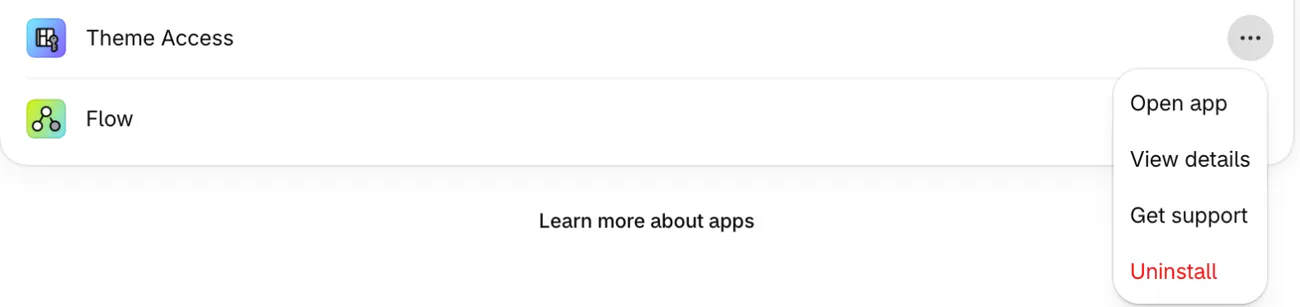
Before you uninstall, read the app's listing or click "Get support" under Settings, Apps: some apps leave changes in your theme that uninstalling won't undo. A charge from a billing cycle that already started can still reach your next bill. Some data can't come back either, so export what you need, then follow Shopify's uninstall steps from the app's three-dot menu.
If check 1 showed "Poor", open that rating's Over Time report from the summary. It marks app installs and theme updates on the chart, so you can see whether the rating fell after an app install.
Fix it with how to cut your app bill, whether apps slow your store and the free Shopify apps that stay free.
Which audit result should you fix first?
First, fix what stands between a shopper and paying: check 6, then 5. Search comes next, because those shoppers typed what they came for. Then take the step with the biggest drop in check 7.
Run the full audit once a quarter. Repeat checks 2, 5 and 6 after a theme change, a new app or a payment change, and before a big sale with the Black Friday checklist. Say you switch themes: a few good days, then orders slide on the same traffic, and the rerun shows which step broke.
Can Sledge run part of this audit for you?
Sledge is a Shopify search and filter app whose Growth Intelligence keeps reading your store after the audit ends. On a paid plan it reads your last 90 days of orders and the past week of searches, filters and carts. Then it suggests fixes, each tied to the Sledge tool that makes the change. Click a fix and that tool opens filled in, and nothing changes until you save.
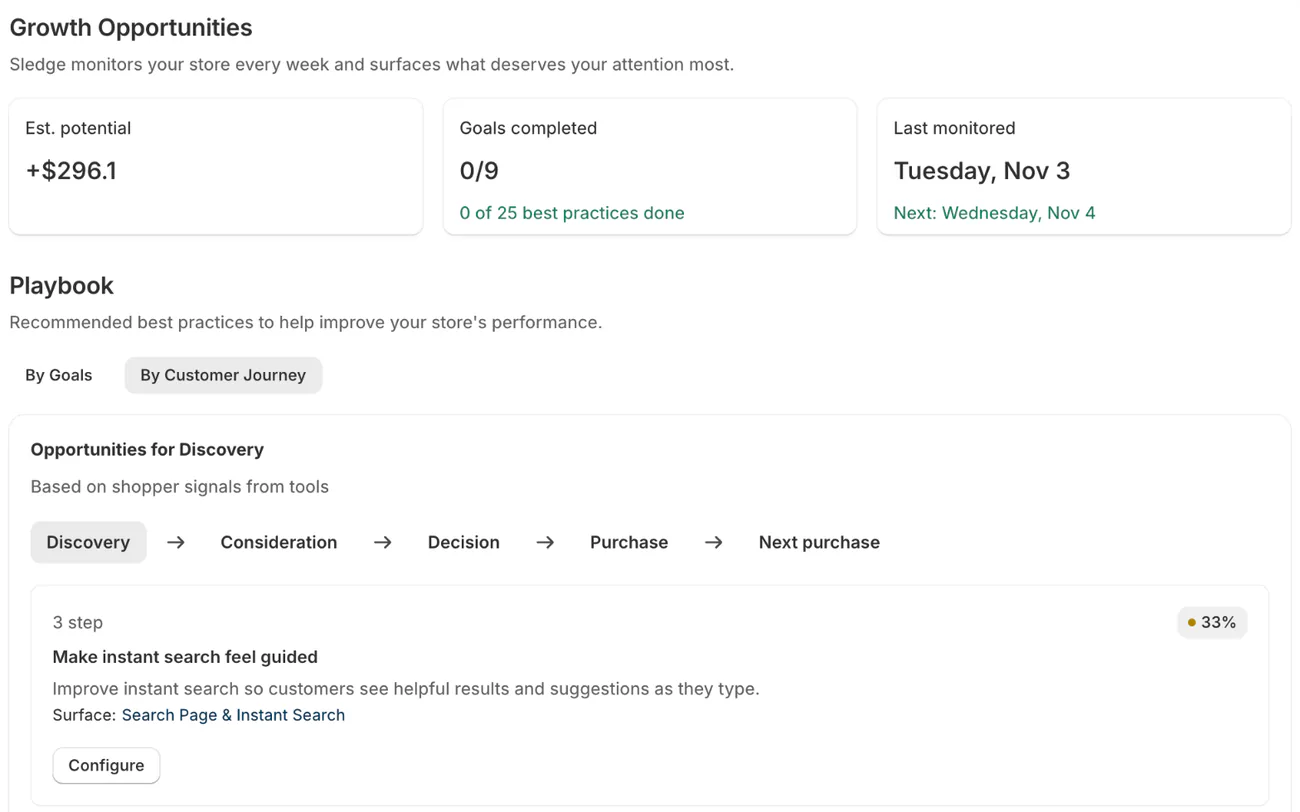
Growth Intelligence's suggestions, minus any you dismiss, add up to one figure labeled "Est. potential" on the Growth Opportunities page. Say it reads $900: that's Sledge's estimate of what those fixes could add in a month, not a promise. After you save a fix, Growth Intelligence measures sales through Sledge after the change against an equal stretch before it.
Growth Intelligence turns on when you pick a paid plan. It runs weekly on Pro at $29.99 a month, twice a week on Scale and daily on Accelerate and Ultimate. On the 14-day free trial, the Signals tab in Sledge Analytics already flags one warning sign for seven of the eight checks, on the pages Sledge runs.
| Check | What the Signals tab flags |
|---|---|
| 1. Landing pages | "More broken links": this week's visits to your error page, against a usual week |
| 2. Search | "Search with no results": a term and how many times it found nothing |
| 3. Collections | "Top spots sold out": the share of the first three products on your collections that were sold out |
| 4. Product pages | "Bought together, no bundle": two products bought together, and how often |
| 5. Cart | "Almost free shipping": orders just short of the free-shipping goal you set in Sledge |
| 6. Checkout | "Checkout abandoned": shoppers who clicked checkout and didn't order |
| 7. Reports | "Mobile buys less": your mobile conversion rate beside desktop's |
| 8. Apps | Nothing: Sledge doesn't read your bill or your other apps |
Signals never places a test order or rates your speed, so those checks stay yours too.
FAQ
Questions, answered
-

14-day free trial
Explore Sledge on your store before you decide to commit.
-

No credit card required
Start improving your store with no upfront commitment.
-

Setup in minutes
Get Sledge running without a lengthy setup process.
-

Built to grow sales
Turn shopper behavior into actions that help you sell more.
What is a Shopify store audit?
A Shopify store audit, or store health check, follows every stop a shopper makes, from the first page to checkout, and checks each one against your own reports. It ends in a short list of fixes, worst first. You can run one yourself in an afternoon with the reports Shopify includes on every plan.
How do I audit my Shopify store for free?
Walk your store on your phone: land, search, filter a collection, open a product, add to cart and place a test order. Then open Analytics, then Reports, and read Conversion rate breakdown, Sessions by landing page and Searches with no results. Last, open Settings, then Billing, and list every app you pay for.
How often should you audit a Shopify store?
Run the full audit once a quarter. Repeat the search, cart and checkout checks after a theme change, a new app or a change to your payment settings, and before a big sale. Shopify itself says to place a test order whenever you change your payment settings.
Is there a tool or service that audits a Shopify store for you?
A checker given only your store's address reads public pages: speed, titles, broken links. It can't open your reports or app bill. Agencies audit for a fee; the CRO guide lists what to ask. On a paid plan, Sledge's Growth Intelligence reads your orders and searches and adds up what its fixes could be worth in one Est. potential total.
Does a Shopify store audit include SEO?
This checklist follows the shopper, so its only SEO check is old links that open an error page, which a migration from another platform can leave behind. A full SEO audit also covers whether Google can reach your pages, your titles, duplicate pages and links from other sites. Shopify's SEO audit checklist, updated in October 2026, cites Semrush's advice to run one at least twice a year.
Keep part of this audit running after today.
Try search, filters, offers, the cart drawer and the Signals tab free for 14 days. Growth Intelligence turns on when you pick a paid plan: on Pro at $29.99 a month it reads your store every week and adds up what its fixes could be worth in one "Est. potential" total.

