
A product detail page (PDP) is the page for one product: its photos, price, size and color picker, Add to cart button, description and reviews. On Shopify, it is your product page. Shoppers reach it from a collection, a search or an ad, and it is where they decide to buy or leave.
A shopper taps your linen shirt from an ad. She checks the photos for the fit, taps M, then scrolls for the delivery cost and the returns window. She finds neither and leaves to compare. Every stop she made is a part of the page, and Shopify's own themes leave out the two she couldn't find.
What is a product detail page?
A product detail page is everything a shopper can learn about one product, on one page.
On Shopify, your theme builds it from sections you edit in the theme editor. The main one, "Product information", holds the photos, title, price and description. Further down sits a row of more products, "Related products" in Dawn and "Recommended products" in Horizon. A product listing page, your collection or search results, sends the shopper here.
Baymard finds nearly every shopper goes through a product page before deciding whether to buy. Yet in its 2026 benchmark of more than 155 leading US and European sites, only 48% of desktop sites and 38% of mobile sites have a product page rated "decent" or "good".
What does a Shopify product page give you for free?
Photos, a price, a size picker, Add to cart, a description and a row of more products. Shopify's free Dawn and Horizon themes both come with them, and their defaults differ in places.
| Part | Dawn 16.1.1 | Horizon 4.3.0 |
|---|---|---|
| Photos | Stacked; a tap opens the photo large | A grid of two columns, zoom on |
| Title and price | Price, an installments line if you offer Shop Pay Installments, and a shipping line once you have a shipping policy | Same |
| Size and color | Buttons ("Pills"); round swatches once your colors have them | Buttons; swatches switched off |
| Add to cart | Quantity, Add to cart, express checkout buttons | Same; store pickup line off |
| Delivery and returns | Not on the default page; add a Collapsible row | Not on the default page; add an Accordion |
| Description | Under the buttons, then Share | Under the buttons |
| Reviews | Product rating block, needs an app | Review stars block, needs an app |
| More products | 4 related products, headed "You may also like" | Same |
| Safety warnings | Disclosures section | Disclosures block |
Checked November 4, 2026, on Dawn 16.1.1 and on Horizon 4.3.0, each as it comes. A store that installed its theme earlier, or edited it, may differ.
Both themes come with most of the page. They leave out the delivery and returns answer next to the button, and the stars. The seven parts below, top to bottom: photos, title and price, size and color, what sits next to Add to cart, the description, reviews, and the row of more products.
What photos should a product page show?
Photos that answer fit and size. In testing Baymard published in 2020, 56% of shoppers began a product page by exploring its photos. Its 2026 report adds that 42% of test shoppers try to judge size from the photos, yet 37% of sites have no photo that shows scale. And 23% show clothing and other worn products without a person wearing them.
Both themes let a shopper zoom into a photo. Once she picks a color, both show only that color's photos, if you gave each color its own.
For the sizes to upload, see Shopify product image size.
What should a product page show under the price?
Both themes add one line under the price once you have a shipping policy: "Shipping calculated at checkout." That line tells a shopper a cost is coming, not what it is.
If you sell by weight or volume, click "Unit price" under the product's price in your admin and enter its total weight or volume. Shopify works out the price per 100 g or per liter, and Online Store 2.0 themes, Dawn and Horizon among them, show it on the page by themselves. Baymard finds 81% of sites skip it for products sold in different amounts.
A low stock line can sit here too. Dawn's "Inventory status" block and Horizon's "Product inventory" block show one once stock is at or below a number you set, 10 by default. Neither block is on the default page.
How should a product page show sizes and colors?
As buttons. Baymard's benchmark finds 57% of sites don't use buttons for size, and both themes start with them.
Horizon's default product page comes with "Swatches", small samples of each color, switched off. Colors show as words until you switch it on and give your colors swatches. Dawn shows round color swatches once your colors have them.
A size guide fits in Dawn's "Pop-up" block, a link that opens a page you wrote, such as your size chart, in a window. Horizon's "Popup link" opens a window too, filled with the text or pictures you add to it.
What should sit next to the Add to cart button?
The delivery cost and your returns policy. A shopper with her thumb over Add to cart still wants both, and 60% of shoppers in Baymard's survey look for the return policy on the product page.
Many sites leave them out. In Baymard's 2026 benchmark, 67% of sites show no estimate of the total cost near the buy button, and 44% don't show or link the return policy from the product page.
Neither theme's default page has a spot for delivery or returns. The "Return and refund policy" you write under Settings, then Policies, shows in your footer and at checkout by default. To show delivery and returns next to the button in Dawn, add a "Collapsible row", a heading that opens to show text, and point the row at a page you wrote for shipping or returns. In Horizon, add an "Accordion" with one row for each. Express checkout buttons are already on in both.
The CRO guide's product page section covers what else turns views into add to carts, and ecommerce returns explains how to write the policy itself.
What belongs in the product description?
What the photos can't show: the fabric, whether it runs small or large, the measurements in centimeters or inches, and how to care for it. Both themes show the description under the buttons.
Since June 2026, Shopify has a "Disclosures" spot for safety warnings the law asks you to show, such as a choking hazard notice. It comes with Dawn 15.5.0 and Horizon 4.1.0 or later, and Shopify leaves it to you to decide when a product needs one.
Do Shopify product pages show reviews?
Not by themselves. Dawn's "Product rating" block carries a note in the theme editor: "An app is required for product ratings." Horizon's "Review stars" block works the same way, and the default page carries neither.
Reviews are a product page's social proof. Baymard finds 89% of sites don't reply to a bad review, and 63% don't let shoppers move from one review's photos to the next.
To get the first ones, ask buyers for a review once their order has arrived. A helpful one names a size, a shade or a number of washes, as in these customer review examples.
What goes at the bottom of a product page?
A row of related products. Both themes show 4 that Shopify picks by itself, from what's often bought together, similar descriptions or related collections.
Complementary products, the ones bought alongside this one, show only after you pick them in the free Search & Discovery app, up to 10 per product, and only while they're in stock. Neither theme's default page shows them. In Dawn, add the "Complementary products" block. The product recommendations guide says which kind belongs where, and frequently bought together shows how to find pairs in your own orders.
Product detail page examples
Three kinds of store, each leading with the part its shoppers check first.
| Store | What leads the page | Next to Add to cart | The shopper's question |
|---|---|---|---|
| Clothing: a linen shirt in five sizes and two colors | A photo on a person, sizes as buttons, a size guide link | The delivery cost and the returns window | Will it fit me? |
| Home: a floor lamp | A photo in a room beside something of known size, then the height and shade width in a row that opens | The delivery cost, since a big box costs more to ship | Will it fit my room, and what will it cost to get here? |
| Pantry: coffee beans in 250 g and 1 kg bags | The price per 100 g beside the price | A price for two bags | Which bag is the better deal? |
To check your own best sellers part by part, run check 4 of a Shopify store audit.
What does Sledge add to a product page?
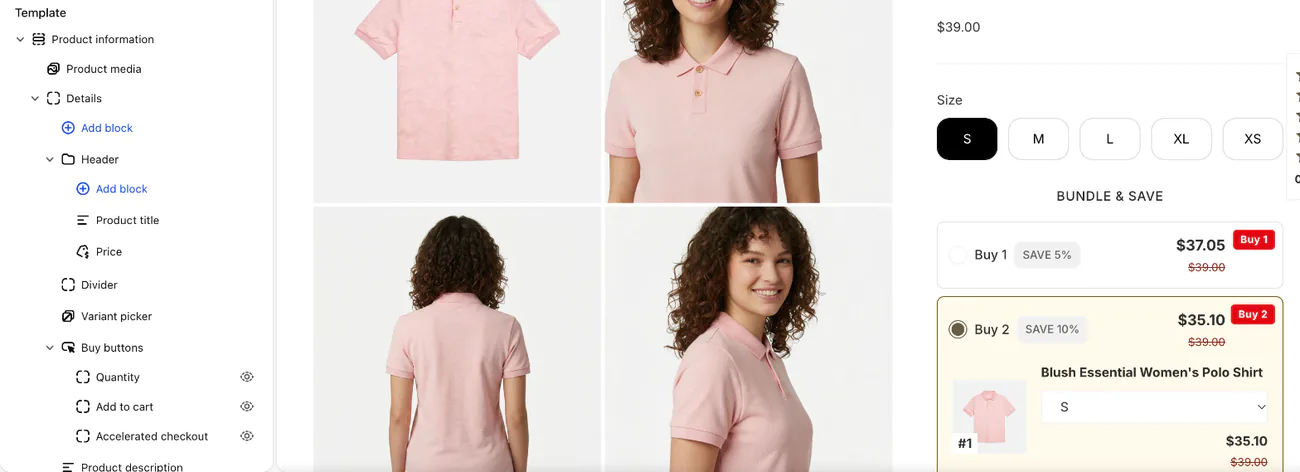
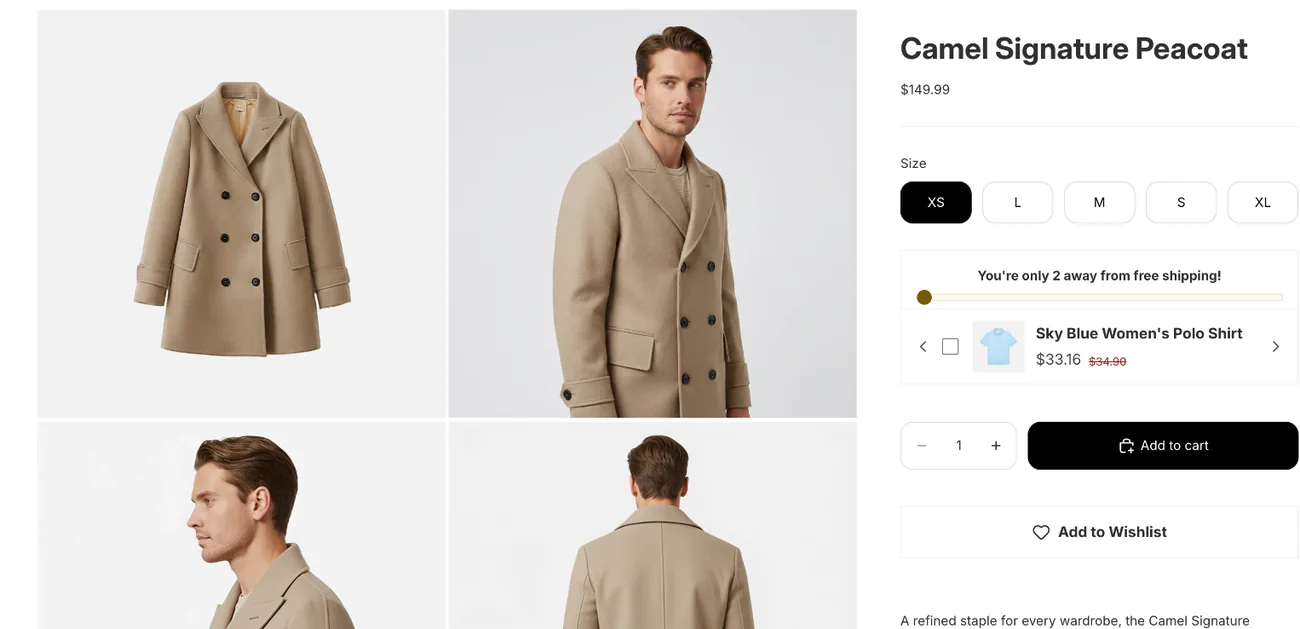
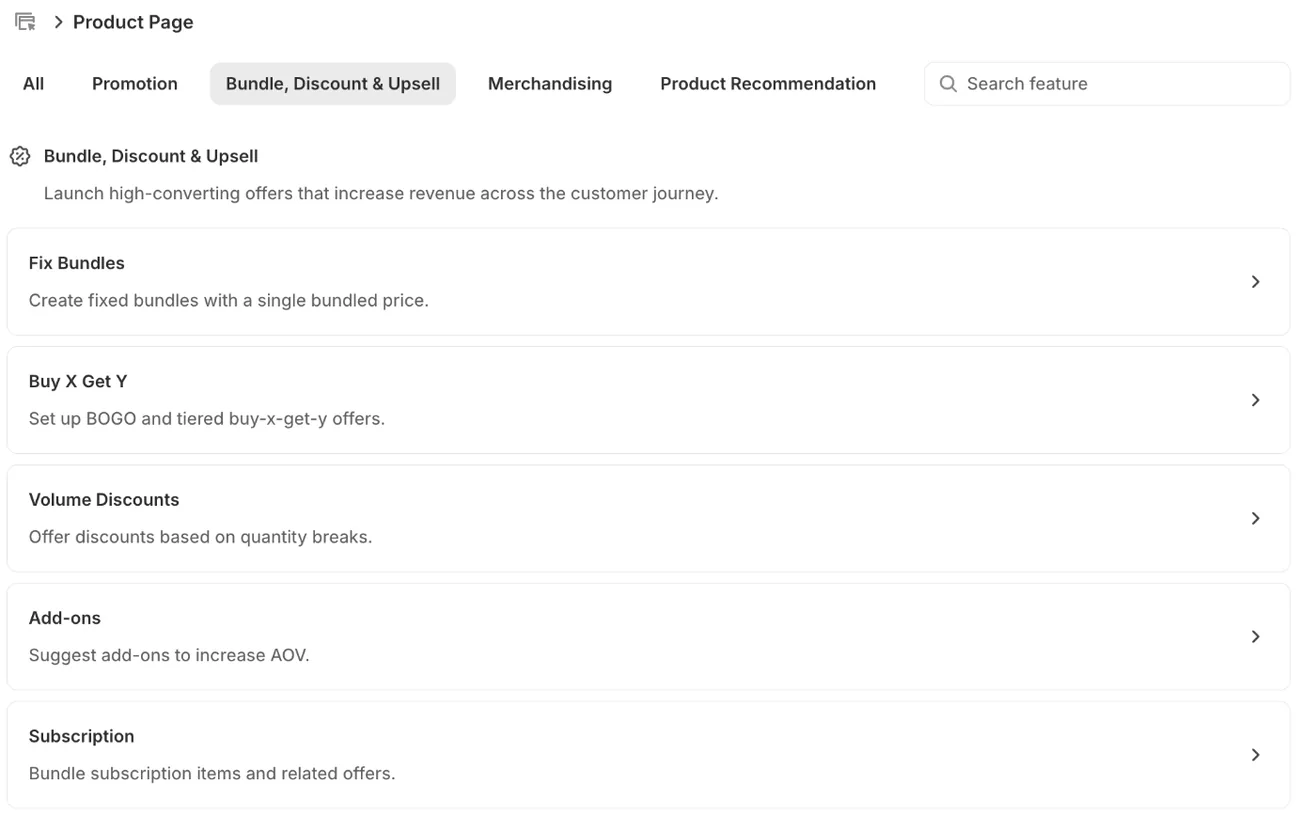
Sledge is a Shopify app for search, filters, offers and reviews, and its product page tools sit inside your theme's product page. You can show a bundle, a quantity break or "Add-ons", small extras the shopper ticks. The quantity break and the add-ons sit between the size buttons and Add to cart. Shoppers tap "Add a review" to leave a star rating and a written review on the page. Related Products and Frequently Bought recommendations can fill a row of suggestions, and a "Product Countdown" shows when a sale on that product ends.
When a product runs out, a "Pre-order" button lets shoppers keep buying it. On the Accelerate and Ultimate plans, a "Get notified when it's back" form takes an email instead.
FAQ
Questions, answered
-

14-day free trial
Explore Sledge on your store before you decide to commit.
-

No credit card required
Start improving your store with no upfront commitment.
-

Setup in minutes
Get Sledge running without a lengthy setup process.
-

Built to grow sales
Turn shopper behavior into actions that help you sell more.
What is a product detail page (PDP)?
A product detail page, or PDP, is the page that shows one product: its photos, price, size and color options, Add to cart button, description and reviews. On a Shopify store, it is your product page. A collection or search results page lists many products and sends the shopper here to decide.
What makes a good product detail page?
A good product detail page answers the three questions a shopper has before tapping Add to cart: will it fit or suit me, what will it cost delivered, and can I trust it. That means photos on a person or in a room, sizes as buttons, delivery and returns next to Add to cart, and reviews.
Do Shopify product pages show star ratings without an app?
No. Dawn's Product rating block and Horizon's Review stars block show stars only when a reviews app fills them in, and Dawn's theme editor says so: “An app is required for product ratings.” Neither block is on the default product page. Sledge's product reviews put their own stars and written reviews on the page.
How do I give some products a different product page on Shopify?
Make a second product template, a second design for the page. In the theme editor's page menu at the top, choose Products, then Create template, and base it on your default one. Change what you need, then open each product in your admin and pick the new template in its template menu. Later edits reach every product that uses it.
Can Sledge show me which product pages lose shoppers?
Yes. In Analytics, Sledge's Signals tab can flag a product with many visits that almost nobody adds to cart, shoppers who tried three or more sizes or colors and left, a best seller with no reviews, and 1 to 2 star reviews with no reply. On a paid plan, Growth Intelligence totals its fixes in one “Est. potential” dollar figure.
See which product pages get visits but no add to carts.
Try Sledge free for 14 days, and its Signals tab can flag a product with hundreds of visits a week and almost no add to carts. Pick a paid plan to turn on Growth Intelligence, which adds up its fixes in one estimated dollar figure, labeled "Est. potential".

