
Good newsletter ideas for a store give subscribers one reason to open and one link to click: a new arrival, a how-to for something you sell, a look behind the counter or an offer with an end date. Below are 18 that work in any month, then 12 tied to dates from January to November.
The first of the month comes around and the newsletter is due. Nothing launched, nothing is on sale, and your last three emails were all discount codes. You open Shopify Messaging, look at a blank template, and send nothing again.
What should a store put in its newsletter?
One idea, one link to your store, and fewer than 200 words. That's the length Shopify's Help Center gives for Messaging emails, about 20 lines. Put the point inside the first two scrolls on a phone. Never state a sale's terms only inside a picture, because some email apps block images.
If every issue carries a code, subscribers learn to wait for the next one. So alternate an issue that sells with one that helps. If you've never emailed your list, Shopify suggests starting with a welcome email that introduces you.
Which newsletter ideas show off what you sell?
Show the product, then give one reason to look that isn't the price.
1. New arrivals
Send each new product with the detail its product page skips: who it's for, how it fits, what it's made of. Use one photo and one link per product.
2. What's back in stock this week
List the sizes and colors that came back since your last issue. Shoppers who missed them the first time get a second go.
3. This month's bestsellers
Show the three products bought most over the past month, with one line on why each one sells.
4. One product, three ways
Style one jacket three ways, or cook three dinners from one sauce. It takes three photos of the product in use.
5. A gift guide by price
Group gifts under $25, $50 and $100 for the birthdays and thank-yous that come up every month. The same guide can sit on your store as a collection, as in a gift guide shoppers can filter.
Which newsletter ideas help without selling?
Teach something about what you sell, and the sale can come on a later click.
6. A care or how-to guide
Explain how to wash, store, sharpen or refill something you sell. Your support replies already hold the steps.
7. The question your inbox gets most
Answer it once for everyone, whether it's sizing, shipping times or returns. Our customer service email templates hold replies you can turn into an issue.
8. "Which one should I pick?"
Set two or three similar products side by side and say who each one suits. A shopper stuck between them gets the answer before writing to you.
9. A roundup of what you published
Collect this month's blog posts, videos and social posts in one email.
Which newsletter ideas show the people behind your store?
A face and a process give the next email a reason to be opened.
10. Behind the scenes
Show how one order gets made or packed, in four photos.
11. Meet the maker or supplier
Tell where a material comes from, or who sews, roasts or pours it.
12. Customer photos and reviews
Share a buyer's photo or review line once they've agreed in writing that you can use it in an email. User-generated content examples shows how to ask.
13. Let subscribers vote
Offer two colors, scents or names, and announce the winner in the next issue. For a prize draw instead, see these giveaway ideas.
14. What changed in your store
Tell subscribers about a new shipping option, a longer return window or a restock date.
Which newsletter offers need no discount code?
Give subscribers a reason to buy now, with no code to type.
15. Early access
Open a launch or a sale to subscribers before everyone else. For a new product, our product launch email guide covers how, and why to keep that head start short.
16. Last sizes and end of line
Say plainly which sizes are the last and which products won't come back. Only send it when it's true, as scarcity marketing explains.
17. A set priced as one
Put two or three things people buy together into one set at one price. These Shopify bundle ideas give you eight to start from.
18. Free shipping for one week
Offer free shipping over an amount for seven days. In Shopify's discounts, pick "Automatic discount" as the method, which applies it at checkout with no code to type. Free shipping threshold covers how to pick the amount.
Monthly newsletter ideas for 2027, from January to November
Build each month's issue around a date your shoppers already have in mind, and send it before that date.
| Month | Date to plan around in 2027 | Idea |
|---|---|---|
| January | New Year's Day, Friday, January 1 | Spend your gift card |
| February | Valentine's Day, Sunday, February 14 | Gifts in three price bands |
| March | Easter Sunday, March 28 | Spring arrivals or basket fillers |
| April | Earth Day, Thursday, April 22 | Care and repair, no offer |
| May | Mother's Day, Sunday, May 9; Memorial Day, Monday, May 31 | A gift finder; the first summer edit |
| June | Father's Day, Sunday, June 20 | A last call with a gift card |
| July | Independence Day, observed Monday, July 5 | Half-year bestsellers |
| August | Back to school, by district | A list from your catalog |
| September | Labor Day, Monday, September 6 | Summer clear-out and fall arrivals |
| October | Halloween, Sunday, October 31 | Your order-by date |
| November | Thanksgiving, the fourth Thursday | Your sale's start time, first |
January newsletter ideas
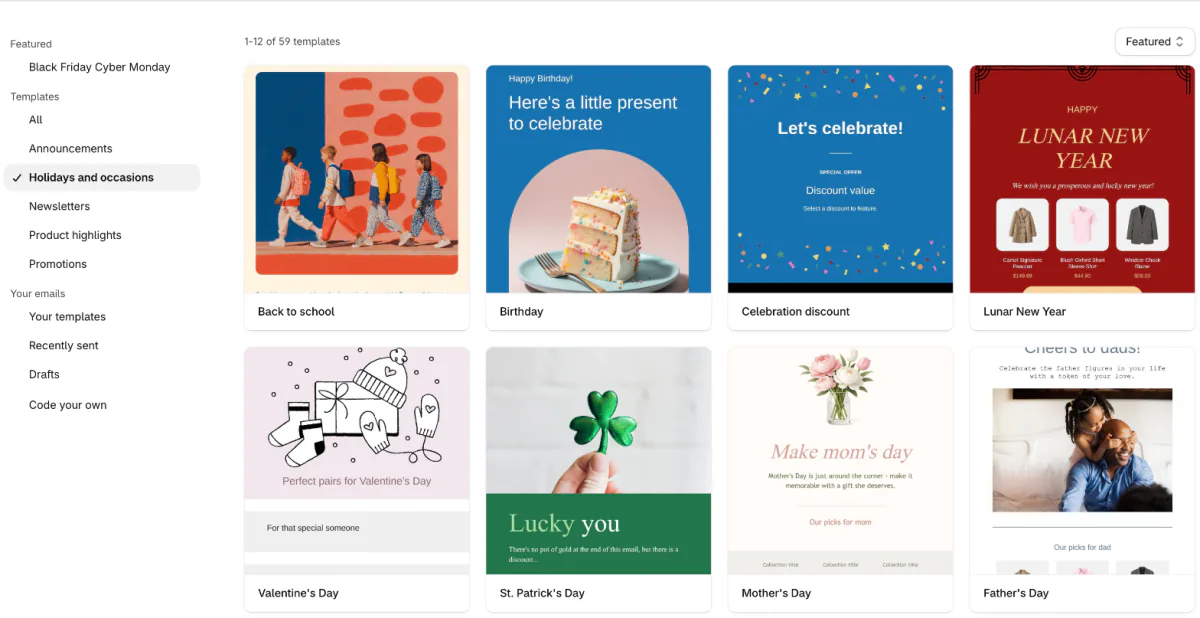
19. Spend your gift card. New Year's Day falls on Friday, January 1, 2027. Send an edit sorted by price for shoppers holding gift cards, with the December sellouts you've restocked.
February newsletter ideas
20. Gifts in three price bands. Valentine's Day is Sunday, February 14, 2027. Reuse the price bands from idea 5, and put your own order-by date at the top. Our content calendar example sends it Tuesday, January 26, among six weeks of posts and emails.
March newsletter ideas
21. Spring arrivals or basket fillers. Easter Sunday is March 28, 2027. Send your first spring arrivals, or small gifts under one price for Easter baskets.
April newsletter ideas
22. Make it last. Earth Day is Thursday, April 22, 2027. Write a care-and-repair issue that helps customers keep what they bought in use for longer, with no offer attached.
May newsletter ideas
23. A gift finder for Mother's Day. Mother's Day is Sunday, May 9, 2027. Sort gifts by what she likes doing, and put your order-by date first.
24. The first summer edit. Memorial Day is Monday, May 31, 2027, the week to show what's new for summer.
June newsletter ideas
25. A last call for Father's Day. Father's Day is Sunday, June 20, 2027. Send it two days before your order-by date, with a gift card for anyone who's too late.
July newsletter ideas
26. Half-year bestsellers. Independence Day falls on a Sunday in 2027, so the federal holiday is observed on Monday, July 5. Show the five things bought most since January.
August newsletter ideas
27. Back to school. School start dates vary by district, so there's no single day to plan around. Build a back-to-school list from your catalog, or clear the last summer sizes.
September newsletter ideas
28. Summer out, fall in. Labor Day is Monday, September 6, 2027. Put the end-of-summer clear-out and the first fall arrivals in one issue.
October newsletter ideas
29. Your Halloween order-by date. Halloween is Sunday, October 31, 2027. Give the last day to order anything for it, plus a save-the-date for your November sale.
November newsletter ideas
30. Your sale's start time, first. Thanksgiving is the fourth Thursday of November, and Black Friday follows it. Send subscribers the day and hour your sale starts before you post it anywhere else. This year's dates are in Small Business Saturday, Cyber Monday on Shopify and the Black Friday checklist.
December's ideas, timed to the last shipping day, are in Christmas marketing ideas.
How do you send a newsletter from Shopify?
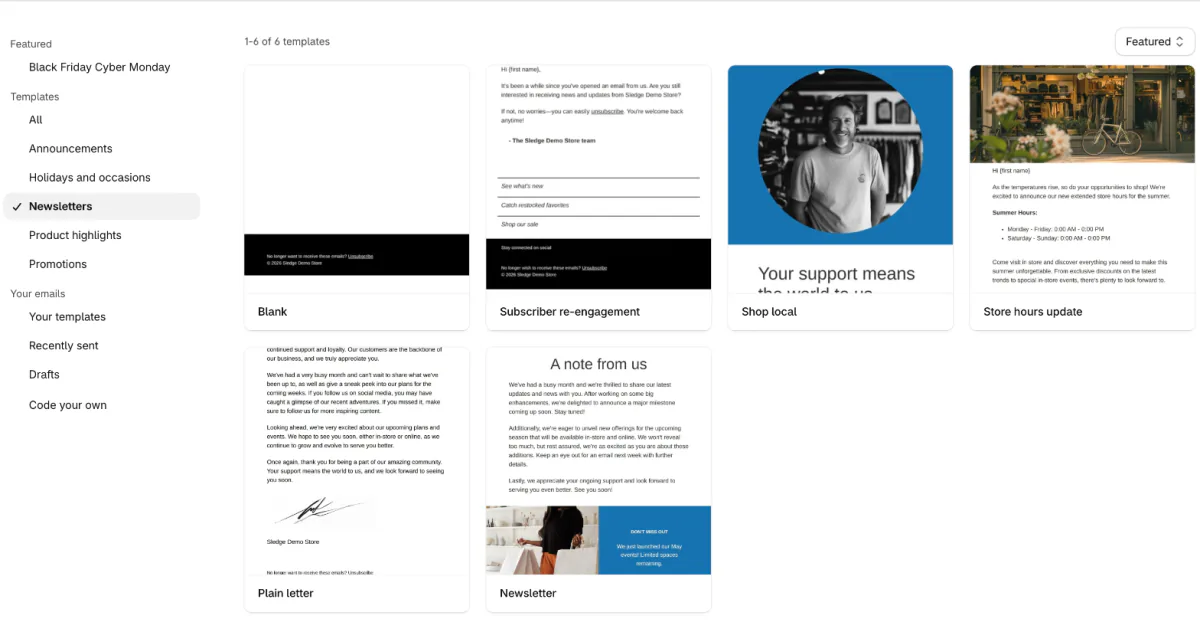
Shopify Messaging, under Apps in your admin, sends newsletters on the Basic plan and up. If it isn't there yet, install it free from the Shopify App Store. Click "Create message", the button that starts a new email. It may open "Set up template branding" first, a page that sets the look every template shares. In the template list, the "Newsletters" group held 6 templates in November 2026.
Up to 10,000 emails a month are free; past that, you pay $1 for each 1,000 until you pass 300,000, then less, per Shopify's pricing page. During a Shopify free trial, you can build a newsletter but send it only to yourself, as a test. Before each issue goes out, send yourself a test to check the links and the discount details. Does Shopify have email marketing? walks through the steps and who you're allowed to email.
FAQ
Questions, answered
-

14-day free trial
Explore Sledge on your store before you decide to commit.
-

No credit card required
Start improving your store with no upfront commitment.
-

Setup in minutes
Get Sledge running without a lengthy setup process.
-

Built to grow sales
Turn shopper behavior into actions that help you sell more.
How often should a store send a newsletter?
At least once a month, on a day you can keep. Shopify's Help Center advises at least one email a month, and warns that emailing too often can make subscribers lose interest. Keep the send day and the number of emails steady, because mail providers can slow or block a sender whose volume jumps all at once.
How long should a newsletter be?
Under 200 words, or about 20 lines, is the length Shopify's Help Center gives for Messaging emails. Put the main point and the link inside the first two scrolls on a phone. Gmail shows only part of an email past a size limit, so a long one can lose its ending. One idea per issue fits that budget.
What is the difference between a newsletter and a promotional email?
A promotional email sells one offer and stops mattering when the offer ends. A newsletter gives subscribers something worth opening each time, such as a how-to, new arrivals or a look at how you work, with your products inside it. Shopify's blog puts it as long-term value against immediate sales. You can send both.
What do you write in a newsletter when nothing is new?
Pick an idea that needs no news: a care guide for something you sell, the question your inbox gets most, one product shown three ways, or the way an order gets packed. Your support inbox and your best reviews hold a few months of topics. Keep launches and sales for the issues that have them.
Can you send a newsletter from Shopify for free?
Yes, up to a point. Shopify Messaging works on the Basic plan and up, and the first 10,000 emails you send in a month cost nothing. After that, each 1,000 costs $1 until you pass 300,000, when the rate drops. One newsletter to 2,000 subscribers counts as 2,000 emails. On a Shopify free trial, you can only send test emails to yourself.
What should a newsletter subject line say?
What's inside, in 3 to 6 words or under 50 characters, as Shopify's Help Center advises. Add preview text that tells the reader something the subject line doesn't. Write both last, once the email is done. For lines you can adapt, see the 20 in our product launch email guide.
The email names a deadline. Does your store?
Sledge doesn't write or send newsletters; Shopify Messaging or your email app does. Sledge works where the click lands. A promotion banner on the collection your email links to repeats its offer, and a countdown runs to the offer's last day. Both come down on the end date you set, and shoppers who never opened the email see them too. You can try both during the 14-day free trial. Growth Intelligence turns on when you pick a paid plan, and its suggested fixes add up to one dollar figure, labeled "Est. potential".

