
Shopify Balance is Shopify's free money account for US stores that use Shopify Payments. Your payouts land in it, most within 1 to 3 business days, and a Visa card spends straight from it. There is no monthly fee or minimum balance. Shopify is not a bank: your money is held at Fifth Third Bank through Stripe.
Your first payout never reached your bank. It sits under Finance, in an account called Main that you don't remember opening. Nothing went wrong. Shopify opens a Balance account when an eligible US store first turns on Shopify Payments, and payouts go there from then on. You can send them back to your bank at any time.
What is Shopify Balance?
Shopify Balance is a money account inside your Shopify admin: your Shopify Payments payouts land in it, and a Visa card spends from it. Shopify says it is not a bank account.
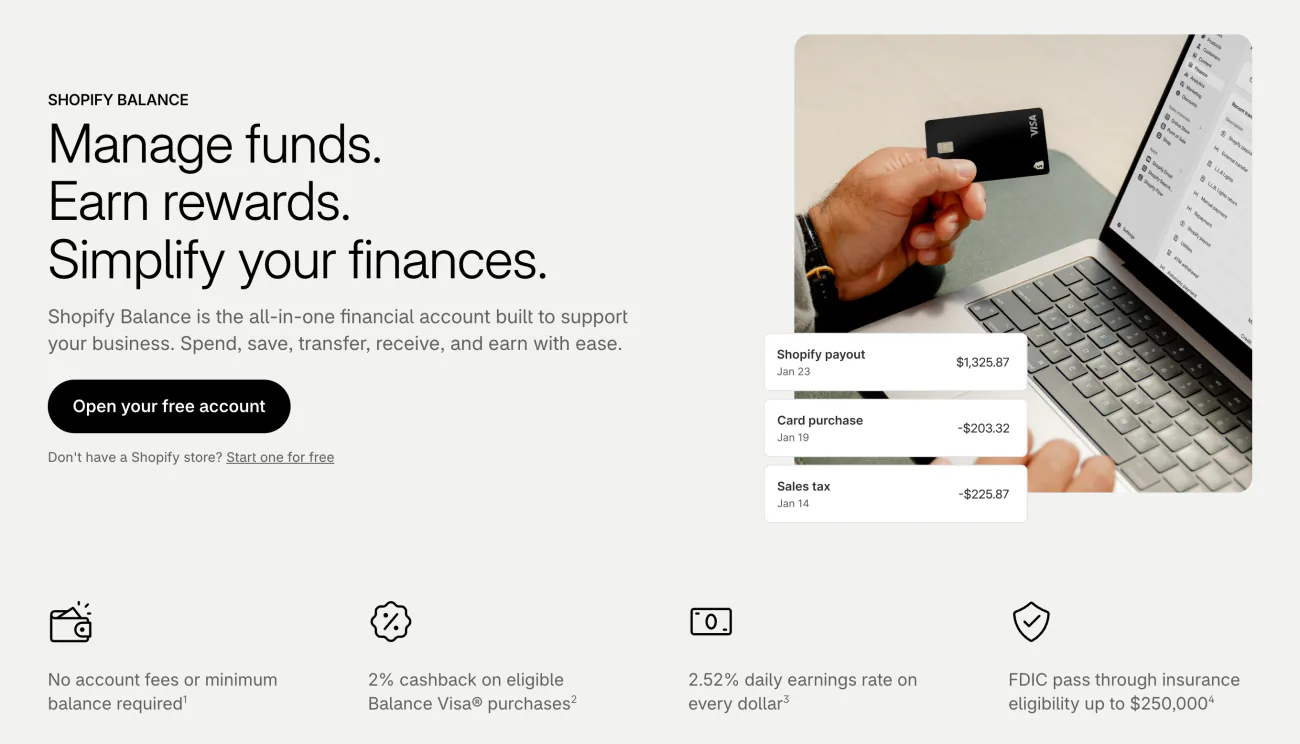
Three companies sit behind it. Stripe moves the money and runs the account, Fifth Third Bank N.A. holds the funds, and Celtic Bank issues the card. Shopify says the money is eligible for pass-through FDIC insurance up to $250,000, as long as the deposits meet the FDIC's requirements.
You get one main account and can add up to 5 more, say one for sales tax and one for payroll. Only the main account carries the card and its cashback. You can run Balance from the Shopify Balance app on an iPhone or Android phone, though not on a tablet.
Balance is not Shopify Credit, which is a separate Visa business card. Nor is it Shopify Capital, the funding you repay from your sales.
Who can open a Shopify Balance account?
You need a US store on Shopify Payments, a home address in the US or Puerto Rico, and a Social Security or taxpayer number.
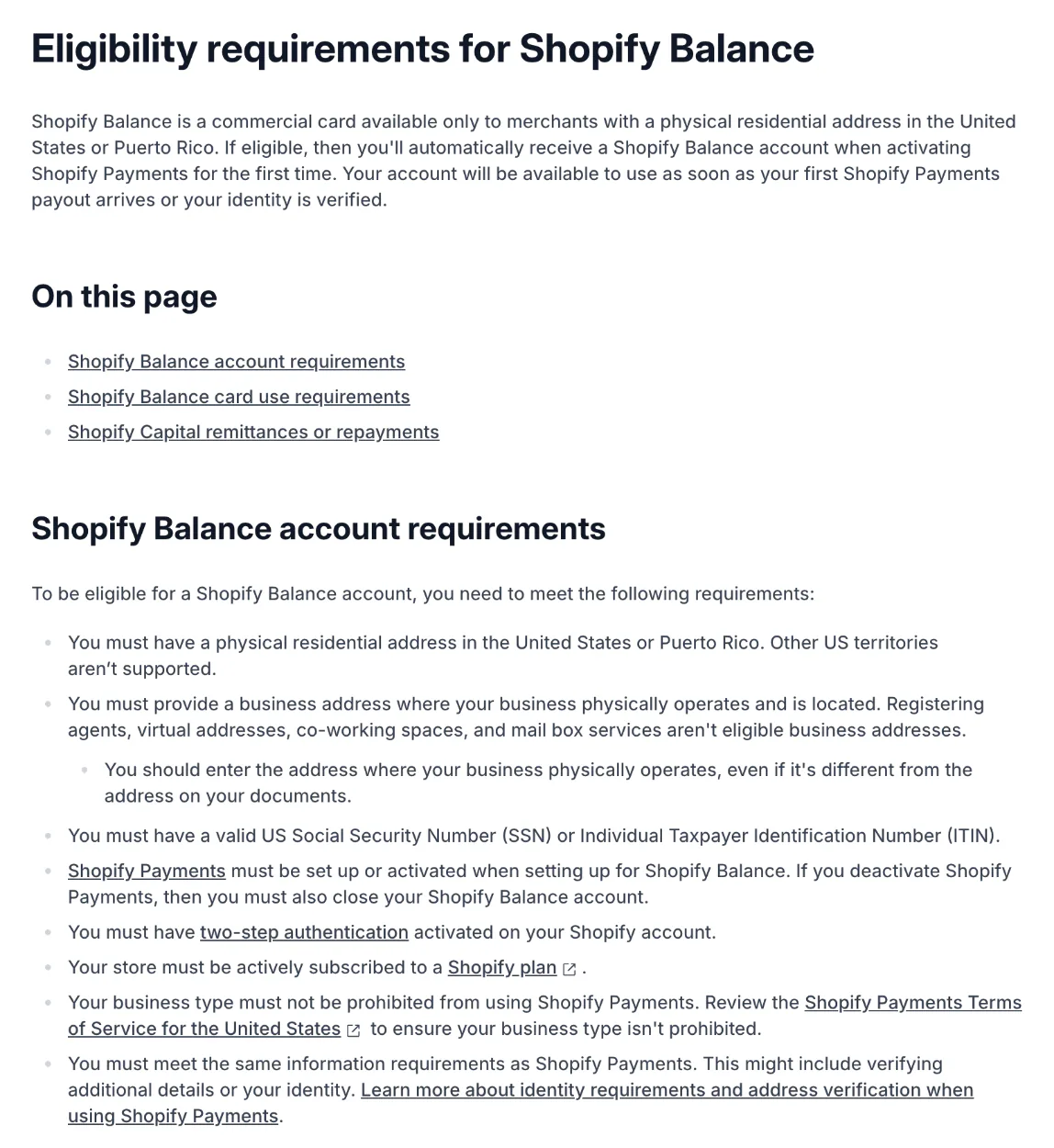
Shopify's list asks for:
- A home address in the US or Puerto Rico. Other US territories aren't supported.
- A business address where you physically operate, not a registered agent, virtual address, co-working space or mailbox service.
- A Social Security number, or an ITIN, the IRS taxpayer number for people without one.
- Shopify Payments, turned on. Turn it off later and Balance has to close as well.
- Two-step authentication on your Shopify login.
- An active Shopify plan and a business type Shopify Payments allows.
- The same details Shopify Payments asks for, which can mean verifying your identity.
If your store qualifies, Balance opens itself the first time you turn on Shopify Payments. It's ready once your first payout arrives or your identity is verified. Only the store owner can set it up. Applying doesn't affect your credit score, Shopify says, because the Social Security number only confirms who you are.
The card is for business spending only, and Shopify can close an account used for personal or household costs. Outside the US there is no Balance: Shopify's Canadian, Australian and UK Balance pages all send you to the US one.
How fast do payouts reach Shopify Balance?
Most payouts reach Balance in 1 to 3 business days on Basic, Grow and Advanced, and Plus stores get them the next business day. The ceiling is 5 business days, and a new store's payouts can take that long. Shopify says payouts land up to 7 days sooner than at a bank.
Sent to an outside bank instead, a payout can take up to 5 business days, plus up to 3 more at the bank. Once Balance is open, its main account becomes your payout account. Moving payouts into Balance doesn't pause them, the way a change of bank can. Moving them out to another bank can delay them.
Auto-transfer rules send a share of every Shopify Payments payout somewhere else, such as a Balance account for sales tax or your outside bank. They split by percentage, never by a fixed amount. Setting tax aside this way doesn't file it for you.
If PayPal pays you directly, those payouts can come in too: add Balance's account and routing numbers as a bank in PayPal. If you use Shopify Capital, the funding lands in Balance, and repayments come out of Balance too. Payout schedules and holds are covered in our Shopify Payments guide.
What does Shopify Balance cost?
Keeping it costs nothing: no monthly, yearly or bank transfer fee, and no minimum balance. The fees that do exist come when you send money by wire or abroad.
| What you do | What Shopify charges |
|---|---|
| Keep the account open | Nothing, and no minimum balance |
| Send a bank transfer, to your own bank or anyone in the US | Nothing |
| Send a US wire | $10 per transfer |
| Pay someone abroad in their currency | A fixed transfer fee plus an exchange fee, a share of the amount |
| Pay someone abroad in US dollars by wire | $10 per transfer |
| Spend with the card | Nothing |
| Take cash from an ATM | Nothing, though the ATM's owner may charge |
Fees as Shopify's Help Center lists them, read November 11, 2026.
Most transfers to your own bank sent before 1 pm Eastern arrive the same day. Shopify sets your daily transfer limit from your business's history, and you can't see it in the admin.
US wires came to Balance on April 29, 2026, and Shopify's Fall '26 Edition lists them beside paying suppliers abroad in their own currency. Paying abroad works only in the Balance mobile app, isn't open to every account, and shows the fee and rate before you send. If your account is eligible, you can also add checks from the Shopify or Balance app, and cash at stores such as Walgreens, CVS and Walmart.
How does the Shopify Balance card work?
The Balance card is a Visa business card that spends what's in your account, with 2% back on eligible Shopify purchases, up to $2,000 a year. It works wherever Visa is accepted, not only on Shopify.
The virtual card works as soon as the account is set up. The physical card is free and carries your business name. Both go into Apple Pay or Google Pay, and you may be able to give staff their own cards with a monthly limit or a lock date. Most new accounts can spend $5,000 a day per card. Cash from an ATM needs the physical card and starts at $500 a day, which can rise to $1,000.
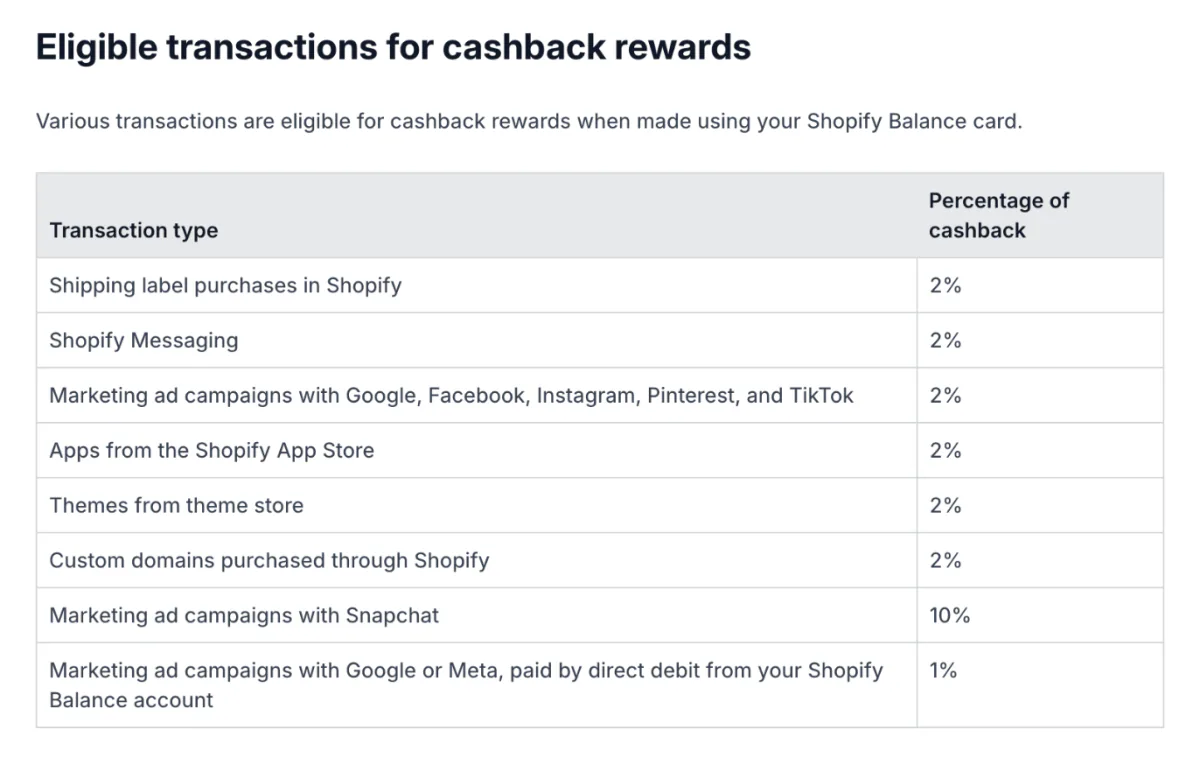
The 2% covers shipping labels, Shopify Messaging, apps, themes and custom domains, when you pay your Shopify bill with the Balance card. Shopify's Help Center table also lists some ad campaigns. To see what counts for your account, open Finance, then Balance, and check the Rewards section.
Cashback is paid into the account monthly, and the $2,000 cap resets on January 1. If a charge on your card looks like fraud, Shopify texts you and declines it when you don't reply within 24 hours. You can also lock the card, and dispute a charge on it from the admin within 110 days.
Does Shopify Balance pay interest?
Not interest: Shopify pays a reward it calls the earnings rate, 2.52% a year on Basic, Grow and Advanced and 3.54% on Plus, as of November 9, 2026. The rate is variable and can change without notice.
It's worked out each day on that day's closing balance and paid into the account on the 5th of the next month. Every Balance account earns, not only the main one. Say $10,000 sits in Balance for a 30-day month at 2.52%: that earns about $20.
Shopify may issue a Form 1099-MISC for these earnings, which you can download under Finance, then Documents, from January 31. Its Help Center still names $600 a year as the trigger, but IRS instructions raise it to $2,000 from the 2026 tax year. You can't switch the reward off. Only closing the account stops it.
How do you open, switch off or close Shopify Balance?
Open it from Finance in your admin, send payouts back to your bank in its account settings, and ask Shopify Support to close the main account. If Balance didn't open by itself when you turned on Shopify Payments, these are the steps:
- In your Shopify admin, go to Finance, click Main, then click "Open account".
- Review your Shopify Payments details and click Confirm.
- Enter your Social Security number and mobile number, then click Confirm again.
- Tick the box to accept the Shopify Balance Account Agreement and Card Agreement, then click Open account.
- Under Finance, then Balance, work through "Getting started with Shopify Balance", the setup list. Add the card to your phone's wallet, order the physical card, and click "Update payment methods" to pay your business bills from Balance.
Shopify's Help Center lists these steps, read November 11, 2026.
To send payouts to another bank, go to Finance, click Main, then "Account settings", and click "Change payout account". Your Balance account and card keep working, but any auto-transfer rules stop.
To close an extra account, open it, click "More actions", the menu on its page, then Close account. It must hold $0, have no pending transactions and not take payouts or Capital repayments. A closed account can't be reopened. The main account closes only through Shopify Support. Closing your whole store is its own set of steps.
FAQ
Questions, answered
-

14-day free trial
Explore Sledge on your store before you decide to commit.
-

No credit card required
Start improving your store with no upfront commitment.
-

Setup in minutes
Get Sledge running without a lengthy setup process.
-

Built to grow sales
Turn shopper behavior into actions that help you sell more.
Is Shopify Balance a bank account?
No. Shopify calls it a financial account built for stores, not a bank account, and says Shopify is a tech company, not a bank. Stripe moves the money, Fifth Third Bank holds it and Celtic Bank issues the Visa card. You still get account and routing numbers, so other services can pay into it.
Is Shopify Balance FDIC insured?
Shopify says Balance accounts are eligible for pass-through FDIC insurance up to $250,000 per depositor, per bank, when the deposits meet the FDIC's rules. The cover comes through Fifth Third Bank, where the money sits. Neither Shopify nor Stripe is an FDIC-insured institution, so the insurance protects only against that bank failing.
Why does my payout say Fifth Third Bank?
Fifth Third Bank provides the banking behind Shopify Balance. When you link your Balance account to PayPal with its account and routing numbers, PayPal shows it as Fifth Third Bank. A second store's payouts sent to the same Balance account show that name too, and they miss Balance's perks: each store needs its own account.
How do I transfer money from Shopify Balance to my bank?
Go to Finance, click Transfer funds, pick the Balance account and your bank, connect the bank if asked, enter the amount and authorize it. A bank transfer is free, and most sent before 1 pm Eastern arrive the same day. An auto-transfer rule can also send a share of every payout to your bank.
Can I use Shopify Balance outside the US?
No. Shopify Balance needs a home address in the United States or Puerto Rico, a US Social Security or taxpayer number and Shopify Payments. Other US territories aren't supported. If your account offers it, a US store can still pay suppliers abroad in their own currency through the Shopify Balance mobile app, with the fee shown before you send.
Is the Shopify Balance card a credit card?
No. The Balance Visa card spends money already in your Balance account, and Shopify charges no fee to use it. Shopify Credit is a separate Visa business card with its own statement and up to 3% back on eligible expenses. Use the Balance card for business costs only: Shopify can close the account over personal spending.
Payouts land faster. What brings in the next sale?
Sledge doesn't hold money, move payouts or issue cards. It works before the sale, while shoppers browse, with search, filters, bundles and a cart drawer. Try it free for 14 days. Growth Intelligence turns on when you pick a paid plan. It reads your searches and orders, then adds up its suggested fixes as one dollar total, labeled Est. potential.

