
Shopify gift cards come with every plan. In your admin, go to Products, then Gift cards, and click Add gift card product. Name it, set its amounts and save. Once an order is paid, Shopify fulfills the card by default and emails the buyer its code. Physical cards sell in person through Shopify POS.
December 21, late evening. A shopper wants to send her brother something from your store, but she doesn't know his size and the post can't make it by Friday. She looks for a gift card in your menu, finds none, and buys one somewhere else.
How do Shopify gift cards work?
A Shopify gift card is a code that pays only in your store: online, in person through Shopify POS and in the Shop app. Shopify lists them on all its plans, Basic included. A card reaches a shopper one of two ways.
- Sell it as a gift card product. Shopify creates the card when you fulfill the order, in amounts up to $10,000.
- Create it in your admin, free to the person who gets it, for up to $2,000 unless Shopify Support changes your limit.
How do you add a gift card product on Shopify?
A gift card product is one form under Products, then Gift cards. These steps follow Shopify's Help Center.
- In your Shopify admin, go to Products, then Gift cards, and click Add gift card product.
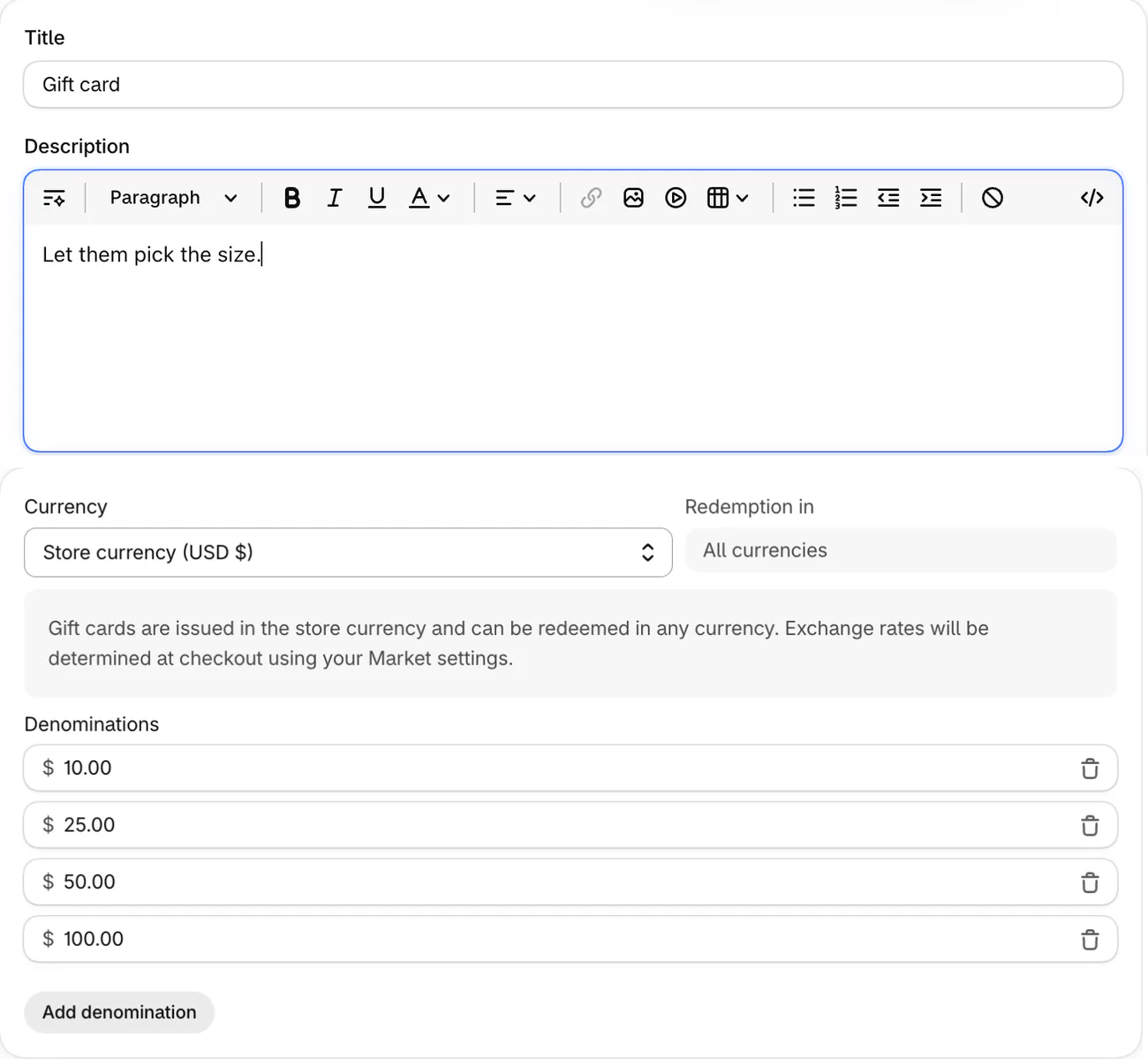
- Change the title Shopify fills in, write a short description and add a picture under "Media".
- Check the currency and "Redemption in", the currencies the card can pay in. Shopify says you can't change "Redemption in" once you save.
- Shopify fills in four amounts, $10, $25, $50 and $100. Change them, click Add denomination for another, or delete one with the trash icon.
- Check where it sells under "Publishing", then save.
Steps checked November 5, 2026, in the Shopify admin and against Shopify's Help Center.
Shoppers can't type their own amount on your store. For an amount you don't sell, send the customer a draft order for it, then create a card for that value once they've paid.
To let the buyer send the card to someone else, your theme needs a recipient form. Horizon has one: in the theme editor, its "Gift card form" setting adds a recipient's email, a name, a message and a send date.
Why didn't the buyer get the gift card email?
The code arrives in the "New gift card" email when the order is fulfilled, and by default Shopify fulfills gift cards on its own once the order is paid. When a buyer says nothing came, check four things.
- The order is still unfulfilled. In Settings, then General, check "Order processing", which decides what Shopify fulfills by itself. If it fulfills nothing automatically, gift cards wait too.
- Shopify flagged the order as medium or high risk. Its gift cards wait until you mark the order fulfilled.
- The product only looks like a gift card. A regular product named Gift card creates nothing when you fulfill it. Create a card by hand for the amount and send it, then set the item up again as a gift card product.
- You created a card but never sent it. Saving a card doesn't send it: click Send gift card.
To send it again, open the card under Products, then Gift cards, and click Resend gift card, which sends only what's left on it. Once a card is saved, your admin shows just the code's last four characters, so the full code lives in the buyer's email.
How do you send a customer a gift card by hand?
A gift card you create costs the customer nothing, and it's how you hand out a reward, a refund or an amount you don't sell.
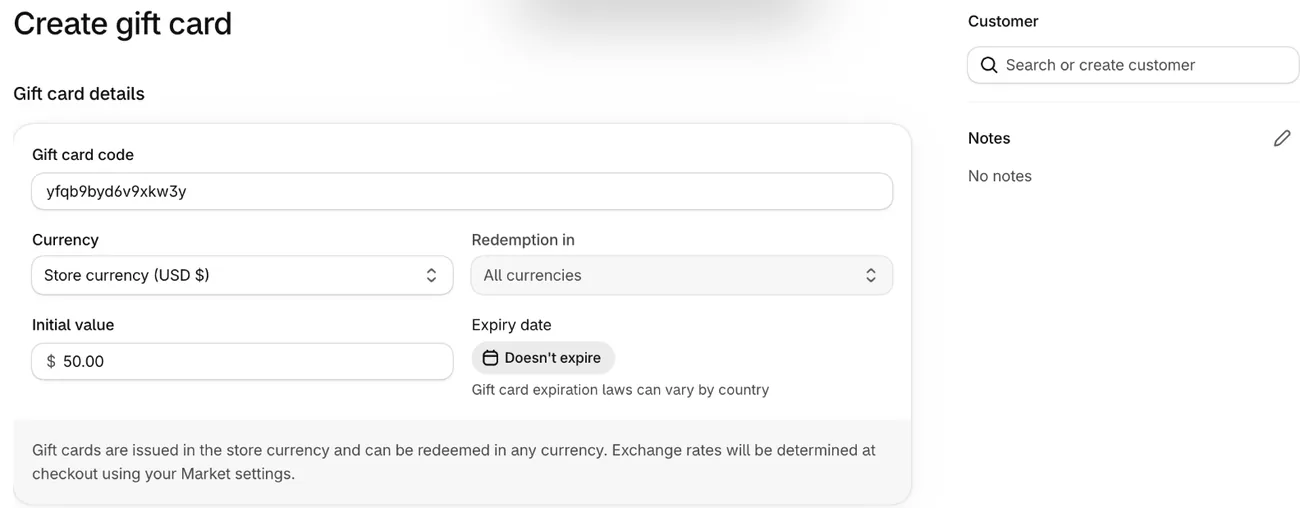
- Go to Products, then Gift cards, and click Create gift card.
- Enter the "Initial value", the amount on the card, up to $2,000.
- Under "Customer", find or add the person. They need an email address or a phone number, and with both the card goes by email.
- If you want, change "Expiry date" from Doesn't expire to a date, and add a note for your team under "Notes".
- Click Save, then Send gift card, then Send email, or Send SMS for a customer with only a phone number.
A saved gift card can't be deleted, only switched off for good with Deactivate.
For a promotion with rules, such as who can use it, use a discount code instead. To send a card automatically after a big order, say $10 on orders over $100, Shopify points to its free Flow app.
How do you sell physical gift cards on Shopify?
Physical gift cards sell in person, through Shopify POS. Online, Shopify sells the digital card only, because an online order can't be tied to a pre-printed card.
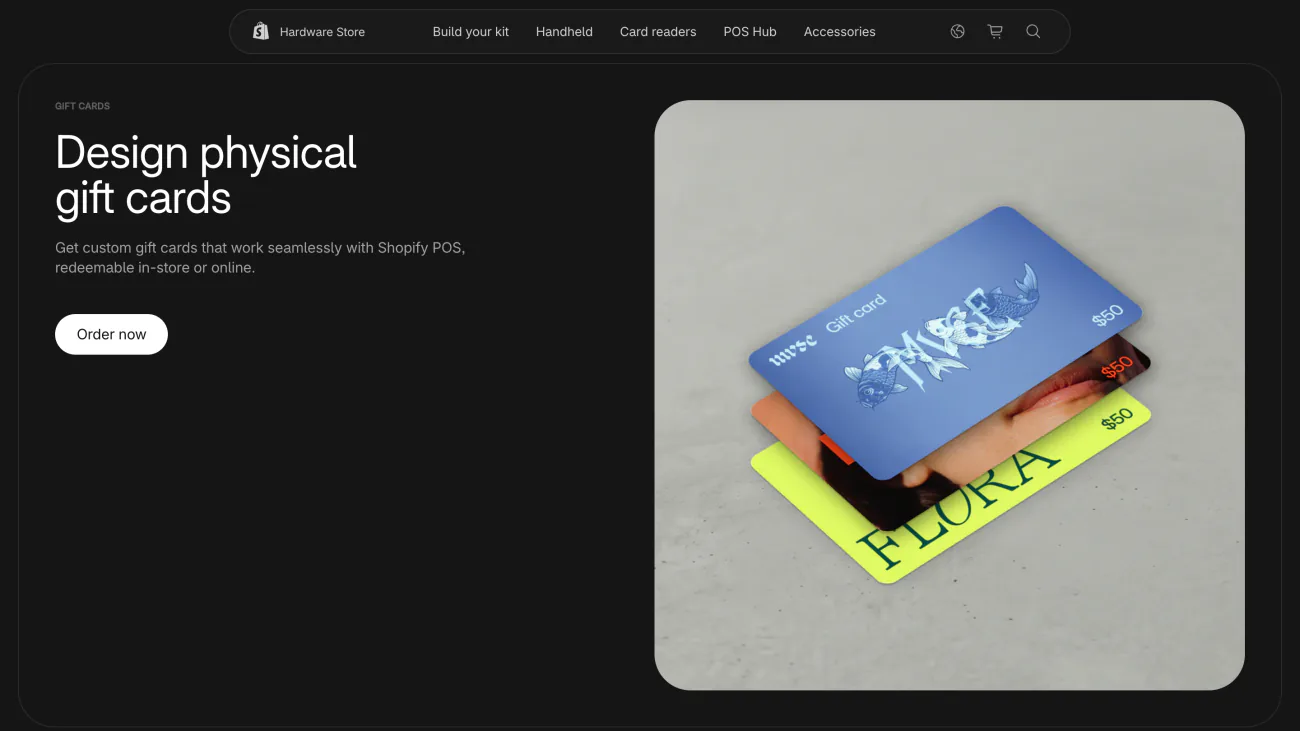
Shopify's Hardware Store, open in 15 countries including the US, Canada, the UK and Australia, sells cards printed with your design and a QR code on the back. Shopify says most orders arrive in 5 to 7 business days. Cards from another printer work too, if each carries its own code of 8 to 20 letters and numbers.
- Add a gift card product first, because Shopify POS sells from it.
- In the POS app, go to Settings, then Checkout, then Payments, and turn on Gift cards so the till can sell and take them.
- From your admin, open Point of Sale under Sales channels. In the Customize the in-store experience section, click Edit for POS app, then Settings. Under Gift cards, set "Type to issue", the kind of card your staff can sell, to Digital or physical, and save.
- At the till, tap the Add gift card tile, choose Physical gift card and pick an amount or Custom gift card. Scan the card, or type its code, and tap Add.
A card sold at the counter also pays on your online store. A pre-printed card you post with an online order still has to be activated in Shopify POS first.
Do Shopify gift cards expire?
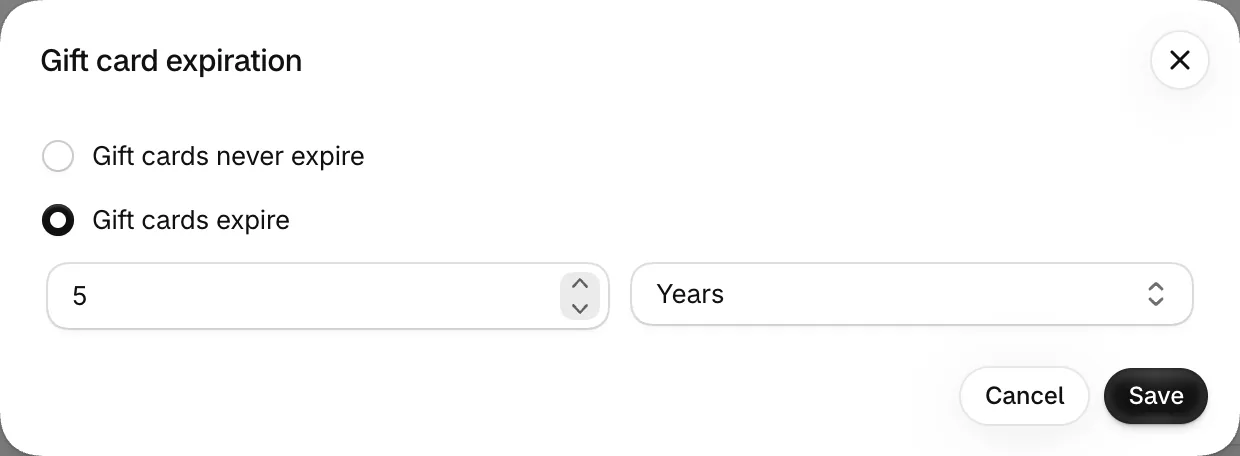
Not by default: Shopify sets gift cards never to expire, because some countries ban expiry dates. To give them a default date, go to Settings, then Payments, and open "Gift card expiration". Pick Gift cards expire, then set a number of years, months or days. Shopify fills in five years. You can also change one card's date on its own page, even after it has expired.
Check the law before you set one. In the US, federal rules say the money on a gift card someone paid for can't expire sooner than five years after it was sold or last loaded. Cards given free as a reward or a promotion fall under other rules. The rules also differ by state and by country, so Shopify says to ask a local tax or legal expert.
Does Shopify charge a fee on gift cards?
If your store opened on or after May 12, 2025, Shopify charges its third-party transaction fee on the part of an order paid by gift card, even with Shopify Payments. If your store opened earlier, you don't pay it. The rate is your plan's: 2% on Basic, 1% on Grow, 0.6% on Advanced and 0.2% on Plus.
Say an $80 order on Basic is paid with a $50 gift card and $30 by card. The gift card part costs you $1, and the $30 pays the usual card rate. Store credit costs the same fee. Shopify's other fees are in our Shopify review.
Can you discount a gift card for Black Friday?
Yes: put a discount code or an automatic discount on the gift card product. A code that sells a $100 card for $80 takes $20 off the price, and the card still holds $100. A discount set on a whole collection skips the gift cards in it, so pick the gift card product itself. Shopify says not to use the Compare-at price, the crossed-out "was" price, to discount a gift card.
A gift card is the gift that still arrives after the last shipping day. Put it in your menu and on your Black Friday checklist.
How do refunds work with Shopify gift cards?
When a shopper paid with a gift card, you can refund onto the card, and its balance updates.
- Split payments. On a partial refund of an order paid partly by gift card, the gift card gets its money back first.
- When the card can't take it. Reloading a card during a return or exchange works only if the sale went through Shopify Payments. An expired card takes the refund once you move its date forward. A deactivated card never does, so create a new card for the amount.
- Refunding the card itself. Refunding a gift card someone bought switches it off. A card you created for free can't be refunded, because nobody paid for it.
- A gift card instead of money. You can create a card for the refund amount, where your refund policy and local law allow it.
FAQ
Questions, answered
-

14-day free trial
Explore Sledge on your store before you decide to commit.
-

No credit card required
Start improving your store with no upfront commitment.
-

Setup in minutes
Get Sledge running without a lengthy setup process.
-

Built to grow sales
Turn shopper behavior into actions that help you sell more.
How do I set up gift cards on Shopify?
In your Shopify admin, go to Products, then Gift cards, and click Add gift card product. Give it a title, a picture and its amounts, then save it. Every plan can sell them. A buyer gets the code by email when the order is fulfilled, which by default Shopify does on its own once it's paid.
Can customers choose their own gift card amount on Shopify?
Not on your online store: shoppers pick from the amounts you set, up to $10,000 each. For another amount, send a draft order for it, then create a gift card for that value once it's paid. In person, Shopify POS lets you enter a custom amount. A gift card app can add a typed amount online.
Where can a Shopify gift card be used?
Only at the store that sold or created it, online and in person through Shopify POS. Cards don't work across Shopify stores. A shopper can spend one balance over several orders, put more than one card on an order and use a card with a discount code. A gift card can't buy another gift card.
What is the difference between a Shopify gift card and store credit?
A gift card is a code that anyone holding it can spend. Store credit sits on one customer's account, and they spend it at checkout once signed in to that account or through Shop Pay. For stores opened on or after May 12, 2025, both cost the third-party transaction fee when spent. Store credit can't pay a draft order.
How does a customer check a Shopify gift card balance?
On the gift card page, through the link in their gift card email. If the email is lost, open the card under Products, then Gift cards, and click Resend gift card, which sends what's left on it. In your admin, the card's own page shows its starting balance, its current balance and every order it paid for.
Gift cards are live. Can shoppers find them?
Try Sledge free for 14 days and send anyone who searches "gift card" straight to your gift card product with a search redirect. Growth Intelligence turns on when you pick a paid plan. It reads your store's searches, the empty ones too, and gives its suggested fixes a single dollar total, shown as Est. potential.

