
To sell on Instagram, open an Instagram shop or share links to your store. For the shop, use a professional account and Shopify's free Facebook & Instagram channel: you tag products in posts, and shoppers tap through to pay at your store's checkout. Without a shop, use the link in your bio or send a checkout link in DMs.
Say a post of your ceramic mug draws 40 comments asking the price. You answer each one by DM, work out shipping by hand and wait for payment. A product tag, or a checkout link pasted into the chat, lets each of those shoppers pay at your checkout without the back and forth.
What do you need to sell on Instagram?
You need products, a store that takes payment, and a way to send shoppers to it: a shop with product tags, a link in your bio, or a checkout link in DMs.
| Way to sell | What you need | Meta's review | Where the buyer pays |
|---|---|---|---|
| Instagram shop with product tags | A professional account, a Facebook Page and Shopify's free Facebook & Instagram channel | Yes, for the shop and each product | Your store's checkout |
| A link in your bio or a story | A store with the product live | No | Your store's checkout |
| A checkout link in DMs | A store, and a draft order for each sale | No | Your store's checkout |
None of the three costs anything on top of your Shopify plan and card fees. You can run all three at once.
Who can open an Instagram shop?
Meta decides, and it checks your account, your store and your country. Shopify's Help Center lists what Meta requires:
- A professional Instagram account, linked to your business's Facebook Page.
- Your Page and a business portfolio, Meta's account that holds your Page and ad accounts, both fully under your control.
- An online store that isn't hidden behind a password page.
- Products shoppers can buy on your verified domain, your store's own web address.
- Your business, based in a country on Meta's list, which the Help Center links.
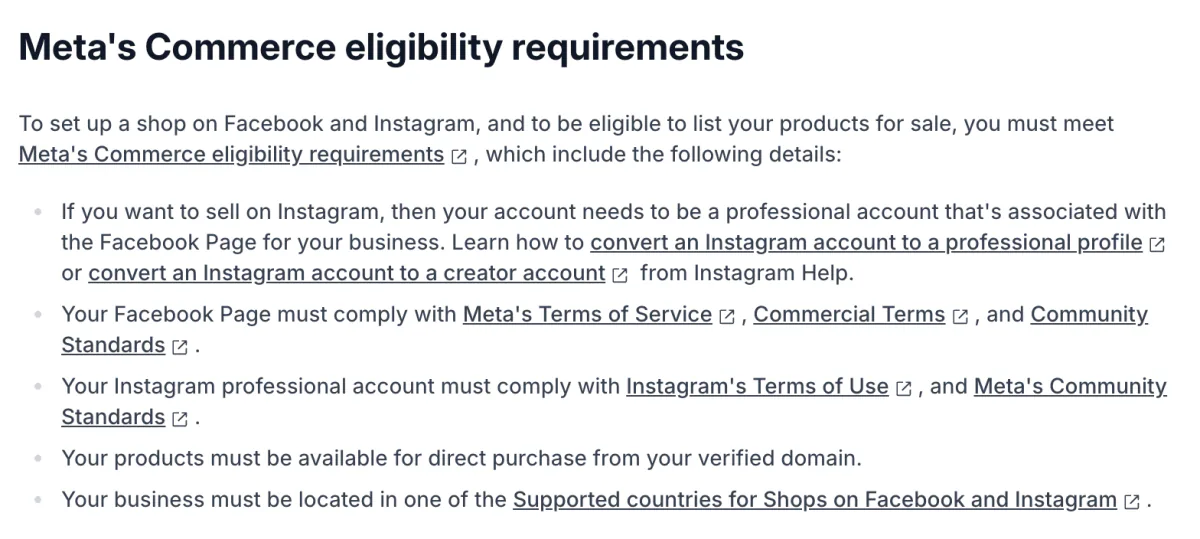
Meta also wants an established presence on Instagram, and it publishes no follower number. If setup says your account "doesn't have an established presence on Instagram", only Meta can change that answer. If you change your store's domain, check that Meta has the new one before you tag again.
How do you set up an Instagram shop with Shopify?
Add the free Facebook & Instagram channel, which Meta builds for Shopify stores, connect your Facebook Page and Instagram account, then send the channel your products.
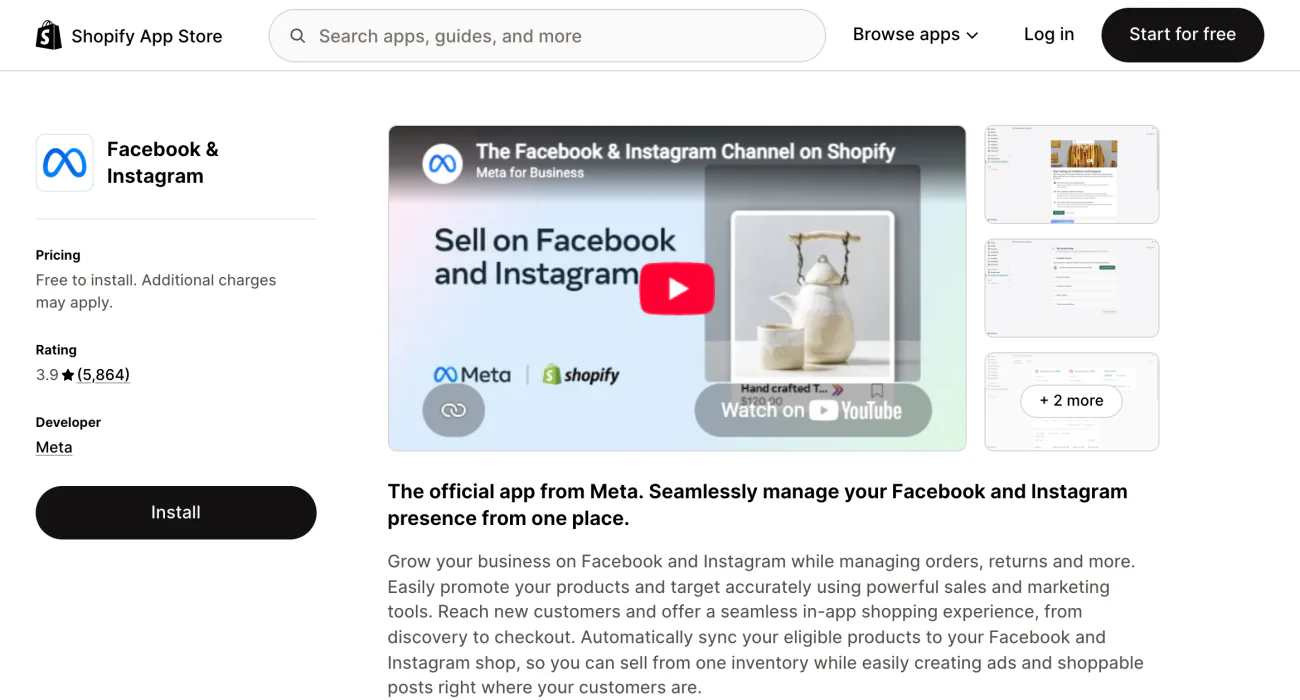
- In your Shopify admin, open Settings, then Sales channels, click "Shopify App Store", search "Facebook" and add Facebook & Instagram. Once added, it sits under Sales channels, not with your apps.
- Click "Start set up" on Instagram Shopping, then "Connect account", and sign in to Facebook.
- Pick your Facebook Page, business portfolio and Instagram account, accept the terms, and click "Finish setup".
- Make your products available to the channel, as below.
- Tag products once Meta approves the shop.
To send products, open Products, click "More filters", then Availability, and pick "Unavailable on Facebook", the filter that lists products the channel hasn't received. Select them, choose "Add available channel(s)..." under "More actions", pick Facebook and click "Make products available".
Meta reviews each product, and the channel accepts only products that:
- require shipping, so no downloads;
- have a return policy;
- carry a Google Product Category, a type from Google's standard list of products;
- have a price above zero.
In your admin, the channel's page has a "Product status" section that flags products with errors. Click a product to see what to fix.
If your store is based outside the United States, your collections don't sync to Meta. You build them again in Facebook Commerce Manager, Meta's tool for the catalog. The full steps are in Shopify's setup guide.
How do you tag products on Instagram?
Tag the product in a post or an image story. The shopper taps the tag, then "Checkout on seller's website", Instagram's button that opens your store's checkout, and pays there.
A tag points to one size or color, so pick one when the product comes in several. Edit prices and descriptions in Shopify, because Instagram shows what your store says. Since August 26, 2025, the tax on these orders is yours to collect, because Meta no longer handles it as a marketplace. Shoppable content covers the rest of the checkout change, and how to show tagged posts on your own store.
How do you sell on Instagram for free, without a shop?
A link in your bio and a checkout link in DMs cost nothing beyond the store itself.
Point the bio link at one collection or product page, and update it when your posts feature something new. For a DM that ends in "I'll take it", send a checkout link from a draft order:
- In Orders, open Drafts and click Create order.
- Add the products, then the shopper's email or phone, so Shopify sends the order confirmation.
- Click "Share". In the "Share checkout link" window, "Product prices" is on by default, which keeps prices locked.
- If a yellow warning appears, first make the changes it lists, such as adding shipping for the shopper's address, or the shopper can't complete checkout.
- Click "Copy link" and paste it into the chat.
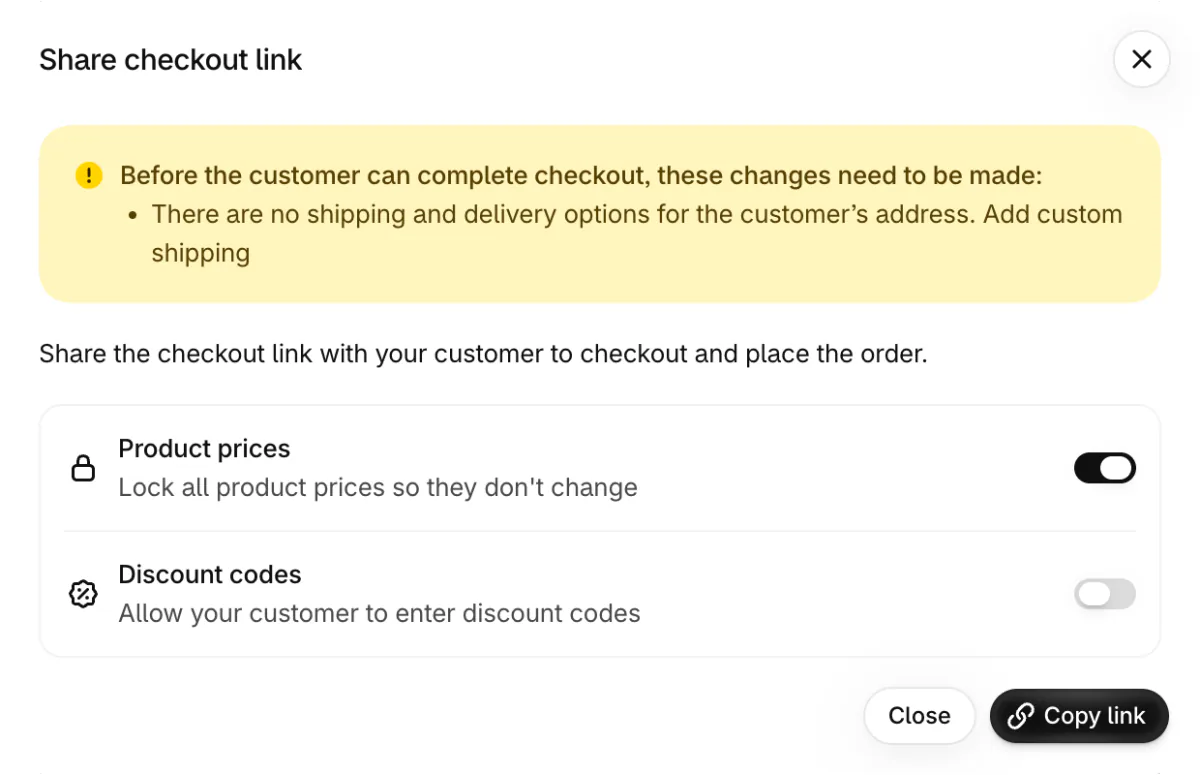
Shopify's Help Center suggests this route for requests that start in social apps or direct messages. For a product you sell often, the free Buy Button channel adds "Create checkout link" under "More actions" on the product's page in your admin. That link works again and again, and opens a new checkout for each shopper.
Without a website of your own, selling in DMs still takes a Shopify plan, because each checkout link comes from a draft order. An Instagram shop also needs products shoppers can buy on your own domain. Shopify's Starter plan, which sold through links in posts and messages, isn't open to new stores.
What does selling on Instagram cost?
The channel is free. The store, the card payments and any ads are not.
| Cost | What you pay |
|---|---|
| Facebook & Instagram channel | Free with all Shopify plans, for stores that qualify |
| Shopify Basic plan | $39 a month, or $29 a month paid yearly. New stores get 3 days free, then $1 a month for 3 months |
| Online card payments | 2.9% + 30¢ each for standard cards on Basic, with Shopify Payments |
| Another payment provider | Shopify adds 2% of each sale on Basic |
| Ads | Paid to Meta from your ad account |
US prices from Shopify's pricing page and Help Center, read in November 2026.
Say Instagram tags sell 20 of your $32 mugs in a month. Card fees come to about $1.23 a mug, $24.56 in all. With Basic at $39, you pay $63.56, about 10% of $640 in sales. Paid yearly, that drops to $53.56, about 8%.
Meta takes no cut of the sale, because the shopper pays on your store. TikTok Shop keeps a fee on every order, as our guide to TikTok Shop shows. Shopify pricing lists every plan.
How do you get your first Instagram sales?
Post the product in use, tag it every time, and let others post it too.
- Tagged posts and image stories on a schedule. A content calendar plans them around your sales and launches.
- Creators who show your product to their followers. How to find influencers covers the search, and Shopify Collabs can pay them a commission on each sale. One who keeps posting for months is often called a brand ambassador.
- A giveaway, with the steps and rules in giveaway ideas.
- Buyers' own photos, reposted with permission. Our user-generated content examples show how to ask for it.
How do you see which sales came from Instagram?
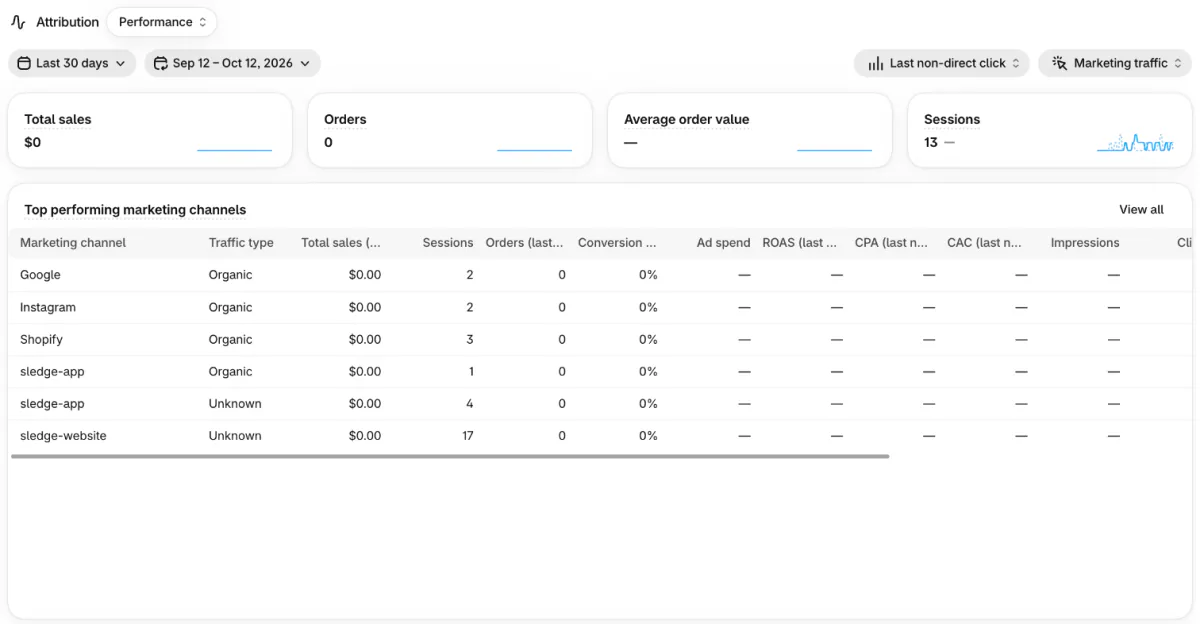
Shopify's Performance by marketing channel report gives Instagram its own row, with the sessions, orders and sales from visits that didn't come from an ad.
Open it under Analytics, then Reports. For the short version, go to Growth, then Attribution, which sums up the same report, per Shopify's Help Center.
Ads are grouped differently: one Meta Ads row holds the visits from your ads on Facebook and on Instagram. Add "Referring channel" to the report, and it breaks that row down by where each visit came from. Shopify updated the Referring channel names on October 18, 2026, so compare only date ranges that start on or after that day. The Sessions by referrer report counts visits, not sales.
Sledge, a Shopify app for search, filters and analytics, shows visits one at a time. Open a visit from a visitor page in Sledge Analytics, and the "Browser" row under "Session details" reads Instagram when the shopper opened your store inside Instagram's app.
Meta's reports and Shopify's can disagree, so compare each with itself, month to month. An ecommerce marketing strategy shows how to weigh Instagram against your other channels.
FAQ
Questions, answered
-

14-day free trial
Explore Sledge on your store before you decide to commit.
-

No credit card required
Start improving your store with no upfront commitment.
-

Setup in minutes
Get Sledge running without a lengthy setup process.
-

Built to grow sales
Turn shopper behavior into actions that help you sell more.
Can you sell on Instagram for free?
Partly. The Facebook & Instagram channel is free with all Shopify plans, for stores that qualify, and replying to DMs costs nothing. The store behind them costs money: Shopify Basic is $39 a month, or $29 a month paid yearly, and standard online card payments cost 2.9% plus 30 cents each. Ads are paid to Meta from your ad account.
How many followers do you need to sell on Instagram?
Neither Meta nor Shopify publishes a number. For an Instagram shop, Meta wants an authentic, established presence, which Shopify's Help Center says might include a sufficient follower base. If setup turns your account down for its presence, keep posting and try again later. Selling through DMs or a bio link has no follower minimum.
Why is my Instagram shop still in review?
Meta reviews the shop and each product, and only Meta can approve them. Check what it requires: a professional account linked to your Facebook Page, a store with no password page, a verified domain, and products that ship, with a return policy and a Google Product Category. Fix each gap, then check Product status on the channel's page.
Can you sell digital products on Instagram?
Not through an Instagram shop. Products sent to the Facebook & Instagram channel must require shipping, so a download can't be tagged. You can still sell it from a link in your bio, a story or a DM that opens the product on your store. Our guide to selling digital products covers the store side.
Do Instagram orders show up in Shopify?
Yes. A shopper who taps a product tag pays at your store's checkout, so you'll see the order in Orders, and since August 26, 2025 you collect the sales tax on it. Under Analytics, the Performance by marketing channel report shows which sessions and sales came from Instagram, and puts visits from your ads in a Meta Ads row.
Do you need a business account to sell on Instagram?
For an Instagram shop, you need a professional account, business or creator, linked to your business's Facebook Page, plus a business portfolio you fully control. Shopify's Help Center links Instagram's steps for switching to a professional profile. Selling through DMs and a link in your bio works from any account, so you can start there during setup.
Your bio link sends shoppers to your store. Will they add a second item?
Sledge doesn't sell on Instagram, sync your products to Meta or tag your posts. It works on your own store, where the links in your bio and stories send shoppers. Its search and filters help them find the rest of your range, recommendations and bundles offer a second item, and the cart drawer takes them on to checkout. Try it free for 14 days. Growth Intelligence turns on when you pick a paid plan, and its suggested fixes add up to one dollar figure, labeled Est. potential.

