
To sell digital products, finish the file, choose where it sells, and set up delivery. In your own Shopify store, Shopify's free Digital Products app emails the buyer a download link after payment. On Etsy, you list it as Digital files, up to five files of 20MB each. On Amazon, ebooks go through Kindle Direct Publishing.
Say your $12 printable planner is finished. On Etsy, about $1.59 of each sale goes to fees. In your own store, card fees take about 65 cents, but the plan costs $39 a month whether you sell 5 copies or 500. Where you sell decides who finds the file and what you keep.
What digital products can you sell?
Anything a buyer downloads, or opens through a link, can sell as a digital product. Shopify's free app delivers both kinds:
| What you sell | How the buyer gets it |
|---|---|
| A file: an ebook, a template, a printable, a photo preset, music or art | You upload it once, and each buyer gets a download link after paying |
| A link: a course on a course platform, a Notion or Canva template, a booking page | The buyer opens content that stays where you host it |
For more ideas, see 10 ecommerce business ideas. Selling art files? How to sell art online covers prints and originals too.
Where should you sell digital products: your store, Etsy or Amazon?
On a $12 file, you keep about $11.35 in your own store before the $39 monthly plan, $10.41 on Etsy and $8.36 as a Kindle ebook. Each cut pays for something different:
| Where | Fees on a $12 sale | You keep | What the cut pays for |
|---|---|---|---|
| Your own Shopify store, Basic plan | $0.65 standard card fee, plus $39 a month ($29 billed yearly) | $11.35, before the plan | Checkout and delivery. You bring the buyers, and the customer list is yours |
| Etsy | $1.59: listing, 6.5% and payment processing | $10.41 | Shoppers already searching Etsy. A sale from an Offsite Ad adds 15%, or 12% once you pass $10,000 in a year |
| Amazon, a Kindle ebook at 70% | $3.64, kept by Amazon | $8.36 | A place in the Kindle store, for ebooks only |
A hypothetical $12 sale to a US buyer, before tax, worked out from each company's own pages, read in November 2026.
You can sell in more than one place at once. The catch is KDP Select: for each 90-day term, an enrolled ebook can reach readers only through KDP and public libraries, so your own store can't sell it.
At $12 a file, the $39 plan plus card fees costs less than Etsy's fees from about 42 sales a month, or about 31 on yearly billing. Etsy vs Shopify fees works the same sum for a $40 sale, and Shopify pricing lists every plan.
How do you sell digital products on Shopify?
Shopify's free Digital Products app sends the buyer a download link once the payment goes through. Set it up in six steps:
- Install Digital Products from the Shopify App Store, and check that the developer line reads Shopify.
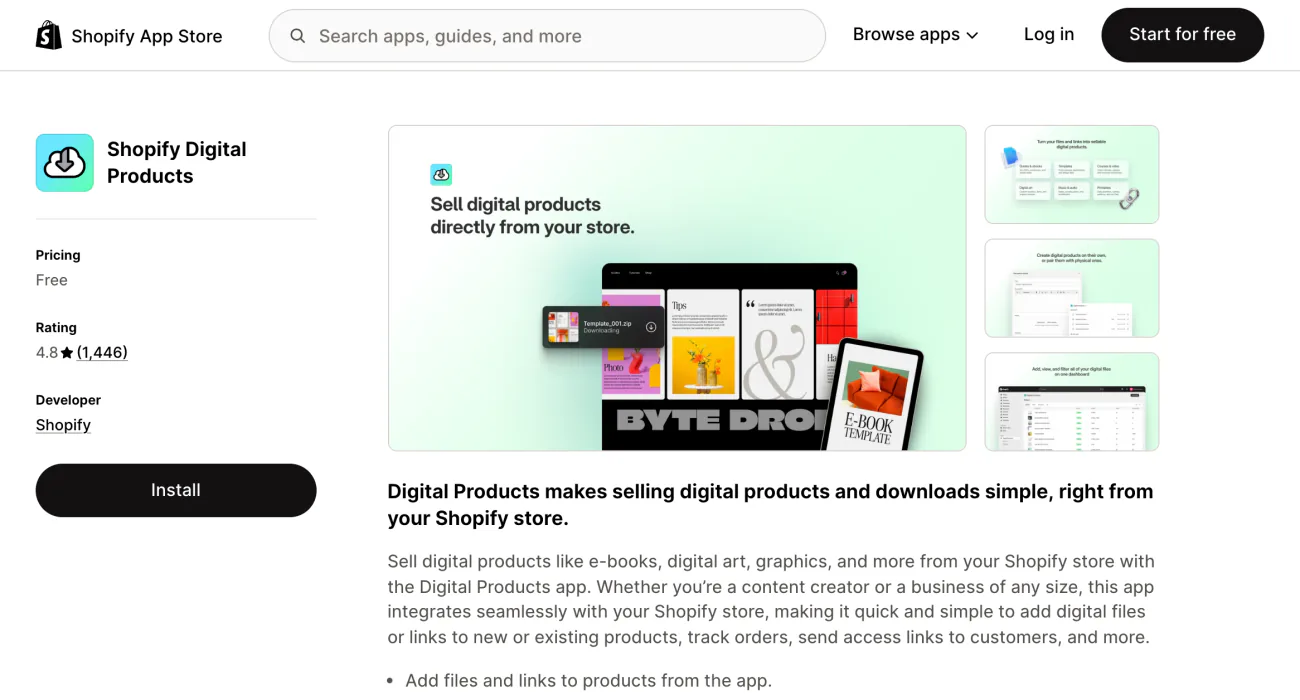
- In Products, click Add product, then type the title and price and add pictures of what's inside the file.
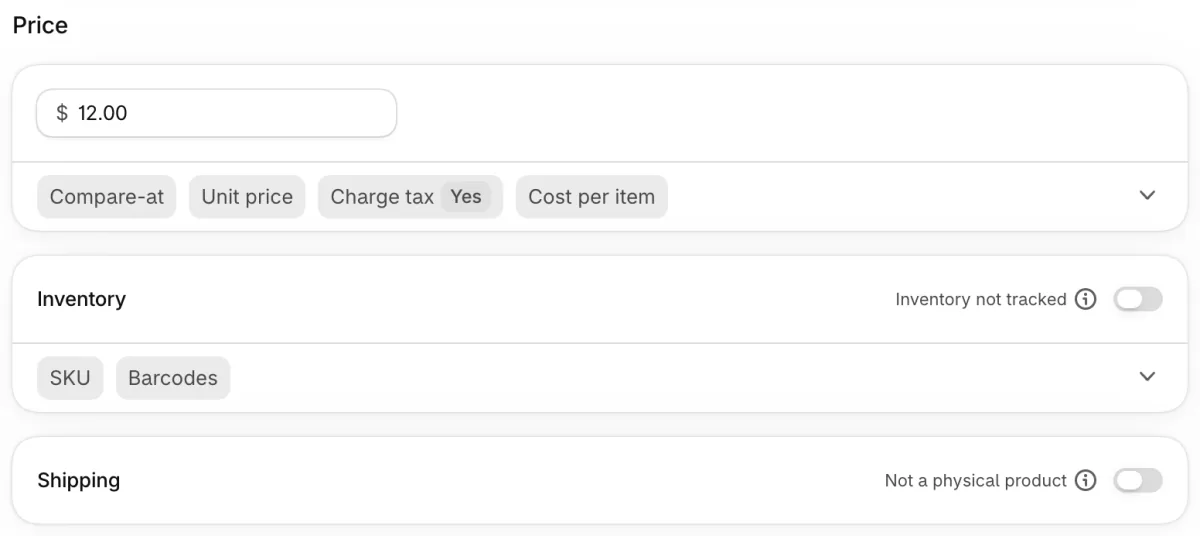
- In the Shipping card, switch off "Physical product", so buyers pay no shipping on this item, and an order of files alone skips shipping details at checkout. In the Inventory card, switch off "Inventory tracked", so the file never shows sold out. A new product starts with tracking on. Switched off, the two read "Not a physical product" and "Inventory not tracked".
- Still in the product form, add the file to the Digital Products block, up to 500 MB a file. For anything larger, go to Apps, then Digital Products, open the product and click "Add an asset", the app's own upload button.
- Click Save. The app's default delivery method, Send automatically, emails the link right after payment, and the Access limit starts at Unlimited.
- Place a test order, open the email the buyer gets, and click the link.
One version of a product can carry 50 files, up to 5 GB together, and Shopify sets no bandwidth limit on downloads, per Shopify's Help Center. Folders don't upload, so upload a set as one zipped folder. Digital products carry no extra Shopify fee: you pay the plan and the card rate, as on any sale.
Before launch, rewrite the "Digital product ready email", the message that carries the link, under Settings in the app. Say in plain words where the download button sits and what to tap. If the button shows up as a plain grey bar, some buyers email you instead of downloading.
For a second route to the file, add the app's Digital Products block to the Thank you and Order status pages in the checkout editor. Buyers then see a "Download Now" link right after paying.
How do you sell a course, a template link or license tiers?
Shopify's app can sell a course or a template as a link, and each license tier can be its own version of one product, with its own files.
Links must come from a provider the app supports: Notion, Canva, Figma, Google Drive and Google's Docs, Sheets and Slides, Dropbox, YouTube, Vimeo, Calendly and Acuity for bookings, and Teachable, Thinkific and Kajabi for courses. The content stays on that site, and you set who can open it there.
Each click on the link's button counts toward the Access limit, so leave a course link at Unlimited. Shopify doesn't check that the address still works. Move the content or make it private, and buyers land on the provider's error page. Place a test order each time you add a link or move what it points to.
Say you sell a Personal license at $12 and a Commercial one at $30. Make it one product with a License option, then give each version its own files and its own delivery method in the app. Shopify has no built-in License option, so type the word in the Variants card and click Create "License" to make your own.
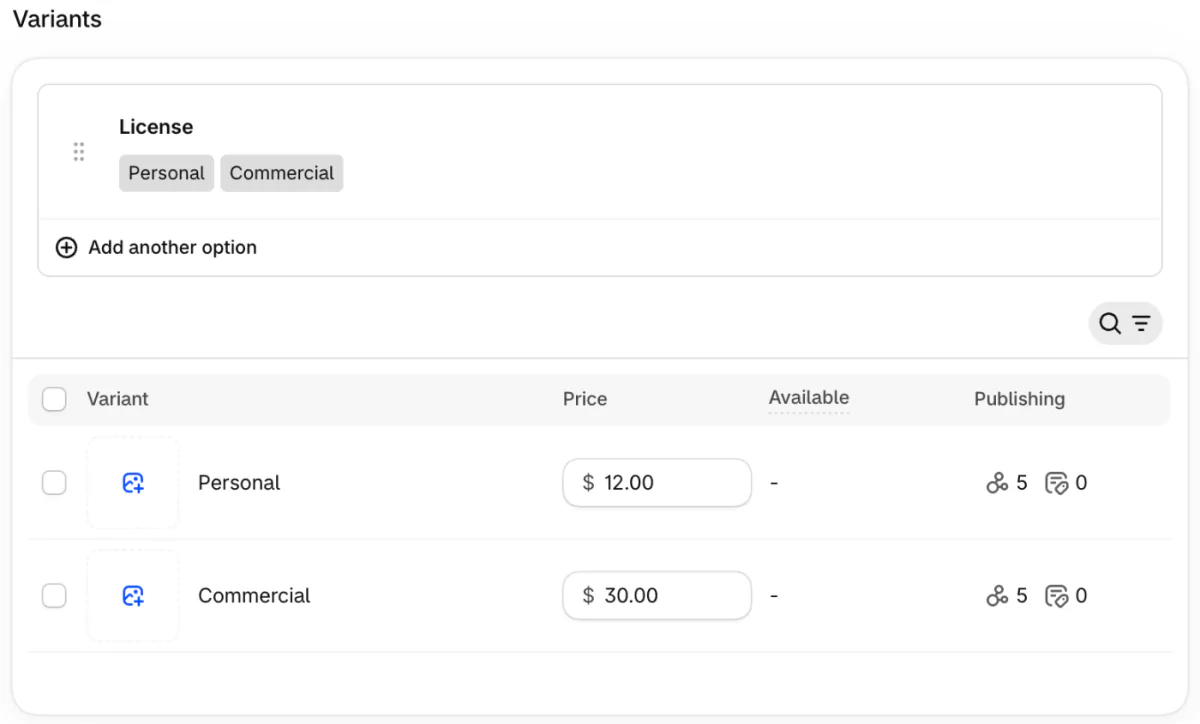
The full steps for adding an option are in Shopify variants.
How do you sell digital products on Etsy?
Pick Digital files when Etsy asks "What type of item is it?", then upload up to five files of 20MB each.
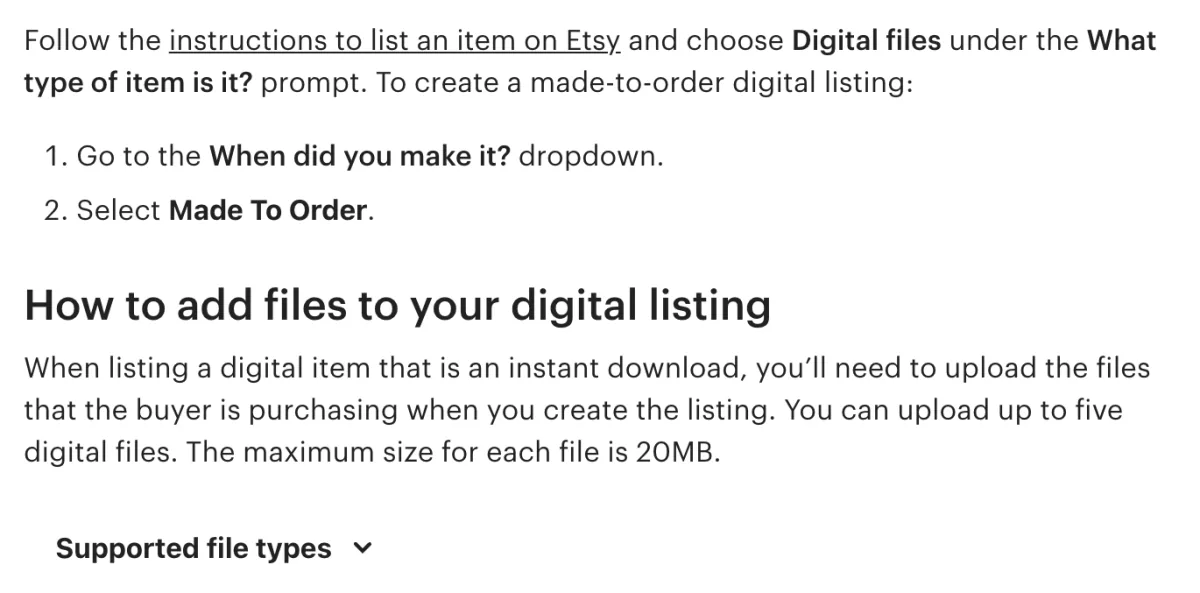
Files can be PDFs, images, audio or zipped folders, per Etsy's help page on digital listings. Name them before you upload, because Etsy won't let you rename a file afterwards. A listing can be an instant download, or made to order, where you send the file once it's done.
Three Etsy rules matter for downloads. Etsy allows no variations on digital items. Each item must be made or designed by you. Canceling the order is the only way to take back a buyer's access to the file.
In the US, a listing costs $0.20 for four months, and $0.20 again each time a copy sells and the listing renews. On each sale, Etsy takes 6.5% and charges 3% plus 25¢ to process the payment. In some countries, it also collects and pays the VAT on automatic downloads for you. Offsite Ads and Etsy's other fees are in Etsy vs Shopify fees.
Can you sell digital products on Amazon?
Amazon sells ebooks you publish through Kindle Direct Publishing, and for a planner or a design its routes turn the file into something printed.
KDP's tools are free, and Amazon says a book can appear in its stores around the world in 72 hours. Since July 7, 2026, the 70% royalty covers list prices from $2.99 to $12.99 on Amazon.com, up from a $9.99 ceiling, per KDP's list price page. Other prices earn 35%. Say your ebook lists at $12: after about 6 cents of delivery cost, 70% leaves you about $8.36.
KDP Select adds your ebook to Kindle+, the new name for Kindle Unlimited, where it can earn royalties while it sells only through KDP.
A planner or journal sells on KDP as a printed low-content paperback, with no ISBN needed. For a design, Merch on Demand prints it on shirts and other goods: you set the price, and Amazon prints and ships each order. For physical stock, Amazon vs Shopify works out what a $30 sale costs.
How do you protect digital products from sharing and fraud?
You can cap and switch off a buyer's access, but you can't take back a file already downloaded.
- Set an Access limit. It caps how many times each buyer can download the file or open the link, and you set it for each version in the app.
- Deactivate a buyer. Go to Apps, then Digital Products, then Orders, open the order, and click "Deactivate" under Product details to stop that buyer's access. Activate gives it back.
- Keep share links private. "Copy download link", the app's share button, makes a link that belongs to no buyer, works for anyone up to the limit and never expires.
- Put your license terms in writing on the product page and inside the file.
Shopify Protect, which pays back some fraud chargebacks, covers no order that includes a digital product. Send manually, the other delivery method, holds the email until you mark the order fulfilled, which leaves time to check an order that looks risky. In the app's Orders section, each order also logs every download and link open with its date. If a buyer disputes the charge anyway, Shopify chargebacks covers how to answer.
How do you find buyers for digital products?
Your own store sells only to the people you bring to it. Three ways to start:
- Give away a free sample, such as one page of the planner, for an email address. Sales funnel shows where shoppers drop off, and newsletter ideas fills the emails that follow.
- Write product pages that search engines can find, as SEO for ecommerce explains.
- Post short videos. TikTok Shop has its own rule for digital goods, covered in how to sell on TikTok Shop. An Instagram shop can't tag a download, so link the product from your bio or a DM, as how to sell on Instagram explains.
FAQ
Questions, answered
-

14-day free trial
Explore Sledge on your store before you decide to commit.
-

No credit card required
Start improving your store with no upfront commitment.
-

Setup in minutes
Get Sledge running without a lengthy setup process.
-

Built to grow sales
Turn shopper behavior into actions that help you sell more.
Can you sell digital products on Shopify?
Yes, through Digital Products, a free app made by Shopify. Add the product, switch off Physical product so it adds no shipping, then attach the file or a course link. Once the payment goes through, the app emails the buyer a link to the file. Shopify charges no extra fee for digital products. Test it with one order first.
How much does it cost to sell digital products on Shopify?
Shopify's Basic plan is $39 a month, or $29 a month billed yearly, as of November 2026. In the US, a standard online card payment on Basic costs 2.9% plus 30 cents, about 65 cents on a $12 sale. The Digital Products app is free, with no bandwidth limit on downloads. Taxes such as EU VAT come on top.
How do you sell digital products on Etsy?
Open a shop, create a listing and pick Digital files where Etsy asks what type of item it is. Upload up to five files, 20MB each, for an instant download, or choose made to order and send the file later. In the US, Etsy charges $0.20 a listing, 6.5% of the sale, and 3% plus 25 cents to process it.
Can you sell digital products on Amazon?
For ebooks, yes: publish through Kindle Direct Publishing. Since July 7, 2026, the 70% royalty covers list prices from $2.99 to $12.99 on Amazon.com, and other prices earn 35%. A planner or journal can sell as a printed low-content paperback, and Merch on Demand prints designs on shirts. Both send the buyer a physical item.
Do you charge sales tax or VAT on digital products?
Often, depending on where your buyer lives. EU shoppers pay VAT on digital goods at their own country's rate, wherever you are. Turn on Shopify's EU digital goods rates, add your downloads to the collection it creates, and Shopify applies each buyer's rate. Some places don't tax digital products. This is not tax advice: check with a local tax expert.
Can you stop people sharing your digital files?
Not fully. In Shopify's app, an Access limit caps how many times each buyer can open the file, and you can deactivate a buyer's link. Neither takes back a copy already downloaded. Share links work for anyone who has them, so never post one. Add your license terms to the product page and inside the file.
Hundreds of templates? Help shoppers find the right one.
Sledge doesn't deliver files, send download links or limit downloads. It's a Shopify app whose search reads past a typo in a product name and whose filters can be built from your tags, so shoppers find the right template among hundreds. Try it free for 14 days. Growth Intelligence turns on when you pick a paid plan, and its suggested fixes add up to one dollar figure, labeled Est. potential.

