
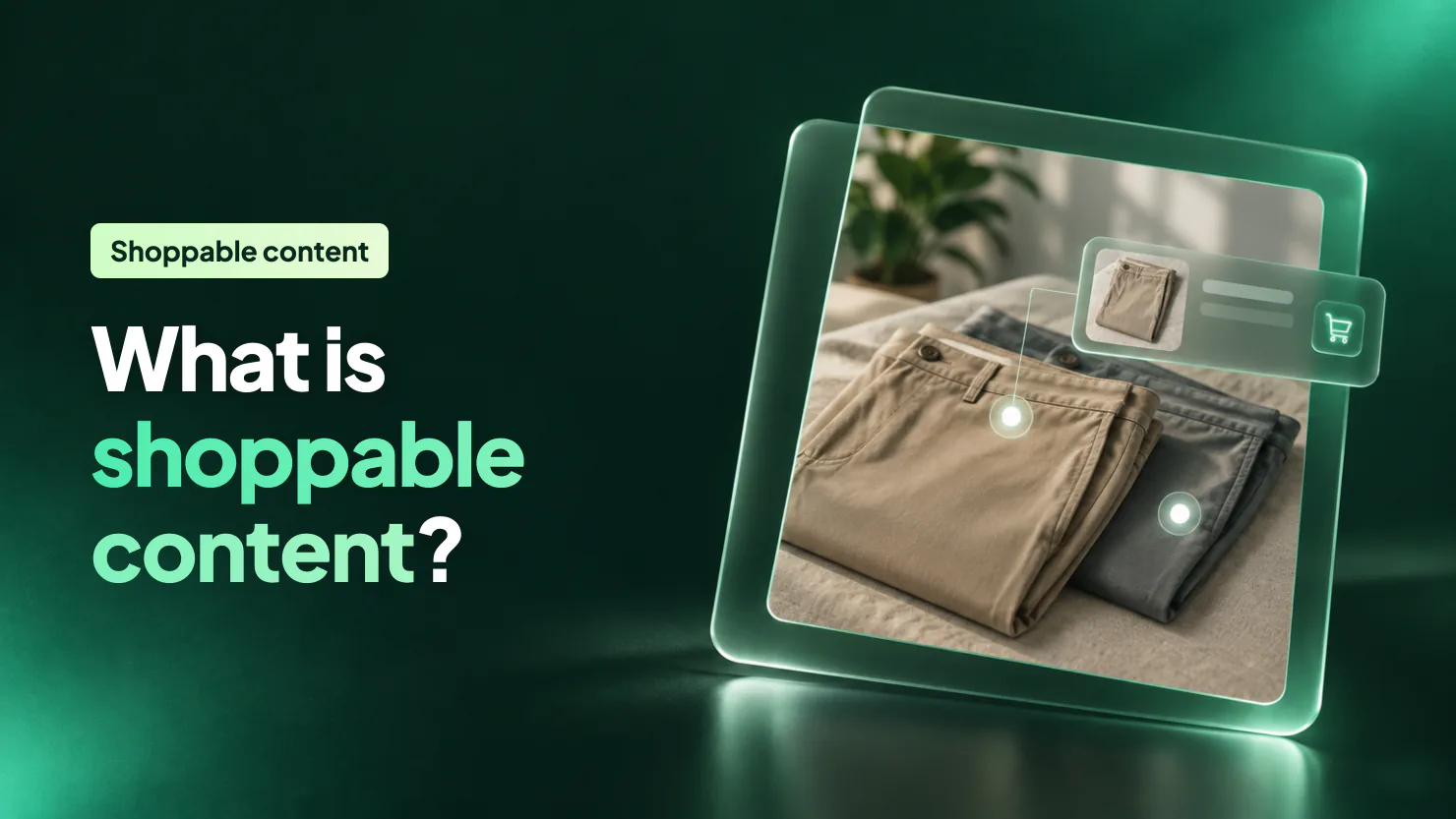
Your photo of the linen set sells the trousers, but a shopper still has to leave it and dig through your menu to buy them. Shoppable content tags each product in a photo, video or post, so one tap shows the price and opens the product or adds it to the cart.
On Shopify you can start free, with Instagram product tags or the Horizon theme's Product hotspots section. Paid plans on the apps compared below cost $5.99 to $500 a month, so do the break-even sum before you pay for one.
What is shoppable content?
Shoppable content is any picture, video or post where each product carries a tag with its name and price. A tap opens the product page, and some apps put the product straight in the cart.
It lives in three places: your social posts, your own store's pages and your emails.
Shoppable content turns the trip from a photo to the product into one tap.
What are the 6 types of shoppable content, with examples?
Six formats, from a tagged post to a live sale:
- Shoppable social posts: you post the linen set on Instagram and tag the shirt and the trousers. A shopper taps the post, sees both products and buys on your store. On TikTok, the same idea is a shoppable in-feed video.
- Shoppable images: the photo on your homepage shows a styled desk, with a dot on the lamp, the mug and the notebook. Each dot opens its own product.
- Lookbooks and shop the look: a page of styled outfits where every piece is tagged, and one button adds the whole look to the cart. Each extra piece is a cross-sell the photo makes for you.
- Shoppable video: your Reel of the rain jacket plays on the jacket's product page, with a product card under it.
- Shoppable feeds and customer photos: your Instagram grid, or photos customers post wearing your jacket, sit on your store with each product tagged. Customer photos double as social proof.
- Shoppable livestreams: you go live on TikTok and sell the products you show, and the orders land in your Shopify admin.
Two of the apps below also put your feed in your emails: Instafeed from its $8 Pro plan, Foursixty from its $300 Complete plan.
Start with the type that matches what you already make: photos, videos or posts.
What are shoppable images, and how do they work?
A shoppable image is a photo with a dot or a plus sign on each product in it. Tap a dot and a small card shows the product and its price. From the card, the shopper opens the product page, or on some apps adds it to the cart.
A shoppable image sells best when the photo shows two or more things you sell. An outfit, a laid table or a styled shelf all work. A photo of one product already has a home: its own product page.
Use your sharpest photo. Shopify takes product images up to 5000 by 5000 pixels and under 20 MB, and square images usually display best at 2048 by 2048 pixels.
How do you add shoppable content to a Shopify store?
There are three routes, and two of them are free.
| Route | Where it sells | Cost | The catch |
|---|---|---|---|
| Horizon's Product hotspots section | Photos on your own store | Free | Horizon only, and you place each dot yourself |
| Instagram product tags | Your Instagram posts and image stories | Free | Needs an approved business profile, and nothing shows on your store |
| An app | Your store's pages as feeds, lookbooks or video, and on some plans your emails | Free plans with limits, then $5.99 to $500 a month | A monthly fee, and two of the eight apps below bill by viewers or impressions |
On Horizon, with no app
Horizon, a free theme from Shopify, has a section named Product hotspots. In the theme editor, add that section and pick your photo. Then add a Hotspot block for each product, choose the product, and drag the two sliders, Horizontal position and Vertical position, until the dot sits on the item.
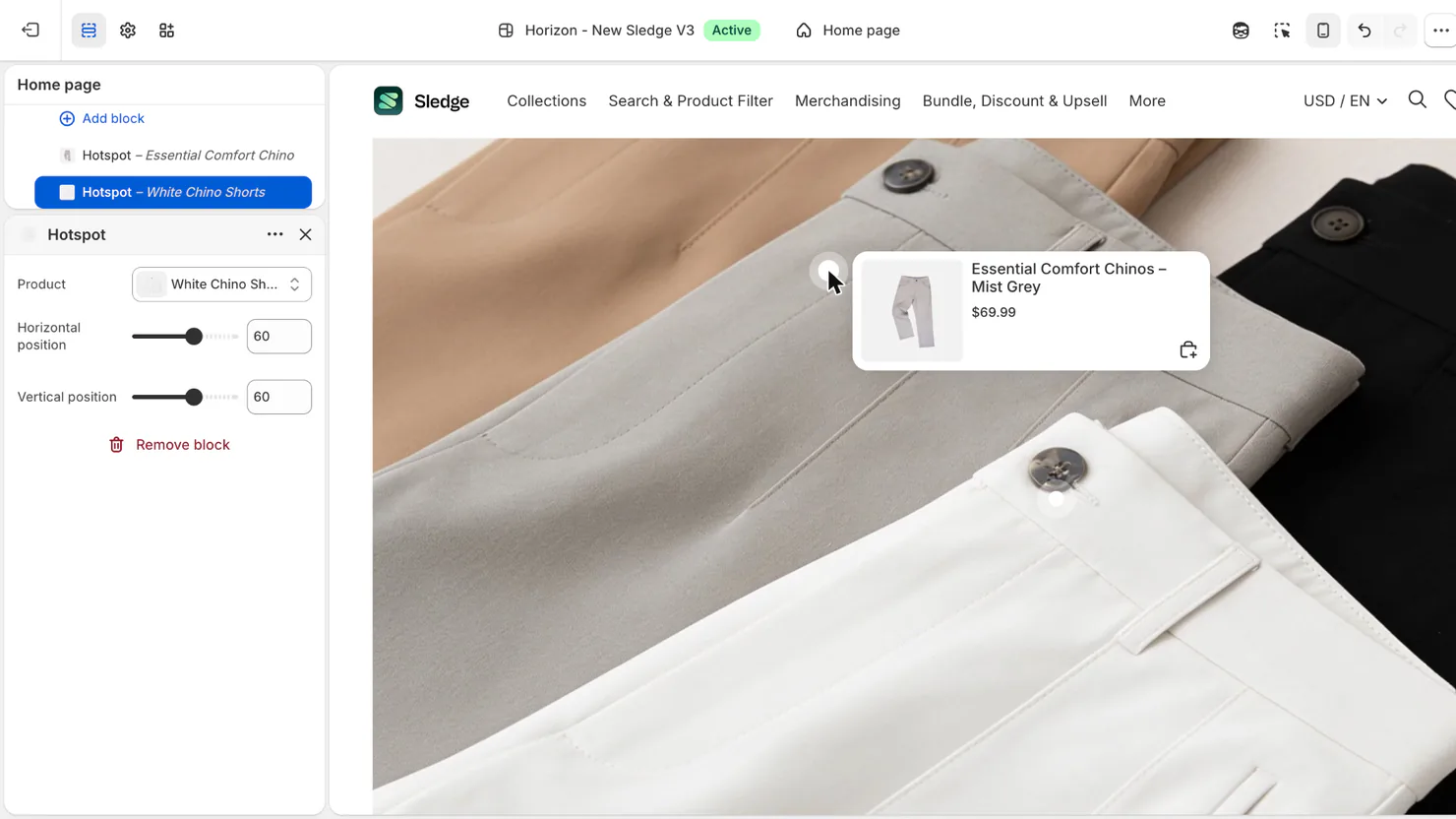
The section sets the dot's colors too, under Hotspot color and Inner color. Keep the theme updated, because Shopify fixes Horizon's sections through theme updates. Then open each dot on a phone and on a desktop before you save.
Dawn has no hotspot section. Its closest is Collage, which puts a product card beside the photo, not on it. Both themes' Theme Store listings name Lookbooks as a feature, so look for the section itself, not the label. The Dawn vs Horizon comparison covers what else differs.
On Instagram, with the free channel
The Facebook & Instagram channel by Meta is free on every Shopify plan, if your store qualifies. It adds a shop to your Instagram profile and lets you tag products in posts and stories. A shopper taps the post, views the product, then selects Checkout on seller's website to buy on your store.
To tag products you need a professional Instagram account linked to your Facebook Page and approved as a business profile, a country Instagram supports, and products in both your Meta catalog and your online store.
Three details are easy to miss. Story tags use shopping stickers, and they work on image stories only, never video. A product sold in several sizes or colors needs one of them picked for its tag. And the name, description and price in a tag come from Shopify, so you change them there and publish the product again.
Instagram Shopping now sends shoppers to your Shopify checkout, and since August 26, 2025 you are responsible for tax on those orders. The channel costs nothing; ads you run from it bill to your Facebook ad account.
With an app
Install the app, then open the theme editor and add its app block where the gallery should sit. If your theme supports app blocks, an Apps group shows in the block picker of any section that accepts them.
Sidekick, the assistant built into Shopify, can also build a custom block from a plain description: in the theme editor, choose Add block, then Generate. It works on every Theme Store theme except vintage ones, and on every plan except Starter. Shopify Support won't help with what it builds, and testing it is up to you. Try it on a copy of your theme first.
How do you make your Instagram feed shoppable?
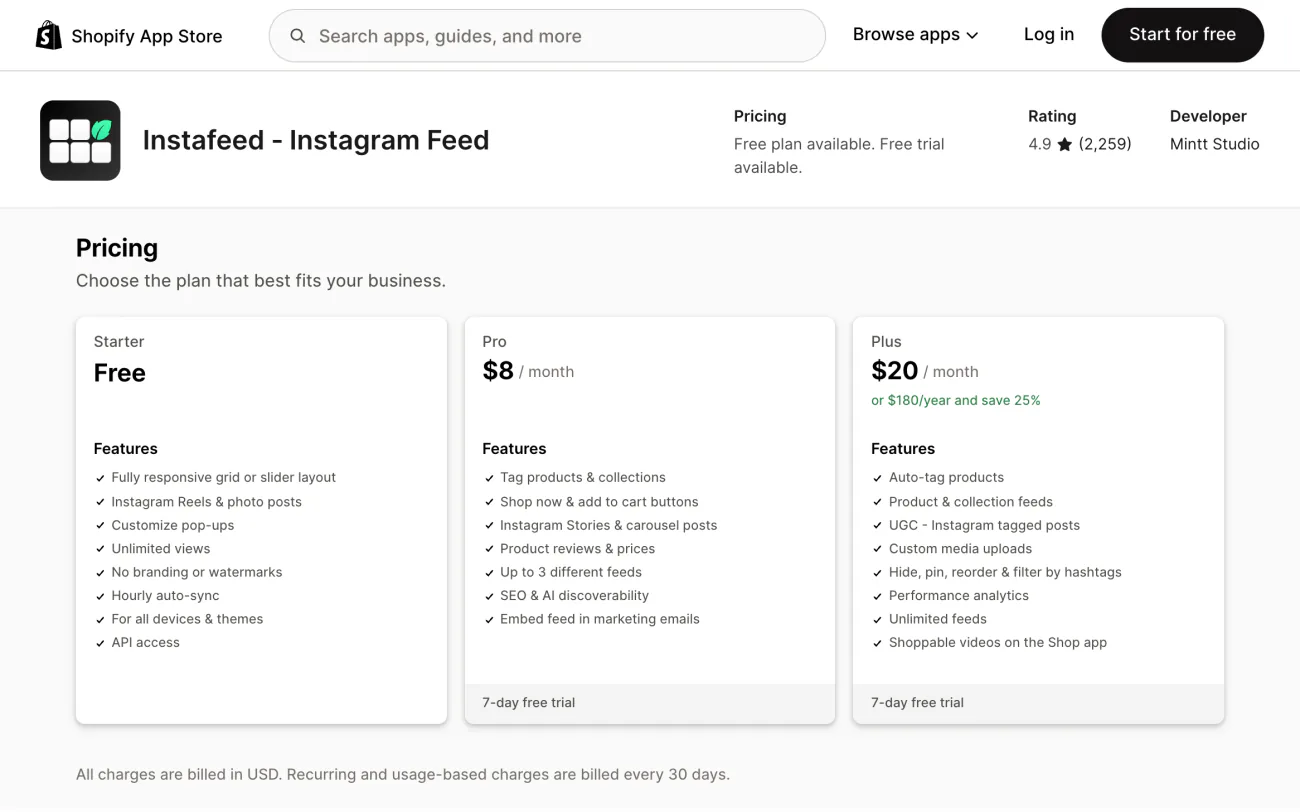
A "shoppable Instagram feed" can mean two different jobs. Tags inside Instagram are free, through the channel above. A feed on your own store whose posts carry product tags takes an app. Instafeed and Showcase show the feed free, and product tags start on a paid plan: $5.99 a month on Showcase, $8 on Instafeed.
Why pay for a feed when the link in your Instagram bio already goes to your store? The doubt is fair. A feed earns its fee only where shoppers decide, on the homepage and product pages, and only when its posts show products you sell.
Feeds can also break. The Instagram section disappears from your homepage one day. Photos turn into broken images until you press refresh in the app. The Instagram connection loops, or Meta warns that your account may be compromised right after you link it. Use the free plan or the trial to see how a feed holds up on your store before you pay.
Which apps add shoppable content to Shopify?
Eight options: Meta's free channel first, then the apps grouped by format. Prices are monthly, in US dollars, from the App Store listings on October 30, 2026.
| App | Best for | Price a month | Free plan | Watch for |
|---|---|---|---|---|
| Facebook & Instagram (Meta's channel) | Selling from the Instagram posts you already make | Free | Yes | Needs an approved business profile, a Meta catalog and a supported country; tags show on Instagram, not on your store |
| Instafeed | A shoppable Instagram feed on a small budget | Free; Pro $8; Plus $20 | Yes, the feed only | Product tags start on Pro; auto-tagging and performance analytics on Plus |
| Showcase: Instagram Gallery | The lowest price for product tags | Free; Starter $5.99; Pro $39 | Yes, the feed only | Galleries of customer posts that tag you need Pro |
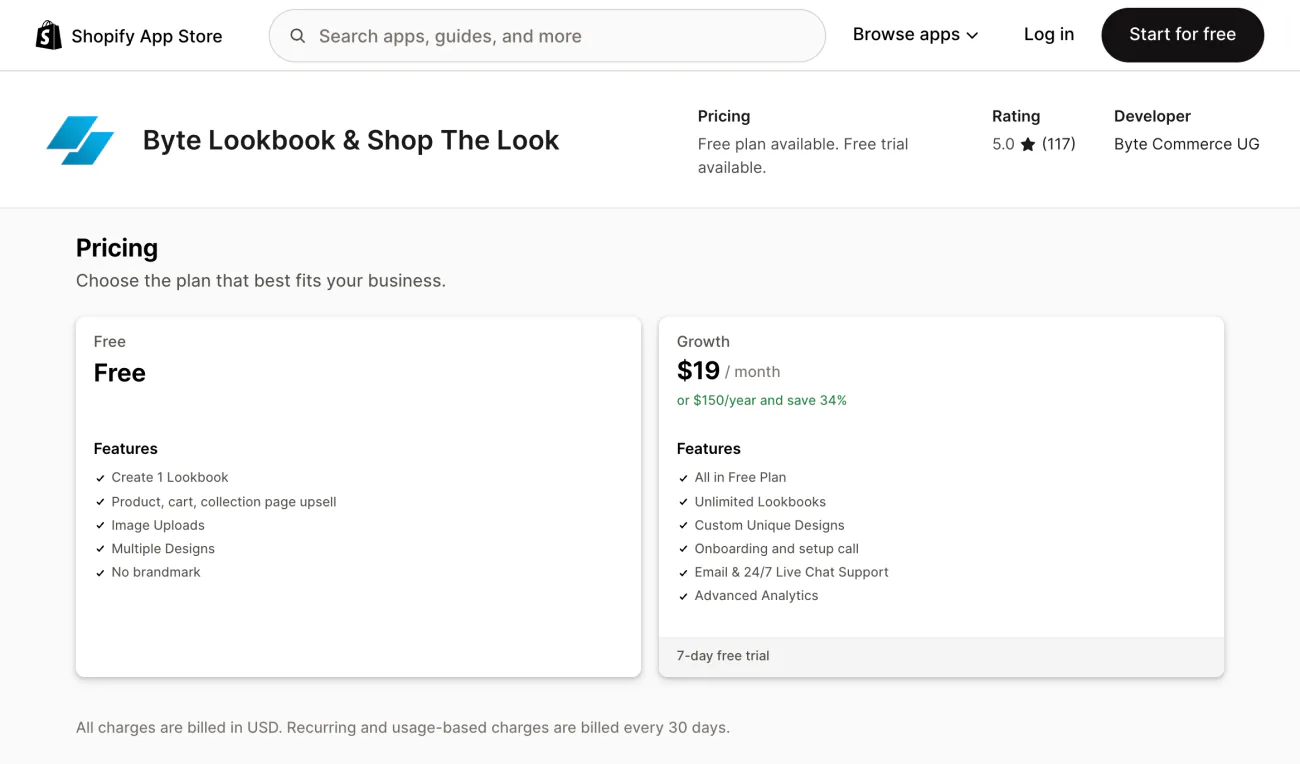
| Byte Lookbook & Shop The Look | Styled outfit and room photos that sell every piece | Free; Growth $19 | Yes, 1 lookbook | Works from photos you upload; unlimited lookbooks and advanced analytics need Growth |
| Tolstoy: Shoppable Video & UGC | Reels and TikToks on your product pages | Free; Starter $19; Plus $44; Pro $195 | Yes, to build your first shoppable video, with 14 days of on-site views for eligible accounts | Billed by viewers: past the plan, $10 per extra 1,000 on Starter and Plus, $7 on Pro |
| Videowise Shoppable Video UGC | The cheapest shoppable video on your own pages | Free; Pro $9 | Yes, for the Shop app and TikTok Shop | Video on your store needs Pro; past 5,000 unique widget impressions, $10 per extra 1,000 |
| Covet Instagram Feed & Reviews | Your feed, customer photos and photo reviews in one app | Lite $9.99; Growth $29.99; Premium $79.99 | No, a 14-day trial | One gallery on Lite; hashtags start on Growth |
| Foursixty Shoppable Social UGC | Running creator and ambassador programs | Essential $90; Complete $300; Complete Plus $500 | No, a 14-day trial | Reels and TikTok galleries need Complete |
Hotspot and feed apps with five reviews or fewer were left out, as too new or too low-rated to recommend. One more is worth a look: Lookbook Shop by Gallery Ace puts product tags and add to cart on images from its $9.99 Professional plan.
What does shoppable content cost?
Anywhere from $0 to $500 a month. Instagram tags and Horizon's hotspots cost nothing, and apps bill in one of two ways.
- A flat plan: Instafeed, Showcase, Byte, Covet and Foursixty charge the plan price whatever your traffic does.
- A plan plus usage: Tolstoy counts viewers and Videowise counts unique widget impressions. Past the plan's allowance, each extra 1,000 costs $10, or $7 on Tolstoy's Pro plan.
Say 8,000 people watch your videos in a sale month on Tolstoy's Starter plan, which covers 5,000. The 3,000 extra viewers add $30, so the $19 plan bills $49.
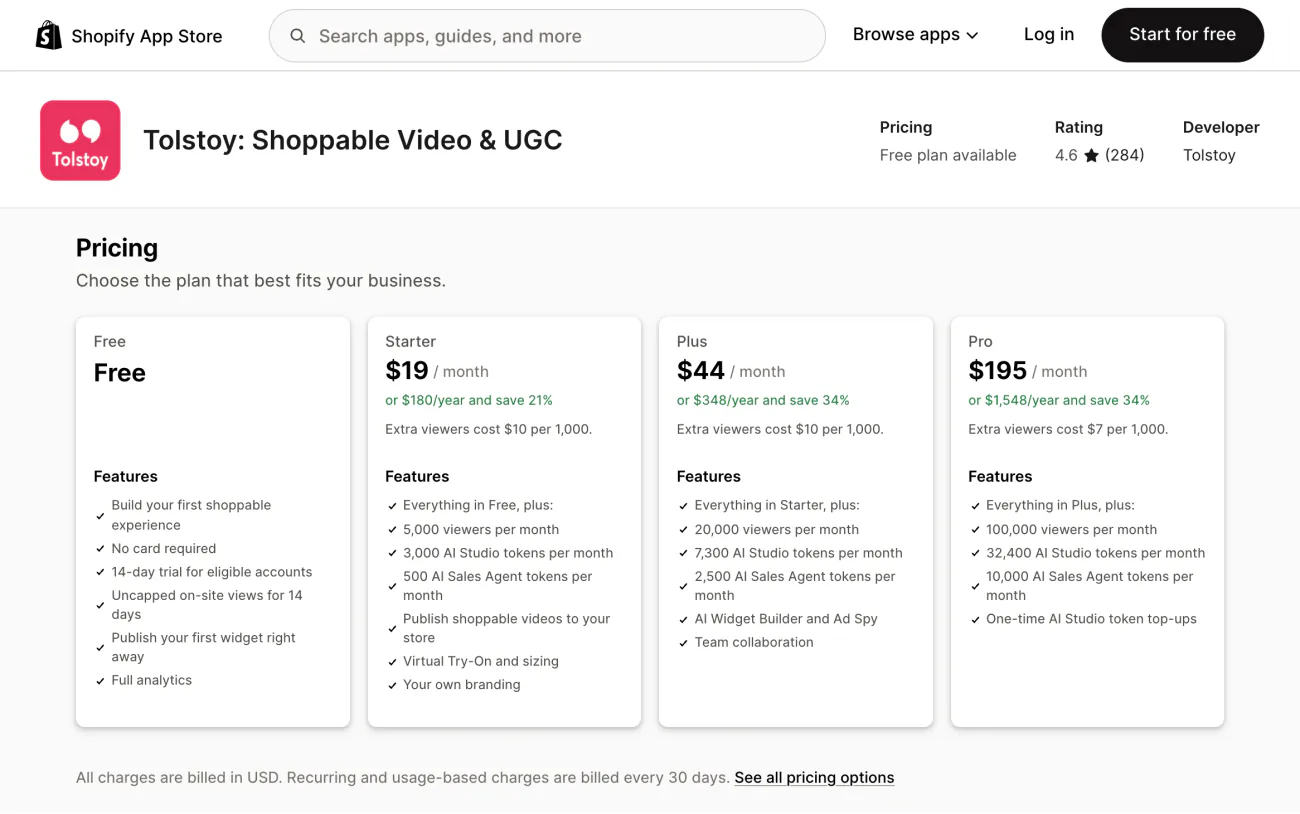
Read the extra-viewer line before a sale weekend, not after the bill.
Is shoppable content worth it for your store?
Yes, when the extra orders it brings in cover the fee. Divide the monthly fee by what one order earns you after costs: your average order value times your gross margin. Say a $60 average order and a 50% margin, so each order earns you $30.
| Monthly fee | Example | Extra orders a month to break even |
|---|---|---|
| $0 | Instagram tags, Horizon hotspots | 0 |
| $19 | Byte Growth, Tolstoy Starter | 0.63, so one |
| $90 | Foursixty Essential | 3 |
| $300 | Foursixty Complete | 10 |
At $19 a month and $30 earned per order, one extra order pays for shoppable content; at $300, it takes ten.
It pays when the photo or video shows several things you sell and sits where shoppers decide: a product page, the homepage or a lookbook page. The conversion figures in app case studies are self-reported, with no control group shown, so measure your own.
- Performance by marketing channel: since September 2026, this Shopify report groups all your store's traffic by channel, with sessions, sales, orders and conversion rate. Visits from Instagram ads sit in the Meta Ads row; add the Referring channel dimension to split a row by site or app.
- Sessions by referrer: shows whether visitors came directly, from search or from another site.
- The app's own analytics: Tolstoy tracks views, clicks, add-to-carts and the revenue it ties to its videos. Instafeed's Plus plan, Byte's Growth plan and Foursixty report on their galleries too.
Then test one placement: one gallery on one page, against that page's orders before it went live. Check the page's speed before and after too; the guide to apps that slow your store shows how.
FAQ
Questions, answered
-

14-day free trial
Explore Sledge on your store before you decide to commit.
-

No credit card required
Start improving your store with no upfront commitment.
-

Setup in minutes
Get Sledge running without a lengthy setup process.
-

Built to grow sales
Turn shopper behavior into actions that help you sell more.
What is shoppable content?
Shoppable content is a photo, video, post or page where the products shown carry tags a shopper can tap to see the price, open the product or add it to the cart. Instagram product tags, dots on a lookbook photo and a video with a product card under it are all shoppable content.
Can customers still check out inside Instagram?
No. Instagram Shopping now sends shoppers to your Shopify checkout to finish buying, and since August 26, 2025 you are responsible for tax on those orders. Product tags still work in posts and image stories: a tap shows the product, then the shopper selects Checkout on seller's website and pays on your store.
Can you add shoppable images to Shopify without an app?
Yes, on Horizon. Shopify's free Horizon theme has a Product hotspots section: add an image, add a Hotspot block for each product, then drag Horizontal position and Vertical position until the dot sits on the item. Dawn has no hotspot section; its Collage section shows a product card beside the photo instead.
How much does a shoppable Instagram feed cost?
Tagging products inside Instagram is free through the Facebook and Instagram channel. A shoppable feed on your own store costs more: product tagging starts at $5.99 a month on Showcase and $8 on Instafeed, and Foursixty starts at $90. Those are the App Store prices on October 30, 2026.
Do shoppable content apps slow down a store?
They can. Every gallery or video widget gives the page more to load, and video usually adds the most. Check your product page speed before you install and again after, and if it drops, try the widget lower on the page or take it off. Our guide to app load time shows how to test it.
Show shoppers what goes with it.
Install Sledge free. It adds product recommendations, bundle offers and a cart drawer to your store, so a shopper who arrives from one of your posts finds a second thing to add.

