
SEO for ecommerce means getting your collection and product pages into Google's free results for the words shoppers type. Find those words, give each search one page, put category terms on collections and item names on product pages, write copy in your own words, link your pages together, and earn links from other sites.
Say you sell coats. Your collection is called Outerwear, but shoppers type "wool coats". Your best peacoat carries the supplier's two-line description, word for word the same on other stores. Only the menu links to it. Each of those has a fix among the nine ecommerce SEO tips below.
Why is SEO important for ecommerce?
Search results you earn keep sending shoppers who are already looking for what you sell, and you don't pay for each click. Shopify's Help Center notes that no store can buy its way into those results. Backlinko's study of 4 million Google results, last updated April 2025, found that 27.6% of searchers clicked the top organic result. Only 0.63% of searchers clicked anything on page two.
On a new store, links from other sites take time to build. So start with what you control: the words you aim at and the pages that carry them. Google says some changes show in a few hours and others take several months.
Shopify already makes your sitemap and turns on secure pages. The technical side of SEO for ecommerce, from making your store public to titles, alt text and redirects, is in our Shopify SEO checklist. For load times, see our guide to improving store speed.
Tip 1: how do you do keyword research for ecommerce?
Start from the words shoppers already type, then check how many people search each one. Four places list them:
- Google's suggestions. Type "wool coat" into Google and read the searches it offers as you type, then the related searches at the foot of the results.
- Search Console. Under Performance, then Search results, the Queries tab lists the searches that showed your store in the past three months, the report's default. Beside each are its clicks and its impressions, the times your store showed up.
- Your store's own search. Under Analytics, then Reports, "Searches by search query" is Shopify's list of what shoppers type into your store's search, with the number of searches for each. It opens on the last 7 days, so pick a longer range for a fuller list. Its neighbor, "Searches with no results", lists the words that found nothing, per Shopify's Help Center.
- Keyword Planner. Google's tool, under Tools in Google Ads, estimates how many times a month a word is searched. Google asks for your billing details before it shows a single suggestion.
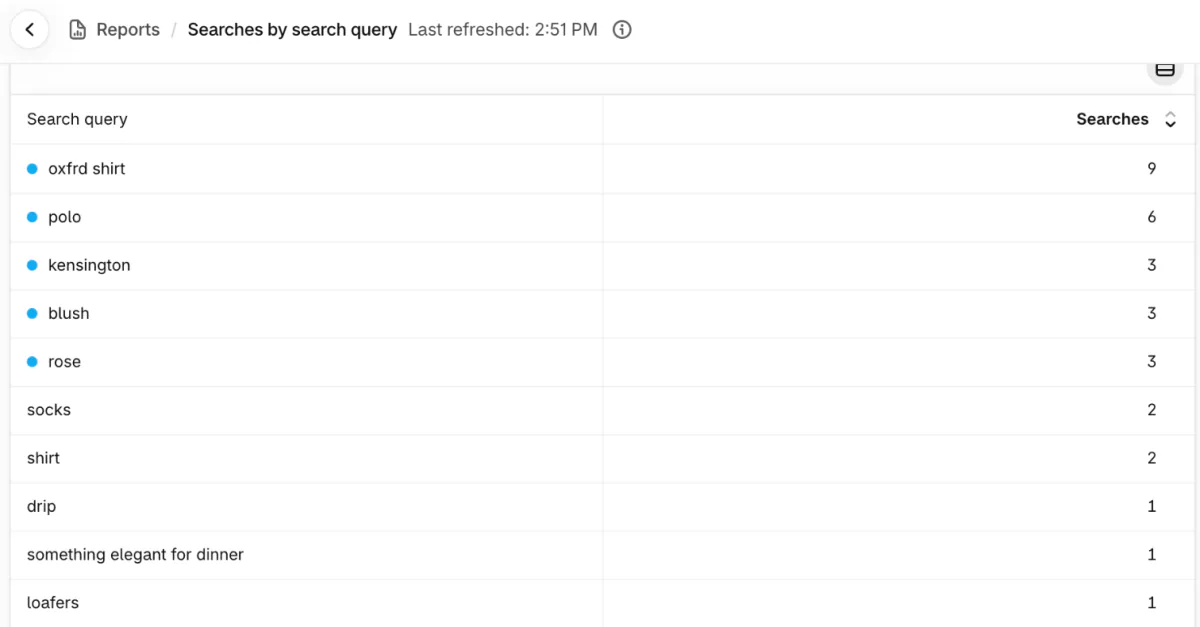
Longer phrases say more about what the shopper wants. Shopify's audit guide traces the steps from "dresses" to "maxi dresses" to "black maxi dresses". A word searched more often also draws more stores aiming at it. For the coat store, "wool coat" would be the crowded word, and "camel wool peacoat" the narrower one, typed by someone who knows what they want.
If Sledge runs your store's search, Sledge Analytics lists what shoppers typed into it under Tools, then Search. For the searches that most often found nothing, Analytics names the closest product you carry or suggests "Consider stocking".
Tip 2: should a keyword go on a collection or a product page?
Give each search one page: category words to a collection, a product's name to its product page, and a question to a blog guide.
| Search shoppers type | Page that answers it | Title on that page |
|---|---|---|
| women's wool coats | Collection | Women's wool coats |
| camel wool peacoat | Product page | Double-breasted camel wool peacoat |
| how to choose a winter coat | Blog guide | How to choose a winter coat |
Shopify's guide says Google tends to rank collections for broad searches and product pages for specific ones. Shopify's beginner guide adds a rule of thumb: once you sell more than three products of one type, give that type a collection.
To catch two of your pages chasing one search, open Search Console, go to Performance, then Search results, click the search and open the Pages tab. Shopify's audit guide calls two addresses there a reason to look, not proof of a problem. A product and a collection can share a search when they serve different needs. If both answer the same need, pick one, then narrow the other's words or redirect it.
Tip 3: what should a collection page say?
A collection needs a title in the shopper's words and a short intro on what's inside and who it's for. Shopify uses the collection's title as the page's main heading, so "Wool coats" does more than "Outerwear" when that's what people type.
- In your Shopify admin, go to Products, then Collections, and open the collection or click "Add collection".
- Click "Add title" and type the title shoppers search for.
- Click "Add description", the box for the text shown with the collection, and write two or three sentences: what's in it, who it fits, and one detail that sets it apart.
- Click Save, then preview the collection to see where your theme shows the description.
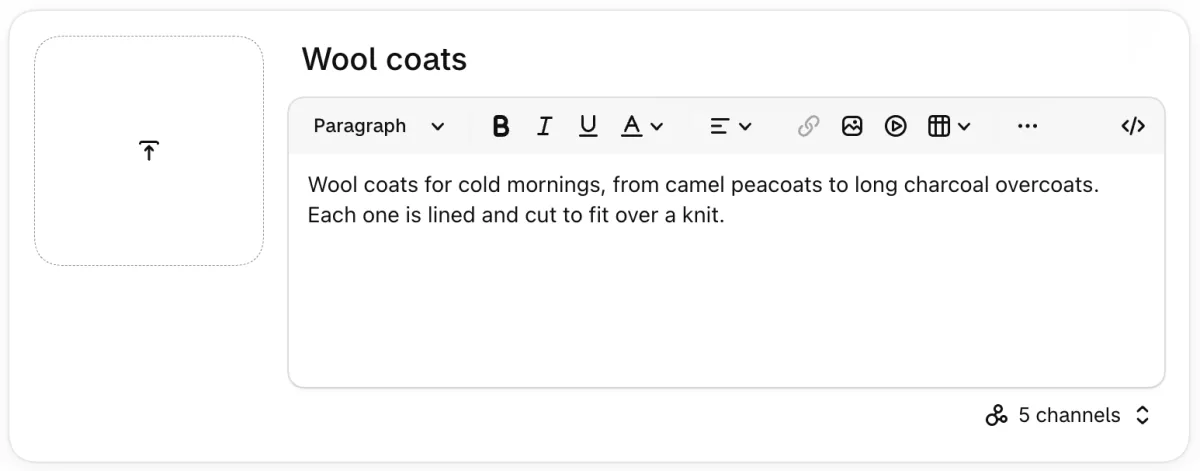
For the coat store, that reads: "Wool coats for cold mornings, from camel peacoats to long charcoal overcoats. Each one is lined and cut to fit over a knit." Further down the form, the "Search engine listing" card previews the collection's search result with those same sentences.
A mix people search for, like black linen dresses, earns a collection of its own, as faceted navigation SEO explains. Shopify collections shows how to build one, and our meta description guide covers how its listing reads in Google.
Tip 4: how do you optimize ecommerce product pages for SEO?
On-page SEO for ecommerce starts with naming the product the way shoppers search for it, then answering what a buyer asks before paying. Shopify's Help Center prefers "Star Wars Button Down Shirts" to "Star Wars" in a page title: the product type, plus the detail that sets it apart. So name a coat "Double-breasted camel wool peacoat", not "The Windsor".
Put the main benefit where a quick reader sees it, then the material, sizing and care, as Shopify's audit guide lists. Write it yourself, since the supplier's text may already sit on other stores. Our checklist covers that rewrite in Job 7, and the search listing and photo alt text in Jobs 3 and 4.
What else a product page needs, from photos to sizes, is in our product detail page guide.
Tip 5: how should your pages link to each other?
Google reads the links between your pages to judge which matter most, so give the most links to the pages you want found. Google's ecommerce guide suggests linking from menus to collections, then from collections to products.
Link a best seller from your homepage, a blog post or a newsletter, as Google suggests. Shopify's own example links a winter coat to a collection of winter accessories. Google doesn't usually type into your search box, so a product that only search can reach may go unfound. Google asks that every page you care about have a link from at least one other page.
Use link words that name the page, such as "wool coats", and keep them short rather than packed with keywords. To check that Google can read a product grid an app shows, run the test in Job 6 of our Shopify SEO checklist.
Tip 6: how do you get products into Google's free listings?
The free Google & YouTube app, made by Google, sends your products to Google Merchant Center, and eligible stores selling in the US can show them in Google's Shopping tab for free.
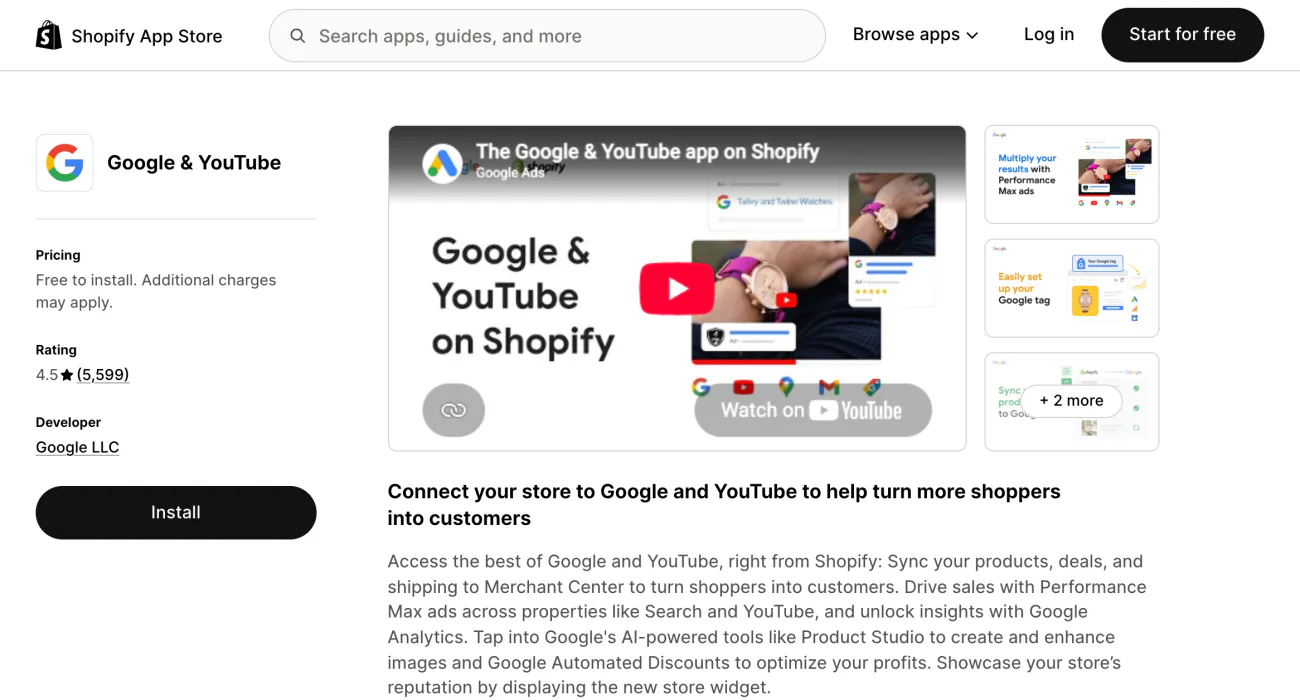
The app works in certain countries and currencies only, per Shopify's Help Center. It's free to install, and ads you run through it cost extra.
You don't need Merchant Center to appear in ordinary Google results, but Google requires it for the Shopping tab. Google also says its own visits to your store aren't guaranteed to find every product.
Shopify's themes already tell search engines each product's price and availability. Keep price and stock the same in your store and in Merchant Center. Shopify's beginner guide names mismatched availability and wrong prices among the problems Merchant Center flags.
Tip 7: what happens to sold-out and discontinued products?
Keep the page of a product that's coming back, and redirect one that's gone for good. Until a sold-out product is restocked, leave it published so its link keeps working, and push it to the bottom of its collection.
For a product you'll never restock, take it out of collections and menus, then set it to Draft so its link shows Page not found. A redirect only works from a broken link like that, as how to hide a product on Shopify explains. Redirect its address to the closest product or collection, as Shopify's audit guide advises.
Tip 8: what should a store's blog write about?
Write guides that answer what shoppers ask before buying, and link each one to the collection it's about. Shopify's example is "How to style wool blankets in winter". For the coat store, "How to choose a winter coat" links to Wool coats.
Google's starter guide asks for writing that helps people first, and says there's no magic word count. Plan the topics with the rest of your ecommerce marketing strategy.
Tip 9: how do you get other sites to link to your store?
Earn links from sites your shoppers already read, and never pay for one. Google finds most new pages through links, and calls word of mouth one of the most effective and lasting ways to promote a site. Shopify's Help Center suggests a few routes:
- Pitch a launch or an event to journalists and writers.
- Get listed in directories for your trade.
- Ask bloggers who cover what you sell to feature your store.
Closer to home, ask the makers you stock to add you to their where-to-buy page.
Google's spam policy counts a link bought with money, goods or a free product sent for a write-up as link spam. Excessive link swaps count too, and so do guest posts packed with keyword links. If you gift a product and the post links to you, ask for that link to be marked as paid, which Google calls sponsored. How to find influencers covers who to approach.
FAQ
Questions, answered
-

14-day free trial
Explore Sledge on your store before you decide to commit.
-

No credit card required
Start improving your store with no upfront commitment.
-

Setup in minutes
Get Sledge running without a lengthy setup process.
-

Built to grow sales
Turn shopper behavior into actions that help you sell more.
What is SEO for ecommerce?
SEO for ecommerce is the work of getting an online store's collection and product pages into search engines' free results. It covers finding the words shoppers type, giving each search one page, writing those pages in your own words, linking them together and earning links from other sites. Shopify already makes your sitemap and turns on secure pages.
Why is SEO important for ecommerce?
Free search results bring shoppers who are already looking for what you sell, and you don't pay for each click. Backlinko's study of 4 million Google results, last updated April 2025, found that 27.6% of searchers clicked the top organic result, and under 1% clicked anything on page two. Google says some changes show within hours, others months.
How do you do keyword research for ecommerce?
List the words shoppers already use: Google's suggestions as you type, the Queries tab in Search Console, and Shopify's Searches by search query report for your own store's search. Check how often each is searched in a keyword tool, then favor longer phrases like black maxi dresses, which say more about what the shopper wants.
Which SEO tips matter most on a Shopify store?
Start with what Shopify leaves to you: make the store public, connect Search Console and send your sitemap. Then put category words on collections, write product pages in your own words, link every collection from a menu, list products on Google with the free Google & YouTube app, and earn links from sites your shoppers read.
How long should a product description be for SEO?
Google says length alone doesn't matter for ranking and there's no magic word count. Shopify's Help Center suggests at least 250 words of descriptive text on each page. Write what a buyer needs to know before paying, such as material, fit, size and care, in your own words, and stop once that's answered.
Do meta keywords help SEO on Shopify?
No. Google says it doesn't use the keywords meta tag, so filling one in changes nothing. Put the words shoppers type where people read them: the page title, the product or collection title, the description and image alt text. Repeating a phrase over and over is keyword stuffing, which is against Google's spam policies.
Search brings them in. See what stops the sale.
Sledge doesn't write your titles, build links or move your rankings. It runs your store's search and filters, and its Analytics marks visits that ended without a sale with a reason, such as "Landed on a broken link" or "Searched, found nothing". Try it free for 14 days. Growth Intelligence turns on when you pick a paid plan, and its suggested fixes add up to one dollar figure, labeled Est. potential.

