
Faceted navigation, the filters that narrow a collection by size, color, price and more, can give every mix of picks its own address. For SEO, that means search engines may visit thousands of near-copies of one page. Shopify already points those back to the main collection. Give a mix people search for its own collection.
Say your dresses collection offers 5 colors, 6 sizes and 4 fabrics. Those 15 options make 32,767 different mixes of picks, and each mix can have its own address.
What is faceted navigation?
Faceted navigation is a set of filters, one for each product detail, that narrows the same collection.
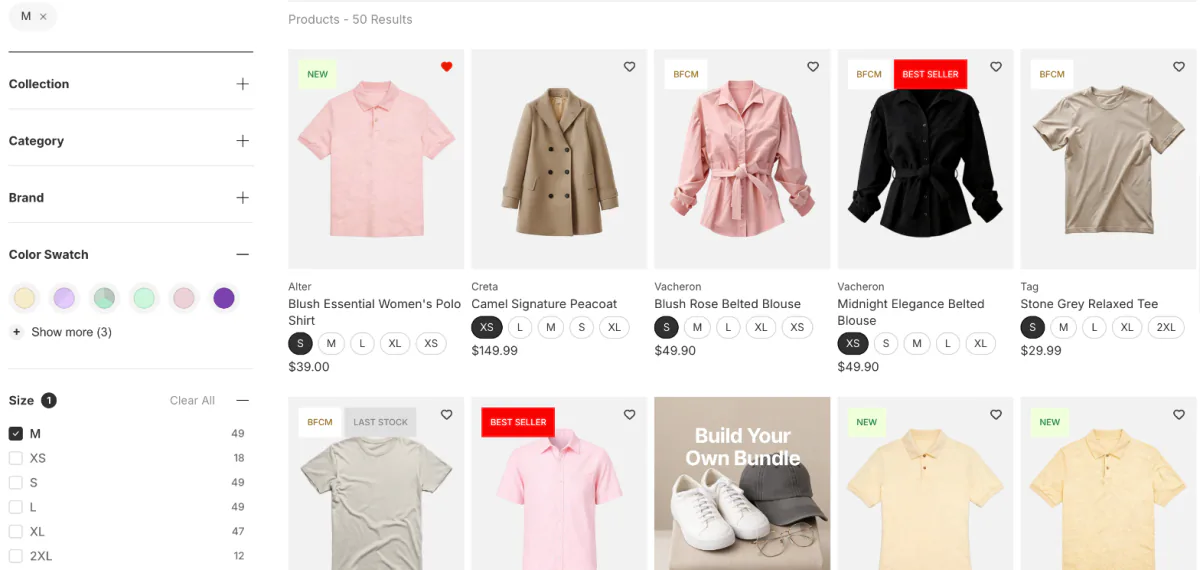
The research firm Nielsen Norman Group draws the line this way: a filter leaves some items out, and faceted navigation is several filters that together describe the whole set. A clothing store filters by size, color and fabric, a beauty store by skin type and shade. The term itself, with a worked example, is in our faceted search entry.
On Shopify, the filters come from Shopify's free Search & Discovery app or from a filter app. Setting them up on Dawn is covered in how to add product filters to Dawn.
How does faceted navigation affect SEO?
Each mix of picks can get its own address, and a search engine can treat each address as a new page. Google's guide to faceted navigation, last updated December 18, 2025, names two costs.
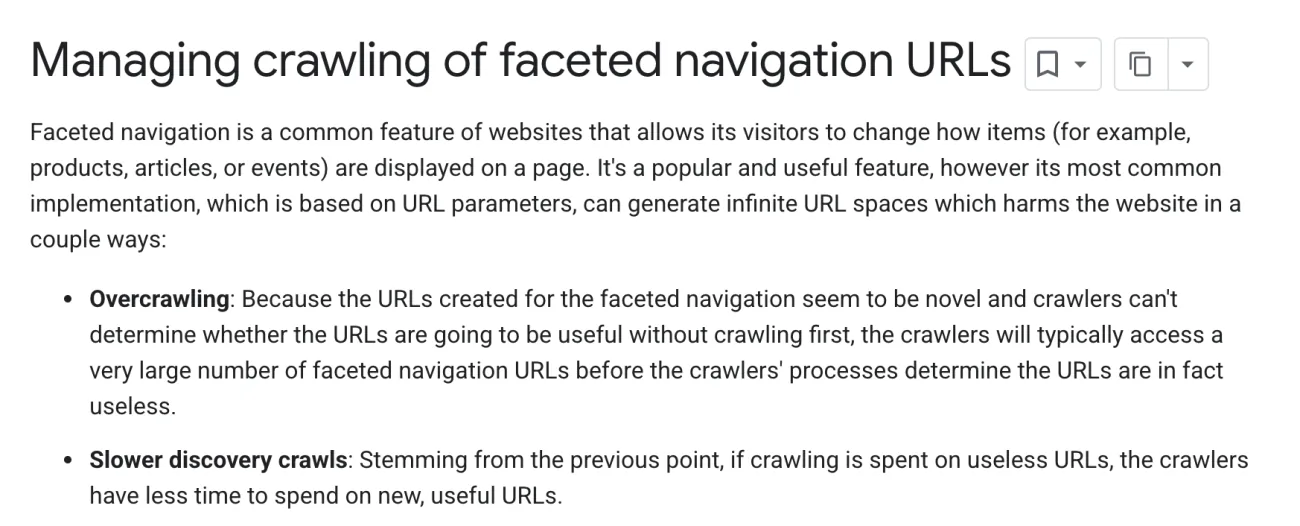
- Overcrawling. Google's crawler, the program that visits and reads pages, spends its visits on filter pages that add nothing new.
- Slower discovery crawls. Those visits come out of the time left for new pages, so a new product can take longer to be found.
In your store, a filtered page can rank above the collection you wanted found, or show in Google where that collection used to. The line under your collection's result can also turn into a list of filter options instead of your description, and Google picks that line itself.
Google's crawl budget guide is written for the largest sites. It is mainly for sites with more than a million unique pages that change about weekly, or more than 10,000 that change daily, and Google calls those numbers a rough estimate. Below that, Google says keeping your sitemap up to date and checking the Page indexing report regularly is enough. Shopify builds and updates your sitemap on its own.
What does Shopify do with filtered pages by default?
Shopify points pages narrowed by its filters back to the main collection, and asks search engines to skip most filter mixes.
Shopify adds a canonical tag to your store's pages on its own: a note in the page that names the main version. It's there to keep duplicate content out of search results, says Shopify's SEO overview. On a collection narrowed with Shopify's filters, that note names the plain collection. We read it on a test store with one filter ticked and with two.
Shopify also hands search engines a set of rules about which pages to skip. The default rules ask them to skip sorted collection pages, which show the same products in another order, and collection pages with two or more filter picks. A page with one filter pick stays open to search engines, and its note still points to the main collection. Shopify's page on its search engine rules says the default "works for most stores".
Older themes that filter by product tag work differently. On the same test store, a page narrowed by one tag named itself as the main version, so it can show in Google on its own.
A filter app can add addresses of its own. Sledge, a Shopify search and filter app, writes the options a shopper ticks into the page address in one fixed order, so ticking the same options in any order makes the same address. Its filter options aren't links, so the filter rail gives search engines nothing new to follow. Sledge filters come with every paid plan.
How do you check if filter pages are a problem?
Search Console, Google's free report on how your store shows in search, tells you whether filter pages are a problem, and several of its messages that look like one are not. If you haven't connected it yet, job 2 of our Shopify SEO checklist shows how.
Open Indexing, then Pages, the report of what Google has and hasn't indexed, meaning added to its results. Google's help page explains each status you may see there:
- "Alternate page with proper canonical tag": the page points to its main version, which is indexed, so there's nothing you need to do.
- "Duplicate without user-selected canonical": Google chose another page as the main one, which it calls working as intended, not an error.
- A page Google crawled but hasn't indexed: Google calls this a common message that doesn't necessarily mean a problem.
- "Indexed, though blocked by robots.txt": Google listed a page that Shopify's rules ask it to skip, usually because a link points there. Shopify calls this normal and usually not a cause for concern.
Then check one filtered page. Tick a filter on a collection, copy the address from your browser, and paste it into the URL Inspection box at the top of Search Console. If Google has visited the page, "Google-selected canonical", the version Google treats as the main one, should name the plain collection. If your filter app shows products a moment after the page opens, job 6 of the same checklist shows how to see the page as Google does.
The crawl budget guide also covers a store of any size with a large share of its pages listed as discovered but not yet indexed.
Should filtered pages be indexed?
Only a mix people search for, and then as its own collection, not as a filtered view. A filtered view points search engines back to the main collection, so it isn't built to rank. A collection is a page of its own, with its own title, description and menu link. Shopify's own ideas for collections include items in a certain size or color.
- Find the mix people search for. Search Console shows the searches that bring people to your store. Shopify's "Searches by search query" report, in Analytics, then Reports, lists what shoppers type into your store's search.
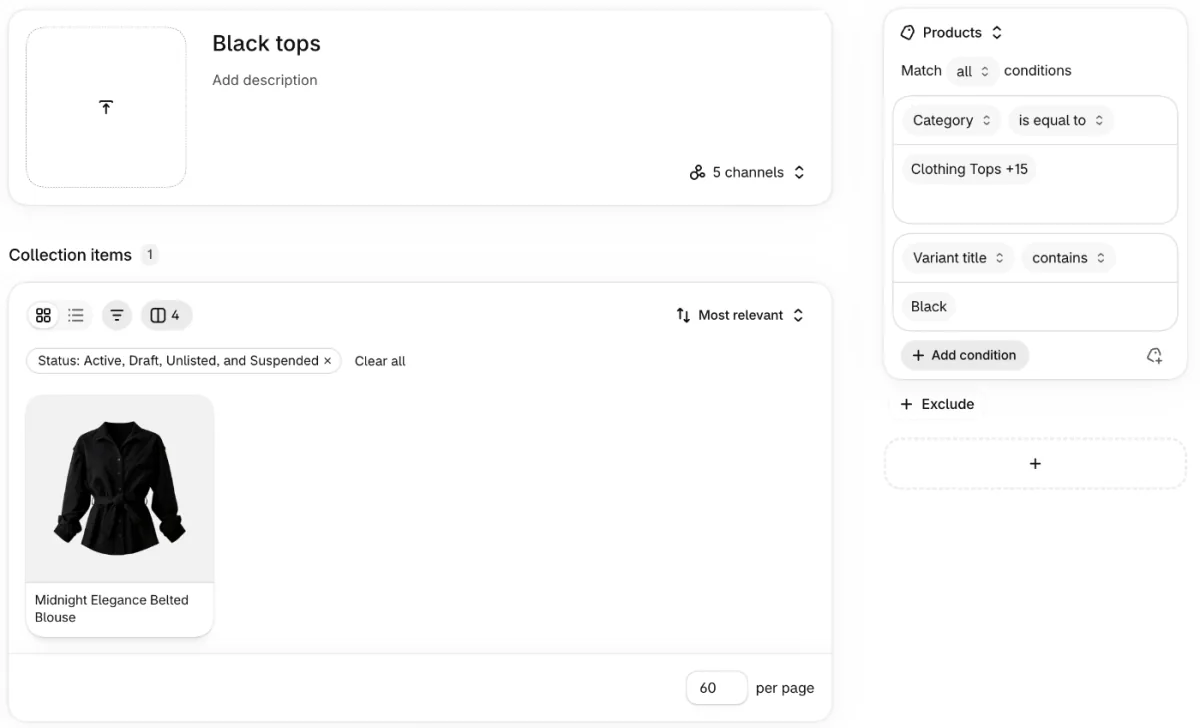
- Go to Products, then Collections, and click "Add collection". Give it a title shoppers would search, such as Black tops.
- In the Products source, click "Add condition" to add a rule for each detail, such as a category and a color. On our test store the condition list had no color, so the second rule says "Variant title" contains Black. That field holds the options of each version of a product, such as its color. Pick "Match all conditions" so a product has to pass every rule.
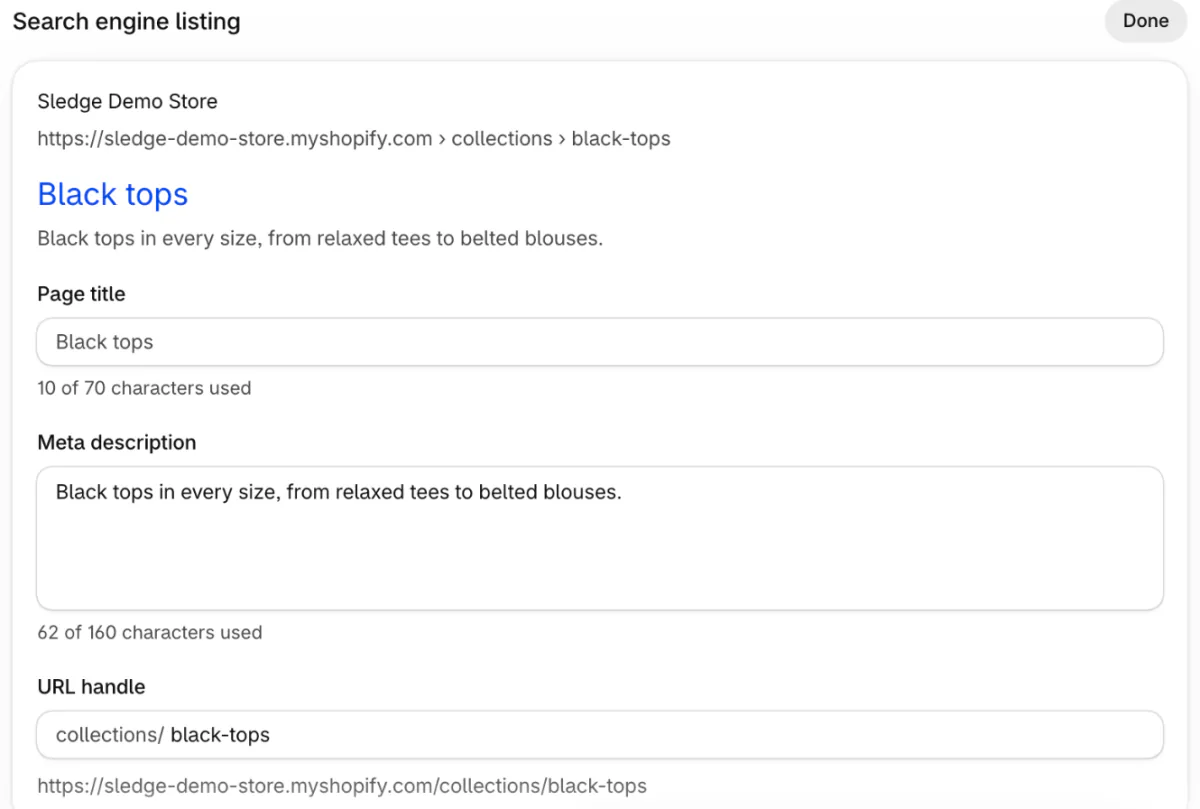
- In the "Search engine listing" section, click "Edit" and write a "Page title" and "Meta description" for that mix. Then click Save.
- Add the collection to a menu, so shoppers and search engines can reach it.
These steps follow Shopify's Help Center, read November 11, 2026.
Your store can hold up to 5,000 collections with conditions, far fewer than the 32,767 mixes that 15 filter options can make, so save them for the mixes people search. What to write in the description is in our Shopify meta description guide, and how to build and sort a collection is in Shopify collections.
When is a developer worth paying?
When Search Console shows filter pages crowding out pages you want found, such as new products left at discovered but not yet indexed, and only then. A developer can change Shopify's search engine rules so more filter pages get skipped, or add a note to filter pages that tells Google not to list them.
You pay for their time. Shopify calls the change an unsupported customization, and its Support team can't help with the edit. It also warns that "incorrect use of the feature can result in loss of all traffic."
The two fixes clash, too. Google can't see the don't-list note on a page the rules tell it to skip, so that page can still appear in results. Google's faceted navigation guide also rates the main-version note, and marking filter links so Google doesn't follow them, as less effective in the long run than stopping the visits.
What makes faceted navigation easy to use?
Fewer, clearer filters help shoppers choose, and leave fewer mixes for search engines to visit. Nielsen Norman Group notes that more options give the shopper more to take in and work through.
- Filters that match how shoppers choose. Size and color for a dress, width and material for a sofa.
- One name per value. Shopify's filters can group shades like Onyx and Midnight under one Black.
- A count beside each option, so shoppers see what's left before they tap.
- No dead ends. Hide options that would leave zero products.
- One Clear all that resets every pick.
- On phones, a Filter button that opens the list in a drawer.
Shopify's own filters stop at 25 per store, and a collection over 5,000 products shows none. Shopify filter limits covers each ceiling and what to do at it.
FAQ
Questions, answered
-

14-day free trial
Explore Sledge on your store before you decide to commit.
-

No credit card required
Start improving your store with no upfront commitment.
-

Setup in minutes
Get Sledge running without a lengthy setup process.
-

Built to grow sales
Turn shopper behavior into actions that help you sell more.
What is faceted navigation in SEO?
In SEO, faceted navigation means the filters on a collection and the addresses they create. Each mix of picks can get its own address, so one collection can turn into thousands of near-copies for search engines. The usual answer is to let the main collection rank and give only the mixes people search for a page of their own.
Does faceted navigation hurt SEO on a Shopify store?
Rarely. Shopify's filters point their pages back to the main collection, and its default rules ask search engines to skip sorted pages and pages with two or more filter picks. Google's crawl budget guide is mainly for sites with over a million pages that change about weekly, or over 10,000 that change daily. Check Search Console before you change anything.
Should you block filter pages from Google on Shopify?
Usually not by hand. Shopify's default rules already ask search engines to skip most of the pages that copy a collection, and Shopify says the default works for most stores. Changing those rules takes a developer, Shopify Support can't help with the edit, and Shopify warns that a wrong edit can cost you all your search traffic.
Should filtered collection pages be indexed?
Only when people search for that exact mix, like black linen dresses. Then make it a real collection: conditions that match the filter, its own page title and description, and a link in your menu. A filtered view points search engines back to the main collection, so it isn't built to rank on its own.
What does "Indexed, though blocked by robots.txt" mean on Shopify?
Google found a page your store asks search engines to skip, usually through a link, and listed it without reading it. Shopify calls this normal and usually not a concern, because many pages are blocked on purpose, such as cart and sorted collection pages. Look closer only if a page you want found, like a product, shows it.
Do Sledge filters create duplicate pages?
Sledge, a Shopify search and filter app, writes the options a shopper ticks into the page address in one fixed order, so the same ticks make the same address whichever came first. Its filter options aren't links, so the rail gives search engines nothing new to follow. Sledge doesn't change your canonical tags or the rules Shopify gives search engines.
Filters that give search engines no new links to chase
Sledge doesn't choose which pages search engines visit, or which one Google treats as the main page. Its filters write the options a shopper ticks into the page address in one fixed order, and those options aren't links, so your filter rail gives search engines nothing new to follow. Try it free for 14 days. Growth Intelligence turns on when you pick a paid plan, and its suggested fixes add up to one dollar figure, labeled Est. potential.

