
A Shopify chargeback is a card payment that the shopper's bank reverses. On Shopify Payments, the disputed amount and a $15 fee in the US leave your next payout at once, and both come back if you win. You answer from the order page, usually within 7 to 21 days, and the card company decides.
The parcel left three weeks ago, and tracking says delivered. Then an email lands: a $120 chargeback, plus a $15 fee, taken from your next payout. There's a due date, a form, and no appeal once the bank decides.
What is a chargeback on Shopify?
A chargeback takes the money while the bank reviews the case. An inquiry asks questions first and takes nothing unless it becomes a chargeback.
The card company makes the final call, and Shopify's Help Center says Shopify isn't liable for chargebacks. A PayPal dispute runs through PayPal's own process instead, which Shop Pay vs PayPal compares.
What does a Shopify chargeback cost?
In the US, you lose the disputed amount and a $15 fee, and both come back in your next payout if you win. The fee depends on your Shopify Payments country, per Shopify's fee table, read November 11, 2026:
| Country | Chargeback fee on Shopify Payments |
|---|---|
| United States | $15 USD |
| United Kingdom | £10 GBP |
| Canada | $15 CAD or $15 USD |
| Australia | $25 AUD |
Outside the US, Shopify's overview says the fee refund can depend on your country. In the US, a chargeback your balance can't cover is debited from your payout bank account, and a failed debit is tried again after 3 business days. Card rates, payout holds and reserves are in our Shopify Payments guide.
Where do you find a chargeback in Shopify?
A disputed order carries a chargeback banner, and the Orders filter "Chargeback and inquiry status", set to Open, lists every dispute you can still answer. In Orders, click the "Search and filter" box, choose that filter, then tick Open.
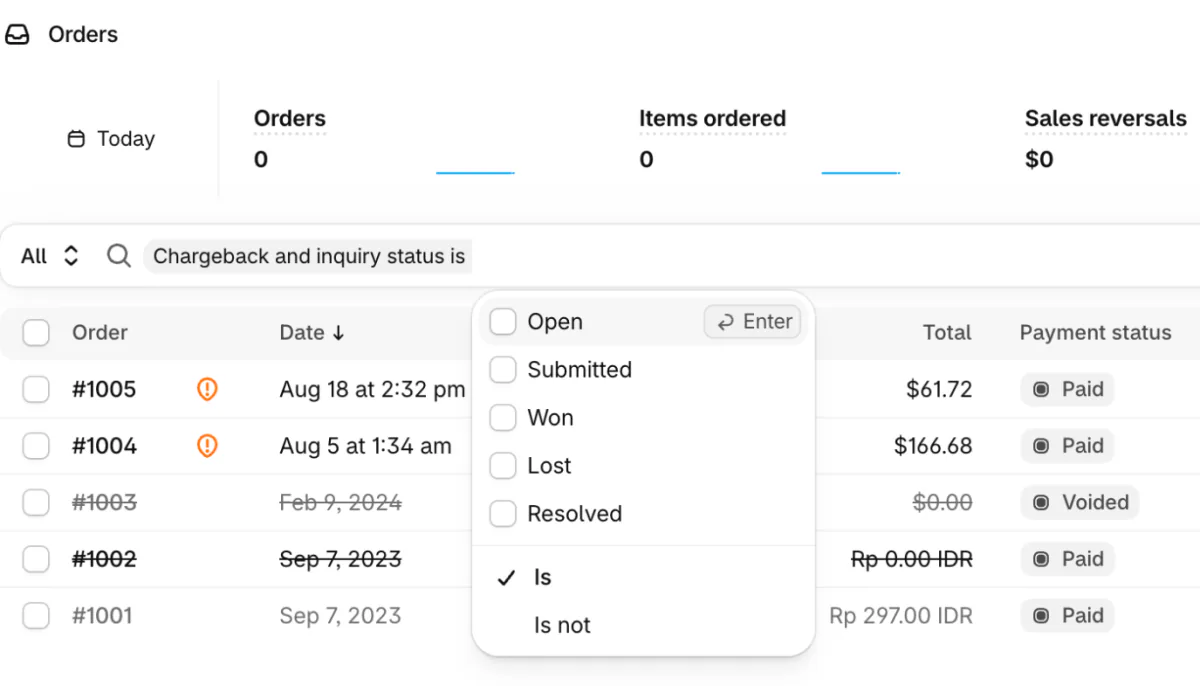
Shopify emails each new dispute to your store contact email, set under Settings, then Store details, and to any staff member with the "Order dispute updates" notification turned on.
A dispute's status reads Open while you can still add evidence, then Submitted, Won or Lost, or Resolved if a card network program settled it automatically.
Some disputes also carry an issuer claim, the bank's reason in short, with its document to download. Click the reason code on the order, and Sidekick, Shopify's admin assistant, explains the dispute and how to answer it.
How do you respond to a Shopify chargeback?
Open the order, click "Add evidence" in its chargeback banner, upload your proof and submit it before the due date. It falls 7 to 21 days after filing, at 11:59 PM in your store's time zone when no time shows, and nothing goes in after it.
- In Orders, open the order with the chargeback banner.
- Read the dispute reason, and the issuer claim if the bank sent one.
- Click Add evidence. The "Chargeback response" page that opens already holds the order details Shopify adds for you.
- Upload one PDF, JPEG or PNG for each kind of proof, up to 2 MB each and 4 MB in all, then click Save. A PDF must run under 50 pages, and audio, video and links aren't accepted.
- Click "Submit now" to send it early, or let Shopify send it on the due date. Once it's sent, you can't edit it.
Shopify's Help Center lists these steps, read November 11, 2026.
Shopify does part of the work by default:
- It adds the order's own evidence: the shopper's addresses, the internet address the order came from, tracking, any delivery photo, refunds and earlier orders. It sends that file on the due date even if you add nothing.
- It writes a defense with AI. On card chargebacks and inquiries it goes in unless you untick the checkbox "Include Shopify-generated insights to strengthen case (recommended)".
- One notice changes that default. A dispute marked "Not enough evidence to challenge this chargeback" is accepted automatically if you add and submit nothing by the due date.
If the shopper is right, click "Accept chargeback" in the banner, then Submit. The shopper keeps the money, and the fee isn't refunded.
Once a chargeback starts, you can't refund the order. During an inquiry, a full refund ends it. A shopper who backs down needs an official withdrawal letter from their bank for you to upload. A screenshot of a bank statement isn't enough, and the banks can take up to 30 to 90 days to update the case after you upload it.
Even after a win, the shopper's bank can dispute the same payment again, with a new due date.
What evidence helps with each type of chargeback?
Answer the reason the shopper gave, and put direct proof first, such as a signed delivery, tracking that shows the matching address, or the refund record. After that comes the shopper's own acknowledgment, then the policy they agreed to at checkout, then any other context.
| Reason the shopper gave | Put this first |
|---|---|
| Fraudulent or unrecognized | Billing address and security code checks that matched, a device and internet address that match earlier orders, a 3D Secure record (the bank's own check at checkout), delivery confirmation |
| Product not received | Carrier, tracking number and delivered status, a signature or delivery photo, and a delivery address that matches the order. For downloads, the access record and the delivery email |
| Product unacceptable | Your listing as it read on the day they bought, photos taken before shipping, your messages and your return policy |
| Credit not processed | The refund record with its date and time, your refund policy, return tracking |
| Duplicate | The records showing two separate orders, or a hold that was released |
| Subscription canceled | The terms they agreed to, your cancellation policy, no cancel request on record, renewal reminders |
| General | An itemized receipt and the total shown before payment |
Label each file in one sentence, such as "Order confirmation sent on March 15", because a reviewer might spend only a few minutes on your case. Where you'd send a link, send a screenshot.
If the shopper went straight to the bank, show your contact details and that no support request came in, since card networks expect shoppers to contact you first.
Proof doesn't guarantee the outcome: Shopify says banks can rule for the shopper even with delivery confirmation. For the next case, start from a refund policy template. For tracking that proves delivery, see how to make a shipping label in Shopify.
What does Shopify Protect cover?
Shopify Protect pays back fraudulent and unrecognized chargebacks on eligible Shop Pay orders, fee included, at no cost to US stores with a US Shopify Payments account. On a protected order you don't need to act. The amount and fee are debited, then credited back at once, and if the bank later rules for you, Shopify reverses the credit.
To qualify, an order must be paid with Shop Pay, ship only physical items with tracking added within 7 days, and keep the address the shopper typed. The rest of the list is in what is Shop Pay and on Shopify's eligibility page. A qualifying order shows "Protected by Shopify Protect", its status on the order page.
It doesn't cover product not received, damaged, defective or not as described, so the evidence above still decides those. Shopify pauses it while your store is in a card network's chargeback monitoring program, or flagged for one. Its terms also say Shopify Protect "does not constitute insurance".
Since October 28, 2026, Shopify uses the name for all its fraud and dispute tools, including the defenses it writes with AI. It says cover beyond Shop Pay is coming, with no date.
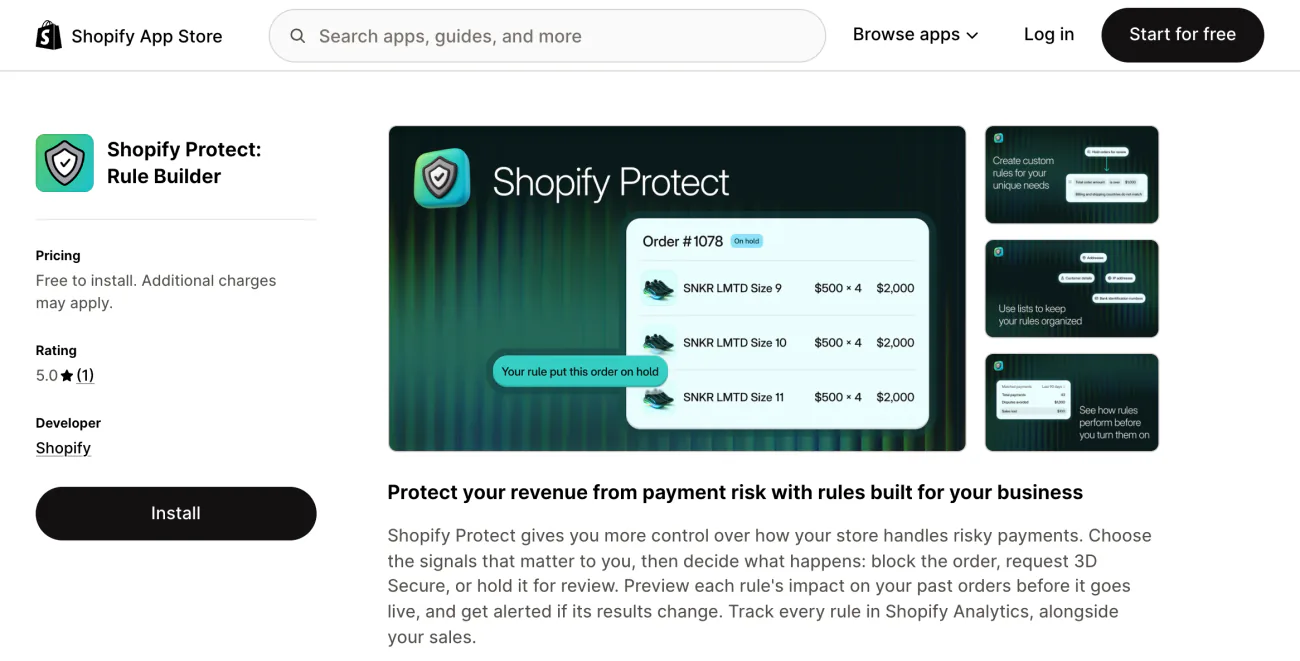
Shopify also lists Shopify Protect: Rule Builder, an app launched October 27, 2026, for rules that block an order, ask for 3D Secure or hold it for review. You can preview each rule on your last 90 days of orders. It's free to install from the App Store, then $0.07 per screened transaction, billed in USD.
How does Shopify fraud prevention catch risky orders?
Shopify's fraud analysis rates each eligible order at low, medium or high risk of a fraud chargeback and suggests a next step before you ship. Medium and high orders get a warning symbol on the Orders page.
The advice sits in the order's Order risk section: "You can fulfill this order", "Confirm with the customer before fulfilling" or "Consider canceling this order". The signals listed with it include the billing address and security code checks, a location that doesn't match the card, and more than one card tried.
A risk level needs Shopify Payments, or the Grow plan or higher with most other providers. Test, free, gift card and point-of-sale orders get none.
Shopify Payments also blocks some high-risk checkouts outright, listed in "Blocked", a view under Orders, then Abandoned checkouts. Manual capture, charging the card after checkout instead of at it, gives you 7 days on Shopify Payments to read the analysis first.
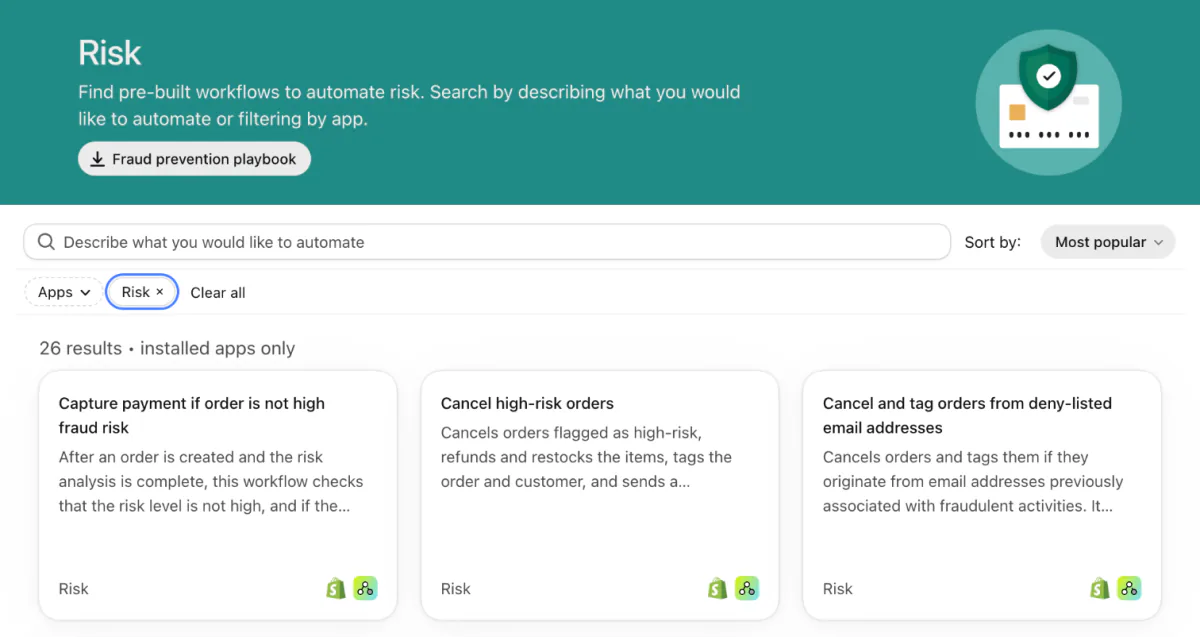
Shopify Flow, Shopify's free automation app, can act on each fraud check, starting from "Order risk analyzed", the trigger that runs once the check is done rather than when the order is placed. Its Risk templates include "Capture payment if order is not high fraud risk", which needs manual capture, and "Cancel high-risk orders". Other actions hold fulfillment or tag the order.
A burst of small orders on your cheapest product can be card testing, someone checking stolen cards. Canceling those orders doesn't stop the real cardholder's bank from filing a chargeback, and each chargeback counts toward your rate. Fraud apps from the App Store can add their own verdict beside Shopify's on each order.
How do you prevent chargebacks and keep your rate low?
Shopify's prevention advice starts with a charge the shopper recognizes on their bill and an order that arrives as described, then a quick answer before they go to the bank.
- A name they know on their card bill. In Settings, then Payments, click Manage and open "Customer billing statement", the section that sets that text. Use your store's name or web address, in 2 to 19 characters, plus a phone number.
- Tracking on every parcel. Ship quickly, and message the shopper when a delivery slips. For parcels that go missing, see whether shipping protection is worth it.
- Listings that match the box. Clear photos, honest descriptions and careful packing.
- Answers before the bank. An easy-to-find return policy, fast refunds and quick replies, as in ecommerce customer service.
Your chargeback rate is the month's chargebacks divided by that month's eligible transactions. Winning doesn't take a dispute off it. You'll see it under "Chargeback monitoring", a panel in Settings, then Payments.
Fraud Control, Shopify's free fraud app, puts your store in good standing below 0.4% of orders and at risk from 0.4% to 0.6%. At 1.5% or more over 90 days, Shopify can enroll your store in a network dispute resolution program. Disputes are then refunded to shoppers automatically, you pay a fee for each ($15 in the US), and 10% of your payouts goes into a reserve. You can leave once your 90-day rate stays below 1.00% for 30 days in a row.
FAQ
Questions, answered
-

14-day free trial
Explore Sledge on your store before you decide to commit.
-

No credit card required
Start improving your store with no upfront commitment.
-

Setup in minutes
Get Sledge running without a lengthy setup process.
-

Built to grow sales
Turn shopper behavior into actions that help you sell more.
How much is the Shopify chargeback fee?
On Shopify Payments, the fee is $15 in the US, £10 in the UK, $15 CAD or $15 USD in Canada and $25 AUD in Australia. It leaves with the disputed amount as soon as the chargeback opens. In the US, both come back in your next payout if you win.
How long do you have to respond to a Shopify chargeback?
Usually 7 to 21 days after the chargeback is filed. The due date shows on the order in your store's time zone, and runs to 11:59 PM if no time shows. Shopify sends your response on that date even if you add nothing, unless the order is marked Not enough evidence to challenge this chargeback, in which case it's accepted.
Does Shopify protect you from chargebacks?
Only partly. Shopify Protect pays back fraudulent and unrecognized chargebacks, fee included, on eligible Shop Pay orders, free for US stores with a US Shopify Payments account. Every other chargeback you answer yourself, with Shopify adding the order details for you. Shopify says it doesn't decide outcomes and isn't liable for chargebacks.
Can you win a chargeback on Shopify?
Yes, when your evidence answers the reason the shopper gave, though the bank can still rule against you. Put direct proof first, such as delivery confirmation or a refund record. In the US, a win returns the amount and the fee in your next payout. The decision is final, and the dispute still counts toward your chargeback rate.
Can you refund an order after a chargeback?
Not once a chargeback has started, because the bank has already taken the money. During an inquiry, a full refund ends it, while a partial refund still leaves room for a chargeback. If a shopper agrees to drop a chargeback, they must get an official withdrawal letter from their bank for you to upload as evidence.
What chargeback rate is too high on Shopify?
Shopify's free Fraud Control app calls a store in good standing below 0.4% of orders and at risk from 0.4% to 0.6%, with its top risk level above that. At 1.5% or more over 90 days, Shopify can enroll you in a program that refunds disputes automatically, with a fee for each and a 10% reserve on payouts.
Disputes answered. Now find the sales your store misses.
Sledge doesn't screen orders, answer chargebacks or cover disputes, so the Shopify tools on this page stay your defense. It's a Shopify app for search, filters, bundles and a cart drawer, free to try for 14 days. Growth Intelligence turns on when you pick a paid plan, and its suggested fixes add up to one dollar figure, labeled Est. potential.

