
Ecommerce customer service is the help a store gives shoppers before, during and after an order: product questions, order updates, returns and problems, by email, chat or pages they read on their own. On Shopify much of it is free. Shipping emails and the order status page answer "where is my order?", and Shopify Inbox adds a chat.
Say you ship 40 orders this week. By Friday, 12 emails ask where a parcel is, three ask how to return a size, and one says the box arrived crushed. Only the crushed box needed you. The other 15 had answers your store could have shown first.
What is ecommerce customer service?
Ecommerce customer service is every answer a shopper needs from you around an order. The questions that repeat are about four things: where an order is, how to return or swap a size, changing an address or cancelling, and something to settle before buying, such as sizing or what a product is made of.
Shoppers want those answers fast. In Zendesk's CX Trends 2026 report, 88% of customers expect faster replies than they did a year ago, and 74% expect service around the clock. A store run by one or two people can't staff every hour, so most of the practices below let your store answer first. Need help from Shopify for your own store instead? That's Shopify support.
What are the 7 best practices for ecommerce customer service?
Answer "where is my order?" before it's asked, open only channels you watch, post your reply hours, put answers where shoppers look, let shoppers start returns, save replies, and keep a person for what automation can't settle.
1. Answer "where is my order?" before shoppers ask
When you fulfill an order, check that "Notify customer", the switch under the tracking number box, is on, so Shopify emails the shipping details. Three later emails depend on a tracking number: Shipping update, Out for delivery and Delivered. Type the number in every time you fulfill, and the last two go out on their own as the carrier reports each step.
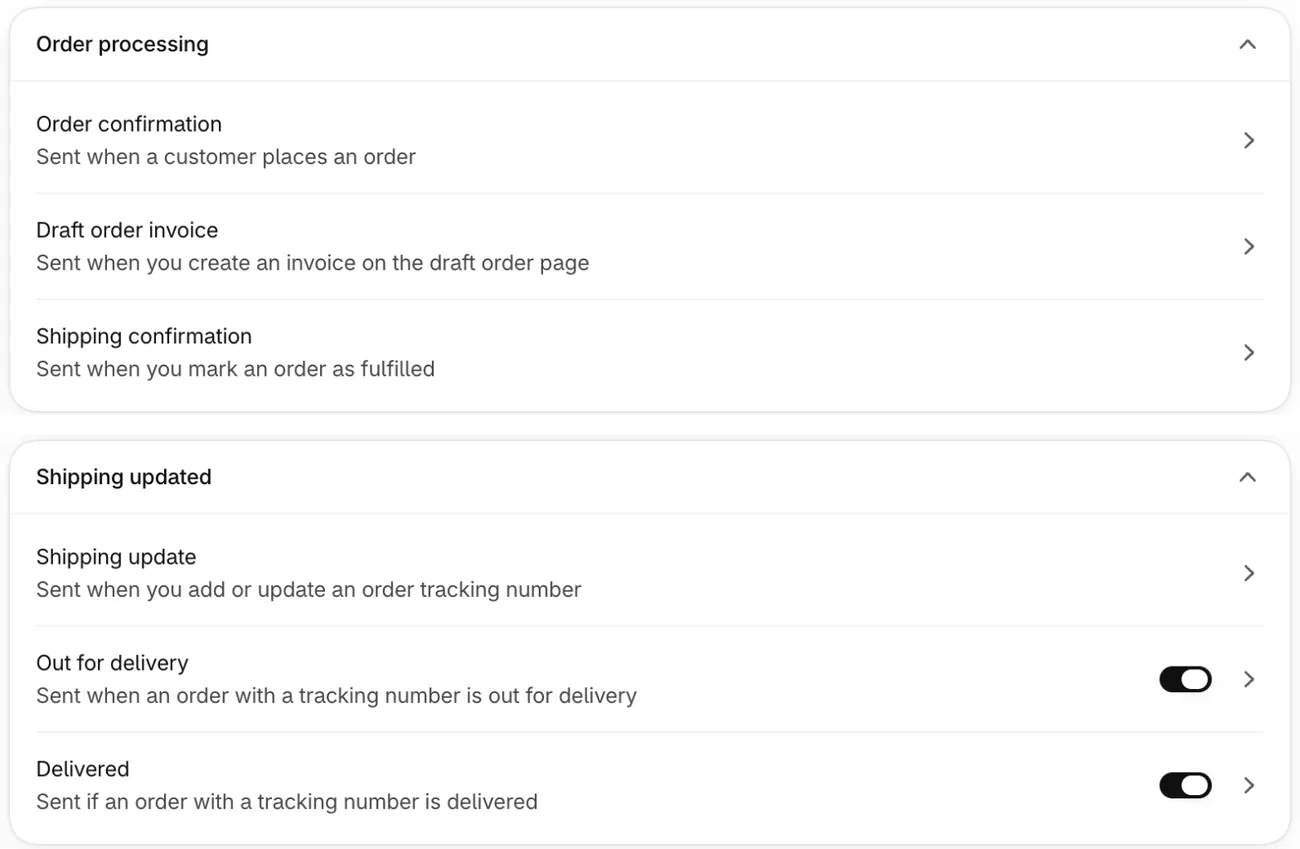
Without a tracking number, the order status page your shopper opens from their confirmation email stays at "Confirmed". So they write to you instead.
If Shopify doesn't support your carrier, the page shows the tracking number as a link to the carrier's own site, with no live status, as Shopify's Help Center explains. You can open an order's status page from the order in your admin to check the status your shopper sees. Bought the label on a carrier's site? Add its tracking number to the order, as our shipping label guide shows. The full run of emails after a sale is in our post-purchase email flow.
2. Offer only the channels you can answer
A channel nobody watches is worse than having none. Open fewer, and answer all of them.
| Channel | Good for | Where you set it up | The catch |
|---|---|---|---|
| Email and contact form | Detailed questions, photos of a damaged parcel | "Sender email", the address your store's emails come from, under Settings, then Notifications | Contact form messages land in that inbox, so check it and its spam folder. Some email hosts reject a "no-reply" address. |
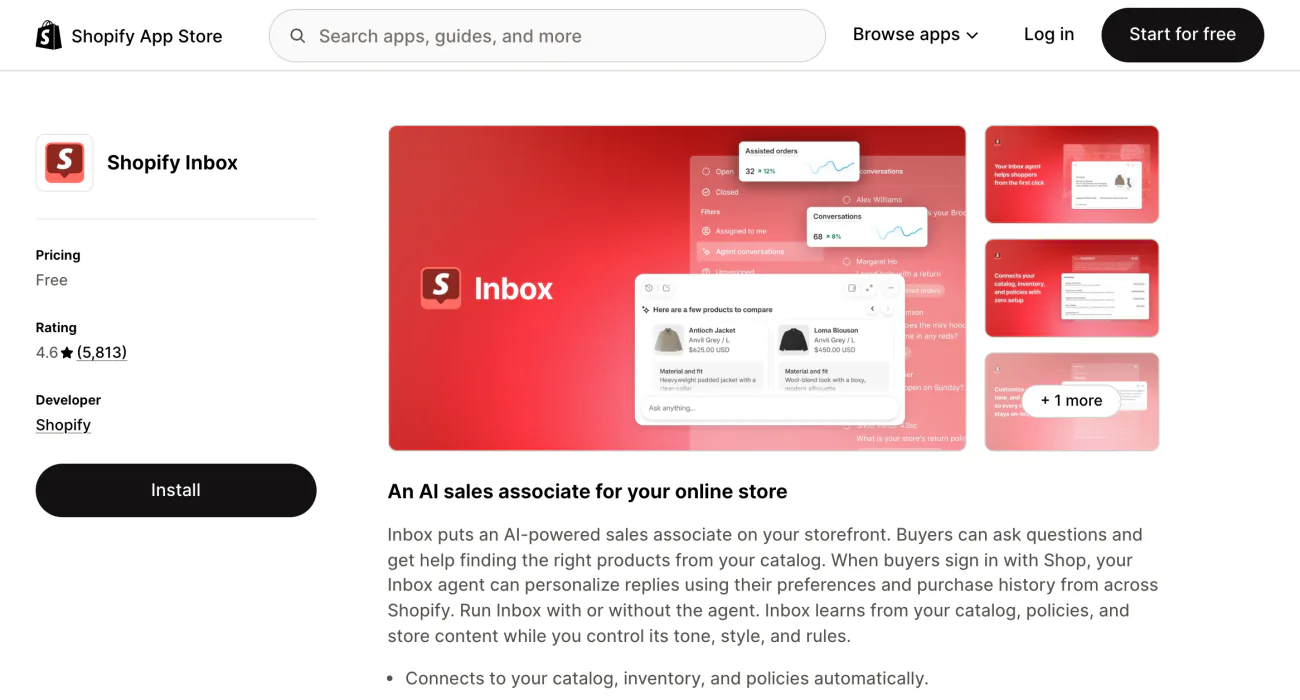
| Chat in Shopify Inbox | Quick questions before buying | A free Shopify app for the Basic, Grow, Advanced and Plus plans | A reply sent after the shopper leaves reaches them only if they gave an email or signed in. |
| Self-service pages | Tracking, returns, shipping costs | The order status page, Settings, then Policies, and Online Store, then Pages | Nobody has to reply, but only if the answer is written there. |
| Social messages and texts | Shoppers who found you there | Each social app, or a texting app | Worth it only if someone checks every day. |
Once having email and chat in one inbox is worth a monthly fee, a help desk app can put them together. Our roundup of Shopify live chat apps covers the chat side, and texting is in SMS marketing on Shopify.
3. Say when you'll reply, and keep to it
In Shopify Inbox, set the hours you answer each day under Chat settings, then Availability. Then turn on the automated first reply. It holds two messages, one for chats during your hours and one for chats outside them, each up to 2,048 characters. Use both to tell the shopper when they'll hear back.
Put the same promise on your contact page, in words like "We reply within one business day, Monday to Friday." Then beat it.
4. Put the answers where shoppers look first
Write your return, shipping and contact information policies under Settings, then Policies, and link them in your store menu. Shopify can fill several of them from your store settings and keep them in sync. It also links every policy in your checkout footer by itself, but shoppers often need them before checkout. A refund policy template gives you wording to start from.
Next, build an FAQ page from the questions you answered this month. Go to Online Store, then Pages, click Add page, and link the page in your menu.
In Shopify Inbox, instant answers are questions a shopper clicks in the chat window to see your reply at once. Up to 100 can show. Keep the built-in "Track my order" option, which asks for the order number and email.
With Sledge search, switching on "Display page" shows matching store pages beside the products, so a shopper who types "returns" sees your returns page.
5. Let shoppers start a return on their own
A return request sent from the order beats an email thread that starts with "can I return this?" Set your return rules first: a window of 14, 30 or 90 days, unlimited or custom, and who pays to ship the item back. Then switch on Return under "Order actions", the list of what shoppers can do from an order, in Settings, then Customer accounts.
Self-serve returns work only with the new customer accounts, and shoppers can't ask for an exchange this way. You still approve or decline every request. If your store shows no Order actions section, the switch sits elsewhere, and ecommerce returns walks through both setups up to the refund.
6. Save replies for the questions you get every week
In Shopify Inbox, a quick reply fills in a saved message when you type its one-word shortcut. For email, keep the same answers as templates: here are 10 customer service email templates to copy. If your store and admin are in English, Inbox can also suggest a reply for your staff, which you read and edit before it goes.
7. Let automation take the easy questions, and keep a person for the rest
The Inbox agent, Shopify Inbox's automatic replier, answers questions about products, shipping, returns, sizing and store policies. It reads your catalog, policies and published pages, and looks up an order once the shopper signs in. Set it to "Only when your staff is unavailable" to cover the night, or to "All conversations". Outside your hours, it then answers in place of your first reply.
The agent needs the new customer accounts. Shoppers see a notice that they're chatting with AI, and you can't remove it. Shopify's Help Center says you're responsible for the accuracy of what the agent tells shoppers. When a shopper asks for a person outside your hours, the agent gives them your sender email address.
Keep a person for what neither the agent nor a status page can settle: a parcel marked delivered that never arrived, one stuck in transit for days, a crushed box, or a refund outside your policy. Those are the emails worth your time. How the agent suggests products is in AI shopping assistants, and selling through chat in conversational commerce.
How do you set up Shopify Inbox for customer service?
Install the free app, switch its chat on in your theme, then set your hours, first reply, instant answers and agent. These steps follow Shopify's Help Center.
- Install Shopify Inbox from the Shopify App Store.
- In Online Store, click Edit theme and open "App embeds", the switches for apps in your theme editor. Turn on Online store chat and click Save.
- In Inbox, open Chat settings, then Availability, and set your hours.
- Turn on the automated first reply and say when you'll answer.
- Add instant answers for the questions you get every week.
- Turn the agent on and pick All conversations or Only when your staff is unavailable, or leave it off.
Inbox needs the Basic plan or higher, and the agent also needs the new customer accounts.
How do you know your customer service is working?
Count what shoppers still have to ask, not only how fast you answer.
- A rating after each reply. One question, "How did we do?", gives you a CSAT score.
- Contacts per 100 orders. Say 18 emails came in for 120 orders: that's 15 per 100. Watch it month to month, because a falling number usually means your pages answer more.
- Replies against your promise. Check how many chats and emails got an answer within the time you promised. If you run the Inbox agent, its Overview adds an average response time and a satisfaction rate.
To ask how likely shoppers are to recommend you, run a Net Promoter Score survey.
FAQ
Questions, answered
-

14-day free trial
Explore Sledge on your store before you decide to commit.
-

No credit card required
Start improving your store with no upfront commitment.
-

Setup in minutes
Get Sledge running without a lengthy setup process.
-

Built to grow sales
Turn shopper behavior into actions that help you sell more.
What is ecommerce customer service?
Ecommerce customer service is the help an online store gives shoppers before, during and after an order. It covers product questions, tracking, address changes, returns and problems, by email, chat or pages shoppers read on their own. Done well, most shoppers find the answer without writing, and the ones who write hear back when you said they would.
How do you improve ecommerce customer service?
Start with the question you answer most. If it is where an order is, enter a tracking number on every shipment and keep Shopify's shipping emails on. Then publish your return policy, post the hours you reply, save replies for repeat questions, and ask shoppers to rate a reply, so you see which answers still fall short.
Can you automate customer service on Shopify?
Partly, with Shopify's own tools. Shipping emails and the order status page answer tracking questions. Shopify Inbox can show instant answers, a Track my order option and an automatic first reply, and its Inbox agent can answer chats itself, on every chat or only outside your hours. A crushed parcel or a refund outside your policy still needs a person.
Is Shopify Inbox free?
Yes. Shopify Inbox is listed as Free in the Shopify App Store and runs on the Basic, Grow, Advanced and Plus plans. Your team answers its store chat from a browser or the Inbox app on iPhone and Android. Its optional Inbox agent replies by itself, and shoppers see a notice that they are chatting with AI.
How fast should you reply to a customer?
As fast as you can promise and keep. In Zendesk's CX Trends 2026 report, 88% of customers expect faster replies than a year earlier, and 74% expect service around the clock. A small store can't staff every hour, so post your reply hours, send an automatic first reply that says when you'll answer, and let instant answers cover the night.
What should an ecommerce FAQ page include?
The questions you answer every week, in your shoppers' words: when an order ships, how to track it, how to return or exchange, sizing, and how to reach you. Keep each answer short, link your shipping and return policies, and add the page to your menu and footer. In Shopify it is a normal page under Online Store, then Pages.
Shoppers search "returns". Do they find the page?
Sledge doesn't answer chats, emails or returns for you. It's a Shopify app for search, filters, bundles and a cart drawer, and its search can show your returns or shipping page to a shopper who types "returns" or "shipping". Try it free for 14 days. Growth Intelligence turns on when you pick a paid plan, and its suggested fixes add up to one dollar figure, labeled Est. potential.

