
Shop Pay is Shopify's own express checkout. A shopper saves their email, card and address once, then pays on any store that offers it, confirming with a six-digit code or a passkey. For your store it comes with Shopify Payments at no extra fee: each order costs your normal card rate. You switch it on under Settings, then Payments.
A shopper taps the purple button under your Add to cart, gets a text with a code and stops. Is this your store or some other company? Another shopper paid in two taps and never typed a card number. Both met Shop Pay. The second one had used it on that device before.
What is Shop Pay?
Shop Pay is a wallet built into Shopify's checkout that fills in a shopper's saved email, card and address. Each shopper can keep up to 10 cards and 20 shipping addresses in it. It shows as a button on your product page, in the cart and at checkout. At the counter, your staff can pick Shop Pay on Shopify POS and show a QR code, and the shopper pays on shop.com.
Shopify says its Shop Pay network holds over 250 million shoppers. Shop Pay is not Shopify Payments, though: Shopify Payments charges the card and pays your bank, while Shop Pay remembers who the shopper is.
How does Shop Pay work at checkout?
The shopper taps the Shop Pay button, confirms it's them, reviews the order and pays.
- Tap the button. It sits on the product page, in the cart or at the top of checkout.
- Confirm it's them. The shopper types their email and enters the six-digit code Shop sends by text, or picks the passkey icon. A shopper with a verified email can pick "Send me a code by email instead".
- Review the order. The saved card and address are already filled in.
- Pay. They press "Complete purchase".
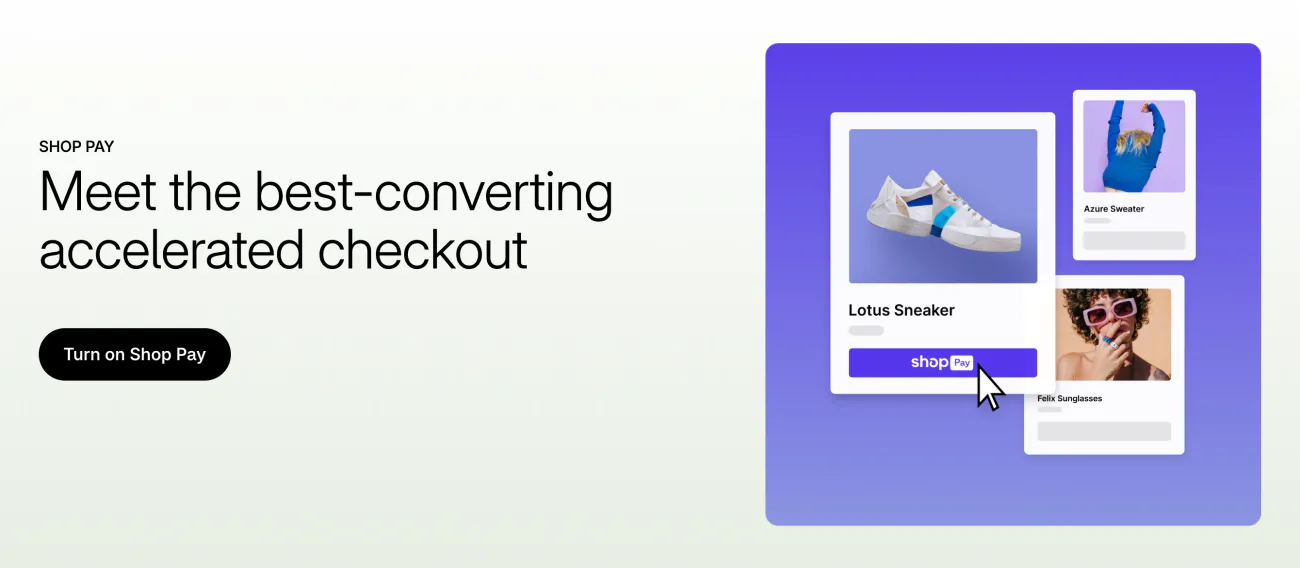
A shopper who comes back on the same device can check out without the code. A recognized shopper may see the last four digits of their card on the button itself. Saving details is a choice, and it needs an email: a shopper who types only a phone number is never asked to save. After the order, the shopper can follow it in the Shop app.
What does Shop Pay cost your store?
Nothing on top of your Shopify Payments card rate. A Shop Pay order paid online with a standard card costs 2.9% + 30¢ on the US Basic plan, and less on Grow and Advanced. Our Shopify pricing guide has every plan's rate. Shopify charges no third-party transaction fee on Shop Pay orders, and the money arrives with your usual Shopify Payments payouts.
Shop Cash is Shopify's own rewards program. Shoppers can spend it at your checkout and you can't opt out of accepting it, but it costs you nothing beyond your usual card rate.
An order paid in installments costs your store more. See how Shop Pay Installments works for that fee.
Is Shop Pay safe?
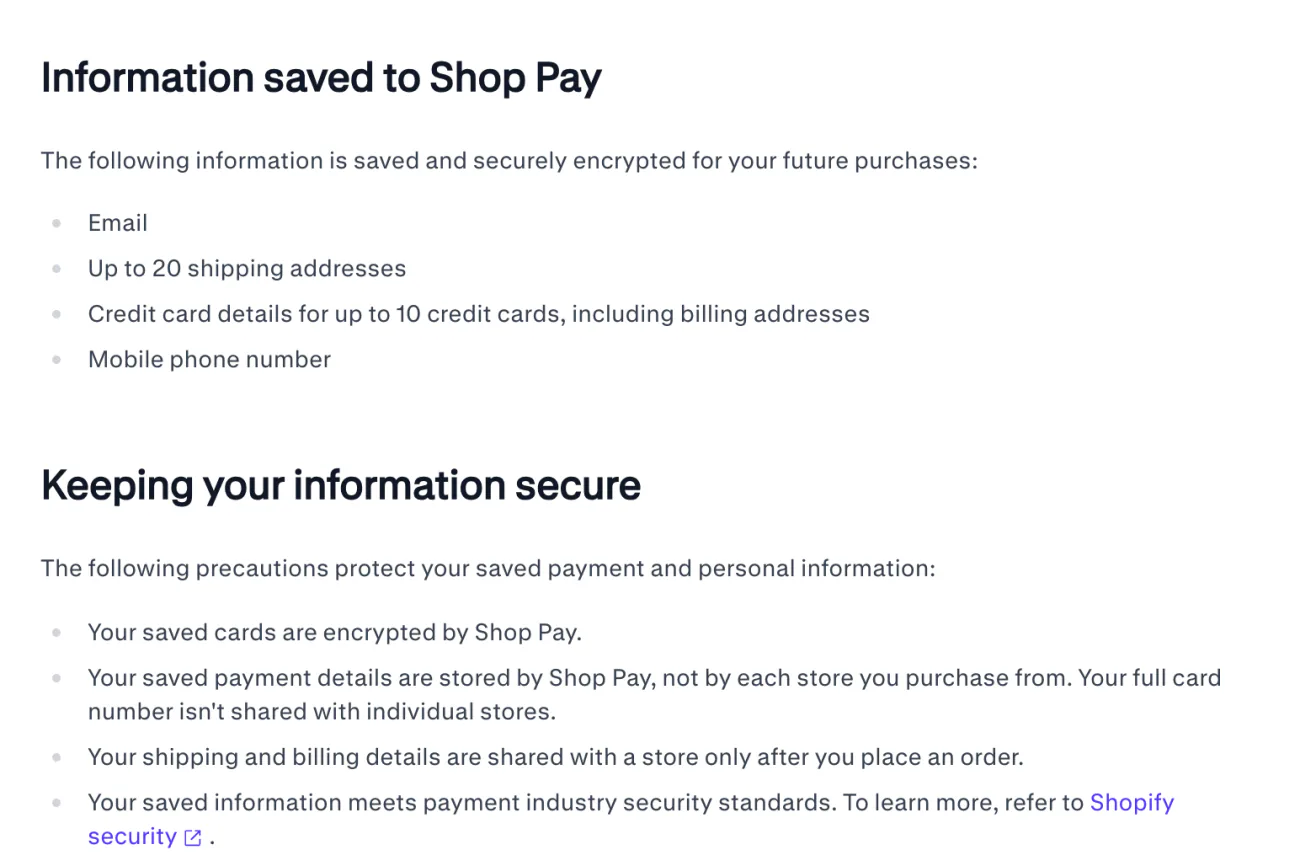
Shop Pay keeps the card number itself and hands your store only the order details. Saved cards are encrypted, and a shopper's address reaches you only once they place an order.
For your shoppers, a code they didn't ask for usually means they saved their details at some checkout and forgot, which Shop's help says is easy to do. They can opt out of Shop Pay, or add passkeys and codes in its security settings. On a shared computer, guest checkout is safer, because the same device can skip the code next time.
For your store, Shopify Protect pays back fraudulent and unrecognized chargebacks on eligible Shop Pay orders, plus the chargeback fee, for free. The conditions are narrow:
- Your store and your Shopify Payments account are in the US.
- The order holds physical items that ship, so no digital goods and no pickup.
- You add valid tracking from a supported carrier within 7 days, and the parcel is moving within 10.
- The shipping address stays as the shopper typed it.
- Shop Pay Installments orders are out, and a subscription is covered on its first order only.
How do you turn on Shop Pay?
Turn on Shopify Payments, then tick Shop Pay in its settings and save.
- Set up Shopify Payments. Shop Pay comes with it. In your admin, go to Settings, then Payments.
- Open its settings. In the "Shopify Payments" section, click "Manage".
- Tick Shop Pay. In the "Shop Pay" section, check "Shop Pay" and click "Save".
- Finish your details. Add your business and bank details.
Shopify's Help Center lists these steps, read November 9, 2026.
- Finish within 21 days. If setup isn't done 21 days after your first Shop Pay payment, Shopify refunds every payment to the shopper.
- No test orders. Shop Pay can't run a test order, so place a real one, then cancel and refund it.
- Two extras switch on with it. Sign in with Shop, a login with the shopper's Shop account, turns on if you use customer accounts. Sell with Shop lists your store on Shop, if you meet its requirements.
In Australia, France and the US, Shop Pay can also run beside another payment provider. There, open the "Third-party payment provider" section, click "Manage", check "Enable Shop Pay", save, then press "Complete set up" and add your store and bank details.
Why can't shoppers pick PayPal or Klarna inside Shop Pay?
Shop Pay takes cards and some local methods only, so other methods stay on your standard checkout. PayPal and Klarna never appear inside Shop Pay, even when you have them turned on. In Germany, Shop Pay takes cards alone.
A shopper who wants PayPal pays on your standard checkout instead. Inside Shop Pay, "Pay another way" lists the other methods Shop Pay can take for that order. The discount code box waits too: it shows only after a Shop Pay shopper signs in, so one who skips sign-in never sees where the code goes.
Should you hide or turn off Shop Pay?
Hiding the button changes your product pages; turning Shop Pay off changes every checkout and can cancel subscriptions.
To hide it on product pages, open the theme editor and go to Products, then Default product. In the "Product information" section, open "Details", then "Buy buttons". On the Horizon theme, Buy buttons holds an "Accelerated checkout" block, the express payment buttons under Add to cart. Hide it with its eye icon and save. That hides every express button on the product page, not Shop Pay alone, and Shop Pay still shows at the top of checkout. Shopify's Help Center describes a "Show accelerated checkout buttons" checkbox in Buy buttons instead, which Horizon does not have. On Shopify Plus, a developer can also hide Shop Pay at checkout with a custom app, and Shopify warns that hiding it there can lower your conversion rate.
To turn it off everywhere, go to Settings, then Payments, and click "Manage" beside Shopify Payments. Open "More actions", then "Manage payment methods". In the "Shop" section, deactivate "Shop Pay" and confirm with "Deactivate". Any subscription billed through Shop Pay then fails, and after several failed attempts it is canceled. Sign in with Shop goes too, and shoppers no longer see their saved cards at your checkout.
Weigh it before you switch. Shopify says Shop Pay converts as much as 50% better than guest checkout, based on an external study with a Big Three global management consulting firm in April 2023. Our Shopify CRO guide puts that figure next to the rest of checkout.
What are the Shop app, Shop Cash and Shop Pay Installments?
They are three Shopify products that share the Shop name, and only Shop Pay is the checkout itself.
- The Shop app. Shoppers use it to find stores, buy with Shop Pay and track their orders.
- Shop Cash. Rewards that Shopify funds, earned only through a promotional offer in the Shop app or on shop.com, never on your online store.
- Shop Pay Installments. Splits an order into payments at a higher fee; our installments guide covers it.
FAQ
Questions, answered
-

14-day free trial
Explore Sledge on your store before you decide to commit.
-

No credit card required
Start improving your store with no upfront commitment.
-

Setup in minutes
Get Sledge running without a lengthy setup process.
-

Built to grow sales
Turn shopper behavior into actions that help you sell more.
Is Shop Pay safe to use?
Shop Pay encrypts saved cards and keeps them itself, so the store never sees your full card number. Your address reaches a store only after you place an order. A new device asks for a six-digit code or a passkey. On a shared computer, check out as a guest, because that device can skip the code next time.
Do I need a Shop Pay account to buy from a Shopify store?
No. A Shop Pay account is made at checkout only when you choose to save your email, card and address. Shopify says shoppers in every region can decline, and no account is made when they do. If you type only a phone number in the contact field, checkout doesn't offer to save anything at all.
How do I delete my Shop Pay account?
Shop treats two steps differently. Opting out of Shop Pay deletes your phone number and saved details from Shop Pay but keeps your Shop account for order tracking. Deleting your Shop account removes both. If you pay with Shop Pay Installments, Shop asks you to pay every installment before you can do either.
Is there a Shop Pay discount code?
No. Shop Pay has no code of its own. Every code comes from the store you buy from, and you type it at checkout under Add a discount code or gift card. Shop allows one discount code per order, plus gift cards. When paying with Shop Pay, sign in first: the code field shows after that.
Does Shop Pay charge stores a fee?
No separate fee. Shop Pay comes with Shopify Payments, and each order costs your normal card rate: 2.9% + 30¢ for a standard card online on the US Basic plan. Shopify charges no third-party transaction fee on Shop Pay orders. Shop Pay Installments is the exception, with a higher fee that Shopify does not publish as one rate.
Is Shop Pay the same as Shopify Payments?
No. Shopify Payments is the provider that charges the card and pays your bank. Shop Pay sits on top of it and remembers who the shopper is: their email, saved cards and addresses. You need Shopify Payments to offer Shop Pay, except in Australia, France and the US, where Shop Pay can also run beside another payment provider.
Shop Pay handles checkout. What gets shoppers there?
Sledge doesn't add a Shop Pay button or change your checkout. It runs the steps before checkout: search, filters, product cards and a cart drawer whose Checkout button sends shoppers to your Shopify checkout. Try it free for 14 days. Growth Intelligence turns on when you pick a paid plan, and its suggested fixes add up to one total, labeled Est. potential.

