
To make a shipping label in Shopify, open an unfulfilled order and click Create shipping label. Check the items, the box and the weight, pick a carrier service, then click Buy shipping label and print it on a 4 x 6 label or plain paper. An unused label can be voided within 30 days for credit.
Say a customer cancels an hour after you printed a $9.40 label. The charge already sits on your Shopify bill. Getting it back takes a menu you may never have opened, and it returns as credit, not cash.
What is a shipping label?
A shipping label is the sticker that tells a carrier where a parcel goes and shows its postage is paid. Shopify's Help Center says most carry the recipient's name, address and phone number, your return address, and a barcode the carrier scans at each stop. Many add a tracking number, the order number, the date and the service.
The service sets the price: a label that promises 2-day delivery costs much more than one that takes 7 to 10 days. Whoever hands the parcel to the carrier buys the label, so a supplier who ships for you usually bills it to you.
How do you make a shipping label in Shopify?
Open the order, click Create shipping label, check the parcel and buy. These steps follow Shopify's Help Center.
- In your Shopify admin, go to Orders and click an order with unfulfilled items.
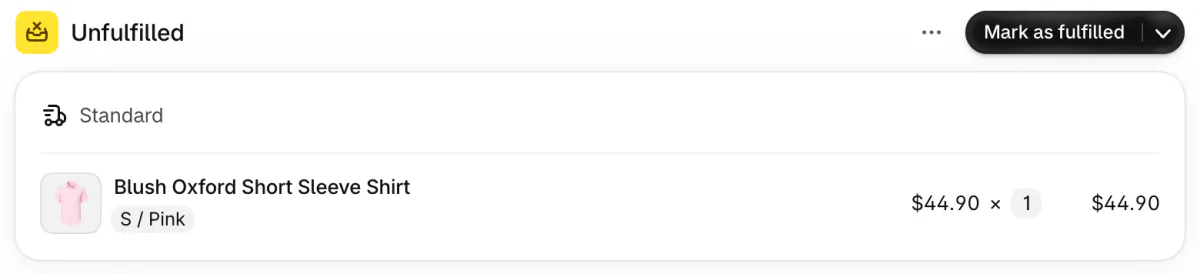
- In the Unfulfilled section, click Create shipping label.
- Under Items, confirm what goes in this parcel. An order going abroad also needs its customs details, covered in Shopify international shipping.
- Under Package and weight, pick a box and check the total weight, which counts the box too.
- Pick a shipping service and a shipping date. Printing today for a Friday pickup? Set Friday as the shipping date and don't ship before it.
- Review the summary and click Buy shipping label. Then print it.
Shopify charges labels to the card on your account, in your local currency, plus tax. Your first label is billed on its own. After that, labels join your other Shopify charges, and Shopify invoices you as soon as they reach the threshold for your Shopify plan: $200 on Basic or $480 on Grow. Below it, they go on your monthly bill.
Weigh the packed box, not just the product. A weight or size that doesn't match what the carrier measures comes back later as a price adjustment on your bill. Why a label can cost more than your shopper paid for shipping is in Shopify shipping rates, and which carrier suits which parcel is in UPS vs FedEx vs USPS.
Which printer and paper do you need for shipping labels?
Any desktop printer works, and a 4 x 6 thermal label printer is quicker because it prints onto sticky labels. Shopify prints three sizes: 4 x 6 inches (100 x 150 mm) for label printers, and Letter or A4 sheets for desktop printers. A label on plain paper goes on the box under a plastic sleeve or clear packing tape.
Shopify's Help Center lists the label printers Shopify supports: the DYMO LabelWriter 5XL, the Brother QL-1110NWB, the Zebra ZD220 and ZD421, and a Rollo. The Brother and the Rollo also print from a phone.
Pick the size on the print page, then choose the same paper size in your printer's window. Shopify keeps your choice as the default. Once you leave that page, a different size means voiding the label and buying it again.
The sender line prints your store name. To print another name, such as your legal business name, go to Settings, then Shipping and delivery, and open Sender name on shipping labels. It takes 3 to 25 characters and can't contain the word Shopify. The return address comes from your location under Settings, then Locations.
How do you reprint labels or print them in bulk?
Go to Orders, then Shipping labels, select the labels and click Print documents. You can print up to 100 at a time. Tick Collate pages by order to keep each order's sheets together. Documents of different page sizes open in separate browser tabs, so a browser that blocks pop-ups prints nothing.
A label that printed badly prints again at no cost, as long as it hasn't shipped. Never put a scanned label on a second parcel, because carriers can treat that as fraud.
To buy labels for many orders, select them on the Orders page: Shopify takes up to 250 in one go. If the purchase times out, its Help Center suggests batches of about 30.
How do you void a shipping label and get your money back?
Void it within 30 days of buying it and before the carrier scans it, and Shopify adds the cost to your account as label credit. On the order, open the menu in the Fulfilled section, click Void label and pick a reason. Or select up to 250 labels under Orders, then Shipping labels, and void them together.
Three kinds of label can't be voided: one older than 30 days, one with a tracking scan, and a USPS First Class Mail label. A label added to a USPS manifest in the last 15 minutes has to wait.
Void three $8.50 labels in a month and $25.50 waits as credit for your next labels, not back on your card.
Past those limits, Shopify's Help Center says any refund or credit depends on the carrier service and the label's status, so ask Shopify Support. To fix a mistake, void the label, correct the order and buy it again.
Why can't you buy a shipping label in Shopify?
Labels need an eligible fulfillment location, an order with items still to ship, and sometimes a check on your account. The usual causes:
- Your location is outside the countries Shopify sells labels for: the US, Canada, Australia, the UK, France, Germany, Italy, the Netherlands, Poland and Spain. Some carriers also need your store's address in the same country.
- The order is already fulfilled, or its items don't need shipping. Shopify calls those orders not eligible for shipping labels.
- Shopify may ask you to verify your personal information before you buy.
- The carrier has an outage. Its services show greyed out and marked as ineligible, so pick another carrier.
How do you make a shipping label without Shopify?
Buy it on the carrier's site or in a shipping app, then add the tracking number to the order. Shopify can't print a label without an order, and for a location it doesn't serve, its Help Center points you to a shipping label app.
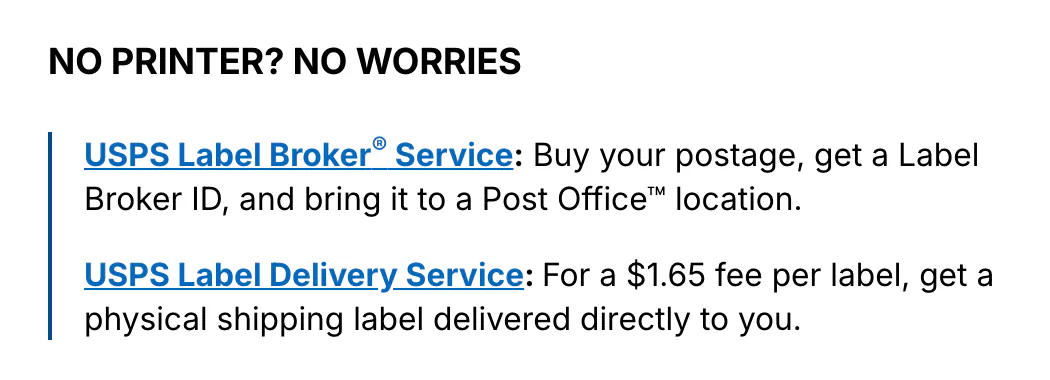
USPS Click-N-Ship needs a free USPS account, and USPS says every user gets its discounted commercial prices there. With no printer, you can buy the postage, get a Label Broker ID and bring it to a Post Office, or have USPS deliver a printed label for $1.65 each.
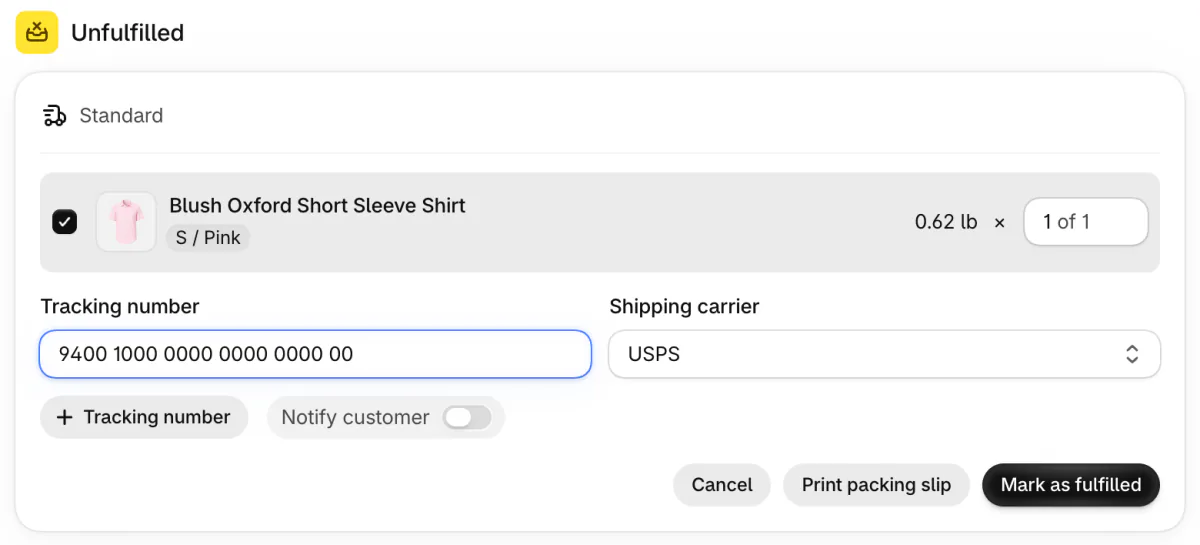
Then open the order, click Mark as fulfilled on the Unfulfilled card and paste the number into Tracking number. Type a USPS number and Shopify picks USPS as the carrier on its own. Notify customer is a switch that starts off: turn it on, and your customer gets the tracking email.
Is a shipping label template a real label?
No. A template lays out the addresses, and a carrier still needs paid postage and its own barcode. Shopify's free Shipping Label Template takes the sender, the receiver, a date, a tracking number and a weight, then emails you a link to a PDF. Shopify says it won't include postage, a scannable barcode or carrier tracking. Entering your email there also signs you up for Shopify's marketing emails.
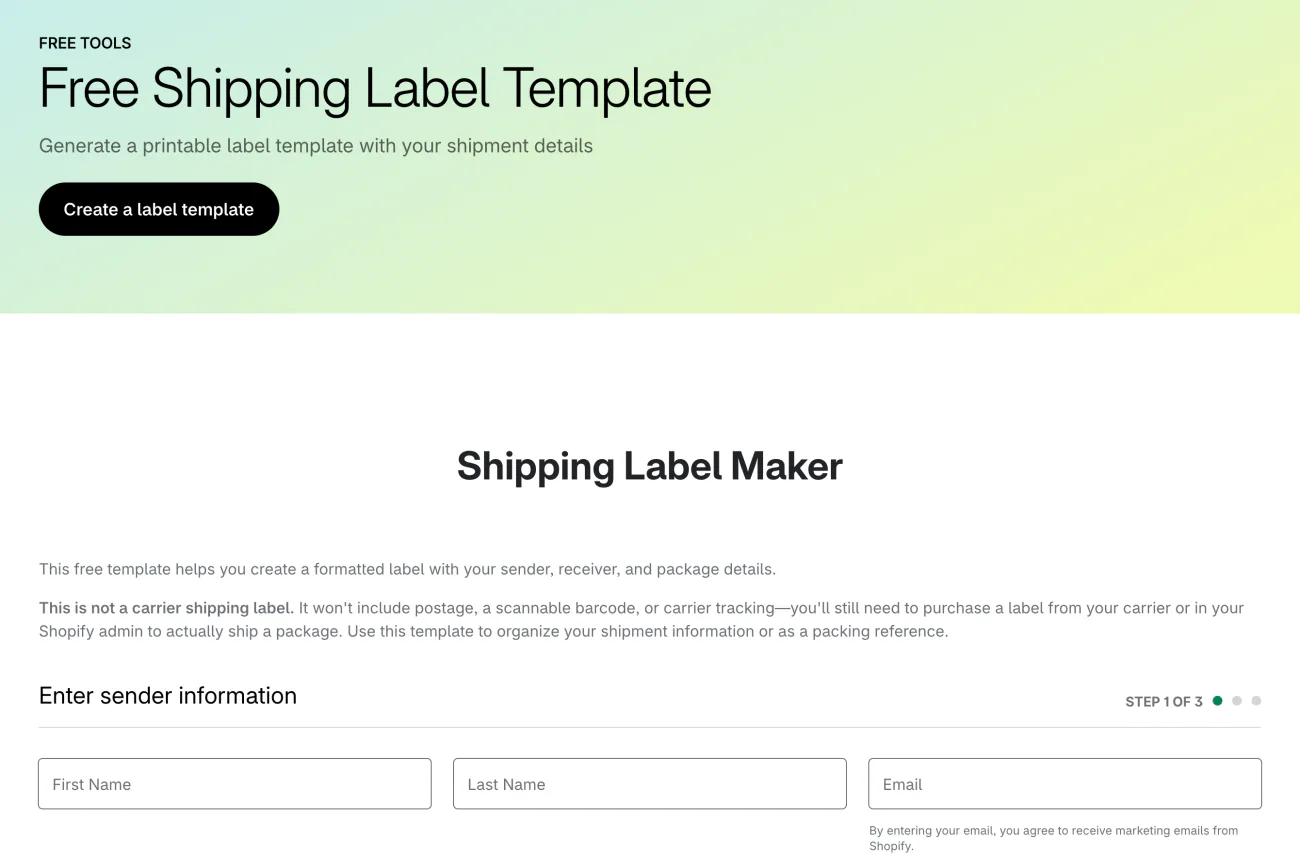
Use it as a packing reference, or as a box label you take to the counter and pay for postage there.
Can you void a return label?
No, and you don't need to: a return label is billed only once the carrier scans it. An unused one expires after a year at USPS, 6 months at UPS and 90 days at FedEx. Canada Post's never expire. How to create one and send it to your customer is in Ecommerce returns.
FAQ
Questions, answered
-

14-day free trial
Explore Sledge on your store before you decide to commit.
-

No credit card required
Start improving your store with no upfront commitment.
-

Setup in minutes
Get Sledge running without a lengthy setup process.
-

Built to grow sales
Turn shopper behavior into actions that help you sell more.
Can I make a shipping label for free?
Not one a carrier accepts. The label is where the postage is paid. Shopify's free Shipping Label Template lays out both addresses, but Shopify says it has no postage, scannable barcode or tracking. Bring it to a carrier's counter and you still pay there. A label bought in Shopify or on a carrier's site carries all three.
Can I print a Shopify shipping label from my phone?
Yes. In the Shopify app, open the order and tap Create shipping label in the Unfulfilled section to buy it. Then tap Print shipping label in the Fulfilled section and pick your printer. On Android with Chrome, the label may download as a file instead, so open it from your Downloads and print it there.
What size is a shipping label?
Shopify prints labels in three sizes: 4 x 6 inches (100 x 150 mm) for thermal label printers, and Letter or A4 sheets for desktop printers. Pick the size on the print page, and Shopify keeps it as your default. Once you leave that page, a new size means voiding the label and buying it again.
Why can't I buy shipping labels on Shopify?
Usually the location or the order. Shopify sells labels only for fulfillment locations in the US, Canada, Australia, the UK and six European countries. The order needs items that are still unfulfilled and need shipping. Shopify may also ask to verify your details before you buy. Outside those countries, buy from a carrier or a shipping app.
How do I get a refund for a Shopify shipping label?
Void it within 30 days of buying it, before the carrier scans it. Shopify then adds the cost to your account as shipping label credit, which pays for your next labels rather than going back to your card. USPS First Class Mail labels can't be voided. Past those limits, any refund depends on the carrier service, so ask Shopify Support.
Do I have to use Shopify's shipping labels?
No. You can buy a label on a carrier's site or in a shipping app, then add its tracking number to the order so your customer gets the updates. Shopify's own labels are one option, sold at discounted rates, and only for stores with an eligible fulfillment location.
A lost parcel means a second label. Who pays for it?
Sledge prints no labels and sets no rates. Its cart drawer can offer Shipping Protection, a line the shopper switches on, at one flat price you set. Sledge marks that line of the order fulfilled, so it never waits for a label. Try it free for 14 days. Growth Intelligence turns on when you pick a paid plan, and its suggested fixes add up to one dollar figure, labeled Est. potential.

