
How to turn more of your Shopify searches into sales
The shopper who uses your search bar is the one most ready to buy, and native search loses too many of them to typos, missing synonyms, and empty results pages. Fix five things and you keep them: tolerate misspellings, add synonyms, understand conversational queries, recover the no-results page, and surface offers inside results. Each rescues a sale that was about to leave.
A shopper who types into search has told you exactly what they want. They are past browsing, down to finding the specific thing. Publishers who study this report searchers convert two to three times higher than browsers, which makes the search bar the highest-intent surface in your store and the most expensive place to fail. Yet shoppers keep searching for products you have in stock and getting zero results or random junk. Here are the five fixes that keep your best shoppers from walking out of the one place they were most ready to buy.
Why are searchers your highest-intent shoppers?
They did the hardest part of the funnel already. A browser is wandering; a searcher has a product in mind and is typing its name. The only thing standing between that shopper and a purchase is whether your search can find what they asked for.
That is why the conversion gap is so wide. Publishers analyzing on-site search put searchers at two to three times the conversion rate of browsers, a figure cited to those publishers rather than measured by us. The logic holds: people who tell you what they want are easier to sell than people you are still trying to interest. So a search that returns nothing or junk is no small miss. It is a high-intent shopper, the kind you spent ad money to acquire, turned away at the moment they were closest to buying.
What does native Shopify search lose, and why?
It loses some shoppers whose wording does not match your catalog. Native synonym handling is limited and managed by hand, so a different word for the same product can come up short instead of finding the item sitting in stock. Sledge adds typo tolerance and generous synonyms so those searches convert.
The failure has a few faces. A typo like "snekers" finds nothing because the letters do not match. A different word for the same item, "hoodie" against your "sweatshirt," finds nothing because search reads them as unrelated. A query like "running shoes under $50" finds nothing useful because native search does full-text title matching and cannot parse the price. And when any of those returns empty, the shopper hits a blank no-results page and leaves. That is the enemy here. Not search. A search bar that loses your highest-intent shoppers to typos and empty results, one warm buyer at a time, while the products they wanted sit in stock.
What are the five fixes that convert more searchers?
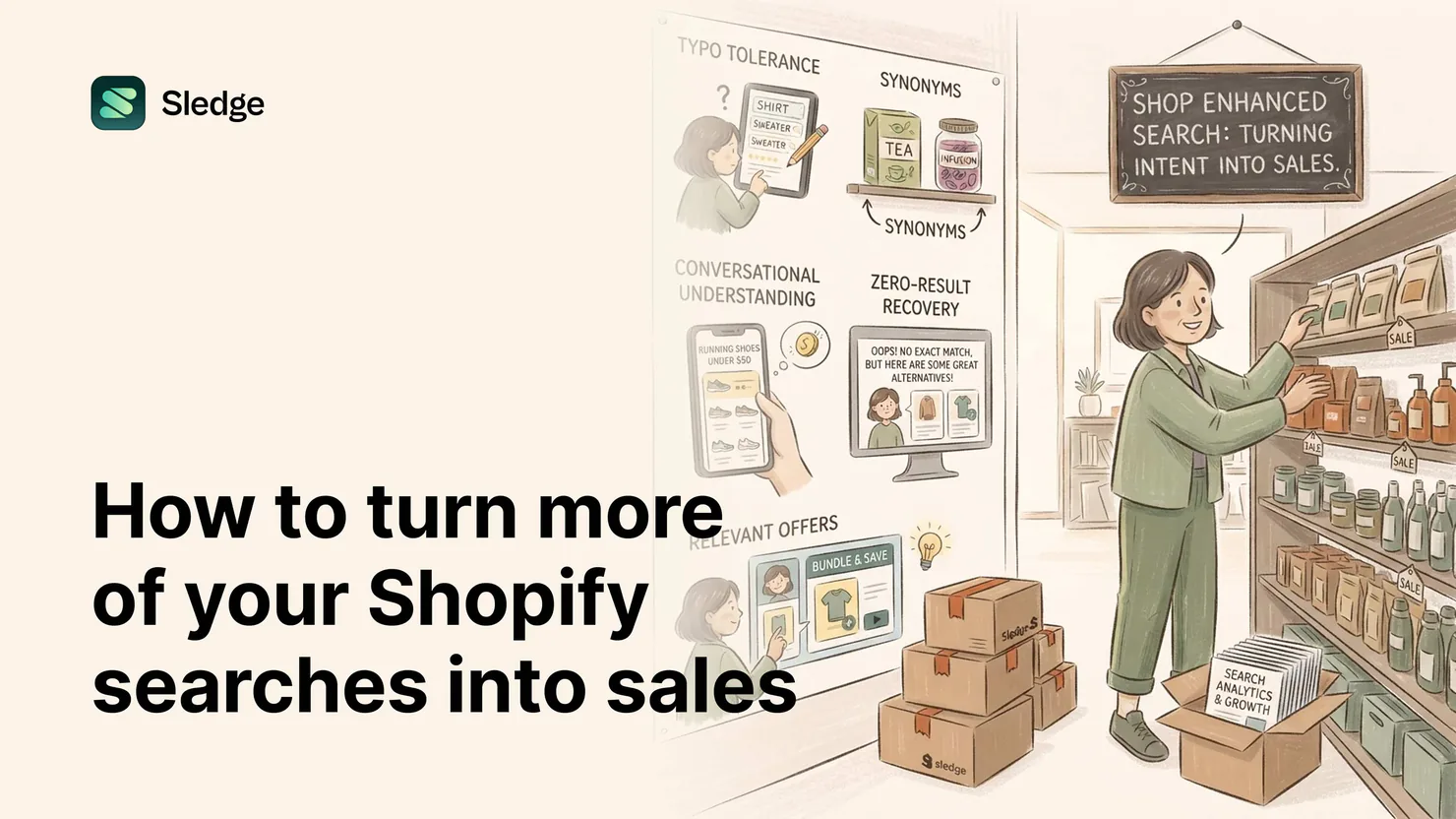
Five, in the order a query travels. Typo tolerance, so "snekers" still finds the sneakers. Synonyms, so "hoodie" finds the sweatshirts and "trainers" finds the athletic shoes. Conversational understanding, so "running shoes under $50" parses into a category and a price instead of failing. Zero-result recovery, so the rare true miss lands on suggestions and bestsellers rather than a dead end. And offers in results, so a shopper searching a product sees the bundle or deal attached right there in the grid.
Each fix catches a different way the funnel leaks. Typo tolerance and synonyms catch the wording gaps behind most empty searches. Conversational understanding catches the shopper who types like they talk. Zero-result recovery turns whatever still slips through into a browse, and surfacing offers turns a found product into a bigger order. Together they cover the path from "shopper types" to "shopper buys more," with no blank page in the middle.
How does Sledge close the gap on each one?
Sledge AI Search ships all five. Typo tolerance resolves misspellings to real products on its own. Synonyms come two ways, ones you add by hand and ones Growth Intelligence suggests from what shoppers actually type, so "hoodie" reaches the sweatshirts without you guessing every variant. Conversational AI parses "shoes under $50" into structured filters, reading the price as a filter instead of text. On a true miss, the no-results page falls through to suggestions and popular products instead of going blank, so a zero-result search becomes a browse. And results can carry the merchandising and offers you have set, so the highest-intent moment in your store is also where a relevant deal shows up.
They work in sequence: a typo gets caught, then different wording, then a conversational query, then a true miss falls through to recovery, and a match can do more than show one product. You are not bolting on five tools. You are closing five leaks in one path. Growth Intelligence also reads which searches return nothing and flags the ones worth money, so the list of what to fix arrives as a queue with dollar amounts, not homework.
We don't get that much search traffic. Is this worth it?
Search converts on quality, not volume. A store with modest search traffic is exactly the store that cannot afford to lose the shoppers who do search, because each one is high-intent and already paid for through whatever brought them to the site.
If searchers convert at two to three times browsers, a small number of searches still carries an outsized share of your conversion potential, and every empty result inside it is a warm buyer lost. Fixing search does not need lots of traffic to pay off. It needs the traffic you have to stop hitting dead ends. The fewer searches you get, the more each rescued one matters. That is the lean-store case, not the enterprise one.
The search-conversion checklist
- Turn on typo tolerance so misspellings resolve to real products.
- Add synonyms, by hand and from suggestions, so different words find the same items.
- Enable conversational understanding so queries like "shoes under $50" parse into filters.
- Make the no-results page recover with suggestions and bestsellers, never blank space.
- Surface relevant offers and merchandising inside search results, not just one product.
- Read the zero-result list for the highest-traffic misses and fix those first.
Questions, answered
Do searchers convert better than browsers on Shopify?
Publishers who study on-site search report searchers converting two to three times higher than browsers, attributed to those publishers rather than measured by Sledge. The reasoning: searchers have a product in mind and explicit intent, which makes them easier to sell to.
Why does my Shopify search return no results for products I stock?
Usually typos or vocabulary. Native search lacks strong fuzzy matching and synonym handling, so a misspelling or a different word for the same product returns nothing. Typo tolerance, synonyms, and a recovering no-results page close those gaps.
Can Shopify search understand queries like red dresses under $100?
Native search does full-text title and description matching, so it struggles with price and natural phrasing. Sledge's conversational AI parses that query into a category and a price filter automatically, instead of treating it as plain text.
What should a no-results page do to recover the sale?
Show suggested searches and popular products under the no matches line. The query failed, but a high-intent shopper rarely has only one product in mind, so bestsellers and working suggestions keep them browsing instead of leaving.
Keep the shoppers who tell you what they want.
Install free. By tomorrow, built-in Growth Intelligence reads your search data and shows which queries are losing high-intent shoppers, with the lost sales attached.
14-day free trial · No code · Works with any theme · Uninstalls clean