
Sledge on Horizon. No code. Tuned.
Does Sledge work with Horizon? Yes. Sledge ships tuned for Horizon and its whole family: Savor, Tinker, Vessel, Atelier, Dwell, Fabric, Heritage, Pitch, and Ritual. Product cards, cart drawer, badges, swatches, and the header search trigger all match from the first load. No code.
Horizon is Shopify's new default theme, the standard on new stores since Summer 2025: block-based editor, modern architecture, a family of siblings on one foundation. Sledge treats them as one tuned system, detected at load and never written into your theme files.
14-day free trial · No code · Works with any theme · Uninstalls clean
How to add product filters to Horizon
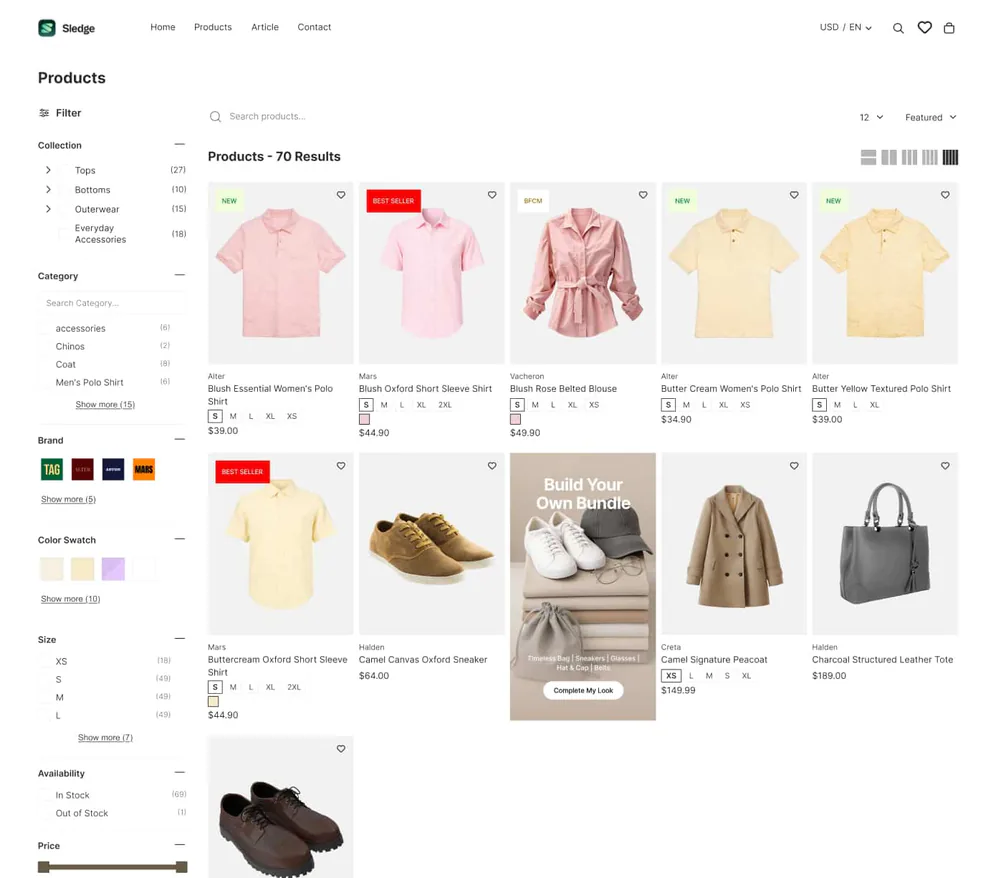
Sledge adds full filter groups, color and image swatches, price sliders, and product counts to Horizon's collection pages, no code and no blocks to wire up. The filter sidebar or flyout matches the theme's layout, styled like Horizon drew it.
Swatches show the color instead of naming it. The price slider beats typed boxes. Counts next to every option show what a filter will return before a shopper taps. And no block is taken, so your layout stays yours. Filters that sell, not just sort.
The step-by-step, including what you can do without an app: How to add product filters to Horizon. The full feature: Filters.
How to improve search on Horizon
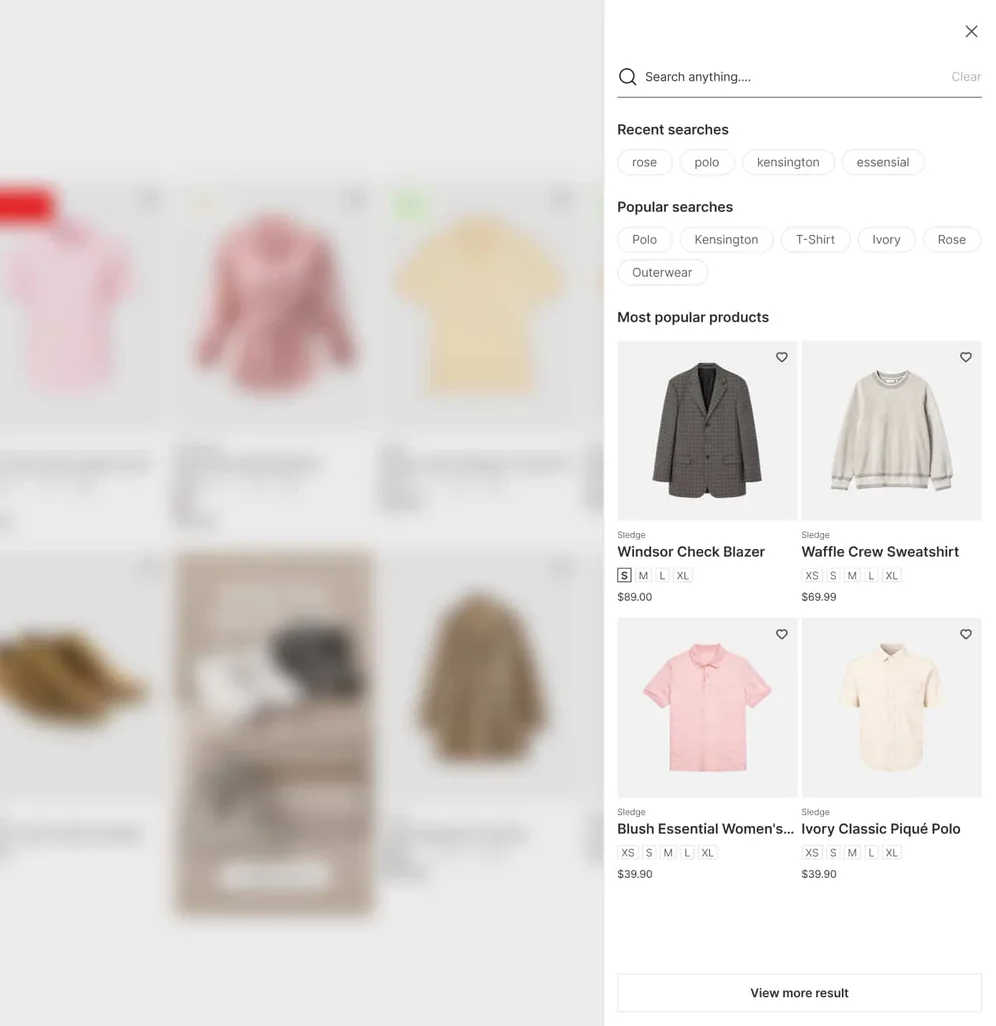
Sledge gives Horizon an instant search overlay: results appear as your shopper types, typos get forgiven, and synonyms mean "sneakers" still finds "trainers". Behind the overlay sits a real results page, not a dead end. It wires to the search trigger in Horizon's header, no code required.
Switch on natural-language search and "Running shoes under $50" becomes the category and the budget. The search bar is where a shopper tells you what they want, so Sledge can place a bundle offer right in the results.
Search is also where leaks show up first. When a query keeps coming back empty, Growth Intelligence catches it and tells you what the fix is worth.
The walkthrough: Improve search on the Horizon theme. The full feature: AI Search.
How to add bundles and quantity breaks to Horizon
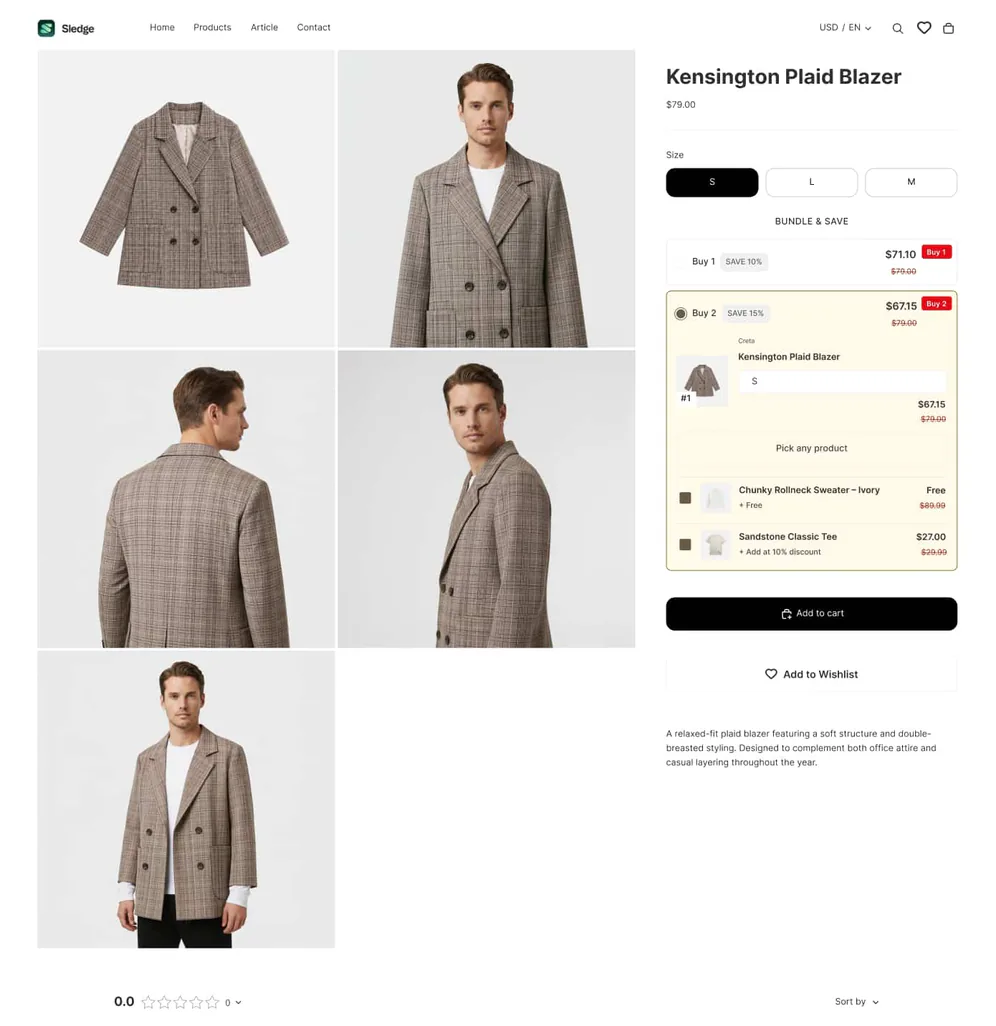
Pick a bundle type, choose where it shows, done. No blocks to configure, no code. Sledge brings nine offer types to Horizon, from quantity breaks to build-your-own. Quantity breaks and fixed bundles live in search results, filtered collections, and the product page. Free gift and shipping goals live in the cart. Build-your-own gets its own page.
A quantity break sells the second unit. Build-your-own sells the set. Free gift and BOGO sell the moment. Each one renders as a Horizon-styled card, so the offer reads as part of your catalog, not a pop-up.
Torn between a quantity break and a free gift? Test both. Sledge A/B tests bundles, badges, and banners, with preview before anything goes live.
Setup on this theme: How to add bundles to Horizon. Every bundle type: Bundles.
How to upgrade the Horizon cart drawer
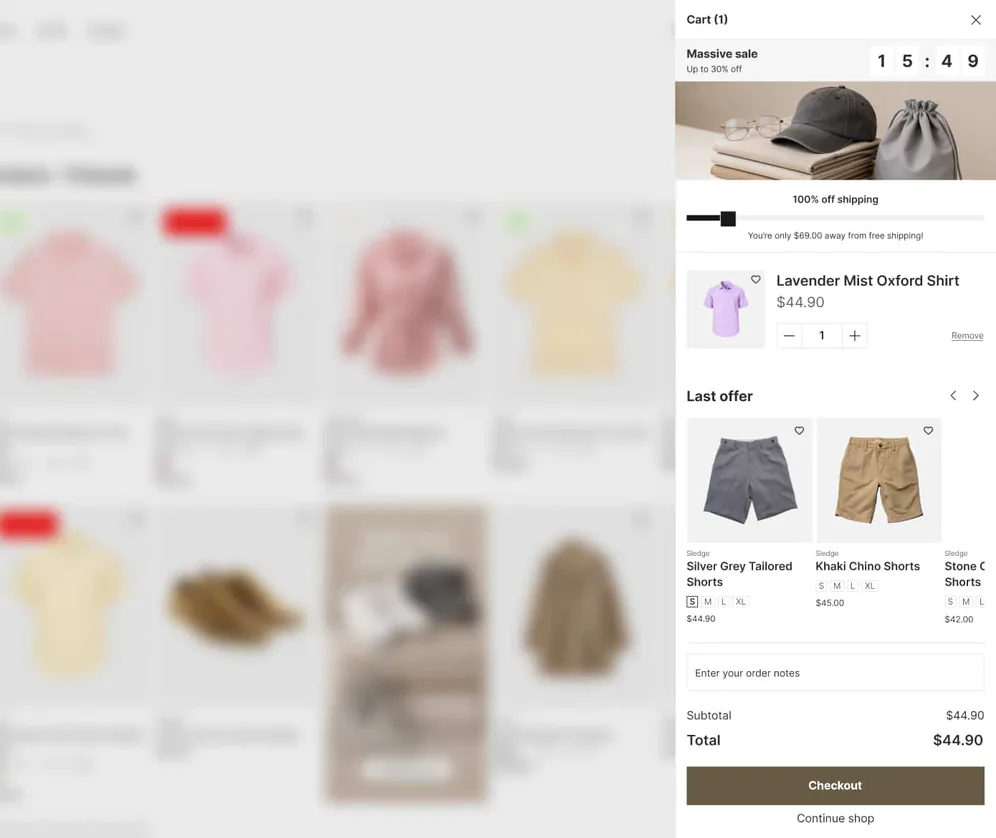
Sledge gives Horizon a cart drawer built to close: a free-shipping bar that fills as the cart grows, a countdown that nudges checkout, and your free gift one more time before the finish line. Tuned for Horizon, it slides in looking native. No code.
The shipping gap does the upselling. Your free gift and your shipping goal render inside the drawer correctly, because the drawer and the offers come from the same app. The cart that finishes the sale.
The upgrade guide: Horizon cart drawer upgrade. Adding urgency elsewhere? Countdown timers on Horizon. The full feature: Cart Drawer.
Product badges on Horizon
Badges earn their keep only when they sit right on the card. Sledge places them where Horizon's product cards expect them, on collection pages and in search results, tuned out of the box. No template edits, no positioning by trial and error. Pick what to badge; Sledge puts it in place.
Those same Horizon-styled cards fill Sledge's recommendation sliders, on the homepage, product page, cart page, and 404 page.
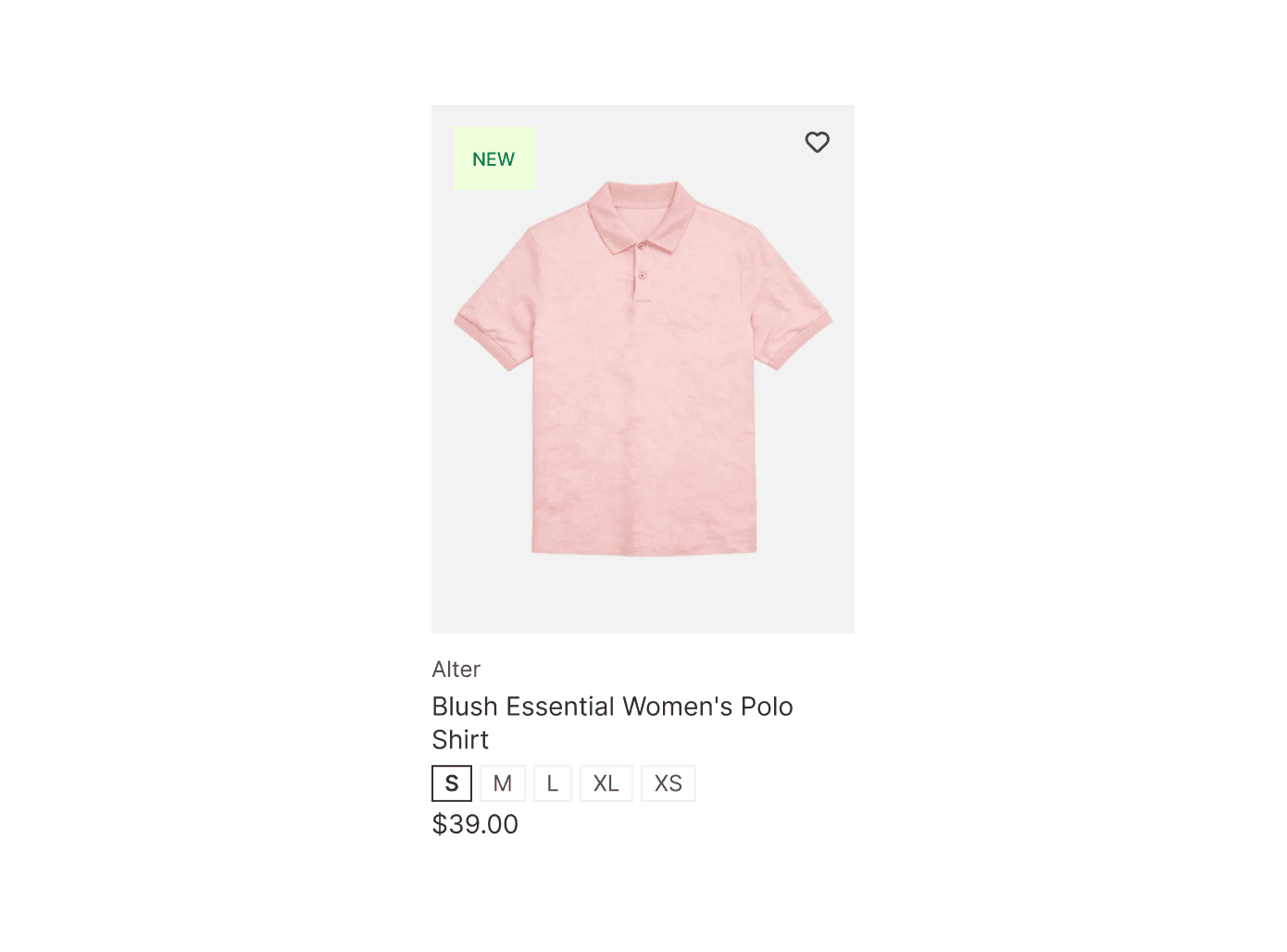
Badges live in Merchandising, alongside boosting: boost by hand, or by rule. The Horizon-specific how-to: Product badges on Horizon. The heart on the same card is Sledge's wishlist: Wishlist on Horizon.
Does Sledge work with the whole Horizon family?
Yes. One tuned system covers Horizon and all nine of its siblings: Savor, Tinker, Vessel, Atelier, Dwell, Fabric, Heritage, Pitch, and Ritual. Switch from Horizon to Savor next season and Sledge re-detects, re-tunes, and carries on. Same offers, same settings, new look.
Sledge detects the theme on every load, so a redesign isn't a re-setup.
Questions, answered
Will Sledge break my Horizon theme?
No. Sledge injects at runtime through the app embed and never edits Horizon's theme files. The Horizon configuration ships tuned, so widgets land in the right places from the first load.
Does Sledge work with Horizon's blocks and my customizations?
Yes. Sledge doesn't occupy your blocks or rearrange your sections; it injects through the app embed and adapts to the page as it renders. A heavily customized layout doing something unusual? Support handles the edge case.
Does Sledge slow Horizon down?
No. You load one app's script instead of one script per app, and it loads without blocking the page.
I'm on Savor, Vessel, or another family theme. Does this page apply?
Yes. The whole Horizon family shares one tuned system: Savor, Tinker, Vessel, Atelier, Dwell, Fabric, Heritage, Pitch, and Ritual each have their own page, and each behaves as described here.
What happens when I uninstall?
Horizon is exactly as it was. Theme files were never edited, so removing the app embed removes every trace of Sledge.
How much does Sledge cost on Horizon?
Same as on any theme: flat plans from $29.99 a month after the 14-day free trial, and development stores stay free. Back in Stock and advanced personalization sit on higher plans. See Pricing.
// Related
Keep exploring: All supported themes · Sledge on Dawn · Pricing
The new default theme. The new default setup.
Install free. Sledge detects Horizon, or any of its nine siblings, and fits itself on the first load. Built-in Growth Intelligence reads your orders and searches, then names your next move with what it's worth attached.
14-day free trial · No code · Works with any theme · Uninstalls clean