
To cancel your Shopify subscription, go to Settings, then Plan, and click Cancel plan, or Cancel trial during a free trial. Shopify uninstalls every app, charges what you still owe and closes the store when the billing cycle ends. A domain bought from Shopify keeps renewing until you switch that off, and you can reopen the store within 2 years.
Say you cancel on the 3rd and your plan renews on the 25th. Your apps come off on the 3rd, and their last charges land on one final bill. The store keeps selling until the 25th, and the domain renews next spring unless you untick it.
How do you cancel your Shopify subscription?
Only the store owner can cancel, from Settings, then Plan, and the store closes when the current billing cycle ends. These steps follow Shopify's Help Center.
- Log in as the store owner and go to Settings, then Plan.
- Click Cancel plan. During a free trial the button reads Cancel trial.
- Shopify may offer a cheaper plan or a new store first. Skip it if you still want to leave.
- Check your Shopify domains and the pending charges. Select Cancel my plan and uninstall all apps, then click Continue.
- Pick a reason, add a comment if you like, and click Continue.
- Enter your password and click Cancel plan, or Cancel trial, once more.
Shopify then emails you to confirm. The Shopify app on your phone has the same steps under Settings, then Plan. Shopify Support can't close a store for you, and a Shopify Plus store cancels through Plus Support or its account manager instead.
What should you do before you cancel?
Save what you'll want later and stop the bills that cancelling doesn't stop.
- Export your products, customers, orders, gift card codes and discount codes as spreadsheet files.
- Download a copy of any theme you paid for. Its license belongs to this store.
- Open Settings, then Billing, and click View bill under Upcoming bill to see what lands on your last bill.
- Cancel directly with the developer of any app that bills you outside Shopify.
- Untick automatic renewal on your domain, or move it, as the domain section below explains.
- Fulfill or refund open orders, pre-orders and subscriptions.
Shopify Payments keeps paying out after you close, but you can't fix a failed payout or answer a chargeback without reopening. Shopify Credit cards lock while the store is closed.
What happens after you cancel Shopify?
The store stays open until the billing cycle ends, so you can still change your mind. Click Reactivate plan under Settings, then Plan, before that date to keep it open. Reactivating before the cycle ends doesn't charge you again.
At cancellation, every app is uninstalled and Shopify charges what's pending: app usage, transaction fees and shipping labels. A final bill comes only if something is owed. After the store closes, shoppers can still open their order details, and you can still view your past bills.
Shopify keeps the store's information for 2 years, so you can reopen it without rebuilding. Account credits last 60 days. To close it for good, ask Shopify Support to erase your customers' data: it's gone within 14 days, and the store can't reopen after that. Your own account details are erased through Erase my data on Shopify's privacy page, once every store you own is closed.
Shopify warns that some apps leave pieces of themselves in your theme after they're uninstalled, so check your storefront before you sell again.
Can you pause a Shopify store instead of closing it?
Only if your store is already on it: Shopify's Pause and Build plan is closed to new subscriptions. Many guides still list it, often with a price. Shopify's Help Center now calls it a legacy plan, and a store that leaves it can't go back.
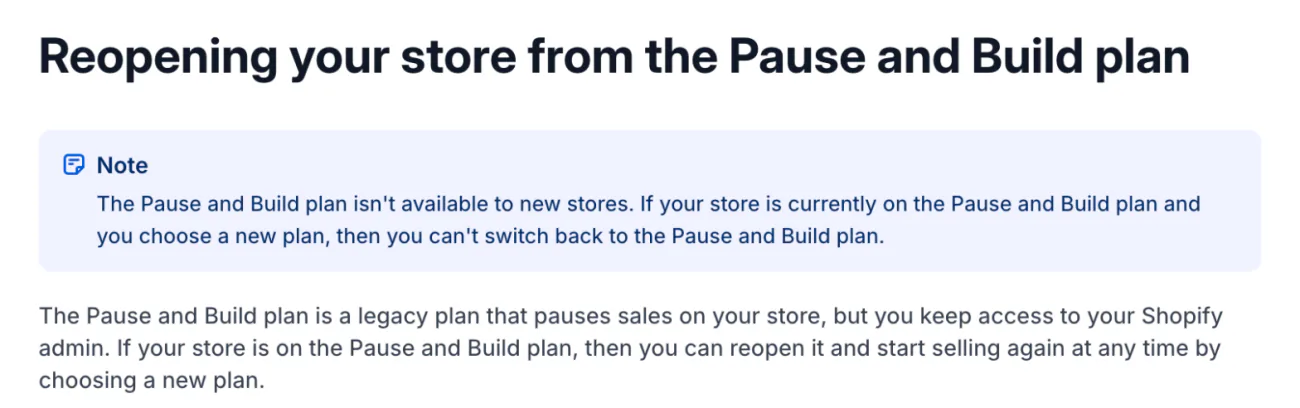
A store already on it keeps the admin and the storefront but can't sell. Every app stays active, and one with a recurring charge keeps billing, so uninstall the ones you don't need one by one.
Everyone else has three ways to take a break. Each one costs something:
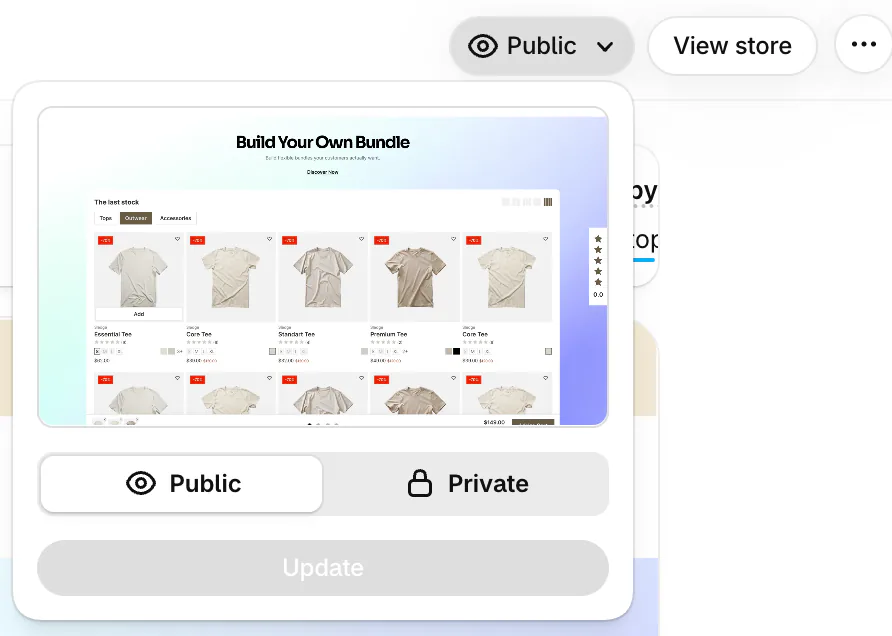
- On the Online Store page, open the menu that reads Public, pick Private and click Update. Visitors then see a password page instead of your products. You keep paying for your plan.
- Move to the Basic plan with Change plan under Settings, then Plan. The change starts when your current billing cycle ends.
- Cancel, then reopen within 2 years. The store comes back, but you reconnect your domain.
How do you cancel a Shopify free trial?
If you never picked a plan, you don't have to do anything. When the trial ends, Shopify freezes the store until you choose one, and nothing is charged for the plan.
If you picked a plan during the trial, it bills once the trial ends, so cancel first: Settings, then Plan, then Cancel trial. Apps you added during the trial still put their charges on your first bill. What the trial includes and what follows it is in our Shopify pricing guide.
What happens to your domain when you close your store?
It comes off the store, but a domain you bought from Shopify keeps renewing until you stop it. Cancelling your plan doesn't cancel the domain.
- To let it lapse, open Settings, then Domains, click the domain and untick Auto-renew this domain every year. A .de or .at domain needs a form sent to Shopify Support instead.
- To keep it, click Domain settings, then Transfer to another provider, and give the code shown to your new provider. A .com can't move within 60 days of buying it.
- A domain from another company renews there. Switch off its renewal on that company's site.
If your new host doesn't give your pages a secure address, the padlock in the browser bar, visitors see a security warning for 90 days after you close.
Will Shopify refund your last bill?
Usually not: Shopify's plans are non-refundable, including when you cancel mid-cycle. Support reviews a request case by case only within set windows: 7 days from a monthly invoice, 30 days from your first invoice after a trial or from a yearly one.
App refunds are each developer's call. Themes are final sale. Moving to a cheaper plan mid-cycle gives credits on future bills, not cash back.
Why are you still being charged after closing your store?
A charge after closing usually isn't your plan. Four other things can still bill you:
- an app that bills you directly, outside Shopify
- a domain renewal
- a chargeback on an old order
- another Shopify store under the same login
You can view your bills without reopening the store: log in and pick the option to see past bills. If your plan still bills after the close date, take the invoice to Shopify Support for a billing review.
How do you reopen a closed Shopify store?
Log in as the owner within 2 years, click Re-open, pick a plan and click Subscribe. Then reconnect your domain under Settings, then Domains, with Connect existing.
Once customer data has been deleted on request, the store can't reopen.
FAQ
Questions, answered
-

14-day free trial
Explore Sledge on your store before you decide to commit.
-

No credit card required
Start improving your store with no upfront commitment.
-

Setup in minutes
Get Sledge running without a lengthy setup process.
-

Built to grow sales
Turn shopper behavior into actions that help you sell more.
Does deactivating a Shopify store cancel the subscription?
Yes. Cancelling your plan and deactivating the store are one action in Shopify. The subscription ends with your current billing cycle, and the store closes that day. Until then you can click Reactivate plan under Settings, then Plan, to keep the store open. An app that bills you outside Shopify keeps charging until you cancel it with its developer.
Can Shopify Support cancel my store for me?
No. Shopify's Help Center says Support can't deactivate a store for security reasons, so you do it yourself from Settings, then Plan, logged in as the store's owner. If you can't log in, recover your login details first. A Shopify Plus store is the one case that goes through Shopify: its owner contacts Plus Support or their account manager.
Does Shopify delete my data when I close my store?
Not straight away. Shopify keeps a closed store's information for 2 years so you can reopen it. Ask Shopify Support to erase your customers' personal data sooner and it's gone within 14 days, and the store can't reopen after that. Export your products, customers and orders as spreadsheet files before you cancel.
Do apps keep charging after I close my Shopify store?
Apps billed through Shopify stop: cancelling uninstalls every app and puts any usage charges still owed on your last bill. An app that bills you on its own website keeps charging until you cancel with its developer. Uninstalling it in Shopify doesn't stop that, so check your card statement for each one.
Can I get a refund after cancelling Shopify?
Usually not. Shopify's plans are non-refundable, and cancelling mid-cycle returns nothing for the days left. Support reviews a request case by case if it arrives in time: 7 days from a monthly invoice, 30 days from the first invoice after a trial or from a yearly one. App refunds come from each app's developer.
Closing because sales went quiet?
Sledge can't cancel your plan or stop a bill. It's a Shopify app that runs your store's search, filters, bundles and cart, with a 14-day free trial. On a paid plan, Growth Intelligence reads your store's searches and orders, suggests fixes and adds them up as one dollar total, labeled Est. potential.

