
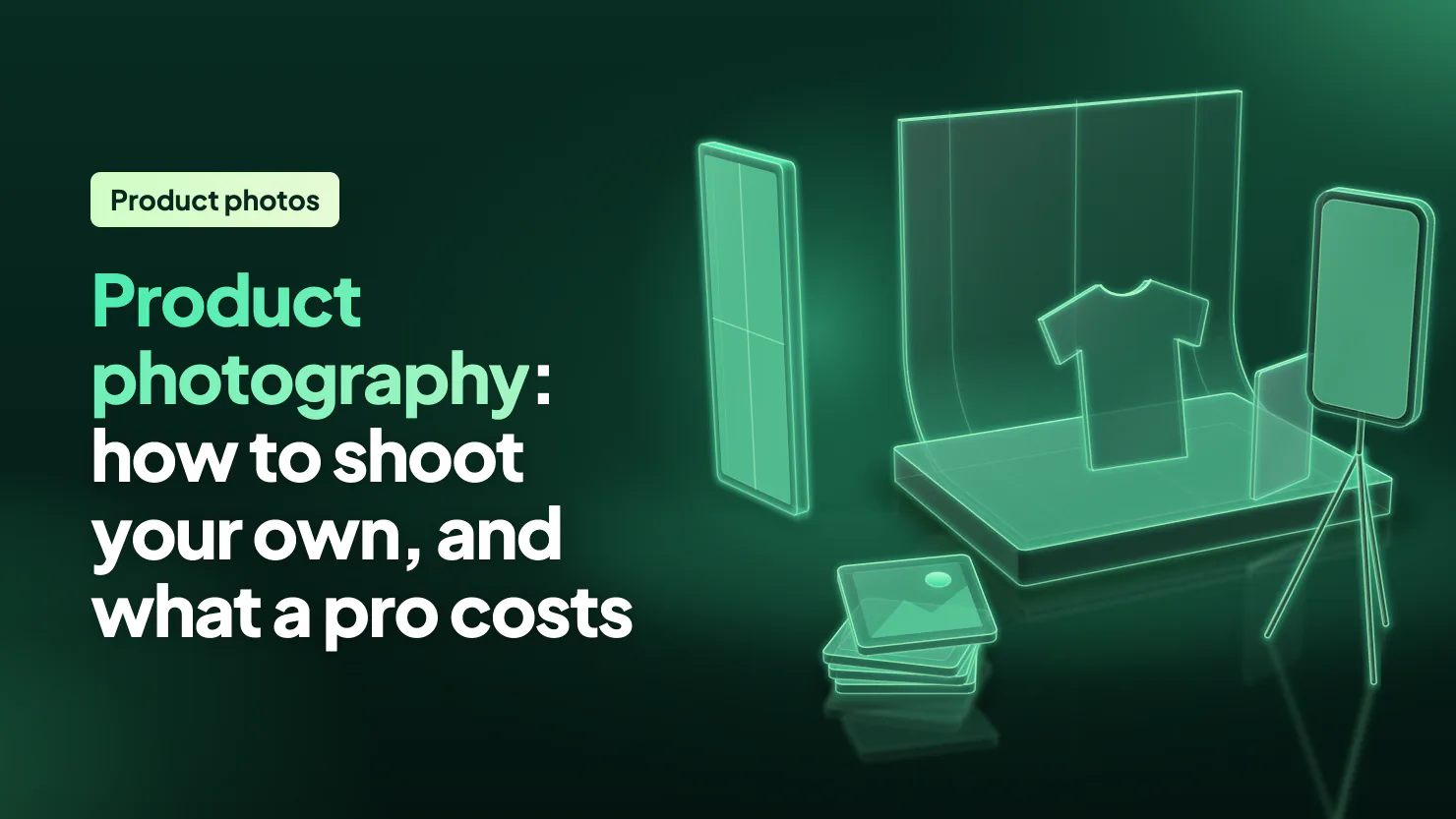
Product photography is taking pictures of what you sell so a shopper can judge it online: a clean shot on white for the collection page, then the back, a close-up, its size and the product in use. A phone, a window and white poster board are enough. A photographer charges about $50 to $350 an image, Shopify's blog says.
Your shirt is shot on the bed and the jacket against the bedroom door. On the collection page one card is bright white and the next is grey and yellow. A shopper sees the mismatch before any price. The fix is one setup you repeat for every product, on the phone you already have.
What is product photography?
Product photography is photos of what you sell, taken so a shopper can see it clearly and judge it. A store uses several kinds for each product.
| Shot | What it shows | Where it goes |
|---|---|---|
| On white | The product alone, nothing around it | The first photo, which is the card on the collection page |
| Close-up | Fabric, stitching, a clasp, a label | The product page gallery |
| Scale | The product beside a hand, or in a room | The gallery |
| On a person | Worn or held | Clothing and jewelry galleries, often the second photo |
| In use | The product in a real setting | The gallery, ads and banners |
| Flat lay | Laid out flat and shot from above | Clothing and sets |
Don't skip the scale shot. In Baymard's testing, 42% of shoppers tried to judge a product's size from its photos. The product detail page guide covers what a page needs around the photos.
What do you need to take product photos at home?
A window, a phone and a sheet of white board cover most products. Shopify's Help Center lists seven things for a home setup.
- a room with a window, with the other lights off
- the best camera you have, and a phone is fine
- a table
- white poster board, or a paper roll photographers call a sweep
- tape or clamps to hold it
- a white card to bounce light into the shadows
- a tripod, if the light is low or your hands shake
Shopify's blog says the whole studio can cost less than $50.
How do you take product photos with your phone?
Light from one side, a white curve behind, and a phone that never moves.
- Put the table side-on to the window, out of direct sun. Turn off every other light in the room, because a ceiling bulb tints the photo.
- Tape the board to the wall and the table so it curves down with no line behind the product.
- Set the product in the middle of the flat part, with room beside it for the card.
- Hold the white card on the shadow side and move it until the shadow lightens.
- Turn the flash off and step closer instead of zooming in. Shopify notes that digital zoom only crops the photo and lowers its quality.
- Keep the phone in one place and turn the product for each angle, so every photo frames it the same way.
- Look at each shot on a big screen before you take the set down.
Which shots does each product need?
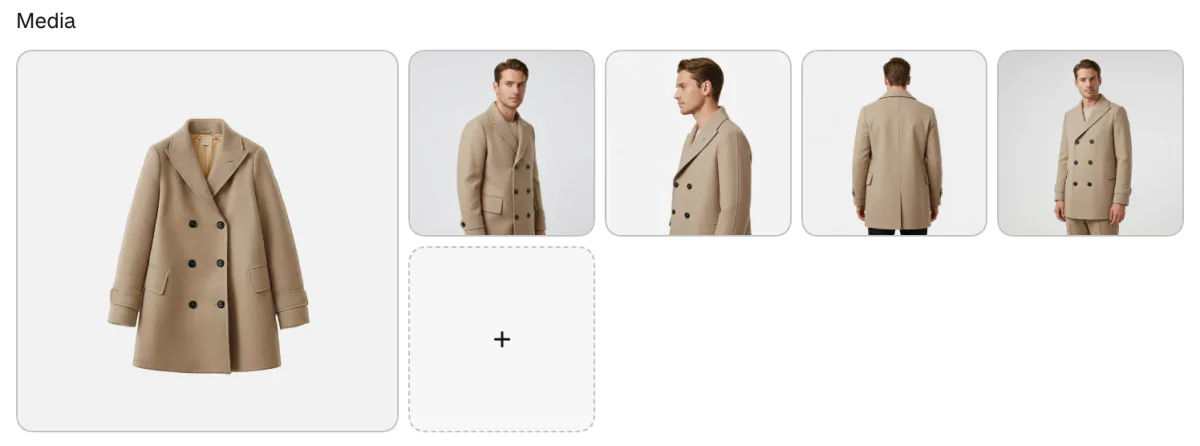
Shoot the same set, in the same order, for every product. The first photo is the one on the collection page, so make it the product alone on white. Then shoot the back or side, a close-up of the material, one that shows its size and, for clothing, the piece on a person. Selling clothes? Our guide to selling clothes online covers the rest of the launch.
Plan the second photo too. Many themes show it when a shopper points at a card on the collection page. In Dawn, it stays off until you tick "Show second image on hover" in the collection's Product grid section of the theme editor. Give it the same shape and background as the first, or the card jumps.
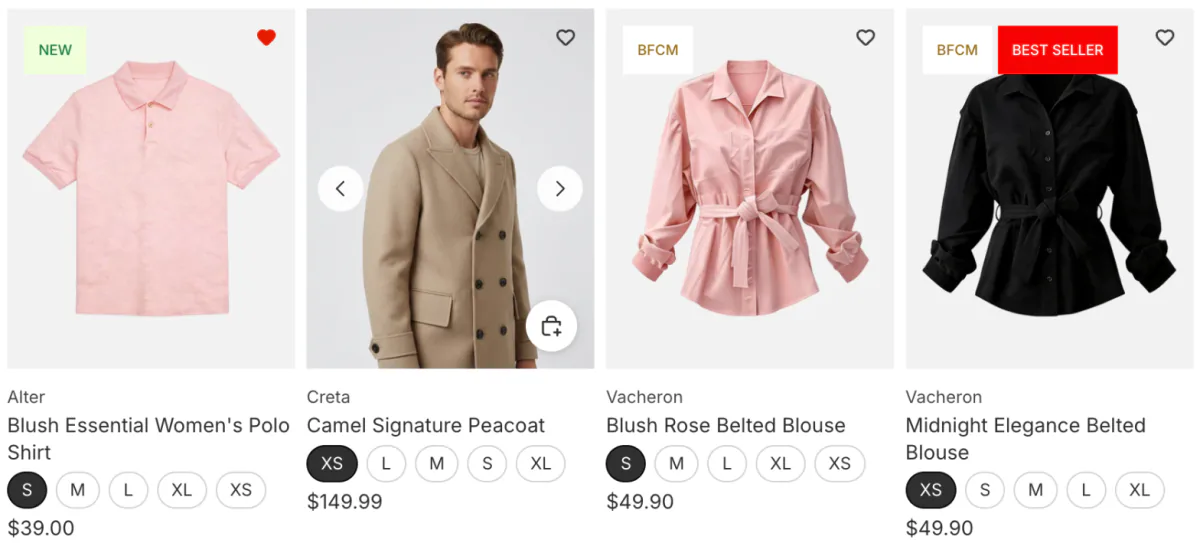
Upload the main photo first in the product's Media section, or drag it to the first spot. One background across a collection is the start of visual merchandising. For the size and shape to export, see Shopify product image size.
How do you edit product photos in Shopify?
Shopify's file editor crops a photo and changes its background without another app. Open the product and click a photo.
"Crop and transform" trims the photo to a new shape. "Color background" finds the product, removes what is behind it, and puts a color or transparency there instead. "Generate" changes the scene from a few words you type. "Discard" drops an edit you haven't saved, and Shopify's Help Center says "Revert to original" undoes one even after you save.
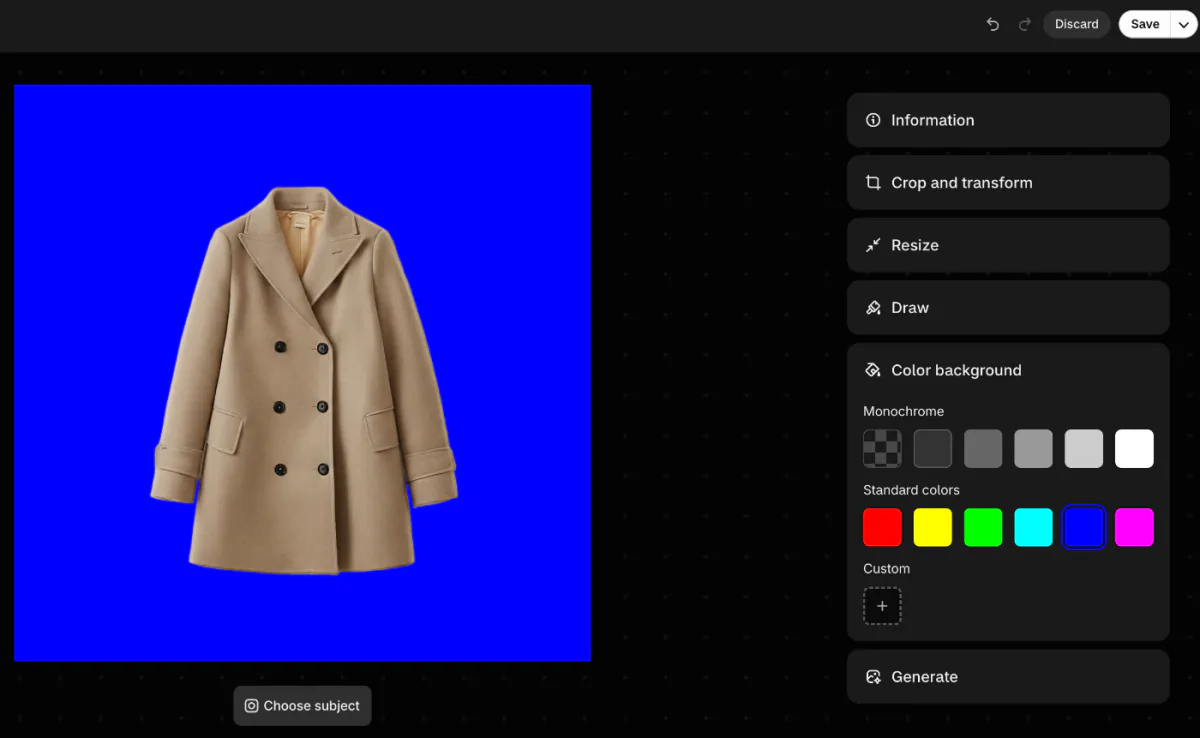
Shopify's Help Center gives two limits for Color background and Generate. The result is saved at about 1 megapixel, near 1000 x 1000 px for a square, which is smaller than the 2048 px Shopify recommends for a square product photo. Each photo made this way also carries an invisible watermark that can't be removed.
Check the edited photo against the product in your hand before you save. Then add a line of alt text in the same window.
Shopify also has a free phone app, Tinker, with AI tools for product shots and monthly limits. Other options are in our roundup of Shopify AI tools.
Why do your product photos look homemade?
The light causes most of it, not the camera.
| What you see | What to change |
|---|---|
| The background is grey, not white | Brighten the background to white when you edit, as Shopify suggests |
| A yellow or blue tint | Turn off the room lights so the window is the only light |
| The product looks flat | Light it from the side, not the front, and put a black card on the far side |
| One side is too dark | Bounce light back with the white card |
| A white product disappears on white | Stand black cards just outside the frame to darken its edges |
| The photos don't match | Keep the phone in one spot and turn the product |
| Sharp on your computer, blurry in the store | Upload a larger photo, as the size guide explains |
When should you pay for product photography services, and what do they cost?
Pay a photographer when you need models, styling, or a large catalog shot to match. Shopify's blog, in January 2026, put product photography at $50 to $350 an image, or $500 to $3,000 a day. A rush job can add 25% to 200% of the total.
One studio, soona, publishes its prices. Its list, read on November 9, 2026, charges $39 a photo plus a $149 studio fee for each booking without a membership. Ten photos come to $539, about $54 each. A full-body model is $159 an hour on top, and styling is $149 an hour.
Before you book, agree on six things.
- the shape, square or 4:5 portrait
- the background
- how many angles each product gets
- whether retouching is in the price
- whether you can use the photos in ads
- files at least 2048 px wide
FAQ
Questions, answered
-

14-day free trial
Explore Sledge on your store before you decide to commit.
-

No credit card required
Start improving your store with no upfront commitment.
-

Setup in minutes
Get Sledge running without a lengthy setup process.
-

Built to grow sales
Turn shopper behavior into actions that help you sell more.
What is product photography?
Product photography is taking pictures of what you sell so a shopper can judge it online. It covers a clean shot on white for the collection page, plus the back, a close-up of the material, something that shows its size, and the product worn or in use. Shoot the same set for every product.
How do I take product photos at home with my phone?
Set a table side-on to a window, out of direct sun, and turn off the room lights. Curve white poster board from the wall down to the table. Put the product in the middle, hold a white card on the shadow side, turn the flash off, and turn the product, not the phone, for each angle.
How much do product photography services cost?
Shopify's blog puts it at $50 to $350 an image, or $500 to $3,000 a day, with rush jobs adding 25% to 200%. One studio's published list, read November 9, 2026, charges $39 a photo plus a $149 fee per booking without a membership, so ten photos come to $539. Models and styling are billed by the hour on top.
What is the best background for product photos?
White, for the first photo of each product. It keeps the product the only thing on the card, and it makes every card in a collection match. Use poster board or a paper roll curved down from the wall. Save scenes and colored backdrops for the later photos in the gallery.
Can I use my supplier's product photos?
Only with your supplier's permission, so get it in writing. Supplier photos are someone else's work, and other stores selling the same item often use the same pictures. Your own photos, even from a phone, make your listing look like no one else's.
Can I edit product photos in Shopify with AI?
Yes. Click a product photo to open Shopify's file editor. Color background removes the background and puts a color or transparency behind the product, and Generate changes the scene from a short description. Shopify says photos changed with Color background or Generate are saved at about 1 megapixel and carry an invisible watermark.
Your photos are live. Which product page still loses shoppers?
Sledge doesn't take or edit your photos. It shows which products shoppers look at and leave: its Signals tab flags an in-stock product with 300 or more visits in a week and under 1% added to cart, with the note "Check its price, photos and stock." Try it free for 14 days. On a paid plan, Growth Intelligence adds up what its suggested fixes could bring in as one dollar figure, labeled Est. potential.

