
Shopify Collective is Shopify's free app for selling another Shopify store's products in your store, or letting other stores sell yours. The retailer sets the price and keeps the margin. The supplier ships and is paid when it does. Both stores need Shopify Payments and must sit in the same country, one of 38.
Your candles sell, and shoppers keep asking for a holder to go with them. You don't want 200 holders in the spare room for a product you are only testing. Another Shopify store already makes them, and Collective lets you sell theirs while they ship each order.
What is Shopify Collective?
Shopify Collective is a free Shopify app that lets one store list another store's product while that store ships it. The store that lists it is the retailer. The store that makes and ships it is the supplier, and one business can be both.
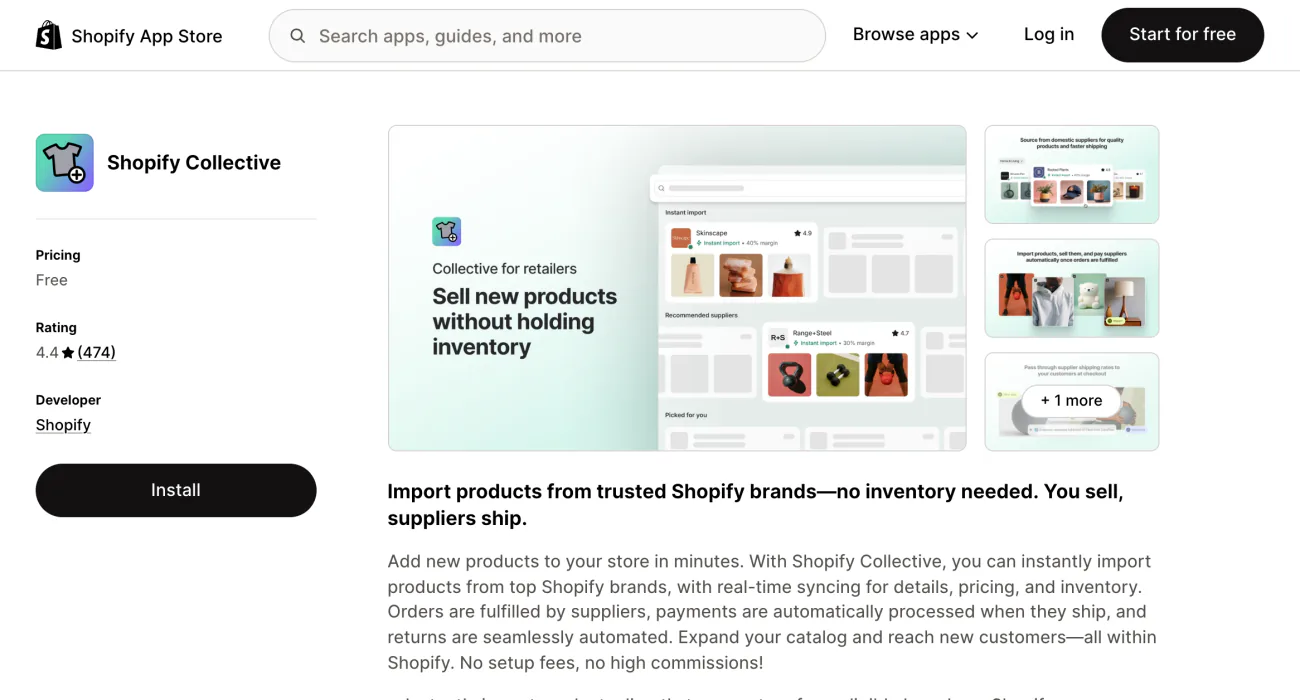
Each side has its own install. Retailers add the app "Shopify Collective". Suppliers add a sales channel called "Shopify Collective: Supplier". A store with both still can't offer products it imported to other retailers.
Both apps need Network Intelligence switched on, under Settings, then Customer privacy. It lets Shopify combine your customer data with other stores' data to run its own features, and no other store can see yours.
Who can use Shopify Collective?
Any store on an active plan in one of 38 countries, with Shopify Payments paying out, and only with stores in the same country and currency. There is no minimum sales figure. Shopify's requirements page lists the rest:
- A live plan. Any active Shopify plan works, except Pause and Build.
- Same country, same currency. Both stores must sit in a supported country and sell in the same supported currency. In Shopify's own example, a US store in dollars can't connect with a Canadian store in Canadian dollars. Your currency need not be your country's own, so a UK store can sell in dollars.
- Shopify Payments. Setup must be complete, with active payouts in your store's currency.
- Network Intelligence. It must be on, and only the store owner or an Administrator can switch it.
- Tax setup in the UK and EU. Use Shopify Tax, Basic Tax or a tax app rather than Manual Tax, and confirm your VAT registration. Suppliers in Canada also add their GST/HST number.
- ID checks. Shopify may ask for ID and a selfie under its fraud rules.
Retailers in ten of the 38 countries, among them Greece, Croatia and Luxembourg, get no Discovery page, Shopify's catalog of suppliers. They connect only by direct invite. Development stores can't use Collective. Shopify's Collective page adds one rule for suppliers that its Help Center leaves out: the store must be active on the Shop app.
To see what you're missing, open Apps, then Collective, then "Settings". Its "Store requirements" section shows which checks your store passes and which it still needs. Shopify checks again from time to time and emails you if your status changes.
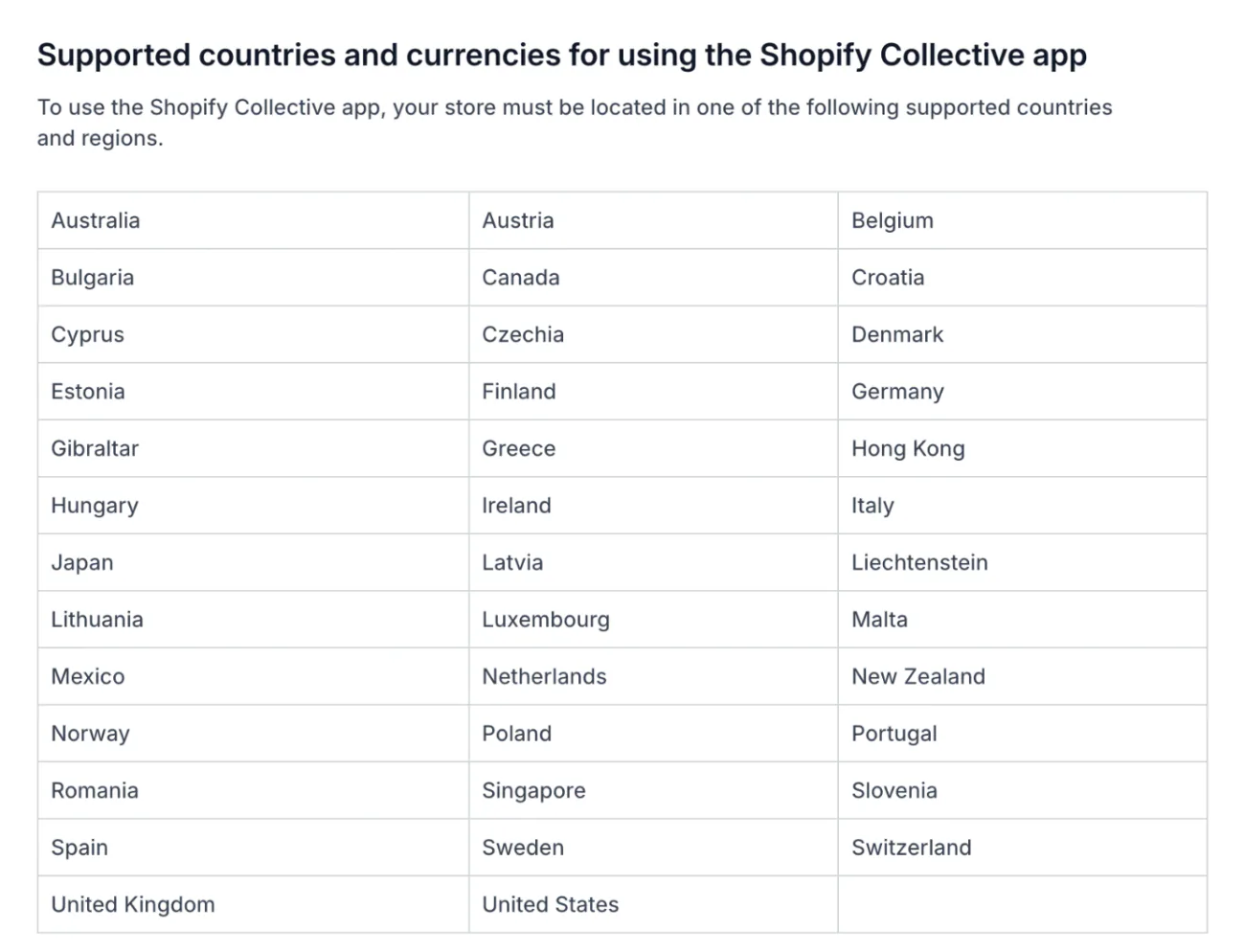
Rules and labels checked in Shopify's Help Center on November 9, 2026.
How does a Collective order work?
Your customer pays you, the supplier ships, and Shopify moves the supplier's share out of your balance.
- Your customer checks out on your store. You receive the full payment, as with any order.
- The order reaches the supplier. It goes once it is marked Paid, two minutes have passed and it isn't on hold, which leaves time for fraud checks.
- You pay the supplier's share. Automatic payments are on by default for eligible stores, and the cost price and shipping come out of your Shopify Payments balance as soon as the fulfillment request goes out.
- The supplier ships. It gets your customer's name, address and phone number if they gave one, never their email. The tracking copies back to your order.
- Your store sends the shipping email. Your customer hears from you, not from the supplier.
The catch sits in that balance. An order paid with PayPal or another outside method adds nothing to your Shopify Payments balance, and daily payouts keep it low. The supplier's order then shows "Payment pending", and some suppliers wait for the money before they ship. Shopify retries until the payment goes through, and suggests weekly or monthly payouts so a balance stays in place.
To cancel, click "Request cancellation" on the order while it is still in progress. The supplier can decline if it has already started on the order.
What does Shopify Collective cost, and what do you keep?
Collective itself is free on every plan that can use it. You keep the retail price minus the supplier's cost price, then minus shipping and any discount.
Each supplier sets one retailer margin per price list, its list of products and terms. Shopify's own example is a $100 product at a 30% margin:
- A plain sale. You pay the supplier $70 and keep $30.
- Free shipping on top. Say the supplier charges a $6 flat rate. You still owe it when your customer gets free shipping, so you keep $24.
- A $20 discount code. It comes out of your share alone. Shopify's numbers: you still pay $70 and keep $10.
Your Shopify plan and your usual payment fees still apply. Automatic payments add no extra charge. You can set your own retail price, and the cost price you pay never moves with it. Shopify suggests margins of 20% to 50%, and a public price list must give at least 5%. Markup vs margin shows how that margin differs from a markup.
How does shipping work with Collective?
The supplier sets the shipping rate and you pay it, whatever your customer pays. Each supplier picks one of four options for each shipping zone:
- "Calculated at checkout". The default, where the rate is worked out as your customer checks out.
- "Flat rate". One fixed price, always named Standard Shipping at your checkout. Public price lists can't use it.
- "Manually invoice retailer". The supplier bills you directly. By default your checkout shows $0 Free Shipping for it, and the invoice still comes to you.
- "Don't ship to this zone". The supplier doesn't deliver there.
When rates are calculated for a cart with products from several suppliers, your customer pays the lowest-cost option on offer. You can change what customers see with your own shipping profile or a free shipping offer. Either way, you still owe the supplier its rate.
How do you set up Shopify Collective?
Retailers install one app and import products. Suppliers install a sales channel and publish a price list.
As a retailer
- Install the app. Add Shopify Collective from the Shopify App Store and approve its permissions.
- Check your eligibility. Read the Store requirements section under the app's Settings.
- Find products. In Discovery, products marked "Instant import" come straight in. For the rest, you request the supplier's pricing, or you invite a supplier you know by email.
- Set your policies. In the app's settings, choose how products import, which supplier shipping rates show at checkout and how returns work.
- Import and publish. Set your own price if you want one, add the products to your collections and publish them to your sales channels.
- Sell. Your customer checks out, the supplier ships, and you answer the customer.
As a supplier
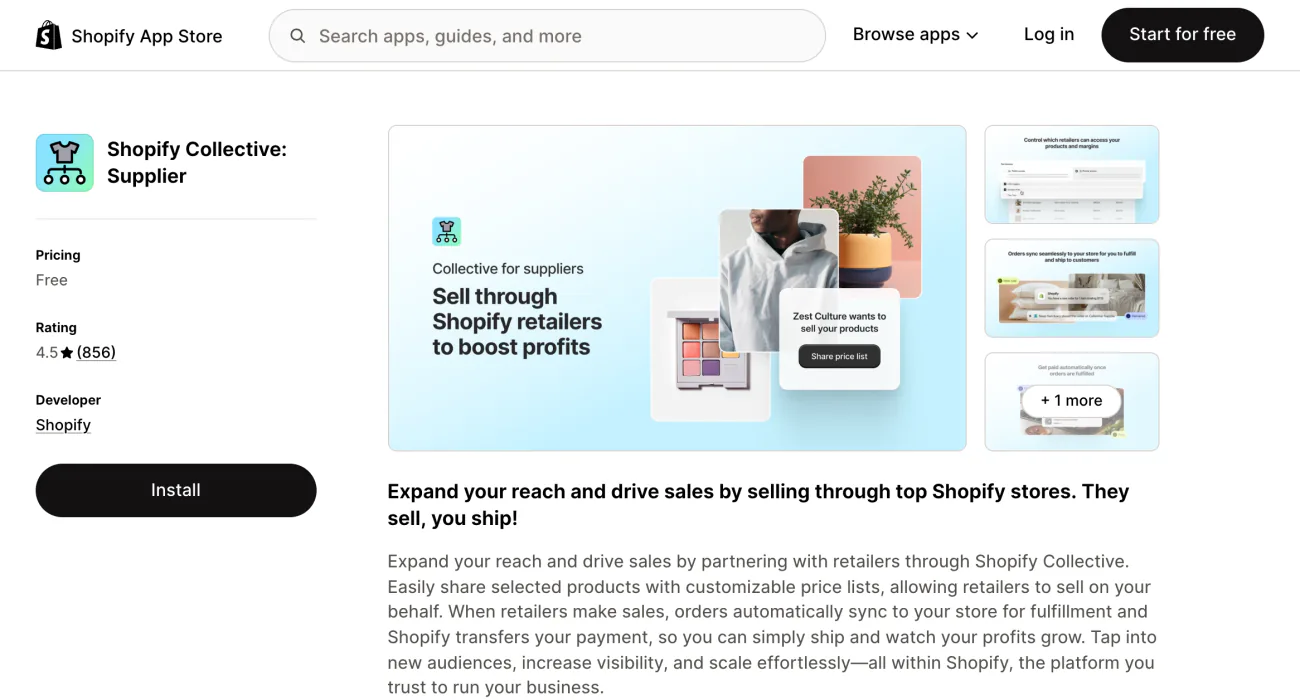
- Install the sales channel. Add Shopify Collective: Supplier.
- Publish products to it. They must also be in your store's primary market, and each needs a SKU.
- Create a price list. Under Price lists, click "Create price list". Pick "Public access" so any eligible retailer can import, or "Private access" for retailers you choose. That choice is fixed once saved. Set the "Retailer margin", the share each retailer keeps, then save and add products.
- Set shipping. Pick one of the four shipping options for each zone.
- Ship paid orders only. Fulfill orders marked "Paid", and leave any in "Payment pending" until the money arrives.
To try it before you go live, connect a second store of your own that meets every requirement, Shopify Payments included.
Is Shopify Collective dropshipping?
Yes. Shopify's own blog calls Collective its dropshipping platform. You sell a product you don't stock, and someone else ships it. Four things set it apart from a typical dropshipping setup:
- The suppliers. They are Shopify stores in your country, selling in your currency.
- The payment. Shopify takes the supplier's share from your Shopify Payments balance, and the supplier receives it when it ships.
- The sync. Cost price and stock stay in step with the supplier's store.
- The price of the tool. Collective is free. Other dropshipping apps set their own prices, so check each listing.
Two Shopify tools sound close. Shopify Collabs connects you with creators who promote your products, and new creators join it only through your invite or your application page. Shopify Product Network showed other stores' products on yours for a commission, and it no longer takes new installs. To sell your own stock to shops in bulk, use Shopify B2B. To earn from new stores you send to Shopify, apply to the Shopify Affiliate Program.
What doesn't Shopify Collective do?
It copies a product's listing, not the supplier's setup around it. Price, stock, title, images, description, variants and SKU come over. The rest stays behind:
- Collections, tags, discount codes and custom product details. None of them import, so add imported products to your collections yourself.
- Edits to sizes and colors. A product can carry up to 100 variants, Shopify's word for each size or color option. You can't edit them or pick which ones to publish.
- Some product types. Digital products and gift cards can't be sold through it. Collective also doesn't work with pickup in store or Managed Markets.
- Instant stock. Stock usually syncs in under 30 seconds but can take up to 5 minutes, so a rush of orders can oversell. The supplier's "Continue selling when out of stock" setting is theirs, and you can't switch it off.
- Control of the catalog. If a supplier pulls a product or your access, its stock drops to 0 in your store.
- Customer service. Returns run on your returns policy, and questions are yours to answer, within 48 hours under Shopify's guidelines.
FAQ
Questions, answered
-

14-day free trial
Explore Sledge on your store before you decide to commit.
-

No credit card required
Start improving your store with no upfront commitment.
-

Setup in minutes
Get Sledge running without a lengthy setup process.
-

Built to grow sales
Turn shopper behavior into actions that help you sell more.
Is Shopify Collective free?
Yes. Shopify Collective is free on every Shopify plan except Pause and Build, and there is no minimum sales figure to join. You still pay your plan and your usual payment fees. On each sale you also pay the supplier its cost price and its shipping rate, even when your customer gets free shipping.
Which countries can use Shopify Collective?
Stores in 38 countries can use it, including the United States, Canada, the United Kingdom, Australia, Japan and most of the EU, across 18 currencies. Both stores must sit in the same country and sell in the same currency, so a US store selling in dollars can't sell a Canadian store's products.
Is Shopify Collective the same as dropshipping?
It is a kind of dropshipping, and Shopify's own blog calls it that. You sell products you don't stock, and the supplier ships them. The difference is the suppliers: Shopify stores in your country, paid from your Shopify Payments balance when they ship, with cost price and stock kept in step.
Can I use Shopify Collective without Shopify Payments?
No. Both stores need Shopify Payments set up, with active payouts in the store's currency. The supplier's share comes out of your Shopify Payments balance, and orders paid with PayPal or other outside methods add nothing to it. If the balance runs short, the supplier sees Payment pending and may hold the shipment.
What is the difference between Shopify Collective and Shopify Collabs?
Collective lets Shopify stores sell each other's products while the supplier ships. Collabs connects you with creators who promote your products for gifts, codes or affiliate pay. Collective is free, and Collabs is free to install on most plans with a fee on each commission. Both need Network Intelligence switched on. Our Collabs guide covers the rest.
How do I find my Shopify Collective orders?
As a supplier, open Orders, add the Channel filter and pick Shopify Collective. As a retailer, a Collective order sits in your Orders list like any other. It reaches the supplier two minutes after it is marked Paid, as long as it isn't on hold. The supplier ships, the tracking copies back to your order, and your store sends the shipping email to your customer.
Selling more brands? See where shoppers still drop off.
Sledge doesn't find suppliers, import products or pay anyone. It runs the search, filters, bundles and cart drawer your shoppers use, and you can try it free for 14 days. Growth Intelligence turns on when you pick a paid plan. It reads your searches and orders, then lists fixes with one dollar total, labeled "Est. potential".

