

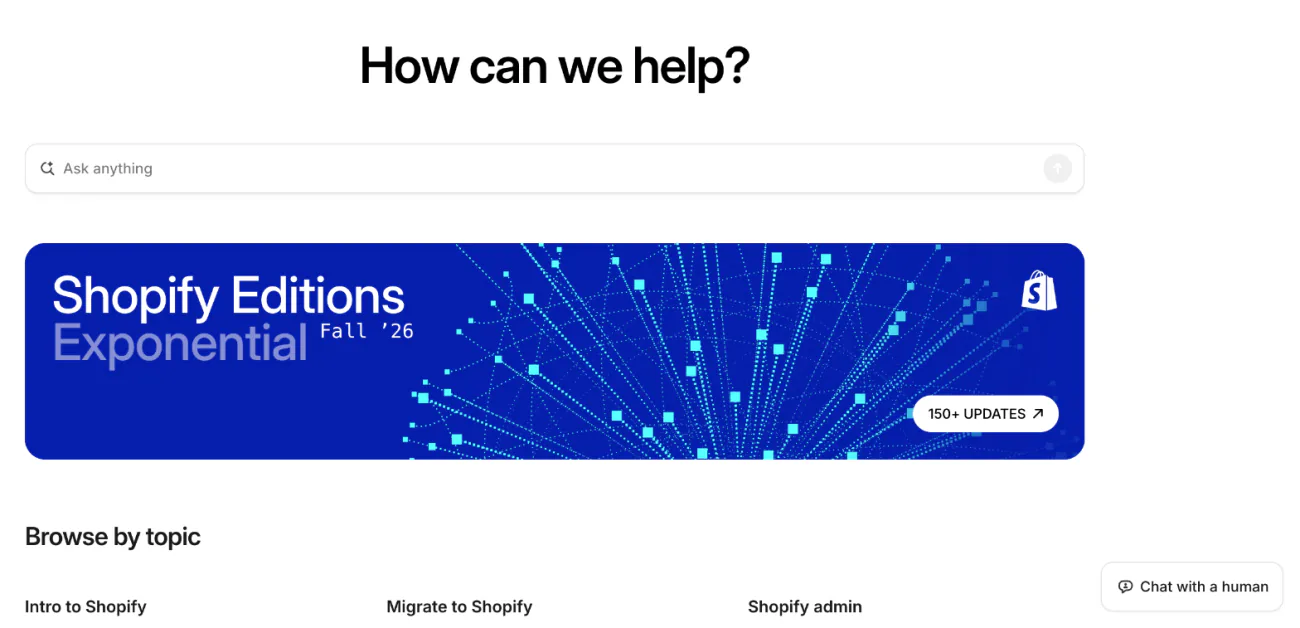
To contact Shopify support, open the Shopify Help Center, click Chat with a human, then log in and select your store. That chat is open 24/7 on every plan. Phone and email come with Shopify Plus and the Retail plan, and Shopify POS Pro adds a phone line. Shopify says its support never calls you first.
Say your checkout stops taking payments at 9 p.m. You search for a number to call, and a site you've never heard of offers one that answers "24/7". Shopify publishes no public support number on any plan.
How do I contact Shopify support?
The chat in the Shopify Help Center reaches a person on every plan. You have to be logged in to your store before an advisor picks it up.
- Open the Shopify Help Center and type your question into the Ask anything box. It answers at any hour and links the help article that fits.
- If that doesn't solve it, click Chat with a human.
- Log in when asked. If you can't, click I can't access my account.
- Pick the store you need help with.
- Wait in the queue. The chat shows your estimated wait, and Leave queue takes you out.
Attach screenshots with the paperclip in the chat. On Basic, Grow or Advanced, the conversation then stays in Support Inbox, under your profile icon in the Help Center.
Which Shopify plans get phone, email and chat support?
Chat is on every plan. Phone and email belong to Shopify Plus and the Retail plan. This is the list in Shopify's Help Center, read November 9, 2026.
| Plan | Chat | Phone | |
|---|---|---|---|
| Basic, Grow, Advanced | 24/7 | No, and no callback | No |
| Shopify Plus | Yes, with Plus Support | Direct line | Yes, Shopify quotes 48 hours |
| Retail plan | Yes | Direct line | Yes, Shopify quotes 48 hours |
| Shopify POS Pro | Yes | Through the Help Center | Only with Plus or Retail |
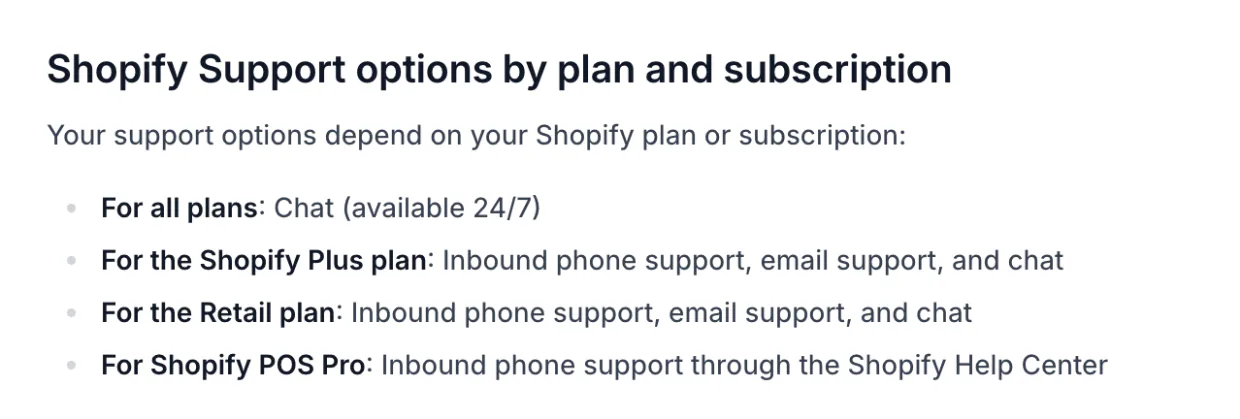
Shopify's pricing page calls the same support Live chat on Basic and Grow, Enhanced live chat on Advanced, and Priority support on Plus. Our Shopify pricing guide sets out what each plan costs. The Retail plan is closed to new stores, so a new store gets phone support only through Shopify Plus or POS Pro.
Is there a Shopify support phone number?
No public one. On Basic, Grow and Advanced you can't call Shopify or book a callback. On Plus or Retail you get a direct line, and on POS Pro you pick the phone option inside the Help Center after logging in, so there is no public number to search for.
Shopify's Help Center also says its support doesn't make outbound phone or video calls on any plan. A surprise call in Shopify's name is one to doubt. Give it no code or password, hang up, and start a chat yourself.
Can you email Shopify support?
Only on Shopify Plus or the Retail plan. Everyone else chats, and Support Inbox keeps the record, with the status of each ticket and its estimated reply time.
What if you can't log in to your store?
Use the Can't log in form, or click I can't access my account at the login step of the chat. Shopify Support helps only the store owner with login, so staff ask the owner. The form also creates no Support Inbox ticket, which only a chat does.
Write down the error message, the steps you tried, whether you own the store, and whether you can still open the email on the account. If you think someone else got in, contact Shopify Support right away.
What Shopify support won't fix, and who will
Most apps and many themes aren't Shopify's, so Shopify Support sends you to their makers.
| The problem | Who fixes it | Where to ask |
|---|---|---|
| An app not made by Shopify | Its developer | Settings, then Apps, the app's menu, Get support |
| A paid theme | Its developer | Online Store, Edit theme, the three-dot menu at the top right, Get support |
| A small change to a free Shopify theme | Shopify Support, where it can | Chat, with up to 60 minutes of design time on Basic or higher |
| A change a developer made to your theme | A developer or Shopify Partner, or Shopify Support on Plus | Partner Directory, or Shopify Community |
| Your Shopify affiliate commission or account | Shopify's affiliate team, or Impact for its dashboard | affiliates@shopify.com, or Impact's Help Center |
| A shopper's order | Your store | Your own contact page and order emails |
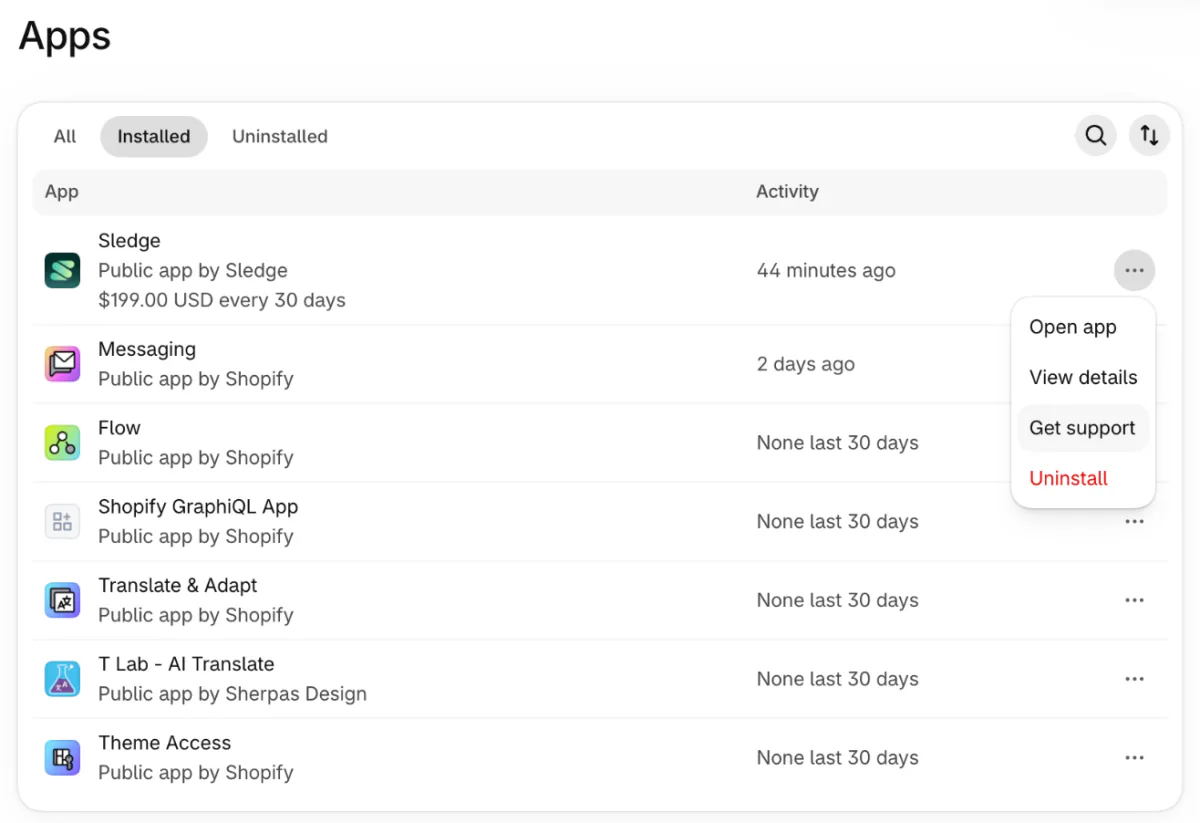
In the app's three-dot menu, Get support sits between View details and Uninstall. That is how it showed on Sledge's demo store on November 9, 2026.
The app route has a safety net. Shopify checks with you 3 days after your message, and contacts a developer who hasn't helped. If you still have no fix, chat with Shopify Support and give the date of your first message to the developer.
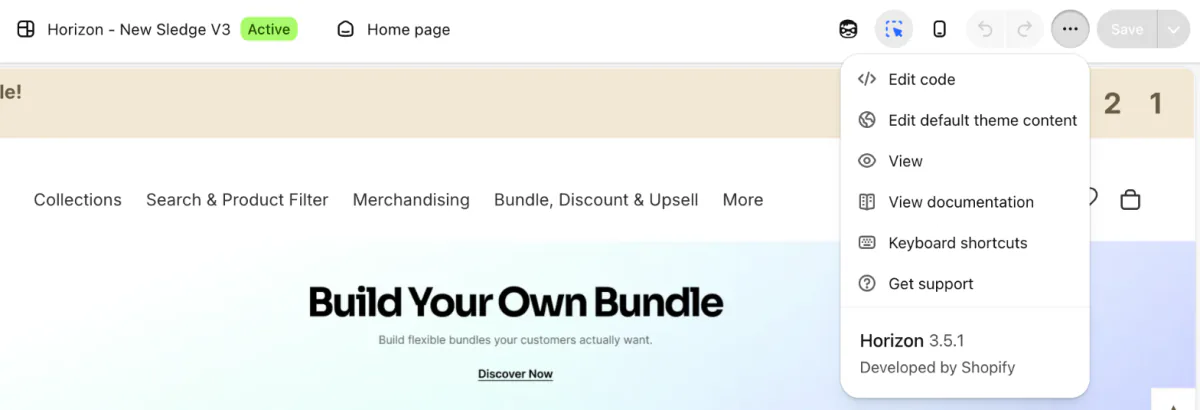
In the theme editor, the three-dot menu at the top right holds View documentation and Get support. Clicking the theme name opens no menu.
The 60 minutes of design time is counted in 15-minute steps. It covers changes to a free Shopify theme only, not checkout edits, new fonts or theme changes copied from a forum.
What to have ready before you contact Shopify support
- The store you need help with, if you run more than one.
- What you tried to do, and what happened instead.
- A screenshot of the error.
- The date it started, and any app or theme change around then.
- For an app problem, the app's name and your theme's name.
Check Shopify's status page first. If Checkout or Admin shows an outage, the fix is on Shopify's side, and the page posts updates you can subscribe to.
Where else to get answers about Shopify
Sidekick, the assistant in your Shopify admin, answers questions from your store's own data and can guide you through a task step by step. Shopify Community, Shopify's public discussion board, is where other sellers and developers answer questions they have already met. For paid work, the Partner Directory lists Shopify Partners with their services and team size, and they bill you directly.
Looking for live chat on your own store?
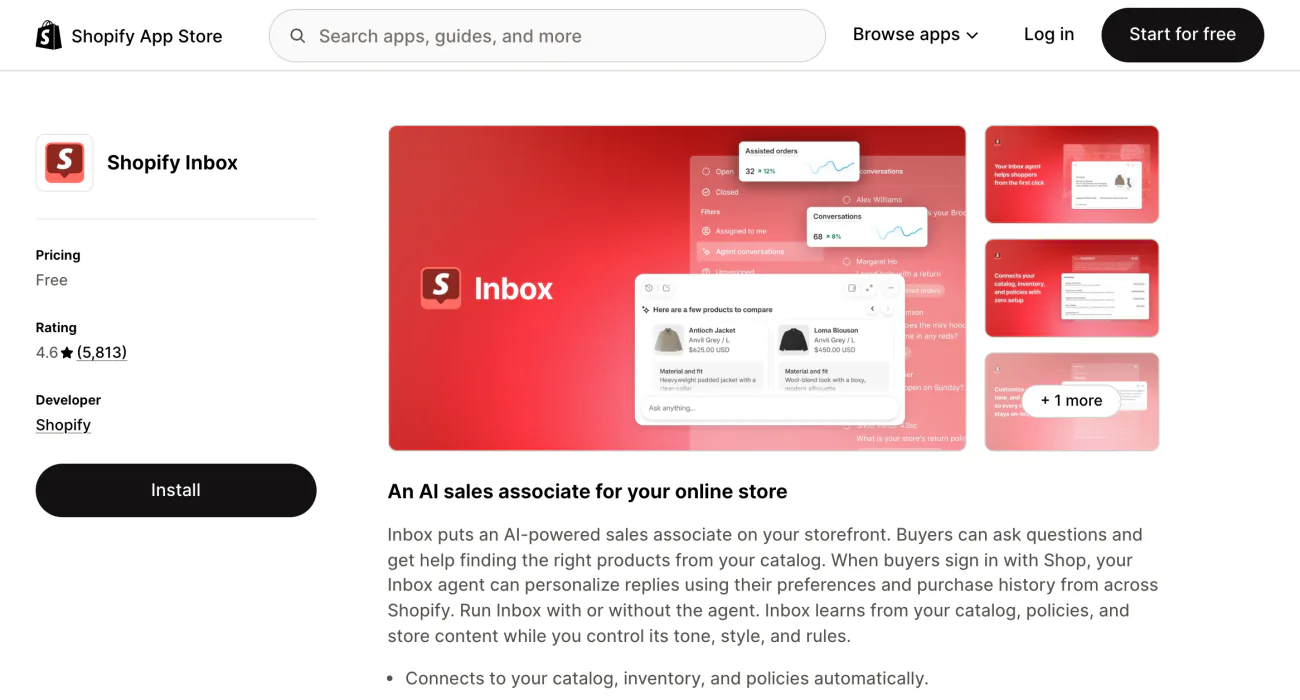
That is a different job: customer service for your own shoppers. Shopify Inbox, Shopify's free app, puts a chat button on your store and lets your team answer from a phone. Other options are in our guide to Shopify live chat apps.
FAQ
Questions, answered
-

14-day free trial
Explore Sledge on your store before you decide to commit.
-

No credit card required
Start improving your store with no upfront commitment.
-

Setup in minutes
Get Sledge running without a lengthy setup process.
-

Built to grow sales
Turn shopper behavior into actions that help you sell more.
Does Shopify have 24/7 support?
Yes, by chat. Every plan can chat with a Shopify Support advisor at any hour from the Help Center, after logging in and picking a store. The Help Center's search also answers around the clock. Phone and email support aren't options for most stores: they come with Shopify Plus and the Retail plan, and Shopify POS Pro adds phone.
Is there a Shopify support phone number?
Not for most stores. As of November 2026, on Basic, Grow and Advanced you can't phone Shopify or request a callback. Shopify Plus and the Retail plan get a direct line, and Shopify POS Pro adds phone support inside the Help Center. Shopify says its support never makes outbound calls.
What is Shopify's support email?
There isn't one for most stores. Email support is only for stores on Shopify Plus or the Retail plan, with replies Shopify puts at 48 hours. On other plans, start a chat instead. Your past chats stay in Support Inbox, under your profile icon once you log in to the Help Center.
How do I contact Shopify if I can't log in?
Click Chat with a human in the Help Center, then choose I can't access my account, or fill in the Can't log in form. Shopify Support helps only the store owner with login problems, so staff should ask the owner. If you think someone else got into the store, contact Shopify Support straight away.
Will Shopify support help with an app?
Only with apps made by Shopify. For any other app, go to Settings, then Apps, open the app's menu and click Get support, which sends your message to its developer. Shopify checks back after 3 days, and if the developer hasn't helped, Shopify contacts them for you.
Can Shopify help with an order I placed on a store?
No. A store that runs on Shopify sells to you directly, so the store handles your order, refund or delivery. Look for its contact details in your order confirmation email or on its website. If you ordered through the Shop app, the Shop Help Center lists how to reach the store.
Shopify Support answers when something breaks. Who looks for missed sales?
Sledge doesn't answer for Shopify Support or contact Shopify for you. It's a Shopify app for search, filters, bundles and a cart drawer, and you can try it free for 14 days. Questions about Sledge itself go to Get Support in its Settings. Pick a paid plan and Growth Intelligence starts reading your store, then totals the fixes it suggests in one dollar figure, labeled "Est. potential".

