

To change your Shopify store name, go to Settings, then General, open Store contact details and edit the Store name box. That leaves your web address alone. To change the address shoppers type, go to Settings, then Domains, add a custom domain and make it your primary domain. Most stores can also choose a new myshopify.com name once, free.
Say you opened the shop as Cozy Corner, and the brand is now Hearth & Home. The name takes a minute to change. The address shoppers type is a different setting, and it can change too.
What is the difference between a store name and a web address?
Your store name is a label, and your web address is where shoppers go. Shopify keeps them in separate settings, so changing one leaves the other as it was.
| What you want to change | Where it lives | What it changes |
|---|---|---|
| Store name | Settings, then General | The name shown on every page of your website |
| Web address | Settings, then Domains | The address in the browser's address bar, called the primary domain |
| myshopify.com address | Settings, then Domains | The address Shopify gave you, which you use to log in |
After a rename you log in the way you did before, because the myshopify.com address did not change.
How do you change your Shopify store name?
Edit one box under Settings, then General.
- In your Shopify admin, click Settings, then General.
- In the "Store contact details" section, which holds your store's name and contact information, click your store name.
- Type the new name in the "Store name" box.
- Click Save, which shows up once you change the name.
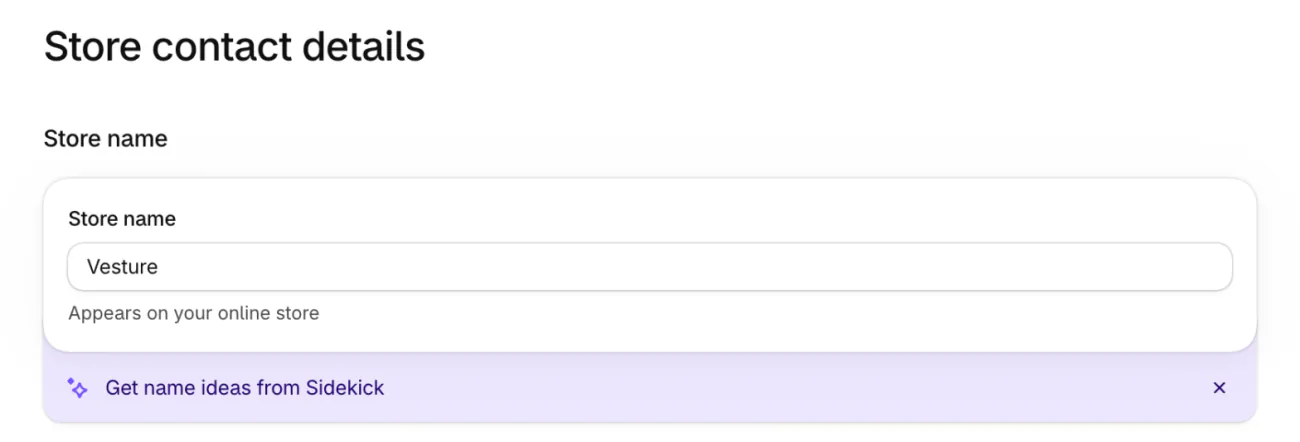
The new name shows on every page of your website. You can change it as often as you like, and it does not change your web address.
On your phone, open the Shopify app, tap Settings, then General, tap the store name, edit it and tap Save.
If you take payments with Shopify Payments, the business name on that account changes only through Shopify Support. A legal business name is its own setting, under "Business details", and what a DBA is explains how it differs from the name on your store.
How do you change the web address shoppers type?
Add a domain of your own, then make it the primary one. A domain is a web address you register, such as yourbrand.com. You can buy one in Shopify or connect one you already own.
To buy one, click Settings, then Domains, then "Buy new domain". If it is the first domain you add, it becomes your address on its own. If your store already has one, the new domain redirects to your primary domain until you make it primary. Shopify says a new domain can take up to 48 hours to start working. Shopify registers it for one year and renews it yearly unless you turn auto-renew off. You cannot change its name after you buy it, and Shopify shows the price before you pay.
To connect one you own, click "Connect existing", type the domain and click "Next". You keep paying and renewing at the company you bought it from. Some companies connect in a few clicks. The rest ask you to change settings on their own site, which Shopify says usually takes two hours and can take two days.
Shopify adds a free security certificate when you add a domain, so you set nothing up for that.
Once the domain shows "Connected" on the Domains page, make it your primary address.
- Under Settings, then Domains, click your custom domain.
- In the "Type" row, click Change.
- In the "Change domain type" box, choose "Primary domain".
- Click "Change domain type".
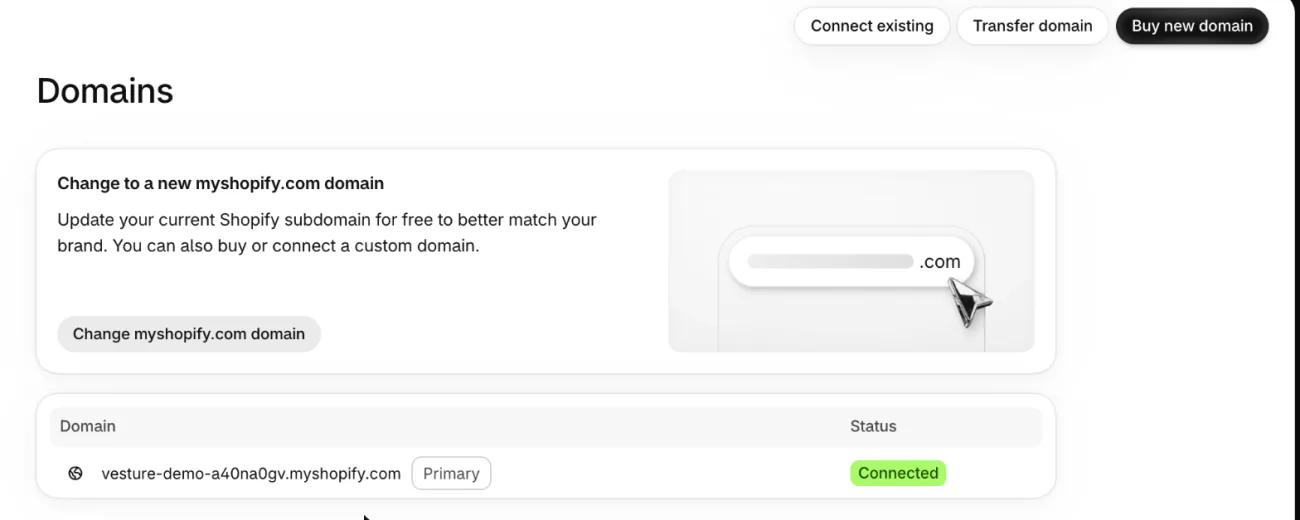
Keep both versions of your domain connected, yourbrand.com and www.yourbrand.com. To tidy the list, mark one as primary instead of deleting the other.
Can you change your myshopify.com address?
Most stores can, once, for free. Older guides say this is impossible. Shopify's Help Center says most stores get one change, as of November 19, 2026.
- Click Settings, then Domains.
- On the card titled "Change to a new myshopify.com domain", click "Change myshopify.com domain".
- Type the new name.
- Click "Add domain".
Shopify's Help describes the same change as a pencil icon beside your address. On your phone, open Domains in the Shopify app, tap Actions, then "Change myshopify.com domain".
Shopify's Help says a development store cannot choose a new name. If your myshopify.com address is your primary address, the new one replaces it and the old one forwards to it by itself. You do not need to add any redirects for that. Your admin address changes too.
Your original myshopify.com address stays your store's permanent identifier, even after you choose a new one. Shopify Support uses it to find your store, and most apps use it to sync your data. Write it down before you change anything.
What happens to your old address and links?
Shopify forwards the old address to the new primary one. The old primary domain becomes a redirect domain and stays connected, so people who type it land on the new address. Your other domains and your myshopify.com address forward to the primary one too.
Shopify's Help does not say whether a link to one product still opens that product. After the switch, open an old product link and an old collection link yourself.
A page whose own address changed needs its own redirect, and Shopify URL redirects shows where to add one. Moving from another platform as well? Migrating to Shopify without losing search traffic covers that side.
Where does your old name still show?
Renaming your store changes one setting, and these others may keep the old name. Check each after a rename.
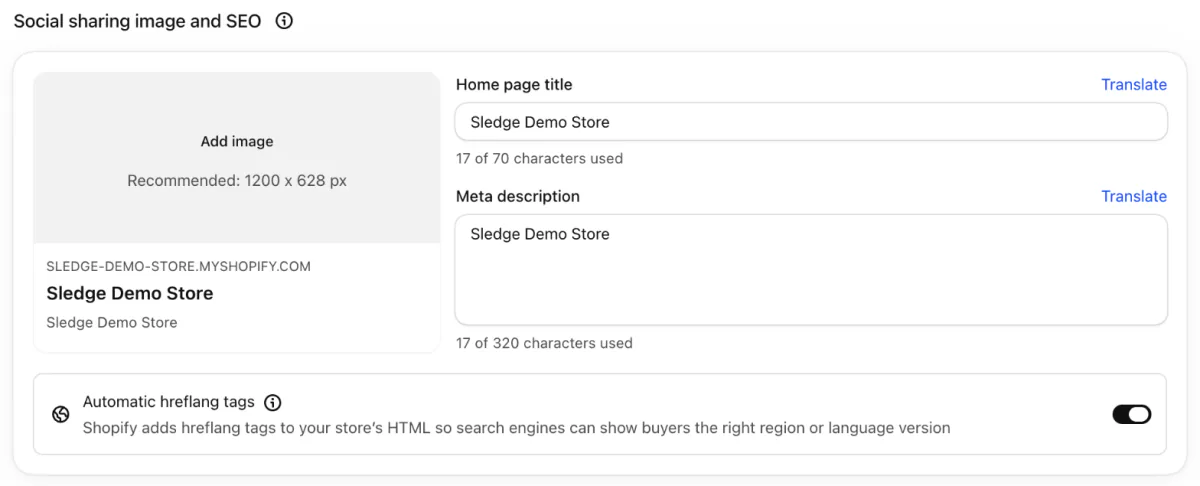
- The Home page title and Meta description, under Online Store, then Preferences, in the "Social sharing image and SEO" section. A title holds 70 characters at most. The Shopify meta description guide covers what to write.
- The Sender email, under Settings, then Notifications. It is the From address on order confirmations and your other store emails. The order confirmation email template has the wording for the first of them.
- The business name on a Shopify Payments account, which changes only through Shopify Support.
- Anything you added yourself, such as a logo picture, a footer line or your About page.
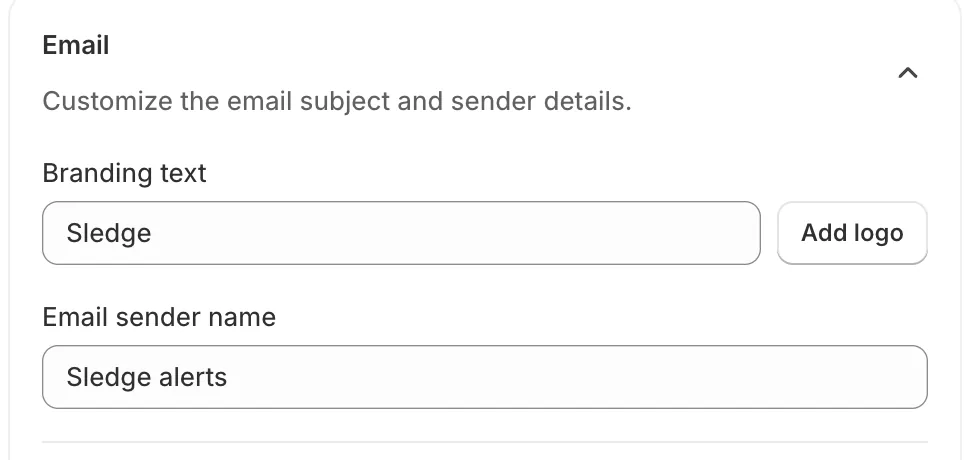
Sledge's Back in Stock email, on Accelerate and up, has two boxes of its own on the Email card of a campaign, "Branding text" and "Email sender name". Type your store's new name into both. While a logo is added, the Branding text box is greyed out.
FAQ
Questions, answered
-

14-day free trial
Explore Sledge on your store before you decide to commit.
-

No credit card required
Start improving your store with no upfront commitment.
-

Setup in minutes
Get Sledge running without a lengthy setup process.
-

Built to grow sales
Turn shopper behavior into actions that help you sell more.
How do I change my Shopify store name?
Go to Settings, then General, and open Store contact details. Edit the Store name box and click Save. The new name shows on every page of your website, and you can change it as often as you like. It does not change your web address, which lives under Settings, then Domains.
Can you change your myshopify.com URL?
Most stores can choose a new myshopify.com name one time, for free. Shopify's Help says a development store cannot. Go to Settings, then Domains and click Change myshopify.com domain on the card at the top. Your original myshopify.com address stays your store's permanent identifier, so write it down first.
How do I change my Shopify domain name?
Add a domain, then make it primary. Go to Settings, then Domains, and click Buy new domain, or click Connect existing to use one you already own. When it shows Connected, click it, change its Type to Primary domain and save. Shopify says a new domain can take up to 48 hours to connect.
Does changing the store name change the URL?
No. The store name and the web address are separate settings. Shopify's Help says changing your store name does not change your default myshopify.com name. To change what shoppers type in the browser, add a custom domain under Settings, then Domains, and make it your primary domain.
Does changing the primary domain break old links?
Shopify's Help says the old primary domain becomes a redirect domain, so visitors who type it land on the new primary domain. Help does not say whether a link to one product still opens that product, so open an old product link yourself after the switch. A page whose own address changed needs a redirect of its own.
Does changing the store name change the sender email?
They are separate settings. The email address your store sends from sits under Settings, then Notifications, in the Sender email section. The store name steps never mention it, so check it after a rename, along with the Home page title under Online Store, then Preferences.
A new name on the tab. What do shoppers do inside?
Sledge doesn't rename your store, register a domain or move a web address. Try it free for 14 days to run search, filters and bundles on the renamed store. Growth Intelligence turns on when you pick a paid plan, and its suggested fixes add up to one dollar figure, labeled Est. potential.

