
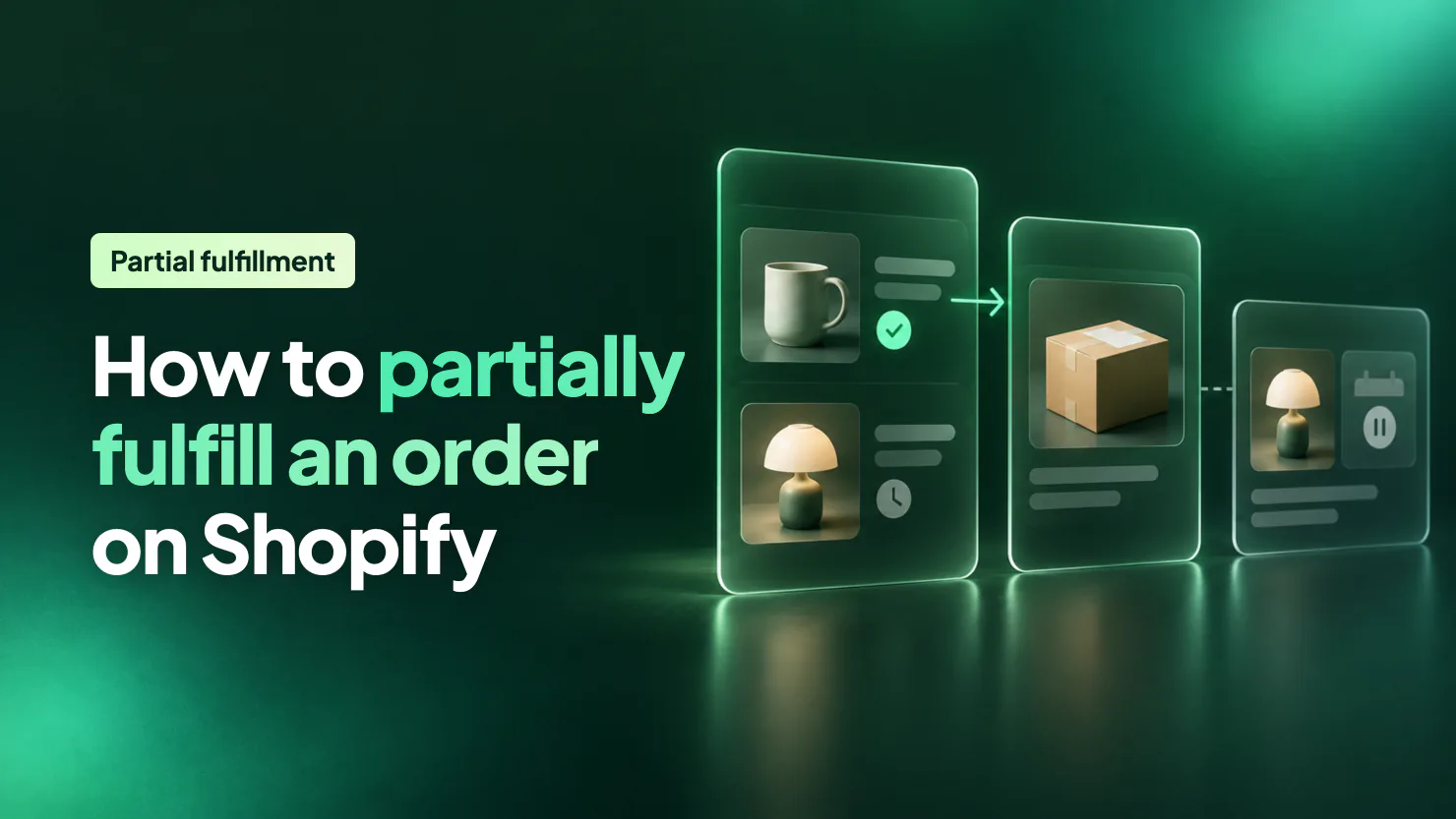
To partially fulfill an order on Shopify, open Orders, click the order and click Mark as fulfilled on its Unfulfilled card. Untick the items you can't ship, or lower a quantity, add tracking and confirm. Shopify marks the order Partially fulfilled and keeps the rest on an Unfulfilled card for later.
Say an order holds a mug you have and a lamp you don't. Waiting for the lamp keeps the mug on your shelf. Shipping the mug now gets the customer a parcel and a tracking link, and leaves the lamp open on the order.
How do you partially fulfill an order on Shopify?
Open the order, click Mark as fulfilled, and untick what you can't ship. These steps follow Shopify's Help Center, read on November 19, 2026.
- In your Shopify admin, open Orders and click the order.
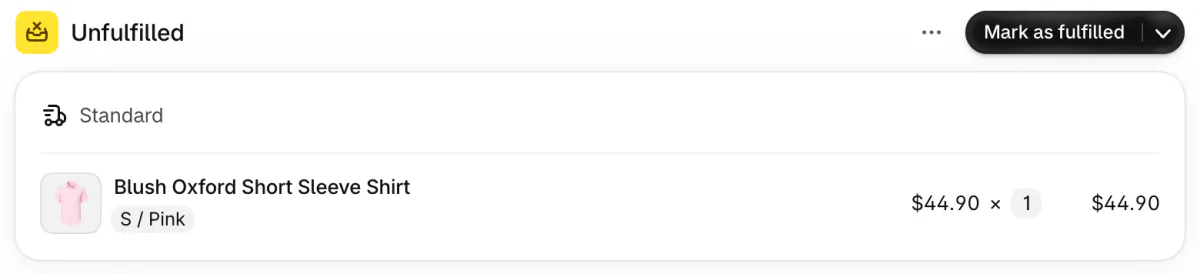
- In the Unfulfilled card, click Mark as fulfilled.
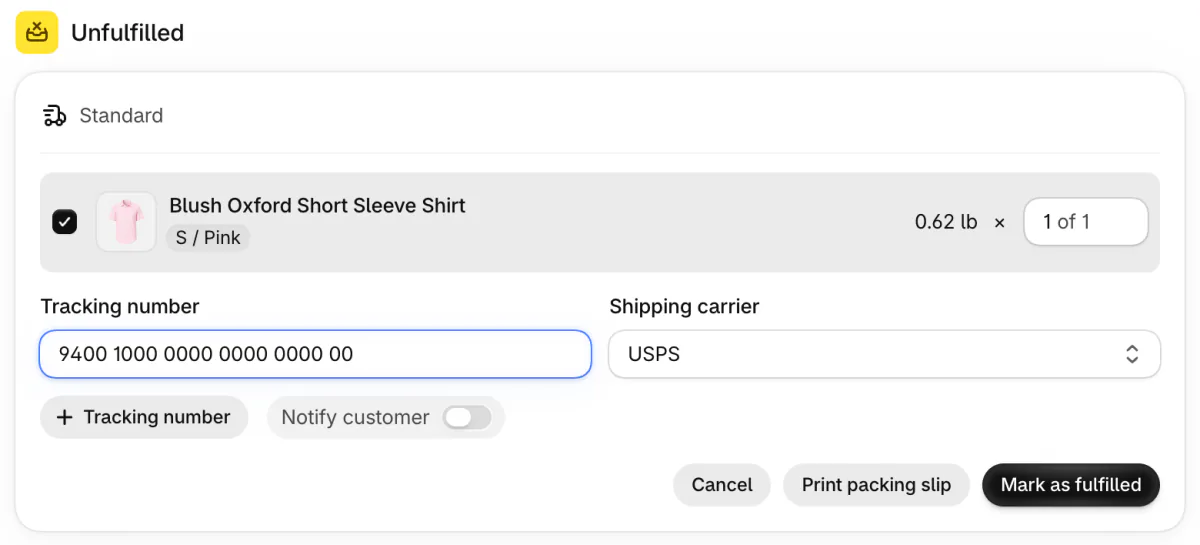
- Every item starts ticked. Untick the ones you can't ship, or lower the number beside an item to ship only some units.
- Type in the tracking number and pick the carrier. Shopify may recognize the number's format and pick the carrier for you.
- Switch on Notify customer if you want the shipping email sent. It only works when the order has the customer's email address.
- Click Mark as fulfilled again to confirm.
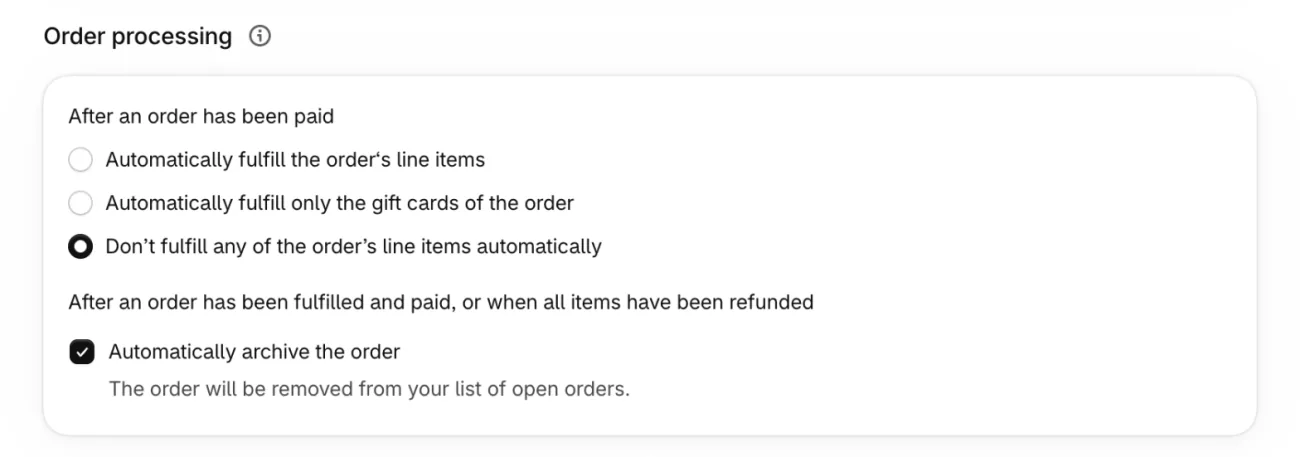
This works only while automatic fulfillment is off, which is Shopify's default. In Settings, then General, the Order processing card has a choice called Automatically fulfill the order's line items, which marks every new order fulfilled the moment it arrives, so there is nothing left to split. Keep Don't fulfill any of the order's line items automatically selected.
On your phone, the Shopify app has the same steps, with items chosen by quantity. Splitting and merging cards, covered below, need the admin in a browser, not the app.
What does the order show after you ship part of it?
The order reads Partially fulfilled, and what you held back stays in an Unfulfilled card. Shopify's order-status page gives each fulfillment status a meaning:
| Status | What it means | Your move |
|---|---|---|
| Unfulfilled | Nothing has shipped yet. | Click Mark as fulfilled. |
| In progress | You're picking and packing. | Finish packing, then mark it fulfilled. |
| On hold | Fulfillment is blocked until you release the hold. | Release the hold when the items are ready. |
| Partially fulfilled | Part of the items have shipped. | Ship the rest, or hold it. |
| Fulfilled | Every item has shipped. | Add tracking if you haven't yet. |
Shopify's Help Center says the Unfulfilled view of your Orders list includes partially fulfilled orders, so the leftover items stay in your daily list. Each part you ship gets its own Fulfilled card with its own tracking. If you forgot a number, open the Fulfilled card and click Add tracking.
What do you do with the items you can't ship yet?
Leave them, hold them, split them off or refund them, and tell the customer which.
- Leave them. They stay on the Unfulfilled card, and the order stays Partially fulfilled.
- Hold them. Click the arrow beside Mark as fulfilled, then Mark as on hold. Choose the items and a reason, and release the hold when stock lands.
- Split them. Shopify's Help Center lists Split fulfillment in the card's three-dot menu, which divides one card into two. Merge fulfillment joins cards from one location back together.
- Refund them. If an item won't come, refund just that item. How to cancel an order on Shopify has the steps.
Watch the hold. Ship the mug and put the lamp on hold, and the order reads On hold instead of Partially fulfilled. It also leaves the Unfulfilled view, so set yourself a reminder to release it.
A partly fulfilled order can't be canceled as it stands, so cancel its fulfillment or refund the item, as the guide linked above explains.
Tell the customer which part follows, with a date, in the shipping email or a short note. A second parcel is also a second postage bill for you. How to make a shipping label in Shopify covers buying the second label.
Why did an order arrive already split?
Shopify splits an order when its items can't ship together, and then you fulfill each card on its own. The Help Center names the usual causes: pre-order items, subscription items, items in different shipping profiles, and items no single location has enough stock of.
Each card takes its own tracking number and sends its own email, so the customer may get more than one. Shoppers see at checkout that a pre-order item ships separately, and they pick a shipping method for each shipment. If your checkout doesn't split an order, it arrives as one card, and you split it yourself with Split fulfillment, covered above.
What if one order mixes in-stock and pre-order items?
Ship the in-stock card now and leave the pre-order card until the stock lands. Shopify's Help Center says checkout ships pre-order items separately from in-stock ones, so the order usually reaches you with a card for each.
Mark the in-stock card fulfilled with its tracking number. Leave the pre-order card open, or put it on hold so it stays out of today's Unfulfilled list.
A pre-order tool such as Sledge keeps a product buyable at zero stock, with a Pre-order button and a note shoppers see in the cart, at checkout and in the order email. Put the ship date in that note, so the shopper expects two parcels. The fulfilling itself stays in your Shopify admin.
Sledge's Analytics has a Tools tab with a Pre-order card, and its Fulfilled on time row counts pre-orders fulfilled by the campaign's due date. How to set up pre-orders on Shopify covers the setup, and what a backorder is covers the same wait for an item that sold out.
Can you partially fulfill a pickup order, or many orders at once?
Pickup orders and bulk actions work on whole orders in Shopify's own steps. Shopify's steps for a pickup order mark it Ready for pickup, which sends the customer a Ready for pickup email, and later Mark as picked up. Those steps list no way to choose items.
If a customer collects in two visits, note each handover on the order's timeline, so the next person who opens it sees what's left.
Shopify's bulk Mark as fulfilled action marks whole orders, and its page lists no item or quantity choice. To choose items, open the order. Apps exist for fulfilling many orders in parts. An order assigned to a third-party fulfillment service can't be marked fulfilled by hand.
FAQ
Questions, answered
-

14-day free trial
Explore Sledge on your store before you decide to commit.
-

No credit card required
Start improving your store with no upfront commitment.
-

Setup in minutes
Get Sledge running without a lengthy setup process.
-

Built to grow sales
Turn shopper behavior into actions that help you sell more.
Can you partially fulfill an order on Shopify?
Yes. Open the order in Orders, click Mark as fulfilled on its Unfulfilled card, and untick any item you can't ship. To ship some units of an item, lower its quantity. Add tracking and confirm. In Settings, then General, the Order processing card must not be set to Automatically fulfill the order's line items, or every order is marked fulfilled on arrival.
What does Partially fulfilled mean on Shopify?
Partially fulfilled is the order status Shopify shows when part of the items have been fulfilled and the rest haven't. The order becomes Fulfilled once every item ships. If you put the open items on hold, the order reads On hold instead, and it leaves the Unfulfilled view of your Orders list.
Does the customer get an email for each partial shipment?
It can. Shopify fulfills each shipment on its own, so a customer can get more than one shipping confirmation email for one order. Each shipment takes its own tracking number, and the Notify customer switch decides whether that shipment sends an email. Telling the customer in advance that items may arrive in separate parcels can head off confusion.
Can you cancel an order after part of it ships?
Not once part of it is fulfilled, says Shopify's Help Center. Cancel the fulfillment first, which makes the order eligible for cancellation, or refund the item you won't ship. If you bought a shipping label for that fulfillment, void it before you cancel the fulfillment.
Can you partially fulfill a pickup order?
Shopify's pickup steps mark the order Ready for pickup, then Mark as picked up, and the Help Center lists no way to choose items in them. Say a customer collects one item today and one next week: note each handover on the order's timeline.
What happens when a cart holds a pre-order and an in-stock item?
Shopify's checkout usually ships pre-order items separately from in-stock ones, so the order reaches you with a card for each. Sledge doesn't split or fulfill orders. Its pre-order tool keeps a product buyable at zero stock, with a Pre-order button and a note shoppers see in the cart, at checkout and in the order email.
Some items aren't in yet. Can shoppers still order them?
Sledge doesn't fulfill, split or ship orders, so every step above stays in your Shopify admin. Its Pre-order tool keeps a sold-out product buyable, with a Pre-order button and a note shoppers see in the cart, at checkout and in the order email. Growth Intelligence turns on when you pick a paid plan, and its suggested fixes add up to one dollar figure, labeled Est. potential.

