
Shopify Academy, Shopify's online training with free courses, closed on October 29, 2026. Its web addresses now forward to Shopify's blog, and exam fees were refunded. To learn Shopify now, follow the Help Center's setup guide, check your admin's Home page and ask Sidekick.
Say a friend tells you to start with Shopify Academy before you open your store. You search the name, click the old address, and land on a blog page with no course on it.
What happened to Shopify Academy?
Shopify sunset Shopify Academy on October 29, 2026, and its old addresses now forward to Shopify's blog.
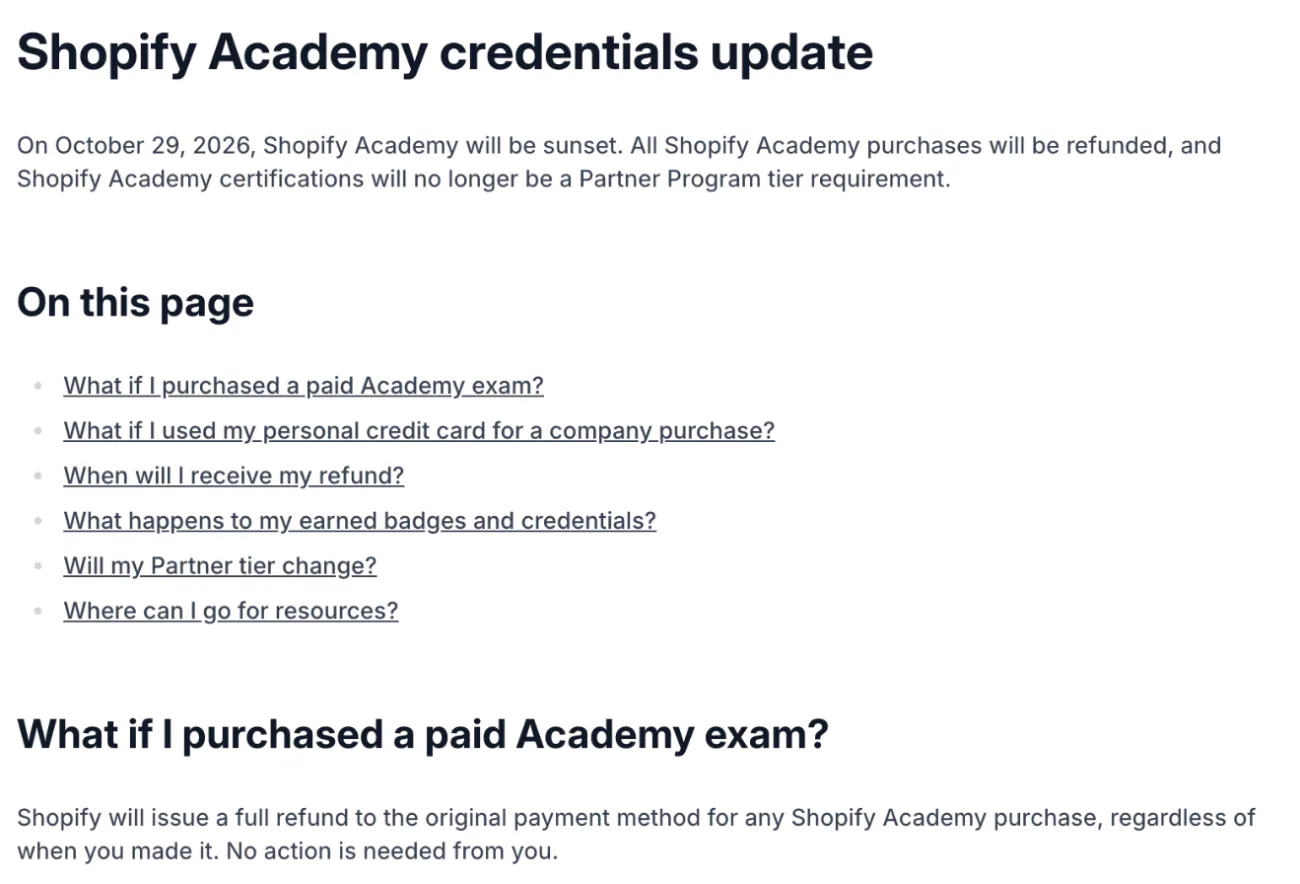
Shopify's Partner Help Center explains the closing. Every Academy purchase was refunded to the original payment method, with refunds running from October 1 and finishing by October 31, 2026.
The page still says Academy "will be sunset", though the date has passed.
Badges you earned stay on show through the end of 2027, and the credentials stay valid until January 1, 2028. Academy certifications are no longer a requirement for the Partner Program tiers.
If you build themes or apps, the notice points you to Shopify's developer docs, the Partner Help Center and the developer forums. Pages written before the closing still call Academy open, and their links now forward to the blog.
Was Shopify Academy free?
Its courses were free. The exams that earned a badge were paid.
Shopify's own German-language post of April 9, 2024 put the exams at $99 to $199. A copy of the catalog saved on November 14, 2024 lists courses as free and assessments at $99.
Every exam was refunded and the old addresses forward to the blog, so nothing is for sale now.
Some pages call it Shopify Learn. Shopify's German post uses both names for the same program, and Shopify's old Learn address forwards to the blog as well.
What did the courses teach, and where is that now?
Shopify's closing notice names no replacement course library. Its Help Center, admin and Sidekick cover the setup jobs in the table below.
The saved 2024 catalog held courses on shipping and fulfillment, selling wholesale, Shopify POS and peak-season planning, plus tracks for Partners and developers. Each row below is a job you wanted done, not a ranking.
| What you wanted to learn | Where to find it now | Where it lives |
|---|---|---|
| Set up a store before your first sale | The Help Center guide "Getting set up to start selling" | Help Center, Intro to Shopify |
| Check every step before you launch | "General checklist for starting a new Shopify store", in seven parts | Help Center, New to Shopify checklists |
| See what to do today | The setup tasks for a new store, then Sessions, Total sales, Total orders and Conversion rate after your first sale | Admin, Home |
| Find a setting or finish a task | Sidekick, Shopify's built-in assistant | Almost any admin page |
| Watch someone do it | Shopify's YouTube channel, linked from the Help Center | YouTube |
| Get playbooks and ideas | The guides on Shopify's blog | Shopify's blog |
| Hand a job to someone | The Partner Directory | Help Center, "Hiring and working with Shopify Partners" |
How do you use the Help Center as your course?
Open the Help Center's "Getting set up to start selling" and work down its list, which runs from your first product to launch.
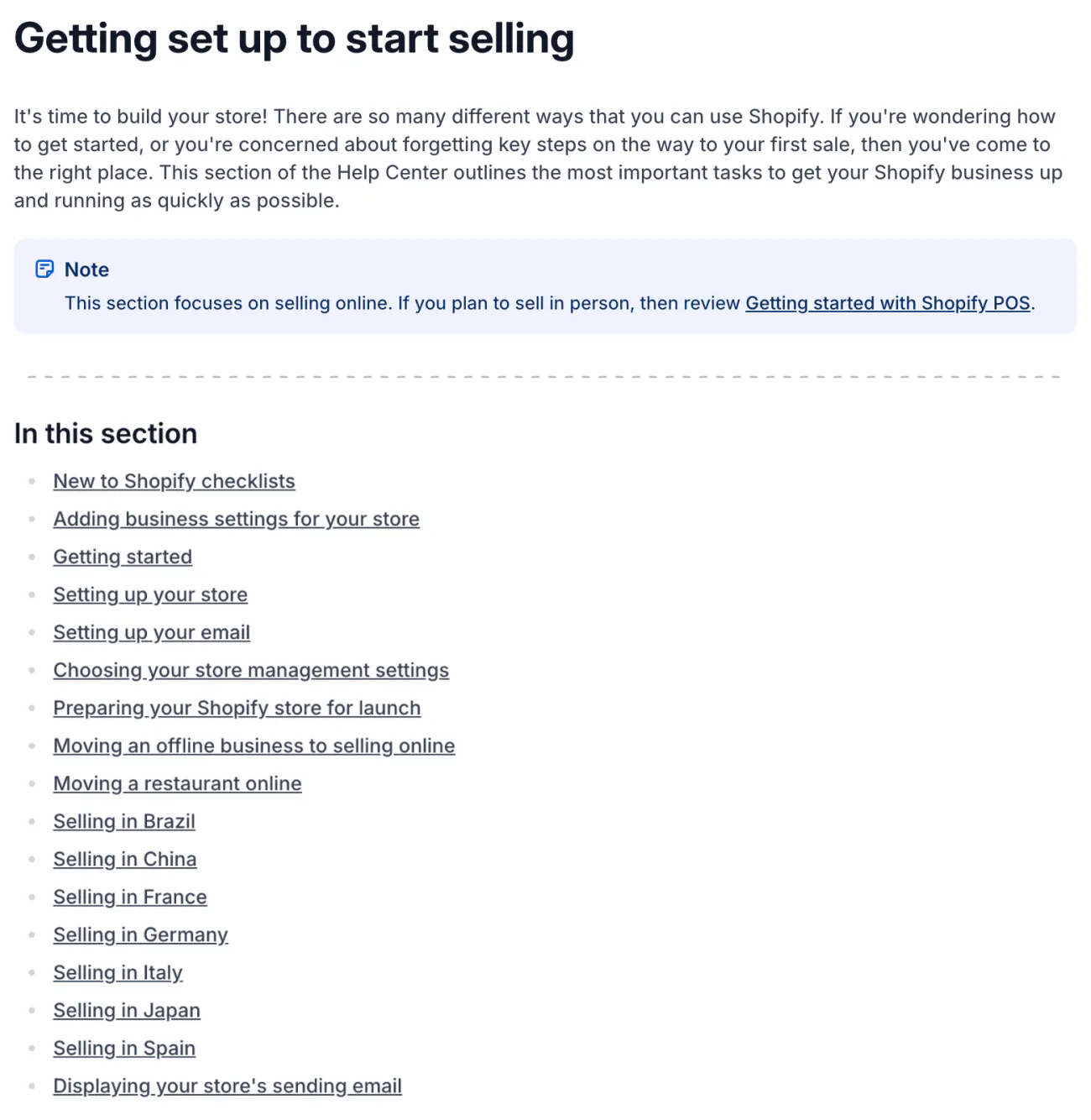
Shopify describes the guide as step-by-step tutorials for the main tasks you need to complete before you start selling.
- In the Help Center, open Intro to Shopify, then "Getting set up to start selling".
- Work in order: "Adding business settings for your store", "Getting started" (add your first product from Products, choose a theme, set up a domain), "Setting up your store", "Setting up your email", "Choosing your store management settings" and "Preparing your Shopify store for launch".
- Print the "General checklist for starting a new Shopify store" and tick its parts as you go.
The checklist runs in seven parts: Before you start, Set up your online store, Organize your online store, Test your online store, Launch your online store, Add other online sales channels and Promote your online store.
While you build, your store can sit in private mode, the password page that hides it from shoppers.
What does Home show, and how do you ask Sidekick?
Home lists your setup tasks until your store is open, and Sidekick can answer "where is that setting?" from almost any admin page.
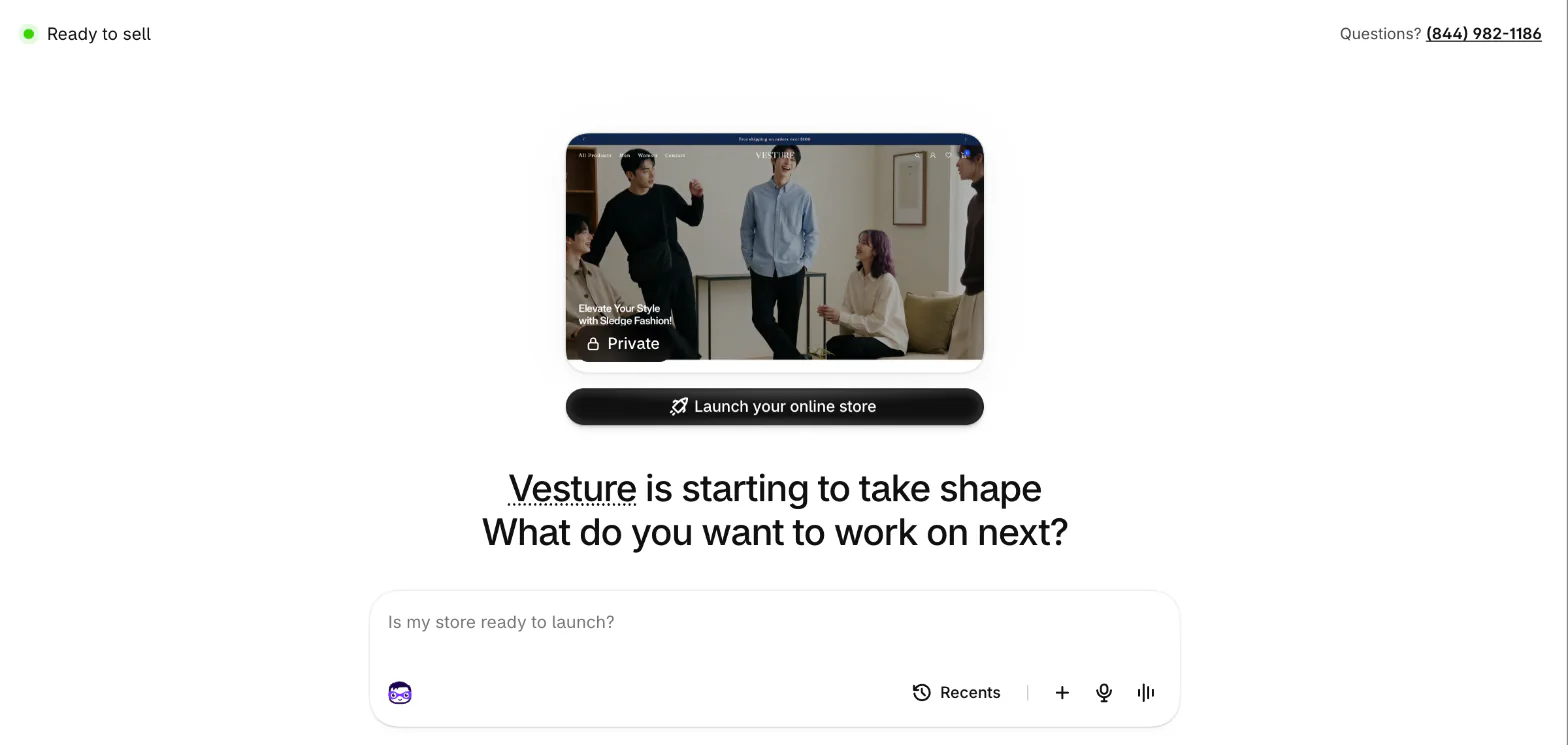
"Home" is the first page you see in your Shopify admin. Before you open your store it shows setup tasks, such as the cards under the Sidekick box that read "Set up payments", "Get a custom domain" and "Review shipping rates". Once your store is open, Shopify's Help Center says its metrics section shows Sessions, Total sales, Total orders and conversion rate for the last 30 days, and the edit icon swaps any of the four.
Sidekick is Shopify's built-in assistant. Type your question into the Sidekick box under the greeting on Home. The box has no fixed label, and its hint text rotates through questions such as "Is my store ready to launch?". On other admin pages the same assistant sits in a floating bar labeled "Work with Sidekick".
It answers questions about your store, guides you through the steps of a task and links you to the admin page you need. It shows its changes for your review before it applies them. Our Sidekick guide covers what it does and where it stops.
What if you want a person, not a page?
The Partner Directory lists Shopify Partners you can hire for a job.
You search it by name or browse it by service, then narrow the list by location. Our guide to hiring a Shopify expert covers what to ask and which jobs to skip.
FAQ
Questions, answered
-

14-day free trial
Explore Sledge on your store before you decide to commit.
-

No credit card required
Start improving your store with no upfront commitment.
-

Setup in minutes
Get Sledge running without a lengthy setup process.
-

Built to grow sales
Turn shopper behavior into actions that help you sell more.
Is Shopify Academy still open?
No. Shopify sunset Shopify Academy on October 29, 2026. Its old web addresses now forward to Shopify's blog instead of a course page, and every purchase was refunded, with refunds running from October 1 through October 31, 2026. Shopify's notice names no course library, so the Help Center's setup guide is the place to start.
Is Shopify Academy free?
It was. The courses were free, and the exams that earned a badge were paid, at $99 to $199 according to a Shopify post from April 2024. Nothing is for sale now. The old addresses forward to the blog, and Shopify refunded every Academy purchase. To see what you pay Shopify now, read what each plan costs.
Do Shopify Academy badges and certifications still count?
Yes, for a while. Badges you earned stay visible through the end of 2027, and the credentials stay valid until January 1, 2028. Academy certifications are no longer a requirement for the Partner Program tiers. Every paid exam was refunded.
Is Shopify Academy the same as Shopify Learn?
Shopify's own German-language page uses both names for the same program, and some pages online still say Shopify Learn. Which name came first is not stated on any Shopify page read on November 19, 2026. Shopify's old Learn address now forwards to its blog, the same as the Academy ones.
Where can I learn Shopify now?
Start with the Help Center's Getting set up to start selling guide and its general checklist. Then use your admin's Home page for setup tasks, ask Sidekick where a setting is, and watch Shopify's YouTube channel, which the Help Center links. All of it is Shopify's own, and none of it is a graded course.
Your store is set up. Where does it lose shoppers?
Sledge isn't a course and doesn't teach the Shopify admin. It runs search, filters, bundles and offers on your storefront. Try it free for 14 days. Growth Intelligence turns on when you pick a paid plan, and its suggested fixes add up to one dollar figure, labeled Est. potential.

