
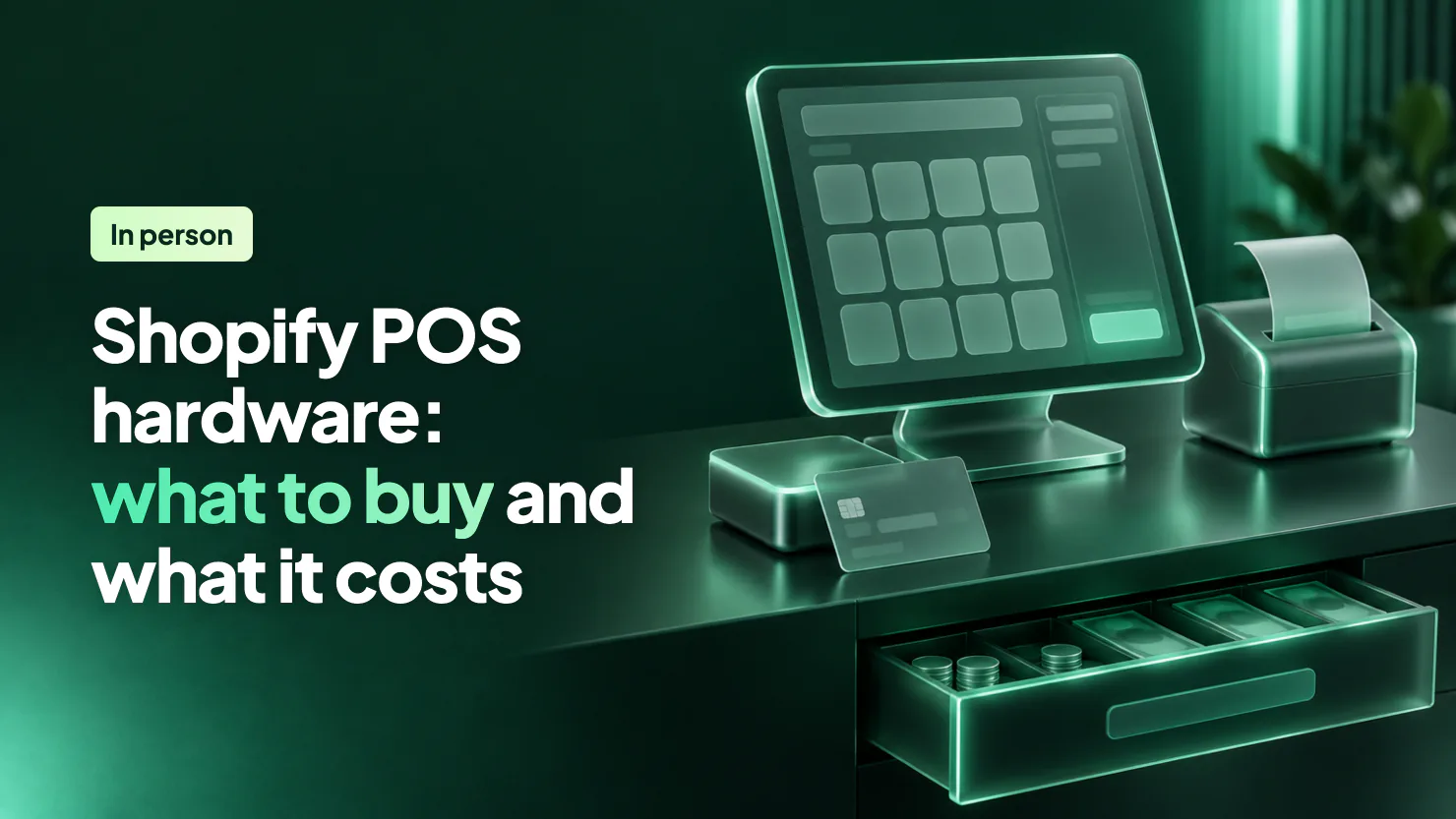
Shopify POS hardware starts with an iPhone, iPad or Android device. Shopify's card readers cost $49 to $399 in the US and £59 to £323 in the UK, from a Bluetooth reader to a handheld. A market stall needs a phone and a reader. A shop counter adds a stand, a receipt printer, a cash drawer and a scanner.
The market opens at eight. By ten there's a line at your table, and the card reader has dropped its connection to your phone again. You pair it while a customer holds out a card. What you buy, and how you connect it, decides most of that before the day starts.
What Shopify POS hardware do you need for a market stall or a shop counter?
For a pop-up, Shopify's own guide lists a supported device and a card reader, then adds a receipt printer for a permanent shop and a barcode scanner and cash drawer for several stores. The device is an iPhone 7 or later, an iPad on iPadOS 15.1 or later, or an Android device on Android 10 or later.
Buying a used iPad for the counter? From January 2027, Shopify POS asks for iOS 18 or Android 13, and a device not updated by June 6, 2027 can't use it.
For a market stall
- Your phone, with Shopify POS: Tap to Pay takes contactless cards and phone wallets with no reader, on every Shopify plan.
- A card reader: for chip cards, and for sales with no signal once offline payments are on. The Tap & Chip Card Reader costs $49 in the US, and the WisePad 3 costs £59 in the UK.
- No scanner: the phone's camera reads barcodes on every plan.
For a shop counter
- An iPad on a stand: Shopify sells the Eddy stand at $149 in the US and £131 in the UK.
- A card reader in a dock, or the POS Terminal: the Terminal adds a screen that faces the customer.
- POS Hub: $69 or £52, to plug your USB hardware into the iPad by cable.
- A receipt printer: from $289 or £279.
- A cash drawer: from $139 or £95. Most drawers need a receipt printer to open after a sale, so buy the two together.
- A barcode scanner: from $209 or £143.
Shopify puts no limit on the number of registers at one location.
Which Shopify POS card reader or terminal should you buy?
For a stall, buy the Tap & Chip Card Reader at $49 in the US or the WisePad 3 at £59 in the UK. For a counter, the POS Terminal at $349 or £239 adds a screen that faces the customer. Each works only with Shopify Payments, which takes cards in person in 18 countries, and your store's country and currency must match the location's.
| Reader | What it does | US | UK |
|---|---|---|---|
| Tap & Chip Card Reader | Tap and chip, by Bluetooth or USB | $49 ($89 with dock) | Not sold |
| WisePad 3 | Tap, chip and PIN, by Bluetooth or USB | Not sold | £59 |
| POS Terminal | Countertop, with a screen facing the customer, for tap, chip and swipe | $349 | £239 |
| Verifone Victa Mobile | Handheld with a barcode scanner, docks as a countertop | $399 ($449 with dock) | £323 (£359 with dock) |
| Tap to Pay on iPhone or Android | Contactless cards and wallets, no hardware | $0 | £0 |
Prices read November 5, 2026, on Shopify's US and UK hardware stores. The Tap & Chip is sold in the US only, and the WisePad 3 in the other 17 countries.
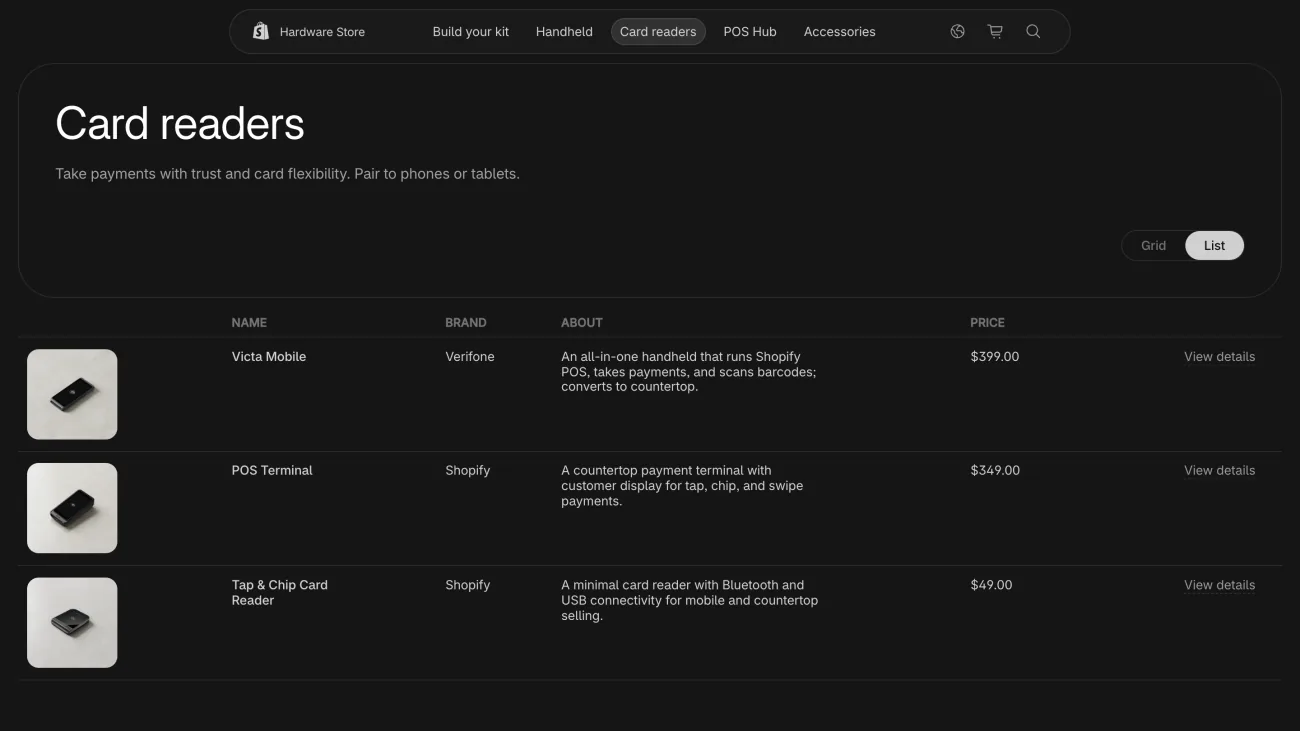
The Victa Mobile runs Shopify POS on its own screen, takes cards and scans barcodes in one handheld. Shopify rates its battery at up to 12 hours of normal use away from the dock.
The POS Go is no longer sold. The POS Terminal is the same device sold with its dock, and Shopify now calls the handset the POS Terminal Reader. A POS Go you already own works as a handheld until May 26, 2027. After that, it switches to countertop mode on its own.
Tap to Pay runs on an iPhone XS or newer, or an Android phone on Android 13 or later, with no reader and at the same in-person card rate. It takes contactless cards and phone wallets only: no chip, no swipe, and no card while you're offline. On iPhone it isn't offered in Finland or Singapore, where Android has it.
What does a full Shopify POS counter cost?
A full Shopify POS counter costs $1,204 in the US and £939 in the UK, before the iPad and any kit discount. That covers the POS Terminal, POS Hub, a stand, a receipt printer, a cash drawer and a scanner. Put the docked Tap & Chip in place of the Terminal, and the US total drops to $944. With a WisePad 3, the UK total is £759.
| Item | Model | US | UK |
|---|---|---|---|
| POS Hub | Shopify POS Hub | $69 | £52 |
| Tablet stand | Eddy by BouncePad (Eddy 2 in the UK) | $149 | £131 |
| Receipt printer | Star Micronics TSP143IV-UEWB | $289 | £279 |
| Receipt printer | Epson OmniLink | $289 | £287 |
| Cash drawer | Star Micronics CD4, 16 inch | $139 | £95 |
| Barcode scanner | Zebra DS2208 | $209 | £143 |
| Cordless scanner | Zebra DS2278 with cradle | $299 | £203 |
Full prices on the same two stores, read the same day.
The US store ships for free, takes hardware back within 30 days, and offers rentals for markets, pop-ups and events. A printer, drawer or scanner from another retailer works too, if its model number is on Shopify's supported hardware list.
Order four or more weeks before opening day, as Shopify's launch checklist advises. The checklist keeps the final week for setting up the devices.
Shopify POS pricing: do you need POS Lite or POS Pro?
POS Lite comes with every paid Shopify plan at no extra cost. You need POS Pro, at $89 a month per location in the US and £69 in the UK, for staff roles, exchanges, stock tracking, daily sales reports or pickup and delivery orders started at the register.
Your base cost is Shopify's plan: Basic is $39 a month in the US ($29 paid yearly) and £25 in the UK (£19). Each card sale in person then costs 2.6% + 10¢ on US Basic and 1.7% + 0p on UK Basic.
Both work with card readers and other hardware, and both include receipts by email or text, discount codes, gift cards, camera barcode scanning, customer profiles, refunds, cash tracking and offline cash sales. POS Pro adds:
- Staff: roles and permissions, and unlimited staff who use only the POS app.
- Returns: exchanges, order cancellations, and returns at any of your locations.
- Orders: pickup in store, shipping to the shopper's home and local delivery, started at the register.
- Stock: tracking and adjusting inventory, and receiving stock transfers.
- Reports: daily sales reports and in-store analytics.
- Discounts: automatic discounts at the register.
- Warranty: two years on Shopify's own hardware, against one year on Lite.
You choose POS Pro per location, so a market stall can stay on Lite while your shop runs Pro. Pro starts with a 14-day free trial. When it ends, each location goes back to Lite unless you pick Pro yourself. Shopify Plus includes POS Pro on its first 20 locations. In the US, the register can also offer Shop Pay Installments.
How do you set up Shopify POS?
Shopify POS takes six steps to set up, from your admin to your first test sale. These steps follow the Shopify POS launch checklist in Shopify's Help Center.
- Add a location and your products. In Settings, then Locations, add the place you sell. Then make each product available to the Point of Sale sales channel, or it won't show at the register.
- Set up Shopify Payments. Turn it on in your admin, with two-step authentication on your account. Card readers can't take cards while Shopify Payments is in test mode.
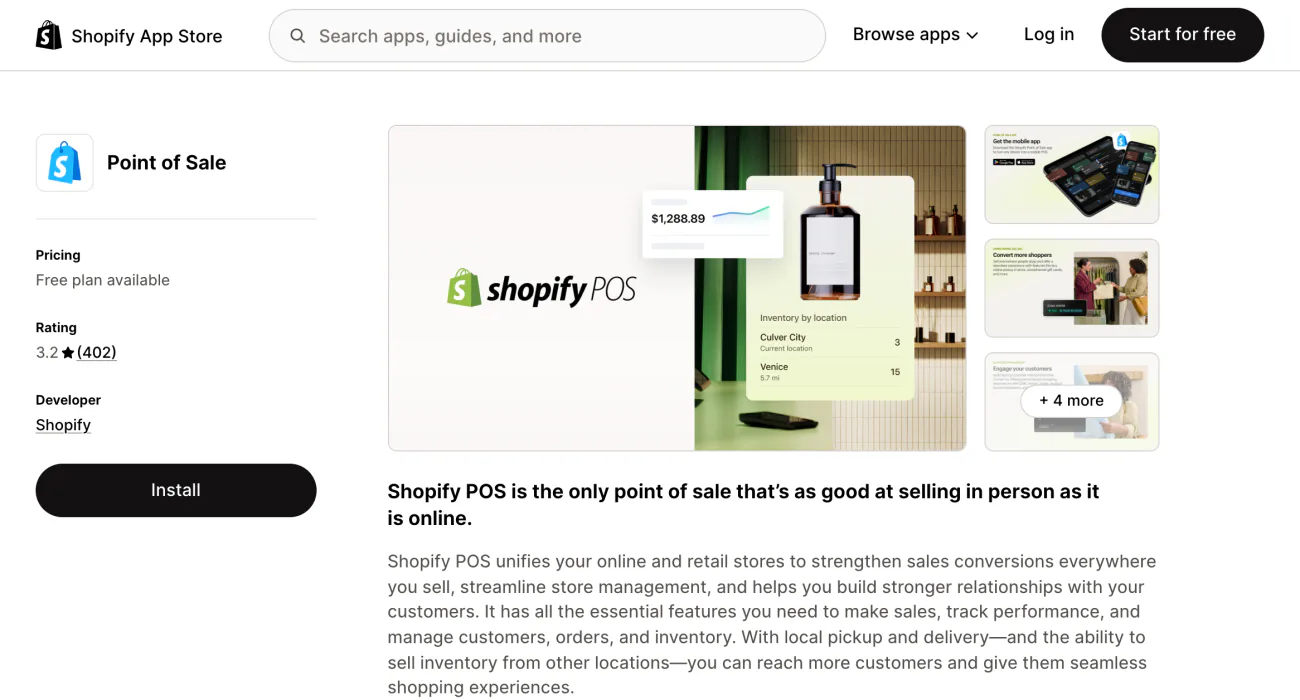
- Add Point of Sale and log in. Add Point of Sale from the Shopify App Store and download Shopify POS to your device. The first login on each device has to be the store owner, or a staff member with the POS device setup role. Then pick the location.
- Add your staff. Each person who sells gets a PIN for the POS app. Staff who use only POS need POS Pro.
- Pair your card reader. In Shopify POS, tap "Add hardware", the button for connecting devices, then "Card reader", and pick your model.
- Run a test sale. Ring up a $1.00 custom sale on a real card and check that the deposit reaches your bank within 3 business days. Then refund it. Shopify keeps the processing fee.
Steps read November 5, 2026, in Shopify's Help Center.
Moving from another till system? Move your products and customers to Shopify before step 1.
How do you keep a Shopify POS card reader working on a busy day?
Wire what you can, pair a spare reader, and turn on offline card payments before the day starts.
At a counter, plug your USB hardware into POS Hub, which Shopify calls "the most reliable connection". The launch checklist also suggests a spare reader, set up and paired ahead of time, so a register stays open if the first one fails.
At a stall with no signal, a card reader can still take cards once "Allow offline payments" is on, the setting that lets it hold a card sale until it's back online. The setting sits in your admin under Sales channels, then Point of Sale, in the POS app's Checkout settings, per Shopify's Help Center. You set the most one device can take offline in a day, and the most one sale can take. Staff also need the permission "Accept offline credit and debit payments".
Shopify captures those payments once the device reconnects, so a declined card only shows up later. Tap to Pay, swiped cards and typed-in card numbers don't work offline. Offline card payments aren't offered in France.
The Victa Mobile takes no SIM card, so it needs Wi-Fi. Away from Wi-Fi, Shopify suggests a phone hotspot or Tap to Pay.
FAQ
Questions, answered
-

14-day free trial
Explore Sledge on your store before you decide to commit.
-

No credit card required
Start improving your store with no upfront commitment.
-

Setup in minutes
Get Sledge running without a lengthy setup process.
-

Built to grow sales
Turn shopper behavior into actions that help you sell more.
Can you use Shopify POS on a computer?
No. Shopify POS runs only on iPhones, iPads and Android devices with Google Play Services. Shopify says it isn't available for laptops, desktop computers or Amazon Fire tablets. You still manage locations, staff and POS orders from your Shopify admin on a computer, under Sales channels, then Point of Sale.
Is Shopify POS free?
POS Lite comes with every paid Shopify plan, so the app costs nothing extra. You pay the plan, such as Basic at $39 a month in the US or £25 in the UK when billed monthly, and a card rate on each sale in person. POS Pro adds $89 a month per location in the US, or £69 in the UK, after a 14-day free trial.
Can I still buy a Shopify POS Go?
No. Shopify no longer sells the POS Go. Its POS Terminal is the same device sold with a dock, as a countertop terminal with a customer display. A POS Go you already own works as a handheld until May 26, 2027, then switches to countertop mode on its own. For a handheld, Shopify now sells the Verifone Victa Mobile.
Where can Shopify POS take card payments?
Shopify's card readers and Tap to Pay need Shopify Payments, which takes cards in person in 18 countries, including the US, Canada, the UK, Ireland, Australia, New Zealand and Singapore. Your store's currency must match the location's. Anywhere else, take cards on another provider's terminal, set it up as a custom payment method and mark each order as paid.
What do Shopify POS reviews say?
On the Shopify App Store, the Point of Sale app rates 3.2 from 402 reviews, read on November 5, 2026. The complaints that repeat are slow checkout screens after updates, card readers and printers losing their connection, and sales reports that need POS Pro. For dropped connections, Shopify suggests a wired POS Hub and a spare paired reader.
The counter's ready. Is your online store keeping up?
Sledge doesn't run in Shopify POS. It works on your online store, with search, filters, bundles and a cart drawer, free for 14 days. Growth Intelligence turns on when you pick a paid plan. It reads your store's searches, carts and orders, suggests what to fix next, and sums those fixes up as a single dollar figure labeled Est. potential.

