Klaviyo Reviews vs Judge.me turns on who sends the review request. Klaviyo Reviews sends it from inside a Klaviyo account, and its listing says 50 orders a month are free. Judge.me sends its own with no order cap, and its $15 plan adds delivery-based timing and reminders.
Your emails already run through Klaviyo, so a review app inside it sounds tidy. Or you have never opened Klaviyo, and a review app that starts with an account is one more login. Either way the question is the same: who sends the request, and what happens at order 51? On November 23, 2026, we read both App Store listings and each app's own help pages.
Klaviyo Reviews or Judge.me: which fits your store?
Look at Klaviyo Reviews if your emails already run on Klaviyo, and at Judge.me if you want reviews that work with any email tool or none.
| If you want | Look at | Why |
|---|---|---|
| Review requests sent from the Klaviyo emails you already run | Klaviyo Reviews | The request is a Klaviyo flow, so you edit it where you edit your other emails |
| Reviews without a Klaviyo account | Judge.me | It sends its own requests from the day you install it |
| No order cap on the free plan | Judge.me | Its free plan has no cap on reviews or requests, and Klaviyo's covers 50 orders a month |
| Requests timed from delivery | Either, on a paid plan | Klaviyo's listing puts it on the paid Reviews plan, and Judge.me's help marks it Awesome, which is $15 a month |
| Judge.me's reviews with Klaviyo's emails | Both together | Judge.me's Awesome plan connects to Klaviyo, so Klaviyo sends the request |
From each app's listing and help pages, read November 23, 2026.
Judge.me also sells an email product, Judge.me Email, which this page leaves out.
Does Klaviyo Reviews need a Klaviyo account?
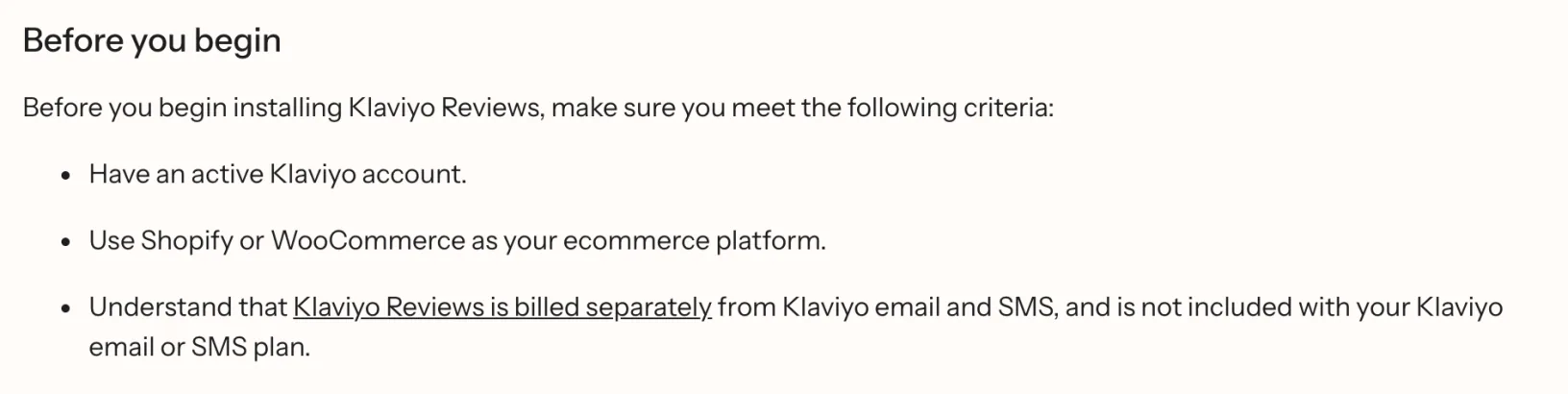
Yes, Klaviyo's help says you need an active Klaviyo account before you install it, and Judge.me works without Klaviyo or any email tool.
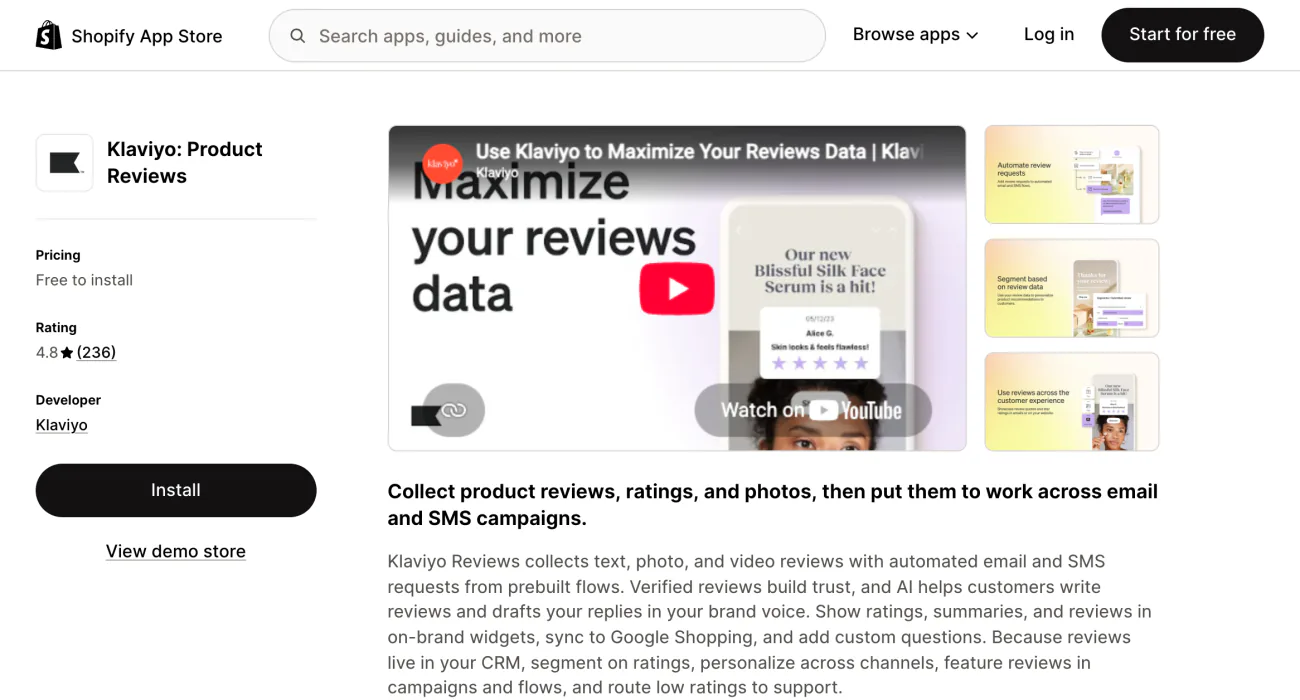
Klaviyo Reviews is a Shopify app that runs through your Klaviyo account. You install it from the App Store, then switch on its review request flow in Klaviyo. A flow is Klaviyo's name for emails that start by themselves.
Klaviyo's pages differ on which plan you need. Klaviyo's help says Reviews is billed on its own, apart from your email and SMS plan. The product page says you must be a paid Klaviyo Email customer. The pricing page lists Reviews for 50 orders a month on the free plan, and with no order limit on the Marketing plan. Open Reviews, then Reviews settings, then Billing and plans in your account to see what yours offers.
Judge.me asks for none of that. You install it, and its review requests start on their own once an order is fulfilled.
What do Klaviyo Reviews and Judge.me cost?
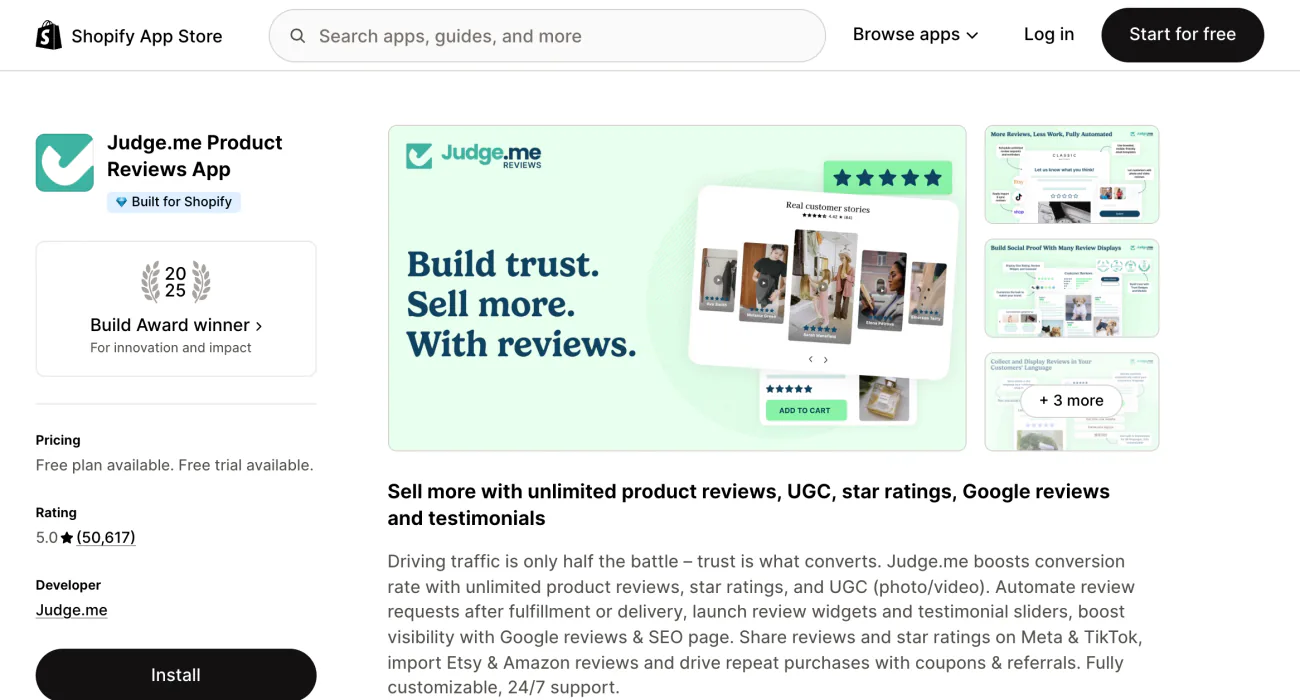
Judge.me's free plan has no order cap, and the Klaviyo Reviews listing puts its free allowance at 50 orders a month.
| Plan | Klaviyo Reviews | Judge.me |
|---|---|---|
| Free plan | Free: reviews free up to 50 orders a month, with custom questions and coupons | Forever Free, $0: unlimited product and store reviews, photo and video reviews and review requests |
| Paid plan | Reviews: up to 250 orders, with request timing from delivery. Klaviyo's product page says plans start at $25 a month | Awesome, $15 a month after a 15-day free trial: delivery timing, reminders, coupons and the Klaviyo connection |
| What it counts | Eligible orders each month | Nothing, and its pricing page says $15 a month is the most it charges |
| Passing the limit | Upgrade by hand or pause requests until the billing cycle renews | No limit to pass |
From each app's listing, Judge.me's pricing page and Klaviyo's product page, read November 23, 2026. The listings print local currency, so the dollars come from the vendors' own pages.
An order counts toward Klaviyo's limit when it becomes ready to review, a set number of days after fulfillment or delivery. Orders you mark ineligible do not count, per Klaviyo's billing help.
Klaviyo's listing adds that Klaviyo may bill you outside your Shopify invoice. More review apps and their free plans are on our review app list.
How does each app send the review request, and when?
Klaviyo Reviews sends the request from a Klaviyo flow you switch on, and Judge.me sends its own emails from the day you install it.
| Question | Klaviyo Reviews | Judge.me |
|---|---|---|
| Who sends it | A flow built from Klaviyo's Review Request template | Judge.me's own email, on from install |
| Channels | Email and SMS on the listing, and push and WhatsApp on Klaviyo's page | Email, SMS and push on the listing |
| The wait starts when the order is | Fulfilled or delivered, with a wait of up to 60 days | Created, Paid, Fulfilled, Delivered or Archived, with a wait of up to 365 days |
| Timed from delivery | On the paid Reviews plan, per the listing, while Klaviyo's help names no plan | On Awesome |
| Past orders | Once, within 60 days of starting, for up to 1,000 recent orders | Up to 5,000 orders fulfilled before you installed, on the free plan |
From Klaviyo's request timing and past orders help and Judge.me's request email and past orders help, read November 23, 2026.
In Klaviyo, you switch the request on by picking a "Review Request: Klaviyo Reviews" template under Flows, a ready-made set of emails. In Judge.me, "Request scheduling" under Settings sets the order status and the wait.
Klaviyo's help says a wait counted from fulfillment ignores shipping delays, so a buyer can get the request before trying the product. So Klaviyo can count from delivery instead, with a second wait after fulfillment when no delivery date arrives. Judge.me's help says USPS, UPS, FedEx, Canada Post and Sendle mark an order Delivered by themselves when you fulfill it with a tracking number and carrier. Other carriers need a tracking app.
Judge.me has a similar fallback, "If not delivered send after fulfilment", that sends the request a set time after fulfillment. Its help says it is open to certain stores only. Without it, a request waits for Shopify's Delivered update, or you send it by hand from the Review requests dashboard.
Our review request email guide covers when to ask: count from delivery, not from the order.
Judge.me vs Klaviyo: can you use both?
Yes, Judge.me's Awesome plan connects to Klaviyo, so Klaviyo sends the request and Judge.me keeps the reviews.
In Judge.me, open Settings, then Integrations, then Klaviyo, and click Connect. Tick "Send trigger when it’s time to send a review request", and Judge.me stops sending its own request emails. Instead, Judge.me tells Klaviyo when a request is due, and you build the email as a flow in Klaviyo.
Reviews left through the review link Judge.me supplies for that email count as Verified in Judge.me, and reviews left through any other link in it do not. Judge.me's own coupons do not carry over, so a coupon in the email has to come from Klaviyo.
Some Judge.me settings do not reach requests sent this way: its blocklist, SMS and push requests, manual sends and the setting that stops a second ask for the same product. Requests Judge.me had already scheduled still send. Its help tells you to add a filter in the Klaviyo flow so buyers who already reviewed are skipped.
Judge.me's help says the connection works with any Klaviyo plan. Its integration page says the Klaviyo account needs email sending.
What happens to the reviews you already have?
You move reviews between the two by exporting a spreadsheet file from one and importing it into the other, and nothing moves on its own.
From Judge.me to Klaviyo Reviews: in Judge.me, open Reviews and click Export. In Klaviyo, open Website, then Reviews, then All reviews, then Options, then Import reviews. Klaviyo's import guide links to Judge.me's export steps.
The other way: in Klaviyo, open All reviews, then Options, then Export reviews. Klaviyo emails you the file, per its export help. In Judge.me, open Settings, then Import reviews, then Import from a spreadsheet, and match the columns. Judge.me marks imported reviews as not verified, takes text and images but no videos, and cannot import a star rating with no text.
Import first, then ask. Klaviyo's help says to import reviews from your previous provider before it sends requests for your past orders, so buyers who already reviewed are not asked.
To show reviews in Shopify's Shop app, open Sales channels, then Shop, then Settings, and tick "Display reviews from partner apps in the Shop app". Shopify's list of supported apps names Judge.me and not Klaviyo Reviews. Klaviyo's help documents its own sync under Reviews settings, then Syndication. Shopify also says reviews migrated or uploaded from a spreadsheet file are not eligible to show in Shop.
Can Judge.me or Klaviyo Reviews stars show in your search results?
Yes, Sledge can show either app's star ratings on its own product cards.
In Sledge, open Settings & Support, then Integration, where the page says "Manage supported Shopify app integrations used by Sledge features." Switch on Judge.me Product Reviews or Klaviyo Reviews, and the stars show on the cards in Sledge's search results, instant search, filtered collections, recommendations and bundle listings. Your product page widgets stay as they are.
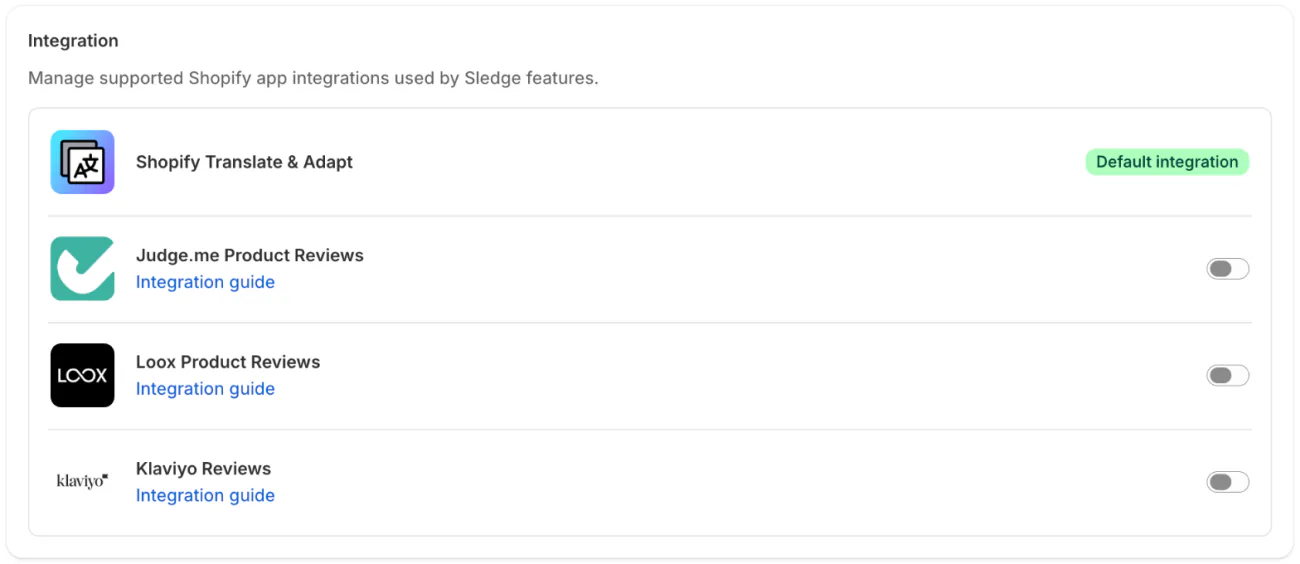
In the admin, turning one review app's switch on turns the others off. A product with no reviews shows no stars. Klaviyo's stars reach Sledge through the rating Shopify stores for each product, so they can lag a few minutes after you approve a review.
FAQ
Questions, answered
-

14-day free trial
Explore Sledge on your store before you decide to commit.
-

No credit card required
Start improving your store with no upfront commitment.
-

Setup in minutes
Get Sledge running without a lengthy setup process.
-

Built to grow sales
Turn shopper behavior into actions that help you sell more.
Is Klaviyo Reviews free, and does it need a Klaviyo account?
It needs a Klaviyo account, and it is free only up to a point. Its listing says reviews are free up to 50 orders a month, then a paid plan covers up to 250, and Klaviyo's product page puts plans from $25 a month. Klaviyo's pages differ on which account plan you need, so check Billing and plans.
Do you need Klaviyo to use Judge.me?
No. Judge.me works with any email tool or none, and it sends review requests itself from the day you install it. Its Klaviyo integration is optional and needs the $15 Awesome plan and a Klaviyo account that can send email.
Is Judge.me free?
Yes. Forever Free costs $0 and puts no cap on product and store reviews, photo and video reviews or review requests. Awesome costs $15 a month after a 15-day free trial and adds timing from delivery, up to 3 reminders, coupons and integrations such as Klaviyo.
Judge.me vs Klaviyo: can they work together?
They can, on Judge.me's Awesome plan. Connect them in Judge.me under Settings, Integrations, then Klaviyo, and Klaviyo sends the request while Judge.me keeps the reviews. Some Judge.me settings, such as its blocklist and SMS requests, do not apply to requests sent through Klaviyo.
Can you move reviews between Judge.me and Klaviyo Reviews?
Yes, by exporting a spreadsheet file from one and importing it into the other. Judge.me marks imported reviews as not verified and takes no videos. Klaviyo says video reviews import only from files with a video column, which it lists for Yotpo, Okendo and Stamped.
Klaviyo Reviews vs Judge.me: which suits a store that already emails with Klaviyo?
Either can work. Klaviyo Reviews keeps requests and reviews in Klaviyo, and its listing says it is free to 50 orders a month. Judge.me keeps reviews in Judge.me, and on its $15 plan Klaviyo can send the request. Choose by where you want reviews to live.
Collect reviews in Judge.me or Klaviyo. Show the stars in search.
Sledge sends no review requests and imports no reviews, so that part stays with your review app. Sledge has its own product reviews too, and can show Judge.me or Klaviyo Reviews stars on its search results and filtered collections. Try it free for 14 days, then from $29.99 a month, never a percentage of sales. Growth Intelligence turns on when you pick a paid plan, and its fixes add up to one total, labeled "Est. potential".