

Yes, Xero connects to Shopify. The Xero Shopify integration, built by Xero's partner Amaka, is listed as free on every Xero plan. Install it from the Xero App Store, choose Simple setup, and it posts your sales, fees and payouts to Xero each day. Its setup has no step for stock levels or cost of goods.
Shopify says Tuesday's orders came to $1,240.00. Three days later the bank shows $1,140.44. Your bookkeeper asks where the other $99.56 went, and the answer is a refund and the card fees.
Does Xero integrate with Shopify?
Yes: Xero's own Shopify integration is on both the Xero App Store and the Shopify App Store, and Xero's help says its partner Amaka builds it. It syncs sales from your online store and Shopify POS, plus fees, tax and payouts, to Xero once a day.
Xero launched an earlier Shopify app in 2021, and the one listed now is a new version built with Amaka. Guides that say Xero has no Shopify link disagree with Xero's own listing.
Read November 6, 2026, from Xero's and Shopify's own pages.
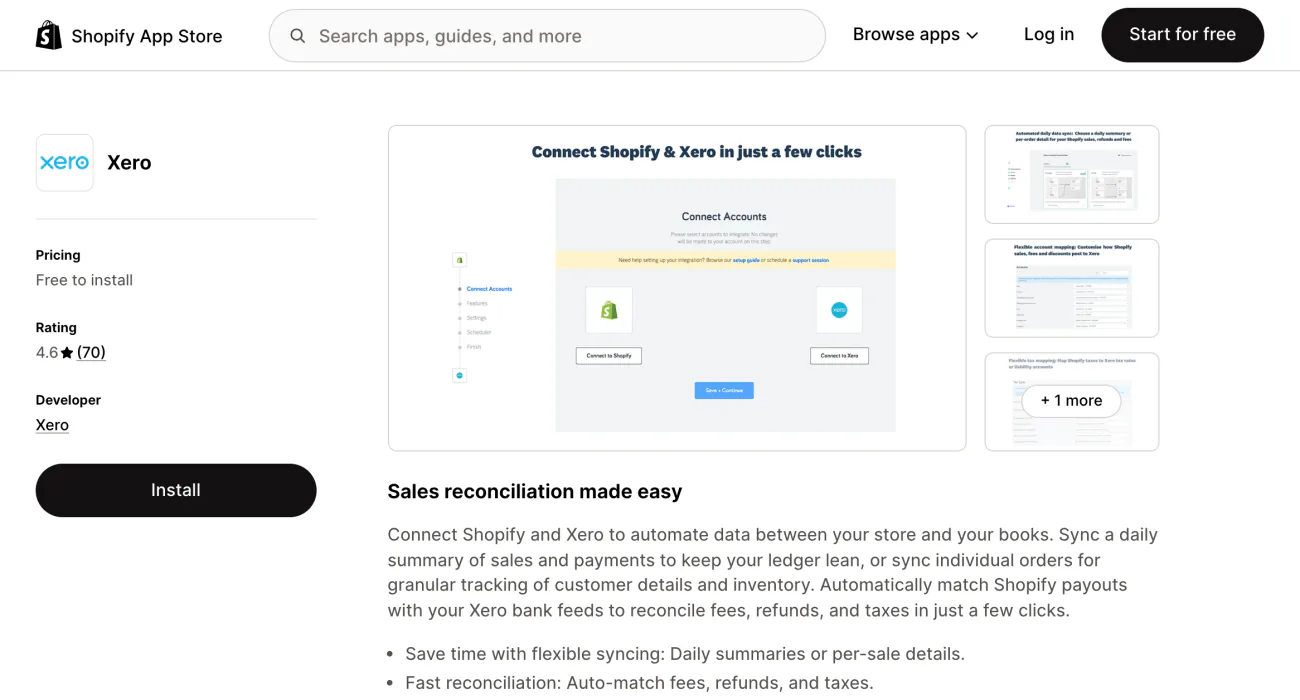
Its ten setup steps cover sales, fees, tax, payments and history. None covers stock levels or cost of goods.
How do you connect Shopify to Xero?
Xero's own guide starts in the Xero App Store: click Get this app and allow access. These steps follow Xero Central, Xero's help site, and quote its labels.
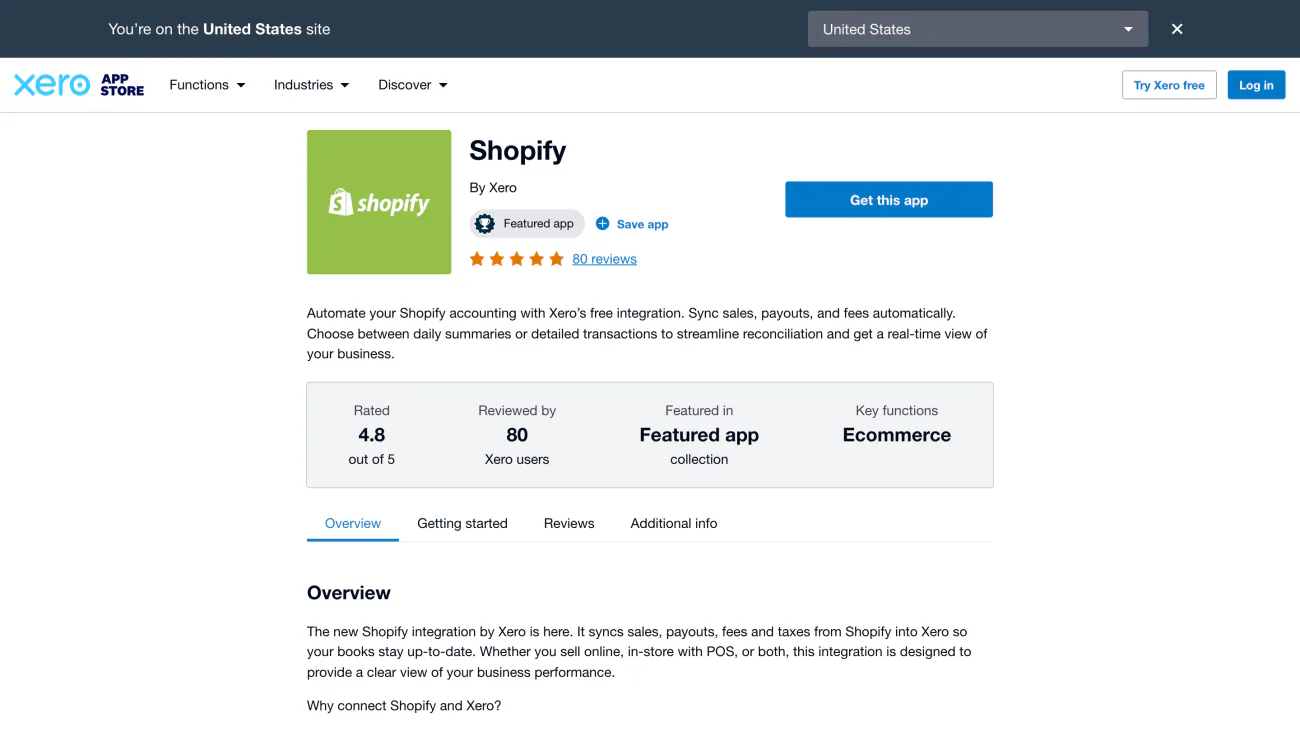
- In Xero, click your organization name, then under "Do more with Xero" choose Xero App Store. Find Shopify and click Get this app.
- Pick your Xero organization and click Allow access. Then click Connect to Shopify, log in to Shopify if asked, click Grant access and then Save + Continue.
- Choose "Simple" to let Xero create the accounts, the setup Xero recommends. Choose "Advanced" to map accounts and tax yourself, or "Guided" to book a call with Amaka's onboarding team.
- Choose how sales post. "Summarised" posts a day's sales as one entry, and "Per Order" posts each sale on its own. Either way, a day's fees post as one entry. Then pick "Invoice" or "Bank Transactions".
- Check the tax mapping. Next to "Shopify Payment Balance", choose the bank account Shopify pays into. For each other payment type, choose a clearing account, a holding account for money you've sold but not yet banked.
- Set "Start sync data from". Xero can bring in sales from up to 90 days before you connected, and syncs daily after that.
On Xero's Early plan in the US you can import only 20 invoices a month, so pick "Bank Transactions" instead of "Invoice" in step 4.
Tax mapping follows the region of your Xero organization, so settle tax codes with your accountant. To change the bank account Shopify pays into, change it in Shopify, not in Xero.
Run only one tool on the same sales. Two tools posting the same order would enter it twice.
Is the Xero Shopify integration free?
Xero's listing says the integration is free on all Xero plans, so you pay for your Xero plan, unless the screen after Get this app says otherwise. In the US, Xero's pricing page puts the Early plan at $27 a month before tax once the introductory offer ends, as read on November 6, 2026. Xero says transactions started by app partners may count toward the plan's 20-invoice limit.
Xero's partner page calls it a "free integration" and, further down, mentions a 30-day free trial of it. Shopify's listing reads "Free to install" and adds that Xero may bill separately from your Shopify invoice. After you click Get this app, read the screen, because it shows what applies in your country.
Amaka, which built Xero's app, also sells a separate app under its own name, with a free plan for up to 60 orders a month and one store. The steps above do not set that one up.
How do you reconcile Shopify payments in Xero?
Shopify pays you the sales minus fees and refunds, so match the bank deposit to the payout, never to a day's orders. Say Tuesday's orders came to $1,240.00.
| Line | Amount |
|---|---|
| Tuesday's orders | $1,240.00 |
| One refund | $60.00 taken off |
| Card fees | $39.56 taken off |
| Payout | $1,140.44 |
A made-up day, to show the arithmetic. The payout reaches your bank 1 to 3 business days after Shopify sends it.
The bank shows $99.56 less than the orders, which is the refund plus the card fees. Shopify's list of reasons for a lower payout also names chargebacks, currency conversion, a negative balance, a payout hold and a reserve.
In Xero, the free integration posts each day's sales and fees to an account called "Shopify Payment Balance". When Shopify sends the deposit, Xero creates a transfer from that account to your bank account, and that transfer is the line you reconcile. Xero's help says the sales and fees themselves are reconciled automatically.
Other payment types, such as cash, go to the clearing accounts you picked in step 5.
Xero's help also has a clearing-account method for bulk deposits from an online store, which fits a Shopify payout. It assumes your sales are already in Xero as invoices. Set up a separate current asset account for each type of bulk payment, apply each sale's payment to it, then reconcile the deposit to the same account until it reads zero. For the fees, Xero's method adds a bank fees adjustment while you reconcile, and for a refund it uses a sales credit note.
From Shopify's side, the Help Center gives this path for one payout. Go to Finance, then Payouts, click the payout date, click the payout, click the export icon and choose "Export payout transactions". The file lists each transaction with its "Amount", "Fee" and "Net", the amount minus the fee. Shopify emails it to you and the store owner.
For a date range, go to Finance, then Documents, and open "Shopify Payments activity report". It runs three days behind and leaves out other payment processors and methods such as Afterpay, which pay out separately. Shopify also says it is not a statement of revenue for accounting purposes.
Xero's own help calls the clearing-account method one way to do it, and suggests asking your accountant or bookkeeper which suits you.
Does Xero sync Shopify inventory?
Not in the free integration's setup: it covers sales, fees, tax and payouts, and has no step for stock levels or cost of goods. Cost of goods is what the items you sold cost you.
Shopify's listing for the app says per-order sync gives "granular tracking of customer details and inventory", but Xero's setup steps offer no stock or cost-of-goods choice. Read the screens after Get this app before you count on stock or cost of goods flowing across.
Xero's built-in stock tracking does not fill the gap. Xero's help says it "isn't suitable" for an organization that takes orders and payments through an ecommerce channel, already uses a third-party stock app or has more than 4,000 items to track.
That leaves two routes. The first is Xero Inventory Plus, which Xero sells only in the United States, as an add-on to its Growing or Established plan. It includes up to 10,000 orders a month, needs a SKU on every Shopify product, and needs the Shopify store set to US dollars. The second is a paid connector.
Xero's help says not to connect Inventory Plus and the free integration to the same Xero organization, though its Inventory Plus page describes a setting that lets both run. Pick one, and ask Xero before you run both.
Stock can also run the other way, with Xero's counts feeding Shopify so you don't oversell. That is a third job, and the next section names one tool for it.
When is a paid connector worth it?
A paid connector fits when you want stock, cost of goods or payouts from several gateways in one tool; the free integration covers daily sales, fees and payouts. This table sorts five by job, as each one describes itself.
| App | Job | What it says it does | Trial or price |
|---|---|---|---|
| A2X | Payouts from several gateways | Sends Shopify payout data to Xero, QuickBooks Online or NetSuite, and lists cost of goods too | From US$29 a month on its own site; free trial |
| Link My Books | Payouts from several gateways | Imports Shopify payouts into Xero and splits out gateways such as PayPal, Klarna and Clearpay | 14-day free trial, no card required |
| Synder | Stock and cost of goods in Xero | Lists cost of goods and inventory updating in real time | Free trial |
| Hyve Post to Xero | Stock and cost of goods in Xero | Lists inventory and cost of goods kept in line by SKU, plus B2B and wholesale orders | Free trial |
| Bold Xero Sync | Xero stock counts into Shopify | Its help page says an import sets Shopify stock on mapped products to the levels set in Xero | 14-day free trial |
Each app's own description, read on its Shopify App Store listing, help page or pricing page, November 6, 2026. The A2X price is in US dollars from its own site.
Each lists a free trial. Run one on a week of your orders before you commit.
FAQ
Questions, answered
-

14-day free trial
Explore Sledge on your store before you decide to commit.
-

No credit card required
Start improving your store with no upfront commitment.
-

Setup in minutes
Get Sledge running without a lengthy setup process.
-

Built to grow sales
Turn shopper behavior into actions that help you sell more.
Does Xero integrate with Shopify?
Yes. Xero's own Shopify integration is listed in the Xero App Store and the Shopify App Store, and Xero's help says its partner Amaka built it. It syncs sales from your online store and Shopify POS, plus fees and payouts, to Xero each day. Guides that say Xero has no Shopify link disagree with Xero's own listing.
Is the Xero Shopify integration free?
Xero's listing calls the integration free on all Xero plans. You still pay for your Xero plan, and Shopify's listing says Xero may bill separately. On the Early plan you can post only 20 invoices a month, so pick Bank Transactions, not Invoice. In the US that plan is $27 a month after the intro offer (Xero, November 6, 2026).
How do you reconcile Shopify payments in Xero?
Shopify pays out sales minus fees and refunds, so a deposit rarely matches a day's sales. With Xero's integration, each day's sales and fees post to a Shopify Payment Balance account, and when the payout arrives Xero creates a transfer to your bank account. You reconcile that transfer against the bank line. Other payment types go to clearing accounts.
Does Xero sync Shopify stock levels and cost of goods?
Not in the free integration's setup: Xero's steps cover sales, fees, tax and payouts, and none covers stock or cost of goods. Xero Inventory Plus syncs stock with Shopify, but it is sold only in the United States, as an add-on to the Growing or Established plan. Paid connectors such as Synder and Hyve list both.
Do you need A2X or another paid connector with Xero?
Not to start. Xero's free integration posts daily sales, fees and payouts, as one summary a day or one entry per order. A paid connector fits when you want stock or cost of goods in Xero, or payouts from several gateways in one tool. The five named here each list a free trial, so test one before you pay.
Xero counts what sold. Where does the store leak?
Sledge doesn't connect to Xero. It works on your storefront: search, filters, bundles and the cart, with a 14-day free trial. Growth Intelligence turns on when you pick a paid plan. It reads your store's orders and searches and gives its suggested fixes a single dollar total, shown as Est. potential, an estimate and not a sales figure for your books.

