
Shopify B2B is Shopify's built-in way to sell wholesale from your admin: companies for your buyers, catalogs with their prices, payment terms and a sign-in where they order. Since April 2, 2026, it runs on Basic, Grow and Advanced at no extra cost. Those plans get 3 active catalog assignments. Plus adds deposits and a catalog for a single company.
Every Monday a stockist texts "the usual, plus six of the lavender," and you retype it into an order by hand. You put off a proper wholesale setup because it needed Plus, from $2,300 a month. On Basic, it no longer does.
What is Shopify B2B?
Shopify B2B lets one store sell to other companies at their own prices and terms, while retail shoppers keep seeing yours. It has five parts.
- Companies and locations: each wholesale account is a company, and each of its shops is a location with its own addresses, tax settings, payment terms and contacts.
- Catalogs: the products and prices your buyers see, set as a percentage off your price or a fixed price per product, with optional minimums and volume pricing.
- Payment terms: pay at checkout, Net 7 to Net 90, or due once the whole order is fulfilled.
- The B2B checkout: addresses come from the company, the buyer can add a purchase order number, and on payment terms the button reads Submit instead of Pay now.
- Customer accounts: where a buyer signs in, tracks orders and pays. This is the portal.
You can run it in the store you have, which Shopify calls a blended store, or in a second store for wholesale only. Decide first. Shopify warns that switching later means redoing your companies, catalogs and store customizations.
Can you use Shopify B2B without Plus?
Yes. Since April 2, 2026, Shopify B2B runs on Basic, Grow and Advanced at no extra cost, but not on Starter or Retail. Most of it works the same on every plan, and Shopify's plan table lists where the plans differ.
| Feature | Basic | Grow | Advanced | Plus |
|---|---|---|---|---|
| Companies, locations, payment terms, quantity rules, volume pricing, saved cards, draft orders, reorders, the Trade theme | Yes | Yes | Yes | Yes |
| Active catalog assignments through B2B markets | 3 | 3 | 3 | Unlimited |
| A catalog for one company or location | No | No | No | Yes |
| Deposits, partial payments, a payment request per shipment | No | No | No | Yes |
| Sales reps limited to their own buyers | No | Yes | Yes | Yes |
| A checkout and store that change by market | No | No | Yes | Yes |
Shopify B2B by plan, from Shopify's Help Center, read November 5, 2026.
The limit of 3 counts assignments, not catalogs. One catalog on two B2B markets uses 2 of the 3, and a catalog set to Draft frees its slot. Separate prices for retailers, salons, distributors and one key account make four, one more than Basic to Advanced allow. Plus starts at $2,300 a month, and what each Shopify plan costs covers the rest.
How do you set up B2B on Shopify?
Shopify B2B takes eight steps in your admin, from customer accounts to the first invitation. Shopify's checklist for a blended store has the longer version.
- Turn on customer accounts. In Settings, open Customer accounts. B2B buyers need customer accounts, not legacy accounts. Turn on "Show sign-in links" to put a sign-in link in your store's header and at checkout.
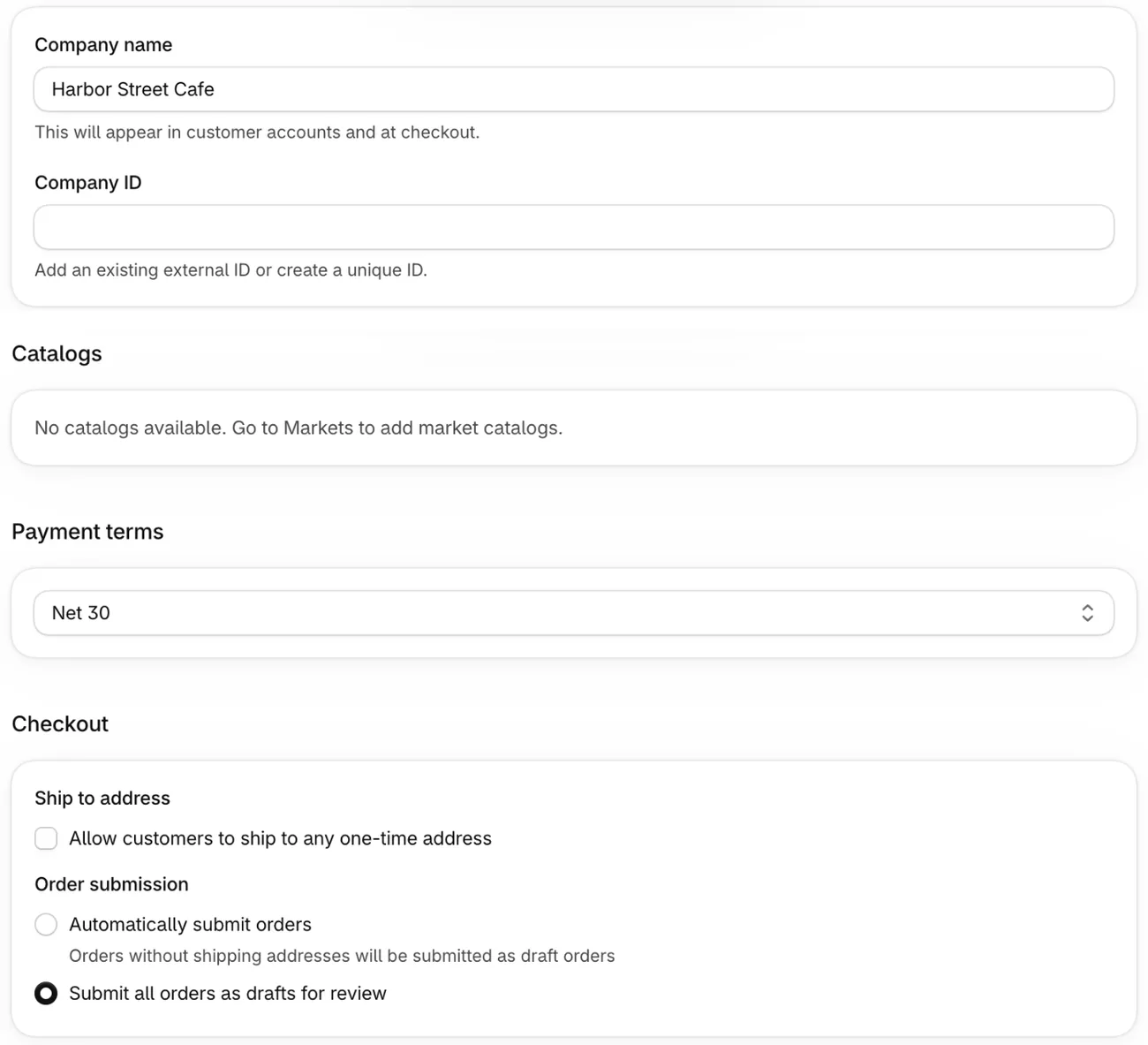
- Add each wholesale account as a company. Go to Customers, then Companies, and click "Add company" to open the "New company" form. Enter the company name, which shows in customer accounts and at checkout. Then pick the main contact and add the addresses and tax settings. Already have wholesale buyers in Customers? Select up to 250 there, and Shopify makes a company for each, with their past orders if you choose.
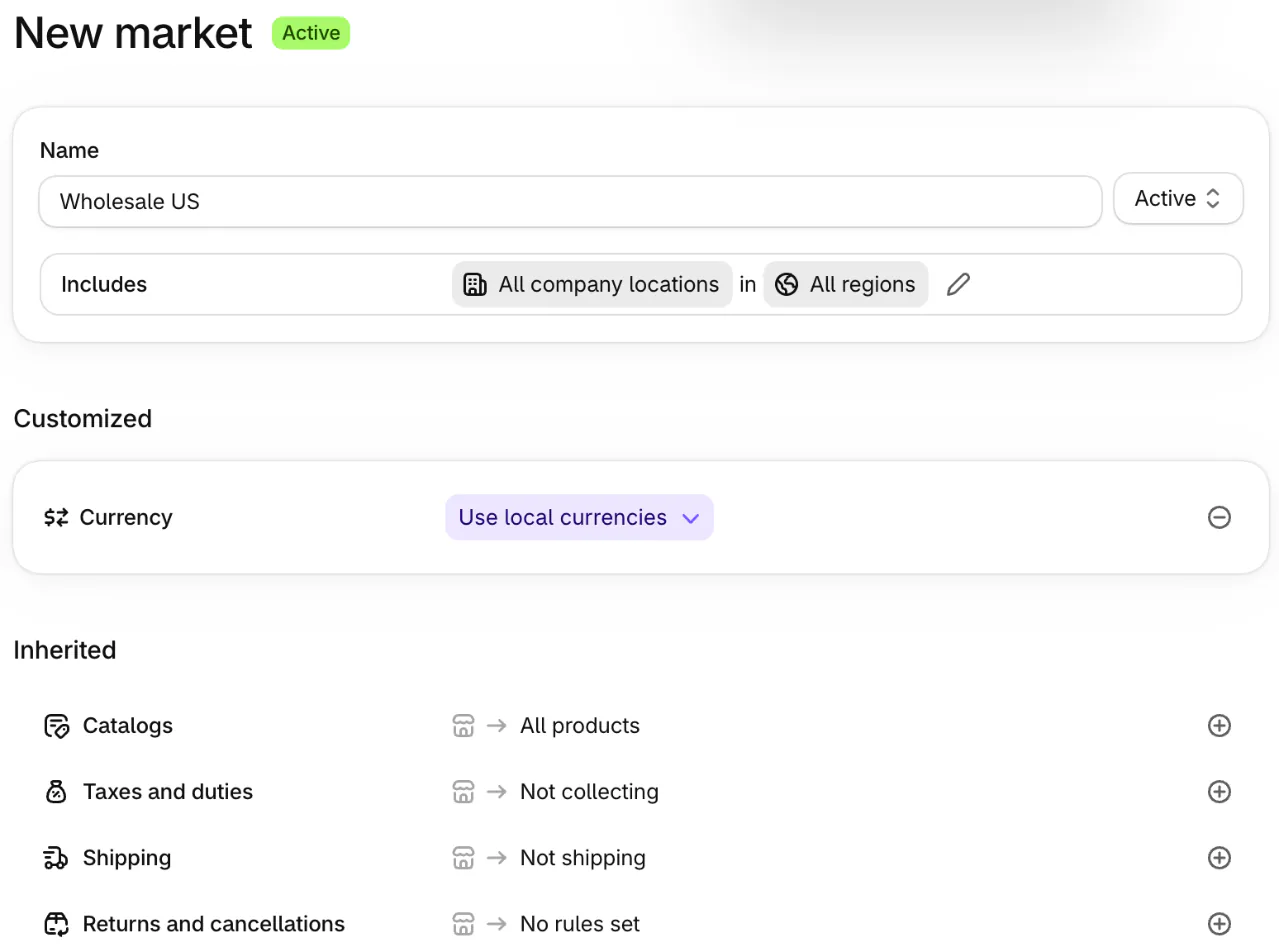
- Create a B2B market. In Markets, click "Create market", then "Add condition" beside Includes. In the "Market conditions" window, pick "Company locations", which limits the market to your companies, and turn on "Include all existing and future locations in all regions". A market set by region alone also reaches retail shoppers in that region.
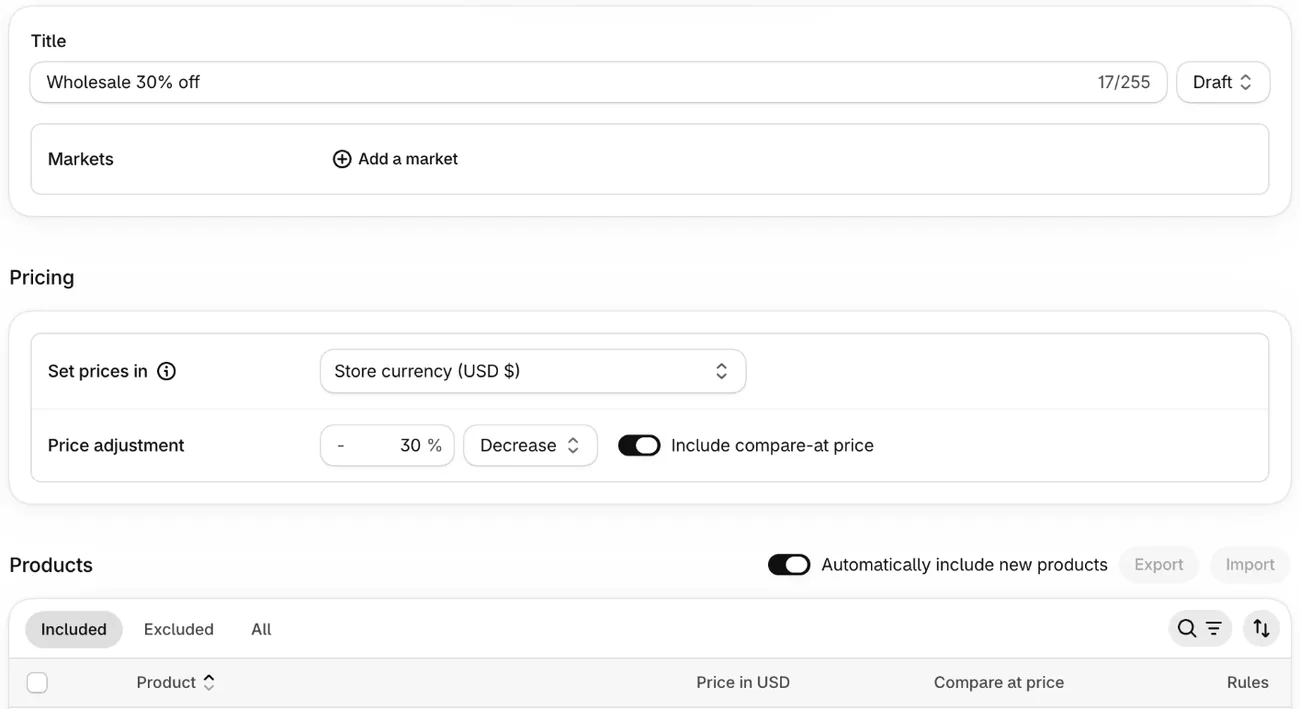
- Create the catalog. On that market's page, click the plus sign next to Catalogs, then "Create catalog". Under "Price adjustment", a 30% decrease turns a $50 tote into $35, and a fixed price on one product overrides it. Save it as Draft until it's ready.
- Add minimums and price breaks. In the catalog, click Manage, then "Manage products and pricing", the catalog's product list. Each product, or each size or color, takes a minimum, maximum or pack size and up to 10 price breaks.
- Set payment terms. On the company or location, under "Payment terms", pick a net term, "Due on fulfillment", or "No payment terms" for buyers who pay at checkout. Under Checkout, "Submit all orders as drafts for review" lets you approve each order first.
- Check payment and delivery. Your payment and shipping methods reach every customer by default. Shopify's free Checkout Blocks app can set a minimum order total for wholesale buyers alone, on any plan that runs B2B, by the app's own listing. Hiding a payment or shipping method from them takes the same app on Plus, or another app.
- Test, then invite. Set the catalog and the market to Active. Check prices signed in as a test buyer, then in a private window as a retail shopper in the same country. Send each buyer the "B2B access email" from the company's page once both look right.
Steps checked November 5, 2026, in the Shopify admin and against Shopify's Help Center.
A net-term order waits as Payment pending. When the money arrives by bank transfer, open the order and click Collect payment, then Mark as paid, or Shopify keeps showing it as owed.
What is the Shopify B2B portal?
Shopify's B2B portal is your store's customer accounts: a buyer signs in with their email and a 6-digit code, then orders and pays in one place. There is no password, and a buyer who orders for two shops picks one first.

Once signed in, the buyer sees that location's catalog prices. From the account they can track an order and pay an open invoice before it's due. A buyer you set as "Location admin", the role that sees every order for that shop, can also reorder a past order and ask for a return.
To help buyers find the sign-in, open Settings, then Customer accounts, copy the address shown under URL, and add it to your footer menu as a Wholesale link. A new stockist can ask for an account through a form from Shopify Forms, Shopify's free app, which creates the company for you to approve.
A wholesale-only store can go further. Under Online Store, then Preferences, "Restrict access to B2B customers only" hides the store from everyone else, though the request form then stops working. The free Trade theme hides prices from visitors who aren't signed in.
What are the limits of Shopify B2B?
Some Shopify features never reach a B2B order, and some reach it when you didn't mean them to.
- What B2B orders can't use: Shop Pay, Apple Pay, Google Pay and other express checkouts, local delivery, pickup points, tips and subscriptions.
- Off by default: abandoned checkouts, gift cards at checkout and pickup in store. The store owner asks Shopify Support to turn them on.
- Discounts: in a blended store, a discount set for All customers reaches wholesale buyers too, on top of their catalog price. To give a discount to wholesale buyers only, set its Eligibility to a B2B market.
- Price breaks count each scent, size or color alone: 2 vanilla, 2 lavender and 2 cedar don't reach a 6-unit break.
- Order size: an order holds up to 500 different items, with each size or color counted as its own.
- What takes an app: quotes, order upload from a spreadsheet, downloadable invoices and a link to your accounting system, by Shopify's own checklist.
B2B volume pricing shows only to buyers signed in for a company. For tiers every retail shopper sees, read quantity-break pricing for every shopper.
FAQ
Questions, answered
-

14-day free trial
Explore Sledge on your store before you decide to commit.
-

No credit card required
Start improving your store with no upfront commitment.
-

Setup in minutes
Get Sledge running without a lengthy setup process.
-

Built to grow sales
Turn shopper behavior into actions that help you sell more.
Do I need Shopify Plus for B2B?
No. Since April 2, 2026, Shopify B2B runs on Basic, Grow, Advanced and Plus, but not on Starter or Retail. Below Plus you get companies, payment terms, volume pricing and 3 active catalog assignments through B2B markets. Plus adds unlimited catalogs, catalogs for a single company or location, deposits and partial payments.
How much does Shopify B2B cost?
Nothing on top of your plan. Shopify includes B2B at no extra cost on Basic, Grow, Advanced and Plus, and Plus starts at $2,300 a month. Where a variable platform fee applies, B2B and retail orders carry different rates. Budget for an app only if you need quotes, order upload from a spreadsheet or a link to your accounting system.
Is Shopify B2B or B2C?
Both. One store can sell to shoppers and to the shops that resell your products, which Shopify calls a blended store, and buyers see their own catalog prices once they sign in. Or you can open a second store for wholesale only. Shopify warns the choice is hard to change, because switching means redoing companies, catalogs and store customizations.
How do wholesale buyers log in to Shopify B2B?
Through your store's customer accounts. The buyer enters the email saved on their company location, then types the 6-digit code Shopify emails them. There is no password to forget. Add a Wholesale link to your footer that opens the sign-in, and send each buyer the B2B access email once you add them to a company.
What are the limitations of Shopify B2B?
Shop Pay, Apple Pay, Google Pay and other express checkouts, local delivery, pickup points, tips and subscriptions don't work for B2B orders. An order holds up to 500 different items. Below Plus, you get 3 catalog assignments and no deposits. Quotes, order upload from a spreadsheet and downloadable invoices take an app.
Wholesale buyers have their catalog. What do retail shoppers see?
Sledge doesn't set wholesale prices. Instead, it shows every shopper volume discounts and bundles on the product page, and you can try it free for 14 days. Growth Intelligence turns on when you pick a paid plan. It reads your carts and orders, suggests fixes, and shows what they could add as one dollar total, labeled Est. potential.

