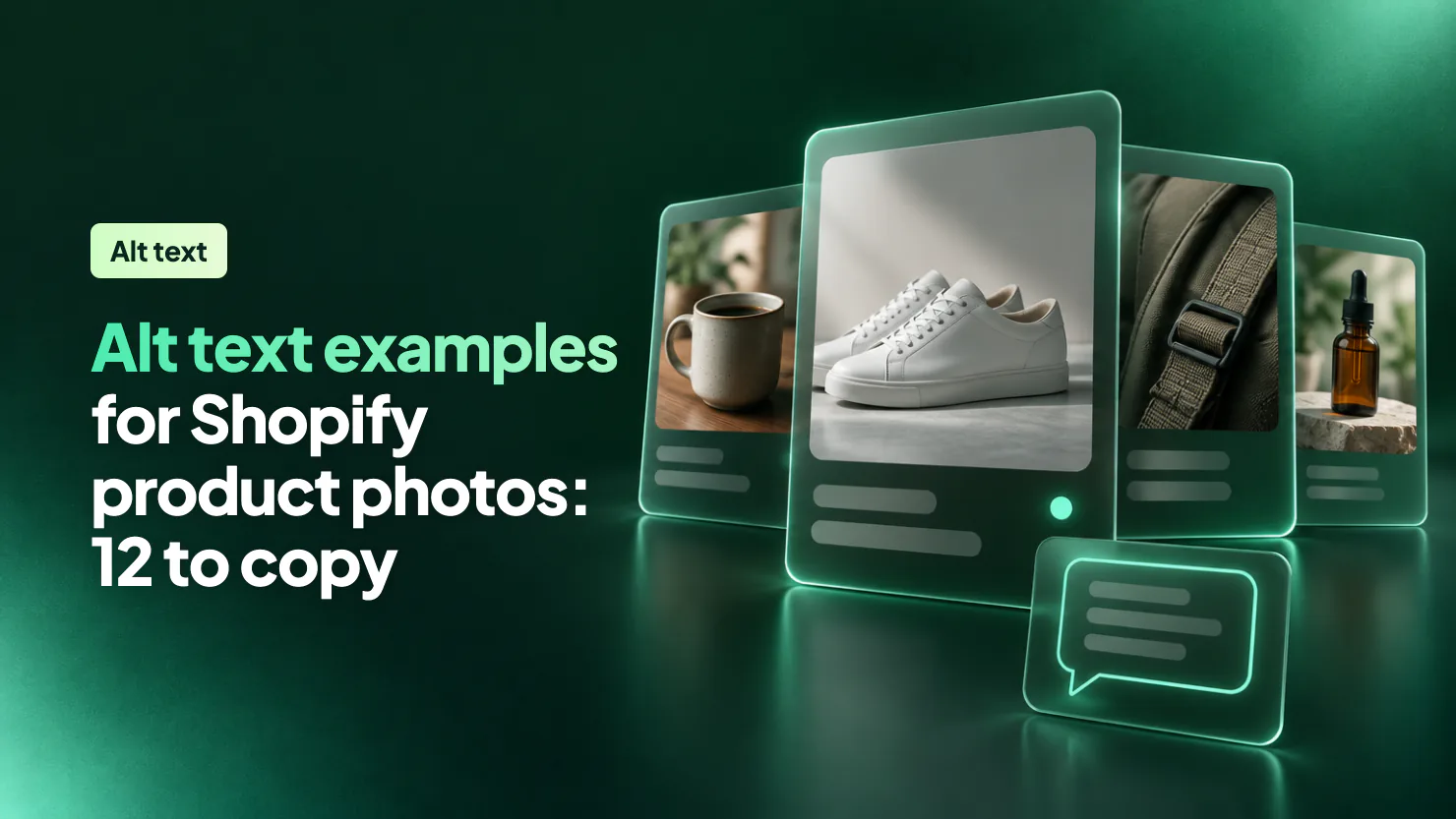
Good alt text says what a photo shows in one plain line of 125 characters or fewer, such as "White leather low-top sneaker, side view". Name the product, add the view or one detail a shopper checks, and skip "image of".
Your new backpack has six photos. Under each one, the Alt text box in your Shopify admin says "backpack". A shopper who can't see the photos hears that word six times and never learns which one shows the straps.
What makes good alt text for a product photo?
Good alt text says what the photo shows, in a plain line, so a shopper who can't see it knows what is there. Shopify's Help Center says alt text appears when a photo can't load and is what screen readers use to describe it. It recommends 125 characters or fewer and allows up to 512.
Google's image guide calls alt text the most important way to describe a picture to it, and says a list of keywords can look like spam. Write the product first, then the view or the one detail a shopper checks, such as the material or the stitching. Skip "image of" and "picture of", because W3C's guidance notes that screen readers already announce an image.
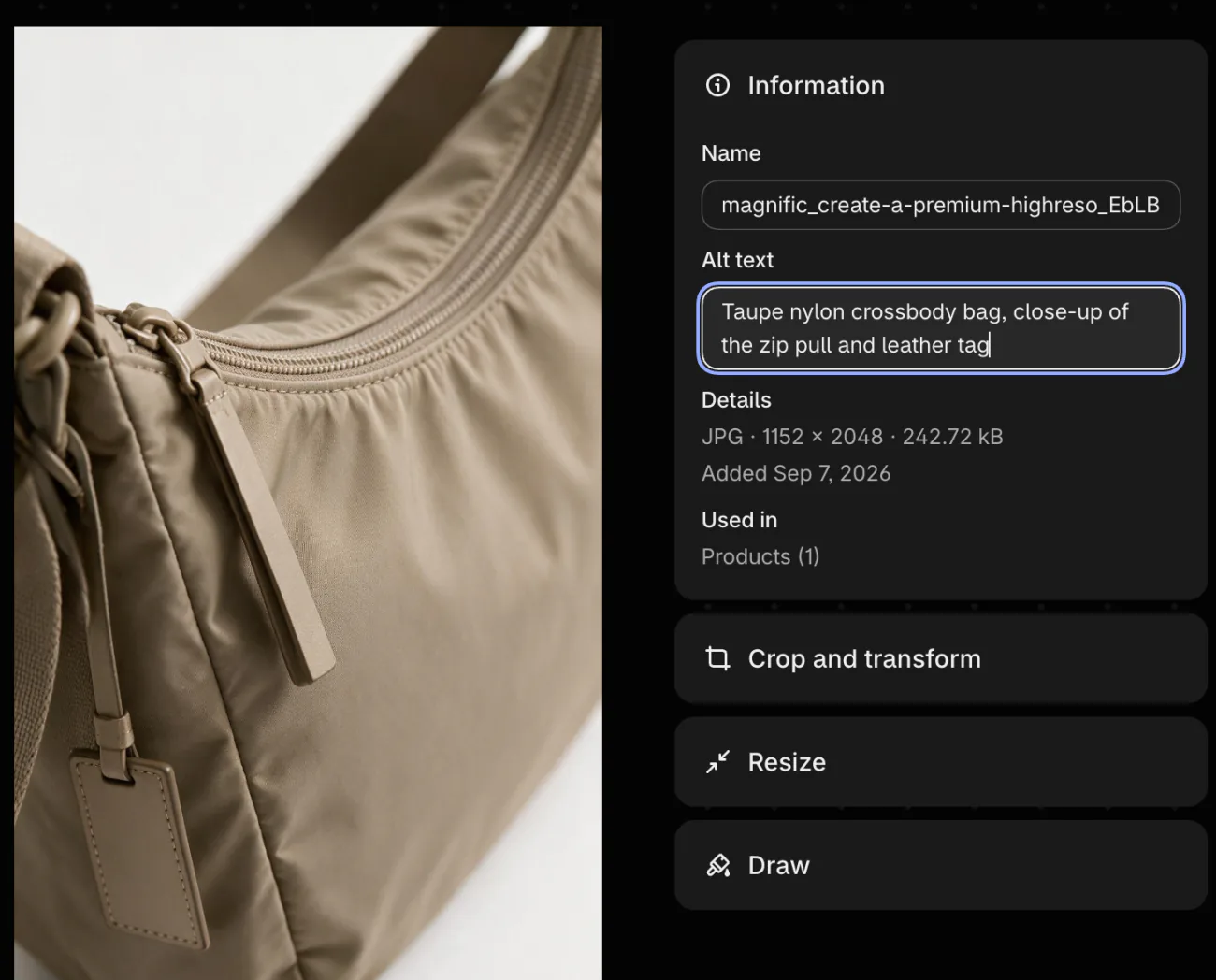
To add the line, open Products, click the product and click the photo to open the File editor, the full-screen window for that photo. Type in the Alt text box and click Save in the top bar. Job 4 of our Shopify SEO checklist shows each click, and how to find the photos that still have none.
What are 12 alt text examples for Shopify product photos?
Each example pairs a weak line with a better one for a made-up product, with a highlighted [blank] wherever your own details go. Pick the row that matches your photo, replace the blanks and delete any part that isn't true. Each better line is under 125 characters with its brackets still in.
The product itself
Give each photo of a product its own view.
| Photo | Weak | Better, to copy and edit |
|---|---|---|
| 1. Main photo, front or side | shoe | [White] [leather] [low-top sneaker], [side view] |
| 2. Back view | back | [Green] [waxed canvas] [backpack], back view showing [padded straps] |
| 3. Close-up of a detail | closeup | [Hand-stitched edge] on a [brown] [leather card holder], close-up |
The product in use
Say what the setting or the scale shows, because that is why the photo is there.
| Photo | Weak | Better, to copy and edit |
|---|---|---|
| 4. Lifestyle scene | lifestyle photo | [Stoneware mug] of coffee on a [desk] beside an [open notebook] |
| 5. Scale shot | hand | Hand holding the [30 ml serum bottle] to show its size |
| 6. Worn on a person | model | [Rust linen shirt] worn [open over a white tee] |
Photos that carry information
When the picture holds facts, put the key ones in the line, and keep the full set in your product description too.
| Photo | Weak | Better, to copy and edit |
|---|---|---|
| 7. Color swatch | green | [Sage green] swatch of the [linen shirt] |
| 8. Size chart | size chart | Size chart for the [linen shirt]: [S fits chest 34 to 36 in, M 38 to 40, L 42 to 44] |
| 9. Printed label or text | label | [Candle] label: [100% soy wax, cotton wick, burns about 45 hours] |
Photos with a different job
A box, a set and a divider each need a different kind of line.
| Photo | Weak | Better, to copy and edit |
|---|---|---|
| 10. Packaging | box | [Candle] in a [kraft] gift box tied with [linen ribbon] |
| 11. Set or bundle | set | [Three-piece] [skincare set]: [cleanser, toner and moisturizer in matching frosted bottles] |
| 12. A divider or texture | decorative divider line | Leave the Alt text box empty |
A divider, a texture or a background swirl tells a shopper nothing, so W3C advises an empty description and screen readers then skip it. A product photo always gets a line.
Shopify Help Center checked November 20, 2026.
How do you write alt text for six photos of one product?
Give each photo its own line that names the product and whatever sets that photo apart. Here are six lines for your backpack's six photos:
- Green waxed canvas backpack, front view
- Green waxed canvas backpack, back view showing padded straps
- Hand-stitched leather strap on the backpack, close-up
- Main pocket of the backpack open, with a zip pocket inside
- Backpack worn on one shoulder on a city street
- A 15-inch laptop beside the backpack to show its size
Read in order, the six lines tell a shopper who can't see them where the straps are, what the inside holds and how big the bag is. Six copies of "backpack" only repeat the first.
What does bad alt text look like?
Weak alt text is usually one word, a file name or the same line copied onto every photo. Check yours for five faults.
- A file name or one word. "IMG_0412" names a camera shot and "shoe" names a category, so name the product and the view.
- One line on every photo. Six photos of one backpack need six lines, each naming its own view.
- "Image of" at the start. Screen readers already say it is an image, so open with the product.
- A keyword list. "white sneakers mens sneakers cheap sneakers buy online" is the kind of list Google's guide warns can look like spam.
- A Suggestion accepted unread. Shopify's Help Center says its media editor can suggest alt text, generated using AI, and that you can accept, edit or replace it. One suggestion in our Shopify SEO checklist, "Beige coat with black buttons on a white background", names the color and the buttons, then spends words on the backdrop. Edit it to name the cut and the fabric.
Alt text, file name or image title: which one counts?
Alt text counts most, the file name adds a light clue, and an image title adds little you can count on. Google's image guide names alt text as the most important way to describe a picture and treats the file name as a light clue. It also says Google reads the page around a picture, including its caption, so keep each photo beside the text that describes it.
An image title is the small label some sites show when you hover over a picture. Google's guide counts image titles among the page text it reads for context, and Search Engine Journal's 2021 explainer says the hover label isn't used for ranking.
In Shopify's photo editor, the Information panel has a Name box and an Alt text box and no box called title, so those are the two to fill. Name each file before you upload it, as the Shopify SEO checklist advises, because Shopify's Help Center says renaming a file later in Files changes its web address and the old one stops working. For sizes and formats, see Shopify product image size.
FAQ
Questions, answered
-

14-day free trial
Explore Sledge on your store before you decide to commit.
-

No credit card required
Start improving your store with no upfront commitment.
-

Setup in minutes
Get Sledge running without a lengthy setup process.
-

Built to grow sales
Turn shopper behavior into actions that help you sell more.
What is a good example of alt text for a product photo?
"White leather low-top sneaker, side view" is a good one. It names the color, the material, the product and the view in one plain line. Write a line for each photo, so the front, the back, a close-up and a photo in use each get their own, and a shopper who can't see them knows which is which.
How long should alt text be?
Shopify's Help Center recommends 125 characters or fewer and allows up to 512. W3C's guidance asks for the most concise description possible, a short phrase or sentence, with the most important words first. For a product photo, write the product first, then the view or the one detail a shopper checks.
Does an image title affect SEO?
Little, and far less than alt text. Google's image guide calls alt text the most important way to describe a picture, treats the file name as a light clue and counts image titles among the page text it reads. Search Engine Journal's 2021 explainer says the hover title isn't used for ranking. Fill the Alt text box first.
Does every Shopify photo need alt text?
Every product photo needs a line, for shoppers who can't see it. A decorative divider can stay empty. To find photos with none, go to Content, then Files, filter by Alt text and choose Empty. A collection's image takes alt text too, under Edit alt text in its menu, as does a blog post's featured image, Shopify's Help Center says.
Can I add alt text to many Shopify products at once?
Yes. Shopify's product spreadsheet has an Image alt text column, up to 512 characters a cell. Export your products, fill the column and import the file with the overwrite option on, or Shopify skips products it already has. That option replaces every value in the columns your file holds, so keep your export. Our import guide covers the file's rules.
Every photo has its line. Does the right product come up?
Sledge doesn't write, check or edit alt text. It runs the search, filters and recommendations that show your product photos, and you can try it free for 14 days. Growth Intelligence turns on when you pick a paid plan. It reads your searches and orders, then lists fixes that could win back sales, with one dollar total labeled "Est. potential".