
Shopify vs Etsy comes down to who sets the rules for your shop. Etsy sorts what you sell into four groups and lets you change a banner, a logo and four featured items, with more on Etsy Plus. On Shopify you edit the page itself. Both ask for a buyer's consent before marketing, and on Shopify the list sits in your admin.
Say your Etsy shop sells every week while your own store gets a visit a day. Or you list the same candle in both places and sell the last one twice. On November 19, 2026, we read Etsy's and Shopify's own Help Center pages and set them side by side. For fees, Etsy vs Shopify fees works out a $40 sale on each.
Shopify vs Etsy: which one suits what you sell?
Pick by what you sell and what you want to control, since each platform sets different rules for both.
Etsy is a marketplace, and your shop is one page inside it, among shoppers who already browse Etsy. Shopify is software you rent to run a store of your own, on a domain you choose.
| If you | Look at | Why |
|---|---|---|
| Make, design or handpick what you sell | Etsy, or both | Etsy sorts every item as made, designed, handpicked or sourced by you. |
| Buy goods from a supplier to sell on | Shopify | Etsy allows reselling only for items you handpick or source, and drop shipping only for craft and party supplies. Shopify's Help Center has a section on dropshipping. |
| Want to change the page itself | Shopify | Etsy's Help Center lists a banner, a logo, the listing order and four featured items. Shopify's theme editor changes content, layout, typography and colors. |
| Want a mailing list of buyers from your own store | Shopify | Both ask for consent. On Shopify, the checkout box and the list sit in your admin. |
| Want shoppers who already browse a marketplace | Etsy, or both | Etsy is a marketplace, so your shop sits among shoppers already browsing Etsy. Shopify's Help Center says you can keep selling on Etsy after you open a store. |
From Etsy's and Shopify's Help Center pages, read November 19, 2026.
What are you allowed to sell on Etsy and on Shopify?
Etsy allows four kinds of item, and its Help Center says reselling is not allowed outside two of them.
Etsy sorts every listing into one of four groups. Made by you means physical items you made. Designed by you means your own design, sold as a download or printed by a production partner, and AI creations you prompt must say so. Handpicked by you means vintage items at least 20 years old, items from nature and curated collections. Sourced by you means items that let a buyer create, such as craft supplies.
Reselling is not allowed on Etsy, except for items you handpick or source. Drop shipping is allowed only for craft and party supplies. Etsy also bans alcohol, tobacco, dangerous and illegal items, and says services and most rentals can't be sold.
Shopify's Help Center lists what Shopify Payments won't take: regulated products, financial services, adult products, gambling and counterfeits. It says that list isn't exhaustive and varies by region. Its page on dropshipping describes suppliers shipping orders straight to your customer. Read your region's list before you build a product line around a gray area, on either platform.
How much of your shop page can you change?
On Etsy you change a banner, a logo, the listing order and four featured items, and Etsy Plus adds more. In Shopify's theme editor you change the page's content, layout, typography and colors.
Etsy's Help Center lets you pick a Mini or Big banner, or none, add a logo, choose which listings show first and rearrange items in the shop home editor. In Shop Manager, the logo and listing order sit under Settings, then Your shop. You can feature four active listings above your announcement. Etsy Plus adds a banner carousel of up to four images, a collage banner, a mixed grid and a color theme.
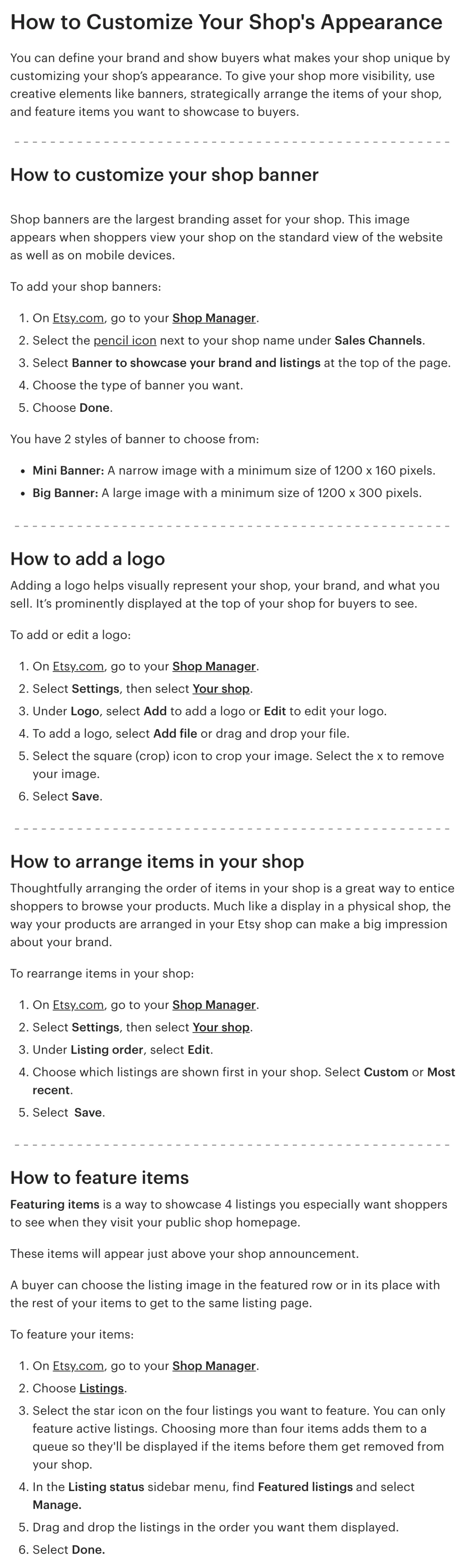
In Shopify, open Online Store, find your theme and press "Edit theme" to open the theme editor. Each theme brings sections and settings. On a product page, each part is a block you can move, hide or add, such as the price, the buy buttons and the description.
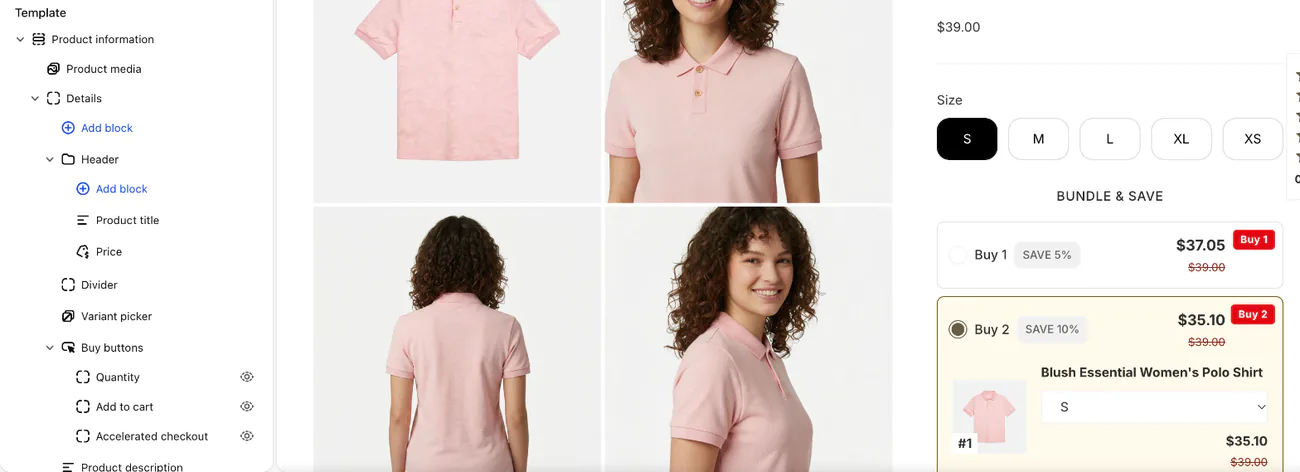
Apps add features to the same store. Sledge is one: it adds search, filters, bundles, product reviews and a wishlist.
Can you email the people who buy?
Both platforms ask for consent first. What differs is where the opt-in and the list live.
Etsy's Help Center says you need a buyer's consent before you use their information for marketing, and that you must stop using it if the buyer asks. Keeping an email address outside Etsy, for a newsletter, means telling the buyer how you use it.
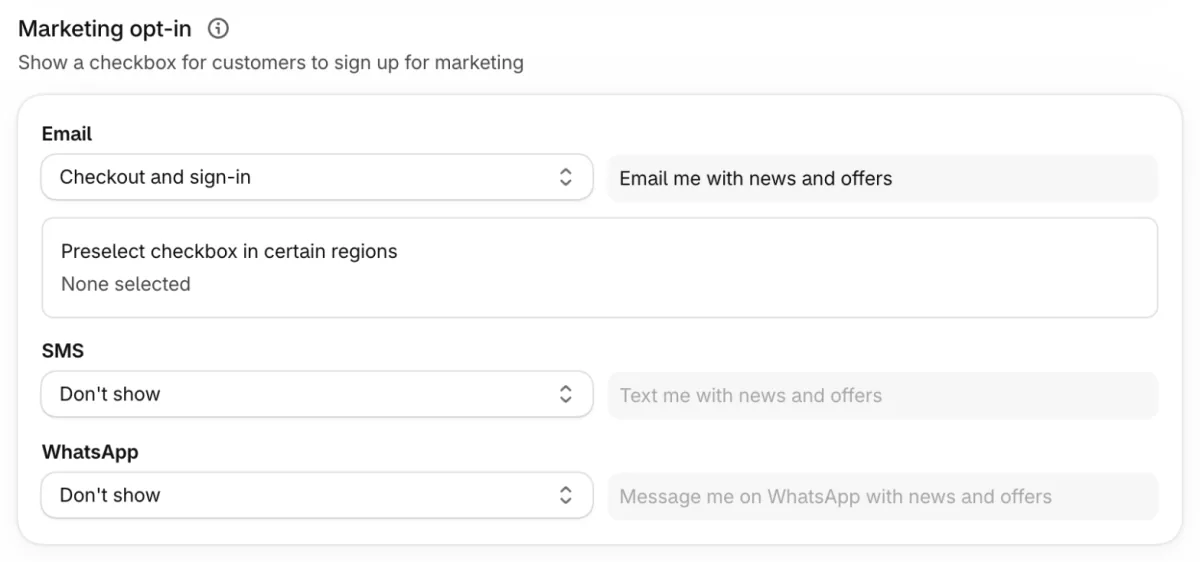
On Shopify, a customer profile is created when someone places an order, signs up or abandons a checkout. To collect consent, open Settings, then Checkout, and set the email option under "Marketing opt-in", the card that controls the box shoppers tick.
Customers who tick the box appear in the "Email subscribers" segment of your Customers page. Export the list from Customers as a spreadsheet file, and Shopify emails it to you when it holds more than 50 customers.
Shopify's Help Center says the same. Email only customers who opted in.
How do you run an Etsy shop and a Shopify store together?
Keep one stock count, and let shoppers opt in to your list on your own store.
Shopify's Marketplace Connect app links Amazon, Target Plus, Walmart and eBay, but its Help Center says new Etsy connections can't be made at this time. Shops already linked keep working. For everyone else, Shopify's Help Center names third-party sync apps in the Shopify App Store for listings, orders and stock.
Decide which place holds the stock number. A last candle listed on both can sell twice, and the second buyer gets a refund and an apology.
Fees stay separate on each. Etsy vs Shopify fees has the sums, and what Etsy's fees pay for. If you sell on other marketplaces too, Amazon vs Shopify and eBay vs Shopify cover those.
How do you try Shopify with your Etsy listings?
Download your listings from Etsy and bring them into Shopify's free Store Migration app, which adds each one as a draft product.
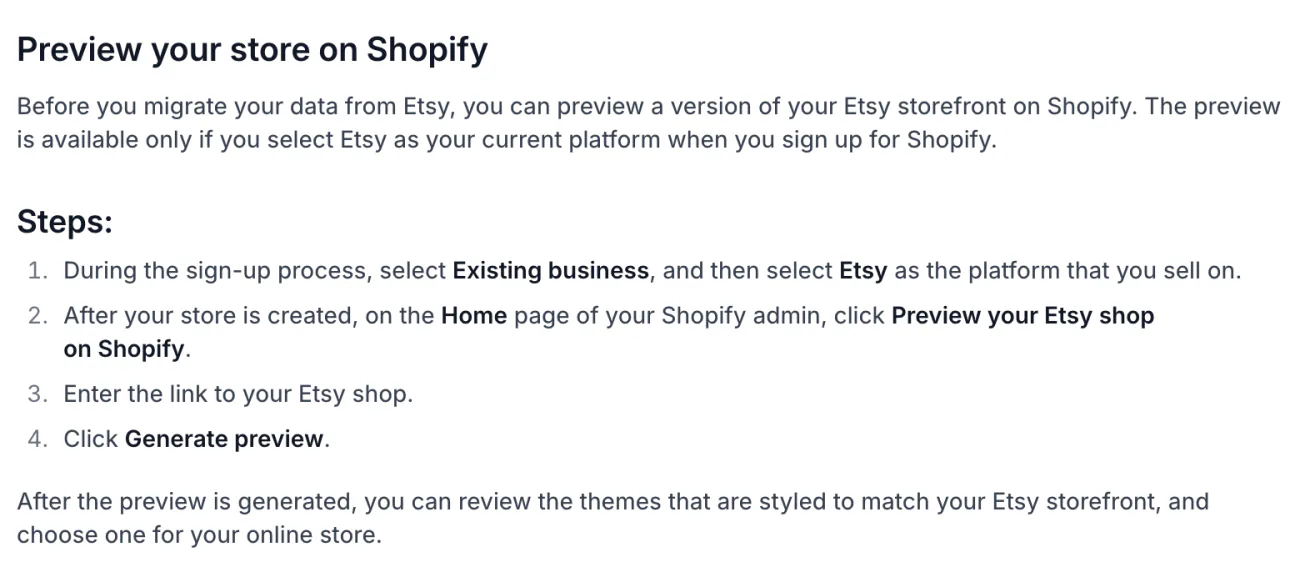
Shopify's guide says the preview exists only if you pick Existing business at sign-up and then Etsy as the platform you sell on. The Home page then shows "Preview your Etsy shop on Shopify", a button that opens a preview of your own listings in Shopify themes. Enter the link to your Etsy shop and press "Generate preview".
In Etsy's Shop Manager, go to Settings, then Options, then Download Data, and press "Download CSV" under Currently for Sale Listings. Only listings for sale are in the file. Upload it to Store Migration and press "Import products". A listing with 101 or more variation combinations arrives without variants.
Customers, order history and reviews need third-party apps, as Shopify's guide says. Migrating to Shopify covers the rest.
FAQ
Questions, answered
-

14-day free trial
Explore Sledge on your store before you decide to commit.
-

No credit card required
Start improving your store with no upfront commitment.
-

Setup in minutes
Get Sledge running without a lengthy setup process.
-

Built to grow sales
Turn shopper behavior into actions that help you sell more.
Is Shopify better than Etsy?
It depends on the job. Etsy fits items you make, design or handpick, sold where shoppers already browse Etsy. Shopify fits goods you buy to resell, a page you want to rebuild, or a customer list in your own admin. You can do both, since Shopify's Help Center says you can keep selling on Etsy after you open a store.
Should I start on Etsy or Shopify?
Start on Etsy if your item is made, designed or handpicked by you and you want a ready marketplace. Start on Shopify if you resell goods, want your own domain, or want to change the page itself. Etsy opens with a shop and listings, while Shopify opens with a store and a theme to edit.
Can I run an Etsy shop and a Shopify store together?
Yes. Shopify's Marketplace Connect app takes no new Etsy connections at the moment, so Shopify's Help Center points to third-party sync apps in the Shopify App Store for listings, orders and stock. Keep one stock count, because a last item listed in both places can sell twice. Etsy vs Shopify fees has the sums.
Can I email my Etsy buyers from my Shopify store?
Only with their consent. Etsy's Help Center says to get a buyer's consent before using their information for marketing, and to stop using it if the buyer asks. On Shopify, a checkout box records consent, and customers who tick it appear in the Email subscribers segment of your Customers page.
Can I move my Etsy listings to Shopify?
Yes. Download your listings from Etsy as a spreadsheet file and upload it to Shopify's free Store Migration app. Products arrive as drafts, a listing with 101 or more variation combinations arrives without variants, and only listings currently for sale are in the file. Customers, orders and reviews need other apps. Migrating to Shopify covers the rest.
Can I sell things I buy from a supplier on Etsy?
Only in narrow cases. Etsy's Help Center says reselling isn't allowed, except for items you handpick or source, such as craft supplies and vintage. Drop shipping is allowed only for craft and party supplies. Shopify's Help Center describes dropshipping as a model where suppliers ship orders straight to your customers.
On your own Shopify store? See what shoppers can't find.
Sledge doesn't run on Etsy, and it doesn't bring Etsy traffic or reviews to your store. On your own Shopify store, it adds search, filters, bundles, product reviews and a wishlist, plus back in stock alerts on Accelerate and Ultimate. Try it free for 14 days. Plans then start at $29.99 a month, with no cut of your sales. Growth Intelligence turns on when you pick a paid plan, and its suggested fixes add up to one dollar figure, labeled Est. potential.

