
BFCM 2026 · THE PLAYBOOK IN SHORT
Black Friday 2026 is coming. Is your Shopify store ready?
November 27–30, 2026. Prepare your Shopify store beyond discounts: help shoppers find products, discover relevant offers and complete their purchases.
Receive the full PDF by email. No Sledge account or credit card required.
Planning & timing
WHY NOW · PAGE 03
How big was BFCM 2025 on Shopify?
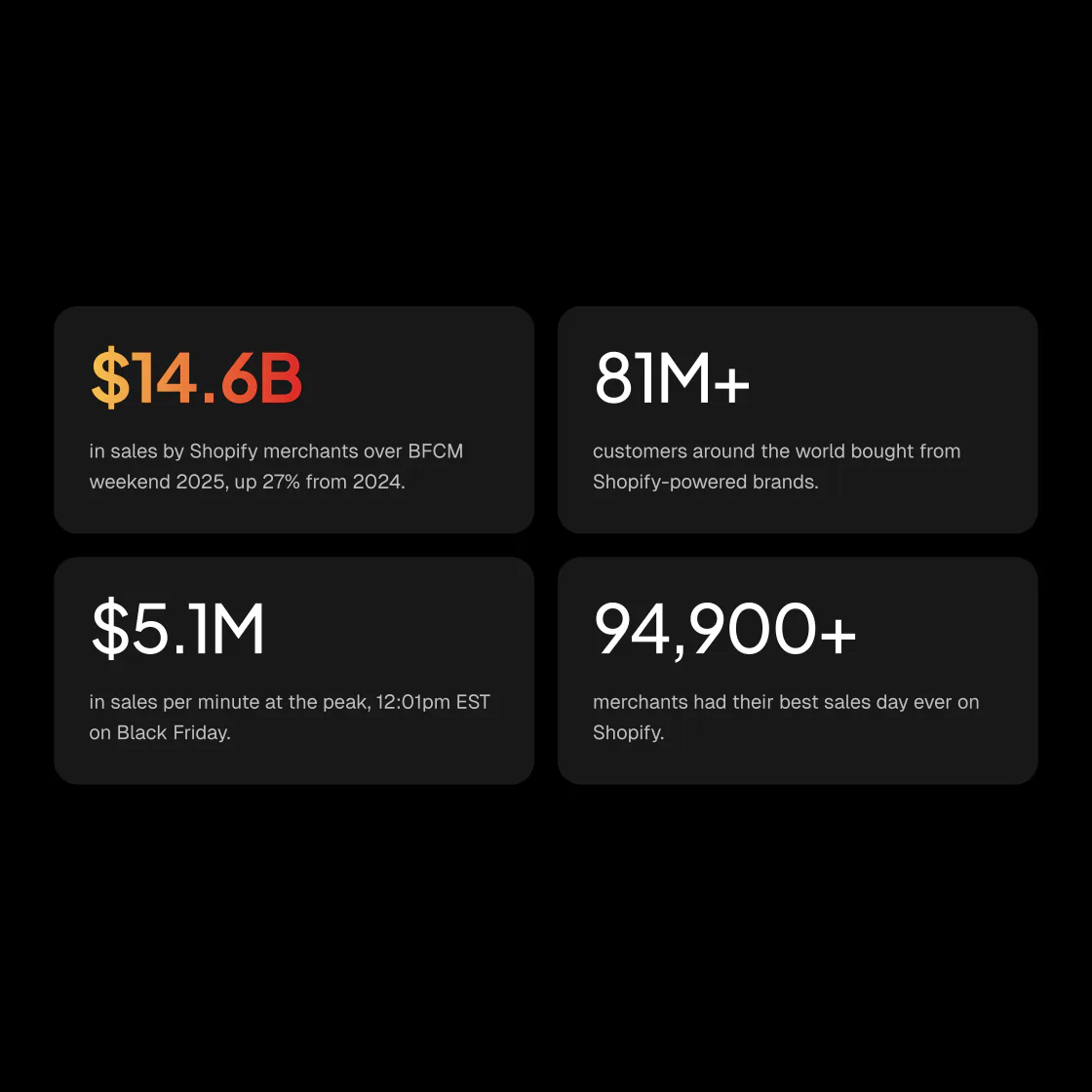
Shopify stores sold a record $14.6 billion over the 2025 BFCM weekend, up 27% on 2024 (24% at constant currency), according to Shopify’s BFCM 2025 results. More than 81 million customers bought, sales peaked at $5.1 million a minute at 12:01pm EST on Black Friday, and more than 94,900 stores had their highest-selling day ever.
PLAN · PAGE 05
When is Black Friday and Cyber Monday 2026?
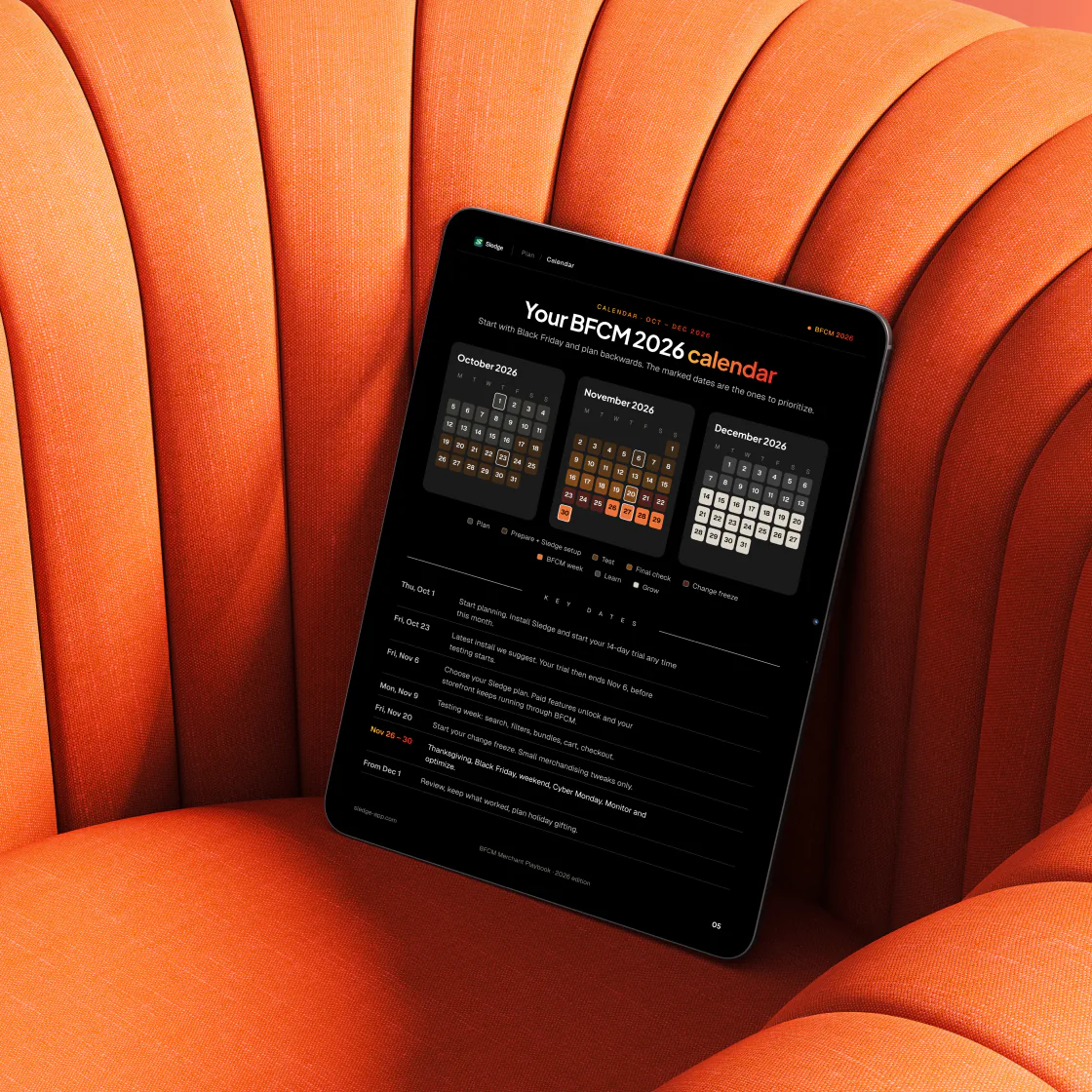
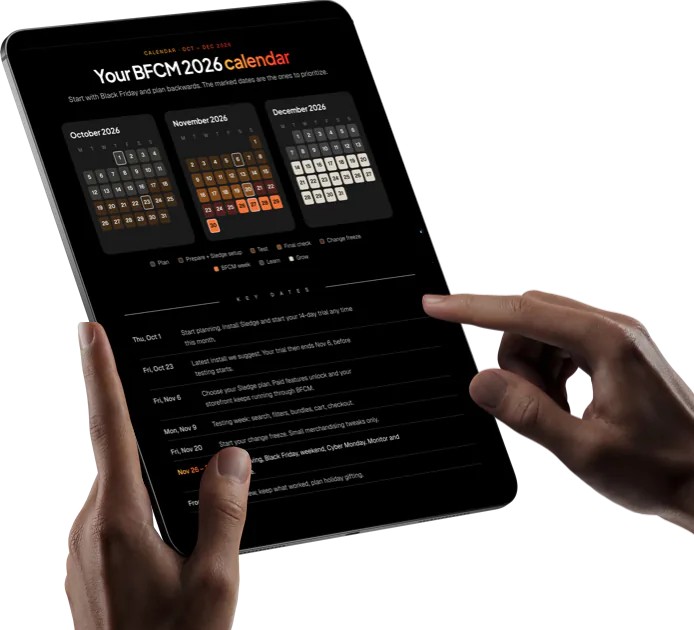
Black Friday is Friday, November 27, 2026, and Cyber Monday is Monday, November 30. Plan backwards, so your store is tested before Thanksgiving on November 26.
 November 9: test search, filters, bundles, cart and checkout
- November 20: freeze changes, then make only small merchandising tweaks
For the jobs week by week, see the Shopify Black Friday checklist.
SET UP · PAGE 06
When should you install a Shopify app before Black Friday?
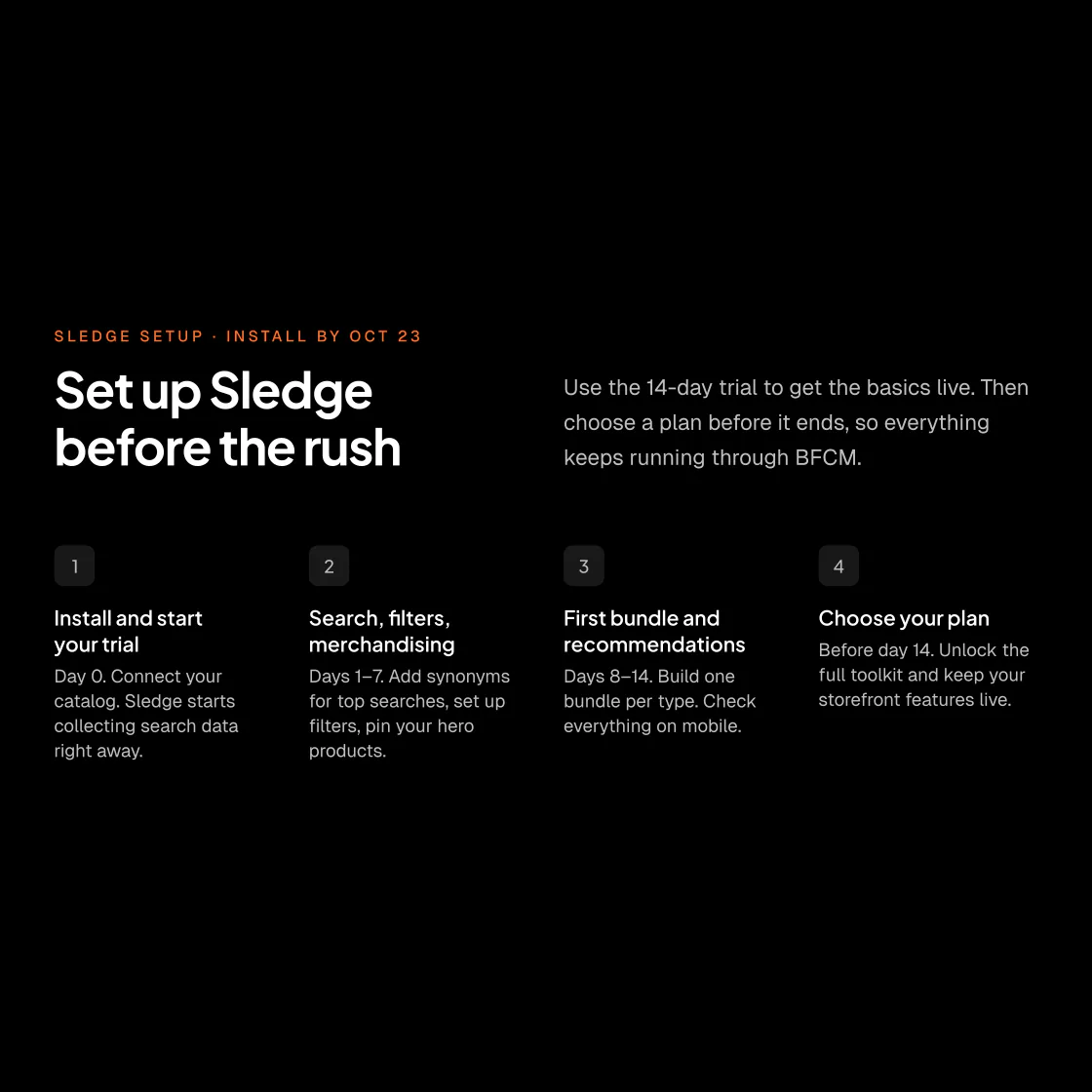
Early enough that the app’s trial ends before testing starts: install Sledge by Friday, October 23, and its 14-day trial ends on November 6. On a live store, Sledge has no free plan and stops working when the trial ends, so choose a plan before day 14.
- Set up search, filters and merchandising in week one, and your first bundles in week two, up to one live bundle of each type during the trial
- Size your plan for the November you expect, not an average month
Plans and their Monthly Revenue Boost limits are on the Sledge pricing page.
Search & product discovery
PREPARE · PAGES 07–08
Why does Shopify search return no results?
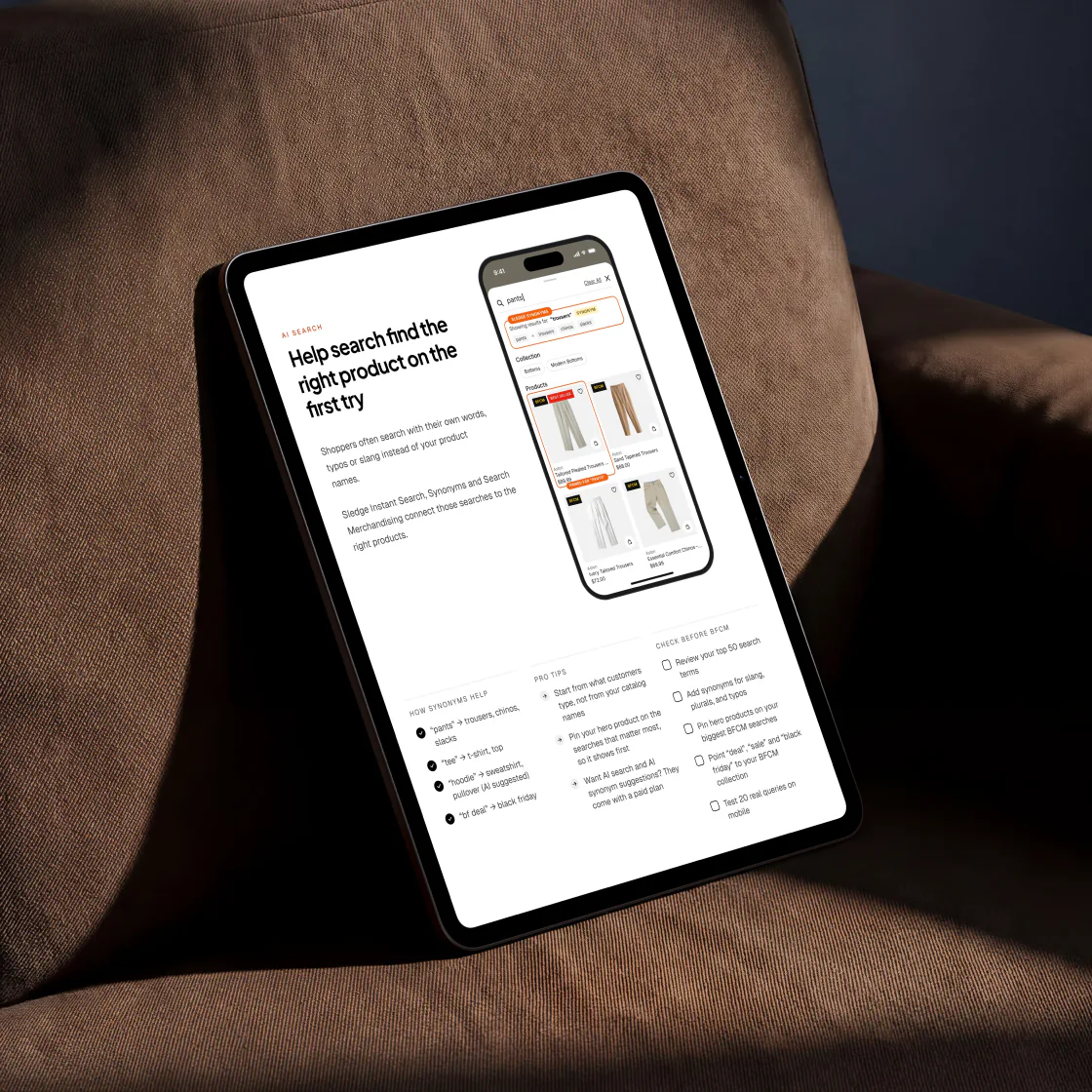
Usually because shoppers type their own words, slang and typos, and search only knows the words in your catalog. So searches like “black friday” or “bf deal” match no product.
- Add synonyms for slang, plurals and typos, starting from your top 50 search terms
- Send “deal”, “sale” and “black friday” to your sale collection, and show search suggestions and your most popular products on the no-result page
The Shopify search optimization guide adds an audit to run before these fixes and a way to measure what they changed.
Offers & average order value
PREPARE · PAGES 11–12
How can you increase AOV without sitewide discounts?
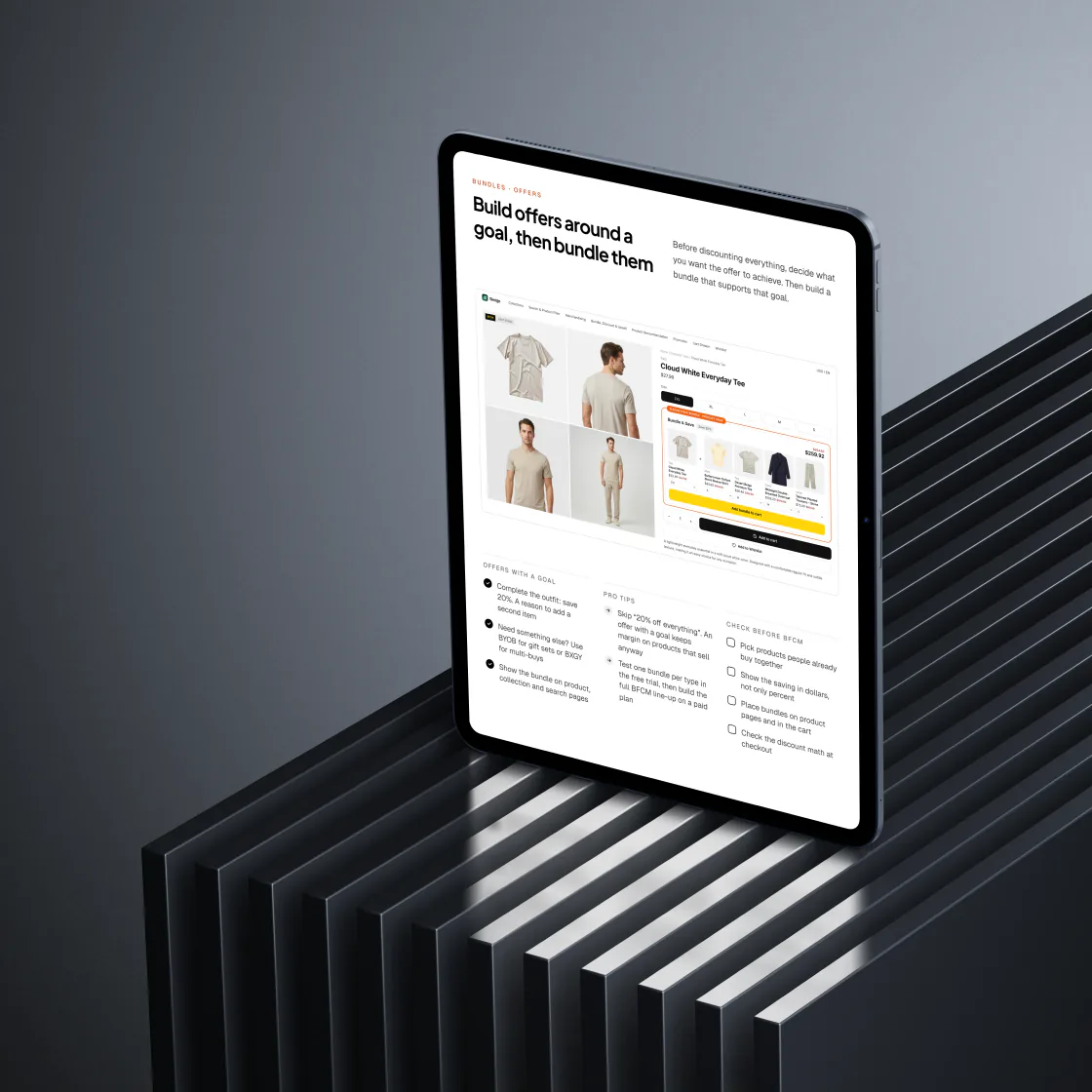
To raise average order value (AOV), give each offer a goal instead of 20% off everything. “Complete the outfit, save 20%” gives shoppers a reason to add a second item and keeps your margin on products that sell anyway.
- Set the cart drawer’s progress bar to finish just above your usual order, and show how many dollars are left
- Show savings in dollars and check the discount math at checkout
How to increase average order value on Shopify covers the other levers and how to tell which one lifted your AOV.
PREPARE · PAGES 14–21
Which Black Friday promotions work beyond sitewide discounts?
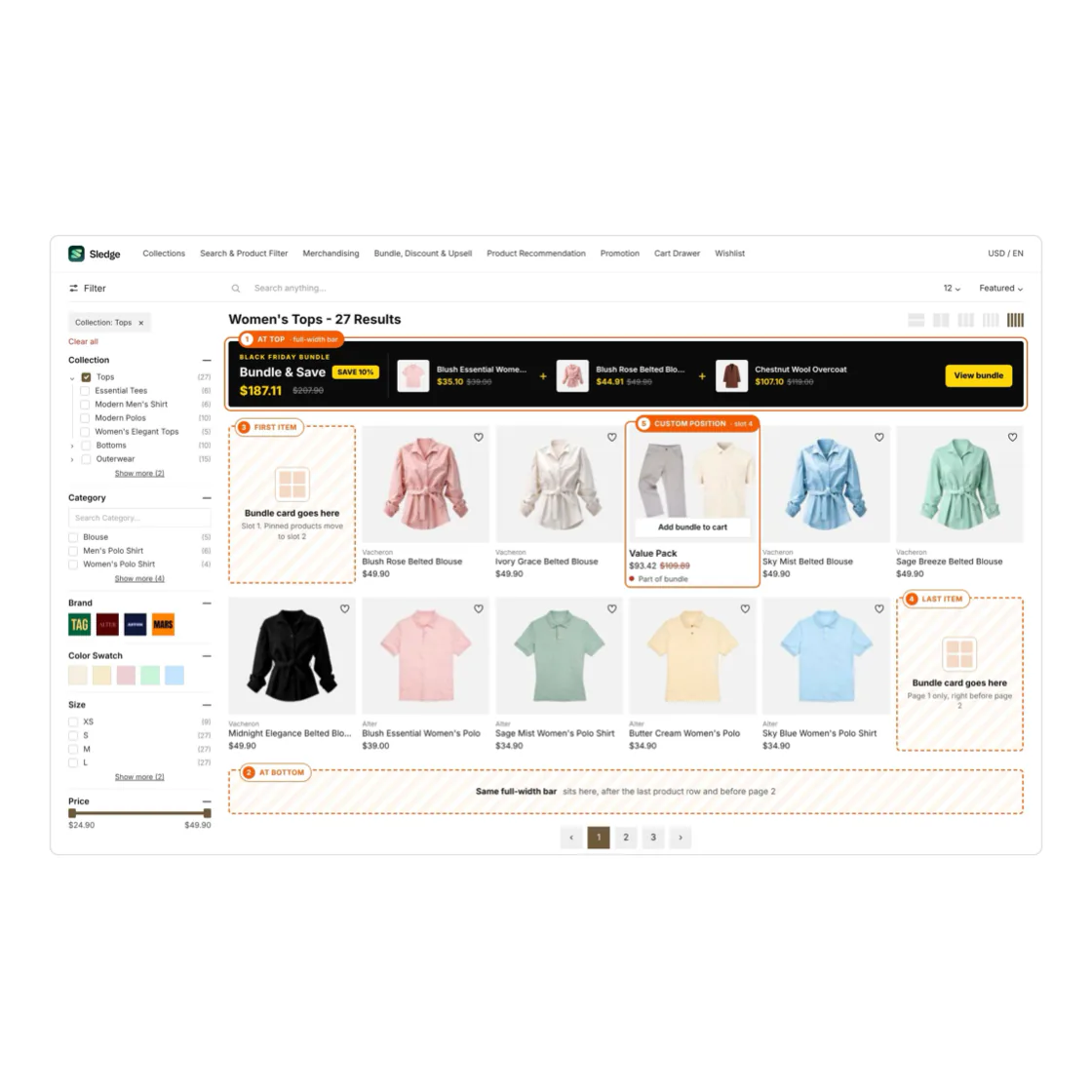
Bundles placed where shoppers decide: a fixed bundle, Buy X Get Y or volume discount can show just above the add-to-cart button, and as a bar or a product-sized card on collection pages, in instant search and on the search page. You can also offer a build-your-own gift box, subscribe and save, a free gift once the cart reaches an amount like $150, or a small add-on on the thank-you page.
- Pick products people already buy together
- Add each bundle to the cart and check the price at checkout
How to build and price each type is in the guide to Shopify product bundles.
PREPARE · PAGE 13
How do you handle sold-out products during Black Friday?
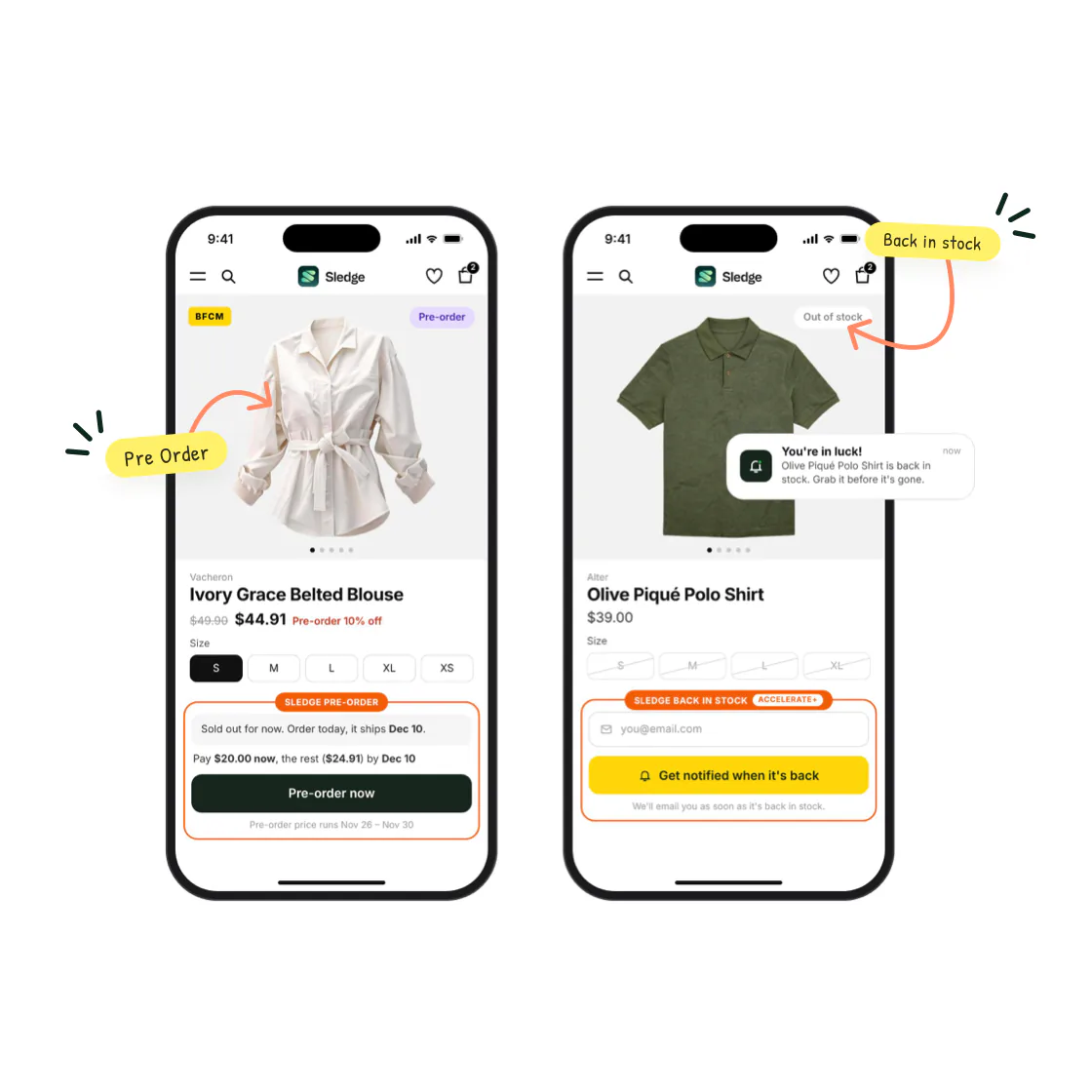
Keep taking orders with a pre-order button instead of a dead end. Schedule Sledge Pre-order for November 26 to 30, and the button shows once a product you picked is out of stock.
- Take full payment, or a fixed amount now and the rest on a due date, where your payment provider supports it
- Put an honest ship date in the pre-order note, which shows in the cart, at checkout and in the order email
Step by step: how to set up pre-orders on Shopify.
PREPARE · PAGE 24
Should you use a Black Friday countdown timer?
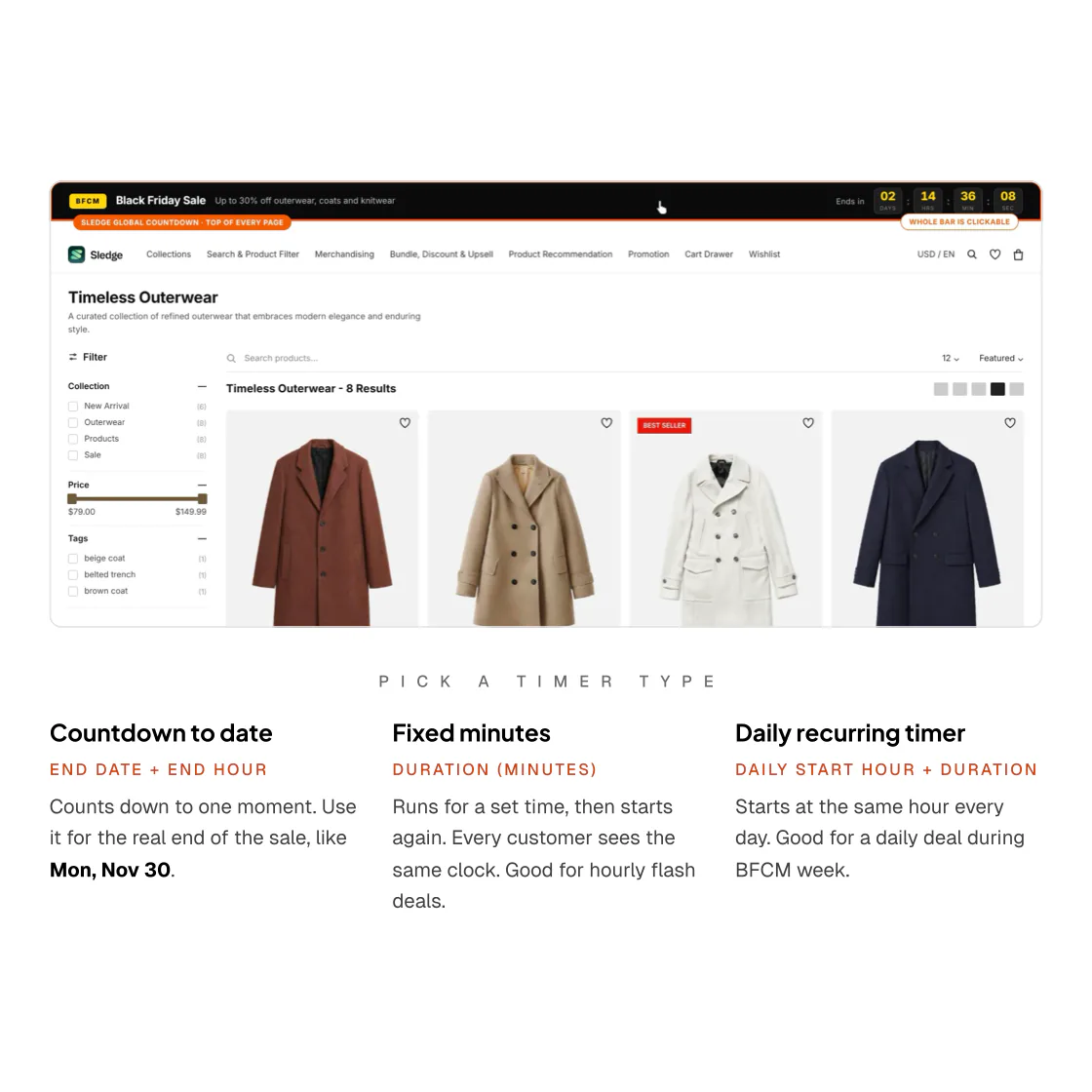
Yes, when the deadline is real, like the end of your sale on Monday, November 30. A countdown adds no discount on its own, so put the offer in its title and link it to the deal.
- Selling across time zones? Sledge’s countdown to a date follows each shopper’s own clock, so end it a little before the sale does
Live optimization & analysis
DURING BFCM · PAGE 26
What should you fix first during a Shopify sale?
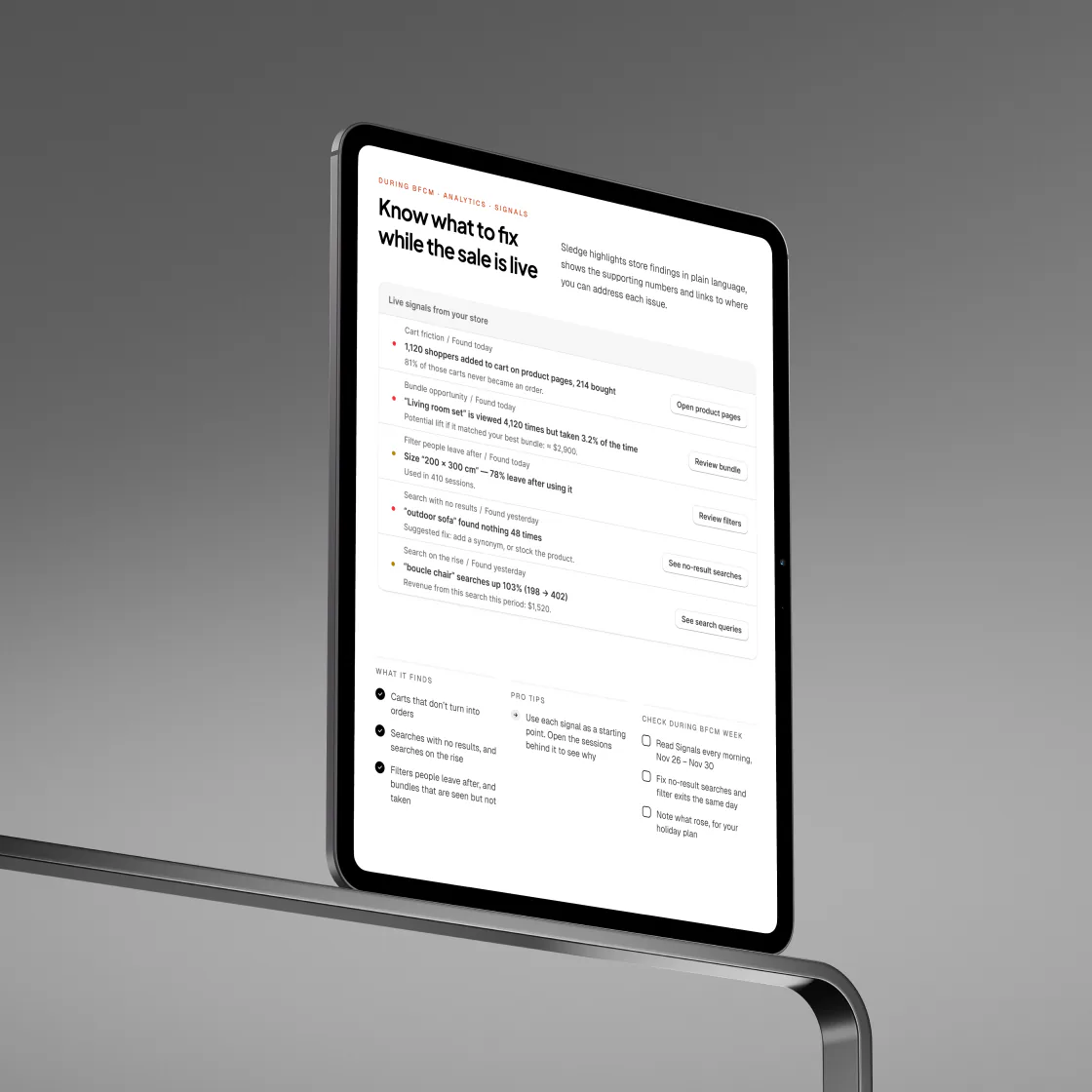
Fix searches that find nothing and filters shoppers leave, the same day you see them. Sledge’s Signals flags those, plus carts that don’t turn into orders, searches on the rise and bundles seen but not taken.
- Read Signals every morning, November 26 to 30
- Note which searches rose, for your holiday plan
Read how to watch your Shopify store during Black Friday for what Shopify itself shows you at peak.
WRAP-UP · PAGE 30
What should you do before, during and after BFCM?
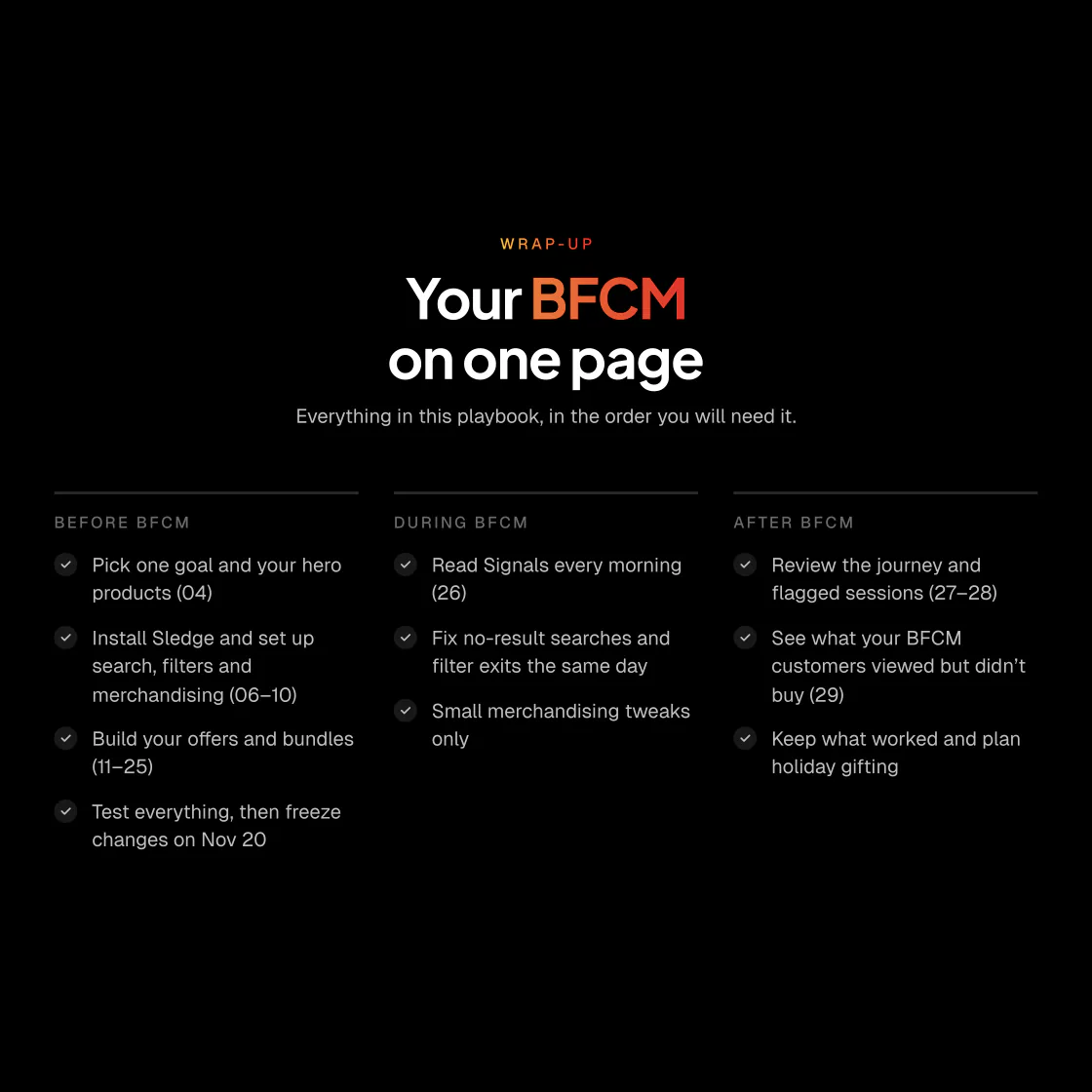
Prepare and test by November 20, check and fix daily from November 26 to 30, then review in December.
- Before the November 20 freeze: pick a goal and hero products, set up search, filters, merchandising and offers, and test it all
- During and after: read Signals every morning, then review where shoppers stopped and what they skipped, and plan holiday gifting from what worked
The full guide to Shopify Black Friday preparation works through each phase.
THE FULL PLAYBOOK, FREE
Get your store ready for BFCM 2026
Get the complete 30-page playbook for more detailed guidance on planning and optimizing your Shopify store.
THE FULL GUIDE AND THE SERIES
The Black Friday series, one job per part
Each part takes one answer above and works it through on Shopify.
- The full guideShopify Black Friday and Cyber Monday: the full playbook
- Part 1Shopify Black Friday checklist 2026: what to fix
- Part 2What to put on sale for Black Friday on Shopify
- Part 3Shopify catalog prep for Black Friday: freeze it early
- Part 4How to prepare Shopify search for Black Friday shoppers
- Part 5How to build a Black Friday sale collection on Shopify
- Part 6Shopify Black Friday discounts: what stacks, what collides
- Part 7How to build a Shopify gift guide shoppers can filter
- Part 8How to test your Shopify store before Black Friday
- Part 9How to watch your Shopify store during Black Friday
- Part 10How to review your Shopify Black Friday results
Where can we send your playbook?
FAQ
More BFCM questions
-

14-day free trial
Explore Sledge on your store before you decide to commit.
-

No credit card required
Start improving your store with no upfront commitment.
-

Setup in minutes
Get Sledge running without a lengthy setup process.
-

Built to grow sales
Turn shopper behavior into actions that help you sell more.
What does BFCM stand for?
Black Friday Cyber Monday. It names the weekend from Black Friday, the day after US Thanksgiving, to Cyber Monday. In 2026 that is Friday Nov 27 to Monday Nov 30. The playbook counts Thanksgiving, Nov 26, as day one of BFCM week.
How do I get the full BFCM Playbook?
Press one of the Get buttons on this page and enter your email. A link to the 30-page PDF comes by email, with no Sledge account and no card needed. Marketing emails come only if you tick the box for BFCM tips and Sledge updates.
What if I start BFCM prep late?
Work through the steps in order and finish each one, even past its date, but make your last big change before the Nov 20 freeze. Install Sledge after Oct 23 and its 14-day trial ends inside testing week or BFCM week, so choose a plan before the trial ends. Plans are on the Pricing page.
Do these steps work without Sledge?
The plan does. One goal, the calendar, the change freeze and the advice on search words, filters and offers fit any Shopify store. The setup steps, and the playbook’s pages on Signals, sessions and customer profiles, are written for Sledge, a Shopify app for search, filters, bundles and recommendations.