
A shopper is looking at a $40 pair of pants, and your "you may also like" row shows them a $600 coat. The row takes up space and sells nothing.
"You may also like" should fit. Most don't.
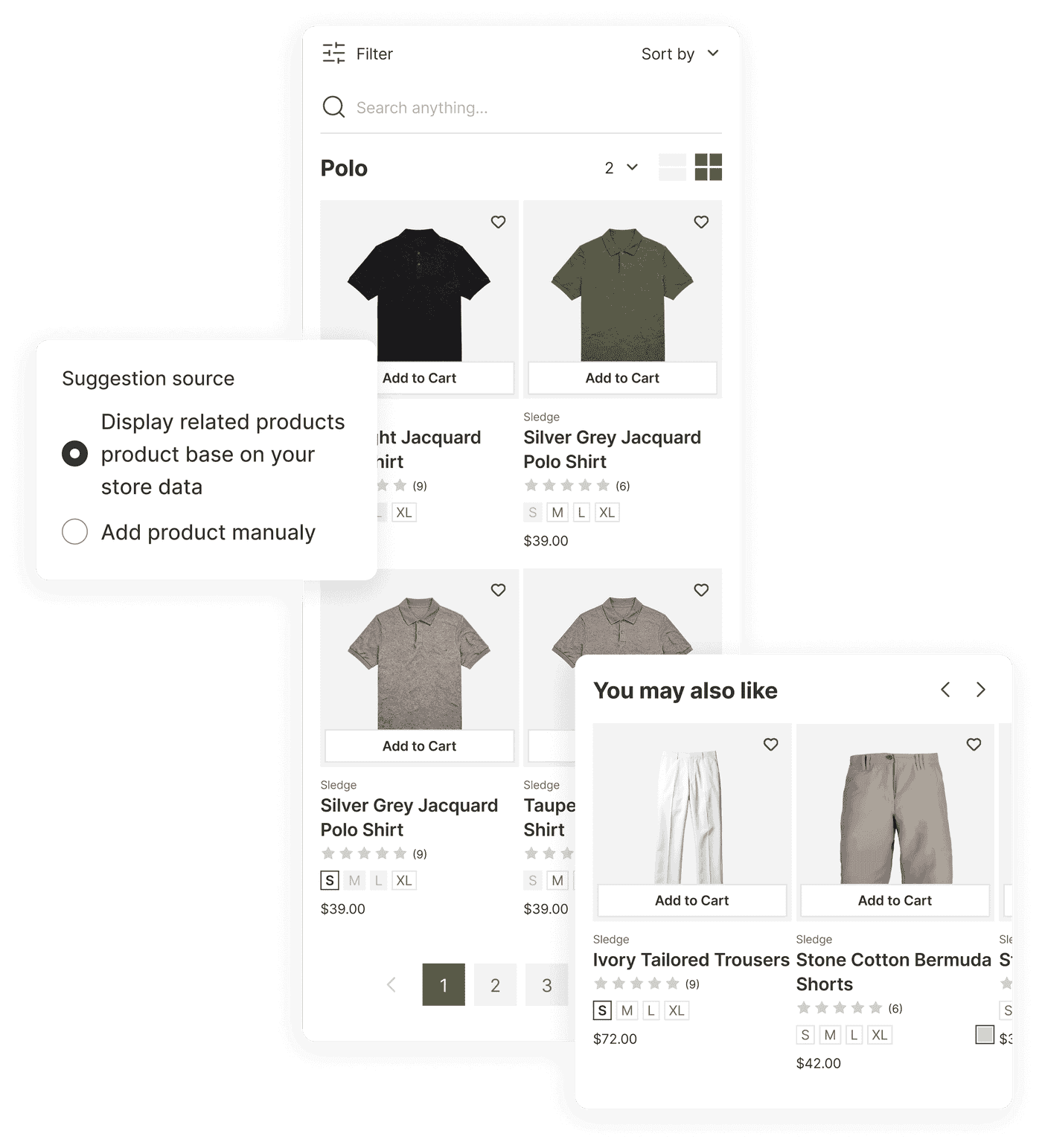
A recommendation earns its spot only if it's the thing the shopper would actually add next. Sledge builds recommendations from what really happens in your store. It draws on the products bought together in your own orders, what each shopper just viewed, and what's trending this week. You put the right next product in the right place, instead of a generic row shoppers scroll past.
14-day free trial · No code · Works with any theme · Uninstalls clean
// The mismatched row
A pants shopper shown more pants. A $40 buyer shown a $600 coat.
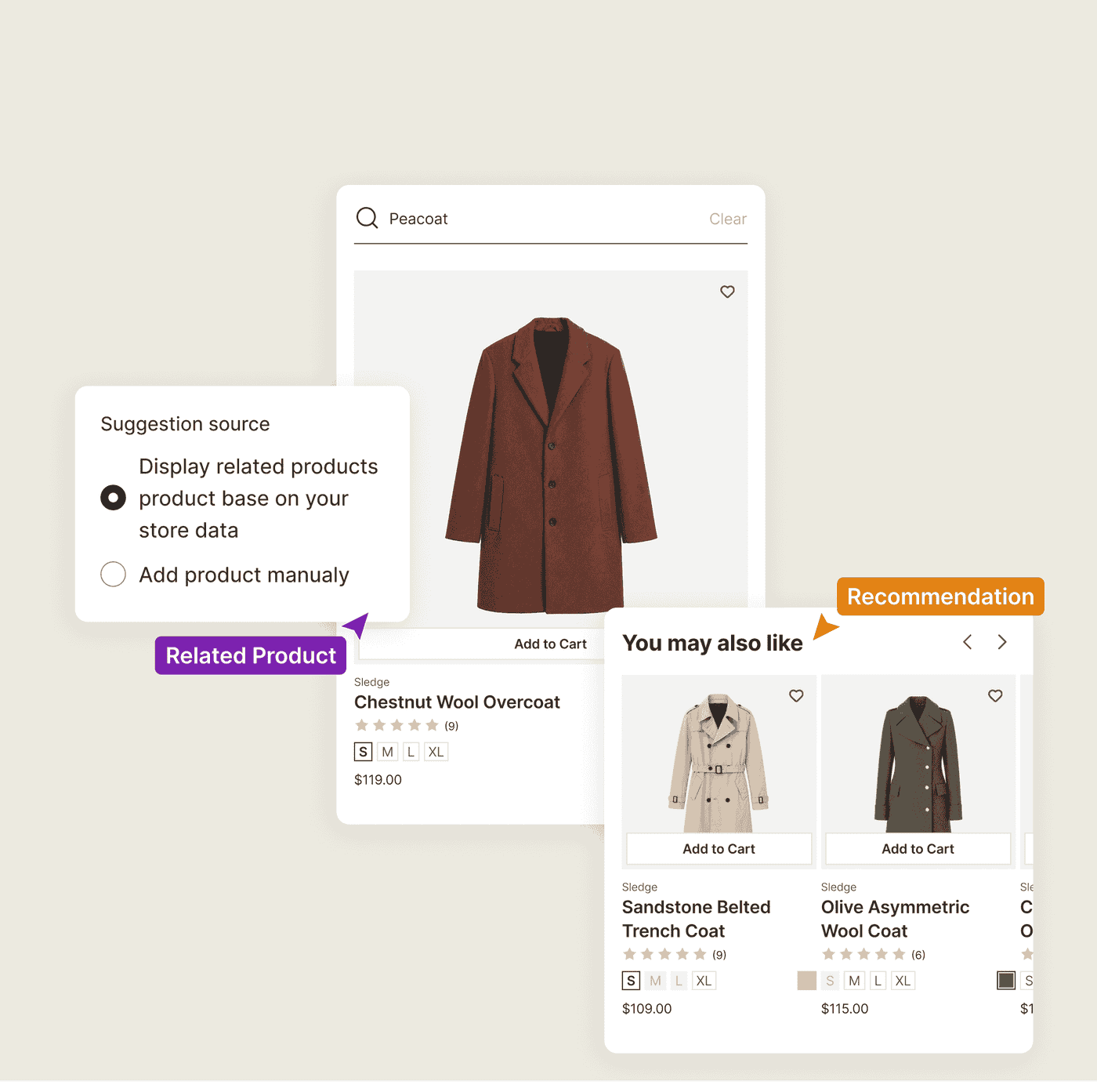
Open one of your product pages. The "related products" row can sit there without giving the shopper a useful next choice. A shopper weighing a pair of pants can get three more pairs they already passed. A $40 shopper can get a $600 coat. The problem is not the number of products. It is whether the recommendation fits what the shopper is doing.
A "you may also like" usually guesses from a thin signal, a shared tag or a matching collection. That guess offers the substitute the shopper already rejected, or the outerwear at ten times their budget. A row that ignores what the shopper is doing gives them no reason to click.
Sledge builds product recommendations from real shopper behavior in your store instead of a single shared tag. It reads what shoppers view, what they buy together, and what they are buying now. The next product fits what the shopper is doing.
// Bought together, by your actual orders
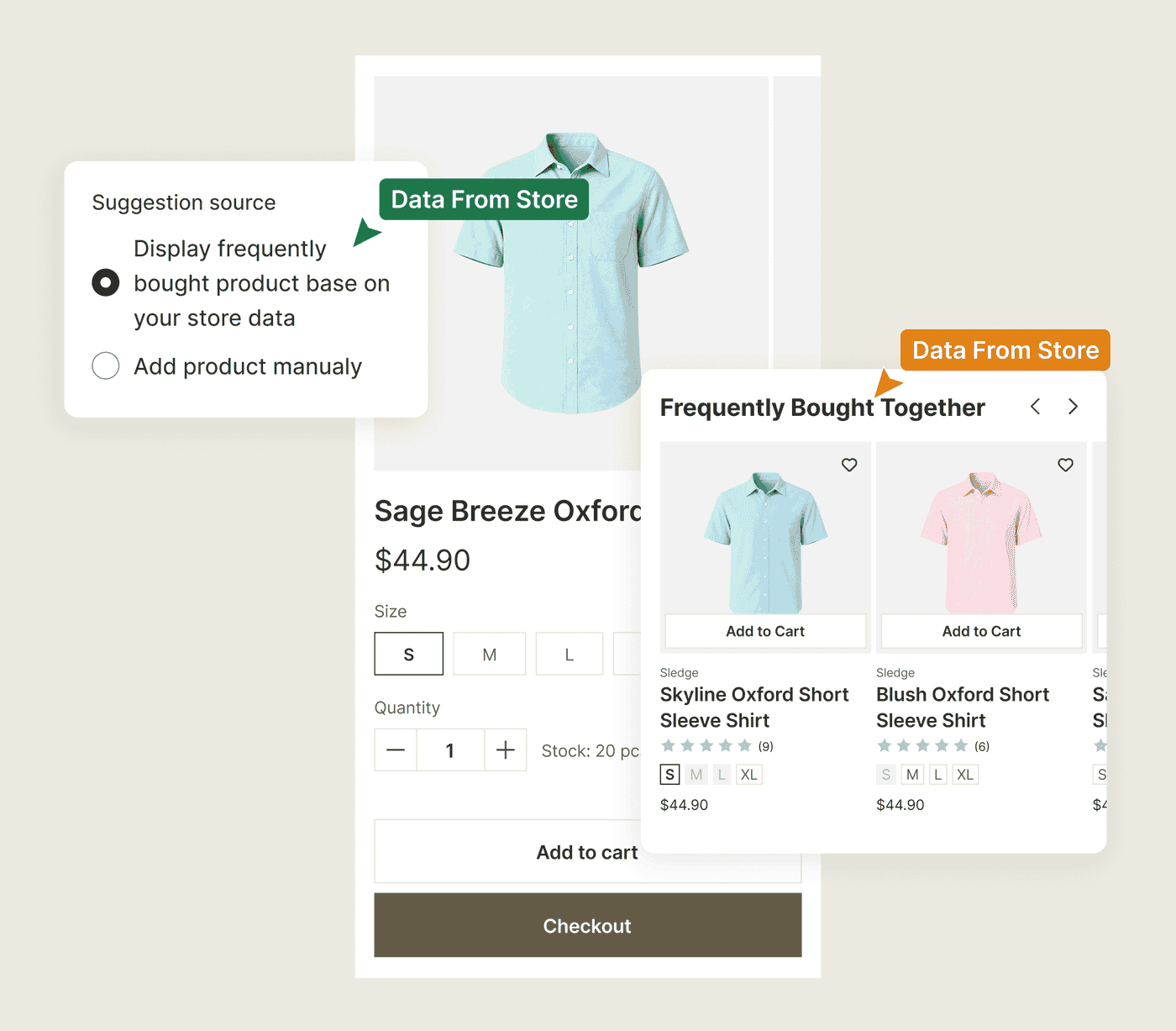
"Frequently bought together" only works if it's true for your store.
The recommendation that sells names the products your shoppers genuinely buy in the same order. Get it right and the row needs no selling. You're showing what the last hundred buyers of this item also grabbed. Guess instead, and you're back to the $600 coat next to the $40 pants.
Sledge builds frequently-bought-together recommendations from co-purchase data in your own Shopify orders. When people buy this item, they also buy that one, again and again. The pairing is true. It already happened on your store.
// Thirteen ways to say "add this next"
Native Shopify recommendations stop at a hand-picked block and basic related products.
That block is static. The same hand-picked row can appear regardless of who is viewing it or what they are browsing. A first-time visitor and a returning buyer can see the same suggestions. The row does not adapt to the shopper's current behavior.
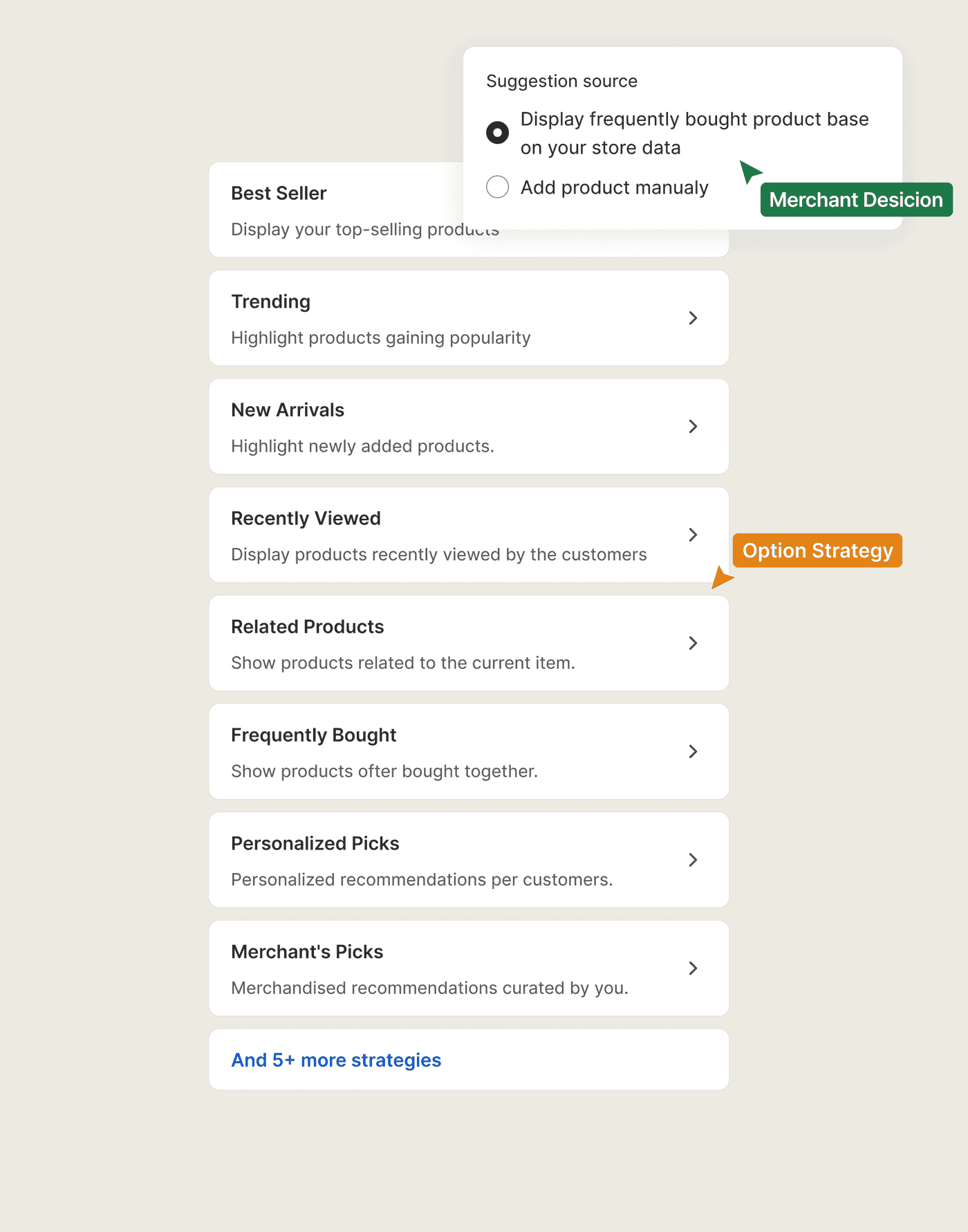
Sledge has thirteen recommendation types. Each one is a different reason for the shopper to add the next product.
- Frequently bought, pairs drawn from your own co-purchase data.
- Personalized picks, tuned to that shopper's behavior.
- Trending, the products pulling the most clicks, carts, and orders this week.
- Best seller, your top sellers, wherever you place the row.
- New arrivals, your latest drop.
- Recently viewed, the items this shopper already looked at.
- Related products, same type, vendor, and tags as the item on screen.
- Collection best seller, your strongest collections as cards, ranked by what their products sell.
- Product by collection, the collection you choose, resolved to its top products.
- Merchant's picks, the row you curate by hand.
- Recently purchased, what other shoppers just bought.
- Most viewed, the products shown to the most shoppers over the last 30 days.
- Shop the last, the last units left, while they last.
Against native Shopify's hand-picked block and basic related products, Sledge gives you thirteen. You pick the one that fits each spot. A product page, a cart, and a homepage each get the suggestion that suits it.
// The right spot, not just the right product
A perfect recommendation in the wrong place still gets scrolled past.
Relevance is half the job. The other half is location. A "recently viewed" row buried where nobody scrolls is wasted. A dense ten-product grid where a tidy four would convert is just noise. Native Shopify gives you almost no say over where a recommendation sits or how it looks. Even a good suggestion lands unseen.
In Sledge you place each recommendation by surface and position. You set the layout as well, so the row looks the way you want on that page. Your store-wide card settings carry through, so the star rating and add-to-cart button a shopper sees everywhere else follow the suggestion too. A shopper can act on it without leaving the page.
See every surface Sledge sells on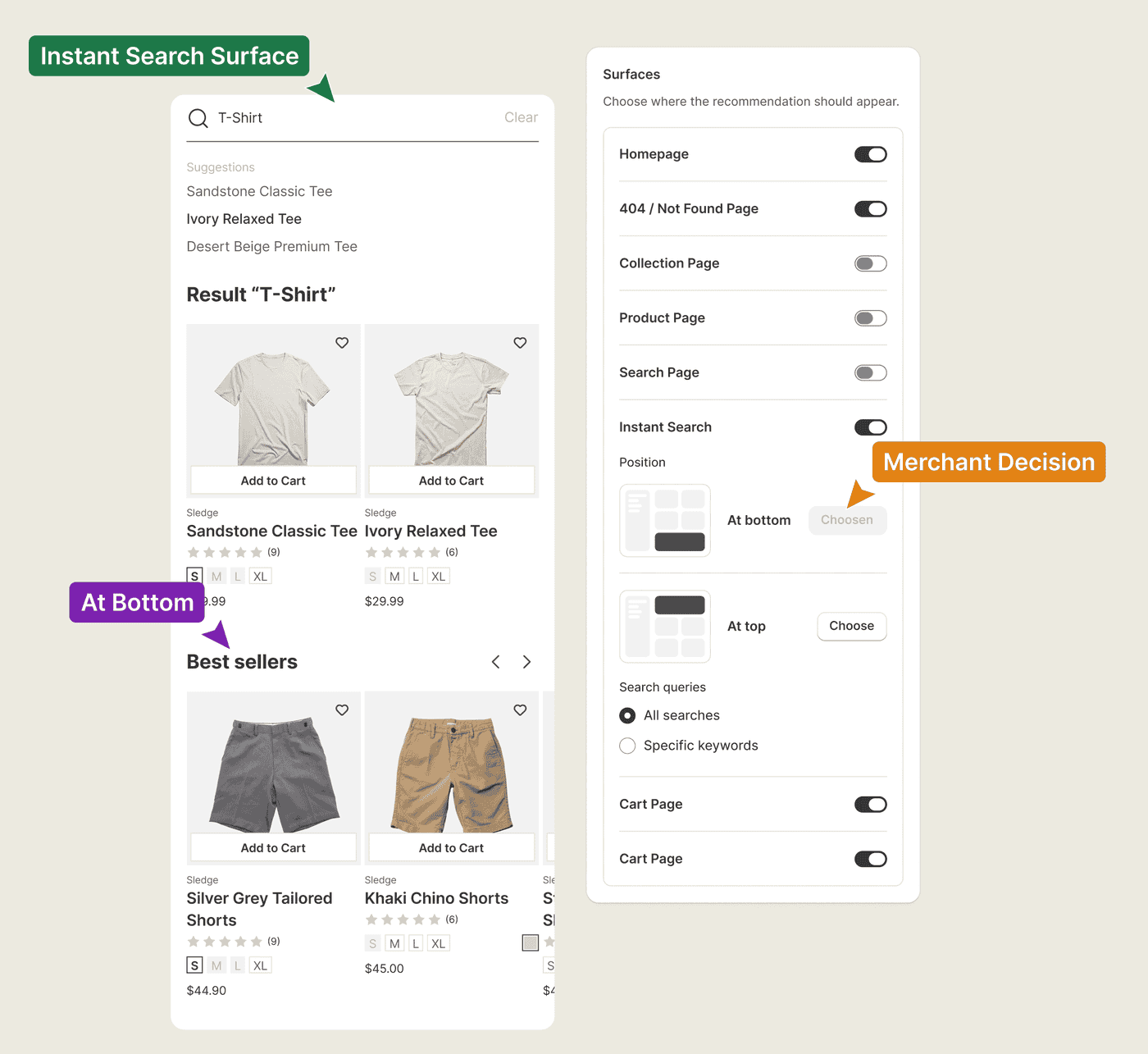
Questions, answered
Why are my Shopify product recommendations so irrelevant?
Generic recommendations usually rely on a thin signal like a shared tag, so they suggest a substitute the shopper rejected or a product far off their budget. Sledge builds recommendations from real behavior in your store, including co-purchase and recent views, so the suggestion fits what the shopper is doing.
How accurate is Sledge's frequently bought together?
Sledge builds frequently-bought-together from co-purchase data in your own Shopify orders, so the pairing reflects what your shoppers actually buy in the same order, not a catalog-wide guess.
How do I add recently viewed and trending carousels to Shopify?
Sledge includes recently-viewed and trending among its 13 recommendation types. You place each one on the page and choose its position and layout, so the row appears where shoppers can see it instead of below the fold.
What recommendation types does Sledge support?
Sledge supports thirteen, including frequently-bought-together, personalized, trending over the last 7 days, new arrivals, recently viewed, and collection best-seller. Native Shopify offers a hand-picked Featured products block plus a basic related-products API, so Sledge's depth is in the behavior-based types and where they appear.
Can I control where recommendations appear?
With Sledge, yes. You place each recommendation by page and position, so a product page, cart, and homepage can each use the type and layout that fit them instead of one fixed block everywhere.
Do recommendation cards show ratings and an add-to-cart button?
Yes, from your store-wide card settings. A star rating and an add-to-cart button carry into every Sledge recommendation row. A shopper can act on a suggestion without leaving the page they're on.
Are Sledge recommendations personalized to each shopper?
Yes. Personalized is one of the 13 types, tuned to an individual shopper's behavior, so a returning visitor and a first-timer don't see the identical row.
Show the product they'd actually add next.
Install free. Place your first recommendation today. Build it from your own orders and put it where shoppers will see it.
14-day free trial · No code · Works with any theme · Uninstalls clean