
You changed the offer last week. Sales are up a little. Maybe the offer did it, or the weather, the ad spend, the season, or nothing at all. You can't know. You changed it for everyone at once and kept no version to compare against.
Stop shipping changes on a hunch. Ship the one that wins.
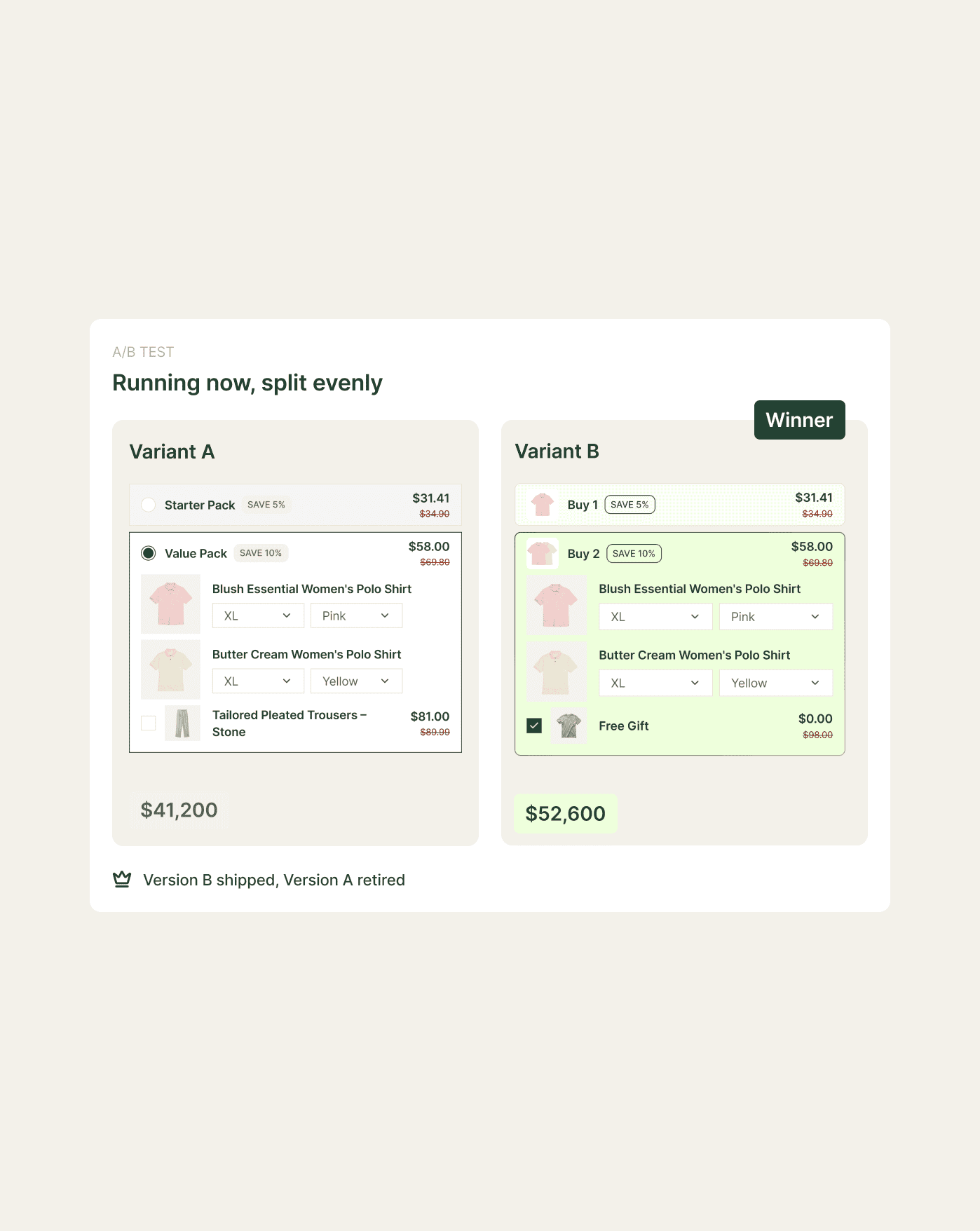
Every change to your store is a guess until you measure it. Sledge runs both versions at once, splits your shoppers evenly, and tells you which made more money. The version you keep is the one that earned it.
14-day free trial · No code · Works with any theme · Tests offers, not just page colors
// Shopify won't let you test the thing that matters
You can't A/B test an offer on Shopify. So you duplicate the page.
Shopify has no built-in way to A/B test a product page, a price, or an offer. You improvise instead, cloning the product, splitting traffic with a redirect trick, and reading two reports that don't line up. Or you bolt on a testing app. You hit its variant caps and per-test limits the moment you get serious.
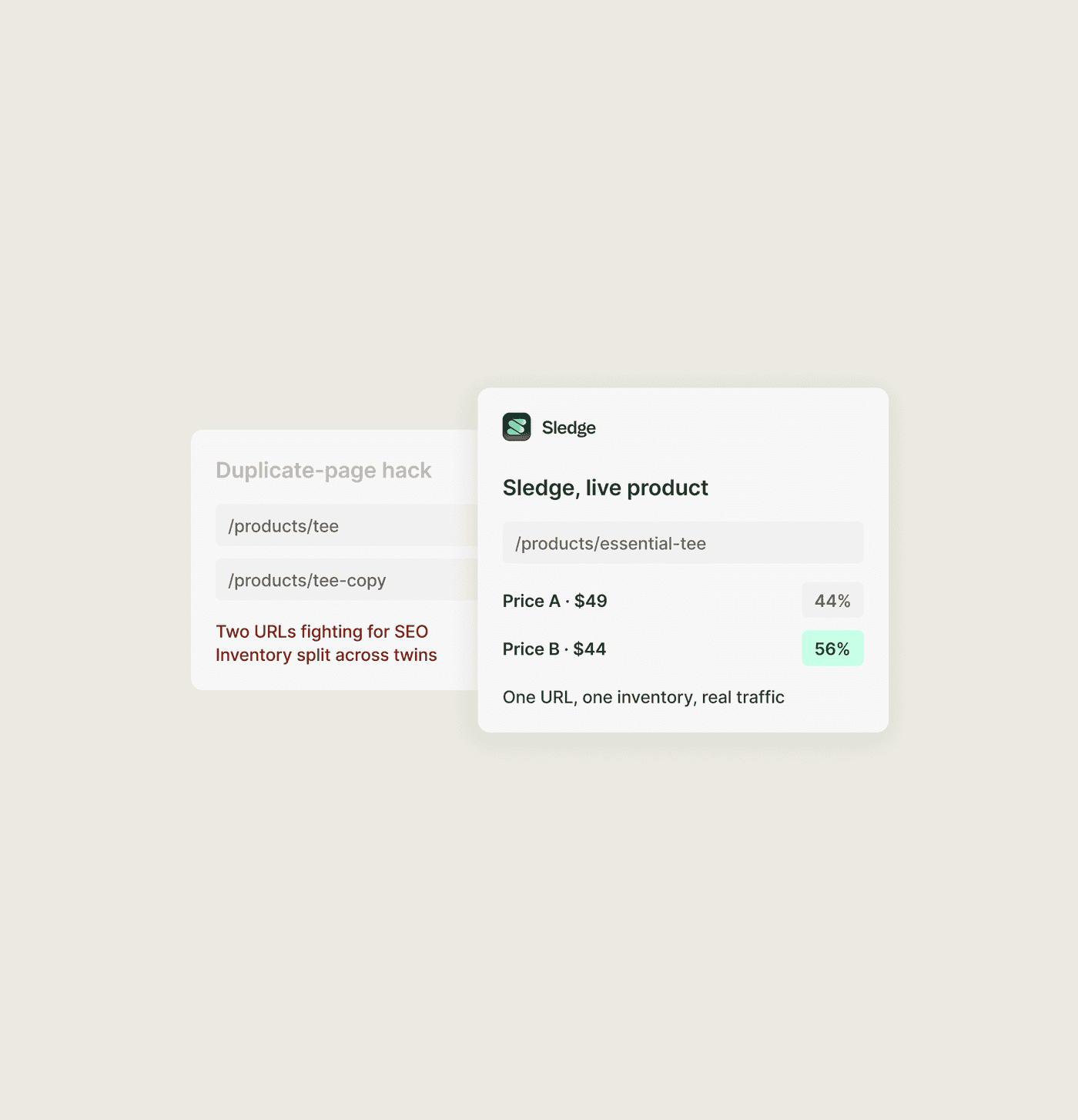
The duplicate-page route has problems of its own, starting with two product URLs that compete for the same SEO. Your inventory is split across the two product pages you now have to keep in sync. The winner won't merge back cleanly when the test is over. It takes a day to build and another to untangle. What you measure is the workaround, not the offer.
You end up guessing and calling it a decision. "We think the bundle did better" is a feeling with a chart next to it, not a result. Sledge A/B tests run on your live products and offers, on the same page a shopper already has open. No page is duplicated and no inventory is split.
// Test the offer, not just the button color
A test can move a button two pixels. If the offer stays the same, you learn little about the offer itself.
Many A/B tests stop at a headline, button color, or hero image. That tells you about the page, not the offer. The bundle, discount, urgency, and products you recommend are part of what shoppers choose. Sledge can test those parts too.
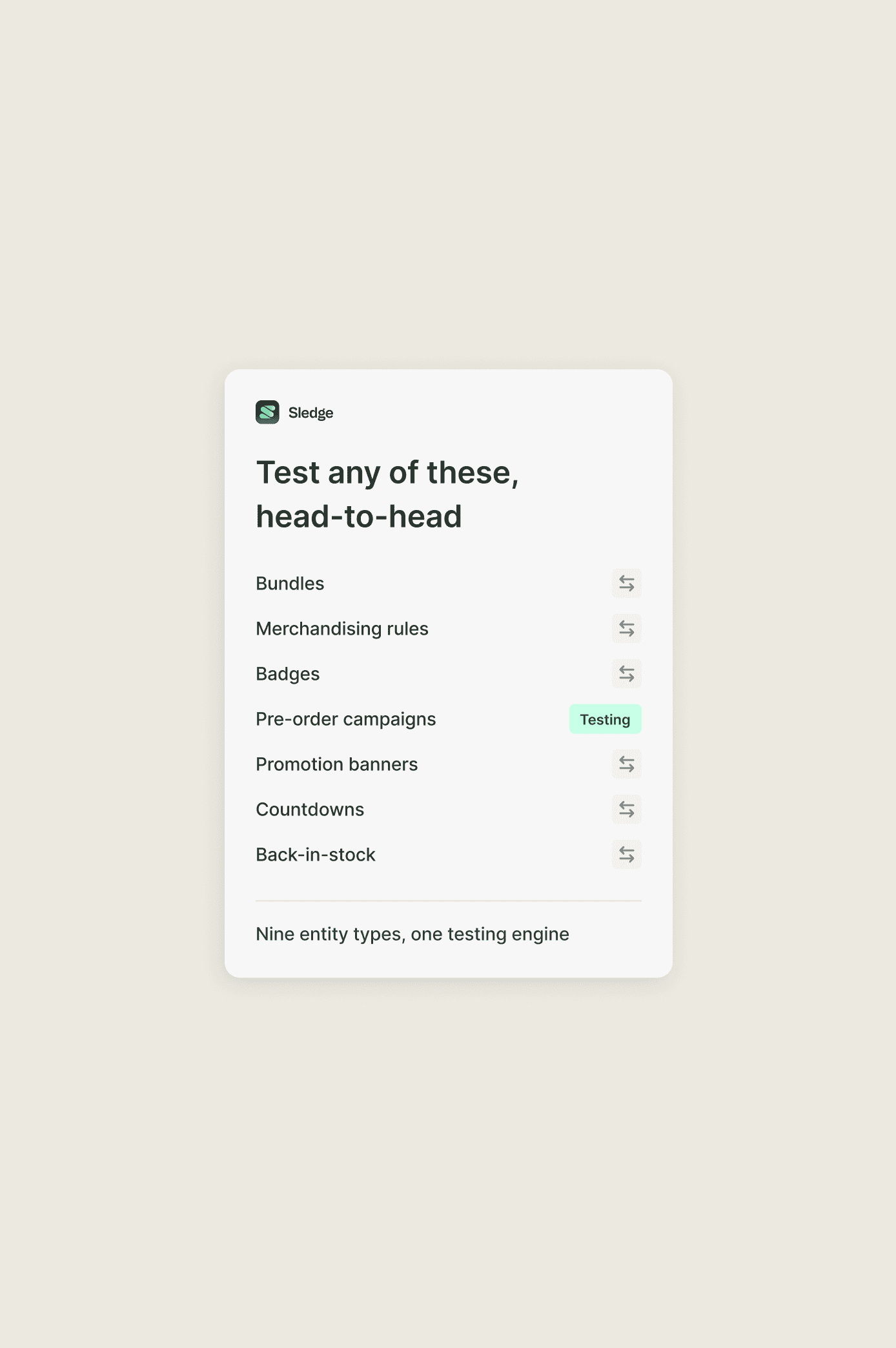
You test the parts of the store that sell, because Sledge runs them. You can test seven entity types, not just cosmetics.
Each of these can run as version A against version B.
- Bundles. You can run one offer structure against another.
- Merchandising rules. Put bestsellers-first against newest-first.
- Badges. Test "Bestseller" against "Trending" on the same cards.
- Pre-order campaigns. You can test deposit terms or copy, version A against B.
- Promotion banners. Put one message and CTA against another.
- Countdowns. You can set a tight window against a long one, or one urgency message against another.
- Back-in-stock. Test one notify-me setup against another.
// A fair fight, every time
A test you can't trust is worse than no test at all.
You run a split, version B wins, you roll it out, and sales don't move. Maybe the split was lopsided. Maybe one shopper saw version A on Monday, came back to version B on Wednesday, and got counted once in each group. A shaky split doesn't just fail to help. It points you the wrong way, and you act on it.
The test may have been rigged, and you wouldn't have known. If the two versions never got equal traffic, the winner is not a result.
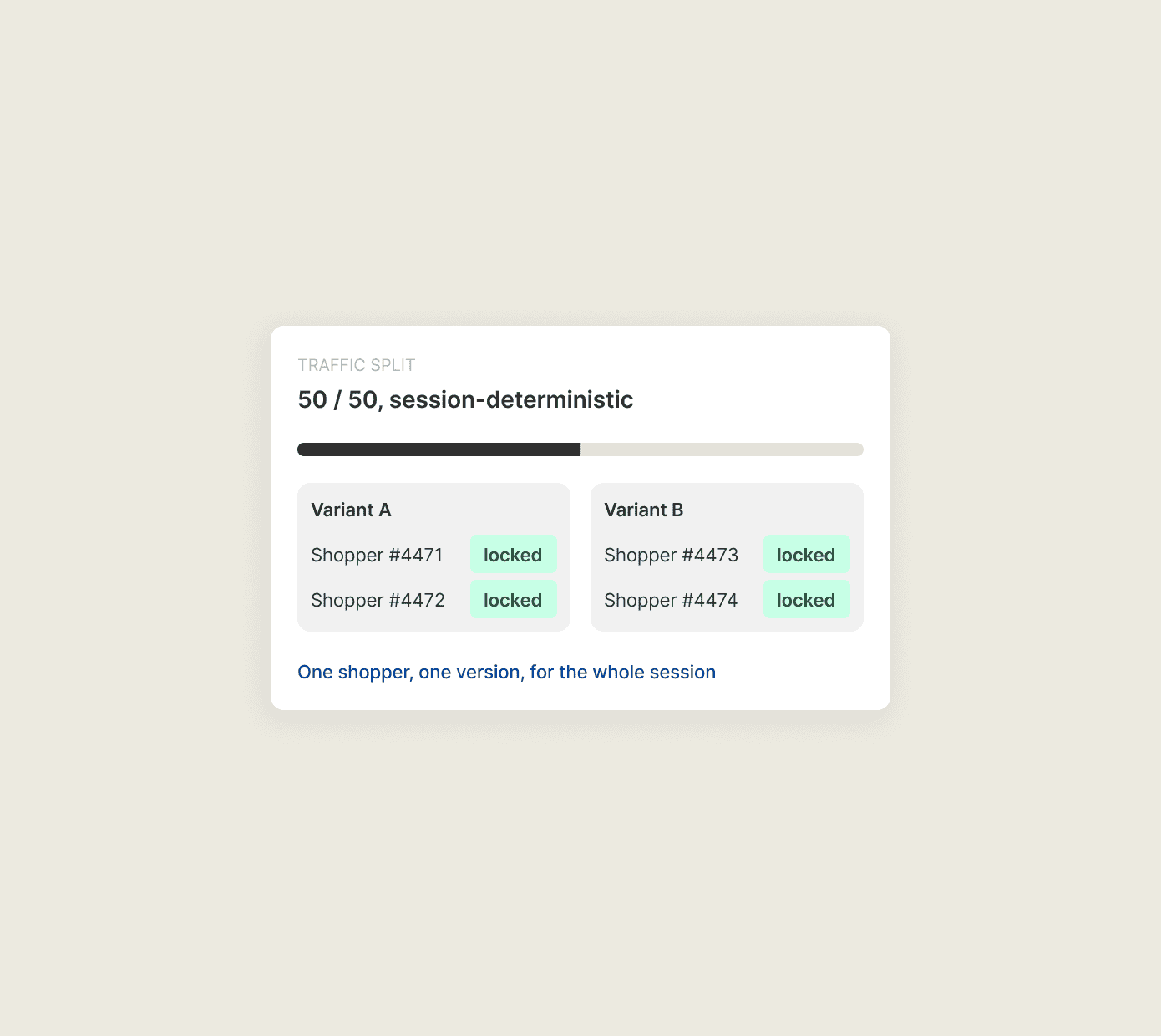
Sledge splits A/B test traffic evenly by default. The assignment is deterministic, so each shopper stays on one version for their whole session. The two groups stay evenly matched. A shopper stays on the assigned version for the session, so the result is not mixed with a second version during that visit.
// Revenue per version, not vanity
Version B got more clicks. It also made less money.
Careful stores get this one wrong. The flashier version wins on clicks, or add-to-carts, or time on page. You ship it, and revenue drops. Clicks are easy to measure and easy to win. They're not what you're trying to grow.
Sledge reports revenue per variant on every test where revenue is attributable, which covers bundles, merchandising, badges, pre-orders, product countdowns, and back-in-stock. Banners and site-wide countdowns report visitors, clicks, and click-through instead. You see what A earned and what B earned, side by side, and choose the winner on money earned rather than clicks or other vanity metrics. A version can win on clicks and lose on dollars. It loses the test.
See where revenue lands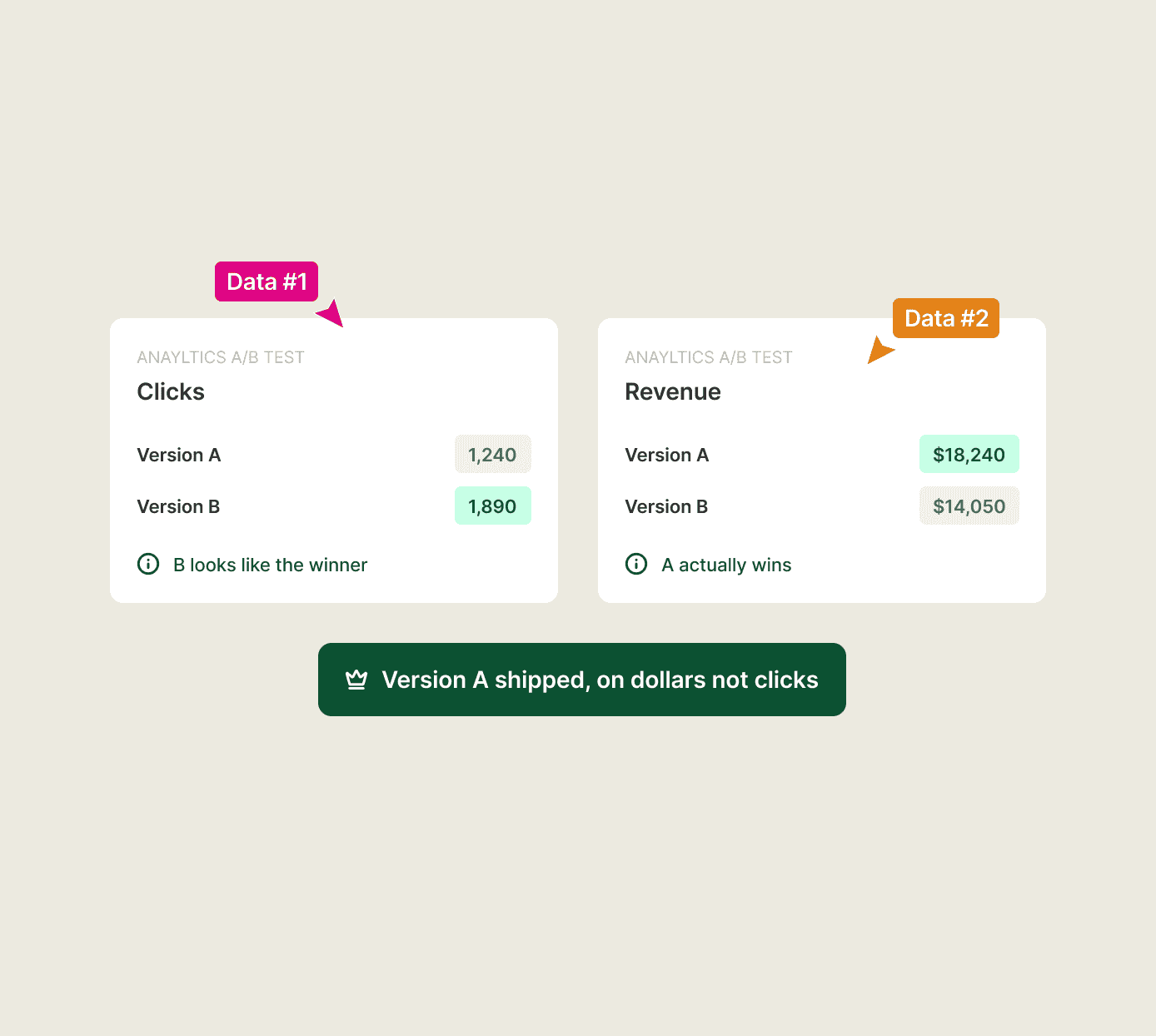
Questions, answered
Does Shopify have built-in A/B testing?
No. Shopify has no built-in A/B testing for product pages, prices, or offers, which is why most stores duplicate pages or add an app. Sledge adds A/B testing for offers and merchandising directly, with no page cloning.
How do I A/B test an offer on Shopify without duplicating the product page?
Run the test in Sledge. It splits your live shoppers between two versions of the offer on the same page, so there are no twin product URLs competing for SEO and no inventory split.
What can I actually A/B test with Sledge?
Seven entity types are testable in Sledge: bundles, merchandising rules, badges, pre-order campaigns, promotion banners, countdowns, and back-in-stock. The focus is the offers and merchandising that move revenue.
How does Sledge split the traffic?
The split is even by default and deterministic per shopper. You can run two, three, or four variants, and weight them yourself. Each shopper stays on one version for their whole visit, so the groups stay evenly matched and nobody gets counted on more than one side.
How does Sledge decide the winner?
Sledge reports revenue per variant on every test where revenue is attributable, so you see what each version earned side by side and choose the winner on money, not on clicks or other vanity metrics. Banners and site-wide countdowns report visitors, clicks, and click-through instead.
Can I see a variant before it goes live?
Yes. You can preview a variant in the Sledge admin before it goes live, so you confirm it renders the way you want.
What happens when a test is done?
You choose the winning variant and Sledge rolls it out to all shoppers in place. There are no duplicate pages to merge and no leftover losing version still running.
Stop guessing whether it worked. Prove it.
Install free. Put two versions of your best offer head-to-head, preview each before it goes live, and keep the one that earns more.
14-day free trial · No code · Works with any theme · Uninstalls clean