
Your collection page is a wall of identical cards. They carry the same photo, the same title, and the same price. Nothing tells a shopper which one is selling out, which just landed, or which everyone else is buying. So they scan, hesitate, and leave without clicking.
A card with nothing on it earns nothing. Give it a reason to be clicked.
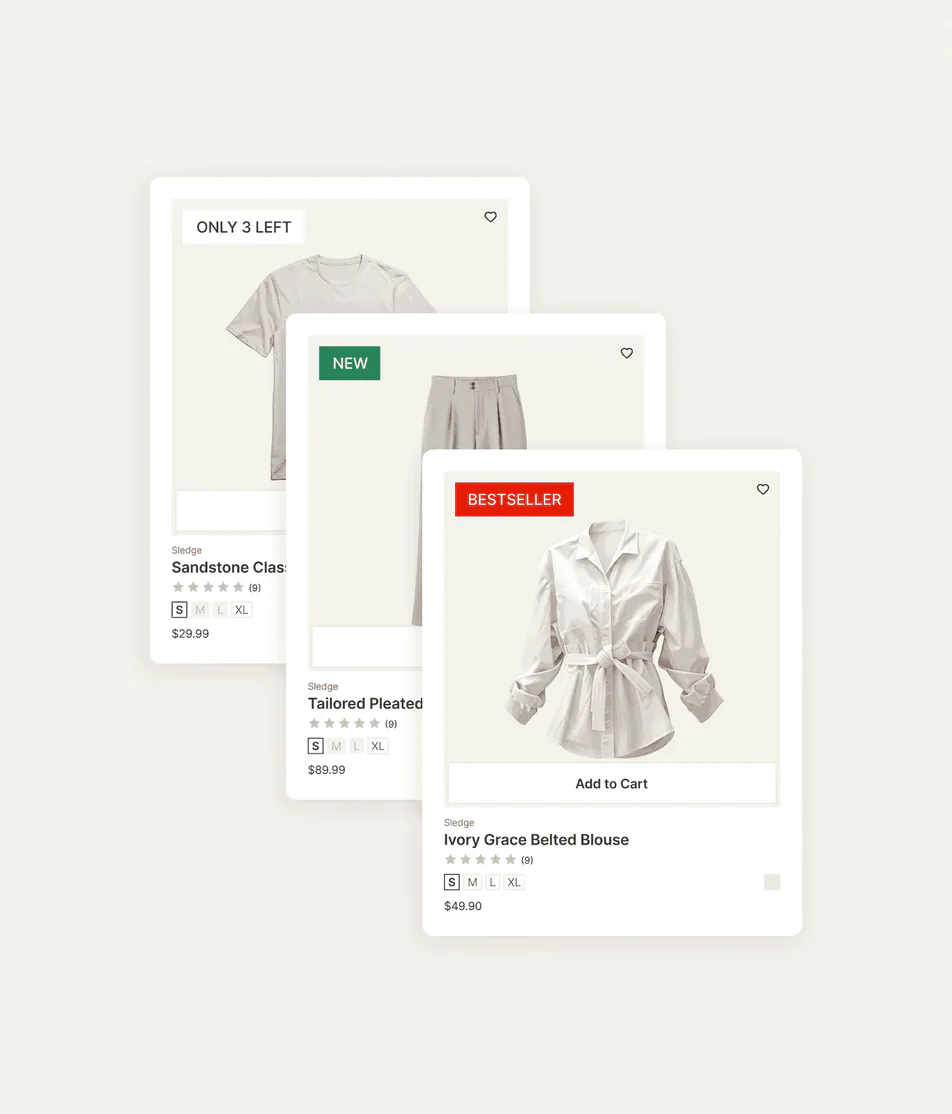
A small label changes the scan. "Bestseller" says other people already chose this. "New" says you haven't seen this yet. "Only a few left" says decide now. Sledge puts those labels on your cards as campaigns you scope and schedule. The right product gets the right badge. The label leaves when the moment does.
14-day free trial · No code · Works with any theme · On cards, search, and the product page
// One campaign, the right cards
Tagging 300 products one at a time is not a marketing plan.
Say you want a "New season" label across a 300-product drop. In the theme, that's tagging each product by hand, then editing the template to read the tag. When the season ends, you undo it all. That leaves the campaign tied to manual tagging and a theme change, even when the idea itself is simple.
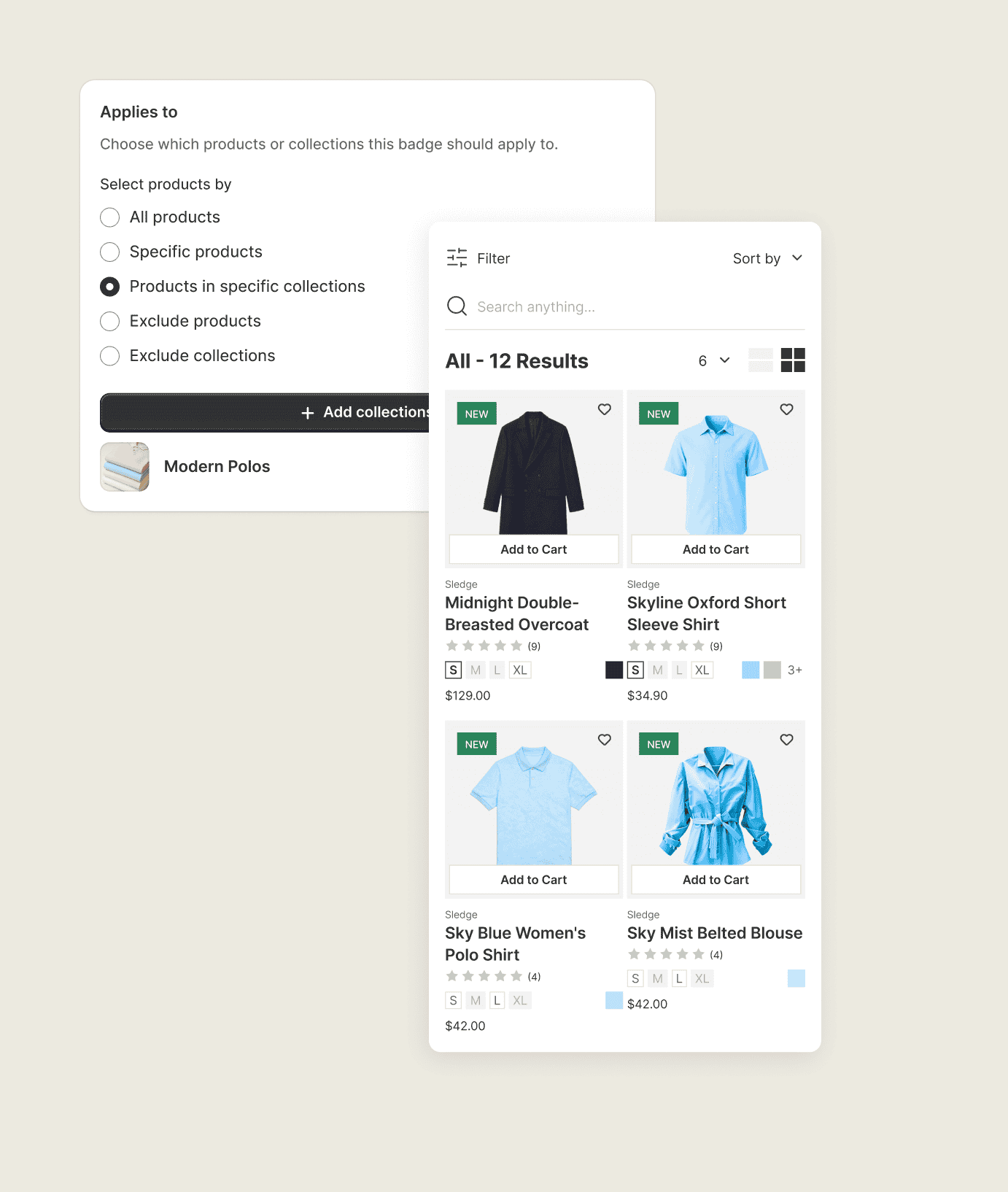
One Sledge campaign covers a whole collection at once, with a start and an end date that retires it for you. There is no tagging pass, no template edit, and nothing left behind when it's over.
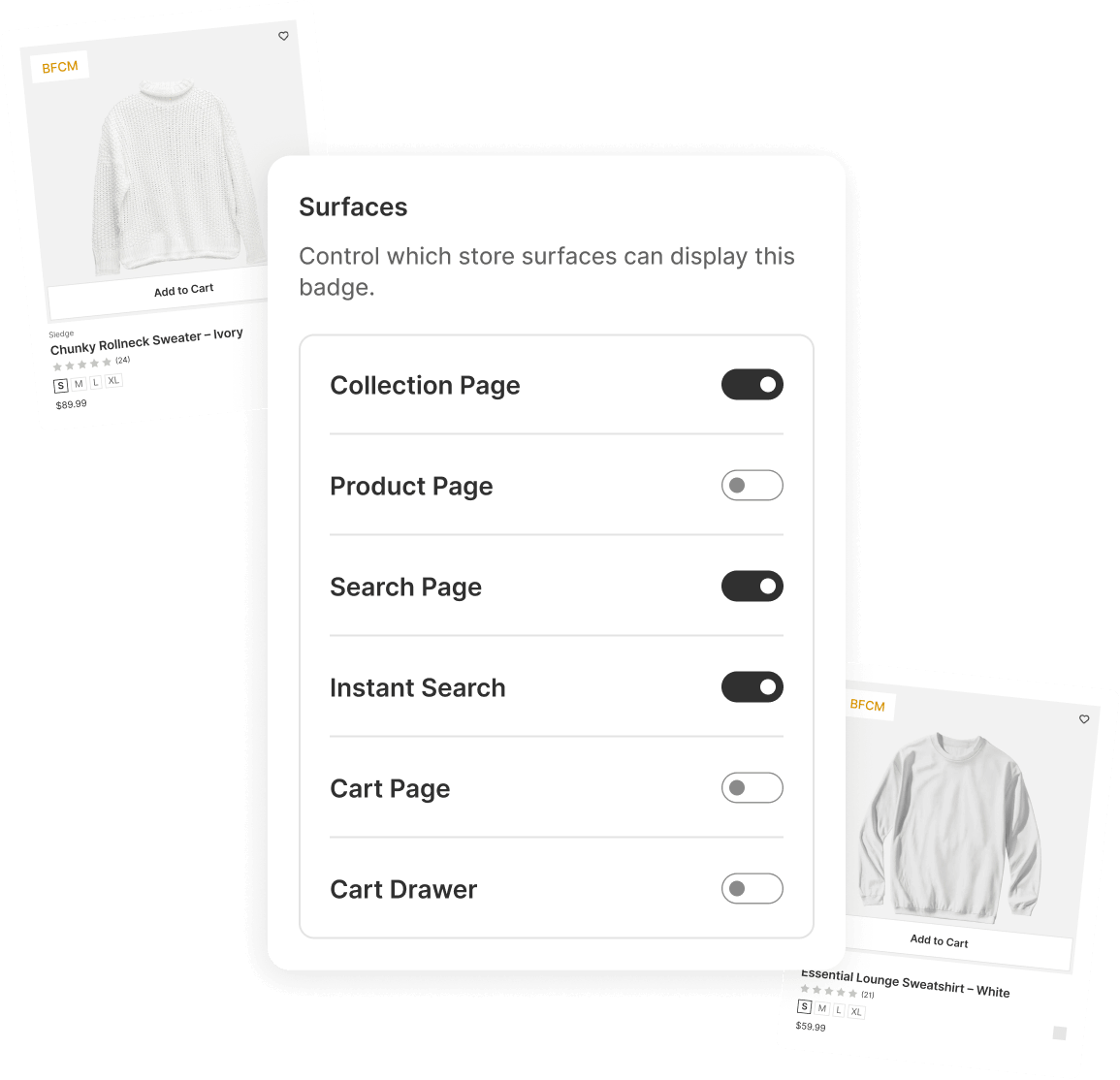
You scope a badge campaign four ways.
- By product, when you want a label on one hero item.
- By collection, so every card in a collection gets the same treatment from one campaign.
- By inventory, so "Only a few left" appears and clears itself as stock moves.
- On a schedule, so a "Holiday pick" leaves with the holiday instead of outliving it.
// Your label, your look
A badge that fights your theme looks like a bug, not a feature.
You've seen it. A loud red sticker lands on a minimalist store in the wrong font, in the wrong corner, half over the product photo. A badge that clashes doesn't read as "pay attention." It reads as "this app is broken." So you leave badges off entirely rather than ship one that looks bolted on.
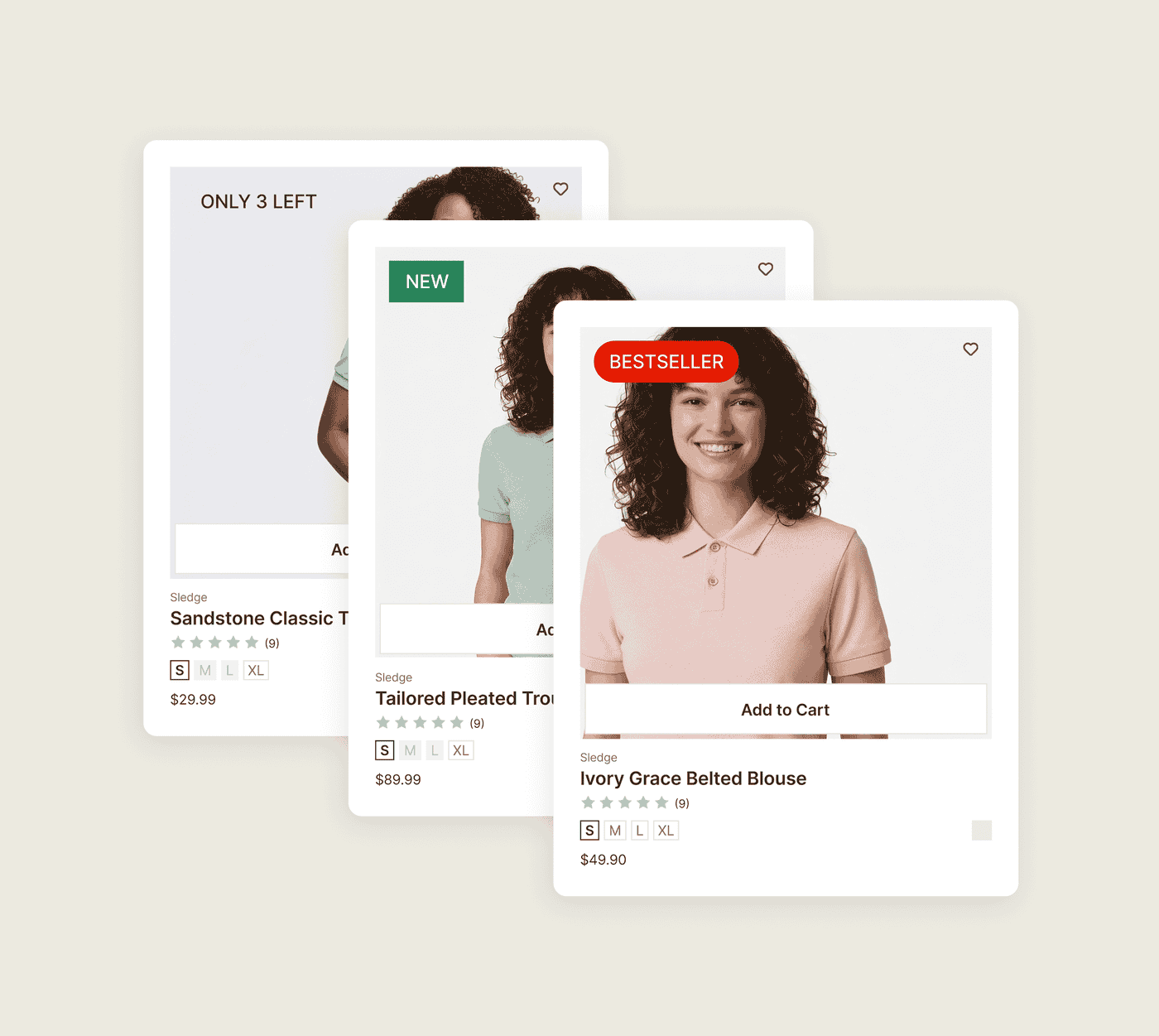
Start from one of four preset labels and ship in a minute, or write your own text. You choose the color, the corner radius, the border, the icon, and which corner or edge of the card the badge lands on. Sledge renders exactly that. The badge looks like part of the card, because you decided how it looks.
// Badges that know what day it is
Your sale ended Monday. The "Sale" badge is still up Thursday.
A flash sale runs the weekend. Monday morning you mean to pull the "Sale" badges, and you forget, because you're running a store, not watching a calendar. Days later the labels are still up, promising a discount that's already gone. Shoppers learn that your "Sale" tag means nothing.
A badge loses its meaning when it stays up after its reason is gone. That's a "New" tag three months after launch, or a "Sale" sticker after the sale.
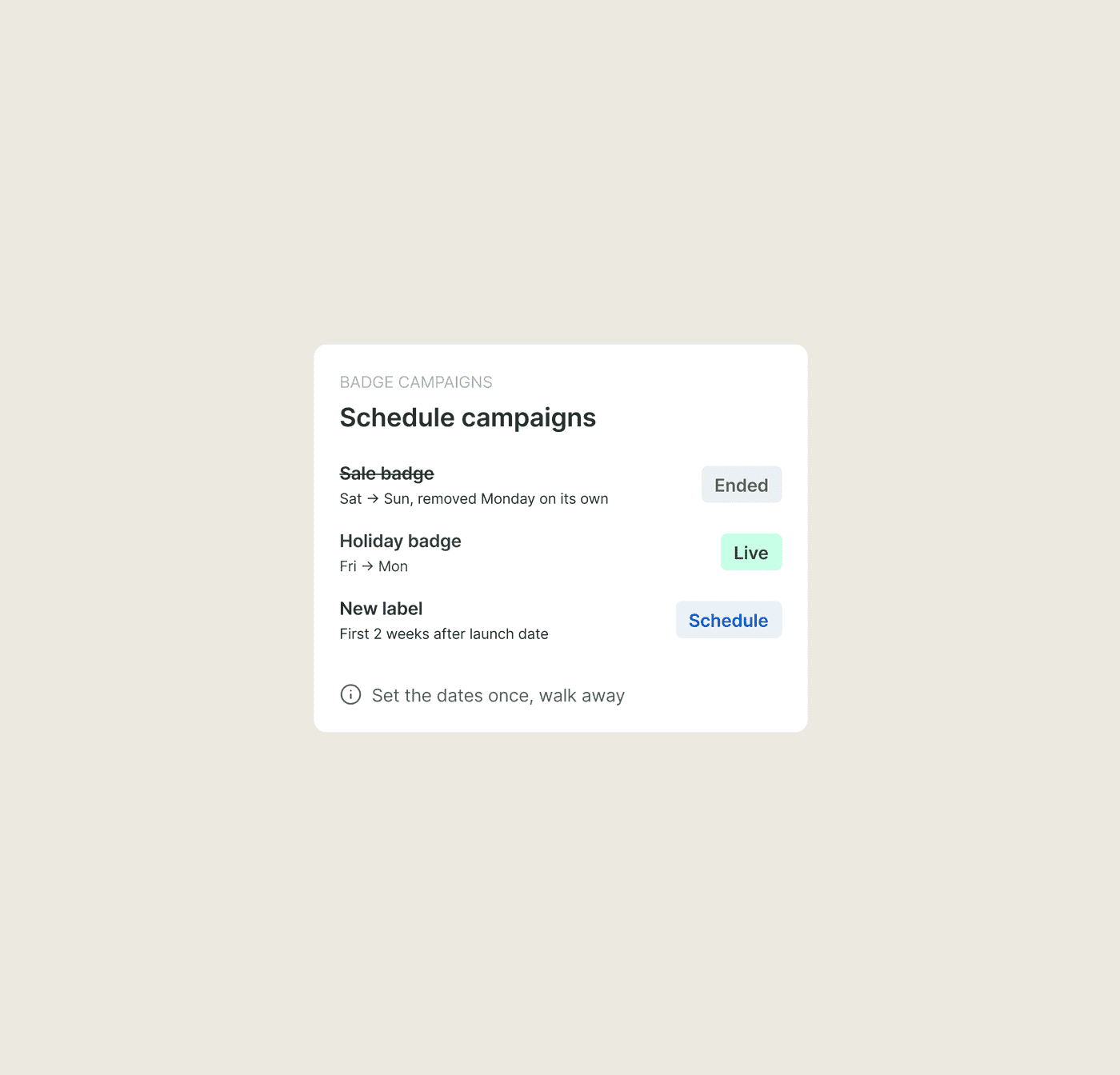
You give a Sledge campaign its start and end dates, then walk away. The "Holiday" badge appears Friday and is gone Monday on its own. The "New" label runs for the first two weeks of a launch, then comes down. You set the schedule once. Seasonal and sale labels then appear and disappear on their own, without you opening the app again.
// One badge or the other
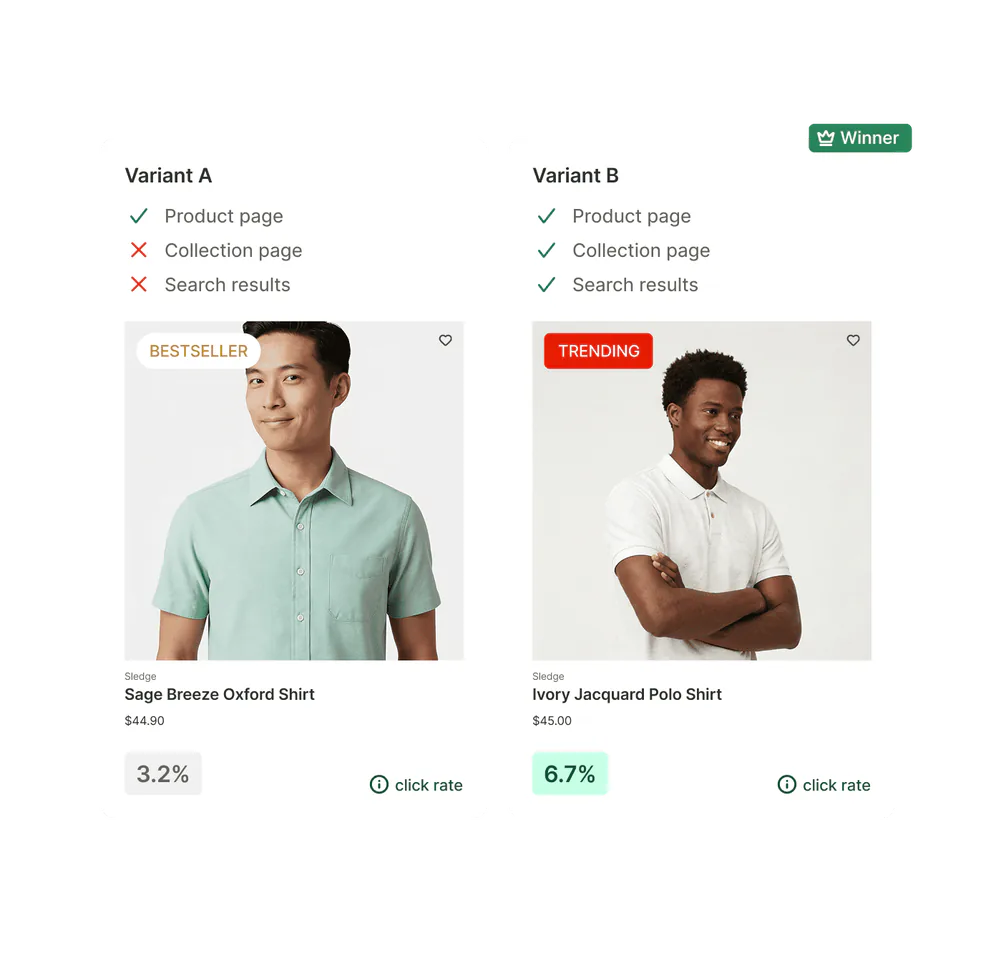
"Bestseller" or "Trending"? You're guessing, and so is everyone telling you.
You have two labels for the same product. One earns more clicks. You can argue about which all day, or find out. Without a test, you ship whichever felt right and never learn whether the other would have done better.
You can test the label instead. Sledge A/B-tests a badge campaign with an even, per-session split. Half your shoppers see one version, and half see the other. Each variant reports its own revenue, so you compare the two in dollars. You keep the label that measurably earns more clicks and sales. The badge stops being a matter of taste and becomes a matter of record.
Let the test pick the badge, instead of your best guess.
// Everywhere a shopper decides
A badge that only shows in one place misses most of the decision.
A shopper meets your product on a collection card, again in search results, and once more on the product page. Each is a moment they decide whether to click or buy. If the badge shows on only one, the shopper sees nothing at the other two.
A Sledge badge follows the product across the surfaces Sledge renders. The same "Bestseller" shows on the collection card, the search result, and the product page. The signal reaches shoppers at all three.
Questions, answered
Can a badge update itself as stock runs down?
In Sledge, yes. A low-stock or back-in-stock label follows the product's inventory, so it appears and clears on its own as stock moves, with nobody editing the campaign.
Can I put a Sale or New badge only on certain products or collections?
With Sledge, yes. A badge campaign targets the products you pick or a whole collection at once, so you can scope a label to exactly the cards you want instead of the whole store.
Can I schedule badges for a sale or a season?
For a badge campaign in Sledge, yes. Give it a start and end date and the badge appears and disappears on its own, so a Sale label never outlives the sale.
Can I change how a badge looks?
Yes, in Sledge. Badges start from one of four presets or your own text, with control over color, corner radius, border, icon, and where the badge sits on the card, so the badge matches your theme instead of clashing with it.
How do I know if a badge actually helped?
Every Sledge badge campaign reports its own visitors, clicks, click-through rate, and revenue, so a label either earns its place or it doesn't. You can also A/B-test one label against another and compare revenue per test variant, then keep the one that sells more.
Stop shipping bland cards. Put one badge to work.
Install free. Badge a whole collection in one campaign today, and schedule your next sale label so it pulls itself down. Then watch which labels earn the click.
14-day free trial · No code · Works with any theme · Uninstalls clean